
What Dub AI is
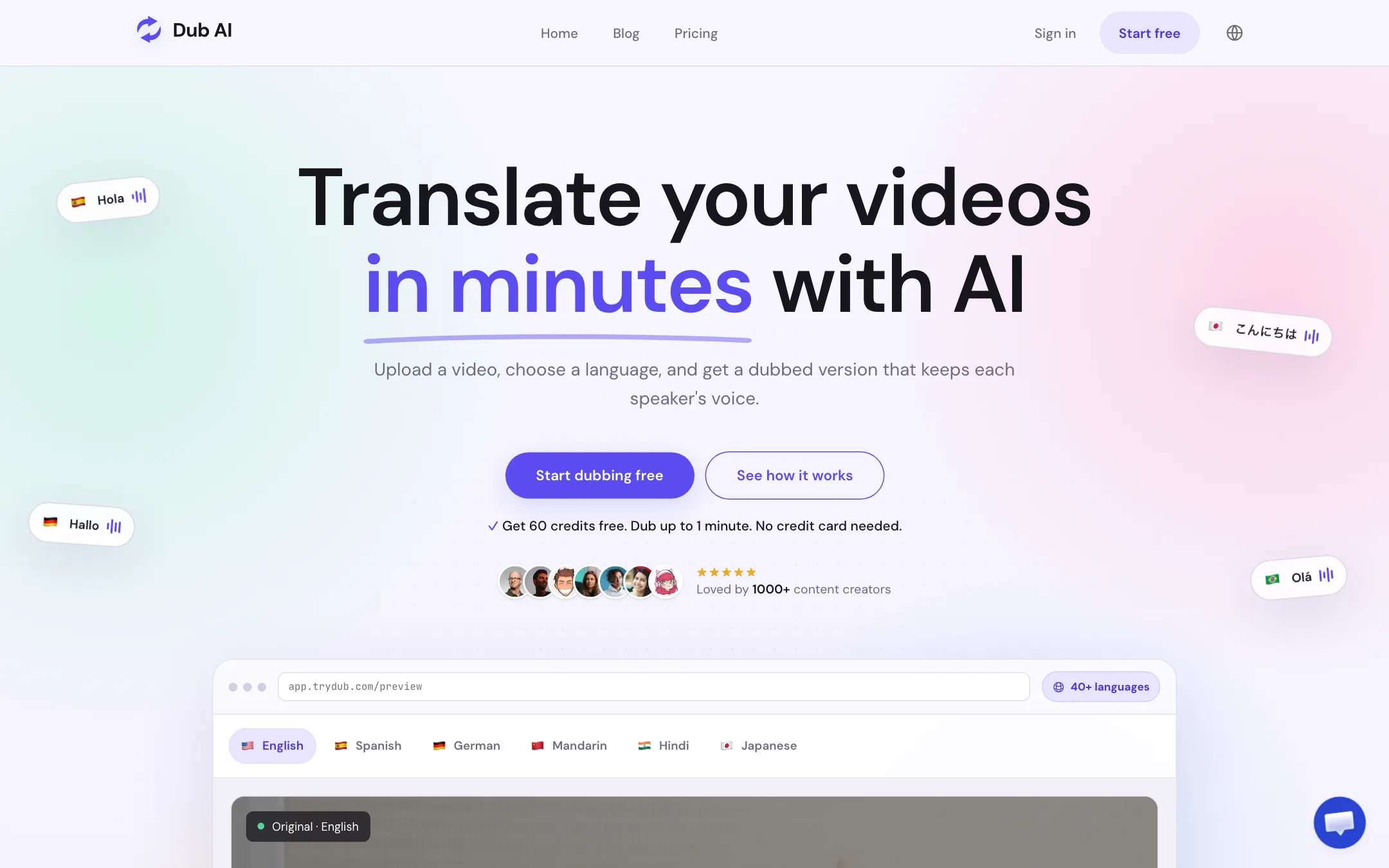
Dub AI is a web app that translates and dubs your video into another language. You upload a file, pick a target language and get back a dubbed version that, according to Dub AI, still sounds like the people who were speaking. It lives at trydub.com and calls itself Dub AI everywhere on the site.
It does one job. There is no timeline editor, no avatar studio and no lip-sync engine. You upload, it dubs, you download the files. That focus is the point of the product, and its own comparison pages say so: HeyGen, Rask AI and VEED offer more, Dub AI offers less with simpler pricing.
This review is based on Dub AI’s public homepage, pricing, language, security, comparison and help pages, checked on 2026-10-21. We did not run a dub, so quality claims belong to Dub AI.
Who it is for
Dub AI fits you if:
- You run a YouTube channel or course and want a Spanish, Hindi or Japanese version in your own voice.
- You dub now and then, and do not want a monthly bill for it.
- You want the subtitle file, transcript and audio stems so you can finish the job in your own editor.
- You make tutorials, screen recordings or voiceover-led videos where mouths are not on screen much.
Skip it if:
- You need lip sync for talking-head footage. Dub AI does not list it.
- You need a full localization pipeline with an API you can wire up today. API access is sales-only and there are no public docs.
- You want to edit the video, add captions styles or reframe for Shorts in the same tool.
How it works
Dub AI’s flow has three visible steps.
- Upload a file. It takes MP4, MOV, MP3 and WAV from your device.
- Choose a language and run the dub. Dub AI transcribes the speech, detects the speakers, translates the transcript and creates a new voice track for each speaker.
- Download the files. You get the dubbed video or audio, a translated transcript, an SRT subtitle file and separate audio files.
Behind step two, Dub AI describes four stages: speech is transcribed and speakers detected, the transcript is translated, new speech is generated in a voice based on each matching source speaker, and the files are prepared. It supports up to 10 speakers in one project.
What you get back
The export list is better than you might expect from a small tool:
- Dubbed video with the new speech track.
- Translated transcript you can use as a written record or to check terms.
- Subtitle file in SRT for YouTube or your editor.
- Audio files so you can mix the translated voice yourself.
The audio files matter. If you edit in Premiere, DaVinci or CapCut, you can drop the translated voice under your own music and effects instead of using Dub AI’s mix.
A sensible review routine
Dub AI’s own pages push a review step, and it is good advice for any AI dub:
- Start from a clean source with clear speech and little background noise.
- Make sure every speaker is audible.
- Check names, product terms, prices and links in the translated transcript.
- Watch the whole dubbed video before you publish.
- Add subtitles when names or technical terms need to be seen as well as heard.
- On YouTube, translate the title and description for the same audience as the audio.
It also says translation can change sentence length and timing, so the new speech will not always land on the same beat as the original.
Consent
Dub AI’s pages ask you to get permission before cloning anyone’s voice, not to use a cloned voice to make someone endorse a new claim, and to label generated speech where viewers might take it for a new recording. If you dub interviews or guests, get their consent in writing first.
Output quality
Dub AI says its dubs sound natural and keep each speaker recognizable. The testimonials on its homepage say the same, with one user saying their audience thought it was really them speaking Japanese. Those quotes come mostly from first names and handles, so treat them as marketing.
Dub AI does not name the speech recognition, translation or voice models it uses. That makes it hard to compare with tools that tell you they run on ElevenLabs or their own models.
What to expect from AI dubbing in general:
- Timing drift. Some languages run longer than English, so lines may be sped up or overlap.
- Names and jargon. Machine translation gets brand names and technical terms wrong. Check the transcript.
- No lip sync. Without it, close-up talking heads will look dubbed. B-roll, slides and screen recordings hide this.
- Noisy sources. One testimonial says a noisy car recording came out clear, but a clean source is always safer.
The free minute is enough to judge the voice match on your own footage. Use it on a section with more than one speaker if you have one.
Pricing
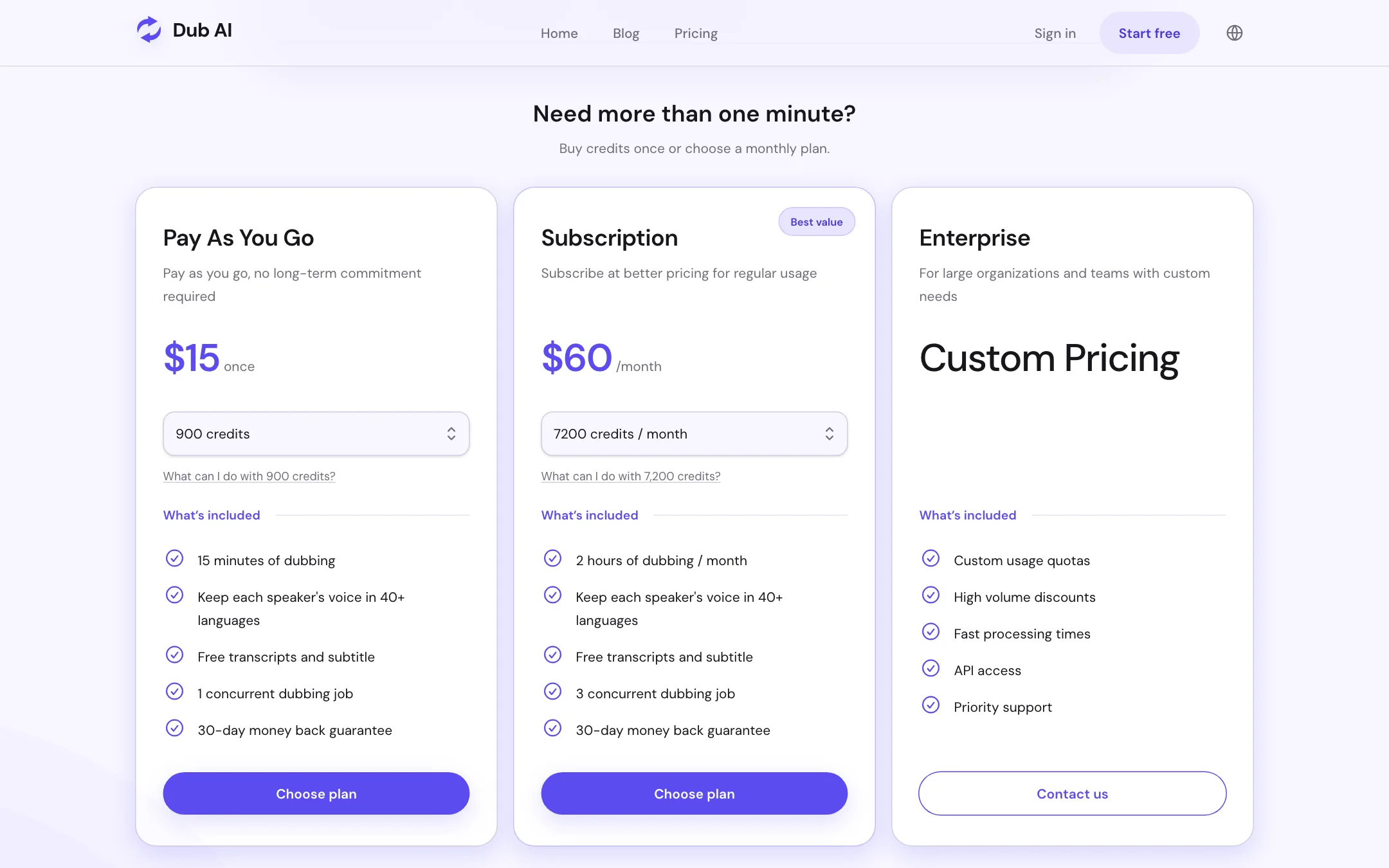
Dub AI prices everything in credits, and one credit equals one second of media. That makes the math easy.
| Plan | Price | What you get |
|---|---|---|
| Free | Free | 60 credits once, 1 minute |
| Pay As You Go | $15 once | 900 credits, 15 minutes, 1 job at a time |
| Subscription | $60/mo | 7,200 credits, 2 hours a month, 3 jobs at a time |
| Enterprise | Custom | Quotas, volume discounts, API, priority support |
Things worth knowing:
- Pay as you go is $1 a minute. The subscription works out to $0.50 a minute if you use the full two hours.
- The break-even is about one hour a month. Below that, packs are cheaper. Above it, subscribe.
- There is no small monthly plan. If you need 30 minutes a month, buy two packs.
- Transcripts and subtitles are included. You do not pay extra credits for them, per the pricing page.
- 30-day money-back guarantee is listed on both paid options.
Dub AI does not say on the public page whether pack credits expire or whether unused subscription credits roll over. Ask support before you buy a large amount.
Data and security
Dub AI’s security page says files are stored in SOC 2 Type II data centers and encrypted in transit and at rest. It says voice data is not kept after dubbing and never used to train AI models. It also notes that these certifications belong to its infrastructure providers, not to Dub AI itself, which is a fair clarification many small tools skip.
What Dub AI does not do
Knowing the gaps saves you a wasted afternoon. Based on its public pages, Dub AI does not offer:
- Lip sync. Mouths will not match the new language. Its own comparison page points to HeyGen and Rask AI for that.
- A video editor. You cannot trim, add captions styles, reframe or add music inside Dub AI. Export the files and finish in your own editor.
- Public API docs. API access exists only on custom Enterprise plans, and Dub AI says plainly that public documentation is not listed.
- YouTube link import. The upload page and YouTube guide both talk about uploading a file you own, not pasting a link.
- Model transparency. It does not name the speech, translation or voice models behind the dubs.
None of these are hidden. Dub AI’s own pages are unusually upfront about what it skips. Just make sure your project does not need any of them before you buy.
Getting a good first dub
Your free minute is small, so spend it well:
- Pick a hard clip. Choose a minute with two speakers, some jargon and a bit of background noise. If that sounds right, easy clips will too.
- Pick the language you actually need. Voice match can vary between languages.
- Read the translated transcript. Check names, numbers and product terms before you judge the audio.
- Listen on headphones. Small artifacts and timing slips are easier to hear.
- Ask a native speaker. If you do not speak the target language, have someone who does listen to the result.
If the voice and translation hold up, the $15 pack gives you 15 more minutes to dub a full video before you think about a subscription.
Alternatives
- VideoDubber is a low-cost video translator with voice cloning, lip sync and 150+ languages.
- Dubverse is a dubbing, subtitle and text-to-speech studio with a script editor and multi-speaker dubs.
- ElevenLabs has video dubbing inside a larger audio platform with public API docs.
If you need lip sync, VideoDubber lists it, and Dub AI’s own comparison pages point to HeyGen and Rask AI. Browse the full dubbing category for more.
Verdict
Dub AI is a small, focused dubbing tool that does the basics cleanly. One credit per second is the clearest pricing in the category, the $15 pack means you never need a subscription for occasional work, and you get the subtitle, transcript and audio files with every dub.
The limits are real. There is no lip sync, no editing, no public API and no word on which models do the work. For a YouTuber or course creator who wants a few videos in another language in their own voice, that is fine. Try the free minute on your own footage, check the transcript, and buy a pack only if the voice holds up.