What VideoDubber is
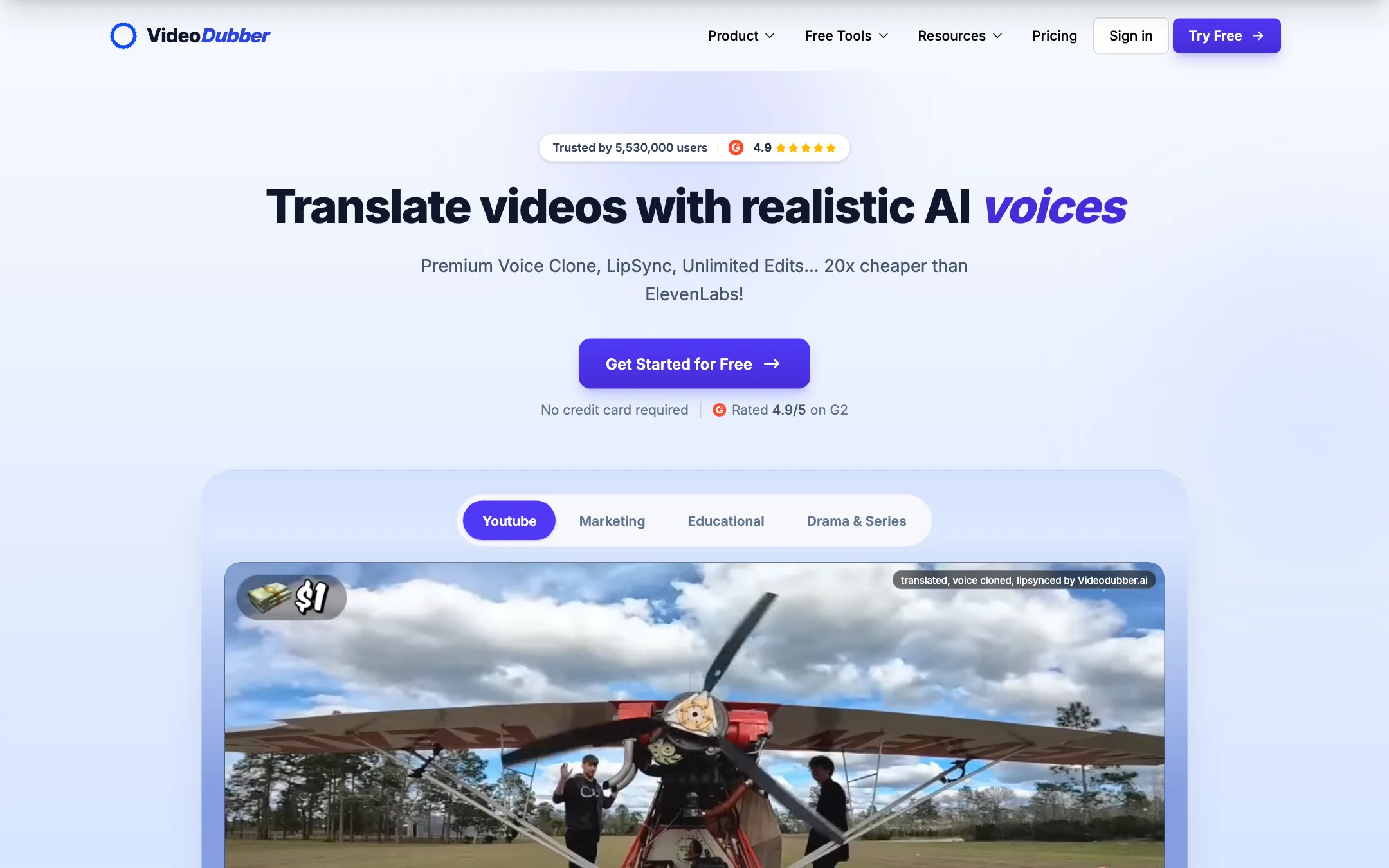
VideoDubber is an AI video translation tool. You give it a video in one language and it gives you the same video in another, either dubbed with a cloned version of the original speaker’s voice, with translated subtitles, or as a translated transcript. It can also lip-sync the speaker to the new audio.
The pitch is price. VideoDubber’s homepage says it is “20x cheaper than ElevenLabs,” and its rates run from $0.36 a minute on the entry plan down to $0.10 a minute on the biggest one. Most AI dubbing tools charge well above that.
The company was founded in 2023 by Souvic Chakraborty, who describes himself on the about page as a solopreneur with a PhD in AI who is building in public. VideoDubber says it builds on research from major AI conferences and runs on Microsoft, AWS and Google Cloud infrastructure, with backing from those companies’ startup programs.
We list it under dubbing and voice. It also appears in captions and subtitles, because translated subtitles are one of its three core outputs.
Who it is for
VideoDubber fits you if:
- You run a YouTube channel and want to reach Spanish, Hindi, Portuguese or other audiences without re-recording.
- You sell an online course and want to localize the whole library into several languages on a budget.
- You need translated subtitles more often than full dubs, but want the option of both.
- You make marketing or training videos with more than one speaker.
- You are a developer who wants to add dubbing to a product through an API.
Skip it if:
- You need lip sync on a tight budget. It is listed only from the $49 Growth plan.
- You work under strict compliance rules. VideoDubber says its SOC 2 Type II audit is still in progress.
- You want to generate voiceovers from a script rather than translate existing video. VideoDubber does offer text-to-speech, but a voice-first tool gives you more control.
How it works
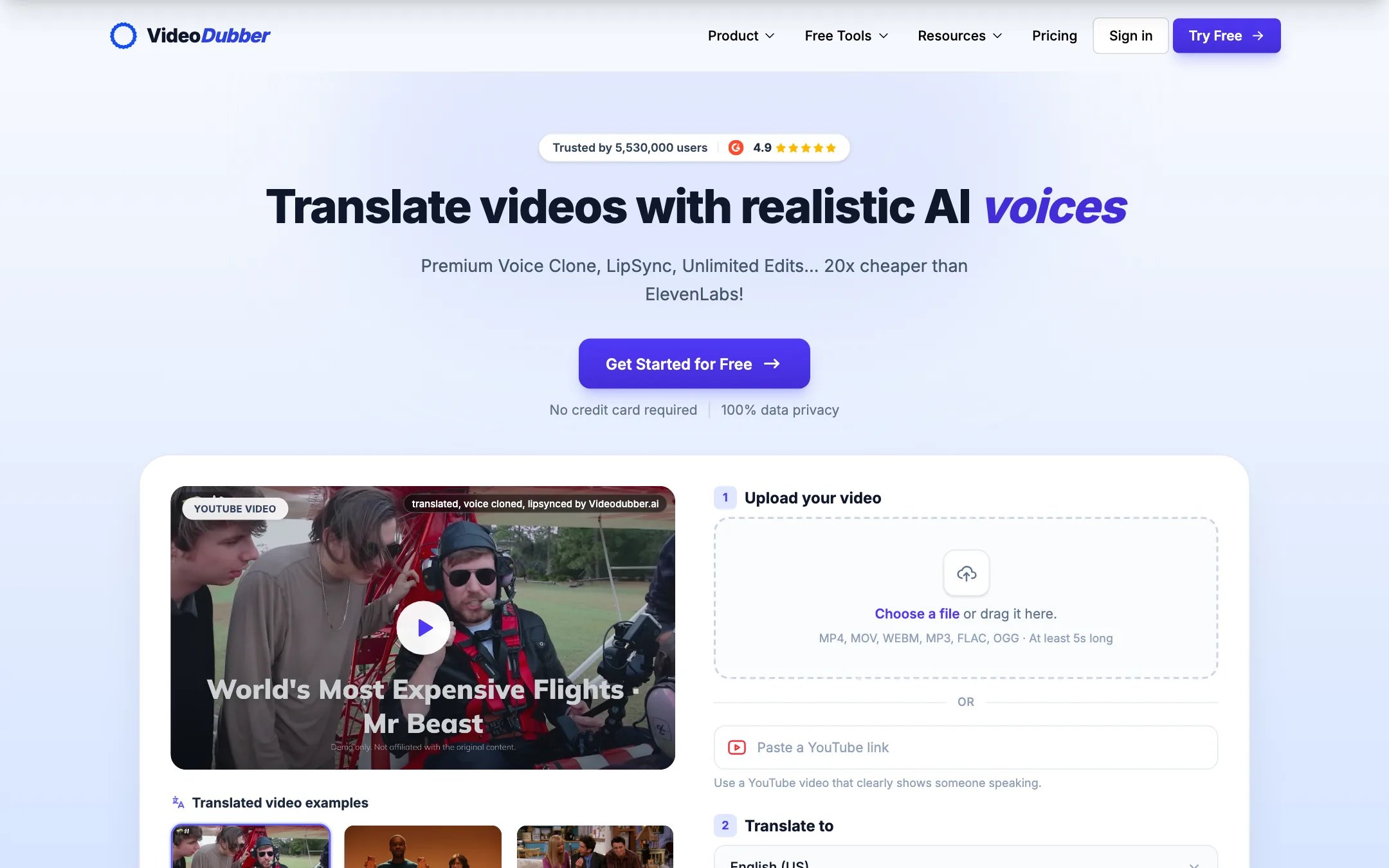
The translate page doubles as the starting point. It shows an upload box, a language picker and a “Translate for free” button.
A typical translation
- Upload or paste a link. Drop in an MP4, MOV, WEBM or audio file, or paste a YouTube, TikTok, Vimeo or Google Drive link. The page says files must be at least 5 seconds long.
- Pick a target language. The source language is detected automatically. You choose from 150+ target languages, including regional accents and dialects.
- Pick your output. Dubbing with a cloned voice, translated subtitles, a transcript, or all three.
- Review and edit. The editor shows the transcript and translation line by line. You can fix wording, adjust timing, re-translate a line or swap a voice.
- Export. Download an MP4 with burned-in or soft subtitles, SRT or VTT files, a dubbed MP4, or a TXT or DOCX transcript.
Controls worth knowing about
VideoDubber offers more translation control than many tools at this price:
- Glossary. Lock product names, technical terms and character names so they stay consistent across languages.
- Translation style prompts. Tell the translator how formal to be, who the audience is, or what tone to keep.
- Translator choice. Starter lists GPT 5 and DeepSeek translators. Pro adds Gemini.
- Source text options. Instead of relying on auto transcription, you can upload your own SRT or VTT file, or use OCR to read subtitles that are burned into the video.
- Per-speaker voices. In multi-speaker videos, you choose the voice style and cloning type for each speaker.
- Background audio. Keep the original music, remove it, or pick a track from a provided list.
The most useful promise is unlimited edits. VideoDubber says re-translating, re-dubbing and fixing timing never costs extra. Many dubbing tools charge minutes again every time you regenerate a line, so this matters if you are fussy about your scripts.
Voice cloning and lip sync
VideoDubber’s cloning model is called VoicePARROT. The company says it learned from 200,000+ hours of real speech and carries the speaker’s tone, emotion and accent into the new language. Starter includes instant cloning. Pro adds premium cloning, and VideoDubber suggests clean voice samples improve the result.
Lip sync uses its SyncPRO model. The lipsync page claims it handles fast camera movement, multiple faces, cuts between angles, low light, objects in front of the face and rapid dialogue, and preserves detail up to 4K ProRes. On the pricing page, “Premium Lipsync” first appears on the Growth plan.
API and enterprise
There is a REST API with endpoints for translate, dub, lip sync and job status, and VideoDubber is listed on AWS Marketplace. Enterprise plans add shared workspaces, role-based access and priority support. Growth and above also list “Natural ElevenLabs Voices,” which suggests VideoDubber uses ElevenLabs voices for some outputs alongside its own models.
Output quality
We have not dubbed our own videos with VideoDubber, so we cannot confirm its quality claims. Here is what the company says and what to watch for.
- Accuracy depends on your source. VideoDubber’s own FAQ says accuracy varies with content complexity, slang and audio quality. Clean, scripted speech will translate better than fast, slangy conversation.
- Lip sync claims are bold. Handling occlusion, low light and multiple faces is hard for every model. Test a clip that resembles your real footage, not an easy front-facing shot.
- Social proof is inconsistent. The homepage says “Trusted by 5,530,000 users” in one place and “9M+ creators and companies” in another. It shows a 4.9 rating on G2. The comparison table pits VideoDubber against two competitors it does not name.
- Testimonials are curated. The quotes on the site come from course creators, a church group and a meditation organization, among others. They are hand-picked by VideoDubber.
Getting a cleaner dub
Whatever tool you use, a few habits improve AI dubbing a lot:
- Start with clean audio. Background noise, music under speech and crosstalk all confuse transcription. Clean the source first, or use VideoDubber’s denoise option.
- Fix the transcript before you translate. Errors in the source text carry into every language. Edit the original transcript line by line, or upload your own SRT if you already have accurate captions.
- Build the glossary early. Add your brand, product and guest names before the first job, so you do not fix them in every language later.
- Give the translator a brief. A one-line style prompt such as “casual, for teenagers” or “formal, for business buyers” changes word choice more than most people expect.
- Ask a native speaker to spot-check. Even good machine translation misses idioms and jokes. A five-minute review by a fluent viewer catches the worst lines.
The free 5 minutes is your best tool here. Pick a 60-second clip with your real speaker, your real audio quality and your real target language, and judge the voice, the translation and the timing yourself.
Pricing
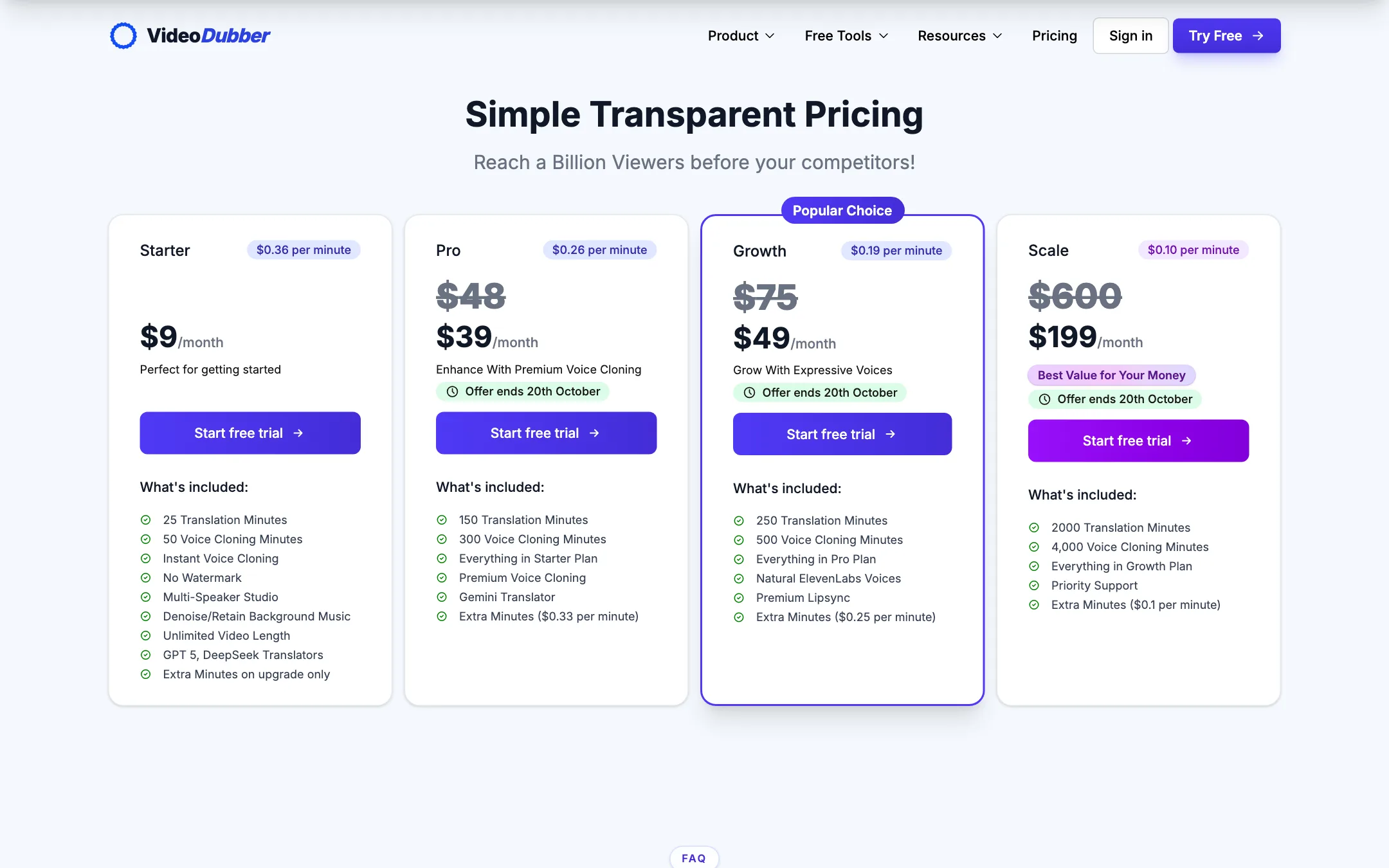
VideoDubber charges by the minute through monthly plans. These prices were checked on the pricing page on 2026-10-19, when Pro, Growth and Scale showed discounts labeled “Offer ends 20th October.”
| Plan | Price | Translation minutes | Per minute |
|---|---|---|---|
| Free | Free | 5 minutes | Free |
| Starter | $9/mo | 25 (plus 50 cloning minutes) | $0.36 |
| Pro | $39/mo (listed $48) | 150 (plus 300 cloning minutes) | $0.26 |
| Growth | $49/mo (listed $75) | 250 (plus 500 cloning minutes) | $0.19 |
| Scale | $199/mo (listed $600) | 2,000 (plus 4,000 cloning minutes) | $0.10 |
A few things the pricing page does not make obvious:
- The discounts may not last. The offer was due to end on 20 October. If list prices return, Pro is $48, Growth $75 and Scale $600. Check what you will pay at renewal.
- Growth is the real dubbing plan. It is the first tier with premium lip sync and ElevenLabs voices, and at the discounted price it costs only $10 more than Pro for 100 more minutes.
- Starter is a dead end for volume. Starter cannot buy extra minutes. Pro, Growth and Scale can buy $19 extra-minute packs, with overage rates of $0.33, $0.25 and $0.10 a minute.
- Minutes roll over. Unused minutes and extra packs stay in one balance until used. You do not lose a quiet month’s allowance.
- Yearly billing may exist. The page code references yearly billing with savings of up to 17%, but no yearly toggle was visible when we checked.
- Cancel any time. VideoDubber says you cancel from Settings, then Billing, and keep access until the end of the period.
VideoDubber’s affiliate program pays 30% recurring for 12 months according to its affiliate page, while the site header advertises 50%. We note that for transparency. It does not change how we describe the tool.
Verdict
VideoDubber is the budget pick for AI dubbing. The per-minute prices are low, edits are free, minutes roll over, and one upload gives you a dub, subtitles and a transcript. Glossary and style prompts give you more control than you would expect at $9 a month.
The catches are real but manageable. Lip sync starts on Growth, the headline prices were a time-limited offer, and the quality claims come from the vendor. Spend the 5 free minutes on a clip that looks like your real content. If it holds up, Growth is the plan most creators who want true dubbing should start on.