What AutoCaption is
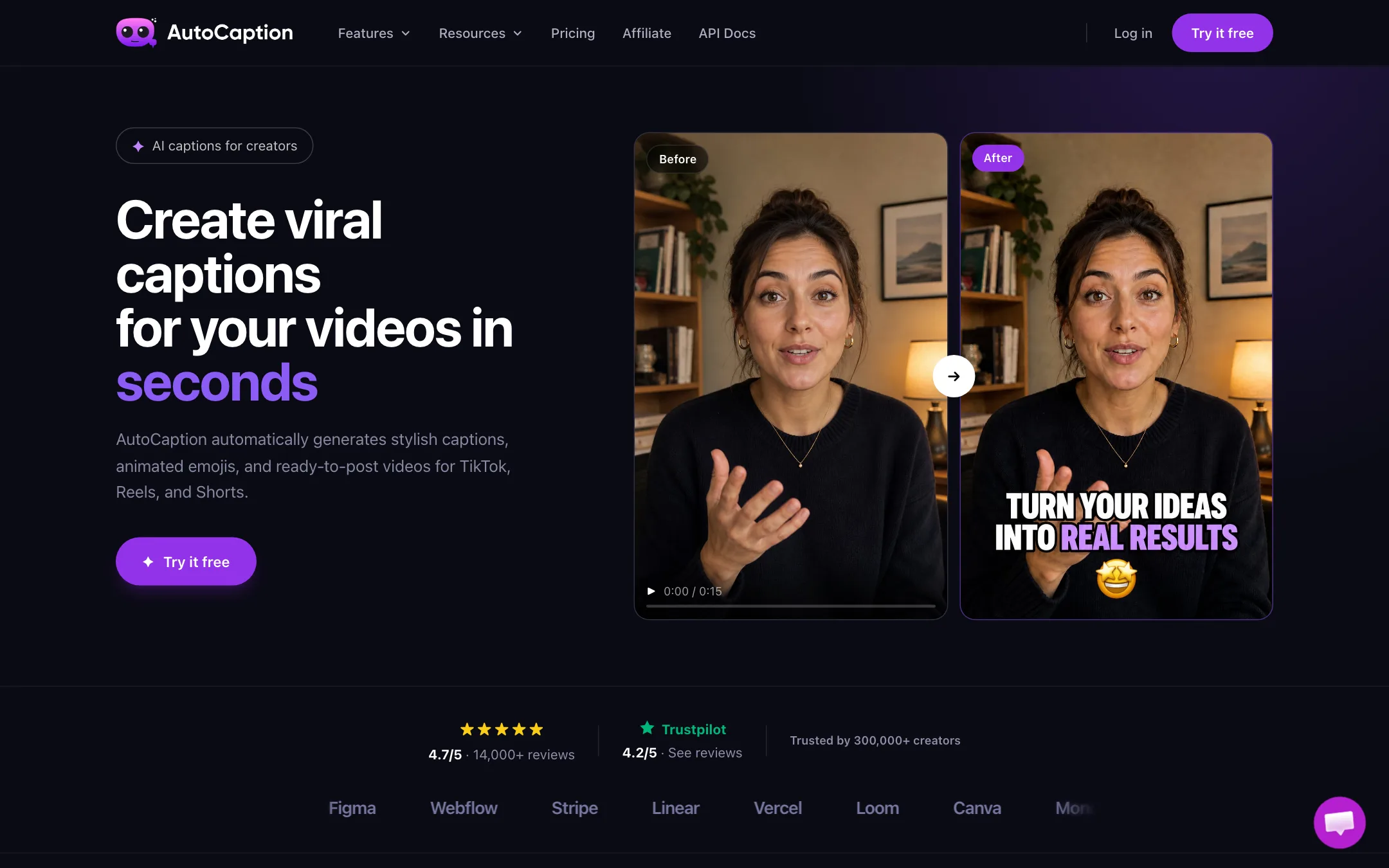
AutoCaption is a web app that adds captions to videos you already have. You upload a clip, it transcribes the speech, and you pick a caption style. Then you export or publish straight to TikTok, Reels or Shorts.
The pitch is speed and style. AutoCaption says most videos are captioned in under 10 seconds. Its captions are the bold, animated, word-by-word kind that short-form creators use to keep people watching with the sound off. Emojis, emphasis on key words and branded templates are part of the package.
Behind it is Byte SAS, a company registered in Paris, according to the terms. The site is in English and targets creators everywhere.
AutoCaption also sells a second set of plans called AI Video. These add AI-generated stories and POV-style ads on a shared credit balance. Captions are still the core product, and that is what this review focuses on.
Who it is for
AutoCaption fits you if:
- You film talking-head clips, tips or reactions for TikTok, Reels or Shorts.
- You want captions that look like the viral ones, without editing each word by hand.
- You post often and want a plan priced by videos per month rather than minutes or credits.
- You want one caption look across all your videos, saved as a template.
Skip it if:
- Your videos run longer than a few minutes. Starter caps each video at 2 minutes and Pro at 6.
- You need subtitle files for courses, films or client delivery in many languages. Subtitling tools such as Checksub or Hello8 are built for that.
- You want an all-in-one editor with clipping from long videos, silence removal and scheduling. A broader short-form editor fits better.
- You want to try it extensively for free first. The free tier is not defined anywhere on the site.
How it works
AutoCaption describes a three-step flow.
- Upload your video. Drag and drop a file. The FAQ lists MP4, MOV, AVI, MKV and WebM, up to 4K. Upload size depends on your plan, from 500MB on Starter to 2GB on Pro.
- Customize your captions. Pick a caption style, then adjust font, color, animation, size, position and which words get emphasis. Emojis can be added automatically.
- Export and publish. Download the video or publish directly to TikTok, Reels or Shorts.
Styling and templates
Caption style is the whole point of a tool like this. AutoCaption lets you change:
- Font and color, including your own fonts on every paid plan.
- Animation, so words pop in as they are spoken.
- Emphasis, highlighting key words in a different color or size.
- Position and size, to keep captions clear of on-screen UI on each platform.
- Emojis, added to match what is being said.
Once you like a look, save it as a template. AutoCaption says templates hold your brand fonts and colors and can be reused instantly. If you run several accounts or clients, that saves real time.
Editing words and timing
AI transcription is never perfect, especially with names, slang or accents. AutoCaption has a timeline editor where you fix each word and adjust when it appears. Expect to use it on most videos, at least for proper nouns.
Resizing for each platform
You can resize a captioned video in one click: 9:16 for TikTok, Reels and Shorts, and 1:1 or 16:9 for LinkedIn. That saves re-exporting from your editor for each platform. Check that the captions still sit well after the crop.
Translation
AutoCaption says it transcribes and translates in more than 100 languages. For creators, that means you can post a Spanish or Portuguese captioned version of an English clip. It is not a professional subtitling workflow, so proofread anything that matters.
B-roll and AI tools
Expert and Pro plans add B-roll and “AI Tools.” The pricing page does not explain what the AI tools are. B-roll in this kind of app usually means stock footage cut in over your talking head to break up the shot. Ask support or check in the free tier before paying for Expert just for these.
The AI Video plans
The pricing page has a second tab called AI Video. These plans run on credits instead of a video count:
- Creator, $39 a month: 1,750 credits, which AutoCaption says equals 350 caption exports, 28 AI stories or 30 POV ads a month. Videos up to 10 minutes.
- Power, $89 a month: 4,400 credits, videos up to 30 minutes, a brand kit and priority support.
- Business, $199 a month: 10,500 credits, videos up to 60 minutes, team collaboration and API access.
AutoCaption does not explain on its public pages which AI models generate the stories and ads. If you only need captions, the caption plans are better value. The AI Video plans make sense mainly if you also want longer uploads or the API.
Pricing
| Plan | Monthly price | What you get |
|---|---|---|
| Free | Free | Free tier per the FAQ, limits not published |
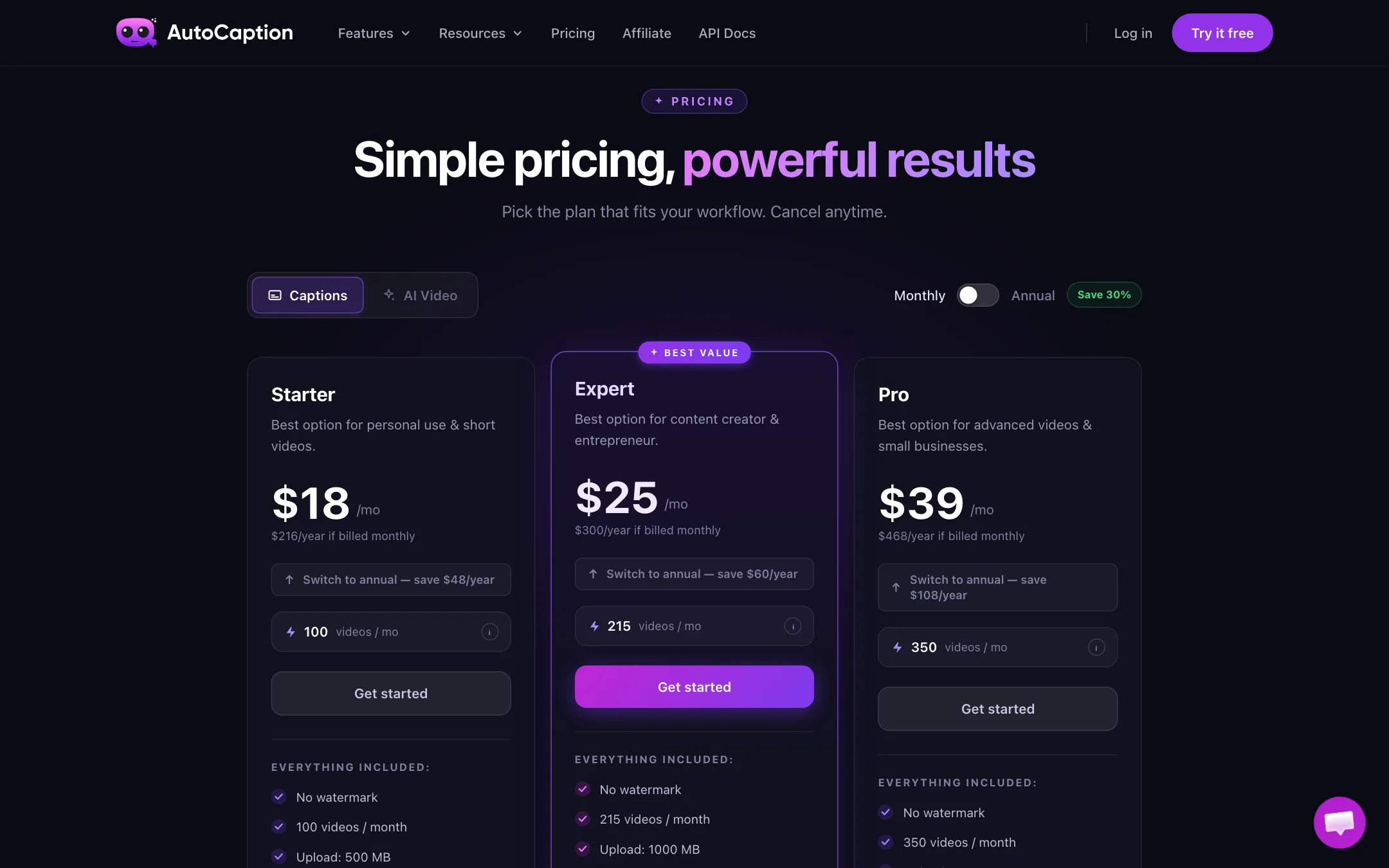
| Starter | $18 | 100 videos a month, 2 minutes max, Full HD |
| Expert | $25 | 215 videos, 3 minutes max, B-roll and AI tools |
| Pro | $39 | 350 videos, 6 minutes max, up to 4K |
| AI Video Creator | $39 | 1,750 credits, 10-minute videos |
| AI Video Power | $89 | 4,400 credits, 30-minute videos |
| AI Video Business | $199 | 10,500 credits, team and API |
A few things the pricing page does not make obvious:
- The annual discount is smaller than the label. The toggle says “Save 30%.” The cards say annual saves $48 of $216 on Starter, $60 of $300 on Expert and $108 of $468 on Pro. That is 20% to 23%. On the AI Video plans the cards show savings closer to 30%.
- Length limits matter more than video counts. One hundred videos a month is plenty for most creators. Two minutes per video is the real cap. If you post 3-minute YouTube Shorts or longer Reels, Starter will not work.
- 4K is Pro only. Starter and Expert export Full HD. For most phones and platforms, that is fine.
- The free tier is undefined. The FAQ says “free tier,” the homepage says “Try it free, no credit card required,” and the terms say “free trial.” None of them say how many videos or minutes you get.
- No refunds. The terms say all fees are non-refundable and there are no partial-month credits. Cancel before renewal if you are unsure.
Which plan to pick
- Starter works if your clips are under 2 minutes and you post up to about three a day. Most TikTok and Reels creators fit here.
- Expert makes sense if you post 3-minute Shorts or want B-roll cut in automatically. Check what the AI tools include first.
- Pro is for longer clips up to 6 minutes, agencies handling several accounts, or anyone who needs 2K or 4K masters.
- AI Video plans only make sense if you need videos longer than 6 minutes, the API, or team seats, or if you want the AI stories and POV ads.
Getting better captions
A caption tool is only as good as the audio it hears. A few habits help with any tool in this category:
- Record clean audio. A cheap lapel mic beats a phone across the room, and transcription errors drop with it.
- Fix names once. Brand names and people’s names are the most common mistakes. Correct them in the editor before export.
- Keep captions short. Two to four words on screen at a time reads better on a phone than full sentences.
- Leave room for the platform UI. Move captions above the bottom third so TikTok and Reels buttons do not cover them.
Claims to take with salt
AutoCaption’s homepage says it is trusted by more than 300,000 creators and shows a logo wall with Adobe, Shopify, HubSpot, Notion, Stripe, Linear and others. It also shows a 4.7 rating from “14,000+ reviews” next to a Trustpilot score of 4.2. There are no case studies or details tying those brands to AutoCaption. Treat the logos as decoration, not endorsements.
Its footer links to API docs, but that page returned not found when we checked. API access is listed only on the $199 Business plan.
Alternatives
- Submagic is the best-known tool in this niche, with animated captions plus clipping, B-roll, silence cutting and scheduling. It costs more but does more.
- Snapvid is another French-made shorts editor, adding smart cuts and cleanup alongside captions.
- Hello8 is the opposite end: proofread subtitles in many languages for agencies and documentary teams.
Verdict
AutoCaption does one job and prices it fairly. If you film your own short vertical videos and want bold animated captions without fuss, Starter at $18 a month is a reasonable entry, and limits in plain videos per month are easier to plan around than credits.
Check the length cap against your content before paying, and use the free tier to judge transcription accuracy on your own voice. Ignore the logo wall and the “save 30%” label. The real annual saving on caption plans is closer to a fifth.