
What Runway is
Runway is one of the companies building frontier AI video models. Its current flagship is Gen-4.5, which Runway calls “the world’s best video model.” Alongside it are Aleph 2.0 for editing existing video and Act-Two for character performance. Runway says more than 60 million people use it.
Most tools on this site resell other companies’ models. Runway trains its own. Its creative app, Runway Creative, also includes other labs’ models, among them Kling 3.0, Seedance, Nano Banana Pro, Wan and FLUX. So you get Runway’s own models plus a wide menu of others in one subscription.
Runway has also moved well beyond creative tools. It now runs a developer platform, a robotics toolkit built on its world model GWM-1, and a new Runway Ads product. This review covers Runway Creative, the part video creators will use.
The link in our directory pointed to Runway’s old experiments site, which now redirects to runway.com. Everything below refers to the current product.
Who it is for
Runway fits you if:
- You make short films, music videos, ads or VFX and want frontier model quality.
- You edit footage as well as generate it. Runway’s editing tools are a big part of its value.
- You work in Premiere Pro, After Effects or DaVinci Resolve and want AI inside your timeline.
- You run a creative team and need shared projects, pooled credits and review comments.
- You want to compare several leading models without separate subscriptions.
Skip it if:
- You want lots of footage on a small budget. Standard buys under a minute of Gen-4.5 a month.
- You want ready-made templates and viral effects. PixVerse and similar tools are faster for that.
- You want a single-button script-to-video tool. Runway’s Agent can do end-to-end videos, but the suite is built for people who like control.
How it works
Runway Creative is a cloud workspace for generating and editing video, images and audio. There are several ways to work.
Generate
Pick a model, write a prompt or upload an image, set the duration and generate. The model picker includes Gen-4.5 and Gen-4 Turbo from Runway, plus Seedance 2.0 and 2.5, Kling 3.0 and others. Each has its own credit cost. Runway’s pricing page lists them: Gen-4.5 is 60 credits per 5 seconds, Aleph 2.0 is 140 per 5 seconds, and Seedance 2.0 Pro at 1080p is 160 per 4 seconds.
There is also a Multi-Shot Video App. Runway says you write a simple prompt and get a video with multiple shots.
Edit
Editing is where Runway stands apart. Aleph 2.0 and Edit Studio let you edit a single frame, then apply that change to the whole video. Runway’s examples include changing an outfit, changing art direction, removing a background and removing or swapping objects, all by describing the change.
Runway also has Apps, single-purpose tools such as:
- Remove from Video to erase anything with a prompt.
- Relight Scene and Change Time of Day to change lighting.
- Change Backdrop to replace the background.
- Reshoot Product to transform product shots without a new shoot.
- Add Dialogue to make a character say typed lines.
- Add Performance to map your voice and expressions onto a character.
- Upscale Video to raise resolution in one click.
Agent and Workflows
Runway Agent builds end-to-end videos through conversation. On the Team plan you can share agent skills and connect Figma, Dropbox and Notion. Workflows is a node editor. You chain models, modalities and steps together, then reuse the chain.
Plugins and integrations
Runway plugins work inside Premiere Pro and After Effects, and the Team page also lists Resolve. You can also reach Runway through ChatGPT, Claude and other MCP-compatible agents, and Runway is a launch partner for Claude Motion. Developers get an API through Runway Dev. There are iOS and Android apps.
Output quality
We have not run Runway ourselves for this review. What its pages and customers show:
- Gen-4.5 is Runway’s flagship. Runway describes “state-of-the-art motion quality, prompt adherence and visual fidelity.” Treat that as the vendor’s claim. Test it against Kling, Veo and Seedance on your own prompts, which you can do inside Runway.
- Professional use cases. Runway cites customer stories with Amazon’s “House of David,” History Channel’s “Life After People,” Under Armour and Chime. That points to real production use, not only social clips.
- Studio formats on Max. HDR, ProRes and image sequences are Max-only. Standard and Pro export standard formats, with 4K upscaling.
- Editing changes the maths. Many projects need fewer generations if you can fix a shot with Aleph or an App instead of regenerating it.
Pricing
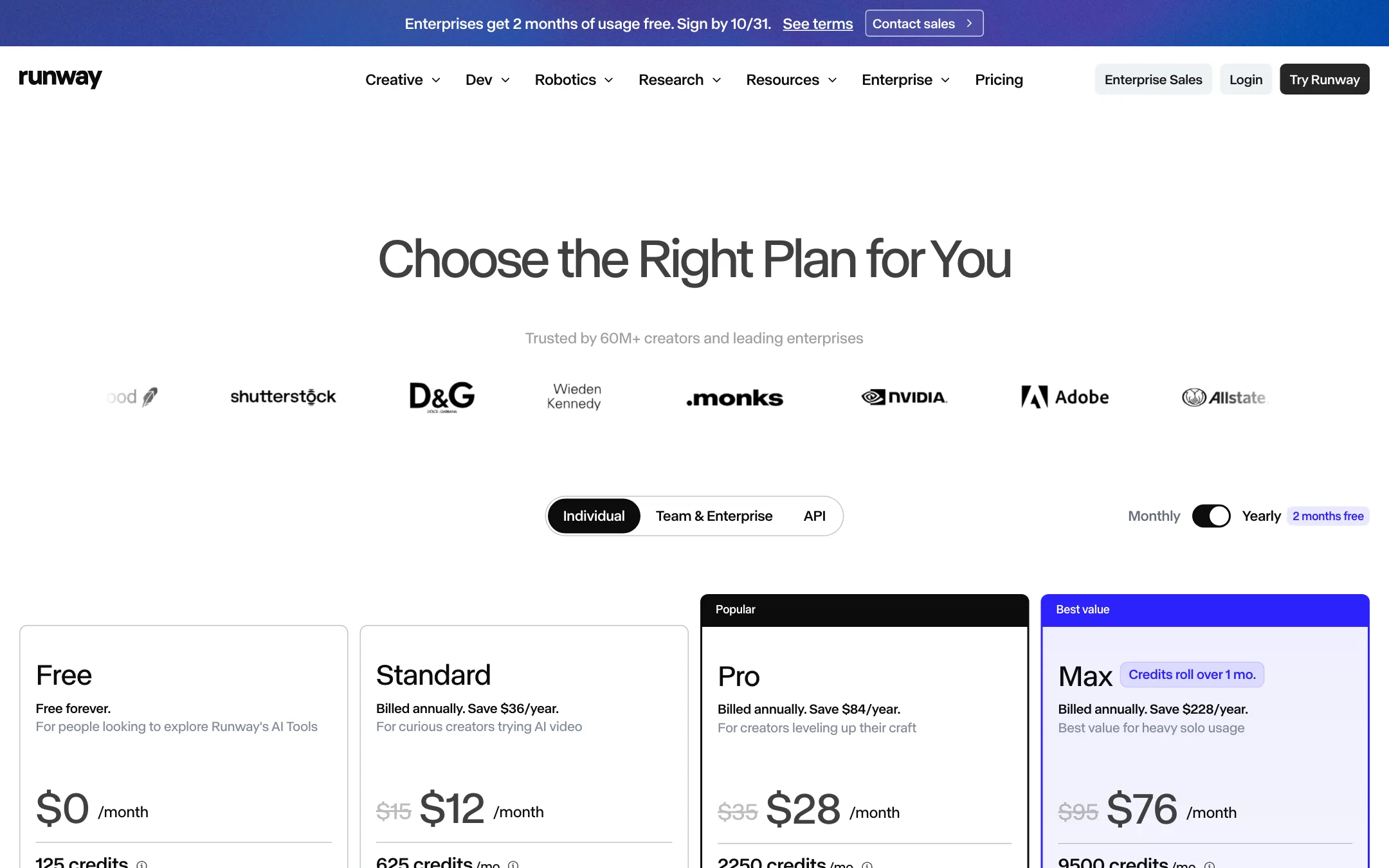
Runway charges in credits. Each model has a fixed cost per second or per image, and Runway publishes them on the pricing page.
| Plan | Price | What you get |
|---|---|---|
| Free | Free | 125 one-time credits, 5 GB |
| Standard | $12/mo yearly, $15 monthly | 625 credits a month, about 52s of Gen-4.5 |
| Pro | $28/mo yearly, $35 monthly | 2,250 credits, about 187s of Gen-4.5, voice clone, MCP |
| Max | $76/mo yearly, $95 monthly | 9,500 credits, about 791s of Gen-4.5, rollover, HDR and ProRes |
| Team | $55/seat yearly, $69 monthly | 6,900 pooled credits per seat, 2 to 9 seats |
What the pricing page makes clear, and what it does not:
- The free plan is a taste. 125 credits, one time. That is about ten seconds of Gen-4.5. The credits do not expire.
- Standard is a starter plan. 625 credits a month means about 52 seconds of Gen-4.5 or 104 seconds of Gen-4 Turbo. Fine for testing ideas, thin for real projects.
- Pro is where most creators land. About three minutes of Gen-4.5 a month, plus a voice clone, a Brand Kit, top-ups and MCP access.
- Credits reset on Standard and Pro. They do not roll over. Max rolls over up to one month. Bought credits never expire, with a minimum purchase of 1,000.
- Yearly saves 20%. The page also says “2 months free,” which would be about 17%. The listed prices work out to 20% off.
- Upgrades are prorated. Downgrades apply at the next billing cycle.
Making credits go further
- Draft with cheaper models. Gen-4 Turbo costs half of Gen-4.5 per second. Find the shot, then render the keeper on the better model.
- Edit instead of regenerating. Aleph and Apps can fix a near-miss shot.
- Generate images first. Gen-4 Image Turbo costs 2 credits. Lock the look as a still, then animate it.
- Watch partner model costs. Seedance and Aleph cost more per second than Gen-4.5.
Team and Enterprise
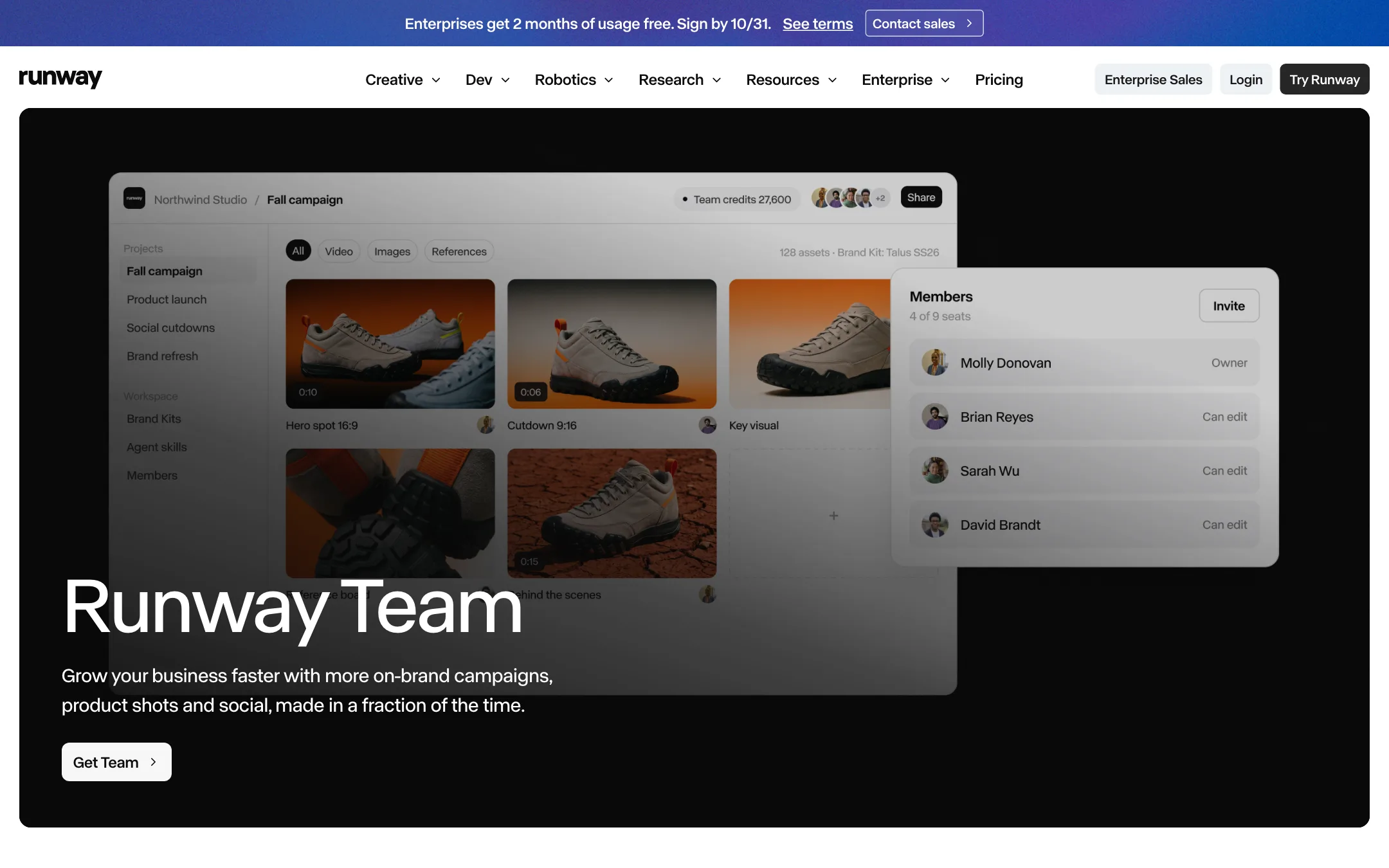
Runway’s Team plan is aimed at groups of two to nine people working in one workspace. It costs $69 per seat a month, or $55 billed yearly, and includes everything in Max. Each seat adds 6,900 credits a month to one shared pool, and unused pool credits roll over for a month.
What Team adds over individual plans:
- Shared projects. Up to 100 projects and 1 TB of workspace storage, so anyone can pick up a teammate’s work.
- Frame-accurate comments. Comment on a generation at the exact frame and @mention a teammate.
- Shared agent skills and connectors. Up to 20 shared skills, plus connectors for Figma, Dropbox and Notion.
- Brand Kits and API access. Up to 100 Brand Kits and 24 parallel generations.
Enterprise adds SSO, user roles, SOC 2 and ISO/IEC 27001, a commitment not to train on your data, and legal indemnification. Pricing is custom. Runway was running a promotion of two free months of usage for enterprises signing by October 31 when we checked.
How Runway compares
Runway’s closest rivals are the other model makers: Google Veo, Kling, PixVerse and Vidu. The difference is the suite around the model. PixVerse leans on templates and social effects. Runway leans on editing, plugins and team workflow. Because Runway also offers Kling and Seedance inside its app, you can test those models without a second subscription, though at their own credit rates.
Against wrapper tools that resell many models, Runway’s advantage is that Gen-4.5 and Aleph are its own. New Runway models land in Runway first, and Max subscribers get early access.
Verdict
Runway is one of the most complete creative AI video suites we cover. It builds its own frontier models, adds the leading third-party ones, and backs them with editing tools, plugins and team features that fit real production work.
The cost is the catch. Standard buys under a minute of top-tier footage a month, and credits on lower plans do not roll over. If you are a hobbyist making social clips, cheaper template-led tools will go further. If you are an editor, filmmaker or agency, start on monthly Pro and see how much of your work Aleph and the Apps can save you.