
What Morphic is
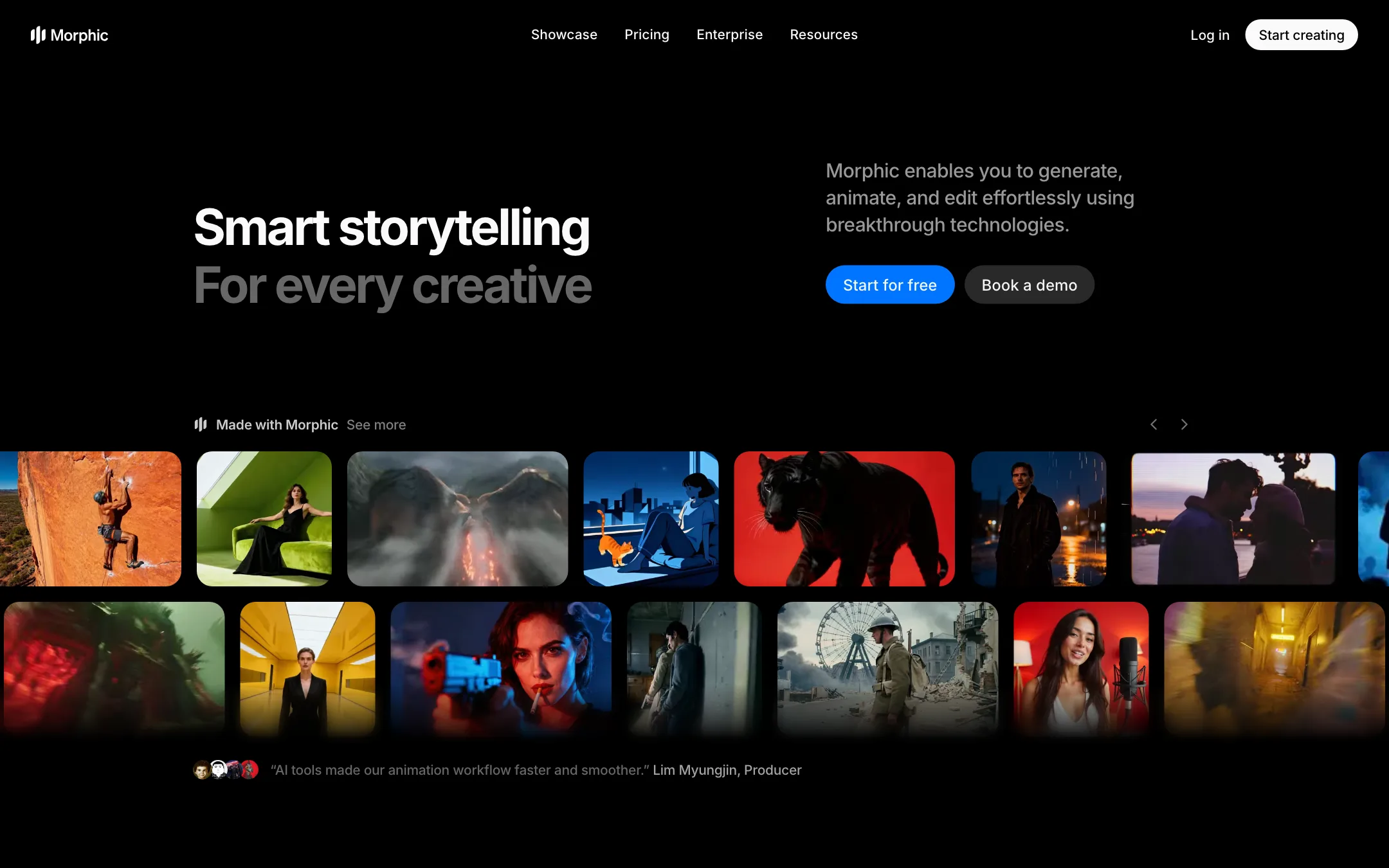
Morphic is a browser studio for making AI stories, from storyboards and short films to music videos and ads. It brings three tools together:
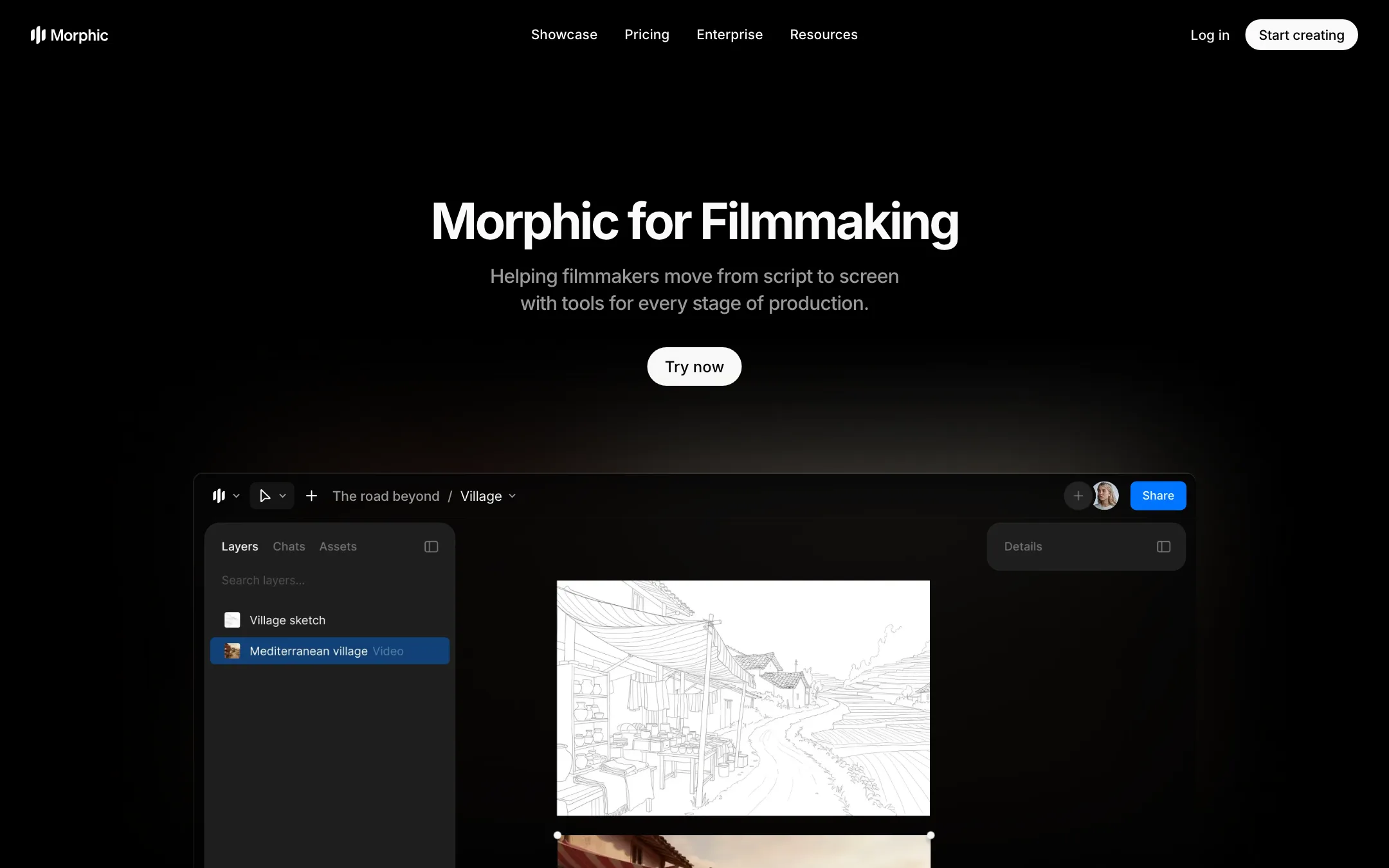
- Canvas, a board where you generate and arrange images, clips, characters and storyboards.
- Copilot, a chat assistant that plans shots, writes prompts, picks models and runs generations for you.
- Compose, a timeline editor for cutting the result into a finished video with sound and subtitles.
Under the hood, Morphic is mostly a model aggregator with real tools around it. Its credit tables list Seedance, Kling, Veo, Wan, MiniMax, Vidu, LTX, Hailuo and Google’s Gemini and Nano Banana models. It also lists models under its own name, such as Morphic Edit, Morphic Extend and Morphic H3, and it has open-sourced its frames-to-video system, so there is in-house research as well.
Morphic is a small company, with 22 people in San Francisco, Dubai and Bangalore according to its about page. It also makes its own original shorts and runs a $1 million creator fund.
Who it is for
Morphic fits you if:
- You want to make multi-scene stories, not single clips, and need characters to stay consistent.
- You like having a visual board to plan scenes and a timeline to finish them in the same app.
- You want to try Seedance, Kling, Veo and others without paying for each one.
- You work in a small team and want shared credits and live collaboration.
Skip it if:
- You want one cheap, fast clip for social. PixVerse or a template app is simpler and cheaper.
- You need to know your monthly cost to the dollar. Model, length, resolution and Copilot use all change the bill.
- You want to try it properly for free. Twenty one-time credits is a taste, not a trial.
How it works
Canvas
The Canvas is the main workspace. You type a prompt in the prompt bar, pick a mode and a model, and see the credit cost on the generate button before you run. Results land on the board, where you can keep variations side by side, group them into scenes and build storyboards.
Editing tools sit on the same board:
- Inpainting to add, remove or change objects in a frame with a prompt.
- Smart Select to isolate characters or objects.
- Resizing to extend an image or video beyond its frame.
- Colorization to copy the palette and mood of one image onto another.
- Upscaling on paid plans.
Consistency tools
Keeping a character the same across scenes is the hard part of AI storytelling. Morphic gives you:
- References. Save a character or style once and reuse it. The Free plan stores one, paid plans 100.
- Multi Character Tag to put several saved characters into one generation.
- Frames to Video. Pick 2 to 5 keyframes and Morphic generates the motion between them, with control over timing.
- 3D Motion and Camera Motion. Place camera angles around a still image, or set pans, tilts and zooms, to get a directed move instead of whatever the model picks.
Copilot
Copilot is an agent you talk to. You can ask it to break a script into scenes, design characters, write a shot list, generate the shots or edit the timeline. Morphic lets you choose the model the chat runs on, from Auto to Claude, GPT, Grok and Gemini models.
Copilot is not free to talk to. Each reply costs credits, on top of whatever it generates. The docs are open about why: Copilot rereads the whole chat before every reply, so replies get more expensive as a chat grows, and much more expensive after you switch models or leave the chat idle. Morphic’s own tip is to start a new chat for new work.
Compose
Compose is the timeline. Manual editing is free: cutting, grading, effects, mixing, text, audio cleanup, importing SRT subtitles and exporting in your browser all cost nothing. You pay only when AI does the work, such as asking Copilot to remove pauses, add subtitles or render on Morphic’s servers. That is a fair split, and better than tools that charge credits for every export.
Workflows
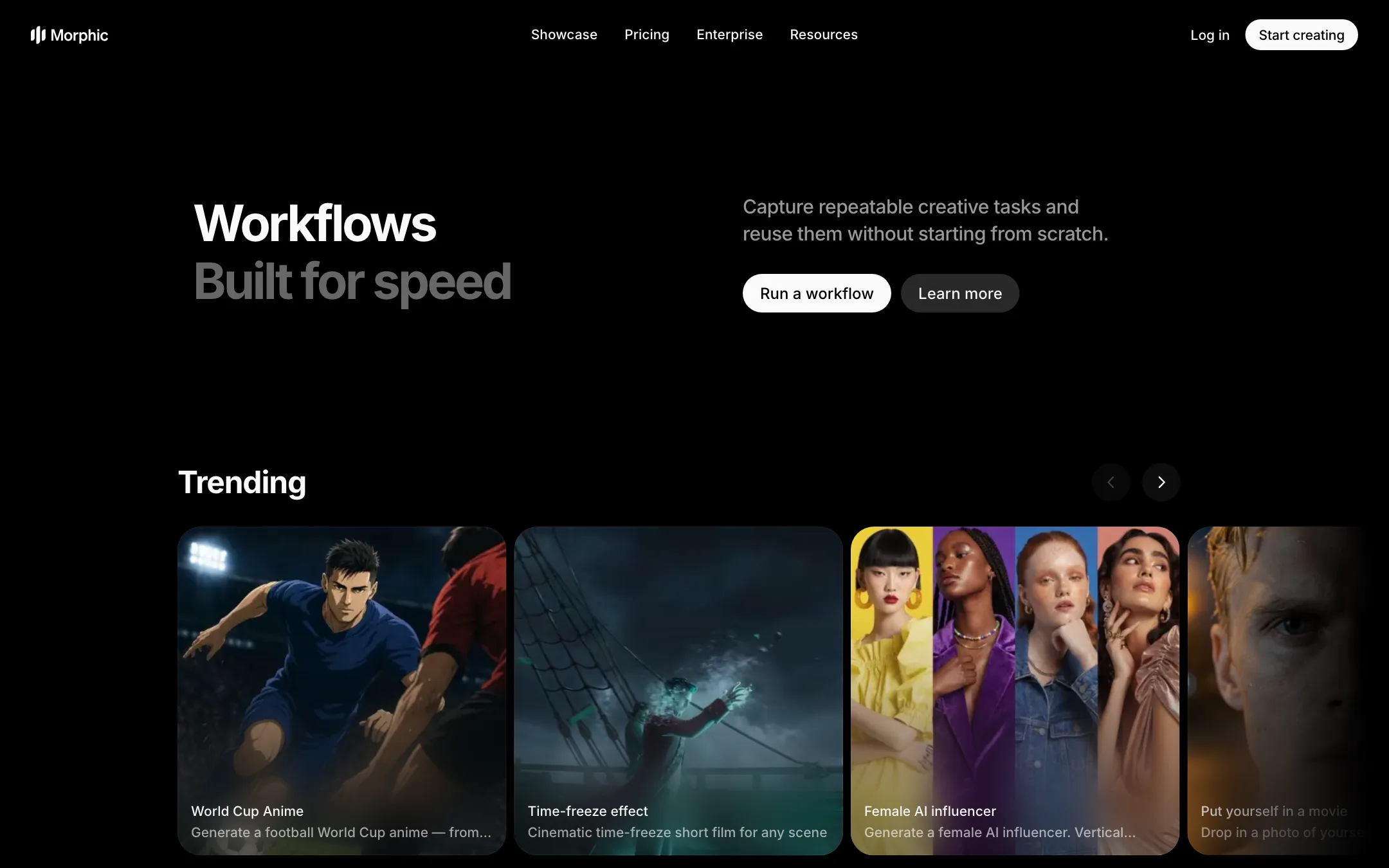
Workflows are pre-built pipelines that chain several steps. Examples include a short film creator that goes from idea to finished film, a cinematic storyboard from a scene description, a 3x3 storyboard from one image, a music video from lyrics, motion transfer, UGC ads and a title sequence. You can build your own or start from community ones.
Some workflows are built around photos of real people: virtual try-on, AI headshots, “put yourself in a movie,” age progression and an “AI influencer.” Use those only with your own photos or with clear consent.
For teams and developers
Pro and Max allow up to 5 and 10 members, with pooled credits, live collaboration on the same Canvas, groups and per-member credit limits. Morphic also offers an MCP server and a partner API, and says it holds AICPA SOC 2 Type 1 certification.
Output quality
We have not generated video in Morphic, so this section relies on what Morphic publishes.
Because Morphic runs many third-party models, its output quality is mostly the quality of the model you pick. Seedance 2.5 is the docs’ default for most video work. Kling, Veo 3.1 and MiniMax are all there for comparison. The benefit is choice. The risk is that the best-looking models are also the most expensive per second.
Where Morphic adds its own value is control: references for consistency, keyframes for structure, camera tools for direction, and inpainting for fixing a frame without starting over. Its showcase of in-house films, such as the anime series DQN, shows what its own team can do with the tools. Expect your first attempts to take several runs, which Morphic’s docs say plainly: AI results are not predictable, and each retry costs credits.
Pricing
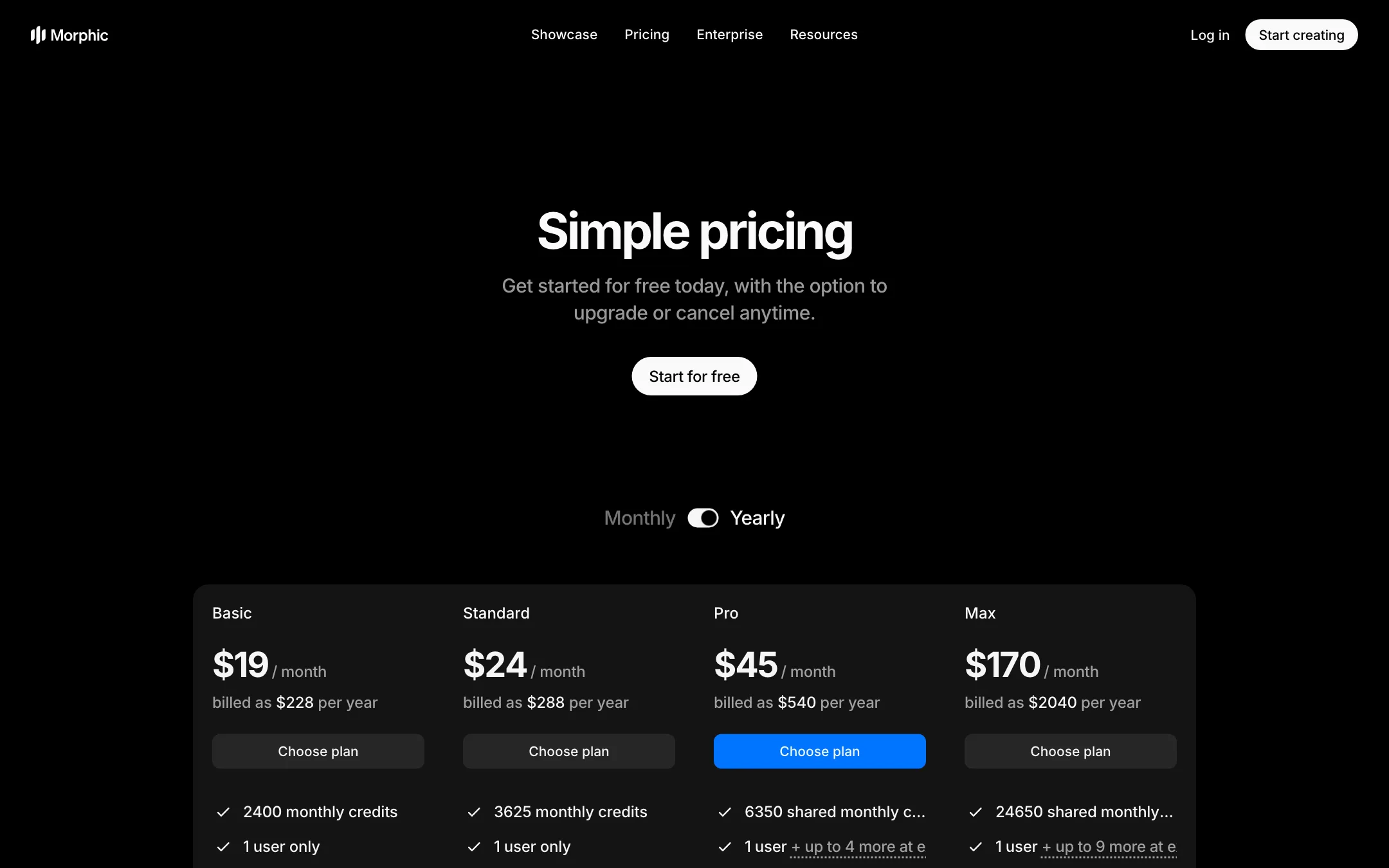
Morphic sells credits through monthly plans, with optional packs on top.
| Plan | Price | Credits a month |
|---|---|---|
| Free | $0 | 20 one-time |
| Education | $4/mo yearly, $5 monthly | 610 |
| Basic | $19/mo, either billing | 2,400 |
| Standard | $24/mo yearly, $29 monthly | 3,625 |
| Pro | $45/mo yearly, $49 monthly | 6,350 shared, up to 5 users |
| Max | $170/mo yearly, $185 monthly | 24,650 shared, up to 10 users |
Credit packs run from $25 for 2,500 credits to $500 for 62,500. They last 180 days, require an active paid plan and can only be bought by an admin.
What credits buy
Video is priced per second and varies widely by model and resolution. From Morphic’s tables:
- Seedance 2.5 at 720p: 33 to 40 credits a second, so a 5-second clip costs about 165 to 200 credits. Basic’s 2,400 credits cover roughly 12 to 14 of those.
- Seedance 2.0 Pro at 720p: 22 to 26 a second, about 110 to 130 for 5 seconds.
- Veo 3.1 with audio at 720p: 46 a second, so an 8-second clip is about 370 credits.
- Cheaper options such as Hailuo at about 4 a second or Seedance 1.5 at 2 to 3 a second at 480p.
Add Copilot replies, server exports and retries, and a short multi-scene film can use a Basic month quickly.
Things the pricing page does not make obvious
- Basic has no yearly discount. It costs $19 either way. Its price also rose from $9 to $19 in September 2026; earlier subscribers keep the old rate.
- Credits do not roll over. Plan credits reset monthly, on your billing date for monthly plans or the 1st of each month for yearly ones.
- Pack validity is described two ways. The FAQ says 90 to 180 days, while the pack table shows 180 days for every pack.
- The docs can lag. Morphic says the price on the generate button is the real one and its tables may be out of date.
- No refunds. Subscriptions, packs and member fees are not refunded, even unused. Failed generations are refunded automatically.
How to keep costs down
- Draft cheap, render once. Seedance 2.5 Draft renders at 480p for later upgrade to 1080p within 7 days. Use it, or a low-cost model, to test motion before paying for the final.
- Edit by hand in Compose. Manual cuts and browser exports are free. Ask Copilot only for jobs that save real time.
- Keep chats short and on Auto. Start a new chat for each new task, and pick a Copilot model at the start rather than switching mid-chat.
No affiliate program
We found no affiliate program. Morphic’s /affiliate and /partners pages return “Page not found.”
Verdict
Morphic is one of the most complete AI storytelling studios you can use in a browser. The mix of a planning canvas, an agent, a free manual timeline and most major video models on every paid plan is hard to match, and its docs are unusually honest about what everything costs.
That honesty also shows the catch. Premium video is expensive per second, Copilot charges for its own thinking, and nothing is refundable. Start on Basic, use the cheaper models and Seedance 2.5 Draft to test ideas, and keep Copilot chats short until you know what a project really costs.