
What RenderLion is
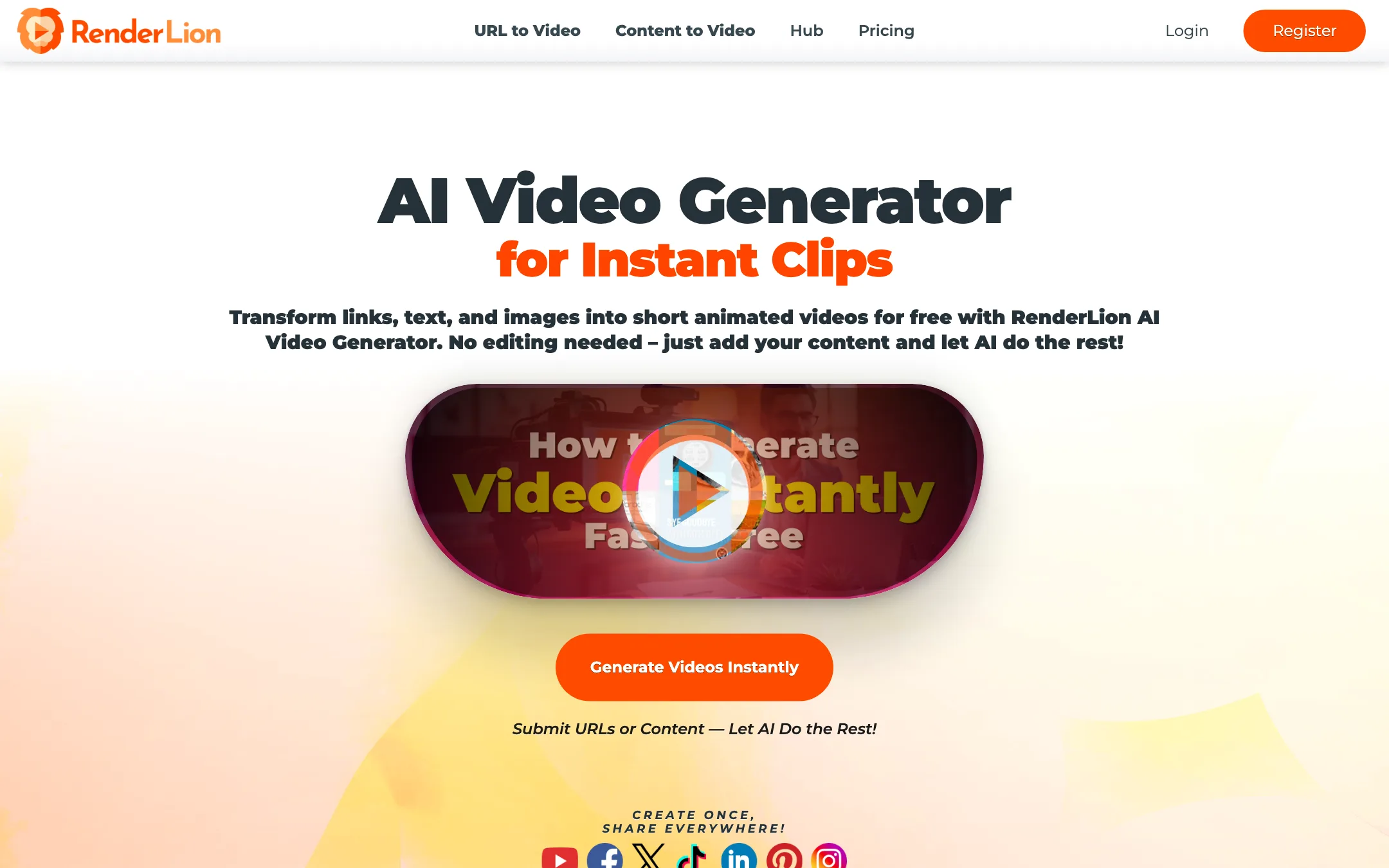
RenderLion is a web app that turns existing content into short animated videos. You give it a link, a block of text, a product offer or a few images. It picks a style, layers text and stock visuals, adds a voice and music, and gives you a clip in square, portrait and landscape.
It is made by a small team led by founder Alex Roznovat, the same group behind the design tools PixTeller, PixBot and DanceLogo. Its about page describes the goal plainly: turn static data into videos “without any templates, design, or timeline editing”.
The word to keep in mind is animated. RenderLion does not generate film-like footage with an AI video model. It produces motion-graphics clips: moving text, transitions and effects over photos and illustrations. For social promos, announcements and product posts, that is often exactly what you need.
Who it is for
RenderLion fits you if:
- You run a shop, blog or small business and want short promo videos from content you already have.
- You post the same message to TikTok, Instagram, YouTube, LinkedIn and Facebook and need every size.
- You want branded clips with your logo, colors and fonts, without hiring a designer.
- You want a flat monthly price with unlimited renders.
Skip it if:
- You want to cut a long video, stream or podcast into Shorts. RenderLion does not clip existing video.
- You want realistic AI footage of people, places or products in motion. Look at text-to-video generators instead.
- You need fine control over every frame. RenderLion is built to avoid timelines, which also means less control.
How it works
RenderLion describes the same five steps across its tools:
- Submit. Paste a URL, type or paste text, or upload images.
- Customize. Choose a style, effects, a voiceover and music.
- Generate to choose. Hit “New Instant Roar” to get a set of animated previews.
- Render to download. Render the one you like in the size you need.
- Share. Post it wherever you like.
The generators
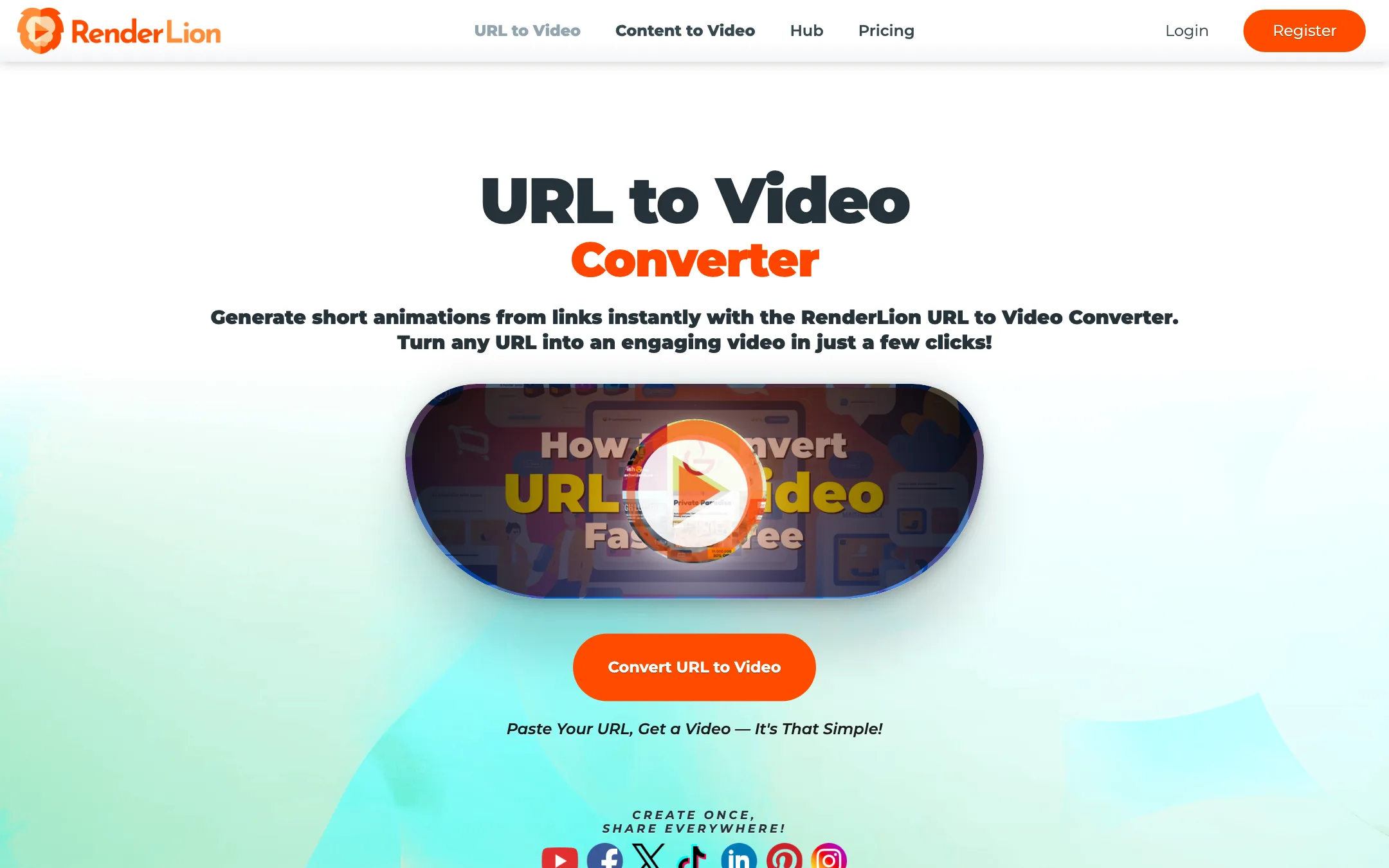
The homepage menu lists two main entry points, URL to Video and Content to Video. Behind them sit a long list of purpose-built generators:
- Offer to Video and Text Ad to Video for discounts and promotions.
- Product Video Generator for shop listings.
- News to Video and Blog Post to Video for articles.
- Announcement, Message and Event to Video for company updates.
- Job Post and Property Listing to Video for recruiting and real estate.
- Post to Video for turning a social post into a clip.
- Images to Video for slideshows from your own photos.
- Animated Logo Maker and Animated Wallpaper Maker for small brand assets.
Under the hood these all follow the same pattern. RenderLion says its AI “extracts key information from the URL, selects relevant visuals, and generates a professional video with captions, animations, and branding”.
Brand presets and reuse
On paid plans you can save brand kits with your logo, colors and fonts. Starter includes three and Growth unlimited, which matters if you manage several clients. RenderLion also lets you reuse a past video with new data, so a weekly offer or job post can keep the same look.
The features page also lists watermarks, filters, overlays, borders and speed controls, plus a media library of free photos, illustrations and songs.
Three sizes from one render
Every video comes out in 1080x1080, 1080x1920 and 1920x1080. That is one of RenderLion’s most practical features. With many tools you pick an aspect ratio up front and render again for each platform.
Output quality
We have not rendered videos in RenderLion ourselves, so this section relies on what is public.
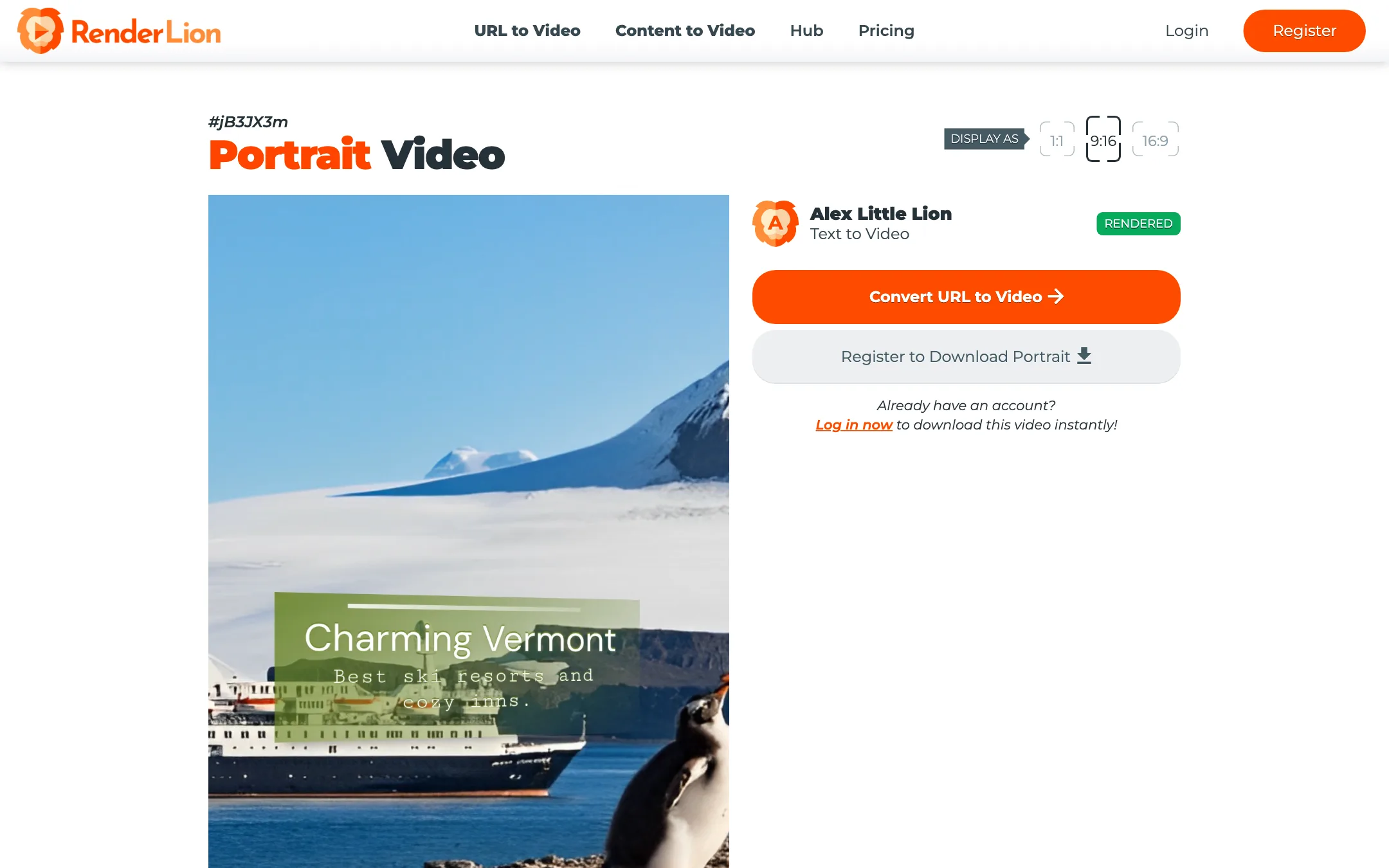
RenderLion publishes some sample videos on public pages. One we opened was built from a travel article about winter destinations. Its portrait frame showed the title “Charming Vermont” and “Best ski resorts and cozy inns” over a cruise ship in polar ice with a penguin in the foreground. The text and the image do not belong together. That is one sample, not a verdict, but it shows the main risk with automatic stock-image selection: the tool can grab a picture that fits a keyword rather than the actual point.
What to expect, based on how this type of tool works:
- Good for: bold text, quick cuts and branded motion for offers, announcements and listicle-style posts.
- Weaker at: anything that needs specific visuals. If you sell a particular product, upload your own images so the tool is not guessing.
- Not designed for: realism, people talking or story-driven video.
RenderLion’s own line on its homepage is honest: “Perfection isn’t our claim, but progress is our game.” Review every preview before you render, and swap images that miss.
The homepage counter says more than 825,000 short videos have been generated, with nearly 500,000 from URLs. Those are vendor figures, but they suggest the tool has seen steady use.
Pricing
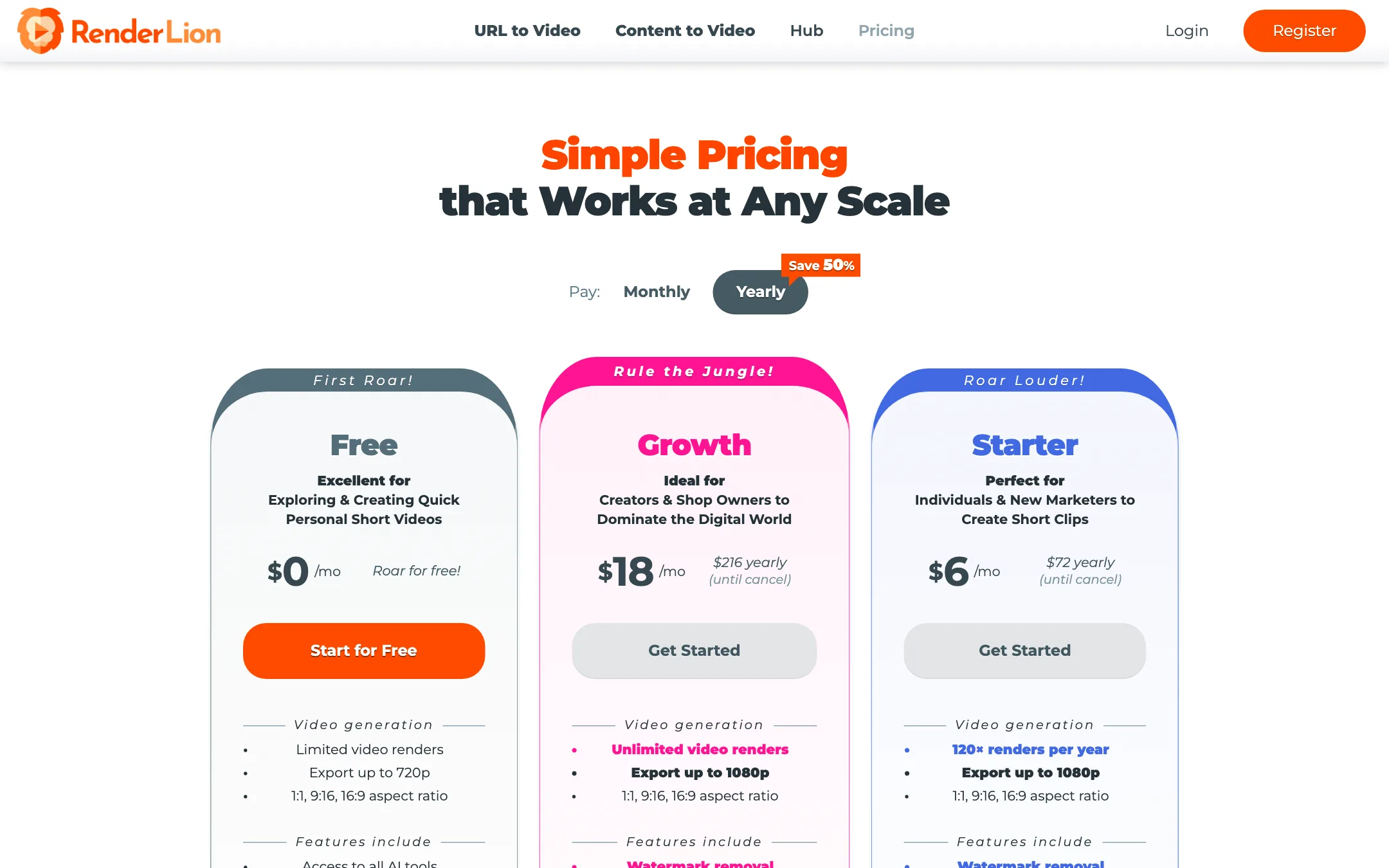
Prices below were read from renderlion.com/pricing on October 19, 2026. The page defaults to yearly billing, which RenderLion says saves 50%.
| Plan | Yearly billing | Monthly billing | What you get |
|---|---|---|---|
| Free | $0 | $0 | Limited renders, 720p, watermark |
| Starter | $6/mo ($72/yr) | $12/mo | 120 renders a year or 10 a month, 1080p, no watermark |
| Growth | $18/mo ($216/yr) | $36/mo | Unlimited renders, faster rendering, unlimited brand kits |
| Enterprise | Custom | Custom | A bespoke generator built around your brand |
Some details worth knowing:
- Starter’s allowance depends on billing. Yearly gives 120 renders for the year. Monthly gives 10 a month. The FAQ says renders reset on your payment date and do not roll over.
- Previews are unlimited on paid plans; renders are not on Starter. Generate as many previews as you like, then render only the keeper.
- There is no single-video option. The FAQ says you cannot pay to render one video without a watermark. You need a plan.
- “Unlimited free usage” needs reading closely. The URL to Video page promises unlimited free use. The pricing page says free renders are limited and depend on server availability, and all free videos carry a watermark. Treat the free plan as a trial.
- Refund wording differs. The pricing table says “Didn’t generate any videos? Cancel within the first 7 days and get a full refund.” The FAQ offers a 7-day refund if you are unsatisfied and says requests are processed within 48 hours. Confirm with support at [email protected] if this matters to you.
- You keep your videos. The FAQ says you still have access to your account and videos after you cancel.
For most small businesses, Starter on yearly billing is enough to test whether the output fits your brand. If you post daily or manage clients, Growth’s unlimited renders at $18 a month is the better deal.
Getting better results
RenderLion does most of the work, so your input decides most of the outcome. A few habits help.
- Feed it clean pages. URL to Video reads the page you give it. A focused product page or a short article with a clear headline gives the AI less to misread than a busy home page.
- Upload your own images when the visual matters. Stock pictures are fine for mood. For a specific product, place or person, give RenderLion the right picture instead of hoping it finds one.
- Keep the text short. These are short animated clips. A punchy headline and two or three supporting lines read better than a full paragraph squeezed onto the screen.
- Set up your brand kit first. Add your logo, colors and fonts before you generate, so every preview starts on-brand and you spend less time fixing them.
- Use previews as drafts. On paid plans previews are unlimited. Generate a few rounds, pick the strongest, and only then spend a render, which matters most on Starter’s capped allowance.
- Check every frame before you post. Read the text on each scene and look at each image. The public sample we describe above shows why.
RenderLion or a short-form clip maker?
Most tools in our short-form list start from video you already have: a podcast, a stream or a long YouTube upload. RenderLion starts from text, links and images and builds a new animated clip. If you have no footage at all and need quick promo posts, RenderLion fills a gap the clippers do not. If you already film yourself, a clip maker will get more out of what you have.
Verdict
RenderLion does one thing simply and cheaply: it turns links and short text into animated social clips in every common size. For shops, local businesses and social managers who need a steady stream of promo posts, the price is hard to argue with, and the Growth plan’s unlimited renders remove the usual credit math.
Just be clear on what you are buying. These are template-style motion graphics, and the stock images RenderLion chooses will not always match your message. Upload your own visuals where it matters, review every preview, and you will get the most out of it.