What HappyScribe is
HappyScribe is a transcription, subtitle and translation platform built in Europe. You upload a video or paste a link, and it produces a transcript and timed subtitles in more than 150 languages. You fix them in an online editor, translate them, then export subtitle files or a video with the subtitles burned in.
It has been around for years and claims more than 6 million users and 41,000 teams. Its customer list on the e-learning page includes Biola University and CyberNews.
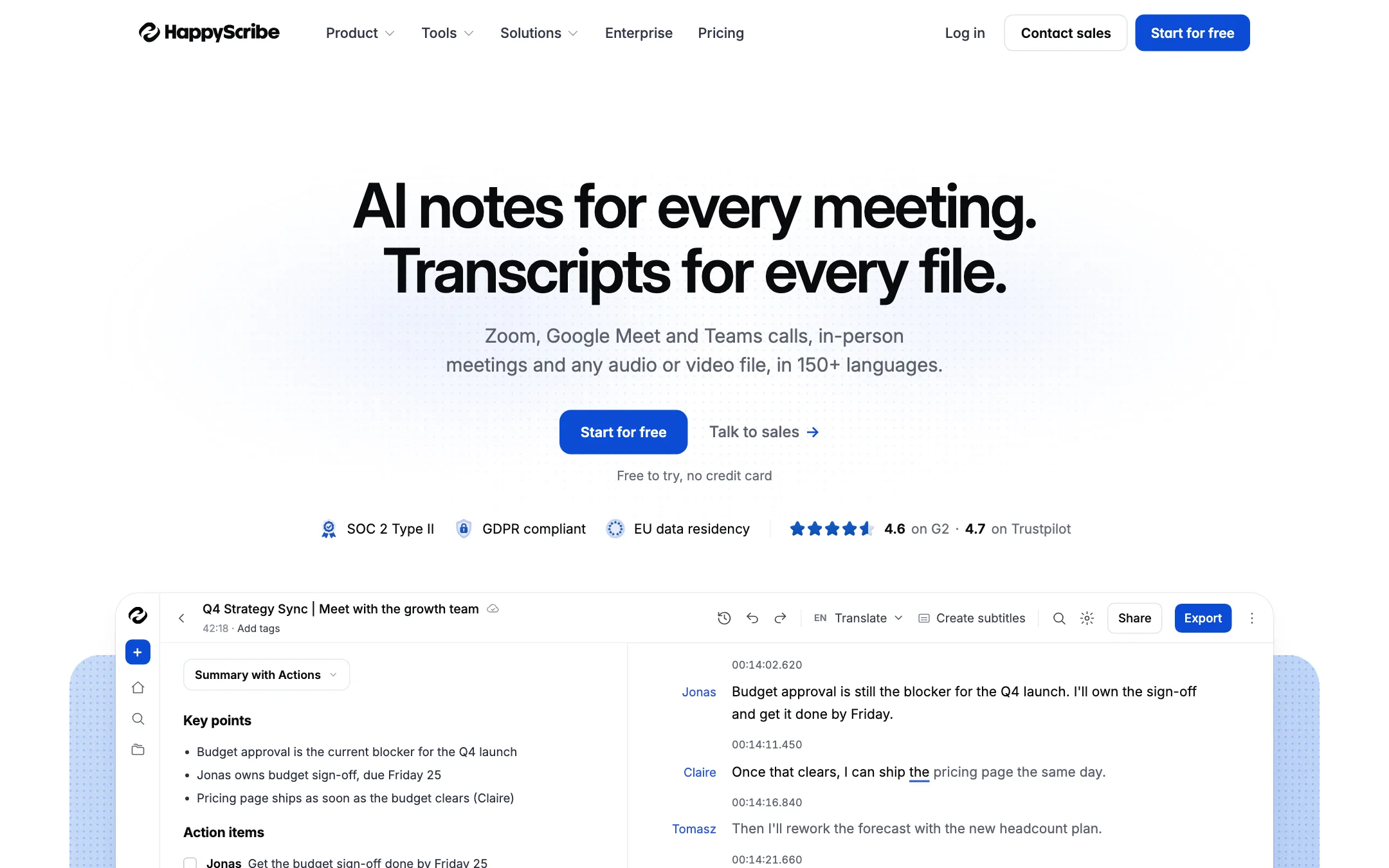
The product has broadened. The homepage now leads with an AI meeting notetaker for Zoom, Google Meet and Teams. For video creators, though, the core tools are unchanged: AI subtitles, translation, a subtitle editor, professional export formats and paid human review.
Who it is for
HappyScribe fits you if:
- You publish long-form video such as courses, interviews, podcasts or YouTube videos, and need accurate captions.
- You subtitle in several languages, or in languages most caption tools ignore.
- You hand files to an editor or broadcaster and need formats like SRT, VTT, STL, FCPXML or EDL.
- You sometimes need near-perfect captions for accessibility rules and want human proofreading in the same place.
- You care where your data lives. HappyScribe offers EU data residency.
Skip it if:
- You want bouncy, colorful, word-by-word captions for TikTok and Reels. Tools like Submagic are built for that.
- You need AI dubbing with voices. HappyScribe translates text, not audio.
- You want a free tool for regular use. The free plan is a one-time 10-minute trial.
How it works
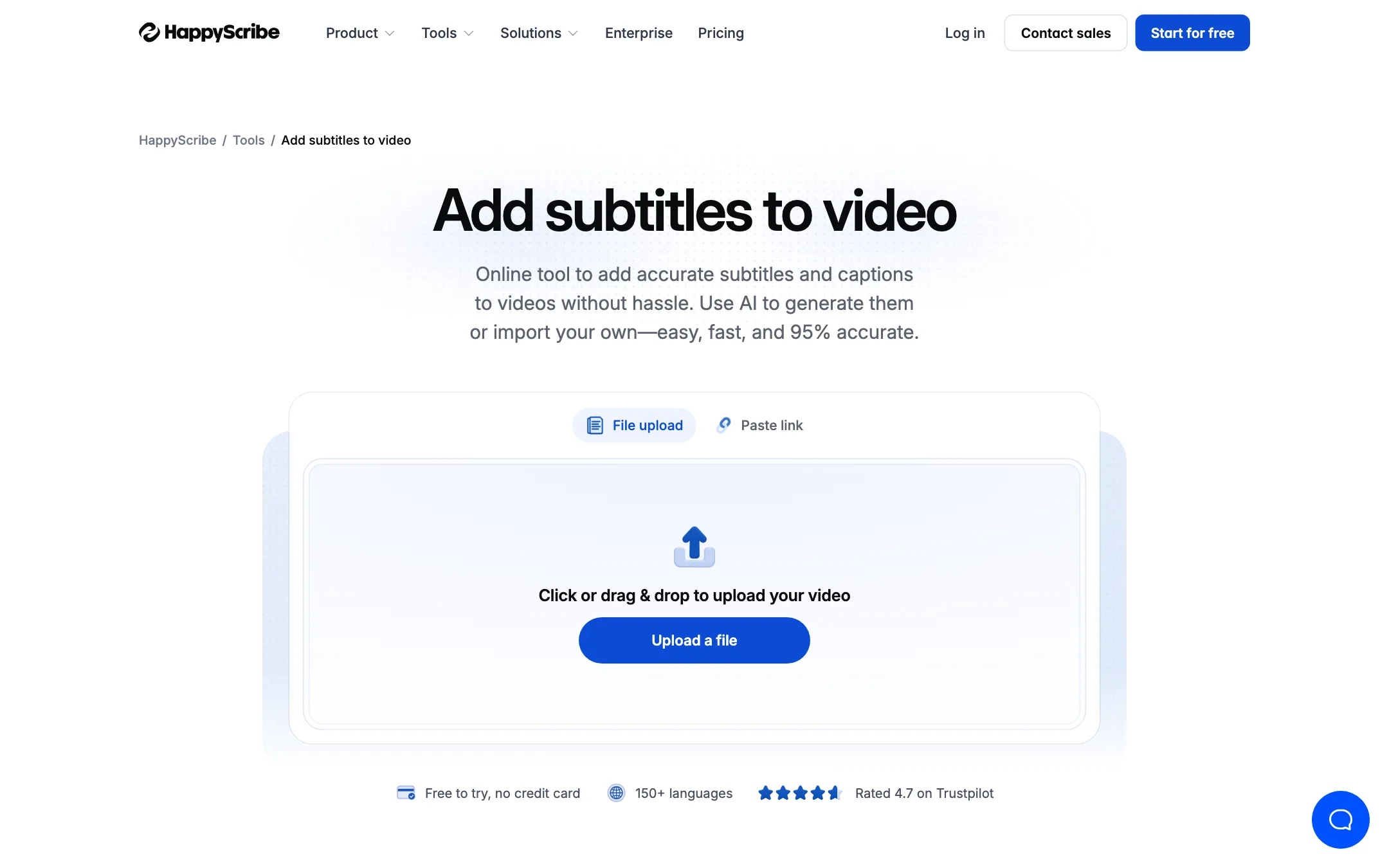
HappyScribe’s “add subtitles to video” guide lays out three steps.
1. Upload your video
Upload from your computer, or import from YouTube, Vimeo, Google Drive, Box or Dropbox. HappyScribe says it supports 45+ video formats, including MP4, MOV, AVI and MKV. You can also paste a link instead of uploading.
Language detection is automatic, so you do not have to pick the spoken language first.
2. Generate or upload subtitles
The AI transcribes the audio and builds time-coded subtitles. It labels speakers automatically. If you already have subtitles, you can upload an SRT, VTT or TXT file instead and use HappyScribe only for editing, translating or burning in.
Two features help with accuracy on specialist content:
- AI glossary. Add product names, people and acronyms once, and transcripts use your spelling. HappyScribe’s example turns “zoe marketti” into “Zoë Marchetti” and “ebit da” into “EBITDA.”
- Style guides. Save formatting rules for consistency. Basic and Pro include one; Business gets unlimited.
3. Edit, style and export
The editor lets you adjust timing, fix text, add speaker names and change formatting. Customer reviews on the site mention changing font size and moving subtitles to the top or bottom of the frame. Several people can edit the same file at once and leave comments.
When you are done, you can:
- Export a subtitle file. TXT and SRT on Free; PDF and DOCX added on Basic; all 15+ formats, including VTT, STL, XML, FCPXML and EDL, on Pro and Business.
- Burn subtitles into the video. You get an MP4 with hardcoded subtitles, watermarked on Free.
- Translate. One click sends the subtitles into any of 80+ translation languages.
Human services
If AI is not accurate enough, you can order human proofreading, professional subtitling or human translation. HappyScribe says this reaches 99% accuracy, covers 65+ languages and can be delivered in as little as 4 hours. Pricing starts at $2.00 a minute, or $1.90 on Business.
This is useful for compliance work. HappyScribe notes that captions help meet WCAG and ADA rules, and recommends human review for compliance-grade captions.
Beyond subtitles
The rest of HappyScribe is aimed at teams:
- A meeting notetaker that joins Zoom, Meet and Teams from your calendar, or records without a bot from the mobile app.
- AI summaries, action items and a chat that answers questions across your recordings.
- An API, Zapier integration and an MCP server for assistants like Claude and ChatGPT.
You may never touch these as a video creator. They do explain why the homepage feels like a meetings product.
Output quality
We have not run our own files through HappyScribe. Here is what the company publishes, and what to check.
HappyScribe’s claims:
- About 90% accuracy on real-world audio for AI transcripts, per its e-learning page.
- Per-language accuracy on its homepage: 93% for English, 91% German, 90% Spanish and French, 89% Dutch and 88% Italian. It says this is 5 to 15 points ahead of “other tools,” without naming them.
- 95% accuracy on its subtitle tool page. That is a different figure from the 90% on the e-learning page, so treat both as marketing numbers rather than guarantees.
What to watch for:
- Accents, music and crosstalk. Accuracy drops on noisy audio in every AI transcriber. Test a typical file with your free 10 minutes.
- Line breaks and reading speed. AI subtitles often need re-timing for comfortable reading. Budget time in the editor.
- Caption style. HappyScribe’s burned-in subtitles are clean and readable, based on its own examples, but plain. Short-form creators who want animated highlight captions will need another tool.
Third-party ratings are strong. HappyScribe cites 4.6 on G2 and 4.7 on Trustpilot.
How to get better subtitles
These habits help with any AI subtitle tool, and HappyScribe’s features support each one:
- Feed it clean audio. Use a decent microphone and keep music low under speech. The AI can only transcribe what it can hear.
- Set up the glossary first. Add your name, your channel name, product names and recurring jargon before your first upload. Every later file benefits.
- Use a style guide. Decide line length, capitalization and how you handle numbers once, save it, and keep every video consistent.
- Proofread before you translate. Translation copies every mistake into every language. Fix the source subtitles first, then translate.
- Watch the burn-in at full size. Check a burned-in export on a phone before you post. Subtitle size and position that look fine on a laptop can crowd a vertical frame.
- Save human review for what matters. Use AI for drafts and social clips. Pay the $2.00 a minute for course content, client deliverables or anything that must meet accessibility rules.
Security and data
HappyScribe leans hard on privacy. It says it is SOC 2 Type II certified and GDPR compliant, offers EU data residency, lets you set retention periods, blocks employee access and keeps AI training off unless you opt in. For creators handling client footage or unreleased content, that is a real point in its favor over smaller tools that say little about where files go.
Pricing
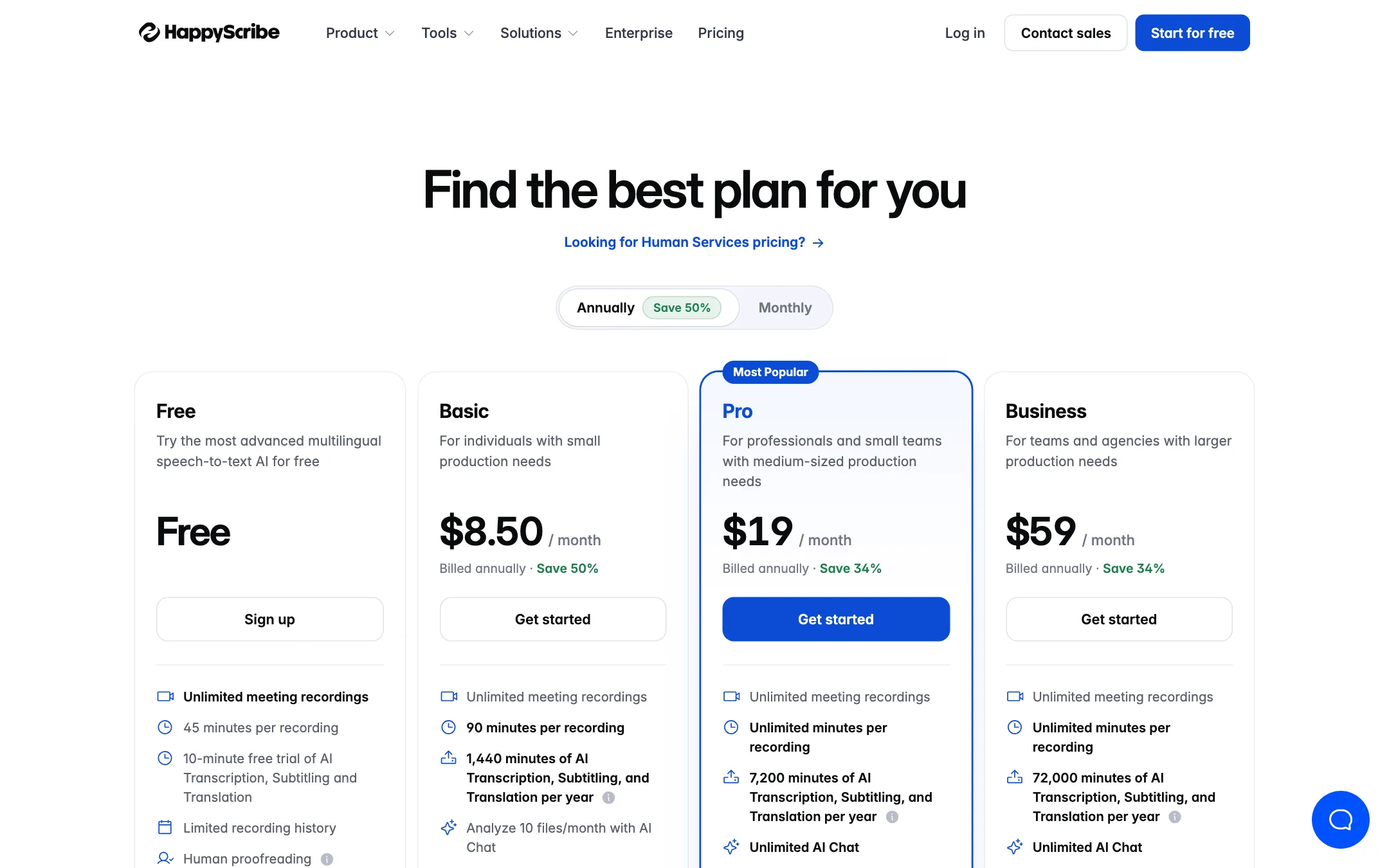
HappyScribe sells AI minutes on annual plans, plus pay-as-you-go human services.
| Plan | Price (billed annually) | AI minutes | Seats |
|---|---|---|---|
| Free | $0 | 10-minute trial | 1 |
| Basic | $8.50/mo | 1,440 a year | 1 |
| Pro | $19/mo | 7,200 a year | 3 |
| Business | $59/mo | 72,000 a year | 5 |
Extra AI minutes cost $0.20 each on any paid plan. Extra seats on Pro and Business are listed at $19 a month on annual billing.
Things to know:
- Minutes are yearly. Basic’s 1,440 minutes work out to 120 minutes a month, but you get them as a yearly pool.
- Annual billing is the headline. The pricing page says annual saves 50% on Basic and 34% on Pro and Business. Monthly prices did not load when we checked, so confirm them before you choose monthly.
- Pro is the real creator plan. It adds VTT and every pro format, three seats, API access and unlimited AI Chat. If you hand subtitles to editors or platforms that want VTT, Basic will not be enough.
- Meeting recordings are separate. Notetaker recordings are unlimited on every plan and do not use AI minutes for uploaded files, per the pricing table.
- Human services are extra. At $2.00 a minute, a 10-minute video costs $20 to proofread.
HappyScribe vs short-form caption tools
- Against Submagic: Submagic is built for viral short-form captions with animated styles, emojis and B-roll. HappyScribe is built for accuracy, languages and file formats. Pick by where your video lives.
- Against Checksub and EasySub: these also do AI subtitles and translation. HappyScribe adds human services, more export formats and stronger security credentials.
- Against a dubbing tool: if you want a Spanish voice track, not Spanish subtitles, HappyScribe is the wrong tool.
Verdict
HappyScribe is a dependable choice for accurate, multilingual subtitles. The language list, professional export formats, team editing and optional human proofreading make it a strong fit for course creators, interviewers, documentary makers and anyone who subtitles for accessibility.
It is not built for flashy short-form captions, and the free plan is only a 10-minute taste. Use that trial on your hardest audio. If the accuracy holds up, Basic at $8.50 a month billed annually is cheap, but most creators who export VTT or work with an editor will want Pro.