
What Google Flow is
Google Flow is Google’s AI filmmaking app. Google launched it at I/O in May 2025 as the successor to VideoFX, a Labs experiment, and described it as a tool “built with and for creatives.” A year later it had grown into what Google now calls an “AI creative studio,” available in more than 140 countries.
The idea is simple. Instead of typing one prompt and hoping, you work inside a project. You make images, characters and clips, keep them in one place, edit them, and line them up into scenes. Google’s models do the generating. Flow is the workspace around them.
This page is about the app. If you want the deep dive on the Veo model itself, including the API and the other places Google offers it, read our Google Veo review. Here we cover what you actually do in Flow, which models you can pick, and what a short project costs.
Who it is for
Flow suits you if:
- You make short narrative pieces, ads, music video inserts or social shorts with recurring characters.
- You want to plan, generate and assemble in one place instead of moving files between tools.
- You already pay for Google AI Pro or Ultra, or would use its other perks.
- You like to iterate. Flow keeps every version of every edit.
- You want to try a frontier video studio for free before committing.
Look elsewhere if:
- You need a real editing timeline with audio tracks, titles and transitions. Flow’s Scenebuilder is a sequencer, not an editor. Plan to finish in CapCut, Premiere or Resolve.
- You live in the EEA, UK or Switzerland and want to put yourself on screen. Avatars are not offered there.
- You want plugins inside a pro editor, or team review tools. Runway goes further there.
- You need generation at any hour on a free account. Google may pause free video generation at peak times.
The models you can pick
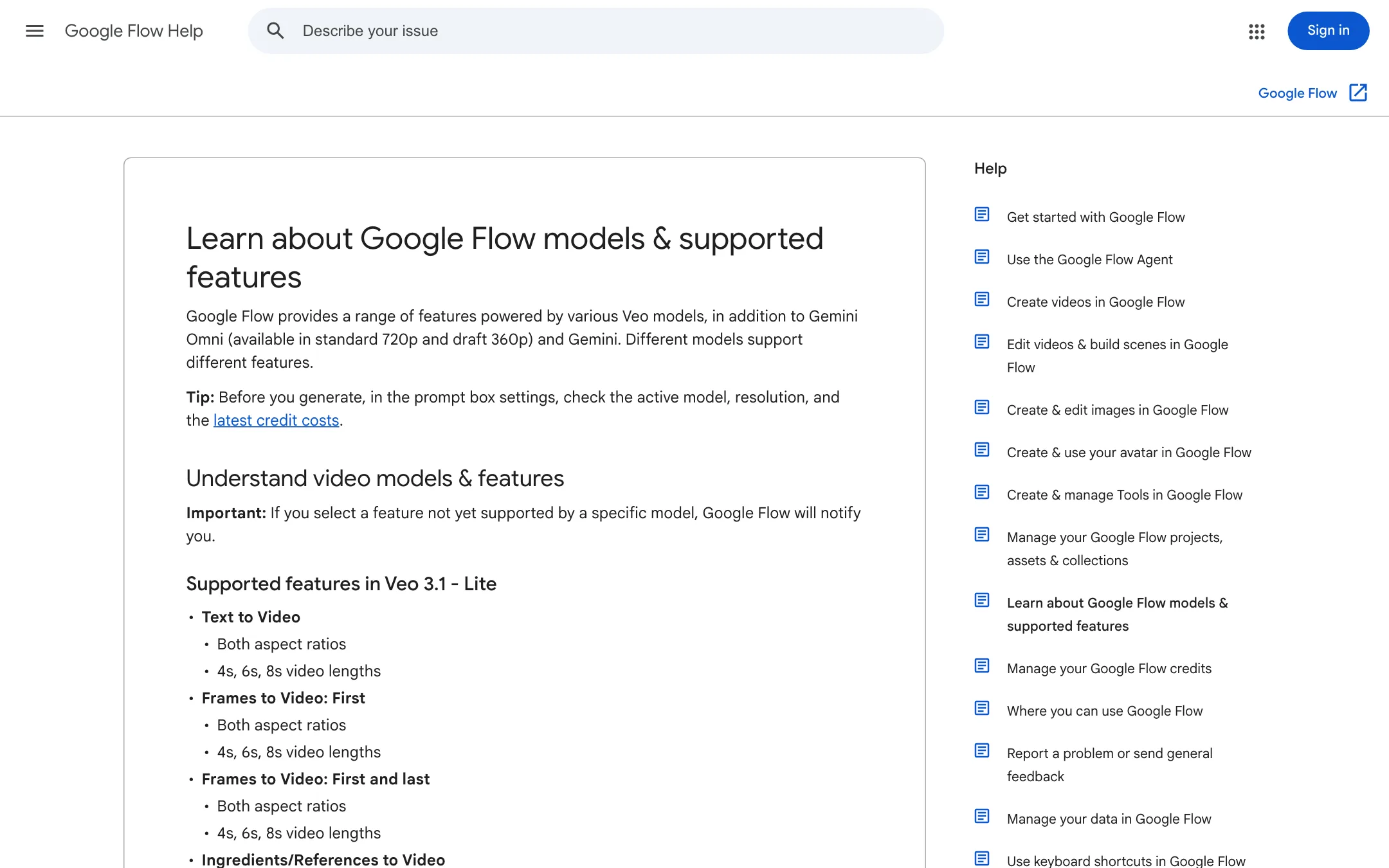
Flow’s prompt box has a model picker with separate Image and Video modes. Google’s help pages list these models.
Video:
- Gemini Omni Flash 1.1. Google’s newest video model and the one Flow’s about page leads with. It does text, frames and ingredients to video in 4, 6, 8 or 10 second clips, and it is the only model that edits existing video. It runs at 720p, or as a 360p draft at about half the credits.
- Veo 3.1 Lite. The cheapest Veo tier. It does text, frames and ingredients to video, and it is the model Flow uses to extend any 8-second Veo clip.
- Veo 3.1 Fast. Text, frames and ingredients to video at a mid price.
- Veo 3.1 Quality. Text and frames to video at the top price. It does not take ingredients.
Images:
- Nano Banana Pro, Google’s most detailed image model and the default for Ultra users.
- Nano Banana 2.1, the standard model.
- Nano Banana 2 Lite, the default for people who are not paying.
If you pick a feature your chosen model does not support, Google says Flow will tell you or switch you to one that does. Check the model and its credit cost in the prompt box settings before you hit Generate.
What you do in Flow
Start with the Agent, or skip it
Flow has two prompt boxes. The standard one gives you direct control: pick a model, aspect ratio, number of outputs and length, then write your prompt.
Turn on Agent and the box becomes a chat with a Gemini-based assistant. Google says it can outline storyboards, build mood boards, turn a rough idea into prompts, pick a model, generate batches of variations (“give me 5 variations with different lighting”), apply edits across several assets and tidy your project by renaming files and grouping them into collections. Agent chats are saved as sessions per project, and you can give it standing instructions with a reference image.
Two practical details matter. Agent chat itself does not cost credits, though there is a daily cap on queries. And by default the Agent asks before it spends credits. You can switch that to “Never” if you trust it, but on a small plan you probably should not.
Build your cast
Characters are Flow’s answer to consistency. You describe a character, upload or generate one or two images, give it a name and choose a voice. From then on you type @Name in any prompt and Flow uses that face, outfit and voice without new uploads.
Avatars do the same for you. You start on a computer, scan a QR code and finish the capture on your phone. Then @me puts you in a shot. Google says avatar data cannot be shared through public links or Tools.
Generate shots
There are three main ways to make a clip:
- Text to Video. Describe subject, action, setting, lighting and style.
- Frames to Video. Drop in a start frame, or a start and end frame, and describe what happens between them. Good for transitions and animating stills.
- Ingredients to Video. Add reference images, and with Omni Flash also reference videos and voices, then describe how they combine. Google’s tip is to use subject and product shots on plain backgrounds.
You can save any frame of a clip as an image, which makes a neat trick for continuity: grab the last frame of one shot and use it as the first frame of the next.
Edit and extend
Extend adds footage to the end of a Veo clip, using Veo 3.1 Lite. You describe how the action continues.
Video-to-video editing runs on Omni Flash. It works on clips you generated and on your own uploads. Uploads can be up to 60 seconds and 1 GB in MOV, MP4, AVI or WMV, trimmed to 30 seconds inside Flow. You then select up to 10 seconds and describe the change, for example a new lighting mood or a text overlay. You can refine the result over up to three follow-up turns. Google notes that editing uploads is limited to certain countries and blocked for footage of identifiable minors.
Every edit lands in the clip’s History panel, with the prompt that made it. Nothing is overwritten.
Earlier versions of Flow offered Veo-based insert, remove and camera-move tools, which Google covered in a 2025 blog post. Flow’s current help pages focus on Omni editing instead, so do not count on those older modes.
Assemble in Scenebuilder
Scenebuilder is where shots become a scene. You add clips, drag them into order, trim the start and end of each with handles, preview the whole sequence and download it as one file. That is the full list. There are no extra tracks for music or voice-over, no titles and no transitions. Flow’s Type Overlays tool can add animated text to individual clips, but most people will still finish in a separate editor.
Tools
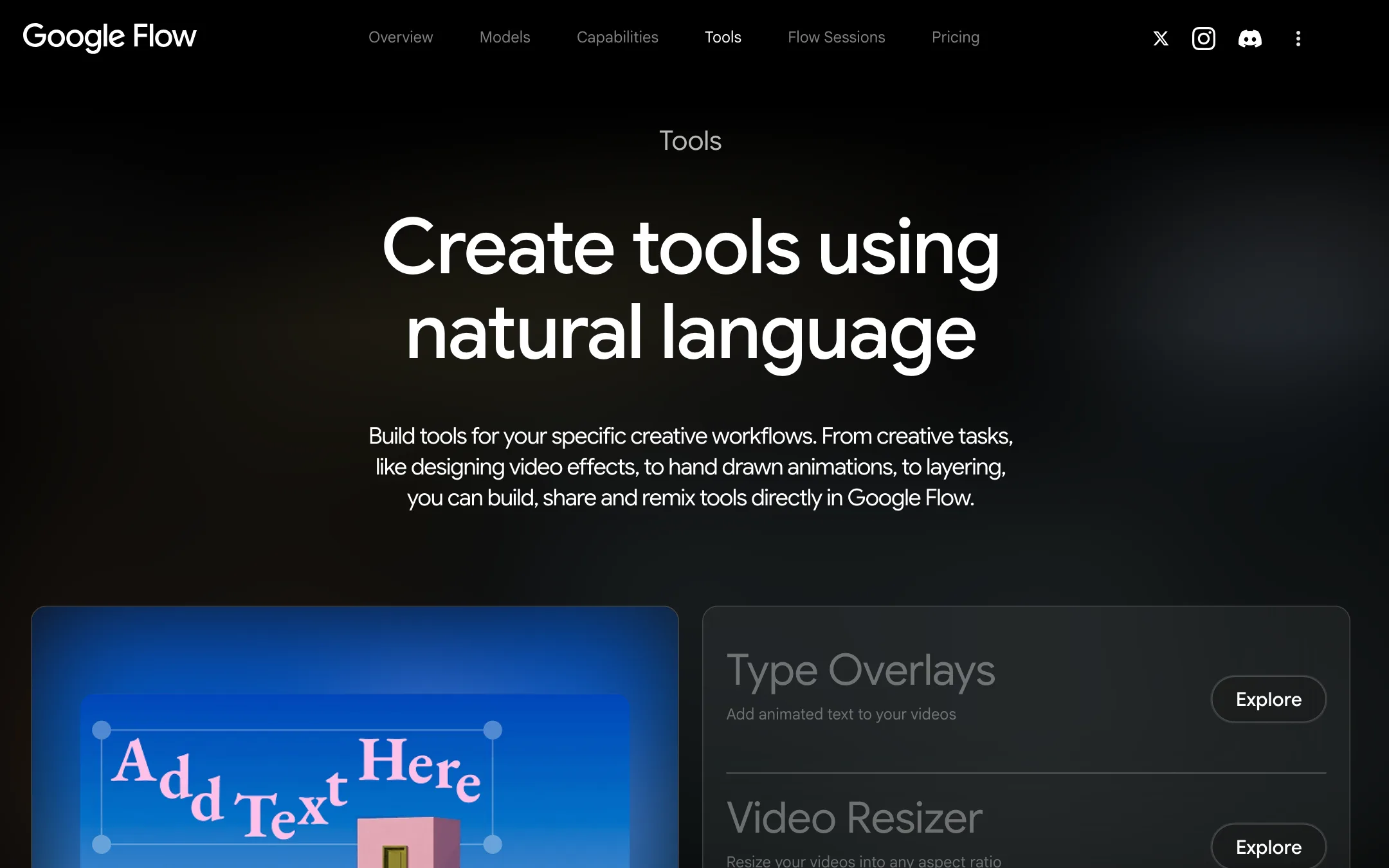
Flow Tools are small apps that run inside your project. Google ships a set, including Type Overlays, Video Resizer, an Image Editor with layers, Storyboard Studio, Shader Effects, Character X-ray, Scout360 for 360-degree environments and the community-built pixelBento for lo-fi and glitch effects. Anyone can use them. On any paid Google AI plan you can also build your own by describing it, and Flow writes the code. You can share a tool by link and others can remix it. Tools are web-only.
Organize and share
Projects hold everything, split into images, videos, characters, scenes and uploads, with search, filters and nested collections. Keyboard shortcuts cover most of the grid and edit views, including frame-by-frame stepping.
To get work out, you can download clips as video files or 270p GIFs, share a link to a single image or video (optionally with its inputs), or publish a clip straight to a YouTube channel. Scenebuilder sequences cannot go to YouTube directly, so download those first. Google Takeout exports your whole Flow library with prompts, models and edit history.
Output quality and safety
We have not run Flow hands-on for this review, so these are Google’s claims. Google says Omni Flash improves character consistency, preserving “identity and voice” across scenes, and describes it as “Nano Banana, but for video.” It says Veo 3.1 “excels in physics, realism and prompt adherence” and generates native audio. Test both models on your own shots; Flow makes that easy because they sit in the same picker.
Every output carries Google’s invisible SynthID watermark. Google says you can turn on a visible watermark too, and that users in India, South Korea and Vietnam get one automatically on most plans. Google also says Flow will not generate videos of prominent people anywhere.
Google says interactions may be reviewed by trained reviewers and kept for up to 18 months when product improvement is on. You can turn that setting off and delete projects.
Pricing
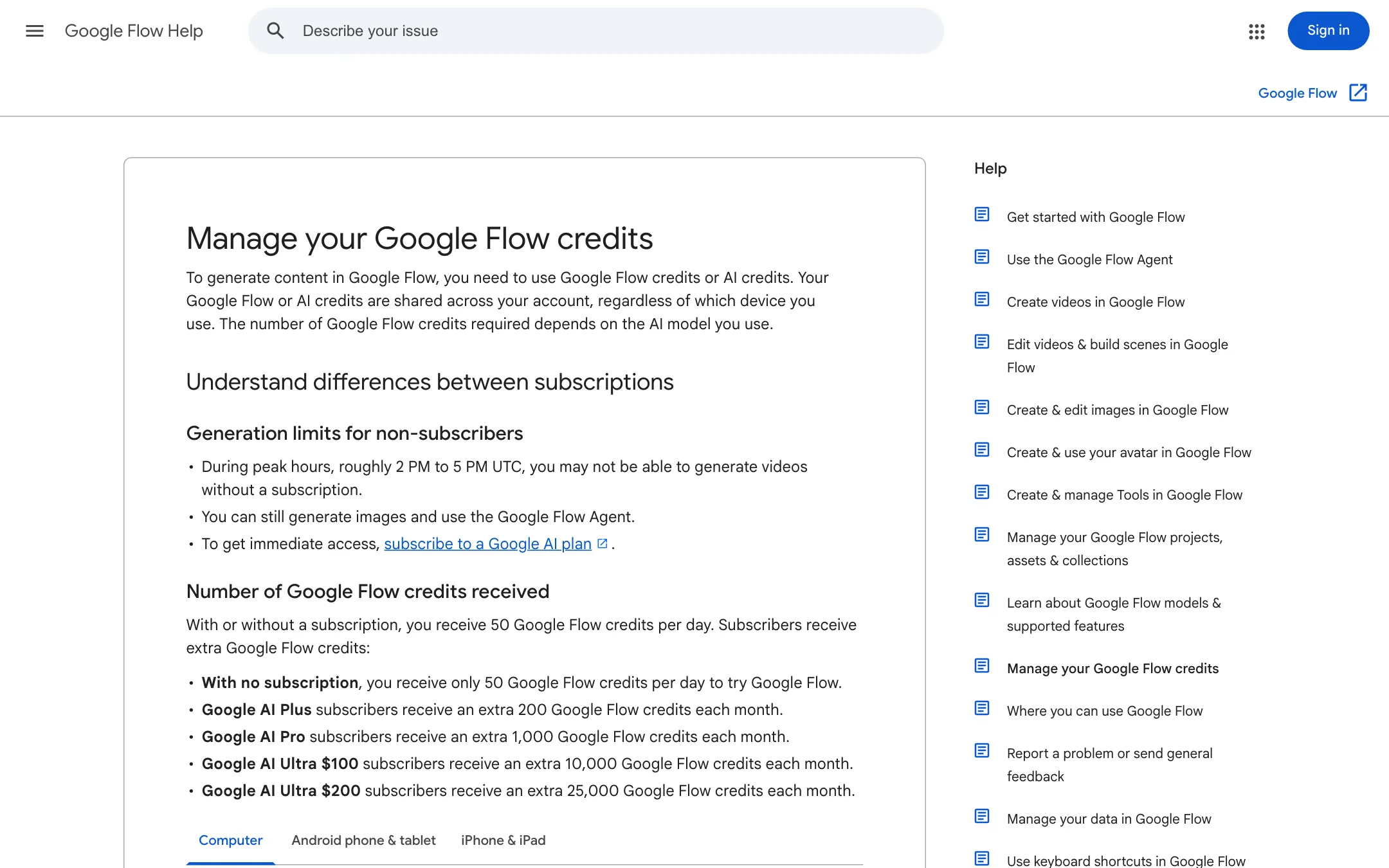
Flow runs on Flow credits. Every Google account gets 50 a day. Google AI plans add a monthly pool on top, and paid subscribers in most regions can buy extra AI credits. Neither daily nor monthly credits roll over. Your daily allowance refreshes the day after your first generation, not at a fixed time.
| Plan | US price | Flow credits |
|---|---|---|
| Free | Free | 50 a day |
| Google AI Plus | $4.99/mo | 50 a day + 200 a month |
| Google AI Pro | $19.99/mo | 50 a day + 1,000 a month |
| Google AI Ultra | $99.99/mo | 50 a day + 10,000 a month |
| Google AI Ultra | $199.99/mo | 50 a day + 25,000 a month |
Google’s credits page lists these costs per generation, and warns that they can change:
| What you make | Credits |
|---|---|
| Omni Flash 360p draft, 4s / 6s / 8s / 10s | 4 / 5 / 6 / 7 |
| Omni Flash 720p, 4s / 6s / 8s / 10s | 7 / 10 / 12 / 15 |
| Omni Flash edit, any length | 40 |
| Veo 3.1 Lite clip or extension | 10 (5 on Ultra) |
| Veo 3.1 Fast clip | 20 (10 on Ultra) |
| Veo 3.1 Quality clip | 100 |
| 1080p upscale | Free on paid plans |
| 4K upscale | 50, Ultra only |
Two details change the maths. Pro and Ultra subscribers can upscale Omni 360p drafts to 720p for zero credits. And costs are per output, so asking for two versions of a shot costs double. Failed generations are free.
Worked example: a 60-second, six-shot short
Say you want a one-minute piece with one recurring character, six shots of 10 seconds each, with sound. Assume three tries per shot before you find a keeper.
- Omni Flash, drafting at 360p. 18 drafts at 7 credits is 126 credits. On Pro, upscale the six keepers to 720p for free. Add a couple of 40-credit edits to fix details and you land around 200 credits. That is a fifth of Pro’s monthly pool, or under half of Plus’s 200 plus a few days of free credits.
- Omni Flash at 720p throughout. 18 generations at 15 credits is 270 credits. Comfortable on Pro.
- Veo 3.1 Fast. Veo tops out at 8 seconds, so you need eight shots. 24 tries at 20 credits is 480 credits, about half of Pro. On Ultra it halves to 240.
- Veo 3.1 Quality. Eight shots with two tries each is 16 clips at 100 credits, 1,600 credits. That is more than Pro’s monthly pool, so you would lean on daily credits and top-ups, or move to Ultra, where it uses 16% of the $99.99 tier’s allowance.
On the free plan, the Omni 360p route takes about three days of daily credits, but you keep 360p unless you spend more on 720p, and video may be unavailable at peak hours. Character images come from Nano Banana; Google’s credit table does not list image costs, and the plans instead describe image limits as higher on Plus and highest on Ultra.
The practical takeaway: for most short projects, Pro is enough if you draft cheaply and save Veo Quality for the shots that need it.
How Flow compares
Against Runway, Flow is cheaper to start and has the free daily allowance, but Runway has the deeper editing toolkit, plugins for Premiere and Resolve, and team plans with shared credits. Against story-first tools like LTX Studio, Flow’s planning lives in a chat Agent rather than a structured script-to-storyboard pipeline. Flow’s edge is having Google’s own newest models first and keeping characters, editing and assembly in one place.
Verdict
Google Flow is a capable studio for short, multi-shot AI video. The Agent, reusable Characters, Omni Flash editing and version history make it easier to keep a story consistent than with a single-prompt generator. Cheap 360p drafts and free upscaling on Pro make a one-minute piece affordable.
The gaps are at the end of the pipeline. Scenebuilder only orders and trims clips, so you will still need an editor for sound, titles and pacing. Some features depend on your country. Start on the free daily credits, try a short scene, and move to Pro once you know you will use it every week.