
What LTX Studio is
LTX Studio is a browser-based AI video production studio made by Lightricks, the company behind Facetune and Videoleap. It used to live at ltx.studio and now sits at ltx.io/studio, next to Lightricks’ LTX models and API.
Most AI video tools give you a prompt box and a five-second clip. LTX Studio tries to cover the whole job. You can start from a script, turn it into a storyboard, generate each shot, keep characters consistent, and then cut the result on a timeline with sound.
Underneath is Lightricks’ own video model. The current version is LTX-2.5, and LTX-2.3 is still available. Lightricks releases these models with open weights, so developers can run and fine-tune them on their own hardware. LTX Studio is the paid, hosted way to use them without a GPU. Higher plans also add third-party models such as Kling, Seedance and Google Veo.
Who it is for
LTX Studio fits you if:
- You make short films, music videos, trailers or ad concepts with more than a handful of shots.
- You want to plan a project from a script or concept rather than prompt clip by clip.
- You care about keeping the same character or location across scenes.
- You pitch ideas to clients and want storyboards and pitch decks from the same tool.
- You like the idea of a model maker running the platform, not a reseller.
Skip it if:
- You only need quick social clips or viral templates. Simpler tools get you there faster.
- You need commercial rights on a tight budget. Standard at $28 a month billed yearly is the cheapest plan that allows it.
- You want Veo as your main model. It is only on Pro, at $100 a month billed yearly.
- You work from a phone. LTX says the studio is built for desktop browsers and has no mobile app.
How it works
LTX Studio offers four starting points: a script, a concept, an image or a video. From there, the work happens in a few connected spaces.
Gen Space
Gen Space is where you generate. It supports text-to-video, image-to-video, audio-to-video and video-to-video. You can mix text prompts with image references. A model picker lets you choose LTX-2.5, LTX-2.3 or, on paid tiers, partner models.
Direction tools sit alongside the prompt:
- Camera controls set the camera move for a shot.
- Keyframes define how motion unfolds.
- References guide the look with images.
- Styles apply presets from cinematic to sketch to branded looks.
Elements
Elements are saved characters, objects and locations. You define them once and reuse them across scenes, so your lead looks the same in shot one and shot twenty. Saving Elements starts on the Standard plan. Consistency is the hardest problem in multi-shot AI video, so this is one of the more useful parts of the product.
Storyboards, timeline and sound
Upload a script and LTX Studio breaks it into scenes and builds a storyboard. Free users get blank storyboards. AI-generated storyboards and pitch decks start at Standard.
When shots are ready, you assemble them in the timeline editor and add sound design. That means you can take a short project from idea to export without leaving the browser. For a polished final edit with color work and precise trimming, you may still want a dedicated editor. LTX says SDR to HDR enhancement is included on every plan, and its LTX-2.5 page talks up HDR and EXR output for grading.
Flows
Flows is a node-based automation canvas. You chain steps into a reusable graph, such as prompt, reference, generate and upscale. It suits teams who make the same kind of asset over and over. Advanced Flows sit on Standard and up.
Output quality
We have not tested LTX Studio hands-on. These are Lightricks’ claims, plus what its own pages show.
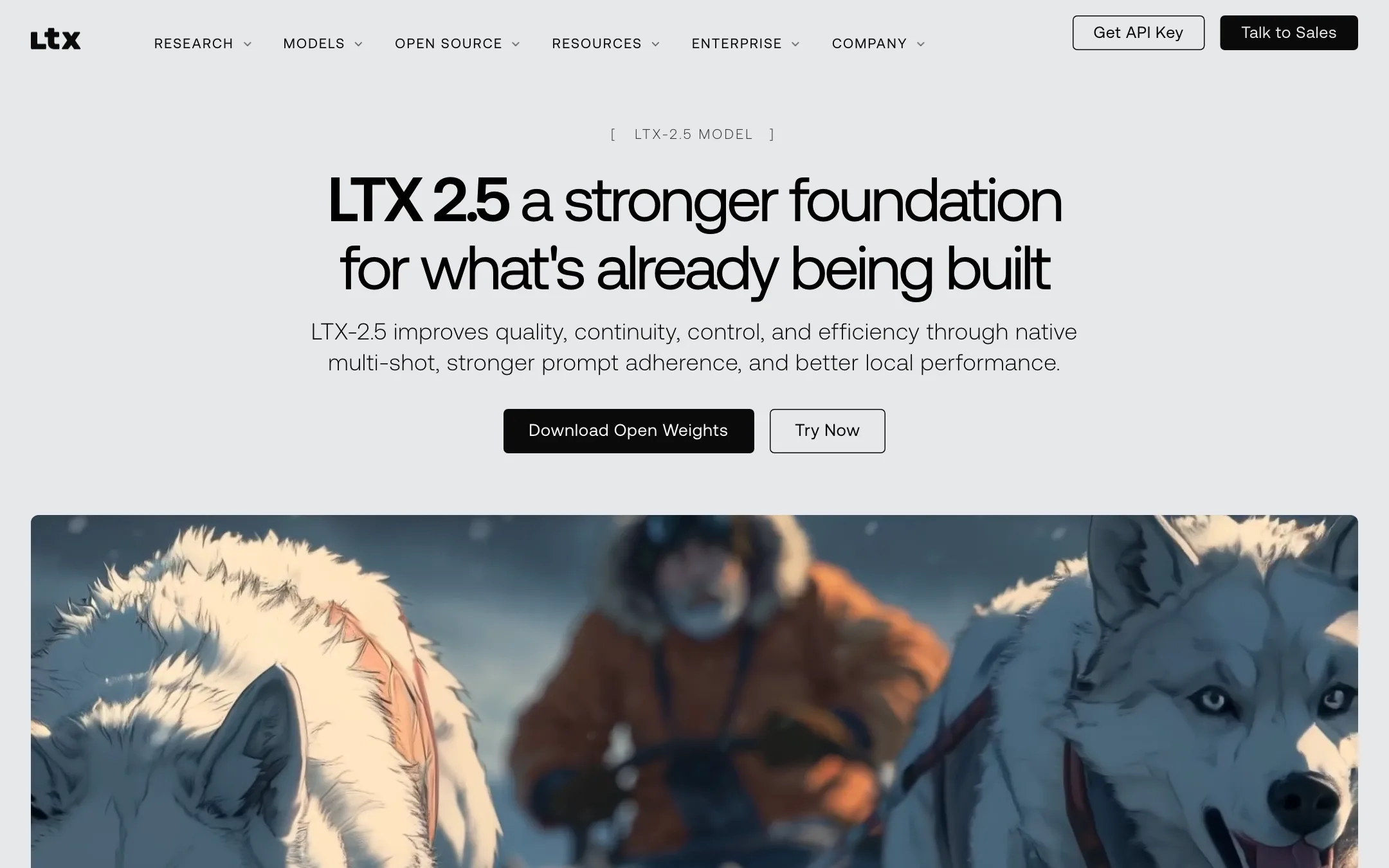
Lightricks says LTX-2.5 brings a new video decoder with fewer motion artifacts, native multi-shot scenes that keep character, environment, lighting and voice consistent across cuts, better prompt adherence from shorter prompts, and automatic clip length. It also says the model supports native 4K HDR output and beta video editing. The model page mentions multi-shot stories of up to 5 minutes with consistent identity and voice.
Things to keep in mind:
- The model you use changes the result. Clips from LTX-2.5, Kling, Seedance and Veo will look different. Partner models also cost more credits and only unlock on higher plans.
- Open weights cut both ways. LTX’s community showcase is full of people running LTX locally on their own GPUs. That is great for developers. It also means you can sometimes get similar raw model output without the studio, if you have the hardware and skills.
- Consistency still takes work. Elements and multi-shot help, but any AI video tool can drift across a long project. Plan to regenerate some shots.
The Free plan’s one-time credits are enough to judge LTX-2.5 on a few shots of your own. They will not cover a full project.
Pricing
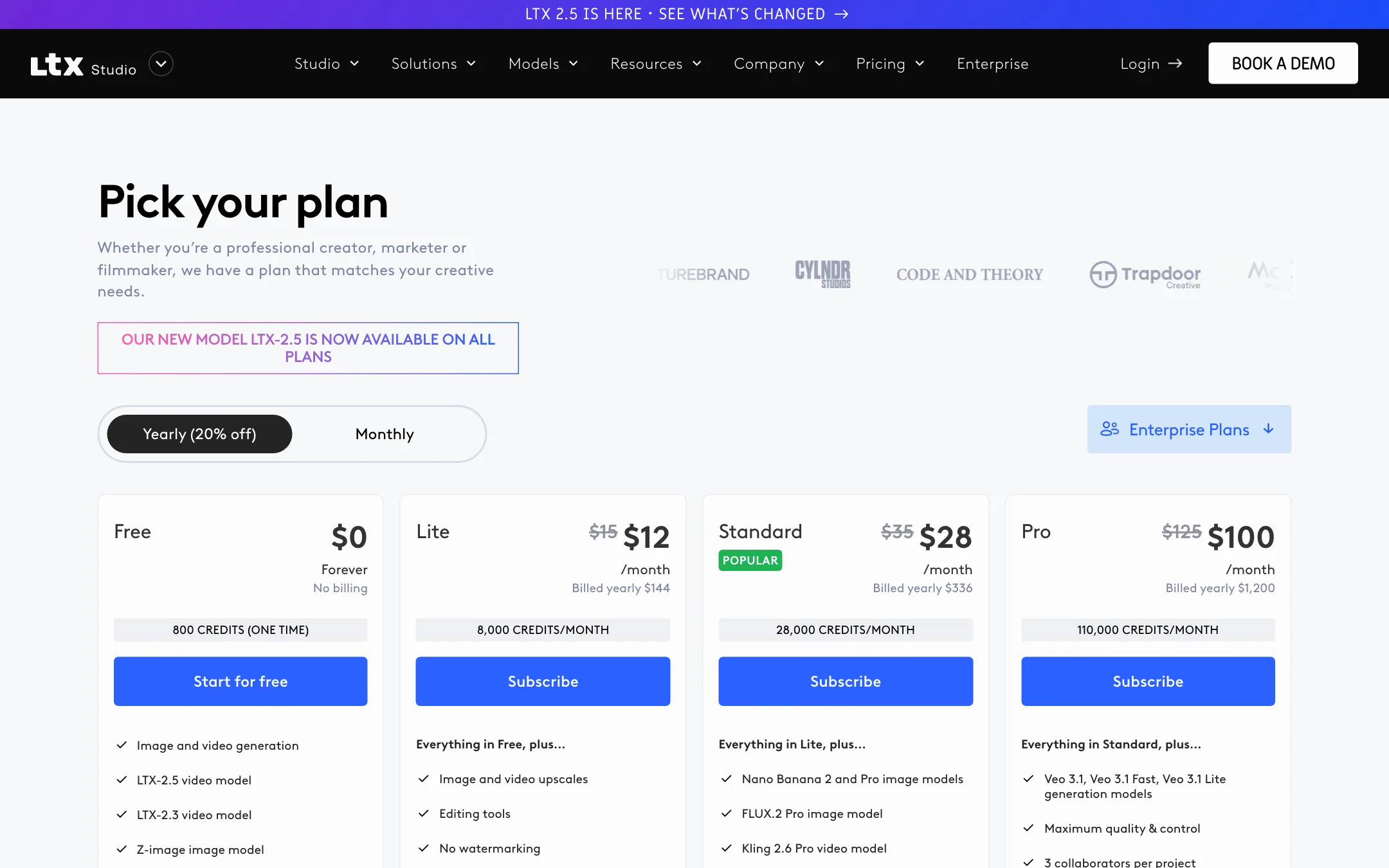
LTX Studio runs on credits. Each plan has a monthly allowance that renews on your subscription date, even if you pay yearly. Unused credits do not roll over.
| Plan | Price | What you get |
|---|---|---|
| Free | $0 | 800 one-time credits, LTX models, personal use, watermark |
| Lite | $12/mo yearly, $15 monthly | 8,000 credits a month, no watermark, personal use |
| Standard | $28/mo yearly, $35 monthly | 28,000 credits, Kling, Seedance, Elements, commercial license |
| Pro | $100/mo yearly, $125 monthly | 110,000 credits, Veo 3.1, 3 collaborators per project |
| Enterprise | Custom | Custom credits, custom model training, SSO, no training on your data |
A few things the pricing page does not make obvious:
- Lite is paid but still personal use only. It removes the watermark, but you cannot use the output for a business, a sponsor or a client. If you will ever post the video for money, start at Standard.
- Third-party models are tiered. Kling, Seedance, Nano Banana, FLUX.2 and ChatGPT Images start at Standard. Veo 3.1 only unlocks on Pro.
- Extra credits are confusing. The pricing page lists “purchase additional credits” on Standard and “on-demand credit top-ups” on Pro. The help center says top-ups are available “on Pro++ only.” Expect to upgrade rather than top up until LTX clarifies.
- Free credits are not guaranteed. The pricing page says 800 credits. The help center says free credits vary by region and promotion, and that unused free credits are replaced when you upgrade. Spend them before you subscribe.
- Your data may train models below Enterprise. “Enhanced data privacy,” defined as not using your inputs and outputs to train LTX’s models, is listed only on Enterprise.
- Credit cost per clip is hidden. The public pages do not list how many credits a generation costs. The balance in the app updates after each action.
- Models can change. The pricing page reserves the right to replace or remove any model at any time.
Refunds
LTX says refunds are typically granted within 14 days of payment if you have used no more than 1,200 credits. Cancelling keeps your plan active until the end of the billing period, and downgrades take effect at the next cycle.
A typical project run
Here is how a short ad or film might move through LTX Studio, based on the workflow LTX describes:
- Start from a script or a one-line concept. LTX turns it into scenes and a storyboard.
- Review the storyboard before you spend credits on video. Cut or merge scenes now, while changes are cheap.
- Create Elements for your main character, key props and locations, so each shot reuses them.
- Generate each shot in Gen Space. Set the camera move and keyframes, and try LTX-2.5 first since it is on every plan.
- Switch to a partner model such as Kling or Veo only for shots where LTX-2.5 falls short, because they cost more credits.
- Assemble the shots on the timeline, add music and sound design, and upscale the final cut if your plan allows it.
Keep an eye on the credit balance in the top bar as you go. It updates after every action, and that is the only reliable way to see what a shot costs.
Studio or the open model?
Lightricks gives you two routes to the same model family. The open weights are free to run and fine-tune for companies under $10M in annual revenue, and LTX’s showcase includes people generating on a single consumer GPU or a Mac. You also get LoRA adapters for things like relighting, camera motion transfer and object removal.
The studio is for everyone who does not want to manage that. You pay for hosted compute, the storyboard and timeline, Elements, collaboration and the partner models. If you are comfortable in ComfyUI and have the hardware, try the open model first. If you want a finished video without touching a GPU, the studio is the simpler path.
Verdict
LTX Studio is one of the most complete AI video production tools you can use in a browser. It goes beyond single clips to cover scripts, storyboards, consistent characters and a timeline, and it runs on a model Lightricks builds and openly releases. For filmmakers and agencies planning multi-shot work, that is a real advantage over prompt-box tools.
The catch is the tiering. The cheap Lite plan is personal use only, the best partner models sit behind Standard and Pro, and the rules on extra credits contradict each other. Use the free credits to test LTX-2.5 on your own shots, then budget for Standard if the work is commercial.