
What CrePal is
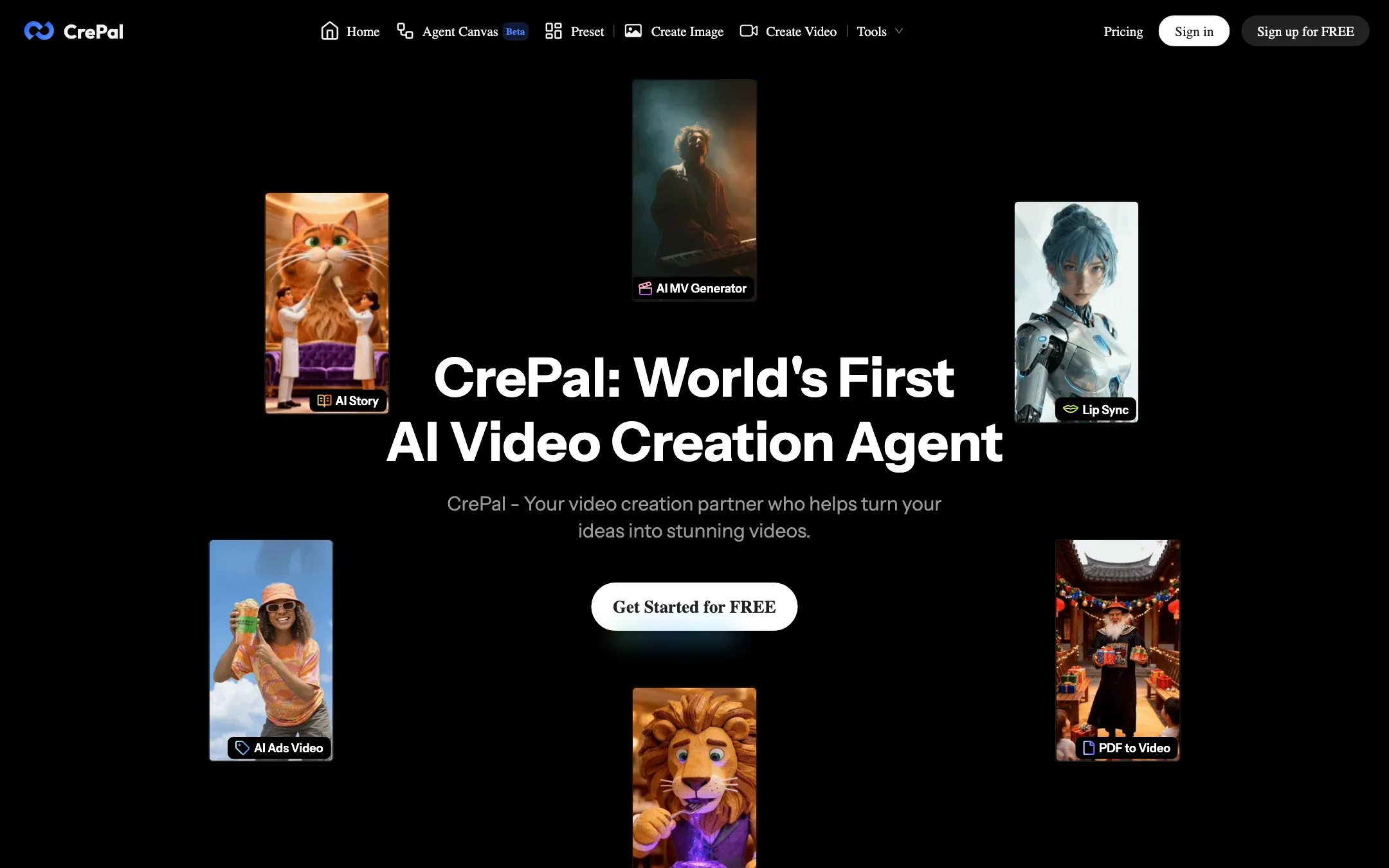
CrePal is an AI video agent. You describe a video in a chat box, and an “AI Director” writes the script, splits it into scenes, picks a model for each shot, generates the footage and assembles the result with voiceover, music and subtitles. CrePal calls itself the “World’s First AI Video Creation Agent.” That is a marketing line, but the product is built around the idea.
It does not train its own video model. CrePal’s FAQ says it coordinates Google Veo, Pika, Seedance, Runway, Suno for music and open-source models. The pricing page highlights Seedance 2.0 and GPT Image 2. The pitch is orchestration: one brief in, a finished multi-scene video out.
CrePal is run by SIGNOO PTE. LTD., a Singapore company named in its terms. It is one of the most-clicked AI video tools among our readers, which tells you the agent idea resonates.
Who it is for
CrePal fits you if:
- You want a full 30- to 60-second video from one idea, not a single clip you then have to stitch together.
- You find timelines slow or intimidating and would rather say “punchier intro” in chat.
- You make short ads, explainers, story shorts or music-video style clips for social.
- You want access to several big models without paying for each one separately.
Skip it if:
- You need one perfect shot with fine control. A direct model tool such as PixVerse or a Veo or Kling front end gives you more knobs per generation.
- You want a stock avatar presenter for training videos. CrePal can make talking avatars, but dedicated avatar tools have libraries, voices and brand controls built for that.
- You need to know exactly what a video costs before you sign up. CrePal does not publish credit costs per model or per second on its public pages.
How it works
CrePal has two ways in: the agent and the manual tools.
The agent
The agent lives on the main chat screen. CrePal describes two modes:
- AI Story Mode lets the agent handle everything. It is aimed at beginners.
- Director Mode gives you control over each detail of the plan through natural language.
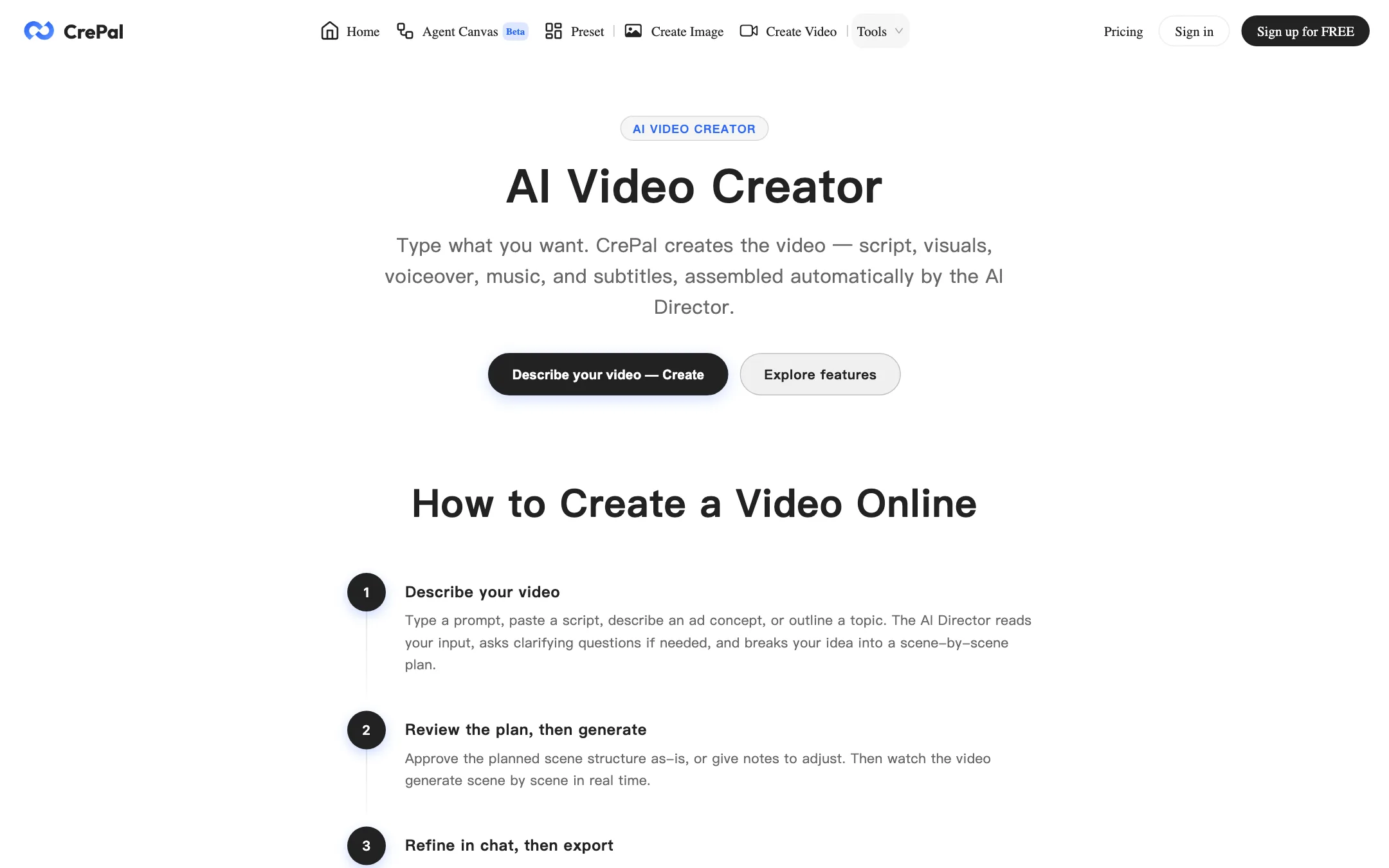
According to CrePal’s AI Video Creator page, a run goes like this:
- Describe the video. Type a prompt, paste a script, describe an ad concept or outline a topic. The AI Director may ask clarifying questions.
- Review the plan. The agent proposes a scene-by-scene structure. You approve it or give notes.
- Watch it generate. Scenes render one by one in a real-time preview. CrePal says each scene goes to the model best suited to that shot type.
- Refine in chat. If a scene is wrong, say so. The agent revises without a timeline.
- Export. HD MP4 with subtitles, voiceover and background music, in 16:9, 9:16 or 1:1.
The plan-approval step matters more than it sounds. On most AI video tools you only see the result after you have spent the credits. Here you can reshape the story before generation starts.
CrePal says planning takes under a minute and a 30-second ad usually finishes in a few minutes. It also says you can upload your own images, clips and reference files as source material.
Manual tools
If you want to drive a model yourself, the Create Video and Create Image screens work like a normal generator. You type a prompt, @-mention reference files and pick a model. The public Create Video page showed Seedance 2.5 as the default model at 16:9, 5 seconds and 1080p, with an “Omni reference” mode and a prompt optimizer.
Agent Canvas is a newer beta. It is a node-style workspace with the agent built in, similar to the canvas editors other studios now ship. It suits repeatable projects more than one-off videos.
Mini apps and presets
CrePal packages common jobs as mini apps:
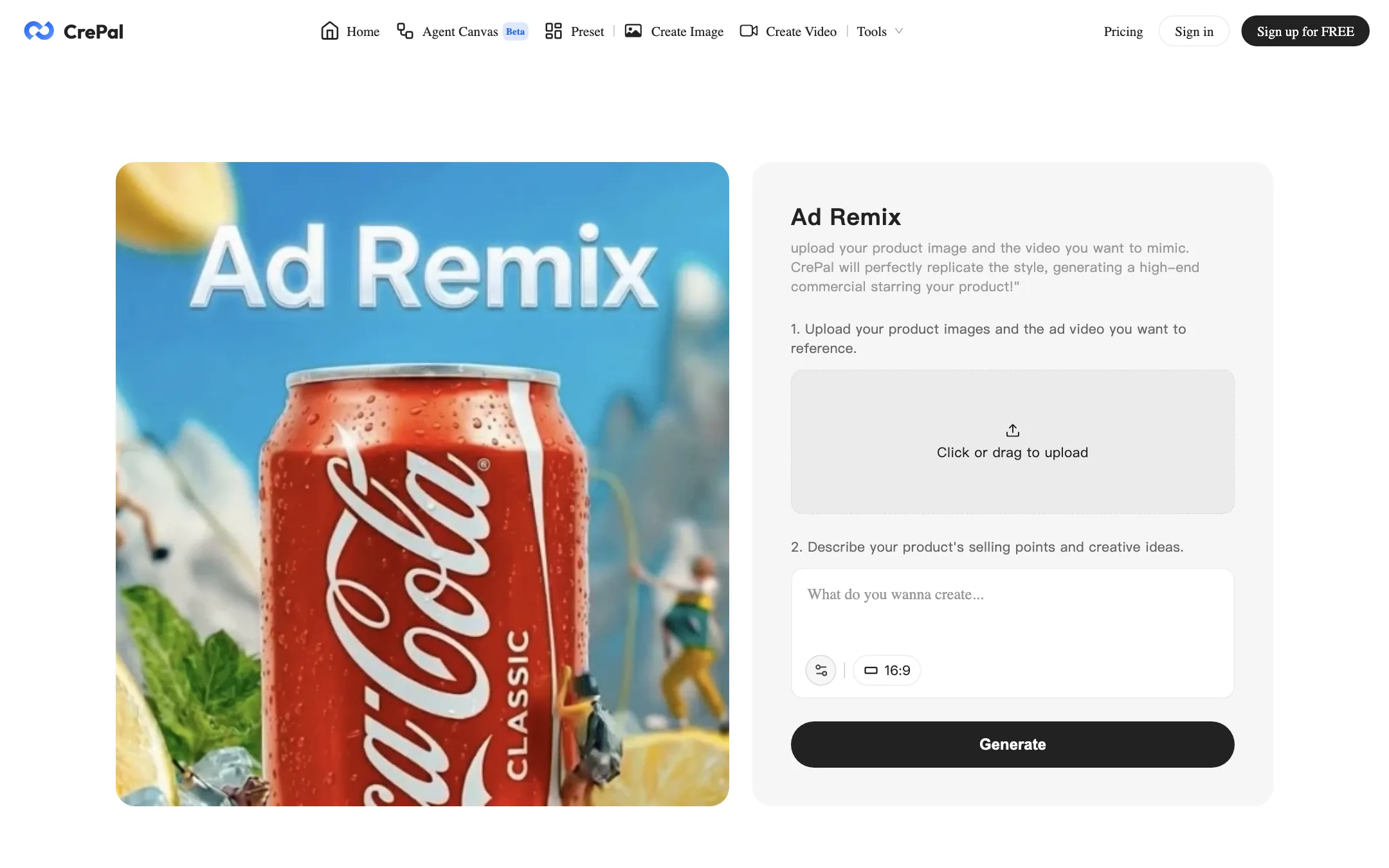
- Ad Remix. Upload your product image and an ad you want to copy. CrePal says it will replicate the style with your product as the star.
- AI Talking Avatar. Upload an optional character image and write the lines. The agent builds a short vertical talking-head video.
- PDF to AI Video. Turn a report, pitch deck or story into a narrated video.
The Preset library holds ready-made multi-shot prompts: product commercials, slow “healing” documentaries, anime promos and fashion spots. They are useful as prompt-writing lessons. Several reference real fashion brands by name, so do not run them as-is for paid work.
Output quality
We have not tested CrePal hands-on, so quality claims here are CrePal’s own. It promises consistent characters, faces, outfits, style, color and pacing across a full video. That is the hardest problem in multi-scene AI video, and it is exactly where agent tools succeed or fail.
A few things are worth knowing:
- Quality depends on the models underneath. CrePal’s output can only be as good as Seedance, Veo or whichever model the agent picks for a shot. The value CrePal adds is planning, prompting and assembly.
- Mixing models can cost consistency. Routing scenes to different models gives each shot the best tool, but different models render faces and color differently. Check character continuity across scenes before you publish.
- Testimonials are not evidence. CrePal’s homepage testimonials repeat in a loop, and two of them contain garbled, half-pasted sentences. Do not weigh them.
If you want to judge quality, use the free credits on the kind of video you actually make, then compare the result with a single-model tool on the same brief.
Pricing
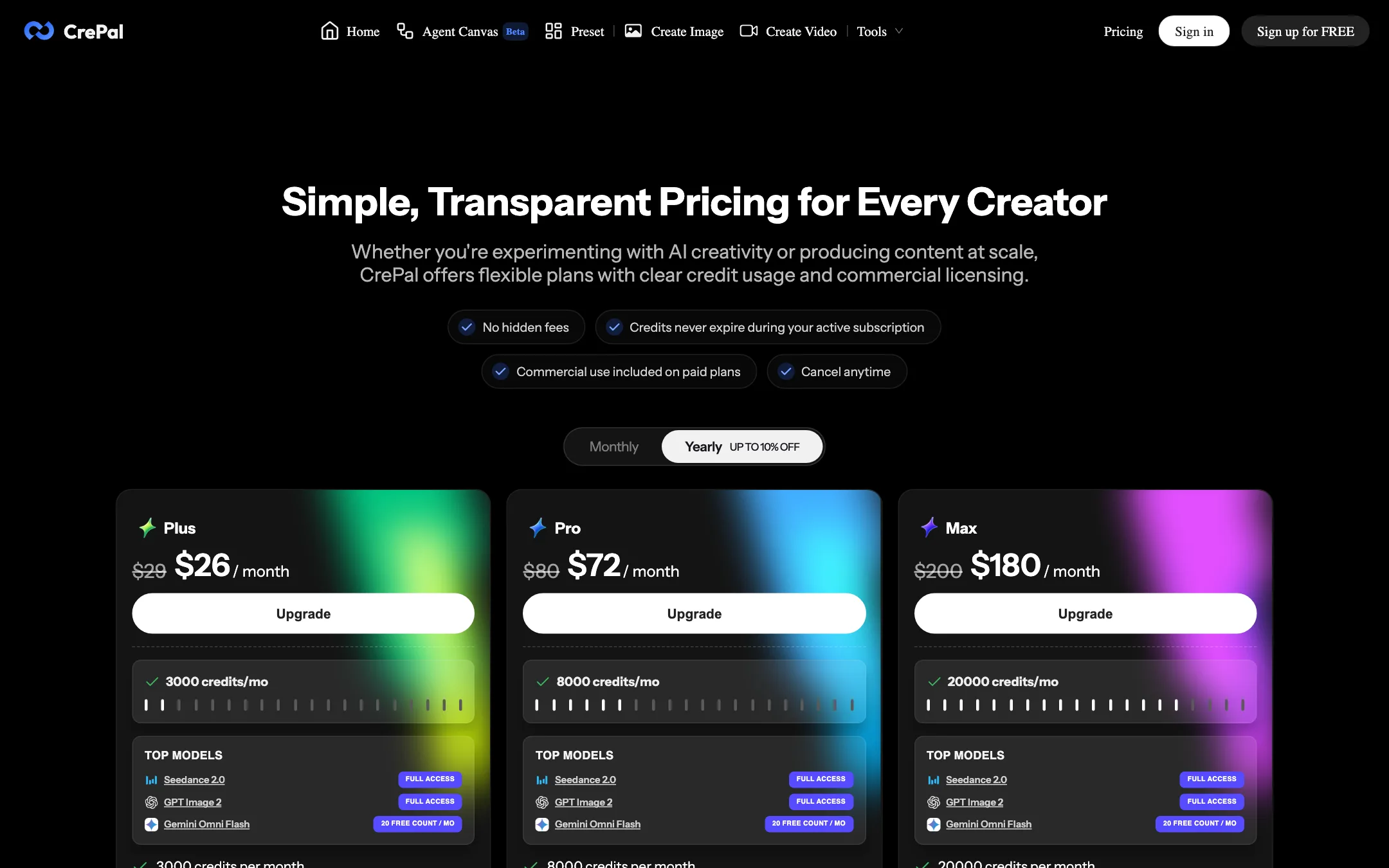
CrePal runs on credits. Every paid plan unlocks all image and video models, removes the watermark and adds a priority queue. The plans differ in credits and concurrent tasks.
| Plan | Price | What you get |
|---|---|---|
| Free | Free | Limited credits, standard models |
| Plus | $26/mo yearly, $29 monthly | 3,000 credits, 3 concurrent tasks |
| Pro | $72/mo yearly, $80 monthly | 8,000 credits, 10 concurrent tasks |
| Max | $180/mo yearly, $200 monthly | 20,000 credits, unlimited tasks, one-on-one support |
| Team | Contact sales | Custom |
All paid plans also include Seedance 2.0 and GPT Image 2 at full access and 20 free Gemini Omni Flash runs a month. Credit packs cost $5 for 500 up to $100 for 10,000, the same 100 credits per dollar at every size. Only paid members can buy them.
Things the pricing page does not make clear:
- The free allowance is a mystery. CrePal says “limited credits” but does not say how many. You can earn more through up to five invites.
- The yearly discount is about 10%, not 17%. The plan toggle says “up to 10% off” and the plan prices match that. The FAQ on the same page says annual billing saves 17%. Go by the prices.
- Credit cost per video is not public. CrePal says actual use varies by mode, duration, resolution and model. A multi-scene agent run uses several generations, so it costs far more than one clip.
- Credits last only while you subscribe. The page says credits never expire during an active subscription. It does not say what happens to them after you cancel.
Commercial use
The pricing page says commercial use comes with paid plans and that Free is “for personal evaluation and learning.” The FAQ below it says commercial use is allowed on every plan, including Free. The terms side with the first version: watermarked free outputs cannot be redistributed commercially. If you make videos for clients or ads, budget for a paid plan.
The terms also say that if you set a generation to public, you give CrePal’s parent company a perpetual license to use it for promotion and AI research. Keep client work private.
Refunds
Subscription payments are generally non-refundable once a billing period starts, and unused credit packs are non-refundable. Billing errors reported within 14 days are refunded. If a generation fails on CrePal’s side, its pricing page says credits are refunded automatically where possible, and support can restore the rest.
Things to watch
A few details are worth knowing before you commit:
- The site’s SEO pages wander. The footer and blog link to face swap, NSFW and “uncensored” generator guides. CrePal’s own NSFW page says plainly that CrePal is not an NSFW generator, but the mix is odd for a tool pitched at brands.
- Model names shift between pages. The pricing page highlights Seedance 2.0, the Create Video screen defaults to Seedance 2.5, and the FAQ lists Veo, Pika and Runway. Expect the lineup to keep changing.
- There is no published affiliate or partner program. CrePal’s invite scheme gives free users credits, but there is nothing for creators who refer paying customers.
Verdict
CrePal is one of the more complete takes on the “AI director” idea. One brief gets you a planned, scored and subtitled multi-scene video, you can fix the plan before you spend credits, and every model is unlocked from $26 a month.
The rough edges are on the business side, not the product idea. The free allowance is unpublished, the FAQ contradicts the pricing on discounts and commercial rights, and you cannot see credit costs until you are inside. Start on the free plan, run the exact kind of video you need and watch how many credits one full agent run uses. If the math works, Plus is a fair entry point.