

What MagicLight is
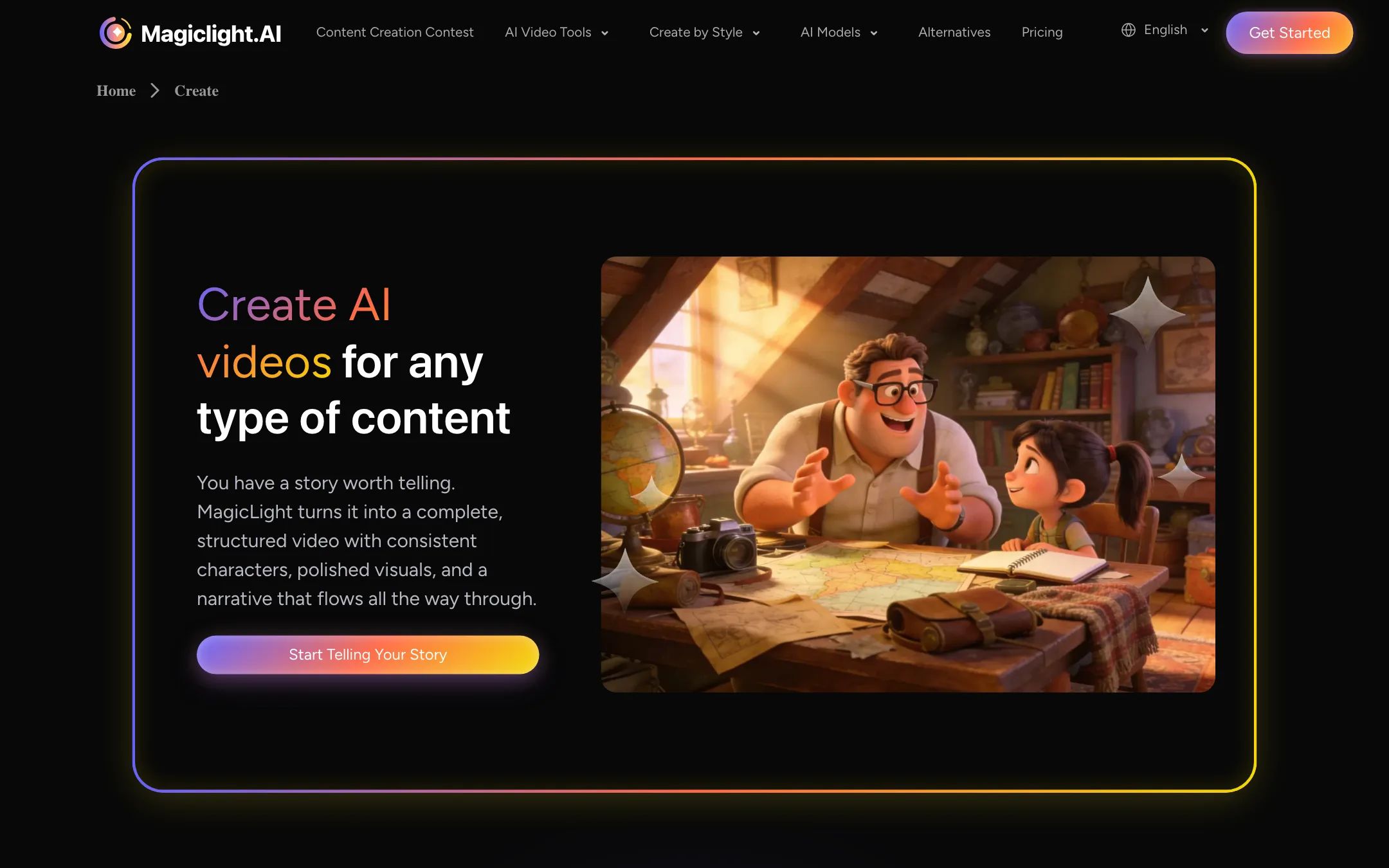
MagicLight is an AI video platform built around stories. You give it an idea, a script or a full story, and it breaks the text into scenes, creates characters, generates visuals, adds narration and captions, and outputs a finished video.
Most text-to-video tools make a single 5 to 15 second clip. MagicLight goes the other way. It says it can make complete videos up to 50 minutes long, and its homepage calls it a generator “for long-form video content creation.” That puts it closer to an animated story studio than to a raw model like Veo or Kling.
It mixes its own pipeline with third-party models. The About page talks about a proprietary model, a storyboard engine and a character library. The pricing page and model menu also list outside models such as Seedance 2.5 and 2.0, Kling 3.0, Veo, Sora 2, Hailuo, Wan and MiniMax H3, plus language models for scriptwriting.
MagicLight says it has more than 20 million creators worldwide on its homepage and more than 30 million global users on its About page. We could not verify either figure.
Who it is for
MagicLight fits you if:
- You run a kids’ story, bedtime story, faith, history or education channel.
- You want the same characters to appear across many scenes and many videos.
- You would rather paste a script than write a prompt for every shot.
- You want narration, captions and visuals from one tool.
Skip it if:
- You need photoreal, cinematic single shots for ads or film. A model-first tool like Veo, Kling or PixVerse fits that better.
- You want precise control over every frame. MagicLight’s strength is automation.
- You dislike credit systems where cost depends on length and complexity.
How it works
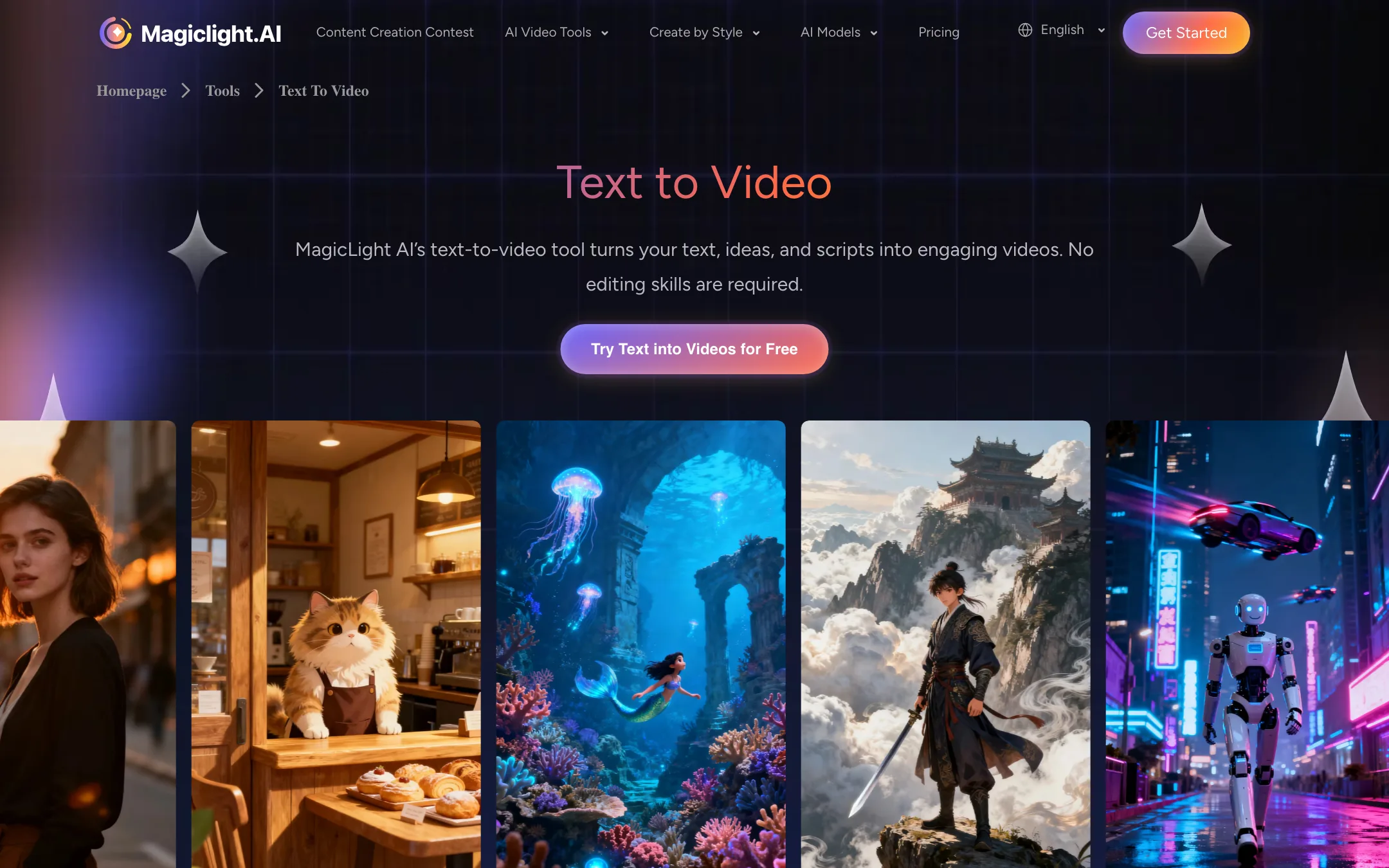
MagicLight’s own text-to-video page describes a four-step flow:
- Enter your text. Paste up to 12,000 characters of script or story, or start from a one-line idea.
- Pick a visual style. MagicLight lists more than 20, including realistic, 3D cartoon, anime, picture book, comic, illustration and suspense, plus looks it describes as Pixar-inspired, Disney-inspired and Ghibli-inspired.
- Edit the storyboard. Before rendering, you can change character positions, camera angles and facial expressions scene by scene.
- Review and export. Watch the video, fix what is missing, and download.
Templates sit on top of this. You can start from a template for kids’ stories, faith messages, lessons, explainers, comedy or jingles instead of a blank page.
Characters
Character consistency is the feature MagicLight leans on hardest. You build a character profile that locks in facial features, proportions and clothing, and MagicLight reuses it in every scene and across videos. Its FAQ calls this “feature-locking technology.”
The same FAQ is honest about limits. It compares generation to “card drawing,” says some randomness is normal, and recommends retrying, refining prompts, sticking to one style and generating several versions. Expect to do some of that.
Voice, captions and languages
MagicLight lists 37 voice options, voice cloning from your own voice, and lip sync for characters. Subtitles are generated automatically, with 16 caption styles. It says text-to-video works in 30 languages.
Other tools
The tools menu also includes image to video, music to video, an AI avatar generator, an animation generator and a simple video editor. There are iOS and Android apps.
Output quality
We did not produce a video with MagicLight, so we cannot judge its output first-hand. Some things are clear from what it publishes:
- It aims at stylized, animated storytelling. Its examples and templates are dominated by cartoon, picture book and animated looks, with realistic as one style among many.
- Output is HD. MagicLight says clips come out at 720p to 1080p, and paid plans list 1080p with no watermark.
- Long videos are stitched scenes. A 20-minute story is many generated scenes joined with transitions, not one continuous generation. MagicLight says it adjusts lighting, perspective and style between scenes to keep things coherent.
- Variation between runs is expected, by MagicLight’s own admission.
A note of caution on social proof. On our check, the homepage testimonials repeated the same quotes under different names. For example, the same review about a daughter repeating character names appears under both “Sarah Chen, Content Creator” and “David Kim, Parent & Designer.” Do not let those testimonials sway you. Use the free trial instead.
Tips for a first project
Story tools reward a little planning. These habits come from MagicLight’s own guidance and from how scene-based generators work in general.
- Start short. Render a one- to two-minute story before you try twenty minutes. The free trial only covers one or two videos, so make them count.
- Write a clean script. MagicLight splits your text into scenes. Short paragraphs with one action each give it clear scene breaks. Long, tangled paragraphs make the split harder to control.
- Lock your characters first. Set up character profiles before you generate scenes. Changing a character’s look halfway through a project undoes the consistency you are paying for.
- Pick one style and stay with it. MagicLight’s FAQ recommends consistent style settings for character continuity. Switching between anime and realistic within one story fights the system.
- Use the storyboard pass. Fix camera angles, positions and expressions in the storyboard before rendering. Changes before render are cheaper than re-renders after.
- Check the estimate. MagicLight shows a cost estimate before processing. If a scene is unusually expensive, it is probably using image-to-video or a premium model.
- Expect retries. MagicLight’s own FAQ says some randomness is normal and suggests generating several versions and picking the best.
How it compares
MagicLight sits between two groups of tools.
On one side are model-first generators like PixVerse, Veo and Kling. They make short, high-fidelity clips from a prompt. You get more control over a single shot and often better realism, but you have to plan, generate and edit every shot yourself to make a story.
On the other side are faceless video makers like I Have a Dream. They turn text into a narrated short with still images and captions. They are fast and cheap per minute, but they do not animate characters or keep them consistent.
MagicLight’s pitch is the middle: animated scenes, recurring characters, narration and captions, all assembled automatically into something long. If your channel depends on the same characters week after week, that middle ground is exactly where you want to be.
Pricing
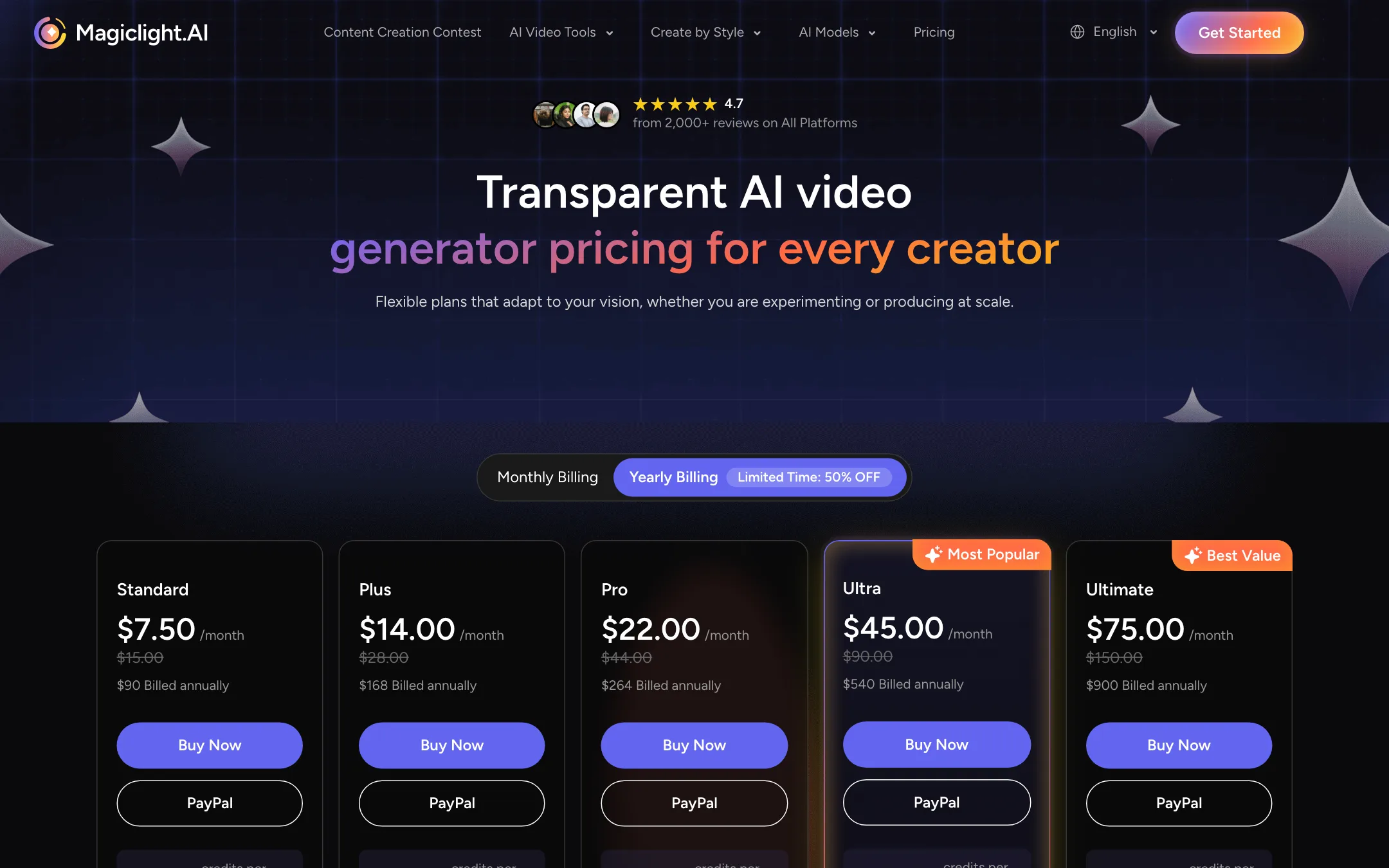
MagicLight runs on credits. Plans differ in monthly credits, speed and parallel jobs. Every paid plan includes 1080p with no watermark, the 50-minute maximum, free character and image generation, and a general commercial license. Prices were checked on 2026-10-19.
| Plan | Yearly (50% off offer) | Monthly | Credits per month (yearly / monthly) |
|---|---|---|---|
| Free trial | Free | Free | Enough for 1 to 2 videos, per MagicLight |
| Standard | $7.50/mo ($90/yr) | $15 | 8,000 / 6,300 |
| Plus | $14/mo ($168/yr) | $28 | 27,000 / 15,300 |
| Pro | $22/mo ($264/yr) | $44 | 47,000 / 33,300 |
| Ultra | $45/mo ($540/yr) | $90 | 150,000 / 84,000 |
| Ultimate | $75/mo ($900/yr) | $150 | 280,000 / 207,000 |
MagicLight translates credits into minutes. Standard on yearly billing is listed at “up to 130 min video generation” and up to 290 seconds of image-to-video. Those are MagicLight’s estimates. Real usage depends on scene count, style and model.
What the pricing page does not make obvious
- Monthly plans are a much worse deal. Monthly billing costs twice as much and also gives fewer credits. Standard monthly is $15 for 6,300 credits. Standard yearly works out to $7.50 a month for 8,000 credits.
- The 50% offer is labelled “limited time.” Expect yearly prices to rise when it ends.
- Image-to-video burns credits fast. Standard covers about 130 minutes of story video but only about 290 seconds of image-to-video, by MagicLight’s own numbers. Animated scenes from images are far more expensive than the default story output.
- Third-party models cost extra. Pro and higher plans get 20% off “foundational models,” which suggests those models are billed at their own credit rates.
- Concurrency is generous. Even Standard lists 60 concurrent animations and 3 parallel videos.
Refunds
MagicLight’s FAQ says credits cannot be refunded once used, because processing costs are spent immediately. It shows a cost estimate before each render. Use the free trial to test a short story in your chosen style before you buy, and start with a monthly plan only if you are unsure about committing for a year.
Verdict
MagicLight is the most focused tool in this category for one job: turning a script into a long, narrated, animated story with recurring characters. If you run a kids’ channel, a faith channel or an education channel, the template, character and voice features save real time compared with stitching clips from a pure generator.
Go in with clear eyes. The minutes-per-plan numbers are estimates, the monthly plans are poor value next to yearly, and the testimonials on the homepage are not trustworthy. Use the free trial, render one short story end to end, and judge from that.