
What Zubtitle is
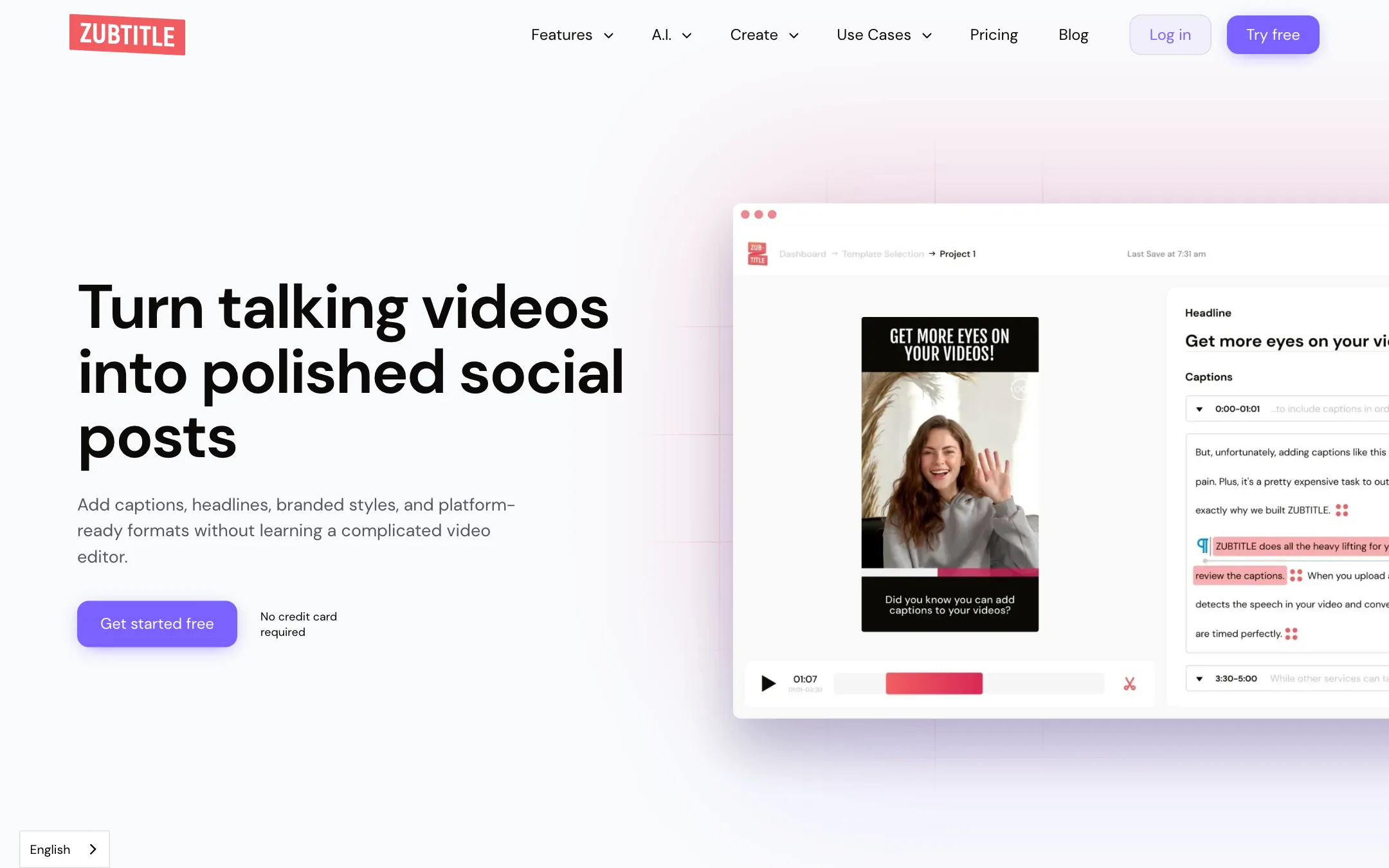
Zubtitle is an online video editor built around one job. You upload a talking video, it transcribes the speech, burns in captions, and lets you add a headline, your brand style and a progress bar before you post it.
It has been around since before the current wave of AI clip tools. Its pitch is aimed at coaches, consultants, podcasters and small teams who record themselves talking and want the result to look finished on social feeds. Its homepage line is “Turn talking videos into polished social posts.”
Zubtitle’s core argument is the one every caption tool makes: Zubtitle says 80% of social videos are watched on mute, so captions and a clear headline do the work sound would normally do.
It is run by Zubtitle LLC and has localized sites in German, Spanish, French and Italian.
Who it is for
Zubtitle fits you if:
- You record talking-head videos, podcast clips or webinar snippets and post a few a week.
- You want captions, a headline and your logo on every video with almost no learning.
- You care about a consistent brand look more than flashy effects.
- You want an SRT file as well as burned-in captions.
Skip it if:
- You post every day or run several channels. Ten videos a month on Guru will not last.
- You want AI to find clips in a long video for you. Zubtitle trims, but it does not pick highlights.
- You want trendy word-by-word animated captions, emoji and B-roll inserted automatically. Newer short-form caption tools go much further there.
- Your source videos run longer than 20 minutes.
How it works
Zubtitle describes a four-step flow.
- Upload. Drop in a video in any size or aspect ratio and pick the spoken language.
- Transcribe and caption. Zubtitle’s speech recognition turns the audio into text and lays it on as open captions.
- Edit and customize. Fix words and timing in the transcript, then style the captions with your fonts and colours or a template.
- Share. Download the finished video with burned-in captions, plus a .txt or .srt file if you want one.
Everything happens in the browser. Zubtitle says the editor is mobile friendly on iOS and Android browsers, but there is no separate app.
Headlines
The headline block is Zubtitle’s signature feature. You add a short line of text that frames the point of the video, usually in a band above or below the picture. On a muted feed, that line tells people why they should keep watching. Zubtitle also has an AI helper that suggests titles and headlines from the video.
Brand styling
You can upload a logo or watermark and drag it into place. You set fonts and colours for captions and headlines. Then you save the combination as a style template, so the next video takes one click to match. Zubtitle also offers free starter templates you can open from its homepage.
Progress bars and animated captions
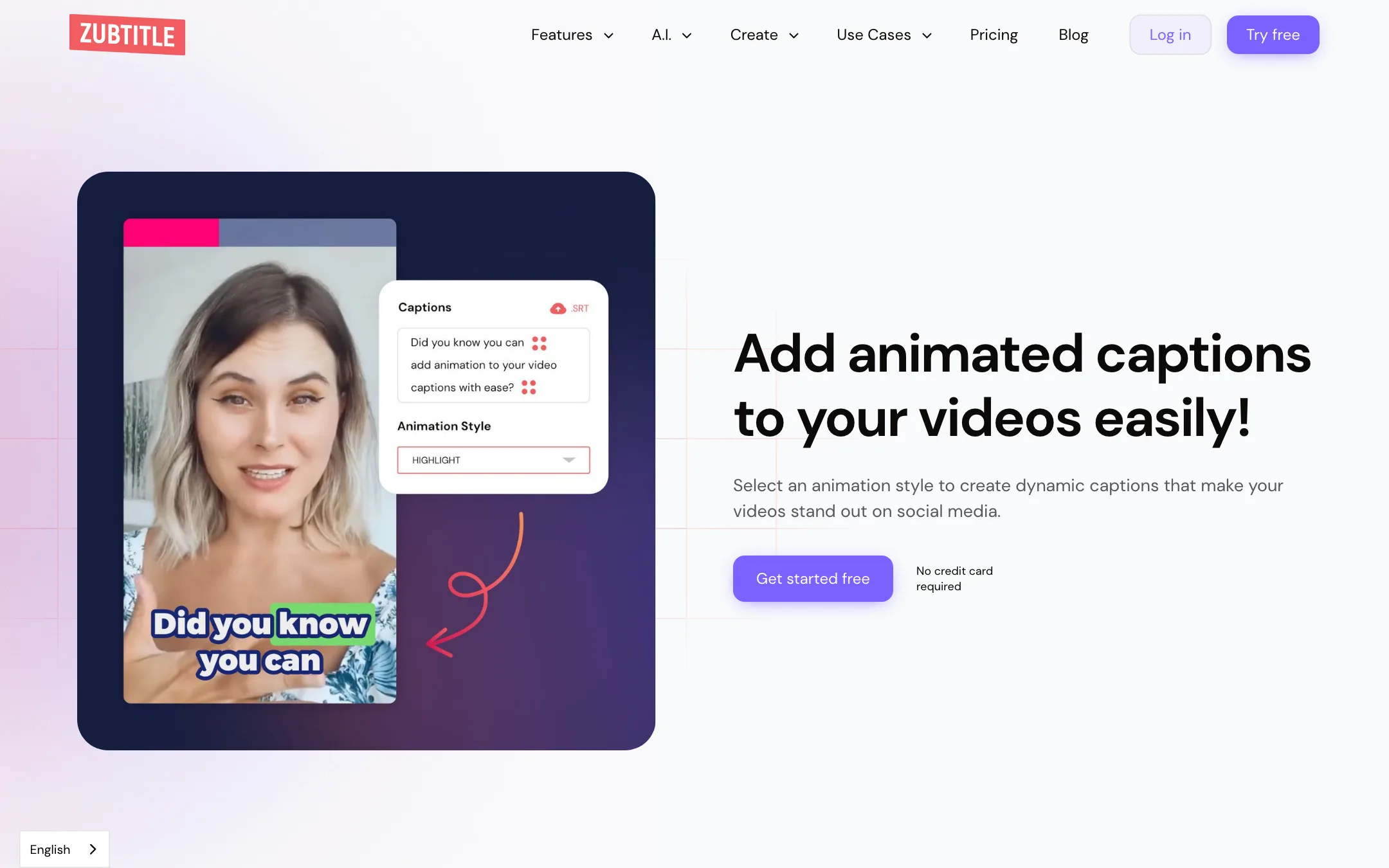
A progress bar animation runs along the edge of the video to show how much is left. Zubtitle’s argument is that it helps retention. You can add or remove it with one click, set its colour and drag its position. Caption animations add motion to the text itself.
Resize, crop and trim
Zubtitle turns one video into square, vertical, widescreen or feed-ready versions. You reframe the shot for each shape without rebuilding the edit. The trimmer cuts the video down to the part you want to post.
AI text helpers
Beyond captions, Zubtitle has AI tools that read your video and write text around it: YouTube descriptions, video summaries, chapter timestamps, hashtags, titles and social media posts. These are useful if you also publish the same video to YouTube or turn it into a LinkedIn post. They are add-ons to the editor, not a separate product.
Output quality
We have not run videos through Zubtitle, so this section reports what Zubtitle says and what its pages show.
Transcription. Zubtitle says it captions “with amazing accuracy” and supports over 60 spoken languages. It does not say which speech engine it uses. Like any auto-caption tool, expect to fix names, jargon and accents by hand. The transcript editor is there for that.
Resolution. Paid plans export up to 4K, and uploads are accepted up to 4096x2160. The free plan stops at 720p and adds a watermark.
Look. Zubtitle’s templates lean toward clean, readable captions and a headline band. That suits coaches and consultants. If you want the high-energy, emoji-heavy caption style common on TikTok, tools built for that look will get you there with less work.
Limits. Every plan caps uploads at 20 minutes and 1GB, and requires H.264 video. H.265 files from newer phones only work in Safari. If you shoot on an iPhone, check the codec before you upload or export as H.264 first.
Pricing
Zubtitle charges per video, not per minute or per credit.
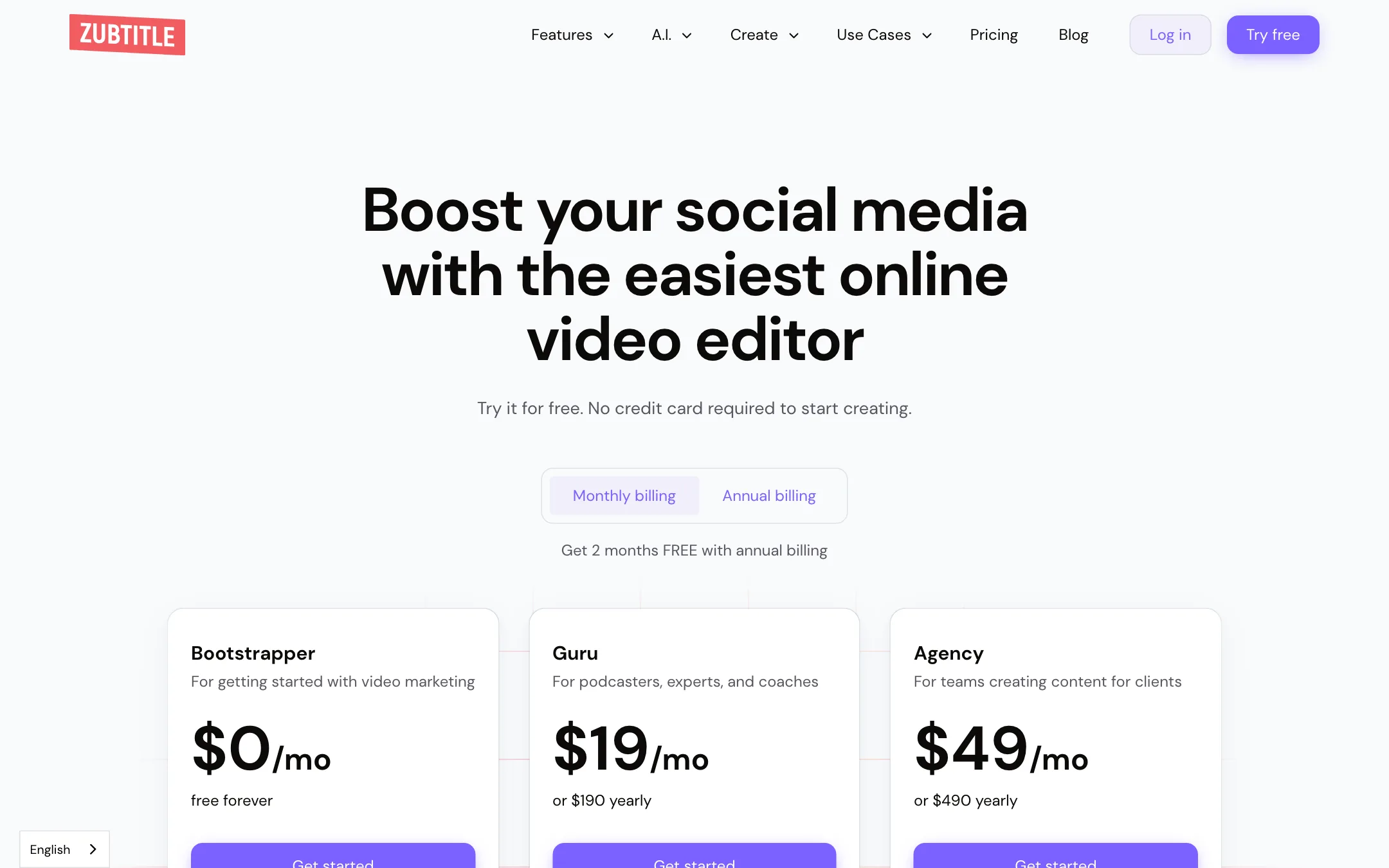
| Plan | Price | Videos a month | Output |
|---|---|---|---|
| Bootstrapper | Free | 2 | 720p, watermark |
| Guru | $19/mo or $190/yr | 10 | Up to 4K, no watermark |
| Agency | $49/mo or $490/yr | 30 | Up to 4K, no watermark |
| Custom | Pricing calculator | Your choice | Up to 4K |
Annual billing gives you two months free. All plans get every editor feature, including auto-subtitles, headlines, style templates, resizing, progress bars, logo upload, SRT export and custom fonts. Paid plans add watermark removal, 4K and premium support.
Things to know before you pay:
- Count your videos. At 10 a month, Guru works out to $1.90 a video. That is cheap if you post two or three times a week. If you cut five versions of one recording for different platforms, check whether each export counts as a video in your account before you plan around it.
- The pricing page contradicts itself. The top table shows Guru at $190 a year. A second table lower down shows $90 a year, “save $18.” Neither $90 nor $18 matches $19 times 12. Trust $190 until you see the checkout.
- The free allowance is unclear. The plan card and the affiliate page say two free video credits. The FAQ says one video. Plan to test with one.
- You can change or cancel any time, according to Zubtitle’s FAQ.
Affiliate program
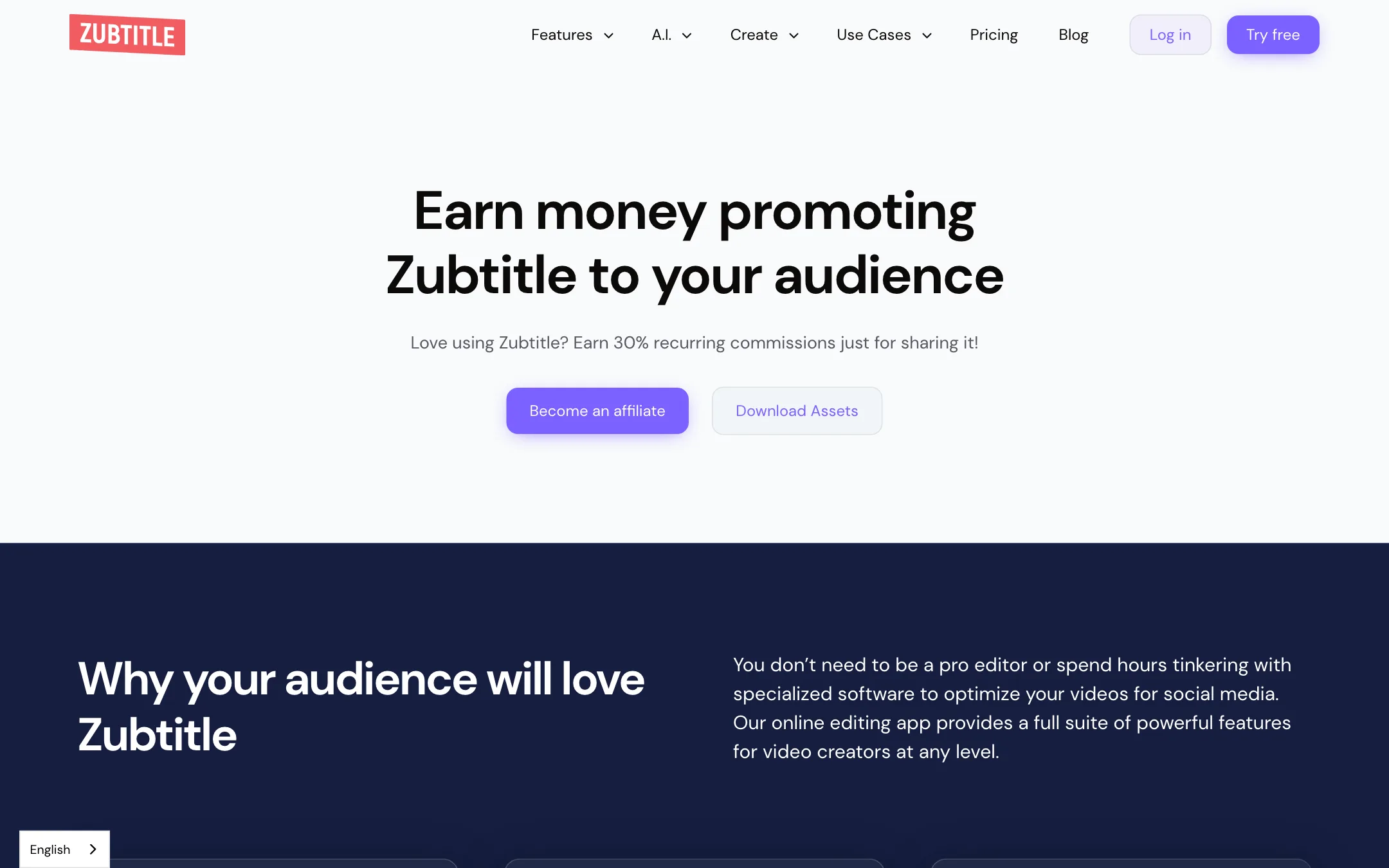
Zubtitle pays affiliates 30% recurring for as long as the referred subscription stays active. A referral counts if the person subscribes within 60 days of their first visit. Payouts are monthly, self-referrals are not allowed, and affiliates may not bid on Zubtitle’s brand terms or competitors’ names in ads.
How to get the most from your videos
Because Zubtitle charges per video, the habits that matter are about wasting fewer uploads.
- Record with captions in mind. Short sentences and clear pauses make the transcript cleaner and the caption lines easier to read. You will spend less time fixing timing.
- Trim before you upload if you can. Every plan caps uploads at 20 minutes. If you are pulling a one-minute clip from a long webinar, cut it down in your camera app or a free trimmer first.
- Check the codec. Zubtitle wants H.264. Recent iPhones record HEVC by default. Switch the camera to “Most Compatible” or export as H.264 so the upload does not fail.
- Build one style template early. Set your fonts, colours, logo, headline band and progress bar once, then save it. Every later video takes a click to match.
- Write the headline last. Watch the finished cut, then write a headline that names the one thing a viewer gets from it. A question or a specific promise works better than the topic name.
- Download the SRT too. Upload it to YouTube or LinkedIn alongside the video so the platform has real captions for search and accessibility, not just burned-in text.
- Test your language on the free plan. Zubtitle says it handles over 60 languages, but accuracy varies by language and accent. Use a free video to check yours before you pay.
How it compares
Zubtitle sits at the simple end of the caption tool market. Newer tools such as Submagic and AutoCaption focus on short-form trends: word-by-word highlight captions, emoji, auto B-roll, sound effects and filler-word removal. Some, like OpusClip, also find clips inside long videos for you.
Zubtitle does less, and that is partly the point. Its audience is a coach or consultant who wants a clean, branded talking-head post and does not want a dozen effects to choose from. If that is you, the narrow feature set is a plus. If you post daily on TikTok and want the trendiest caption look, compare it with the tools listed under alternatives before you subscribe.
Verdict
Zubtitle is a calm, simple tool for a simple job. If you record talking videos and want them captioned, headlined and on-brand in a few minutes, it does that with very little to learn. Headlines and progress bars come built in, and SRT export is on every plan.
It has not kept pace with newer caption tools. There is no AI clip finding, no automatic B-roll and the caption styles are conservative. The per-video pricing suits a few posts a week, not a daily schedule. Use the free plan on one real video, check the transcript accuracy in your language, and pick Guru only if 10 videos a month covers you.