What Zeemo is
Zeemo is an AI caption app made by Bluepulse Inc. It started as a tool that transcribes your video, adds subtitles, translates them and styles them with animated templates. That is still the core of the mobile apps and the part most people come for.
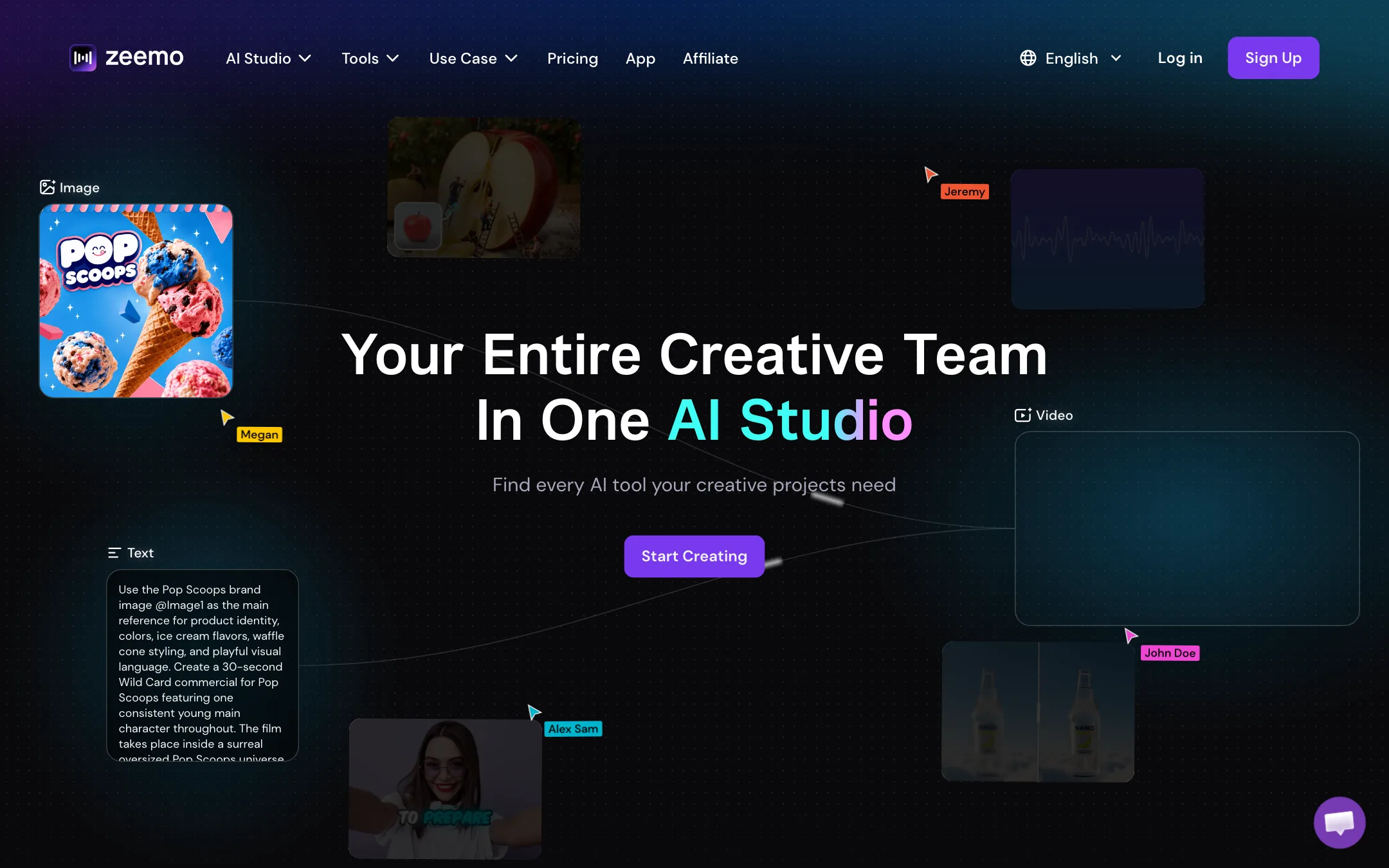
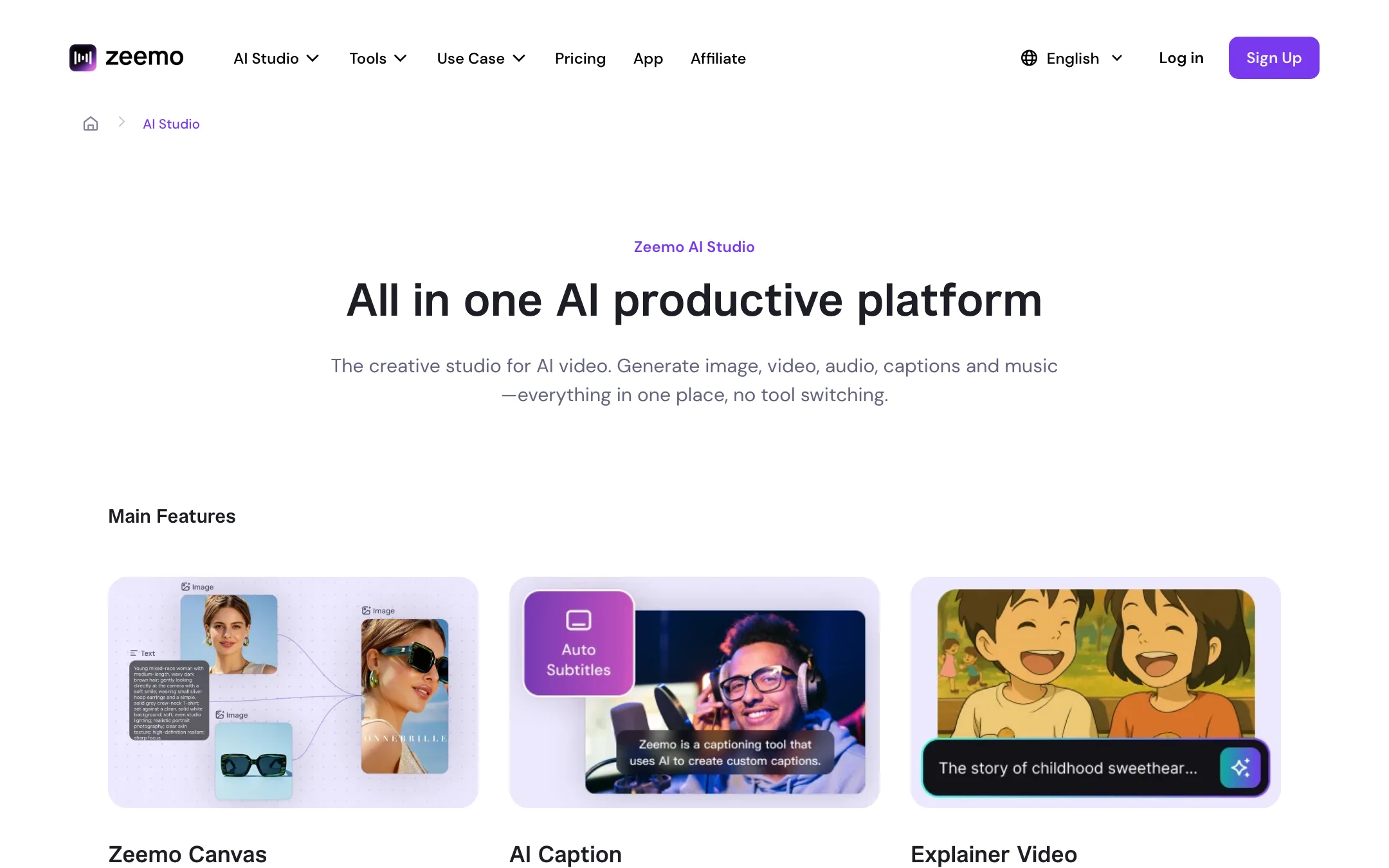
In the last year Zeemo has added a lot more. The homepage now calls it “your entire creative team in one AI studio.” There is a node-based Zeemo Canvas for generating images, video, voice and music, a one-click faceless video maker, a scene director for stories, and solution pages for TV commercials, short dramas and UGC ads.
The generation side runs on third-party models. Zeemo names Seedance, Kling, Google Veo, Wan, MiniMax and Happy Horse for video, and GPT Image, Nano Banana and Seedream for images. Voice uses ElevenLabs and Fish Audio. Zeemo resells these through one credit balance.
Zeemo says 200,000 content creators have joined and the app has more than 3 million downloads. Those are vendor figures.
Who it is for
Zeemo fits you if:
- You post TikToks, Reels or Shorts and want accurate captions with styles that match what popular creators use.
- You edit on your phone and want the same account on web and mobile.
- You publish in more than one language and want translated or bilingual subtitles.
- You record interviews or podcasts and want separate captions per speaker.
- You want to try AI video models without separate subscriptions to each.
Skip it if:
- You caption long YouTube videos but only want the cheap plan. Pro stops at 3 minutes per video.
- You want a full video editor. Zeemo’s editing covers captions, overlays, trims and resizing, not multi-track timelines.
- You only want AI video generation. Going straight to a model provider or a dedicated generator gives you clearer pricing.
How it works
Captions
You upload a video on the web or open it in the app. Zeemo transcribes the speech and builds a subtitle track. Zeemo says a video under an hour takes about 5 to 10 minutes, and you can close the page while it works. You get an email when it is done.
From there you can:
- Edit the text line by line.
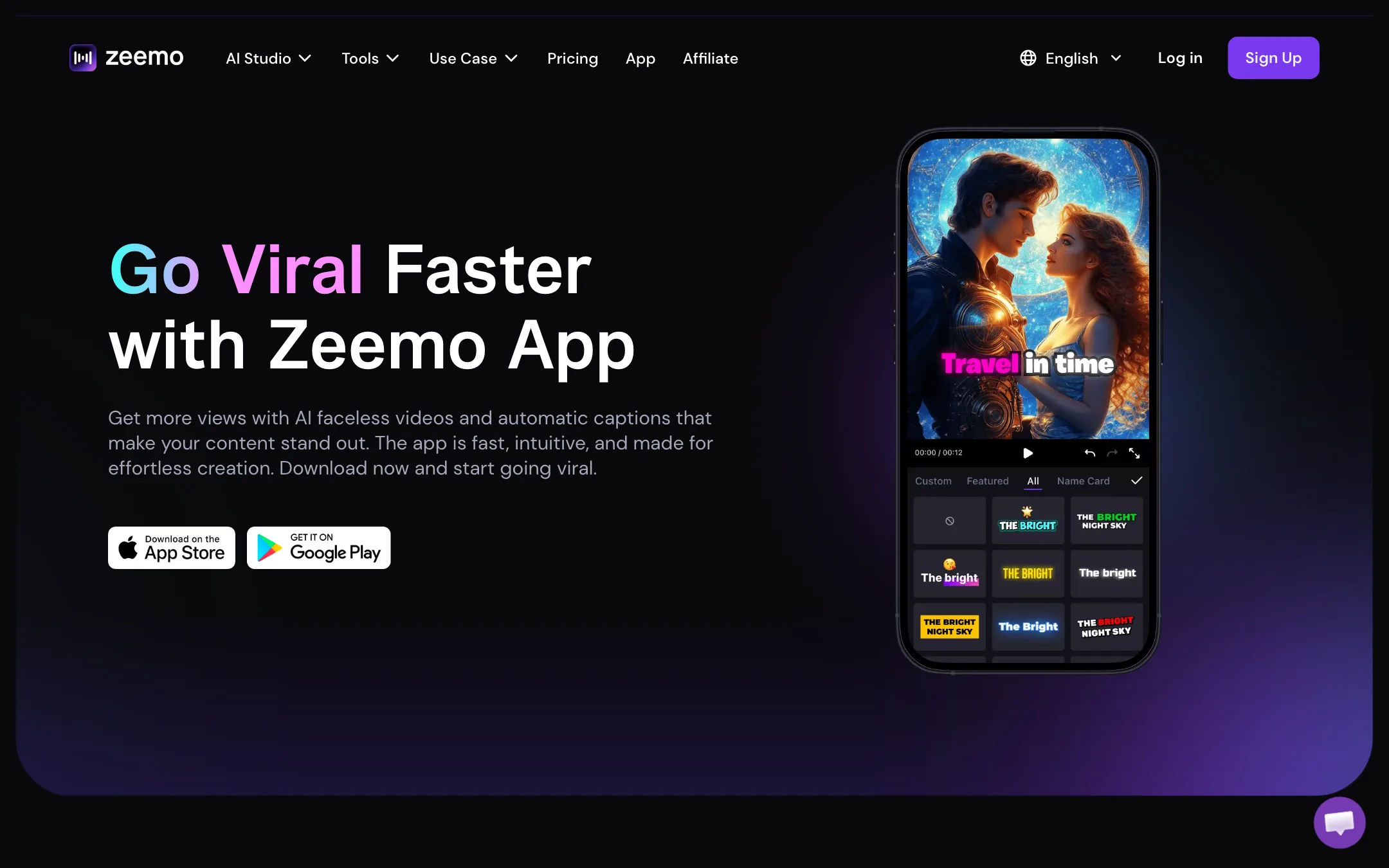
- Pick a caption template. Zeemo offers dynamic, animated styles modelled on the ones popular creators use.
- Add emoji, stickers and GIFs to make captions stand out.
- Split by speaker so each voice gets its own caption style.
- Translate into another language, or show bilingual subtitles.
- Add B-roll that Zeemo pulls in to match what is being said.
- Resize to 9:16, 1:1, 16:9 or 4:5.
You export the burned-in video or download an SRT or ASS file and a transcript. Zeemo’s FAQ covers common SRT issues in other editors, like a black background behind subtitles, which you fix by setting the background opacity to zero.
Zeemo says captions work in 95 languages and translation in 124+ languages. Its FAQ puts accuracy at about 98% for good-quality English and Chinese audio and notes that accents, dialects, music and noise lower it.
AI faceless video
The app page offers one-click faceless videos. You give it an idea and Zeemo builds a video with an AI voiceover, AI images, dynamic captions and background music. This is a quick way to make story or explainer clips for Shorts. Treat it as a starting point and check the script and images before you post.
Zeemo Canvas and the AI studio
Canvas is an infinite node workspace. You connect prompts, reference images and model nodes, generate, then branch any node into a new version. Teams can work on the same canvas at once and share a view-only link with a client.
Inside Canvas you can pick from:
- Video: Seedance 2.0 and 2.5, Kling 3.0, Google Veo 3.1, Wan 2.7, MiniMax H3 and Happy Horse 1.0, plus a 4K video upscaler.
- Image: GPT Image 2 and 2.5, Nano Banana 2 and Pro, Seedream 5.0 Pro, and an image upscaler.
- Audio: ElevenLabs V3 text to speech and sound effects, Fish Audio voice cloning, and a music generator.
Zeemo also packages these into guided flows: an explainer video generator, a “Viral Duplicator” that rebuilds a successful video with your own product, a Scene Director with consistent characters, and generators for TV commercials, short dramas and UGC ads.
None of these models are Zeemo’s own. You are paying Zeemo’s credit price for access to them. That can be convenient, but it is worth comparing against each model’s own pricing if you generate a lot.
Output quality
We have not tested Zeemo hands-on, so these are the vendor’s claims and what its pages show.
- Caption accuracy is about 98% on clean English and Chinese audio, per Zeemo. Expect to correct names, jargon and anything spoken over music.
- Caption styles are Zeemo’s strength. The template library is built to look like what is already working on TikTok and YouTube.
- Export quality is capped by plan: 720p on Free, 1080p on Pro and 4K on Expert. Zeemo says export does not compress your original video, though its FAQ admits burned-in subtitles can look slightly soft after compositing.
- Generated video quality depends on the model you pick. Seedance, Kling and Veo each have their own strengths; Zeemo is just the front end.
Pricing
Zeemo uses one credit balance across captions, images, video, voice and music.
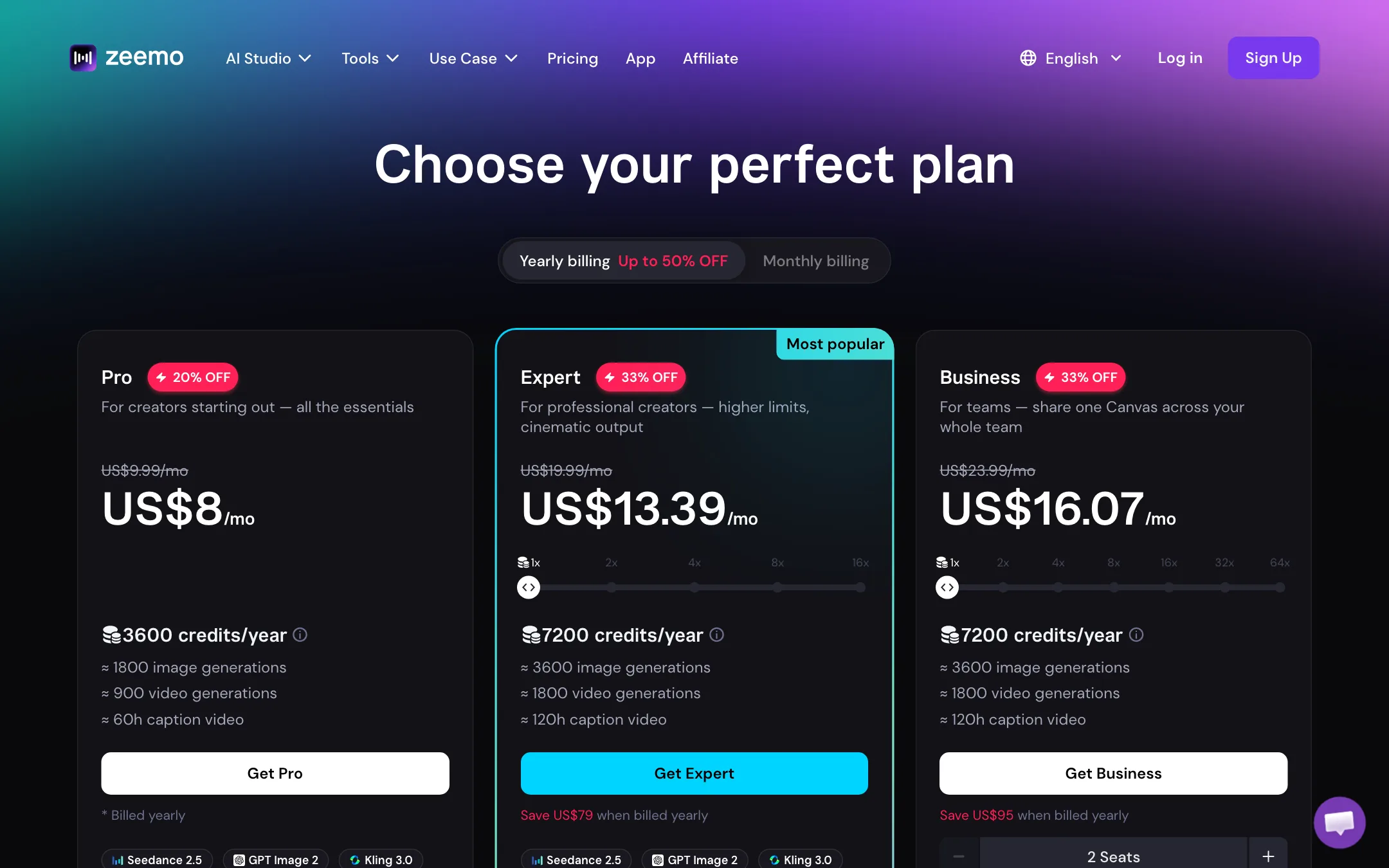
| Plan | Price | Credits | Caption limit | Export |
|---|---|---|---|---|
| Free | $0 | 10 (card) or 120/yr (table) | 1 min, 200MB | 720p |
| Pro | $8/mo yearly, $9.99 monthly | 3,600/yr | 3 min, 500MB | 1080p |
| Expert | $13.39/mo yearly, $19.99 monthly | 7,200/yr | 5 hrs, 5GB | 4K |
| Business | $16.07/mo yearly, $23.99 monthly | Shared | 5 hrs, 5GB | 4K |
| Enterprise | Custom | Custom | Custom | Custom |
The pricing page has several contradictions:
- Free credits. The Free card says 10 credits. The comparison table says 120 credits a year.
- Video generation counts. The Pro card says 3,600 credits buys “about 900 video generations.” The comparison table prices Seedance 2.0 at 40 credits per 5 seconds, which is 90 videos, and Kling 3.0 at 35 credits per 5 seconds, which is about 102. Use the table, not the card.
- Caption hours. The Pro card says “about 60 hours of caption video,” but the same plan caps each video at 3 minutes. You would need a very large number of short clips to use that.
- Yearly discount. The header says “up to 50% off” for yearly billing. The cards show 20% off Pro and 33% off Expert and Business.
Our reading: Pro is a good deal for short-form captions. If you caption anything over 3 minutes, Expert is the plan you actually need, and it is still cheap at $13.39 a month billed yearly.
Refunds and the app stores
Zeemo will refund a web subscription within 48 hours of purchase if you have not used any credits. If you subscribed through the App Store or Google Play, you request a refund and cancel through that store. Zeemo’s comparison table lists “Access to Zeemo App Pro” as a plan feature.
Things to watch
- Plan limits per video. The 3-minute cap on Pro is the single biggest catch. Check your typical video length before you pick a plan.
- Short storage. Free keeps projects for 3 days, Pro for 15 and Expert for 30. Download your exports and SRT files.
- Downloader tools. Zeemo’s footer links to YouTube, TikTok, Instagram and Twitter video downloaders. Downloading other people’s videos can break platform terms and copyright. Caption your own footage.
- Two product identities. The marketing now leads with the AI studio, while the apps and most reviews are about captions. Make sure the part you need is the part you test.
Zeemo vs dedicated caption tools
Zeemo competes with caption-first tools like Submagic, EasySub and CheckSub. Its edge is price and platforms: Pro costs less than most rivals, and you get native iOS and Android apps on the same account.
Where it falls behind is focus. Dedicated caption tools tend to add features like auto zooms, hook detection and clip cutting around the captions. Zeemo has put its recent effort into the AI studio instead. If captions are the only thing you need, compare the caption template libraries side by side on the same clip before you decide.
Verdict
Zeemo is a cheap, capable caption app with good language coverage, creator-style templates and proper mobile apps. For short-form captions, Pro at $8 a month billed yearly is hard to beat on price.
The AI studio is a reseller of other companies’ models wrapped in confusing credit math, and the pricing page contradicts itself in several places. Use the free plan to test captions on your own clips, go straight to Expert if your videos run longer than 3 minutes, and compare model prices elsewhere before you buy credits for generation.