
What Woxo is
Woxo is a web app that makes faceless YouTube Shorts. You type one line, such as “What if you dug a hole through the Earth?”, and Woxo writes a script, makes visuals, records an AI voiceover, adds captions and gives you a Short. It can then publish or schedule that Short to your YouTube channel.
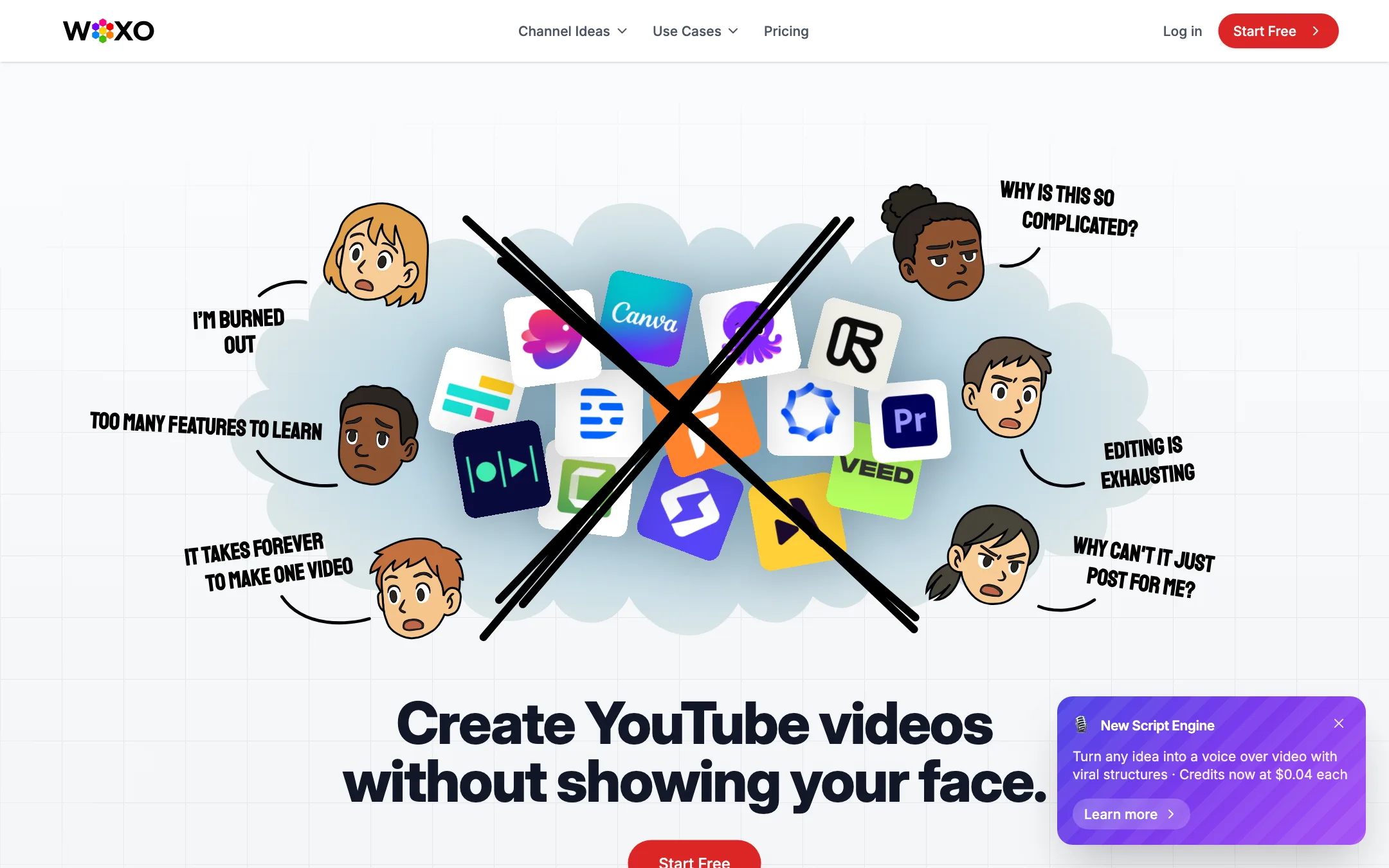
That is the whole product, and Woxo is upfront about it. Its homepage headline is “Create YouTube videos without showing your face.” It is aimed at the faceless channel crowd: history explainers, “what if” science, viral mistakes, motivation and similar niches.
Our readers clicked it more than most tools in this category, which fits its price: it is one of the cheapest ways into automated Shorts.
Woxo does not say which AI models generate its visuals or voice. The Creator plan lists “Premium Video Models” without naming them.
Who it is for
Woxo fits you if:
- You want to start a faceless YouTube Shorts channel and test a niche cheaply.
- You do not want to learn an editor or record your voice.
- You like the idea of a queue of Shorts going out on a schedule.
- You are price-sensitive. Starter on a yearly bill is $10 a month.
Skip it if:
- You post mainly to TikTok or Instagram. Woxo only lists YouTube publishing.
- You want fine control over every shot, cut or caption style.
- You want to clip long videos into Shorts. Woxo makes new Shorts from prompts; it does not cut existing footage.
- You need to know exact costs up front. Woxo does not publish credits per video.
How it works
Woxo describes a three-step flow.
- Write your prompt. One sentence is enough. Woxo’s examples are questions like “Why can’t robots check ‘I’m not a robot’?” and “How big is the biggest rocket?”
- Let Woxo build the video. It writes a script, picks or generates visuals, adds an AI voiceover and captions, and paces it all for a vertical Short. Woxo says this takes “under a minute.”
- Publish to YouTube. Publish now or schedule it, without downloading anything.
Modes
The plan cards point to two ways of working:
- Script mode is the only mode on the free plan. Woxo describes it as image prompts and voiceovers. Think of it as a scripted storyboard with narration rather than a finished, rendered video.
- Slideshow mode starts on Starter. This is the familiar faceless format: a sequence of AI images with motion, voiceover and captions.
Creator adds “Premium Video Models”, which sounds like generated video clips rather than still images. Woxo does not name them or list their credit cost. Ask support before you upgrade for that alone.
A banner on the site also announces a New Script Engine that “turns any idea into a voice over video with viral structures.” Woxo does not explain what those structures are, but it suggests preset story formats like hooks, lists and reveals.
Customizing
Woxo’s FAQ says you can change voice style, visual theme, music, captions and the overall content approach. Creator adds branding control, so you can keep a consistent look across a channel. Do not expect timeline editing. The pitch is that you change inputs and regenerate, not that you edit frames.
Publishing and automation
The YouTube Scheduler is on paid plans. Connect your channel, and Woxo can post Shorts on a schedule. Zapier is included on paid plans too, which lets you push finished videos into other tools if you set that up yourself.
Woxo does not list TikTok or Instagram auto-posting. If you want those, you will download the file and upload it, or wire up Zapier.
Output quality
We have not made videos with Woxo, so quality claims here are Woxo’s. It says its AI is “trained on high-performing YouTube Shorts” and optimizes for hook strength, pacing, visuals and narrative structure. It also says all visuals and voiceovers are AI-created with “no copyright risk, no stock footage.”
A few things to keep in mind:
- “Copyright-free” is a marketing claim. AI-generated images are not stock footage, but copyright rules for AI output are still unsettled. Read Woxo’s terms and YouTube’s own policies on AI content.
- YouTube’s reused-content rules apply. Faceless channels that post near-identical template videos can struggle with monetization review. Vary your topics, scripts and visuals.
- Slideshow output has a ceiling. Image-plus-voiceover Shorts are the standard faceless format and work for explainers and stories. They will not look like generated video. Creator’s premium models may close that gap, but Woxo does not say how.
- Success stories are small and selected. Woxo’s case studies cite channels with 55,000 to 100,000 views over four to seven months. That is honest-sized, but it is still the best of its users, not the average.
The best way to judge quality is the free plan. Spend your 50 credits on two or three prompts in the niche you plan to run, and watch the scripts carefully. Script quality, more than visuals, decides whether a faceless Short holds viewers.
Pricing
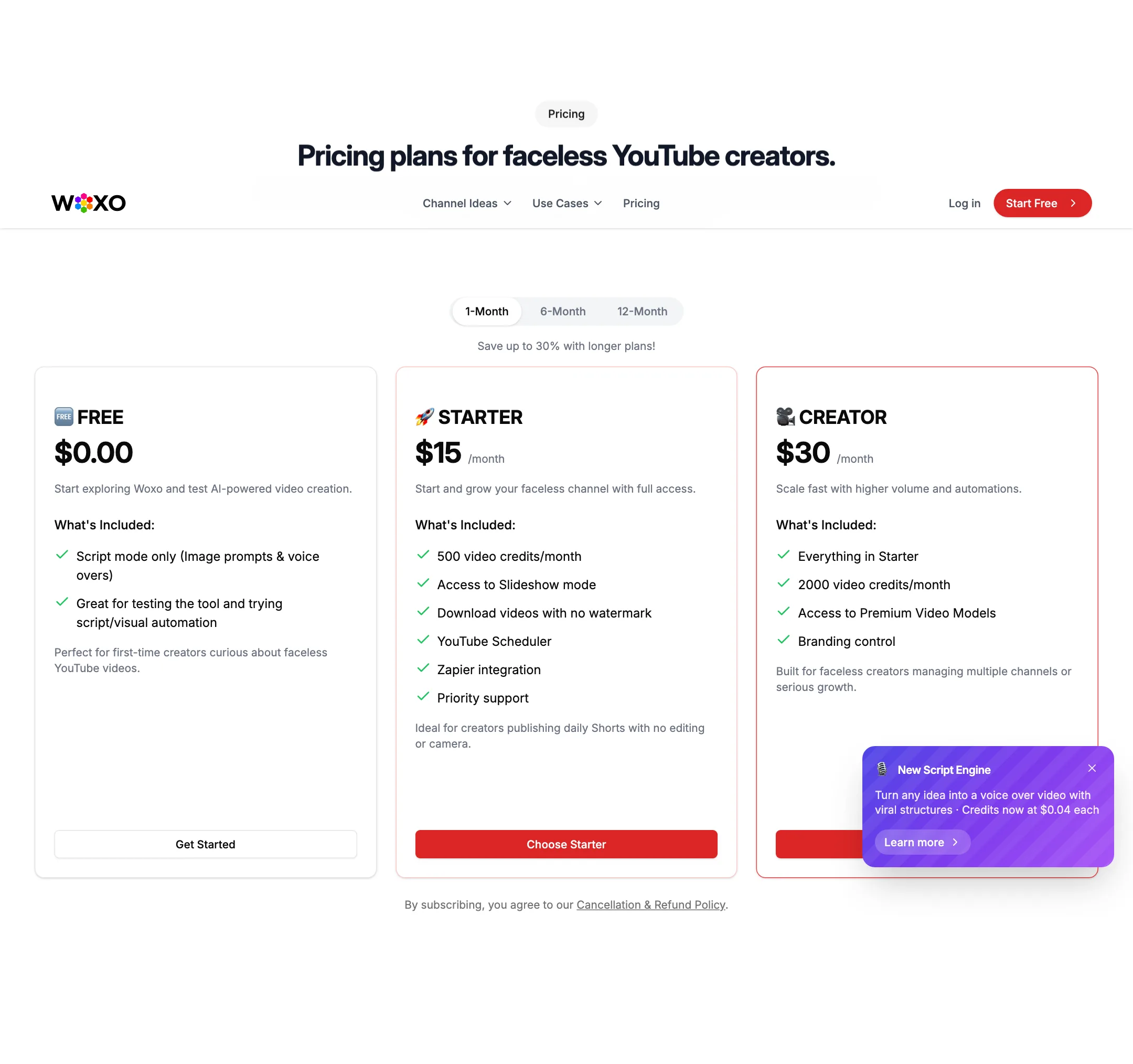
Woxo has a free plan and two paid plans, with discounts for 6-month and 12-month billing.
| Plan | Monthly | 6-month | Yearly | What you get |
|---|---|---|---|---|
| Free | $0 | 50 credits, script mode only | ||
| Starter | $15 | $13/mo ($75) | $10/mo ($120) | 500 credits, slideshow mode, no watermark, YouTube Scheduler, Zapier |
| Creator | $30 | $25/mo ($150) | $20/mo ($240) | 2,000 credits, premium video models, branding control |
Things the pricing page does not make obvious:
- The cost of a video is hidden. Woxo says each video uses credits but not how many. A banner says credits cost $0.04 each, which reads like a top-up price, but no top-up packs appear on the pricing page.
- The free plan cannot show you a finished slideshow. Script mode is useful for judging scripts and voices, but you only see the full output once you pay.
- Credits roll over. Woxo’s FAQ says unused credits carry to the next month while you stay subscribed. That is generous; many competitors expire them monthly.
- Long plans are where the savings are. The yearly Starter plan cuts a third off the monthly price.
- Plan changes apply next cycle. Upgrades and downgrades take effect on your next billing date, per the FAQ.
Refunds
Woxo offers a 7-day refund guarantee for new users, counted from when your first subscription starts. Its refund policy says each request is reviewed and must be emailed to [email protected] from your account address. After 7 days, there are no refunds for partial periods, and credits are never refunded.
Cancel from Manage Subscription and you keep access until the period ends. The policy says you keep your credit balance after you cancel. If you cancel by email instead, send it at least 7 days before renewal, or Woxo does not guarantee it will stop the next charge.
Woxo is run by Front10 LLC, the company named in its terms of service.
How to test Woxo before you pay
Woxo gives you 50 free credits and the 7-day refund window on your first subscription. Use both on purpose.
- Pick one niche first. Woxo’s own examples are science “what if” questions, history and viral mistakes. Choose the niche you would actually post in, not a random test topic.
- Write five prompts in that niche. Make them specific. “Why did the Roman Empire split in two?” gives the script engine more to work with than “Roman history.”
- Run them in Script mode on the free plan. Read each script out loud. Check that the hook lands in the first line, the facts are right and the ending is not padded. AI scripts on factual topics can be confidently wrong, and on a faceless channel nobody else will catch it.
- Compare voices. Woxo says you can change voice style. Try two or three and pick the one that sounds least like every other faceless channel.
- Upgrade to Starter for one month. Render the best three prompts as slideshow Shorts, download them and watch them on your phone at full speed. If they hold your attention, connect YouTube and schedule a week of posts.
- Decide inside the refund window. If the output is not good enough, email [email protected] within 7 days of your first subscription.
Keep an eye on your credit balance during that month. Woxo does not publish per-video costs, so your own numbers from these test runs are the only reliable guide to whether 500 credits is enough for your posting schedule. If you plan to post more than once a day, check whether Creator’s 2,000 credits are a better fit before you lock in a yearly plan.
Verdict
Woxo is a cheap, narrow tool that does one thing: it turns prompts into faceless YouTube Shorts and posts them. At $10 a month on a yearly plan with rolling credits, it is one of the lowest-cost ways to test a faceless channel.
It is not the most capable option. It is YouTube-only, the free plan stops short of a real video, and Woxo will not tell you what a video costs or which premium models it uses. If you want multi-platform posting or more control, look at the alternatives below. If you want the simplest, cheapest path to a scheduled Short, start with Woxo’s free credits and see if the scripts work for your niche.