
What WayinVideo is
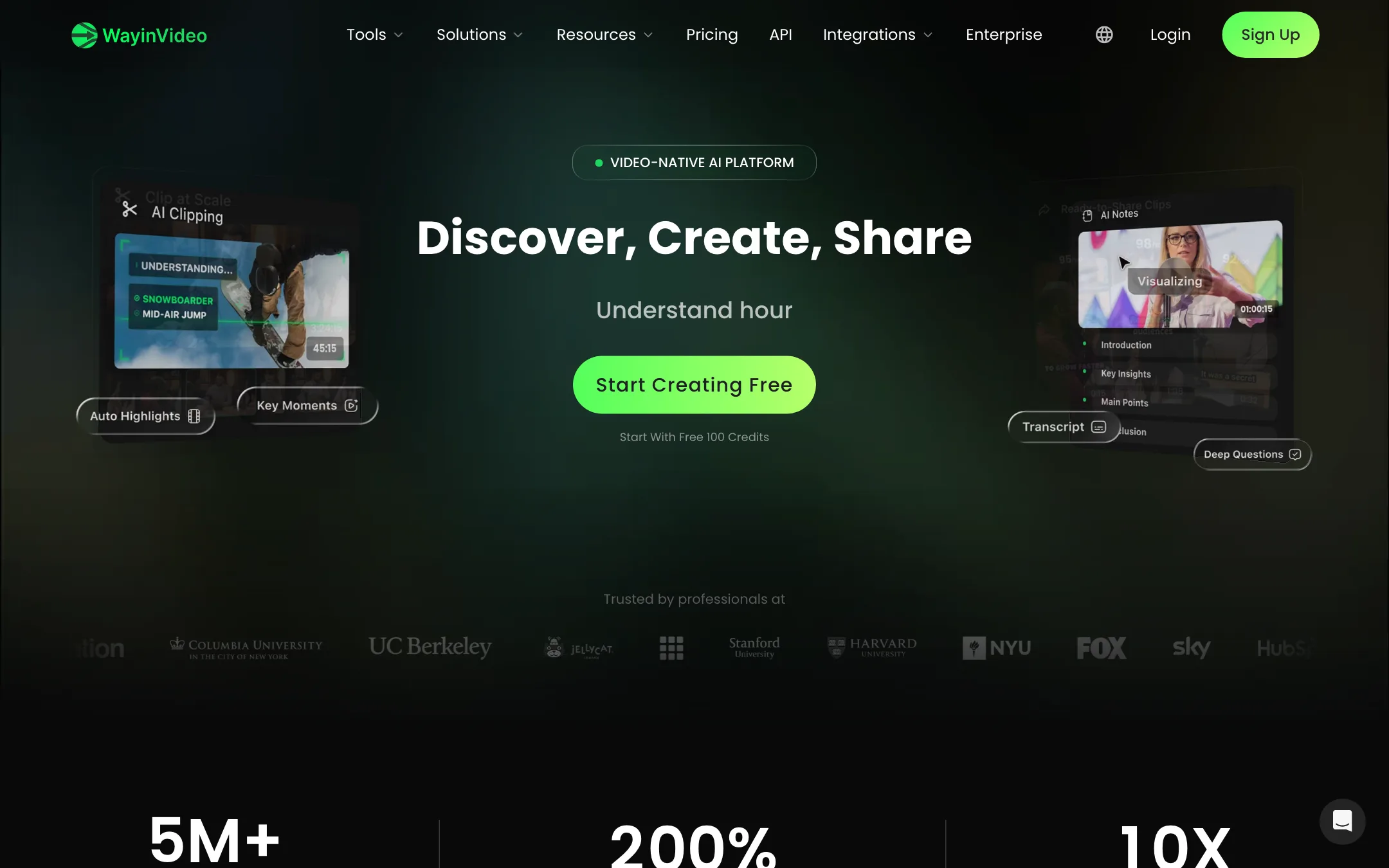
WayinVideo is an AI clipping and video understanding tool from wayin.ai. You paste a link to a long video, stream VOD or podcast. It watches the video, finds the moments worth posting, and cuts them into short vertical clips with captions.
That is the core. Around it WayinVideo has built a long list of extras: summaries, transcripts, mind maps, chat with a video, a montage maker, a thumbnail maker, a social scheduler, an API and a Chrome extension. The menu runs to more than twenty named tools.
The feature most worth knowing about is Find Moments. Instead of scrolling a timeline, you type what you are looking for, such as “the clutch play” or “when she laughs”, and WayinVideo says it jumps to the matching timestamps. WayinVideo describes this as multimodal AI that “truly watches the video, not just the transcript.”
It sits in the same lane as OpusClip, Vizard and Klap. WayinVideo even publishes comparison pages against OpusClip, Ssemble and Vizard. Where it stands out is price. On yearly billing it is one of the cheapest clipping tools we have listed.
Who it is for
WayinVideo fits you if:
- You stream on Twitch, Kick or YouTube and want highlights cut from your VODs.
- You run a podcast or interview show and want weeks of shorts from each episode.
- You make gaming content and the hard part is finding the moment, not editing it.
- You want clipping, captions and transcripts in one place for a low yearly price.
Skip it if:
- You need to clip a stream while it is still live today. That feature is early access only.
- You only want to try a tool for a month. Monthly billing is close to three times the yearly rate.
- You start from a script or an idea rather than footage. WayinVideo repurposes video you already have. Look at our text-to-video picks instead.
How it works
The workflow is link in, clips out. WayinVideo’s FAQ lists the import sources: YouTube, Vimeo, TikTok, Instagram, Facebook, X, Twitch, Dailymotion, Medal, Rumble, Kick, Zoom, Loom, Google Drive and Dropbox. Paid plans can also upload MP4, MOV and WebM files from your computer.
A typical clipping run
- Paste the link to your long video or VOD.
- Pick what you want: AI clipping for highlights, or Find Moments to search for something specific.
- Review the clips WayinVideo suggests. Each has a virality score. Free accounts see only an overall score, paid plans see the detailed breakdown.
- Open a clip in the editor. Adjust the trim, pick a caption style, and let AI reframe keep the speaker or action centred in 9:16.
- Remove filler words and silences with the text-based editor if it is a talking clip.
- Export, or send the clip to the scheduler with an AI-written title, description and hashtags.
One credit processes one minute of source video. A two-hour stream costs 120 credits to analyse, however many clips you take from it. That makes budgeting simple compared with tools that charge per clip or per export.
Find Moments and video search
WayinVideo puts natural-language search at the centre of its pitch. It says you can search for “people, objects, scenes, actions, sounds, or emotions.” Its testimonials, many from streamers and gamers, focus on this feature more than any other.
For long VODs this is the right idea. The slow part of clipping a four-hour stream is finding the five good minutes. If the search works as described, it saves more time than any caption style. We have not tested how accurate it is on noisy gameplay audio, so try it on one of your own VODs during the free credits.
Captions, reframe and the editor
Animated captions come in 100+ languages, and bilingual subtitles are included even on the free plan. Paid plans unlock all caption styles, speaker-based colours and AI emoji. You can export subtitles as SRT, VTT or TXT.
AI reframe tracks the main subject and crops to 9:16, 1:1, 4:5 or 16:9. The reframe length is capped per plan: 10 minutes on Free, 30 on Starter, 120 on Pro and unlimited on Scale.
Pro adds the extras that matter for polish: a brand kit, custom fonts, AI B-roll, AI hooks, AI music and speech enhancement.
Montage, summaries and the rest
AI Montage combines selected clips into a longer highlight reel with transitions. It is a good fit for “best of the week” stream recaps.
The “understand” side of the product is useful if you research or study from video. You get summaries, transcripts with speaker labels, mind maps linked to timestamps, and a chat that answers questions about the video. The Chrome extension brings summaries and transcripts to YouTube, and an Obsidian plugin saves video notes into your vault.
WayinVideo also lists an AI Video Generator and AI B-roll. Its pricing table names “advanced AI video models” from Seedance, Kling and Veo on paid plans. These are third-party models resold inside WayinVideo, not its own. They are a side feature here, not the reason to buy.
Publishing
The social scheduler connects TikTok, YouTube, Instagram, X, Facebook and LinkedIn. Starter allows manual publishing to 3 accounts. Pro adds scheduled auto-publishing to 10 accounts and up to 50 posts a day. Scale raises that to 50 accounts and 300 posts a day.
Live clipping: not ready yet
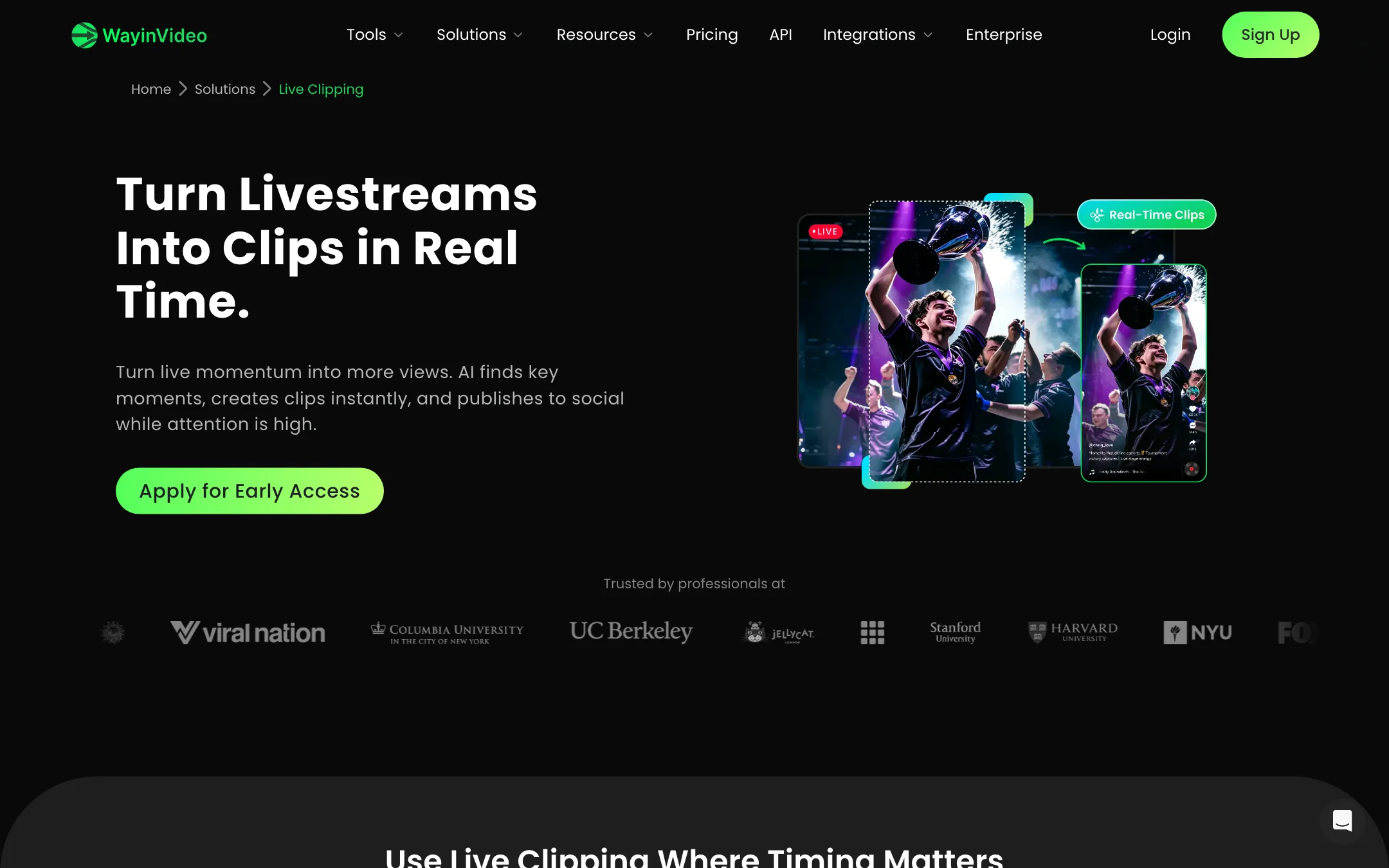
The homepage tells streamers they can “find standout moments from live streams in real time” and “publish highlights while you’re still live.” The Live Clipping page tells a different story. Every button on it says “Apply for Early Access” or “Request Early Access”, and the form asks for a company name and a business email.
So read the live claim as a roadmap item. Today, the self-serve product clips finished recordings. If real-time clipping is the reason you are looking, apply and wait, or look elsewhere.
Output quality
We have not run our own footage through WayinVideo, so we cannot score its clip picks or caption accuracy. Here is what WayinVideo itself claims and what to check:
- Highlight detection. WayinVideo says its AI picks out “strong opinions, key insights, or emotional beats.” That is the same promise every clipping tool makes. Results depend on your content. Talking-head podcasts are easier for any clipper than chaotic gameplay.
- Virality score. Treat it as a sorting aid, not a prediction. WayinVideo says it weighs hook strength, pacing, topic relevance and caption density. No score can see your audience.
- Export quality. Free exports are 720p. Starter is 1080p, Pro up to 2K and Scale up to 4K. For TikTok and Shorts, 1080p is all you need.
The homepage claims 5M+ creators in 190+ countries. We could not verify those figures.
Pricing
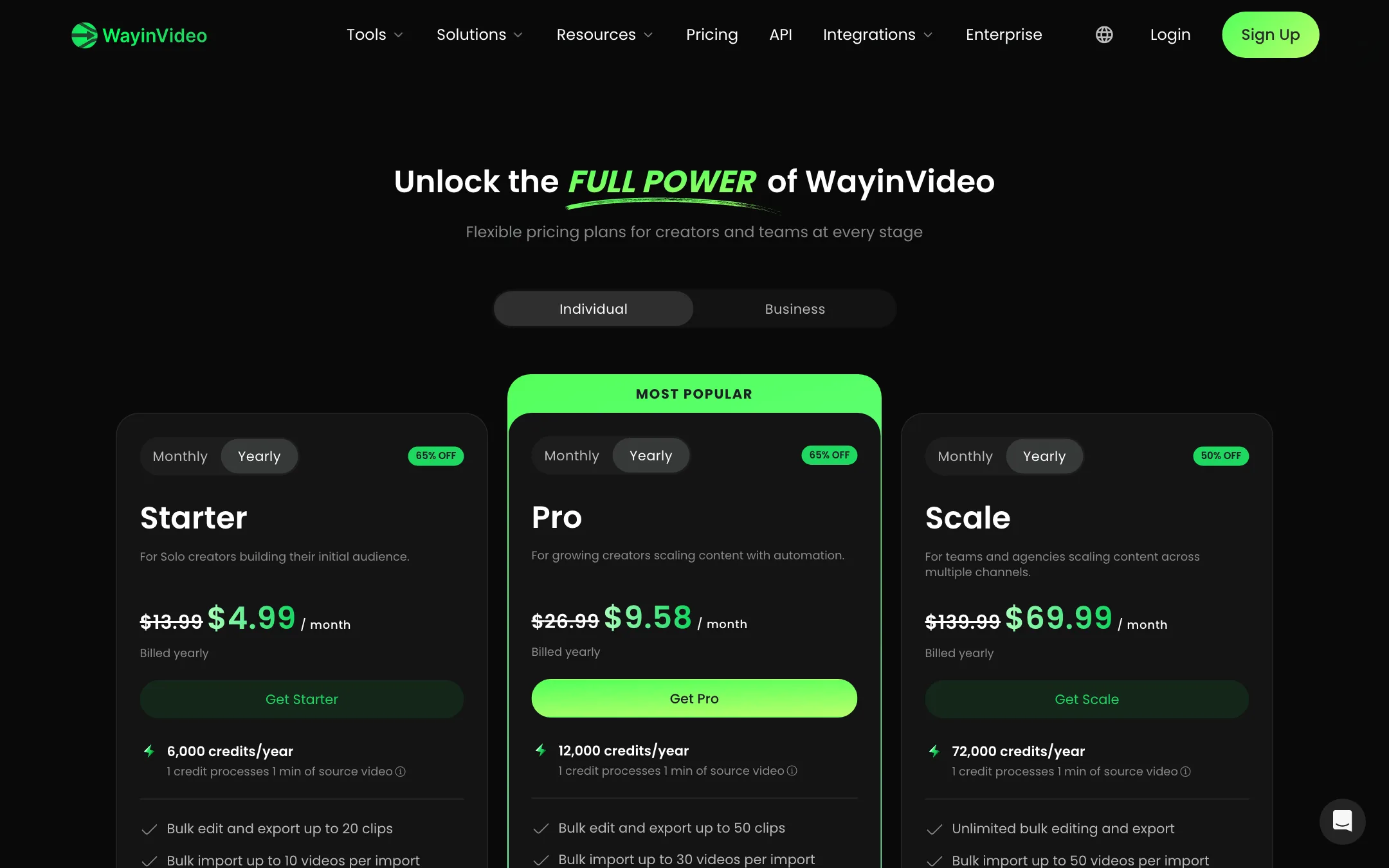
WayinVideo prices by credits, where one credit processes one minute of source video.
| Plan | Price | What you get |
|---|---|---|
| Free | Free | 100 one-time credits, 720p, link import only, clips kept 3 days |
| Starter | $4.99/mo yearly, $13.99 monthly | 6,000 credits a year or 500 a month, 1080p, uploads, 3 social accounts |
| Pro | $9.58/mo yearly, $26.99 monthly | 12,000 credits a year or 1,000 a month, 2K, brand kit, auto-publishing, B-roll |
| Scale | $69.99/mo yearly, $139.99 monthly | 72,000 credits a year or 6,000 a month, 4K, 4 seats |
| Enterprise | Custom | Custom credits and seats |
What the pricing page does not make obvious:
- The yearly plan is the real offer. Yearly Starter costs $59.88 and gives the same 6,000 credits as twelve months of the $13.99 monthly plan, which would cost $167.88. A countdown banner frames this as a limited “65% OFF” deal. We cannot tell whether the price will rise when the timer ends, so check the renewal price before you commit.
- The free plan is a trial. The 100 credits do not renew. With no local uploads and a 3-day expiry on clips, it is enough to test the clipping on a couple of long videos and no more.
- Credits expire. Monthly credits reset each cycle. Yearly credits arrive upfront and expire when the year renews. Nothing rolls over.
- No refunds. The FAQ says payments are nonrefundable. Cancel any time and you keep access until the period ends.
- Pro is where publishing gets useful. Starter can publish manually, but scheduling, the brand kit, B-roll and speech enhancement start at Pro.
Making credits last
Because you pay per minute of source video, trim before you import. If only the second hour of a stream matters, cut it first or link to a shorter VOD. Use Find Moments to target the part you want rather than running full AI clipping on a whole recording, if your workflow allows it. And keep heavy months on a yearly plan, since the yearly credit pool is available all at once.
Verdict
WayinVideo is a capable, feature-packed clipping suite at a low yearly price. If you stream, podcast or game and want highlights, captions and scheduling in one place, it deserves a slot on your trial list next to OpusClip and Klap. Moment search by description is the feature to test first.
Go in with clear eyes. The free credits are a one-off trial. Monthly billing is expensive next to the yearly rate. Payments are nonrefundable. And live clipping, the most exciting claim on the homepage, is an early-access form for now. Test it on your own footage, then decide whether a year is worth it.