What Klap is
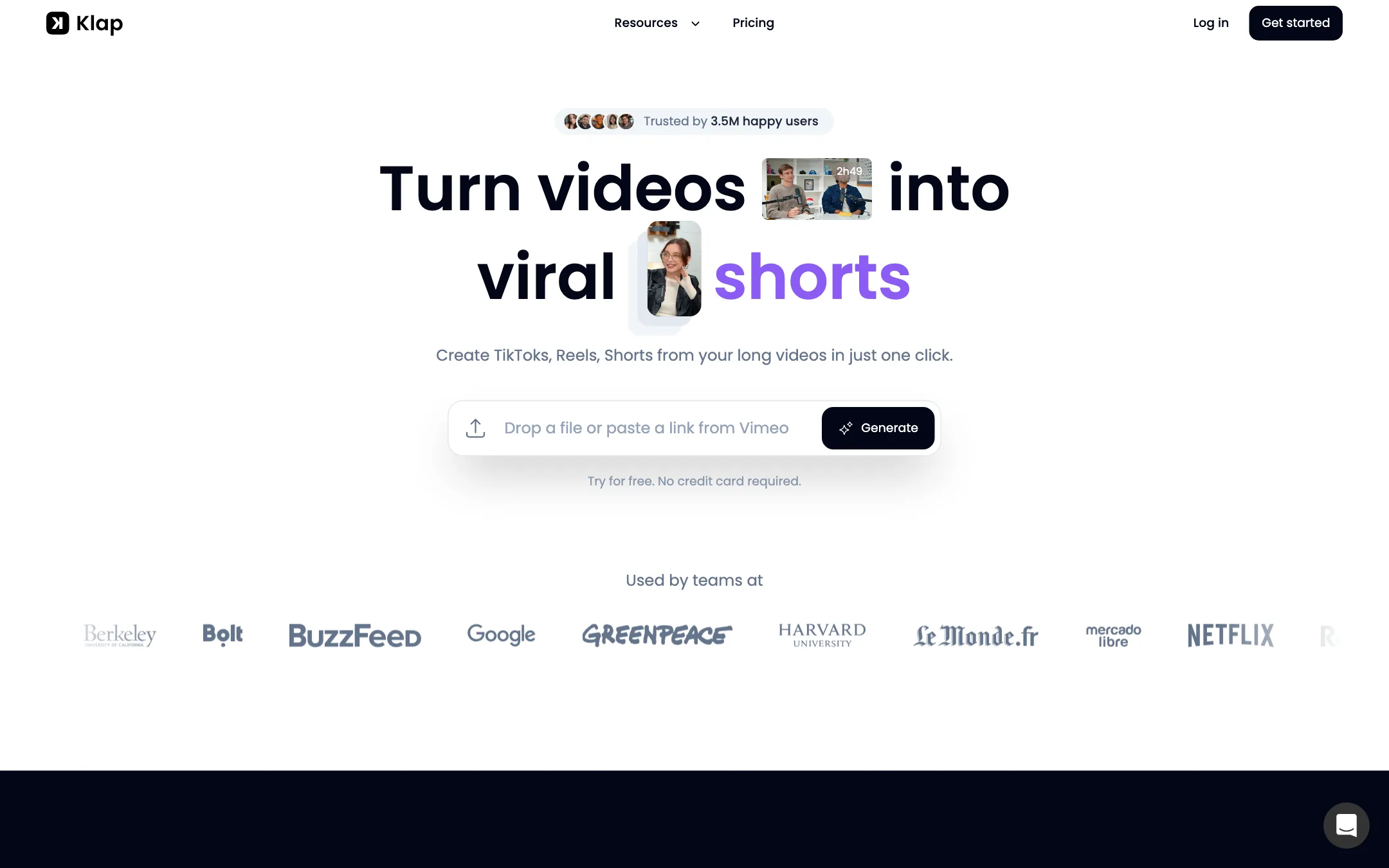
Klap turns long videos into short ones. You paste a YouTube link or upload a recording, and Klap finds the strongest moments, cuts them into vertical clips, adds animated captions, reframes the shot to keep the speaker in view and gives each clip a “Virality Score.” You can then post or schedule the clips to your social accounts without leaving the app.
It is made by ZIGG SAS, a French company that does business as Klap. Klap says 3.5 million creators have made 8.5 million clips with it. It does not generate new footage from a prompt. Its own tool pages make that point clearly: it “works with your existing footage.”
What sets Klap apart in a crowded category is its developer story. It has a public API, an MCP server that lets AI agents use it as a tool, and integrations with Zapier, Make and n8n.
Who it is for
Klap fits you if:
- You publish long YouTube videos, podcasts, webinars or streams and want daily Shorts from them.
- You record multi-host podcasts, gameplay with a webcam or screen recordings, where simple center cropping fails.
- You want to post and schedule from the same tool, across several social accounts.
- You build workflows with Zapier, n8n or an AI agent and want clipping as one step in them.
Skip it if:
- You want to make videos from scratch with no source footage. Klap needs a recording to cut.
- Your footage is mostly silent. Klap says its algorithm “relies heavily on speech detection.”
- You only need a few clips a month and do not want a subscription. The free trial is a single video.
- You plan to pay monthly. The headline prices are yearly, and monthly costs about twice as much.
How it works
Klap’s homepage describes three steps: upload, let the AI generate, then post.
1. Upload a video
Paste a link or drop in a file. Klap lists YouTube, Vimeo, Twitch, Dailymotion and Google Drive, and its MCP page adds Kick and Dropbox. Klap says its clip maker handles videos up to four hours long.
2. Klap generates clips
Klap transcribes the video, picks out topics, hooks, punchlines and emotional peaks, and cuts them into short clips. Klap claims you get 10 or more clips in about 30 seconds. Its homepage is more cautious and says “a matter of minutes.” Expect the longer figure for a long podcast.
Each clip comes:
- Reframed to 9:16 with speaker tracking.
- Captioned with animated subtitles.
- Scored with a Virality Score from 0 to 100.
Klap says the score weighs hook strength, pacing, retention signals and topic relevance. Its advice is to post the clips that score 90 and above first, test the 70s and 80s, and skip the rest. Treat the score as a sorting aid. It is Klap’s prediction, not a measure of how a clip will actually perform.
You can also steer generation with a plain-English prompt, such as “Find the best Q&A moments” or “Get every product mention.”
3. Edit, then publish
Every clip opens in a transcript editor. Highlight a sentence to keep it, strike it to cut it, and Klap updates the video. You can change caption fonts and colors, add a logo and adjust framing.
When a clip is ready you can export it as an MP4, batch-export several, or publish straight to TikTok, YouTube, Instagram, LinkedIn or Facebook. Klap can also schedule posts and write post captions with hooks and hashtags. Every plan includes unlimited social accounts and analytics.
AI Reframe 2
Reframing is where Klap puts most of its marketing energy. Klap says AI Reframe 2 detects the layout of each scene, such as a webcam over gameplay, a screen recording or a split-screen interview, and picks a matching vertical layout. It focuses on the active speaker when there is one, or the most important point in the frame when there is not. Multi-host podcasts get split layouts with three or four screens.
If you clip gaming streams, tutorials or panel shows, this matters more than any caption style. A plain center crop cuts off half of these formats.
API, MCP and automations
Klap’s API lets developers send a video URL and get back clips, captions, reframed videos and word-level transcripts. Klap pitches it to agencies, SaaS products and e-commerce teams.
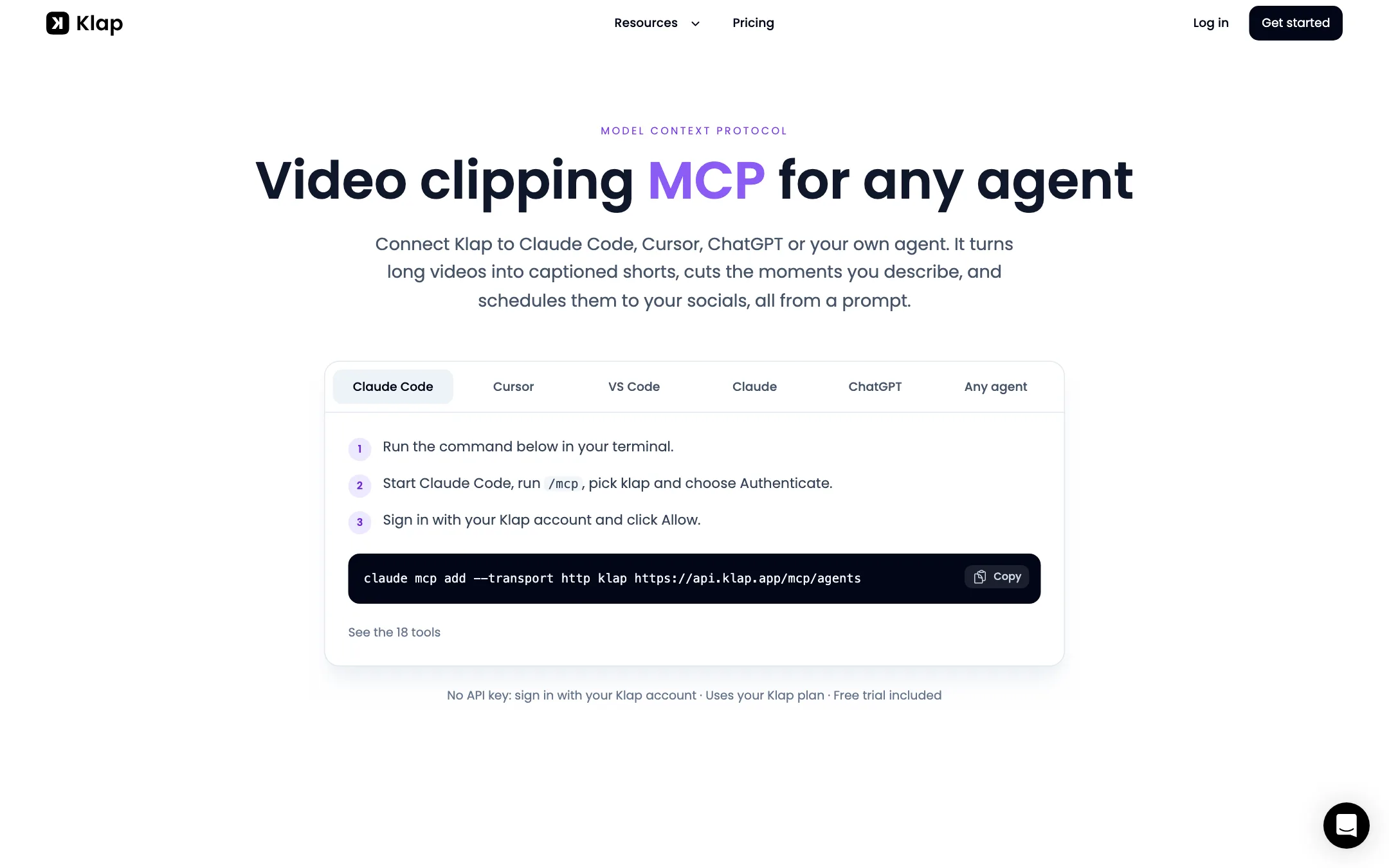
The MCP server goes a step further. You add one URL to Claude Code, Cursor, ChatGPT or another agent, sign in with your Klap account, and the agent can call 18 Klap tools. Klap’s example prompt asks for three shorts about hiring from yesterday’s podcast and schedules the best one to TikTok the next morning. It runs on your existing Klap plan, with no extra API key.
Zapier, Make and n8n integrations cover the no-code version of the same idea.
Output quality
These are Klap’s claims, not results we tested.
- Clip selection. Klap says it looks for hooks, punchlines and emotional peaks and ranks clips by its score. Its customer quotes praise the picks on long podcasts, but those are testimonials on its own site.
- Framing. Reframe 2’s layout detection is the strongest point on paper, especially for gaming and multi-camera podcasts.
- Captions. Animated captions come standard. The homepage FAQ says Klap transcribes 52 languages, and the API page claims over 100 for captions. Check yours on the free video.
- Non-speech content. Klap is upfront that it works best on talking content. Its highlight pages promote sports and gaming, but if nobody is speaking, there is less for the AI to find.
Pricing
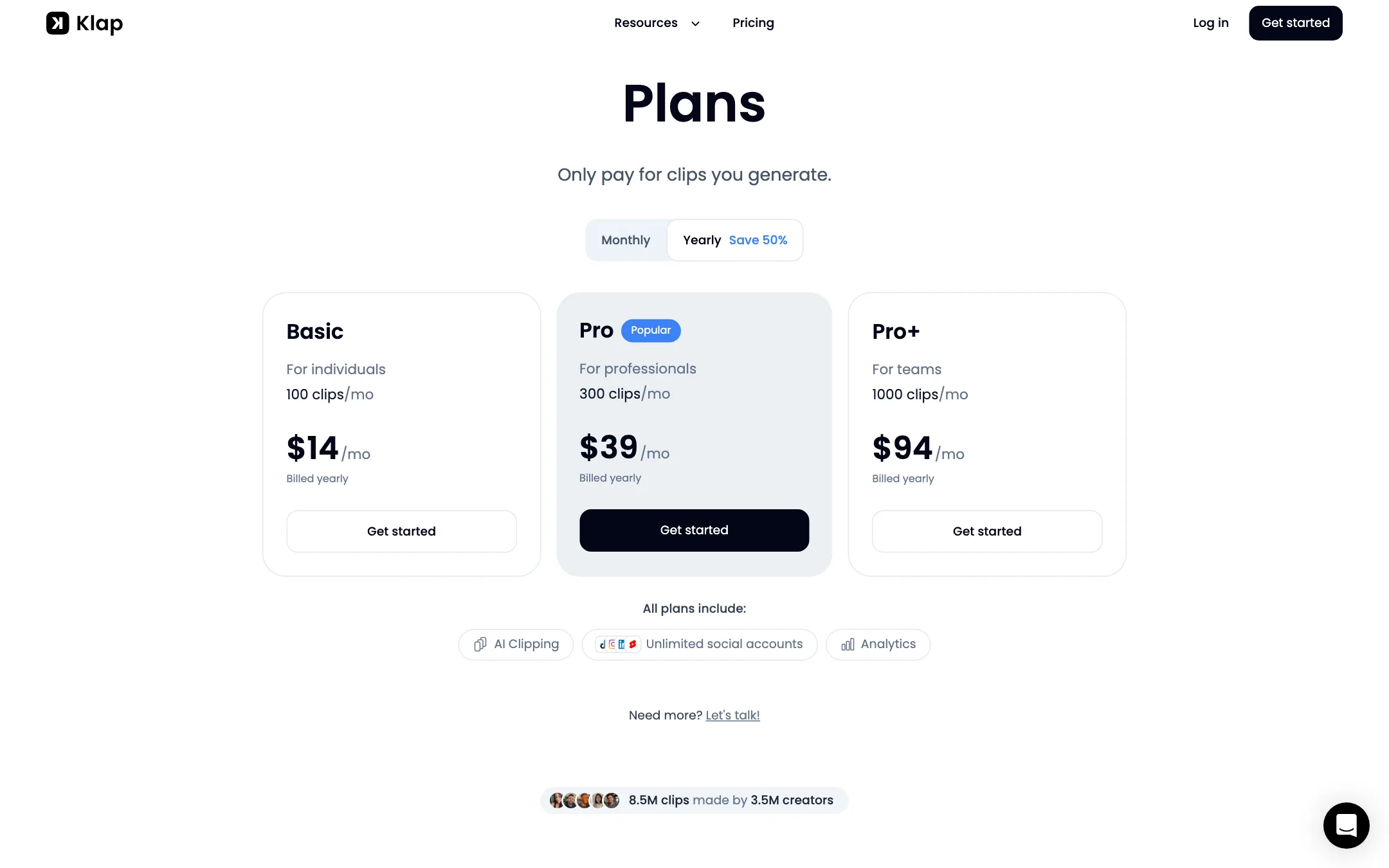
Klap charges by clips generated, not minutes uploaded. Its pricing page says “Only pay for clips you generate.”
| Plan | Price | What you get |
|---|---|---|
| Free trial | Free | 1 video, no card |
| Basic | $14/mo yearly, $29 monthly | 100 clips a month |
| Pro | $39/mo yearly, $79 monthly | 300 clips a month |
| Pro+ | $94/mo yearly, $189 monthly | 1,000 clips a month |
| Custom | Contact sales | Higher volume |
A few things the pricing page does not make obvious:
- The headline prices are yearly. The page says “Save 50%” on yearly, and it is close: Basic drops from $29 to $14, Pro from $79 to $39 and Pro+ from $189 to $94.
- Clips add up fast. At about 10 clips per long video, Basic covers roughly 10 long videos a month. A weekly two-hour podcast that yields 20 clips per episode needs Basic at minimum, and a daily streamer needs Pro or more.
- The page lists little beyond clip counts. Every plan shows AI clipping, unlimited social accounts and analytics. If you need a specific feature on a specific tier, confirm it before you pay.
- The free offer is inconsistent. The FAQ says one free video. Tool pages say “free” with “no watermarks.” The pricing page shows no free plan at all. Assume one trial video.
- The FAQ names the wrong plan. It says you can upgrade to “Klap Pro for just $29/month,” but $29 a month is Basic. Pro is $79 a month, which Klap’s own affiliate page confirms.
How to make your clips go further
Klap counts clips, so every clip you generate and never post is money spent. A few habits help:
- Use the free video on your hardest format. If you record multi-host podcasts or gameplay, test that, not an easy solo talk. Reframing is where tools differ most.
- Steer with a prompt. A prompt like “only the moments about pricing” gives you fewer, more useful clips than a blanket run.
- Post by score, then check your own numbers. Start with Klap’s top-scoring clips, but compare the score with your real views after a few weeks. If they do not line up for your audience, trust your analytics.
- Fix clips in the transcript. Cutting a weak sentence from a good clip is cheaper than generating a new one.
- Pay yearly only after a month of use. Monthly costs about twice as much, but it tells you how many clips you really need before you commit to a tier.
Refunds
Klap’s terms are more generous than most clip makers. You can ask for a refund if you are not satisfied before the end of your first month. After that, you can claim back up to three recent months in which you did not use the service at all. Yearly subscribers get a full refund only in the first month, then a prorated refund of one-twelfth per fully unused month, for up to three months.
Verdict
Klap is one of the most complete long-to-short clippers we cover. Smart reframing, virality ranking, built-in scheduling and the MCP server make it a strong pick for creators who post every day, and for anyone who wants clipping inside an automated workflow. On yearly billing, the price per clip is low.
The catches are the thin free trial, monthly prices that double the headline, and pages that disagree on what is free. Use the one free video on a real episode. If the picks and the framing work for your format, pay yearly.