What quso.ai is
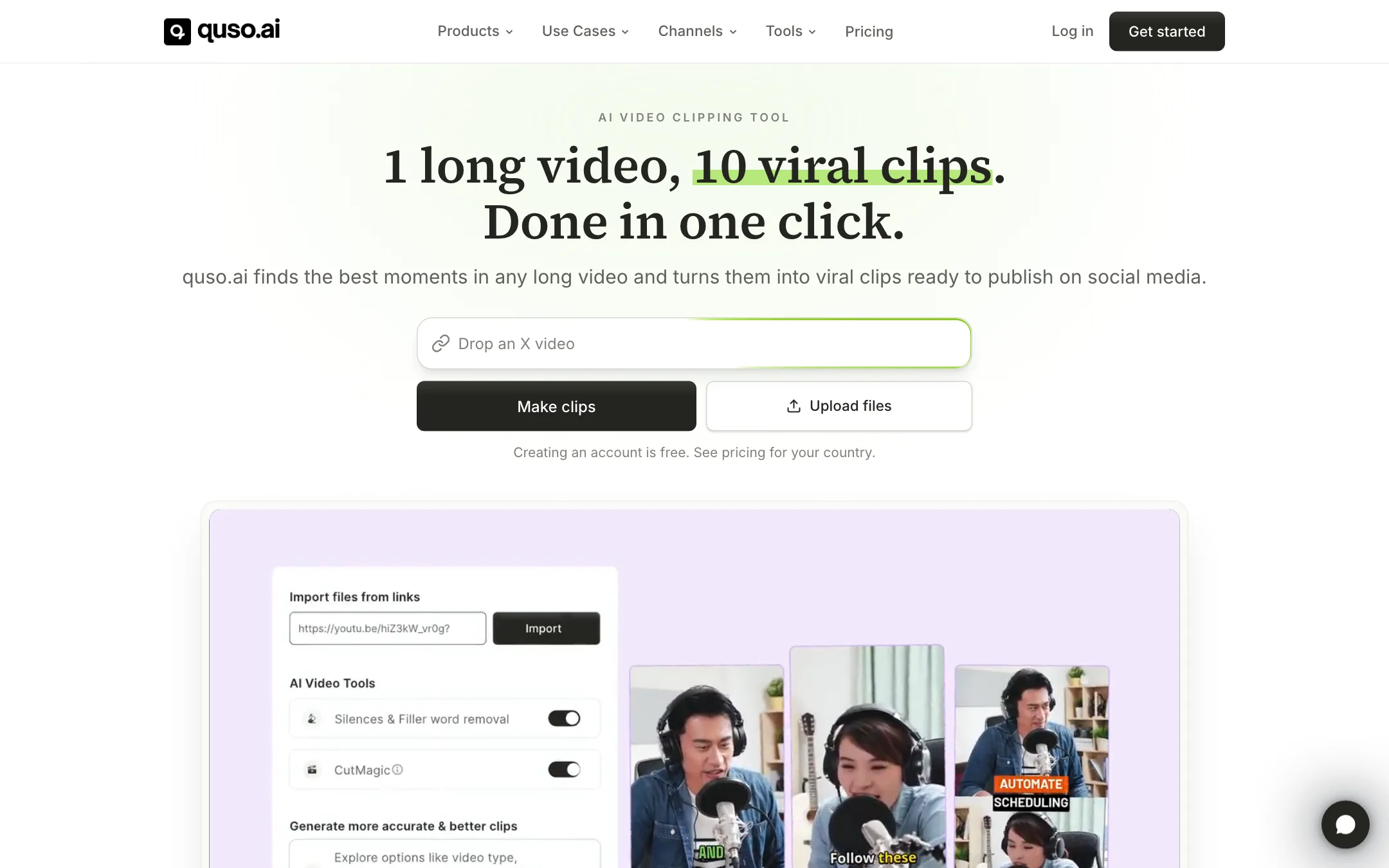
quso.ai is an AI clipping tool. You give it a long video, podcast or stream, and it finds the best moments, cuts them into vertical clips, adds captions and schedules them to your social accounts.
If the name is new to you, the product is not. quso.ai used to be vidyo.ai. The site footer still reads “quso.ai (formerly vidyo.ai)”, and the pricing page tells existing vidyo.ai users their plan and price have not changed. The rebrand came with a broader pitch: quso.ai now calls itself an AI social media platform, not just a clipper.
quso.ai says 4 million creators and businesses use it. Its customer stories lean toward coaches, therapists, speakers and podcasters, people with long-form content and no editor.
Who it is for
quso.ai fits you if:
- You record podcasts, webinars, sermons or long YouTube videos and want a week of shorts from each one.
- You do not want to learn a timeline editor.
- You post to several platforms and want clipping and scheduling in one place.
- You want captions in a language other than English.
Skip it if:
- You make short-form from scratch rather than cutting it from long videos. A text-to-video or faceless shorts tool fits better.
- You already pay for a scheduler such as Buffer or Later. You would be paying twice for the same job.
- You process many hours of video a month on a tight budget. Credits are tied to minutes of source video.
How it works
quso.ai describes the workflow in four steps.
- Upload or paste a link. Upload a file or paste a link to a long video.
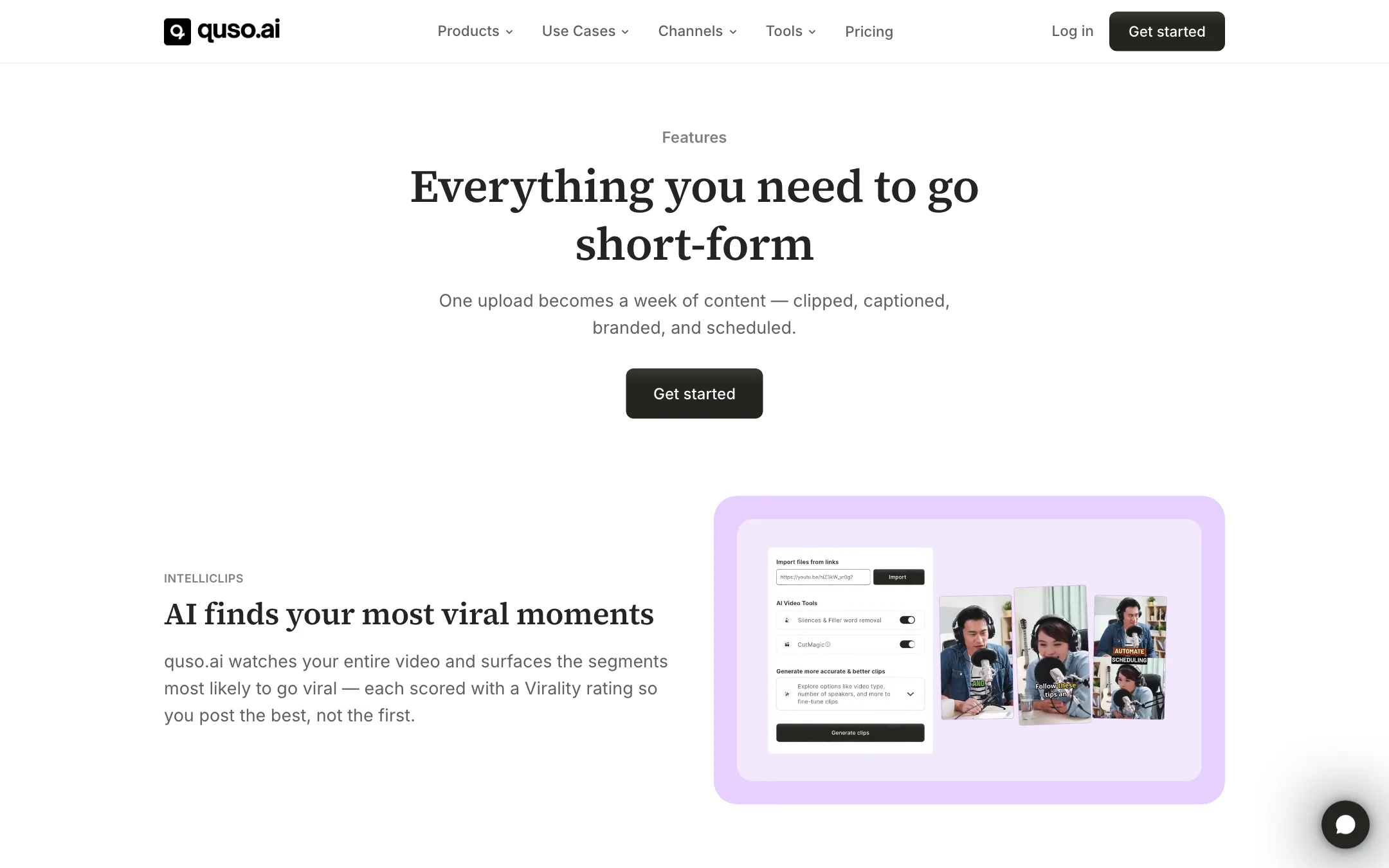
- Let the AI find clips. quso.ai says its IntelliClips feature watches the whole video, picks the moments most likely to go viral and gives each one a Virality score.
- Polish. Clips come reframed to 9:16 with captions. You can change caption styles, trim, remove filler words or add B-roll.
- Schedule. Send the clips to the Content Planner and auto-publish them across your accounts.
IntelliClips and Virality scores
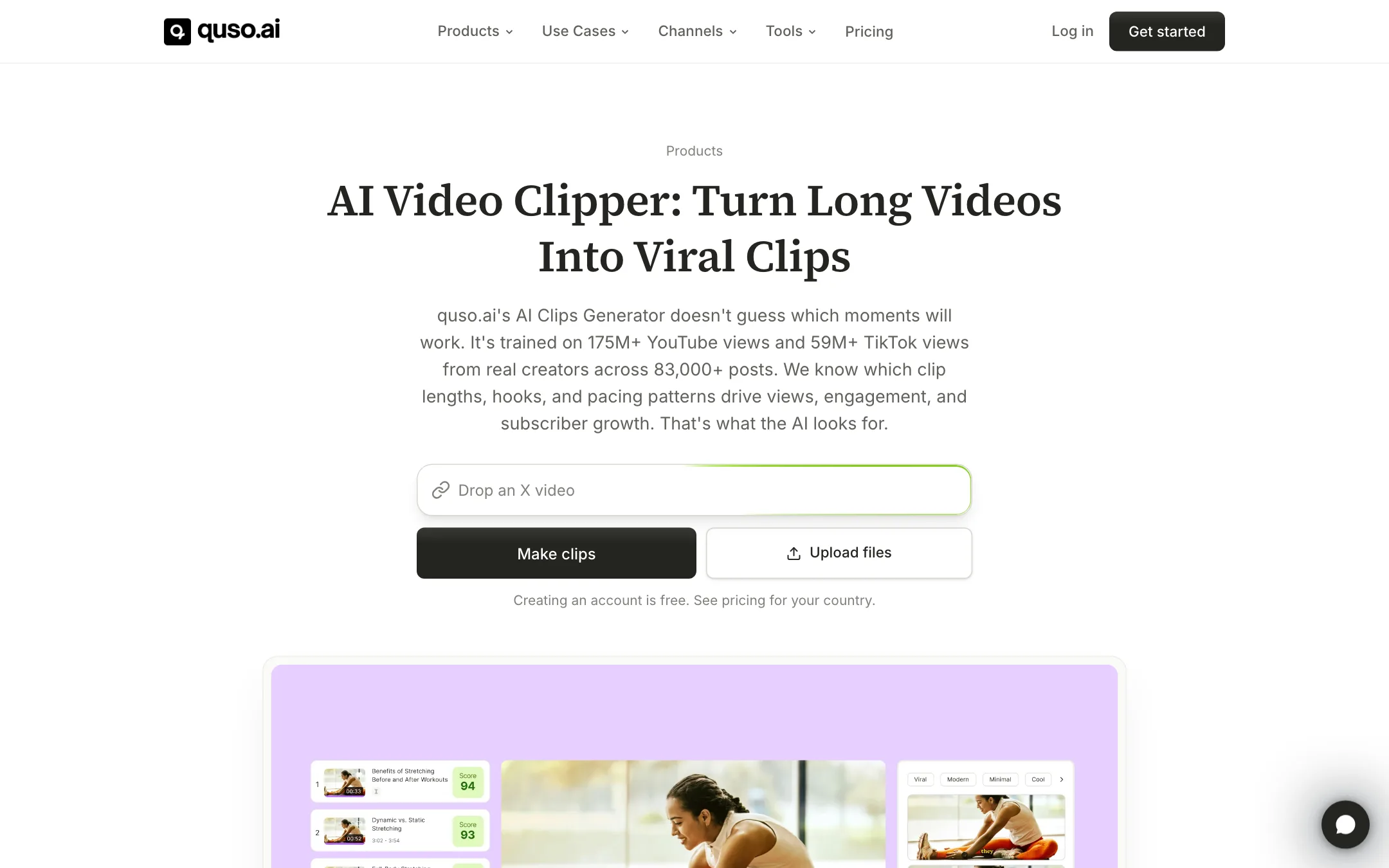
The clip finder is the core of the product. quso.ai says the model is trained on 175M+ YouTube views and 59M+ TikTok views across 83,000+ creator posts, and that it looks for the clip lengths, hooks and pacing that drive views. It also publishes a “Short Form Video Performance Report” that it says measured 508,000 posts from 1,900 creators.
Treat the Virality score as a sorting aid, not a forecast. Every clipper in this category ranks clips by some kind of score. What matters is whether the top clips start with a strong hook and end on a complete thought. Check the first three seconds of each clip before you post.
CutMagic reframing
CutMagic converts horizontal video to vertical. quso.ai says it tracks faces and speakers so the person talking stays centered. This matters most for two-person podcasts, where a bad crop shows an empty chair. It is included on the Free plan.
Captions
quso.ai adds word-level animated captions in 50+ languages and can remove filler words like “um” and “uh”. The site also runs free subtitle generators for languages such as Spanish, Japanese and Malayalam. Caption styling and brand fonts are where you make clips look like yours rather than everyone else’s.
The editor
quso.ai includes a text-based editor. You edit the transcript and the video follows, so deleting a sentence deletes that part of the clip. It also removes silences and adds B-roll from a built-in library. Lite lists an “advanced video editor (desktop)”, so expect the full editor to work best on a computer.
Scheduling, planner and analytics
This is what separates quso.ai from clip-only tools:
- Scheduler. Publish to TikTok, Instagram, YouTube, LinkedIn, Facebook, X and Pinterest from one calendar.
- Content Planner. A visual calendar for a month of posts. You can upload images and videos that did not come from quso.ai.
- Analytics. Track post performance. Growth plan only.
- Viddy. An AI content assistant, also on Growth.
The catch is the plan gating. Free and Lite publish to TikTok. Scheduling to seven platforms starts on Essential.
Output quality
We have not processed our own footage through quso.ai, so quality notes here come from quso.ai’s pages and how this category works.
Where quso.ai aims:
- Talking-head content. Podcasts, interviews, coaching sessions and webinars are the examples on every page. Face tracking and filler removal are built for speech.
- Volume. “1 long video, 10 viral clips” is the homepage promise. The idea is quantity you can pick from, not one perfect edit.
- Brand consistency. Templates and a brand kit keep every clip in the same look.
Where AI clippers in general struggle:
- Context. A clip can start mid-thought or end before the punchline. Trim the edges.
- Visual content. Gaming, tutorials and screen recordings are harder to score than faces talking.
- Caption accuracy on names, jargon and accents. Proofread before you post.
Pricing
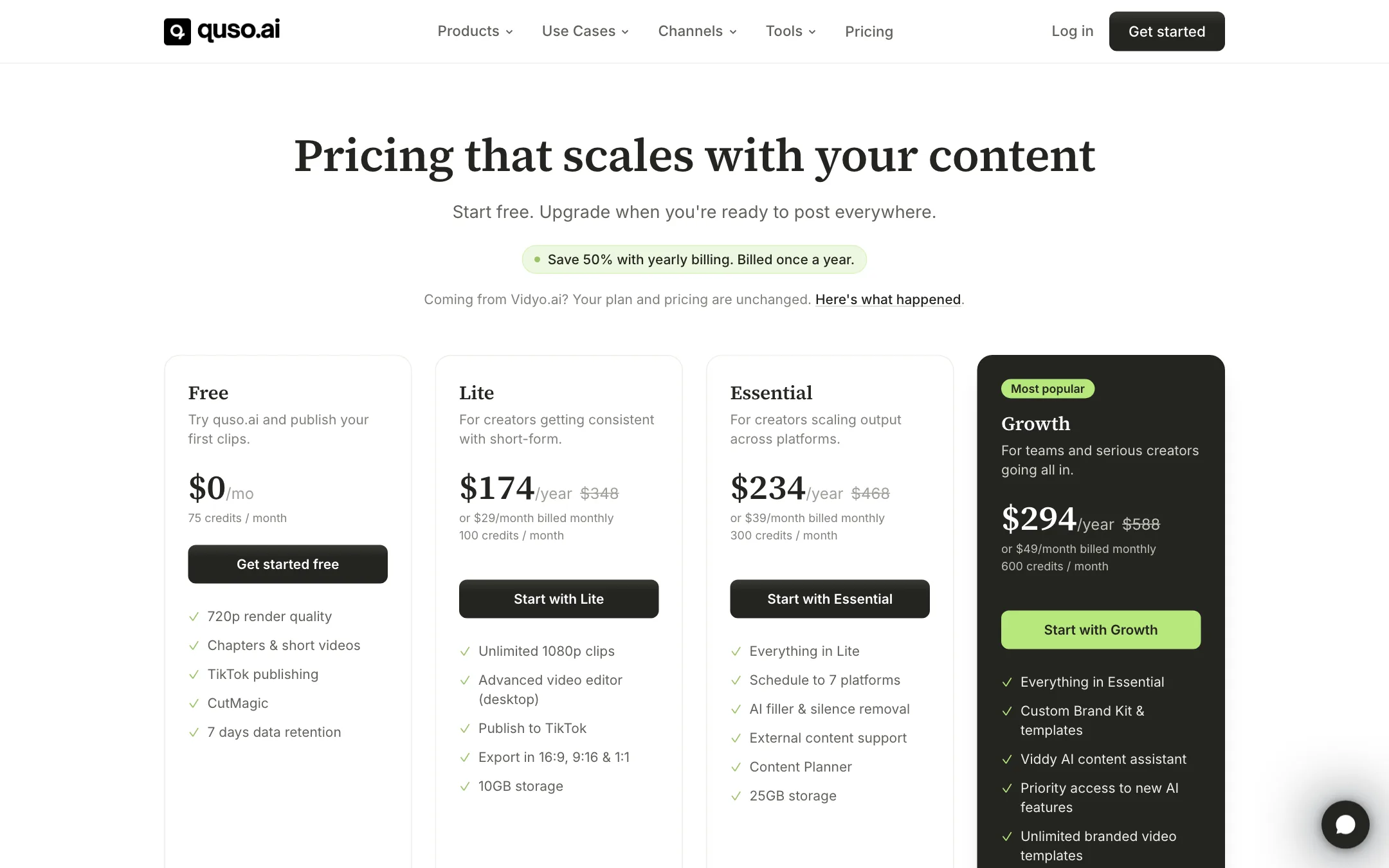
quso.ai runs on monthly credits. One credit is roughly one minute of processed video. Yearly billing halves every plan.
| Plan | Monthly | Yearly | Credits a month | Key adds |
|---|---|---|---|---|
| Free | $0 | $0 | 75 | 720p, TikTok publishing, 7-day retention |
| Lite | $29 | $174 ($14.50/mo) | 100 | 1080p, desktop editor, 10 GB |
| Essential | $39 | $234 ($19.50/mo) | 300 | 7-platform scheduling, filler removal, planner |
| Growth | $49 | $294 ($24.50/mo) | 600 | Brand kit, analytics, Viddy, priority support |
A few things the pricing page does not make obvious:
- Prices vary by country. The homepage says “see pricing for your country.” The USD prices above are what the pricing page showed us.
- The free plan depends on your country. The pricing page we saw, from the US and from Malaysia, shows a Free plan with 75 monthly credits. The FAQ says that in some countries you buy one-time credit packs instead, with no subscription. Confirm what your country gets inside your account.
- Lite is thin for weekly podcasters. 100 credits is about 100 minutes of source video. Two one-hour episodes a month already go past it.
- Essential is the real starting plan for most. It is only $10 more than Lite on monthly billing and adds multi-platform scheduling, filler removal and the planner.
- Annual is where the value is. Growth on yearly billing costs less per month than Lite on monthly.
How to make your credits go further
- Trim before you upload. Cut intros, ad reads and dead air first. Every minute of source video costs a credit.
- Clip your best episodes only. Not every long video has ten good shorts in it.
- Use the free tier to test your format. Run one episode through Free and see if the clips are worth posting before you upgrade.
- Go yearly once you are sure. Half price adds up fast on a tool you use every week.
A weekly workflow that fits the plans
Here is how a weekly podcaster could use quso.ai without running out of credits on Essential.
- Record and trim. Cut the intro music, ad reads and any long tangents before you upload. A 70-minute recording often becomes 50 minutes of usable talk.
- Upload once a week. Paste the YouTube link or upload the file. Turn on filler-word removal and CutMagic before you generate.
- Pick five to seven clips. Sort by Virality score, then watch the first three seconds of each. Keep the ones that open with a claim, a question or a strong line.
- Fix the edges. Trim any clip that starts mid-sentence or ends before the payoff. Proofread names and jargon in the captions.
- Apply your brand kit. Same caption style, same colors, same logo placement on every clip. On Essential you set these per clip; on Growth the brand kit locks them in.
- Schedule the week. Drop one clip a day into the Content Planner and spread them across TikTok, Reels and Shorts.
Four episodes of about 50 minutes each uses roughly 200 credits a month. That fits Essential’s 300 with room for a guest episode or a webinar.
How it compares
quso.ai sits in a crowded category. Klap, Opus Clip, Clip.fm and 2short all find highlights and add captions. quso.ai’s own blog runs comparison posts against Klap and lists “alternative” pages for Opus Clip, Descript, CapCut and others, so it knows who it is up against.
What sets quso.ai apart is the back half of the job. Most clippers stop at export. quso.ai keeps going with a planner, a scheduler and analytics. If you post to five platforms and currently use a separate scheduler, that is a real saving. If you only post to YouTube Shorts, a clip-only tool can do the same core job for less.
Verdict
quso.ai is a solid pick if you make long-form talking content and want clipping, captions and posting in one tool. The yearly prices are low for what you get, and Essential covers what most creators need.
It is less of a deal if you already pay for a scheduler or process many hours of video a month. Credits are tied to minutes, Lite runs out quickly, and the free plan depends on your country, so check your account before you count on it. Compare it with Klap or another clip-only tool if posting is already handled.
