What Wave.video is
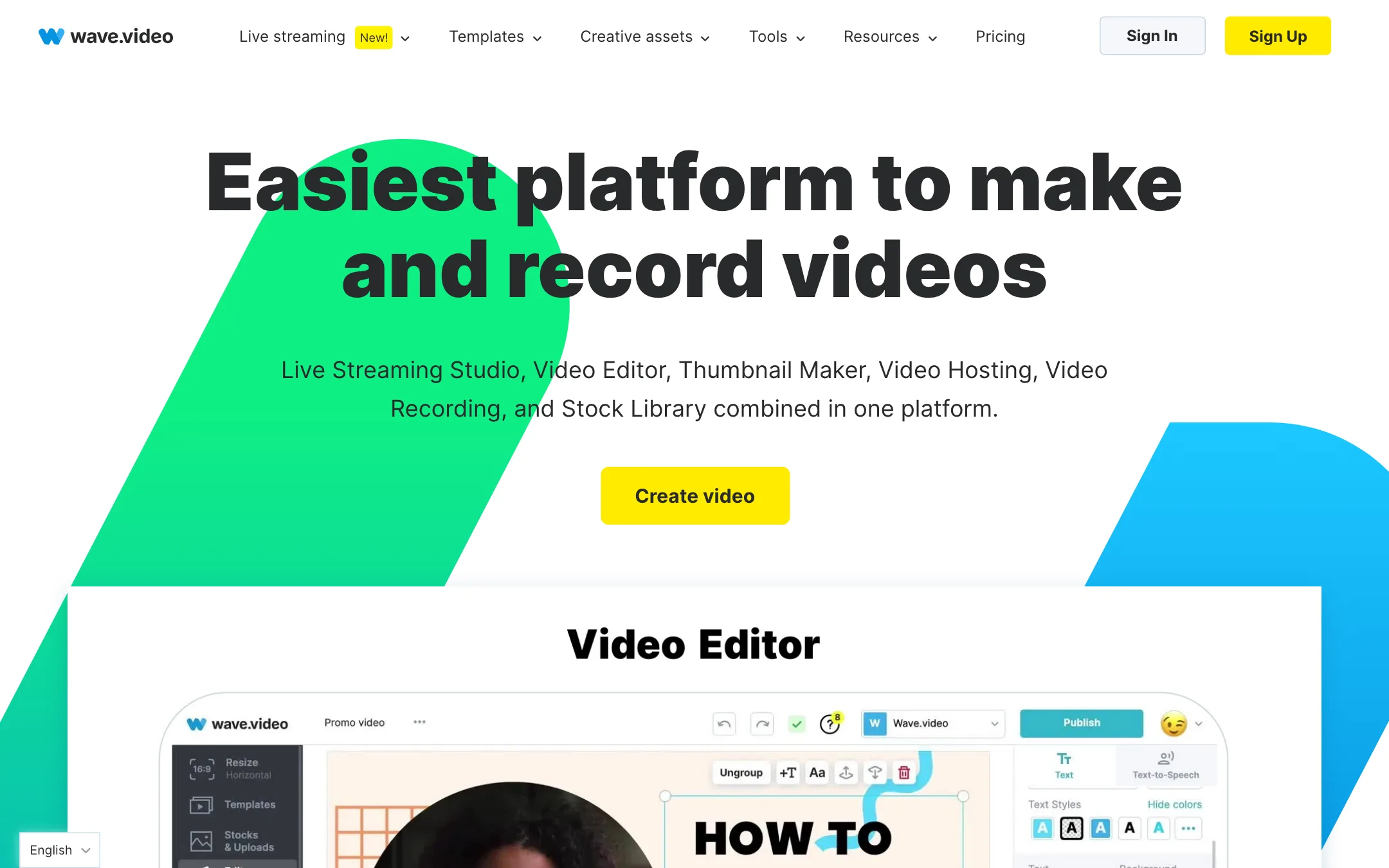
Wave.video is a browser-based video platform from Animatron. It started as a marketing video maker and grew into a bundle. One account gets you a video editor, a live streaming studio, a video recorder, a thumbnail maker, a stock library and video hosting.
The homepage pitches it as “a bundle of powerful tools for the price of one.” That is the real reason to look at it. Most AI editors stop at export. Wave.video also streams your show live, records guests, hosts the final file, and gives you an embeddable player with analytics.
AI is part of the product, but not the center of it. You get text to video, automatic captions with translation, text to speech, transcript-based editing and auto-suggested shorts. You do not get AI avatars or a generative video model.
Who it is for
Wave.video fits you if:
- You run a small business or a marketing team and make social videos from stock footage and templates.
- You stream live shows, webinars or interviews and want multistreaming without learning OBS.
- You want to host videos on your own site with a branded player and no YouTube ads.
- You like one subscription better than an editor, a streaming tool and a hosting plan from three vendors.
Skip it if:
- You want generative AI video, avatars or AI dubbing. Look at an AI-first tool instead.
- You only need captions on short clips. Dedicated caption tools are cheaper and faster.
- You need separate team seats with their own logins. Wave.video’s Business plan uses a shared login.
- You want a native desktop editor for long, heavy projects.
How it works
Everything starts from the Create video menu. You can open a blank video or image, record, upload footage, browse templates or stock, import from YouTube or Instagram, or generate a video with AI from text or a blog post.
The editor
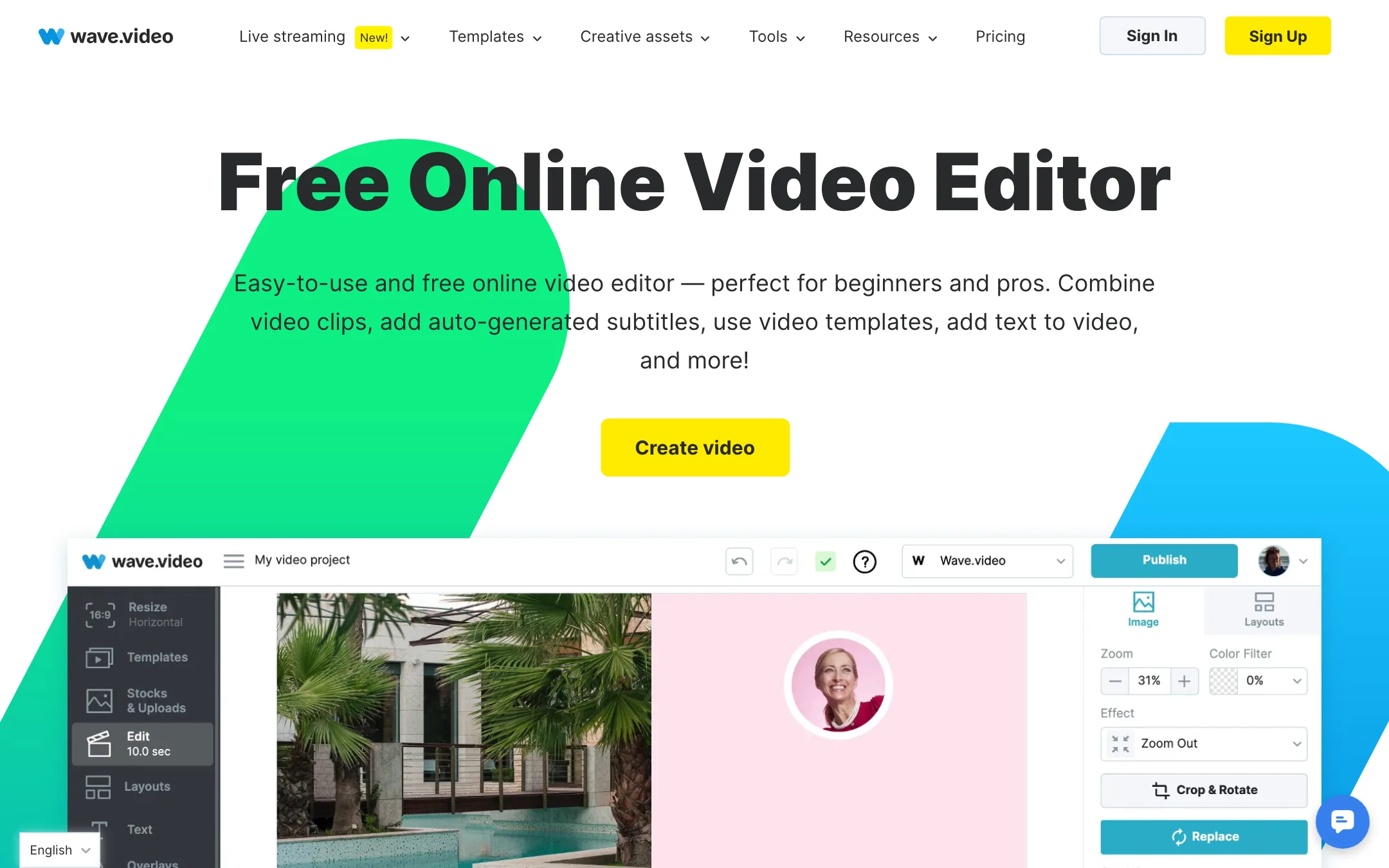
The editor covers the everyday jobs. Wave.video lists trimming, cropping, splitting, merging clips, speed changes, rotating, flipping, zooming and filters. You can add animated text, stickers, GIFs, overlays and transitions. One click resizes a project to more than 30 formats, from Instagram Stories to YouTube.
Templates are a big part of the pitch. Wave.video says it has over 1,000 of them, covering social posts, ads, testimonials, quotes, intros and outros, and live stream graphics like countdowns and lower thirds. A brand manager stores your colors, fonts and logos so you do not set them up each time.
AI text to video
The text-to-video tool works like this, per Wave.video’s guide:
- Click New Video and pick From Text or From Blog Post.
- Paste your text or a link to your article.
- Choose the duration, audio mood, text length, format and visual style.
- Wave.video builds a draft from stock visuals, text and music.
- Edit the draft in the regular editor, then publish or download.
This is the older style of “text to video.” It assembles stock clips around your words. It does not generate new footage. That suits blog repurposing and social posts. It will not give you cinematic shots of things that do not exist in the stock library.
Captions, voice and transcript editing
Automatic captions turn speech to text. Wave.video says you can translate captions into more than 70 languages, change their color, font and size, upload your own SRT or VTT file, burn captions in, or download them as SRT or VTT.
Text to speech covers 20+ languages with male and female voices, and child voices in English. You can also record your own voiceover in the editor and detach any audio track as an MP3.
The editor page also lists two newer AI features. Transcript editing lets you highlight and delete text to cut the matching video. Shorts creation trims a long video automatically or suggests up to 15 clips of roughly 30 to 60 seconds for YouTube Shorts and TikTok.
Live streaming and recording
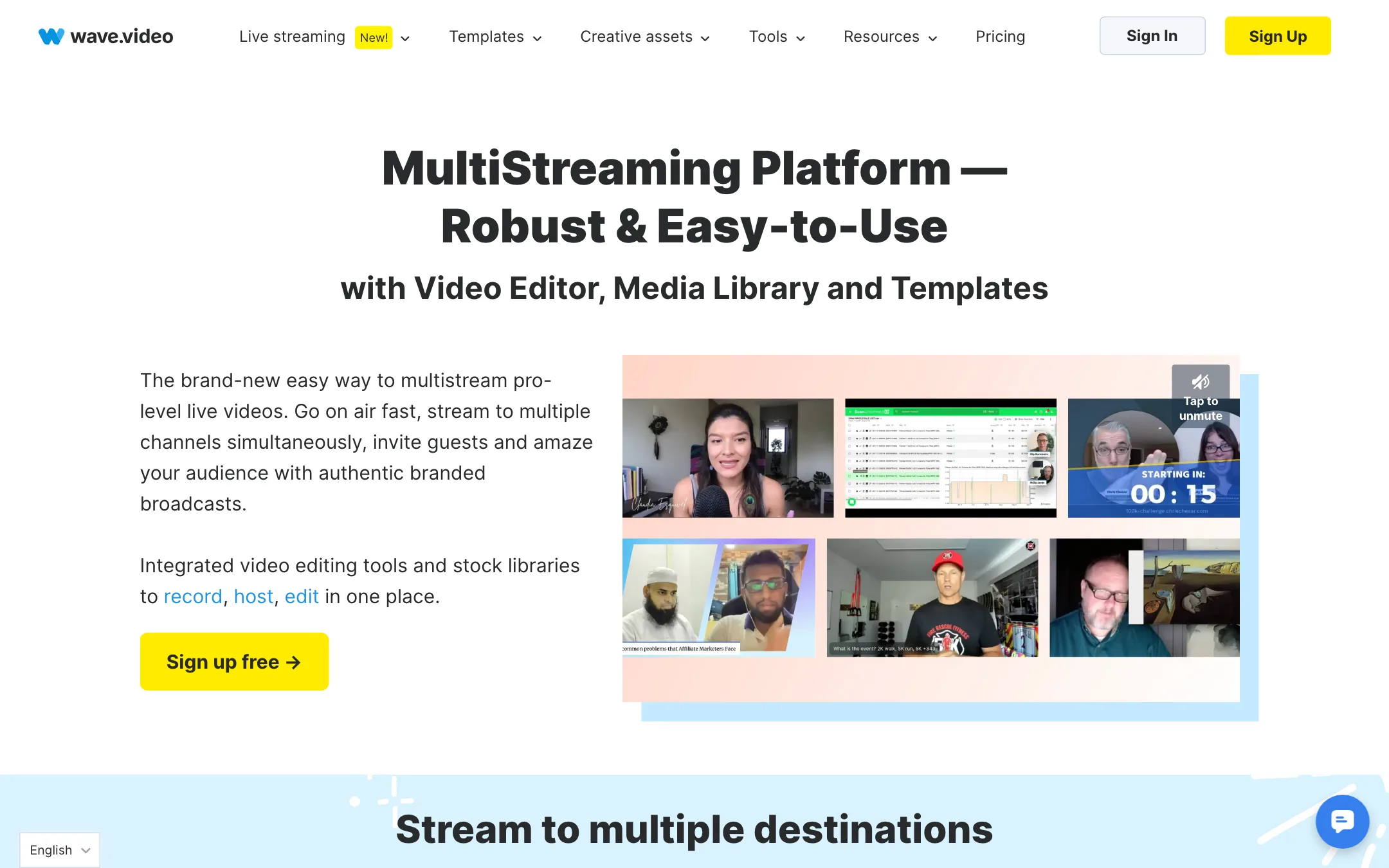
The live streaming studio is the strongest part of Wave.video’s bundle. It runs in the browser and streams to several destinations at once: YouTube, Facebook pages, groups and profiles, LinkedIn pages and profiles, Twitch, Amazon Live and any custom RTMP target.
You can build scene layouts, use several cameras and screen shares, invite guests, add overlays and branded themes, and stream pre-recorded videos. A combined chat box pulls comments from every channel, with a separate private chat for co-hosts. Recordings are hosted automatically and open straight in the editor.
The recorder uses the same studio for content you do not want to stream live, such as podcasts or pre-recorded interviews.
Hosting
Hosted videos get an embeddable, branded player, password protection, video landing pages and analytics. You can also send videos in email. Hosting limits depend on the plan, and Business adds marketing tools.
Output quality
We have not tested Wave.video hands-on. The output depends mostly on your footage and the stock you choose, since the editor does not generate video.
On the live side, Wave.video says it streams in Full HD 1080i at 30fps. The plan table caps Free streams at 720p and paid streams at 1080p. Editing exports go up to 60fps on Business.
The AI text-to-video drafts are only as good as the stock match. Expect to swap a few clips and rewrite some captions. Machine-translated captions also need a check, and Wave.video’s own tips say so.
Pricing
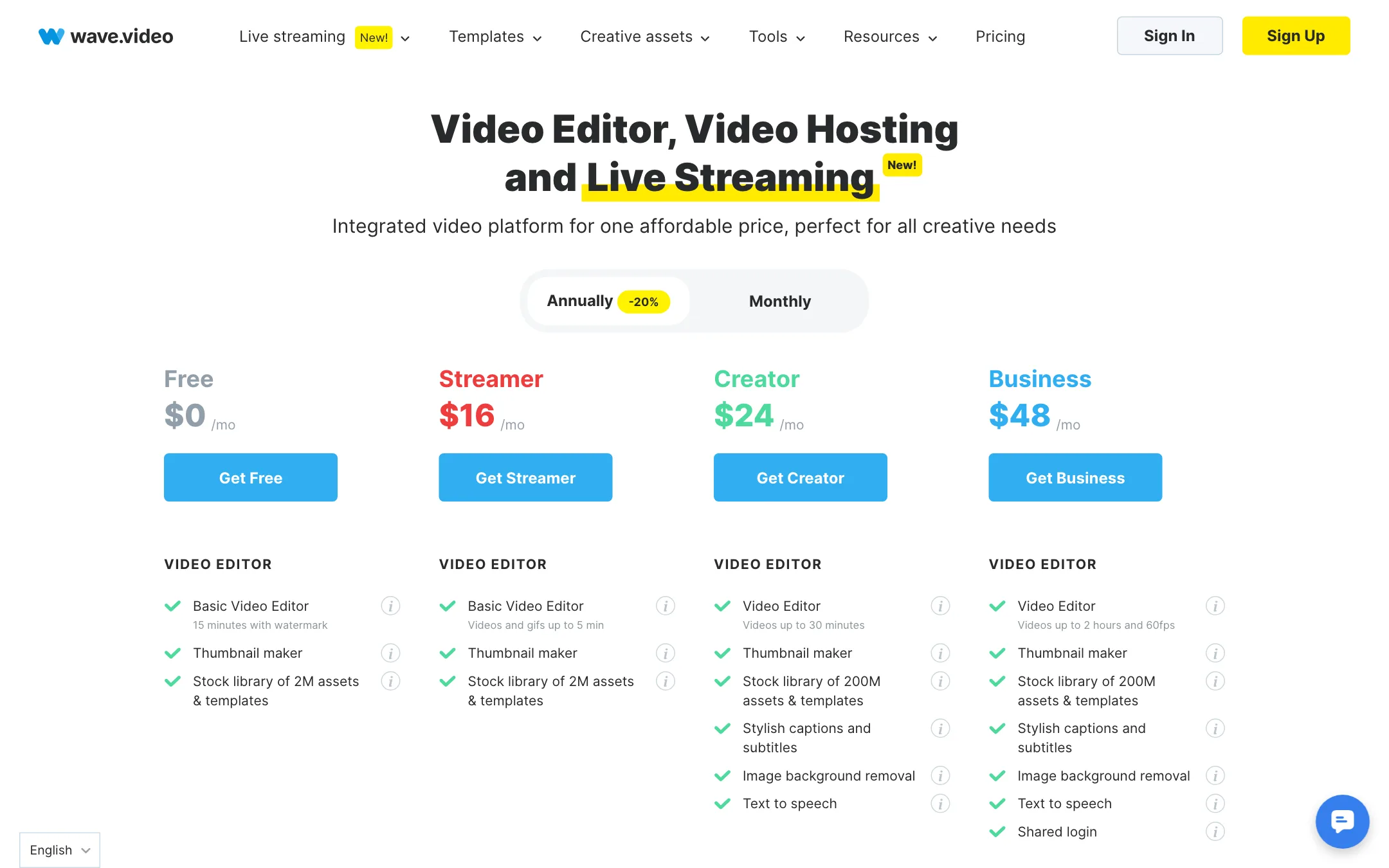
| Plan | Price | What you get |
|---|---|---|
| Free | $0 | Basic editor with watermark, 2M stock, 2-channel 720p streaming, 5 embeds |
| Streamer | $16/mo yearly, $20 monthly | Basic editor up to 5 min, 5-channel 1080p streaming up to 4 hours |
| Creator | $24/mo yearly, $30 monthly | Full editor up to 30 min, 200M stock, captions, text to speech |
| Business | $48/mo yearly, $60 monthly | Up to 2 hours at 60fps, 10 channels, 200 embeds, 500 GB |
Yearly billing saves 20%. Upgrades are prorated. Payment is by card only, through Stripe.
Where the pricing page disagrees with itself
The plan table and the FAQ underneath it do not match, which suggests the FAQ was not updated when the Streamer plan arrived:
- Plan names. The FAQ talks about Free, Creator and Business. Streamer is missing.
- Free editing length. The table says 15 minutes with a watermark. The FAQ says free users can edit videos up to 15 seconds.
- Business storage. The table says 500 GB. The FAQ says 200 GB, then 10 cents per extra GB a month.
- Captions. The pricing FAQ says Business gets 200 free caption minutes a month, then 5 cents a minute. The captioning page says Business users get unlimited automatic subtitles at no extra cost.
Plan on the stricter figure in each case until Wave.video support confirms otherwise.
Hidden costs to know
- Extra embeds on Business cost 20 cents a month each after the first 200.
- Extra traffic costs 1 cent per GB after the plan allowance. Free plans cannot buy more.
- Premium stock from outside providers may cost extra, per the FAQ.
- Captions may run 5 cents a minute past the Business allowance.
Which plan to pick
- Streaming only? Streamer gives you 1080p multistreaming and recording, with a basic editor.
- Editing social video with captions? Creator is the real starting plan, since Streamer lacks captions and text to speech.
- Long videos, many embeds or a team? Business is the only plan with 2-hour editing, 60fps and the bigger hosting allowance.
Things to watch
- Streamer is a streaming plan. Its editor is the basic one, capped at 5 minutes, with no captions or text to speech. Do not buy it for editing.
- Watermarks on Free. Free videos, streams, recordings and hosted embeds all carry the Wave.video logo. Paid plans remove it, and the logo returns on landing pages if your subscription lapses.
- Download needs a paid plan. The FAQ says every plan can publish straight to social platforms, but MP4 downloads are for paid plans.
- Shared login on Business. Teams share one set of credentials and organize work in folders. There are no per-person seats or roles in the editor.
- Old pages, new plans. Several feature pages and the pricing FAQ predate the Streamer plan. When a limit matters to you, ask support and get the answer in writing.
How it compares
Next to AI-first editors like VEED or Kapwing, Wave.video has fewer AI tricks but a wider scope. Its pitch is the bundle: a browser multistream studio, a recorder and hosting with a branded player and analytics, alongside the editor. FlexClip is closer in spirit, with templates and stock, but it is built around editing rather than live shows. If your week includes a live show, a few social cuts and an embedded video on your site, Wave.video covers all three in one place.
Verdict
Wave.video is a solid choice if you want one browser tool for the whole video marketing job: edit, stream, record and host. The multistreaming studio and built-in hosting set it apart from editors like VEED, Kapwing and FlexClip.
It is not an AI-first tool. Text to video stitches stock, captions and voices are standard, and there are no avatars or generative clips. The pricing page also needs a cleanup, so confirm caption and storage limits before you buy Business. If you mostly edit short social clips with captions, Creator at $24 a month yearly is the plan to test. If you stream, Streamer at $16 is good value for a browser studio with no setup.