What VEED is
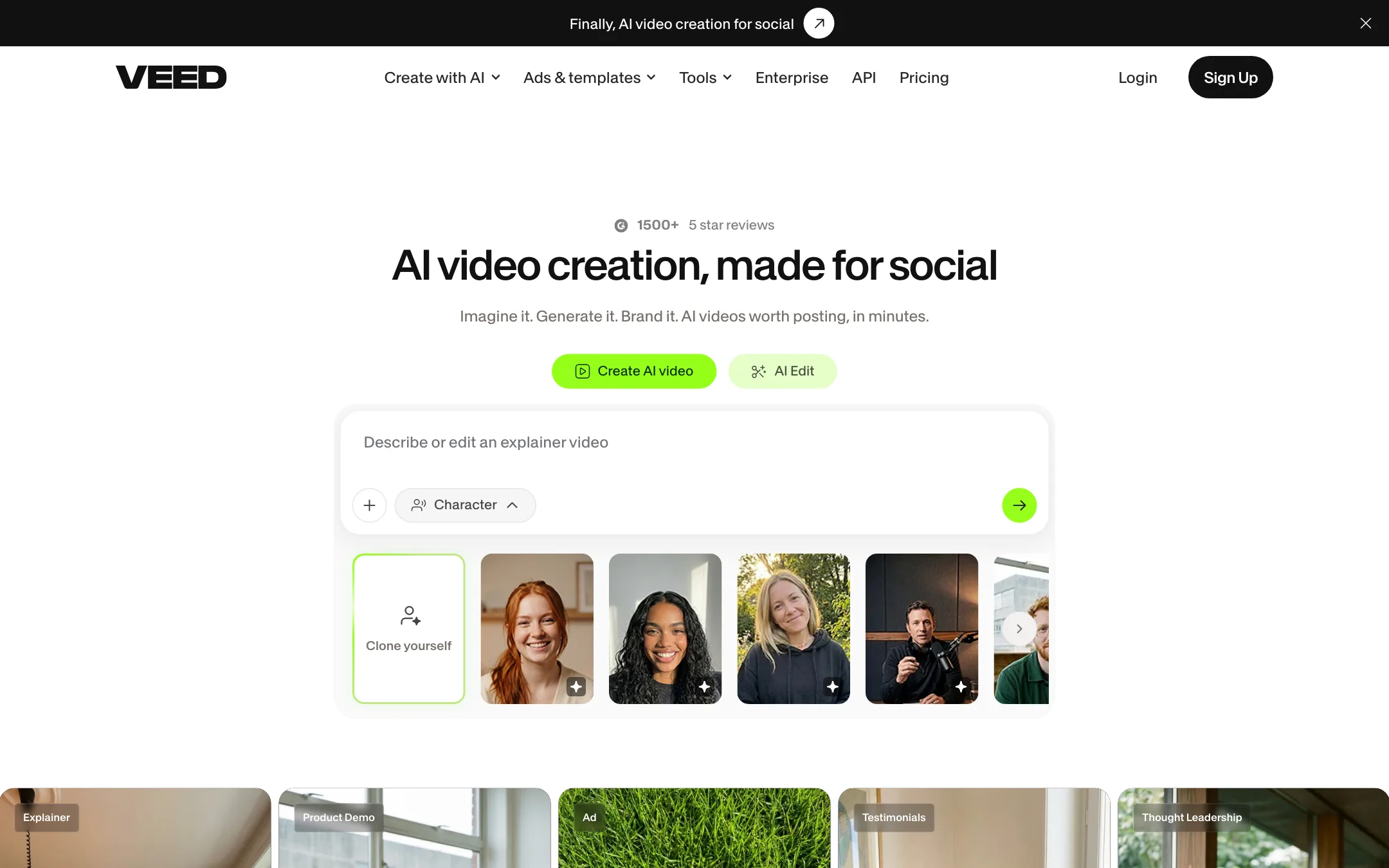
VEED is a video editor that runs in your browser. It started as a simple online editor for trimming, adding text and burning in subtitles. Over the years it has piled on AI tools, and today it calls itself an “AI video creation platform, made for social.”
Underneath the new headline, there are three products in one:
- An editor. Timeline editing, text, music, stock media, templates and brand kits.
- A set of AI cleanup tools. Auto subtitles, translation, dubbing, eye contact correction, noise removal and background removal.
- A generation layer. AI avatars, VEED’s own Fabric 1.0 talking-video model, and an AI Playground that resells third-party models like Veo, Kling and Sora.
The strength is that all three live in one project. You can generate a clip, drop it on the timeline, add captions, fix the audio and export, without switching apps.
Who it is for
VEED fits you if:
- You make talking-head content, webinars, UGC ads or LinkedIn videos and want clean captions fast.
- You want an editor you can learn in an afternoon. Testimonials on VEED’s homepage keep returning to that point.
- You want to try several AI video models without a separate subscription for each.
- You work in a small marketing team and need shared brand kits and templates.
Skip it if:
- You need a pro desktop editor for long-form work. Premiere, DaVinci Resolve or Final Cut give you more control.
- You are on a strict budget and need monthly billing. The monthly price is hard to pin down from VEED’s public pages.
- You only want AI-generated footage. A dedicated generator gives you more control over the model for less money.
How it works
Editing
You upload footage, or record it with VEED’s screen recorder or teleprompter, and edit on a timeline. The basics are all there: trim, split, text, transitions, music, stock media, resize for different platforms and export. Brand Kits store your logos, fonts and colors. Pro adds multiple brand kits, and Studio or Enterprise adds custom templates.
VEED’s support center also mentions OpenEdit, which it calls an agent-driven video editor. The public pages do not say much more about it yet.
Subtitles
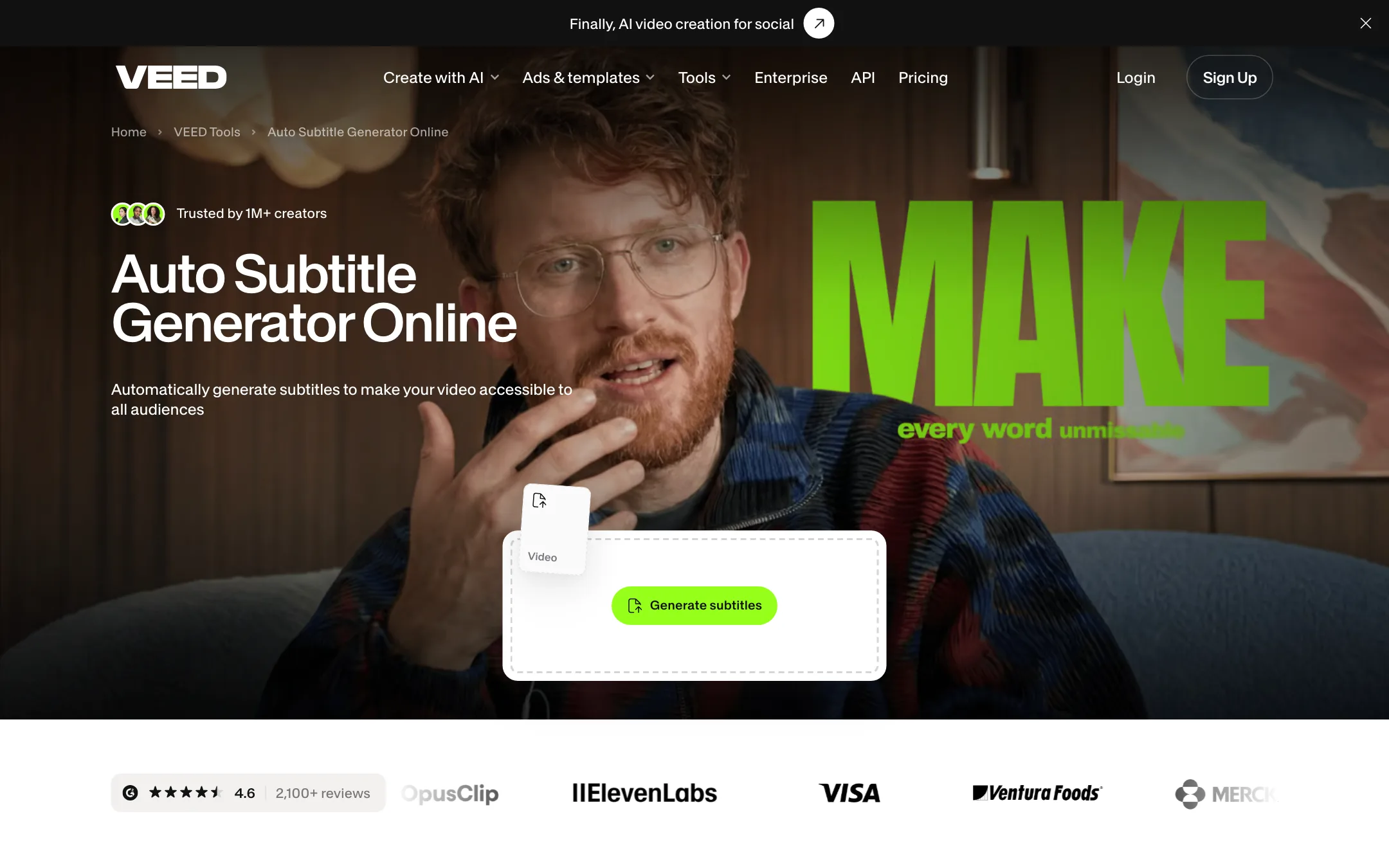
This is the feature VEED is best known for. Per its subtitle page:
- Upload a video or audio file and open Subtitles.
- Click Auto Subtitle and pick a language. VEED says it supports 125+ languages with up to 99.9% accuracy.
- Fix any wrong words by clicking a line and typing.
- Pick a style. Options include box highlights, karaoke-style word highlights and “dynamic” subtitles that pulse with the audio.
- Burn the captions into the video, or download an SRT, VTT or TXT file.
The same transcription runs the video-to-text and audio-to-text tools, which suits creators who repurpose videos into posts.
Talking-head fixes
Two tools stand out for anyone who records themselves:
- Eye contact correction makes you look at the camera while you read from a script. One quote on VEED’s homepage, from a growth marketer, credits it and noise reduction with better ROI on UGC ads.
- Background noise removal cleans up audio from both video and audio files.
Add background removal, a teleprompter and AI voice tools, and VEED covers most of what a solo creator needs to polish a talking-head clip.
AI generation
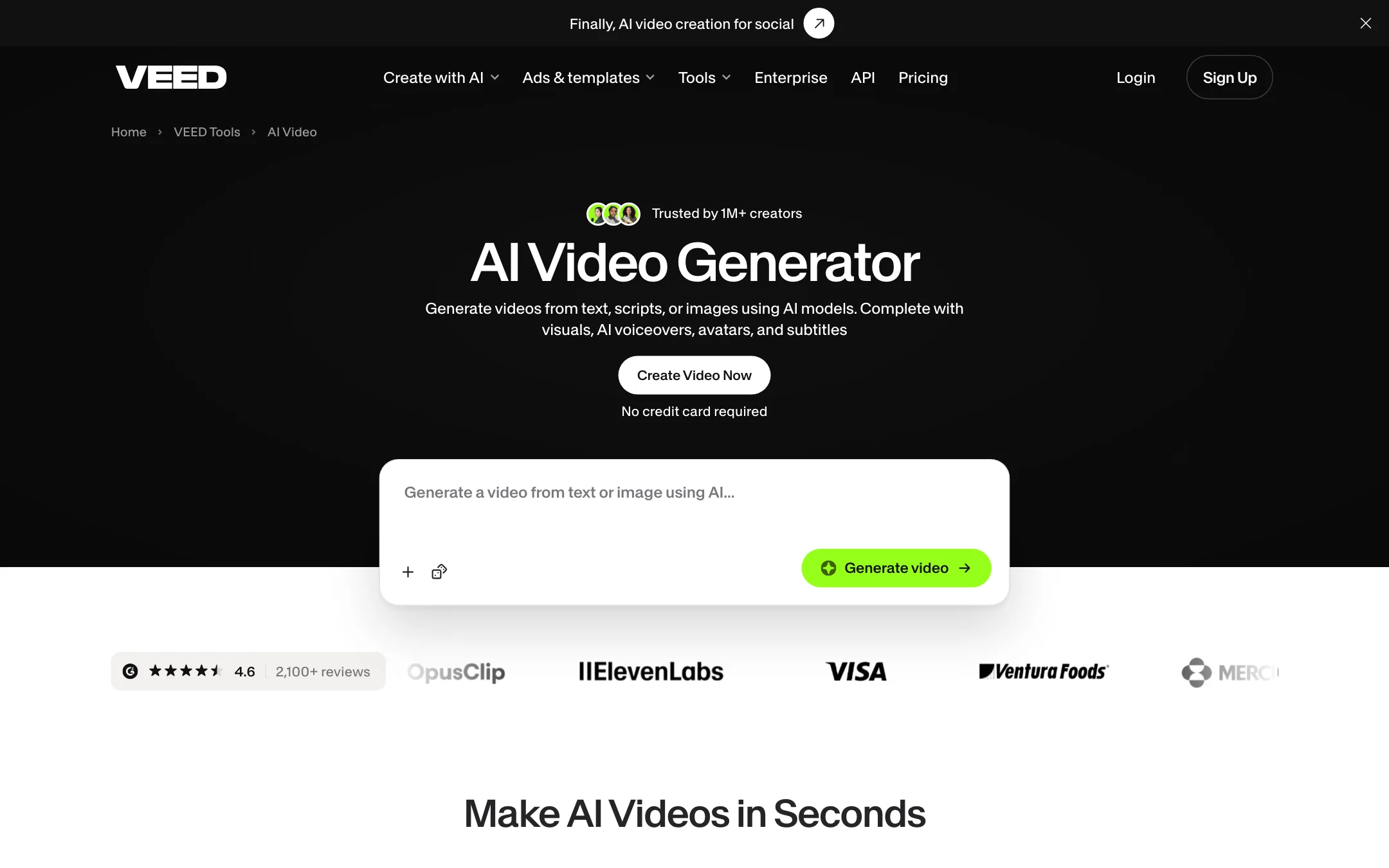
VEED’s AI Video Generator works in three steps, according to its tool page:
- Describe your video. Type an idea or paste a script. VEED builds scenes with visuals, narration, avatar and captions.
- Customize. Choose aspect ratio, avatar or voiceover, music and caption style. Swap any scene for your own upload, stock footage or a freshly generated clip.
- Export or keep editing. Click Done, or open the full editor.
For generated clips, VEED offers Fabric 1.0, its own model, which it says makes any character image talk with lip sync and motion for up to 60 seconds. Beyond that, the AI Playground lists third-party models: Veo 3.1, Veo 3 and their Fast versions, Kling, Sora 2 and Sora 2 Pro, Seedance, Hailuo, PixVerse, MiniMax and LTX Video. The FAQ on VEED’s AI video page names “Seedance 2.5” while the footer lists “Seedance 1.0”, so the exact versions on offer are worth checking inside the app.
This is a reseller setup. VEED does not train Veo, Kling or Sora. It passes your prompt to those models and charges credits at each model’s own rate.
Avatars, voices and dubbing
VEED has stock AI avatars and lets you build an avatar of yourself. Voice cloning and AI text to speech cover narration. Translation and dubbing turn a finished video into other languages; VEED lists 50+ languages for translation on Pro.
Output quality
We have not run VEED hands-on for this review, so this section reports what VEED shows and claims.
For editing and subtitles, quality depends more on your footage than on VEED. The accuracy figure of 99.9% is VEED’s own and will drop with accents, jargon and noisy audio. Plan to proofread, especially for brand names.
For AI generation, quality depends on the model you pick. Veo, Kling and Sora inside VEED should look like Veo, Kling and Sora elsewhere, at VEED’s credit prices. Fabric 1.0 is aimed at one job, talking characters, and VEED pitches it for explainers and UGC-style content.
The real advantage is the editor around the models. If one scene in a generated video looks wrong, VEED lets you replace that scene with stock or a new generation instead of starting the whole video again.
Pricing
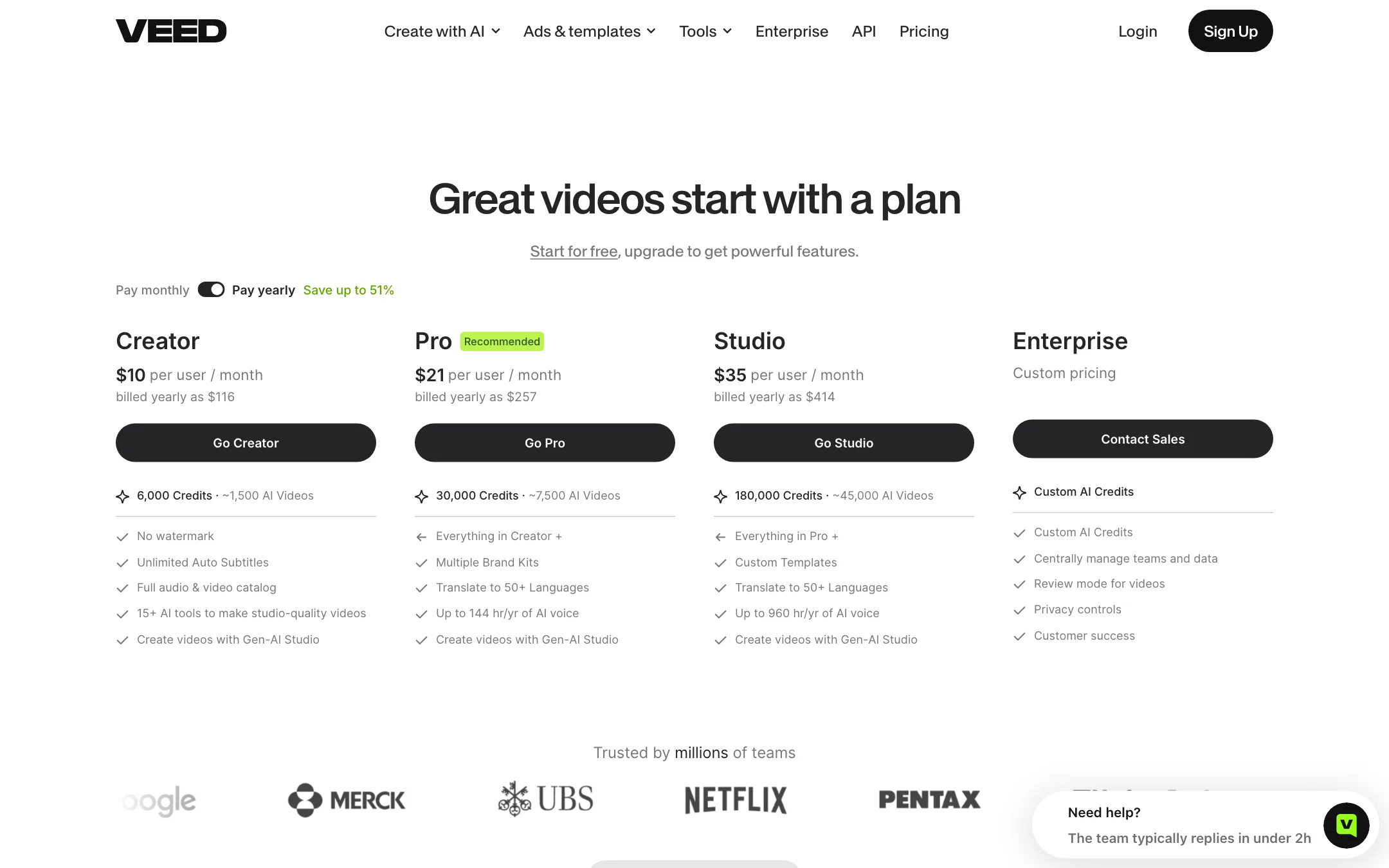
VEED prices per user and leads with yearly billing. Here is what we saw:
| Plan | Price (billed yearly) | What you get |
|---|---|---|
| Free | Free | Editor and AI tools to start, watermark on exports |
| Creator | $10/user/mo | 6,000 AI credits, no watermark, 1080p, subtitles |
| Pro | $20 to $21/user/mo | 18,000 or 30,000 AI credits, 4K, translation, brand kits |
| Studio | $35/user/mo | 180,000 AI credits, custom templates (seen on one page version only) |
| Enterprise | Custom | Custom credits, team controls, review mode |
A few things the pricing page does not make obvious:
- The page changes. On the same day, one load showed Creator at $116 a year and Pro at $257 with 30,000 credits plus a Studio plan. Another showed Creator at $125 a year and Pro at $234 with 18,000 credits and no Studio plan. VEED appears to be testing prices. What you see at checkout is what counts.
- The monthly price is hidden. The “Pay monthly” toggle did not change the prices for our crawler. VEED’s own subtitle page says “A Creator plan starts at $20/month”, which is probably the monthly rate.
- Credits are not videos. VEED converts credits to “AI videos” on the pricing card, such as “6,000 credits, about 1,500 AI videos”. That only holds for the cheapest generations. Premium third-party models cost more per clip.
- Free exports are watermarked. VEED’s support center says the watermark is an image you cannot move, and it shifts position during the video.
- Per-user billing adds up. Each extra editor is another seat.
How to make your credits go further
- Edit first, generate last. Subtitles, trimming and cleanup do not need AI generation. Save credits for the scenes you cannot shoot.
- Replace scenes, not videos. If one generated scene misses, swap just that scene for stock or a new clip instead of rerunning the whole video.
- Start with cheaper models. Draft with a fast, cheap model, then use Veo or Sora only for the final hero shot.
- Watch subtitle hours. Some plan versions cap subtitles by hours a year. Long webinars use them up fast.
Refunds
VEED’s pricing FAQ points to its Terms of Sale for the refund policy and says you can cancel at any time. Read the terms before you buy a yearly plan.
Affiliate program
VEED runs a cash affiliate program through Impact.com. It pays 20% on the first sale plus 20% recurring, with bonus commissions up to 50% and cash incentives for bigger partners. Affiliates also get a free Pro account with 3,000 AI credits.
Verdict
VEED is one of the best all-round browser editors for creators and marketers who live on social. Subtitles, eye contact correction and noise removal are genuinely useful, and having Veo, Kling, Sora and Fabric 1.0 in the same project as your timeline is a real convenience.
The weak spot is the pricing page. Plans, credits and prices changed between visits, and the monthly price is not shown up front. Start on the free plan to test the editor and subtitles. If you upgrade, take the yearly Creator plan only after checking the final price at checkout, and move to Pro only if you need 4K, translation or more credits for AI models.