
What VoiceCheap is
VoiceCheap is a web app that dubs your videos into other languages. You upload a video or paste a YouTube link, pick the languages, and VoiceCheap transcribes, translates and re-voices it. It clones the voice of each speaker it detects, so you sound like yourself in Spanish, Hindi or Japanese.
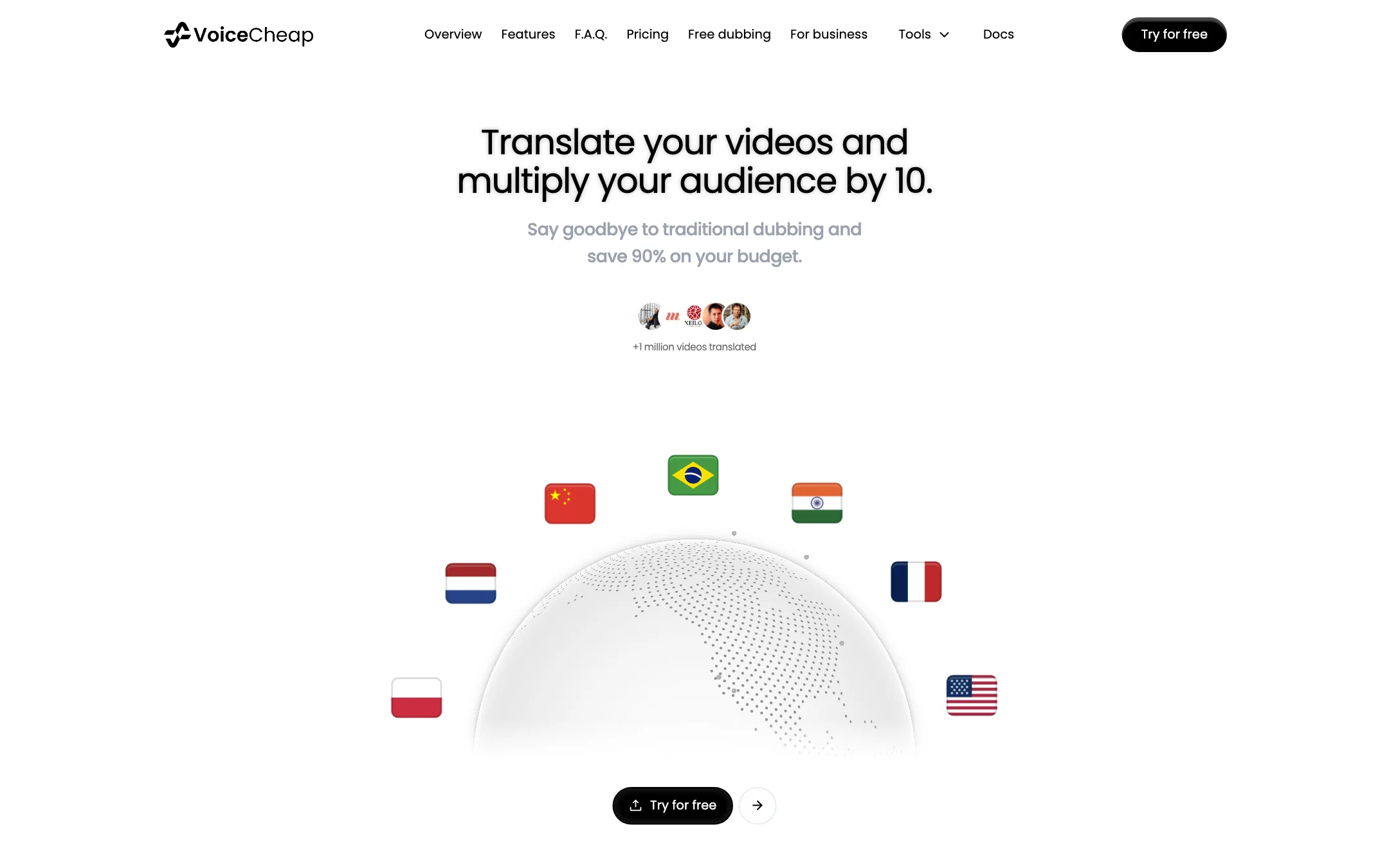
It is aimed at creators first. The pitch on the homepage is simple: translate your videos and multiply your audience by 10, and save 90% compared with traditional dubbing. VoiceCheap says more than a million videos have been translated on the platform.
Around the dubbing, it bundles lip-sync, subtitles, a brand glossary, an API and a set of free AI tools for transcripts, captions, text-to-speech and thumbnails. A done-for-you service is there for businesses that want someone else to run it.
Who it is for
VoiceCheap fits you if:
- You run a YouTube channel and want to publish the same videos in more languages, in your own voice.
- You sell courses, coaching or training and want to reach new markets without re-recording.
- You want to test AI dubbing cheaply before committing to a bigger platform.
- You automate content and want an API or MCP server to dub from your own scripts.
Skip it if:
- You need broadcast-grade lip-sync on lots of footage. The minute multipliers make that expensive here.
- You need professional voice acting with direction. VoiceCheap is AI dubbing, and its premium voice models start at $99 a month.
- You want text-to-speech voiceovers from a script rather than dubbing existing video. ElevenLabs is the stronger voice tool for that.
How it works
The homepage lays out the workflow in a few steps: upload, dub, sync and publish.
- Upload. Import from your computer, YouTube or social media. VoiceCheap says all formats are supported. Paid plans take files from 5 GB to 40 GB and videos up to 60 or 120 minutes long, depending on the plan.
- Choose languages. Pick from 70+ target languages. The source language can be detected automatically.
- Speakers and voices. VoiceCheap detects each speaker and clones their voice. You can also pick from more than 100 professional voices instead.
- Proofread. You can review and edit the translation before the final render. A brand glossary on Starter and above keeps product names and terms consistent.
- Lip-sync (optional). On Starter and above, turn on lip-sync to match mouth movement to the new audio.
- Export. Download the dubbed video, audio and subtitles, or schedule and export from the app.
VoiceCheap says every plan includes what it calls SmartSync timing, to fit the translated speech to the original pacing. It also keeps the original soundtrack and can remove background noise.
Try it free first
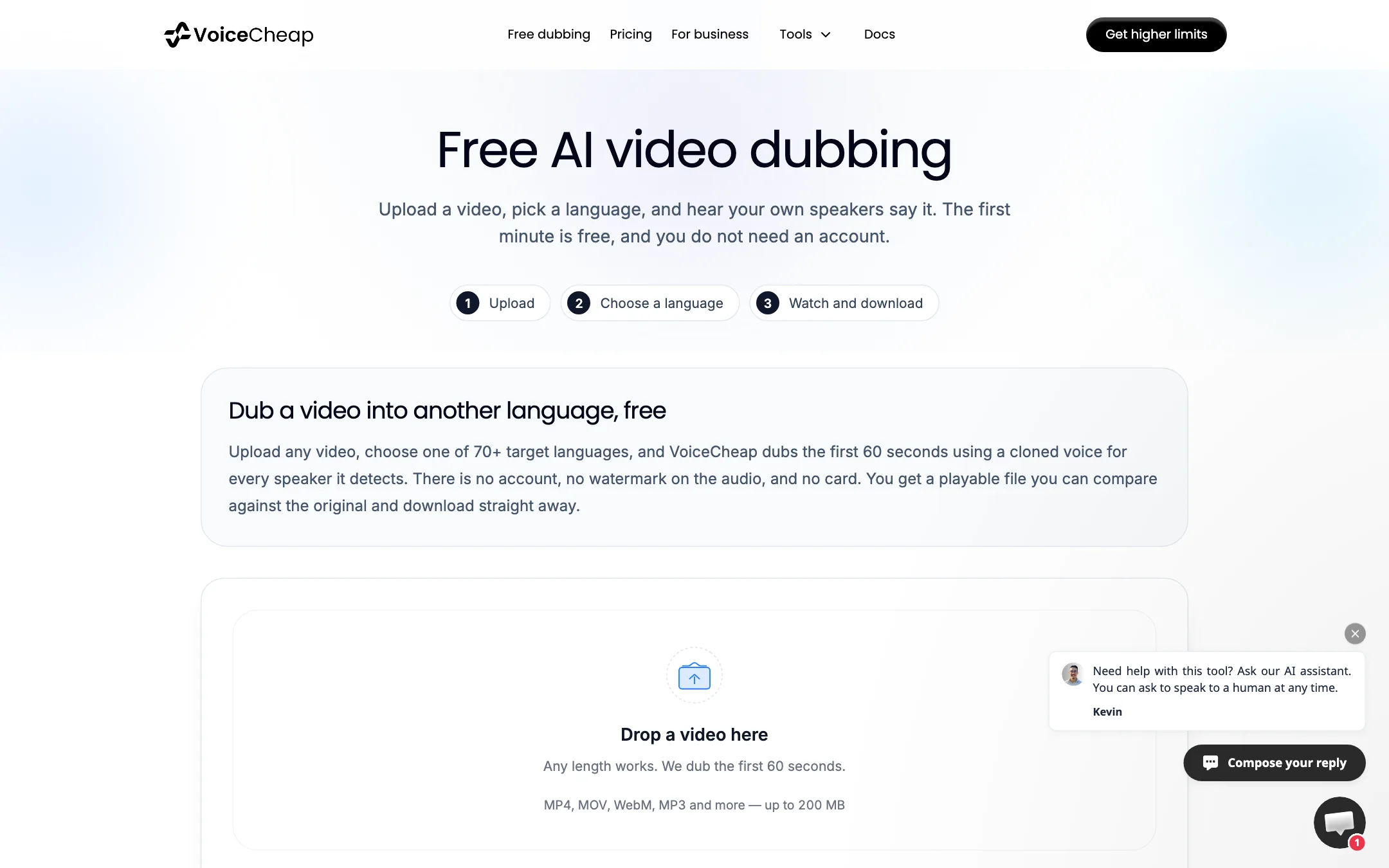
The best thing about VoiceCheap is the free test. On its free dubbing page, you upload any video up to 200 MB, choose a target language, and it dubs the first 60 seconds with a cloned voice for every speaker it detects. No account, no card, no watermark on the audio.
Use it. Sixty seconds is enough to hear whether your voice clone sounds like you in the language you care about, and whether the translation holds up.
Lip-sync tiers
VoiceCheap offers three lip-sync models:
- Lip-sync (Starter and above): natural mouth movement for talking-head videos.
- Lip-sync Pro (Creator and above): sharper face detail for close-ups.
- Lip-sync Studio (Scale only): its best model for difficult shots and angles.
Each uses extra minutes on top of the dub. More on that under pricing, because it changes the math a lot.
API, MCP and team features
Starter and above include a REST API and an MCP server. VoiceCheap says you can upload videos, create dubbing projects, translate into 70+ languages, download results and track progress. Connect an AI assistant that supports MCP and you can ask it to dub a video for you.
Team seats start at 1 on Starter and go up to 5 on Pro and Scale. Invited members work from the owner’s plan and minutes.
Bundled AI tools
Every plan includes a set of tools with their own daily quotas: text-to-speech, transcription, video to SRT, adding subtitles, subtitle translation, animated captions, YouTube transcripts, YouTube chapters, thumbnails and image generation. VoiceCheap is clear that these never use your dubbing minutes. Free versions of many of them are on the site without a login.
Getting a better dub
AI dubbing works best when you feed it clean input. A few habits help with any tool, VoiceCheap included:
- Start with clean audio. Voice cloning copies what it hears. Background music under your voice, room echo or a second person talking over you all make the clone and the translation worse. If you have a clean voice track, use it.
- Fix the transcript first. The translation is only as good as the transcript under it. Use the proofreading step to correct names, numbers and jargon before you dub.
- Add your terms to the glossary. On Starter and above, put brand names, product names and catchphrases in the brand glossary so they are not translated.
- Keep sentences short when you record. Some languages run 20% to 30% longer than English. Short sentences give the timing room to fit without speeding up the voice.
- Test one language before many. Dub one video into your most important language, check it with a native speaker, then roll out to the rest.
- Upload subtitles too. VoiceCheap generates subtitles with every dub. Many viewers watch on mute, and translated captions help even when the audio is perfect.
Output quality
We have not run our own dubbing test, so this is what VoiceCheap claims and what its plan structure tells you.
VoiceCheap says its dubs sound natural and that its translations read more naturally than literal machine translation. Testimonials on the homepage come from YouTubers with 17,000 to 700,000 subscribers, a bestselling author and online course businesses, all praising speed and clean results. These are vendor-picked quotes.
The plan table is more telling. Premium translation and voice models are only on Pro ($99) and Scale ($199). That means the cheaper plans run on VoiceCheap’s standard models. If voice quality is the whole point for you, test the free 60 seconds and then compare against what Pro claims to add.
Lip-sync quality also depends on plan. Lip-sync Pro is described as sharper for close-ups, and Lip-sync Studio as best for hard angles. Talking-head videos facing the camera are the easy case. Side angles, beards, hands near the mouth and fast cuts are where any lip-sync model struggles.
On languages, VoiceCheap’s site now says 70+, and its free dubbing page lists around 70. Our own directory listing for the tool still says 30. The site is the current source, but check your exact language in the free tool before you pay.
Pricing
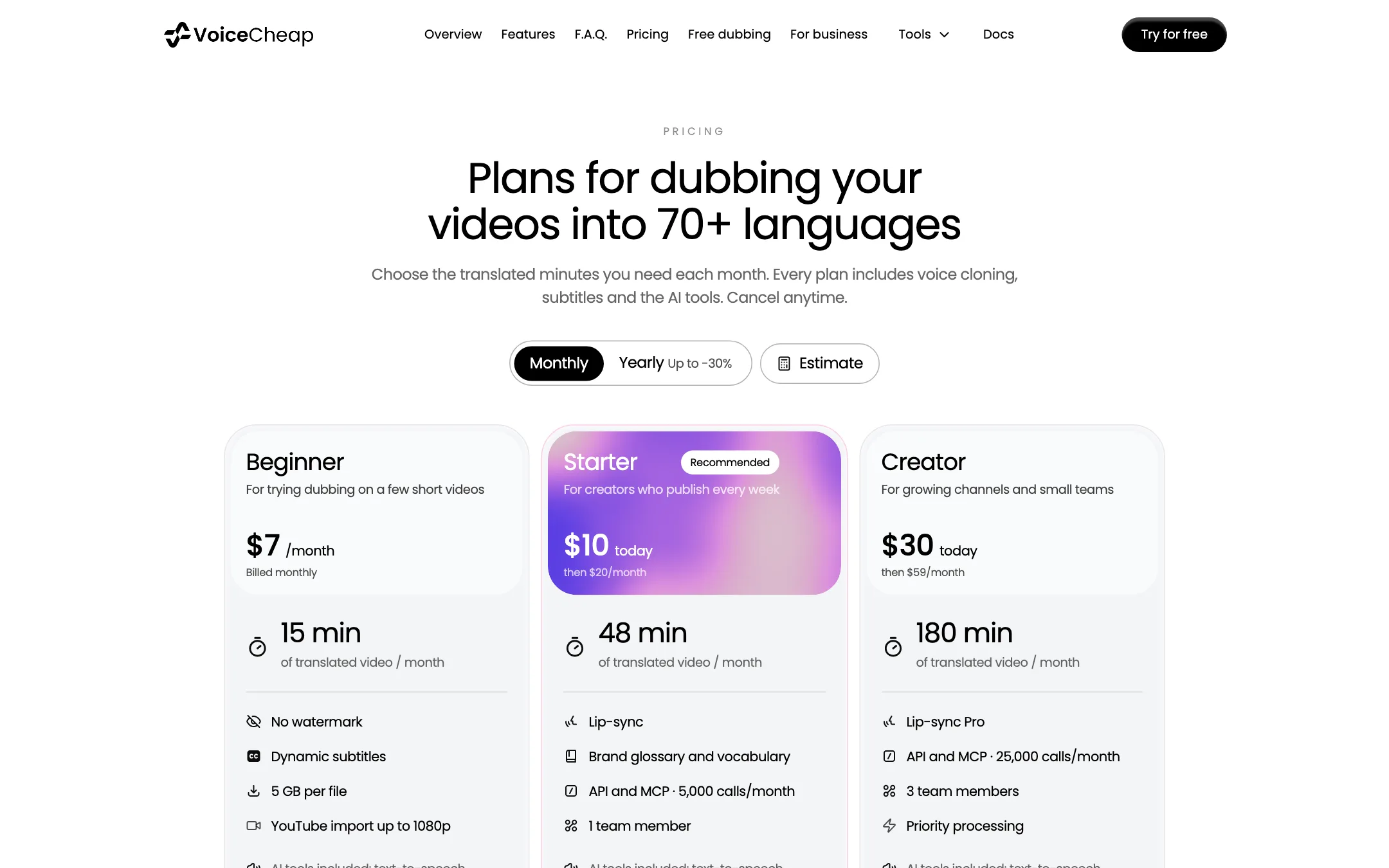
VoiceCheap prices dubbing in translated minutes per month. Yearly billing saves up to 30%. Starter and Creator have a half-price first month on monthly billing.
| Plan | Yearly | Monthly | Minutes | Lip-sync |
|---|---|---|---|---|
| Beginner | $5/mo | $7 | 15 | None |
| Starter | $14/mo | $20 ($10 first month) | 48 | Lip-sync |
| Creator | $41.30/mo | $59 ($30 first month) | 180 | Lip-sync Pro |
| Pro | $69.30/mo | $99 | 252 | Lip-sync Pro |
| Scale | $139.17/mo | $199 | 540 | Lip-sync Studio |
Extra minute packs of 20, 50 or 100 minutes cost $0.58 to $0.79 a minute depending on your plan, and never expire. VoiceCheap notes that a bigger plan usually works out cheaper per minute than packs.
The lip-sync math
This is the part to read twice. Lip-sync is charged on top of the dub:
- Lip-sync: 4 extra minutes per translated minute.
- Lip-sync Pro: 9 extra minutes.
- Lip-sync Studio: 14 extra minutes.
So a 10-minute video dubbed into one language with standard Lip-sync uses 50 minutes. Starter’s 48 minutes would not cover it. On Creator with Lip-sync Pro, 180 minutes buys you 18 minutes of lip-synced video in one language. With Lip-sync Studio on Scale, 540 minutes buys 36.
Without lip-sync, the same plans go a long way. Starter’s 48 minutes covers four 12-minute videos in one language each. For most YouTube channels, voice-only dubs with subtitles are the sensible place to start.
Also note that minutes are per language. Dubbing one 10-minute video into three languages uses 30 minutes before any lip-sync.
Refunds
VoiceCheap refunds if you ask within 5 days of your first subscription payment. Renewals and plan changes do not reset that window. Combined with the free 60-second test, that gives you a fair way to try before you commit.
Verdict
VoiceCheap does what its name says. It makes AI dubbing with your own cloned voice affordable for a single creator, and it lets you hear the result for free before you sign up. Plain minute-based pricing, an API on the $20 plan and bundled caption and transcript tools add real value.
The catch is lip-sync. It multiplies your minute usage by 5 to 15, and the best voice and translation models wait at $99 a month. Start with voice-only dubs on Beginner or Starter, add subtitles, and only pay for lip-sync on the videos where viewers will watch your face up close.