What Wondershare Virbo is
Virbo AI is Wondershare’s product video app. You give it a sentence, a voice prompt, a product photo or a product link. It returns a short video with a person presenting the product in a matching scene.
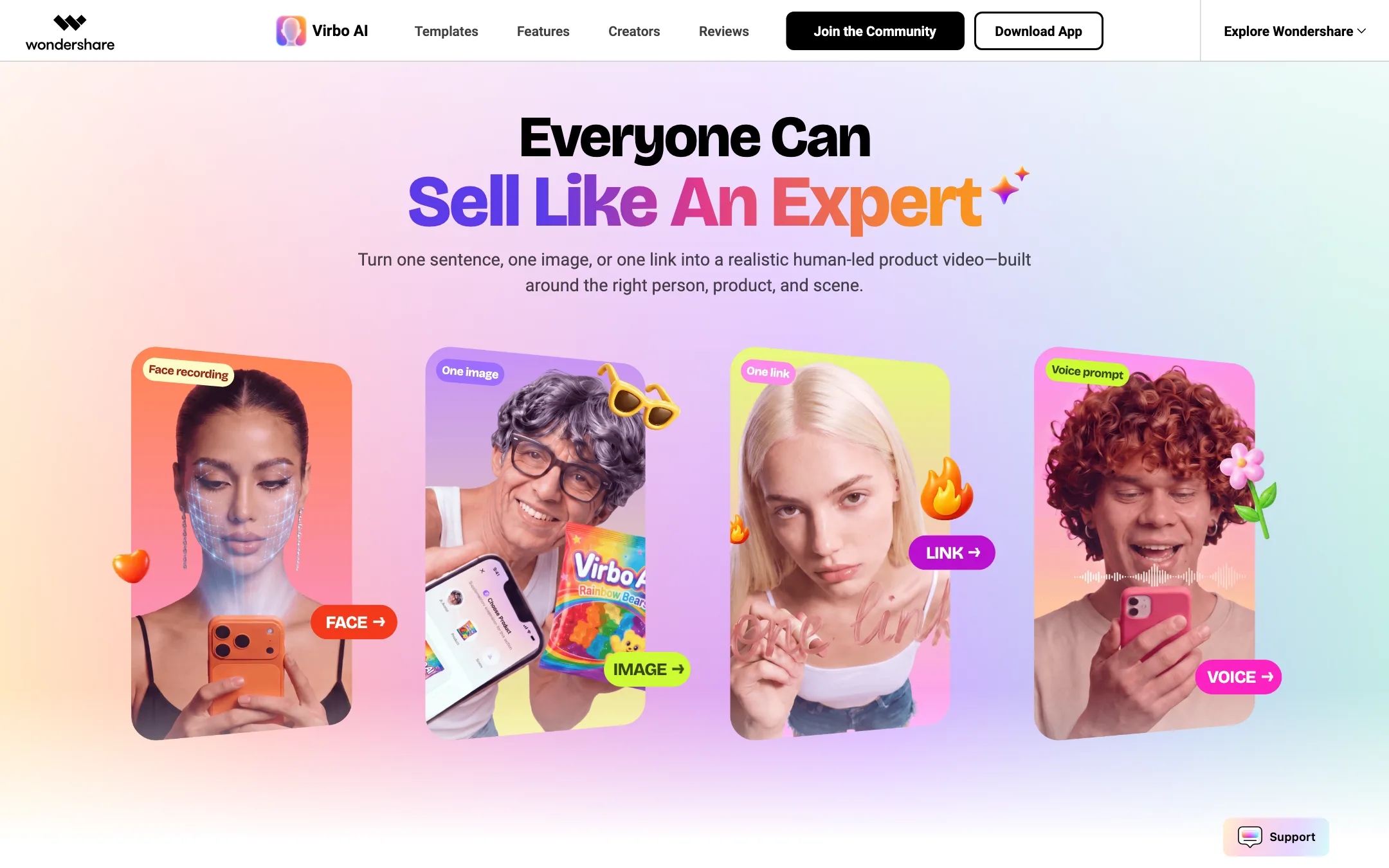
Wondershare pitches it with one line: “Everyone Can Sell Like An Expert.” The homepage is built around four starting points. Record your face and become the creator. Upload one image of a snack. Paste a link to a beauty product. Or describe what you want out loud.
If you knew Virbo before, this is a different product. Old Virbo was a web avatar tool with hundreds of stock presenters, voices and languages. The site’s meta description still says “350+ realistic avatars, 400 natural voices, and 80 languages.” The current page does not mention those numbers at all. It sends you to an iPhone app and an Android app, and nothing else. One Google Play reviewer sums up the change: “where is old virbo?!!!”
So read this review as a look at the relaunched app, not the old web platform.
Who it is for
Virbo fits you if:
- You sell physical products online and need a steady stream of short promo videos.
- You run several shop or social accounts and want the same product to look fresh on each.
- You are a UGC creator who wants a first cut without filming every shot alone.
- You work from your phone and do not want to learn a desktop editor.
Skip it if:
- You need a desktop or browser tool. Virbo is mobile only, and iPhone only on Apple.
- You need training videos, explainers or long talking-head content. Virbo is tuned for commerce.
- You want to see prices before you install anything. Wondershare does not publish them.
- You need dubbing or translation of existing footage. The new pages do not mention it.
How it works
Wondershare describes a short flow. Start with what you have, let the app pick a person and a scene, then refine.
Four ways to start
- Face. Record yourself. Virbo uses your recording to put you on screen as the creator. Wondershare’s example turns a face recording into a beauty creator video.
- Image. Upload one product photo. The example is a snack ad built from a single image.
- Link. Paste a product page link. Virbo pulls the product and builds a video around it.
- Voice. Speak a request, such as “make a review of this,” and the app writes from it.
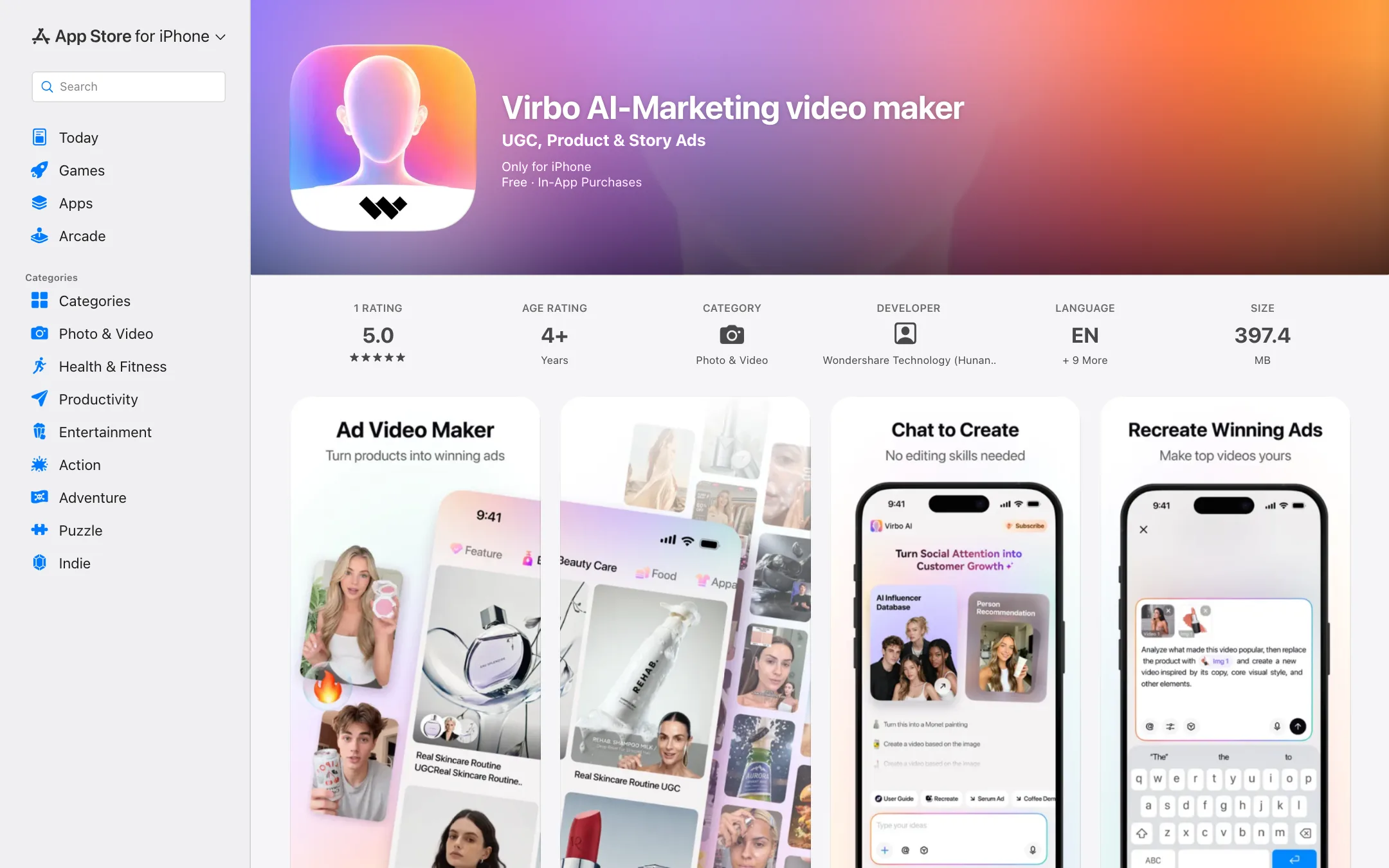
The store listing adds plain text as a fifth starting point.
Matching person, product and scene
Wondershare’s main claim is that Virbo decides “who should sell what, and in which scene.” It matches a creator persona, a model, the product and a background, then generates the video. The app also has a conversational mode. You describe your creator role and needs in chat, and it keeps your preferred style for later videos.
Hybrid Control
Wondershare calls its core tech “Hybrid Control.” The company says it blends AI generation with live footage, keeps the creator’s identity, restores product details accurately and makes the result look believable. That is a vendor claim. Product accuracy is the hardest thing for AI video to get right, so check labels, logos and packaging in every result before you post.
Even the testimonials on Virbo’s own homepage hint at the limits. One brand content operator says “complex actions still need careful review.” Another creator says the app gives “a usable starting direction,” and they spend their time “checking the information that matters.” Treat Virbo output as a draft you review, not a finished ad.
Templates
The template library covers 18 categories, according to the homepage. Fashion, beauty, personal care and food are named. Formats include reviews, unboxings, TV-style commercials, product recommendations and comparisons. Seasonal drops appear in the app’s event feed, such as a Halloween Ad Studio that builds a seasonal promo from one product photo.
Templates are the fastest path if you post often. You swap in your product and your presenter, and the structure is already done.
Avatars, voices and consent
Virbo’s terms of use cover two features you would expect from an avatar tool: digital humans and voice cloning. They split each into prebuilt (stock presenters and voices from Virbo) and custom (built from a real person).
The rules are strict, and that is a good thing:
- You can build a custom digital human only from your own likeness or from someone who has consented.
- The same applies to a cloned voice. A public recording of someone is not enough.
- Virbo may ask for identity checks, liveness checks, consent recordings or signed releases.
- You may not imply that a prebuilt presenter personally endorses your product.
- You may not remove AI-content labels or watermarks where the law or a platform requires them.
The terms also ban fake reviews, fake testimonials and made-up discounts. That matters here, because a “review” template with an AI presenter can easily look like a real customer. If you sell in the US or EU, label AI presenters clearly and follow your platform’s synthetic media rules.
Output quality
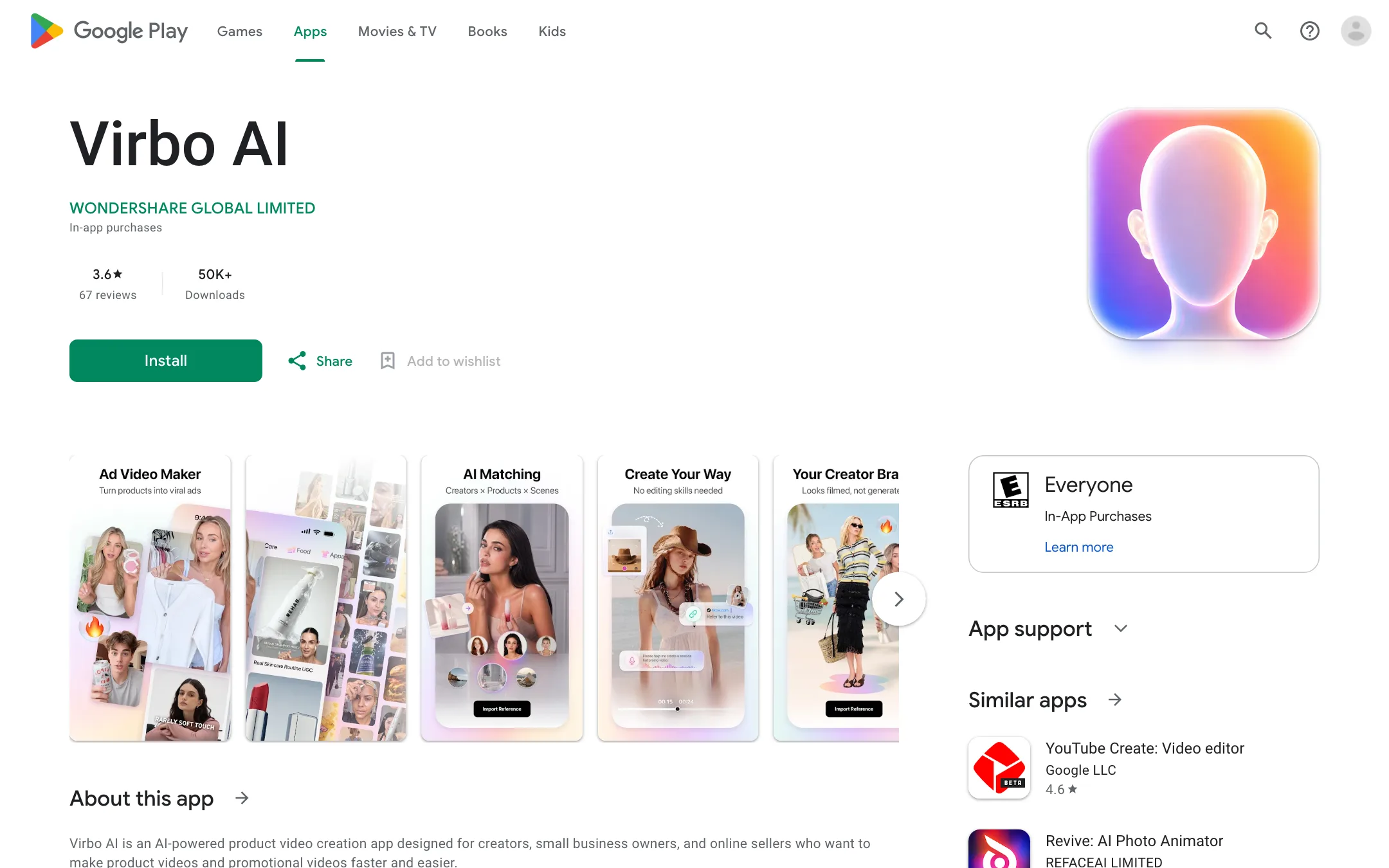
We have not tested Virbo hands-on, and there are few outside reviews of the relaunched app yet. The US App Store listing had one rating when we checked. Google Play showed 67 reviews and a 3.6-star average. The visible reviews are mixed: one praises how natural the results look, one hopes the app is good, and one asks where the old Virbo went.
What Wondershare says Virbo does well:
- Natural-looking presenters, helped by Hybrid Control and your own face recording.
- Product detail, which it says the app restores accurately.
- Speed, with “ready-to-share product videos in minutes.”
What to watch, based on how AI product video works in general:
- Labels and fine print on packaging often blur or change.
- Hands holding products are a common failure point in AI video.
- Claims in the script. If Virbo writes from a product link, check every claim. The terms put the legal risk on you.
Pricing
Virbo does not publish prices. On the web, the old pricing, buy, store and plans pages on virbo.wondershare.com all return Page Not Found. The App Store and Google Play listings say only that prices “are subject to the information displayed on the purchase page” inside the app.
What we know:
- The app is free to download with in-app purchases.
- Subscriptions auto-renew through your Apple or Google account until you turn renewal off.
- A free trial may be offered, and it converts to a paid subscription unless you cancel before it ends.
- The terms describe credits for generation, regeneration, download and export. Rules for expiry and refunds of credits are shown in the app.
Some software directories still list older Virbo plans priced by minutes of video per month. Those figures date from the old web product, and we could not confirm them on any current Wondershare page, so we have left them out.
Before you pay
- Install the app and open the purchase screen first. Write down the price, the billing period and what each tier includes.
- If you start a trial, set a reminder to cancel a day early.
- Test the exact format you need, such as an unboxing for your product type, before you commit to a year.
- Refunds for app store purchases go through Apple or Google, not Wondershare directly.
Things to watch
- Mobile only. No desktop app and no public web app. On Apple it is iPhone only.
- Hidden pricing. You cannot compare cost per video with rivals until you install.
- A brand-new app under an old name. Search results, review sites and even Wondershare’s own meta description still describe the old Virbo. Make sure what you read matches the current app.
- Thin documentation. The FAQ, features and templates pages on the Virbo site return errors, so most answers live inside the app.
- Commercial rights are per asset. The terms say each prebuilt avatar, voice and template has its own license notes. Check them before you run ads.
Verdict
The new Virbo is a narrow tool with a clear idea. Give it a product and it gives you a short video with a person selling it, built from templates for the formats that work on social. Starting from a link, one photo or your own face is a smart fit for small sellers who live on their phones.
The trade-offs are real. It is mobile only, the price is hidden until you install, and very few people have rated it yet. If you came looking for the old Virbo web studio with hundreds of avatars and languages, it is gone. Look at HeyGen or Creatify for that kind of avatar platform, or Arcads for AI UGC ads on desktop. If you sell products and want to make promo videos on your phone, Virbo is worth installing to check the purchase screen and try a template.
