
What Vimmerse is
Vimmerse is an AI video workflow platform from Vimmerse Inc., a Y Combinator-backed company. It does not train its own flagship video model. Instead, it puts more than 200 AI tools from other providers behind one account and one credit balance. That includes Google Veo 3.1, Kling, Seedance, PixVerse V6, Runway, MiniMax Hailuo, Wan, Vidu and Grok for video, plus image, voice and music tools.
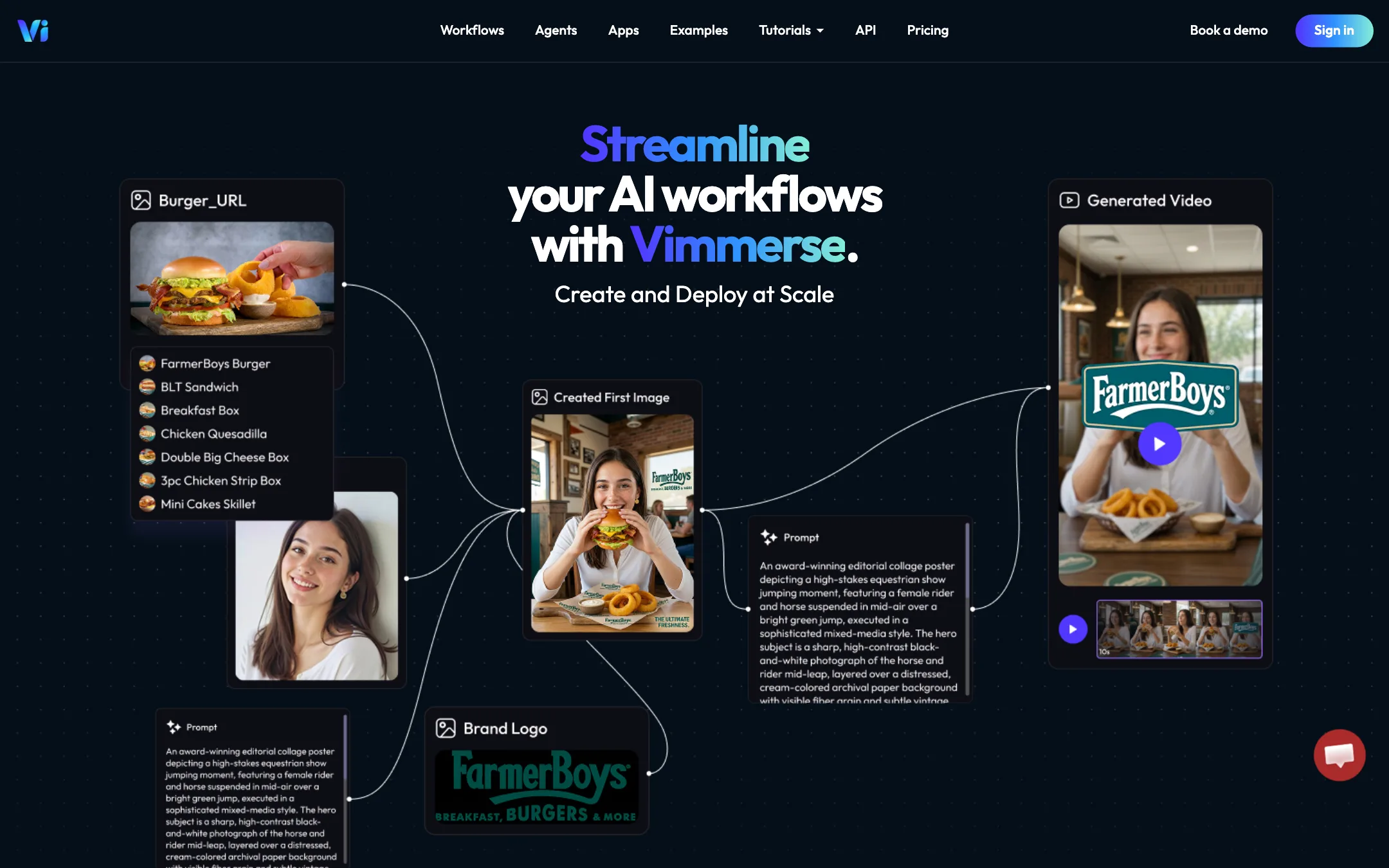
The headline product is Workflow Studio. It is a node canvas where you chain models and processing steps into a pipeline. Vimmerse’s pitch is that every model, parameter and step stays visible and adjustable. Once a workflow works, you can run it again from a simple app, put it on an event microsite or call it through the API.
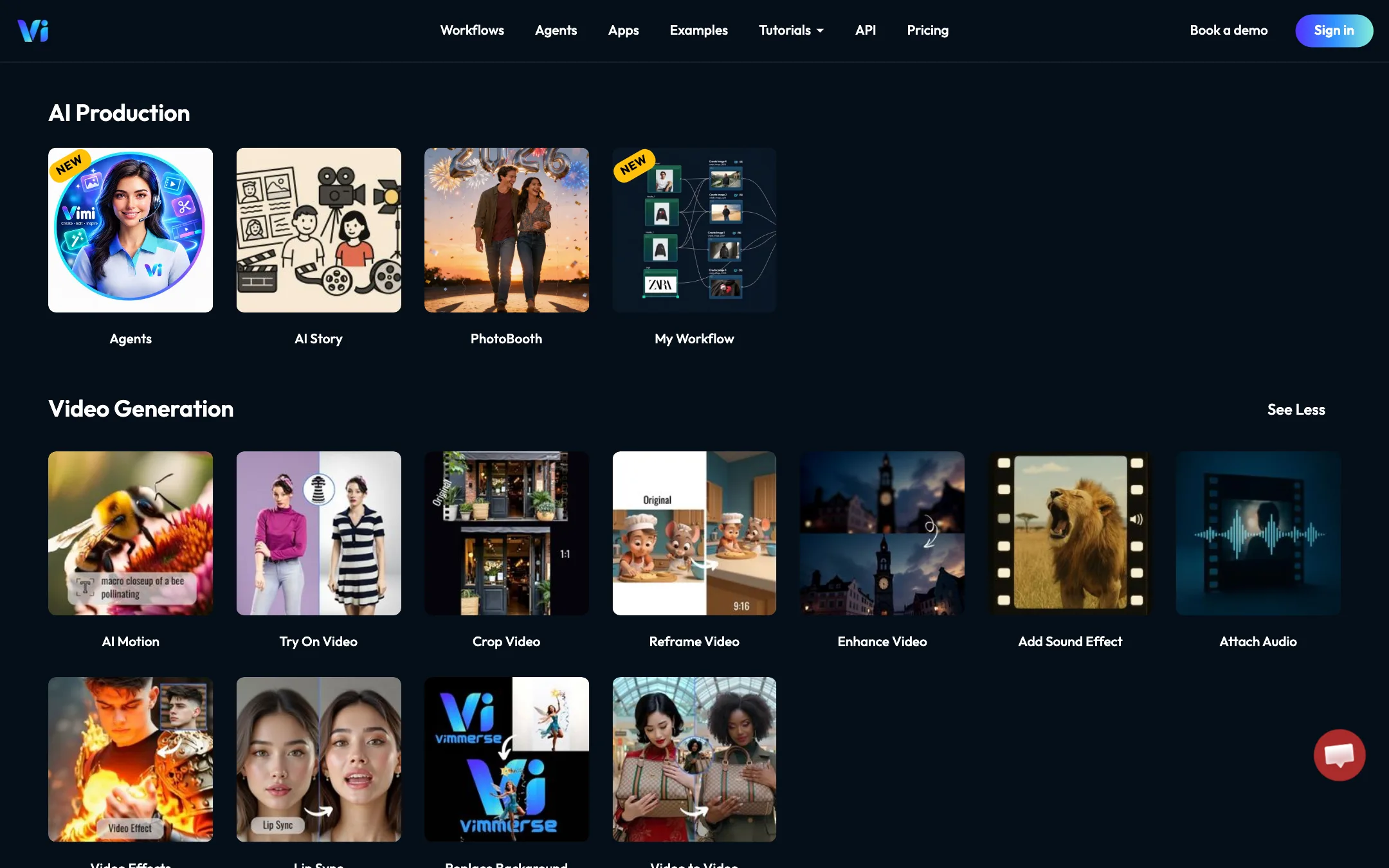
Around that sit single-purpose apps. AI Motion turns an image into video. AI Story goes from an idea to a narrated, multi-scene video. There are also apps for lip sync, try-on, background replacement, reframing, enhancement, text to speech and music.
This review is based on Vimmerse’s public website, pricing page, FAQ, API docs and terms. We did not run generations in the app, so claims about features and output come from Vimmerse itself.
Who it is for
Read the homepage and one thing is clear. Vimmerse is built for businesses first. The site leads with photobooth activations, event templates, white-label setups, an enterprise API and a 99.9% uptime SLA. Its testimonials come from a travel marketplace, an image CDN, a pet store and an AI media agency. It quotes a rating from “event professionals.”
Vimmerse fits you if:
- You run events or brand activations and want guests to upload a photo and get a branded AI video back.
- You work at an agency and make the same kind of video for many clients or products.
- You are a developer who wants one API for many video models, with prices that hold when the model behind a name gets updated.
- You hate subscriptions and make video in bursts.
- You want to compare Veo, Kling, Seedance and PixVerse on the same prompt without four separate accounts.
Skip it if:
- You want a free plan to play with. There is none.
- You want a simple prompt box and a big template gallery for social posts. Tools like PixVerse are built for that.
- You do not want to learn model names and tiers. The menu is long and full of version codes.
- You need a single, polished house style. Vimmerse is a toolbox of other companies’ models.
How it works
The FAQ describes the basic path in one line. Log in, buy credits, open the AI Motion app, upload an image, describe the motion you want and generate. If the result is off, Vimmerse suggests trying a different video tool or refining the prompt.
AI Motion
AI Motion is the closest thing to a standard image-to-video tool. According to the homepage, you can set images as keyframes or as references, describe what should happen and how the camera moves, and get video with native audio. You choose which model runs it. Cheaper models sit in Tier 1, the strongest ones in Tier 3 and above.
AI Story
AI Story is aimed at narrated, multi-scene video. Vimmerse’s FAQ lays out the steps:
- Start from a basic idea.
- Generate a storyboard.
- Generate element images, so characters and products stay consistent across scenes.
- Generate the narrator voice and background music.
- Generate scene images.
- Pick a motion model and animate each scene into the final video.
The API exposes the same flow, plus one-call versions that turn an idea, a web page URL or a set of images into a finished video.
Workflow Studio and activations
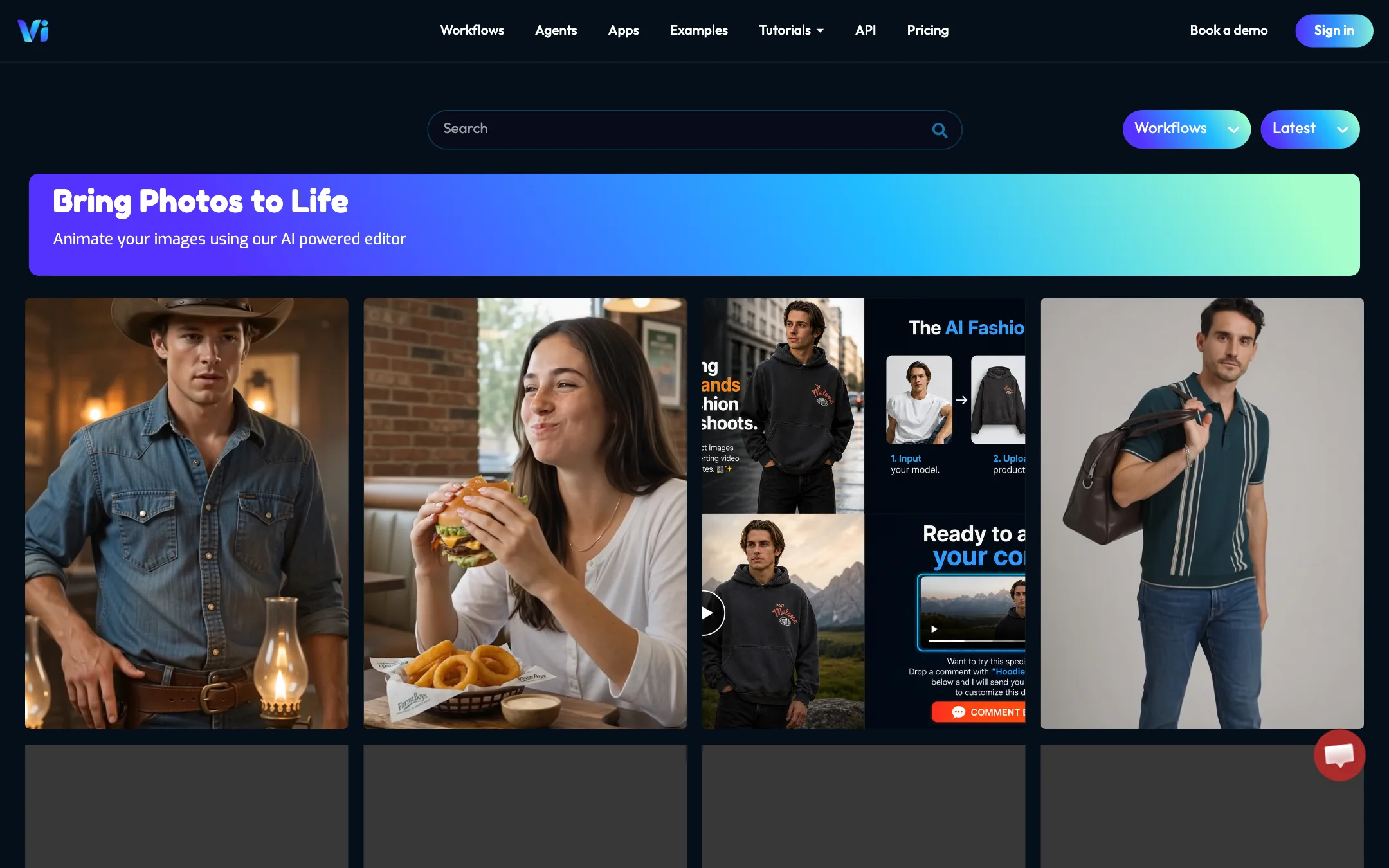
Workflow Studio is where Vimmerse differs from most tools in this category. You connect nodes on an infinite canvas. You can start from a community template or build from scratch. The examples page shows workflows like a cowboy western video, a burger brand promo, a carousel post design and a try-on poses set, each with an “Activate” button.
Vimmerse describes three stages:
- Design: build the pipeline on the canvas.
- Activate: run it from a simplified, photobooth-like app, where each person supplies their own input.
- Deploy: put it on a custom event link, a white-labeled microsite, or call it from your own product through the API.
This is what makes Vimmerse a good fit for events. A brand can design one template, then hand guests a link that turns their selfie into a themed clip. Vimmerse claims more than 20,000 activations a day and 2,000 templates created each month.
Agents, plugins and the API
There is also an agent called Vimi, sitting behind a login, for chat-driven creation. Vimmerse publishes an Image Animate app in the Canva apps marketplace and an add-on for Adobe Express. Both use the same Vimmerse credits. The FAQ is clear that a paid Canva plan does not include them.
The REST API has sections for workflows, agents, stories, images, video, audio and assets. Authentication is a simple API key in a header. The docs include a credit estimator endpoint that tells you what a story will cost before you run it.
The model menu
The pricing page lists every model by tier. A few things to know:
- Version codes everywhere. Entries read like “VeoFast (v3.1fast-1080p)” or “KlingAI (o3std-720p) with Audio.” Useful for developers. Heavy going for a first-time user.
- Auto options. “AutoT1” and “AutoT3” pick a model from that tier’s pool for you, which is handy if you do not want to choose.
- Audio changes the tier. Several models cost more with native audio. Kling with audio jumps from Tier 2 to Tier 3. Veo 3.1 with audio sits in Tier 4.
- Face swap tools exist. The image menu includes several face swap models. They are part of the catalog, not the main pitch.
Output quality
Vimmerse’s output quality is mostly the quality of whichever model you pick. A clip from Veo 3.1 Fast on Vimmerse should look like a clip from Veo 3.1 Fast elsewhere, at the resolution Vimmerse lists. That is both the strength and the limit of an aggregator.
What Vimmerse adds on top, by its own account:
- Choice. You can run the same image through Kling, Seedance and PixVerse and keep the best one.
- Stability. It says it routes jobs through several providers to improve uptime and raise concurrency limits.
- Version updates. The model behind a name gets upgraded at the same credit price, so scripts and workflows keep working.
Watch the resolutions on the pricing page. Many mid-tier entries are 720p, such as Kling o3 standard, Runway Gen-4 Turbo, PixVerse V6 in Tier 2 and Seedance 2.0 mini. You move up a tier for 1080p versions of PixVerse and Kling.
Every model in this class still struggles with fine detail, hands and consistency across separate generations. AI Story’s element images exist to help with consistency. We have not tested how well that works.
Pricing
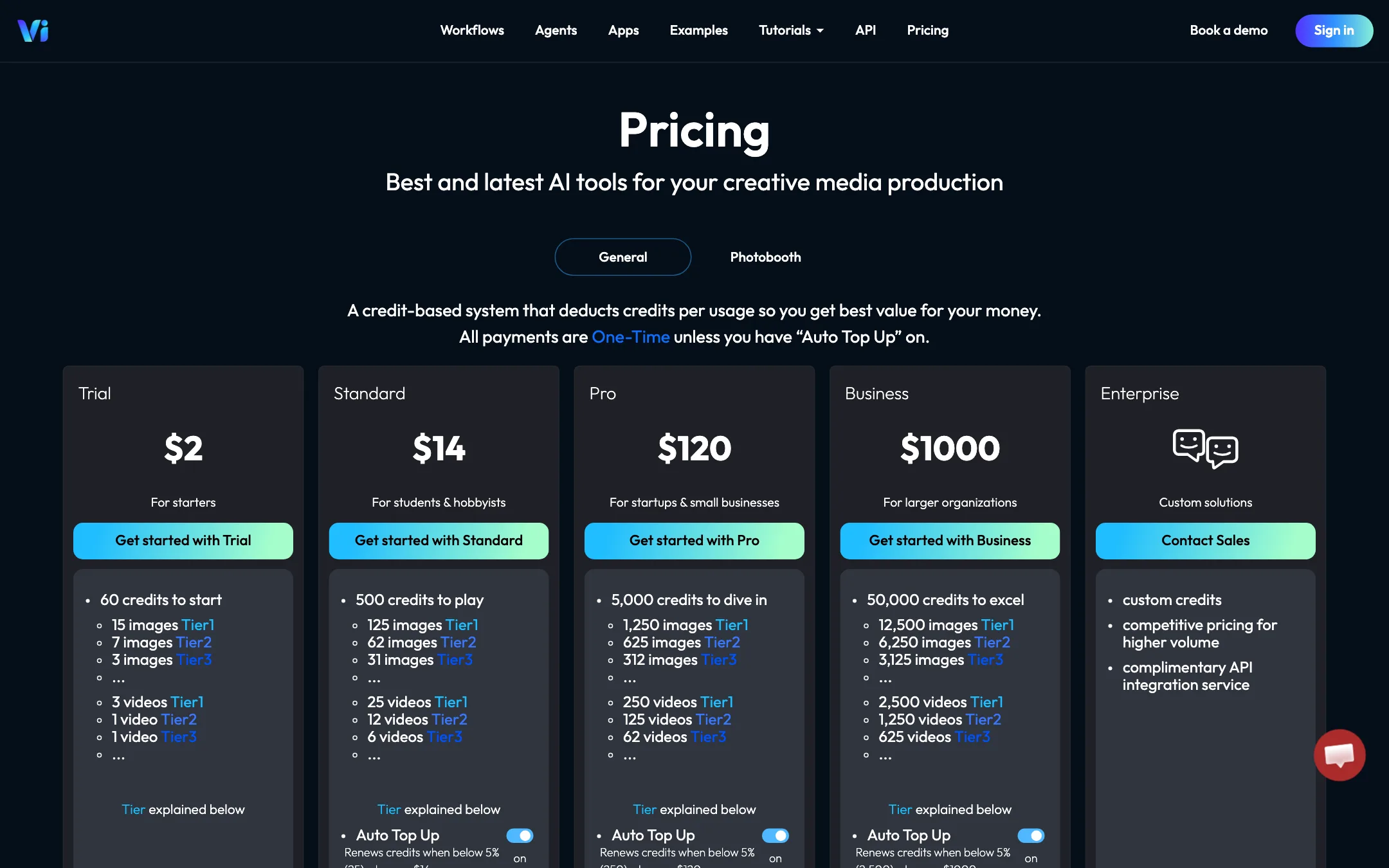
Vimmerse has no subscription. You buy a one-time credit pack and spend it until it runs out. Auto top-up is optional. If you turn it on, Vimmerse charges you for the same pack again when your balance drops below 5%.
| Pack | Price | Credits | Rough video count (5 sec, Tier 1 / 2 / 3) |
|---|---|---|---|
| Trial | $2 | 60 | 3 / 1 / 1 |
| Standard | $14 | 500 | 25 / 12 / 6 |
| Pro | $120 | 5,000 | 250 / 125 / 62 |
| Business | $1,000 | 50,000 | 2,500 / 1,250 / 625 |
| Enterprise | Custom | Custom | Volume pricing and API help |
Each tier has a fixed price per 5 seconds of video:
- Tier 1: 20 credits. VeoLite, MiniMax Turbo and the Tier 1 auto pool.
- Tier 2: 40 credits. Kling and Seedance without audio, Runway Gen-4 Turbo, PixVerse V6 at 720p, Vidu, Hunyuan.
- Tier 3: 80 credits. Kling with audio, Veo 3.1 Fast with audio, Hailuo, PixVerse V6 at 1080p, Wan, Grok, HeyGen Avatar 4.
- Tier 4: 160 credits. Veo 3.1 with audio.
- Tier 5 and 6: 240 and 320 credits for Luma Modify Video and Seedance 2.5 at 1080p.
On the Standard pack, a credit costs about 2.8 cents. A 5-second Tier 1 clip works out to roughly 56 cents. A Tier 3 clip is about $2.24. A 5-second Veo 3.1 clip with audio is about $4.48. On the Business pack, Vimmerse’s API docs put 100 credits at about $1, so the same Veo clip costs about $1.60.
Photobooth pricing
A separate tab covers event packs. They add custom templates that Vimmerse designs for you:
- Photobooth Trial: $50 for 1,000 credits and 1 custom template.
- Photobooth Standard: $200 for 5,000 credits and 2 templates.
- Photobooth Pro: $800 for 25,000 credits and 4 templates.
- Photobooth Business: $3,200 for 125,000 credits and 8 templates.
What to watch for
- No free credits. The FAQ says so plainly. The $2 trial is the way in.
- Credits expire after a year. Buy what you will use. The terms are clear on this.
- No refunds. Not for bad generations, not for unused credits when you close your account.
- Auto top-up shows as switched on in the pricing cards for Standard, Pro and Business. Check the toggle before you pay if you do not want repeat charges.
- Read the content terms. By posting content through the service, you grant Vimmerse a licence to use, display and share it, including to promote the service. Brands with sensitive assets should read that clause first.
How to make your credits go further
- Prototype on Tier 1. Test motion and framing on VeoLite or the auto pool, then rerun the keeper on a better model.
- Skip native audio when you do not need it. It often bumps a model up a tier.
- Keep clips short. Pricing is per 5 seconds, so a 10-second clip costs double.
- Use the estimator. Developers can price a story through the API before running it.
- Buy bigger only when you know your volume. Bigger packs cut the per-credit price, but the one-year expiry makes overbuying a real risk.
Verdict
Vimmerse is a serious platform with an honest pricing model. No subscription, a $2 way in and a published price per 5 seconds for every model make it easy to budget. The model menu covers most of the big names in AI video, and Workflow Studio turns one good result into something you can run again and again.
The catch is who it is built for. Everything from the homepage to the photobooth packs speaks to event teams, agencies and developers. If that is you, Vimmerse is worth a close look, especially for branded activations or an API that spans many models. If you are a solo creator who wants quick social clips and a free tier to learn on, start with a simpler tool and come back when you need pipelines.