Videomagic vs Vimmerse
Two text to video tools side by side: pricing, free plans, features and who each one suits.
Some links on this page are affiliate links. If you buy through them we may earn a commission at no extra cost to you. Read our disclosure.

#5 of 77 in Text to video
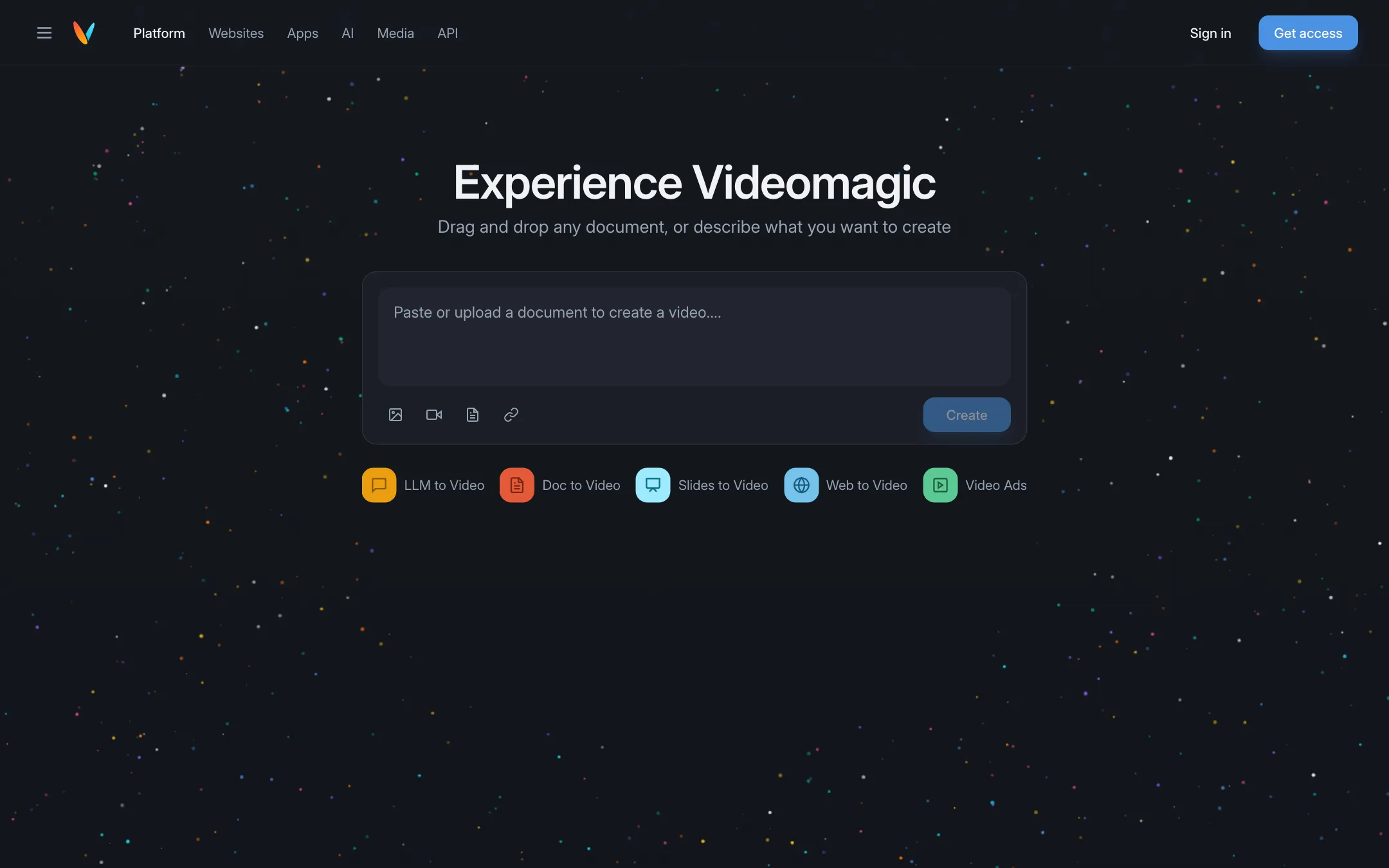
Turns documents, slides, web pages and AI chat answers into short narrated explainer videos you can question afterwards
Best for: Marketers, educators and teams who want to turn written material such as product pages, reports and slide decks into short narrated explainers.

#9 of 77 in Text to video
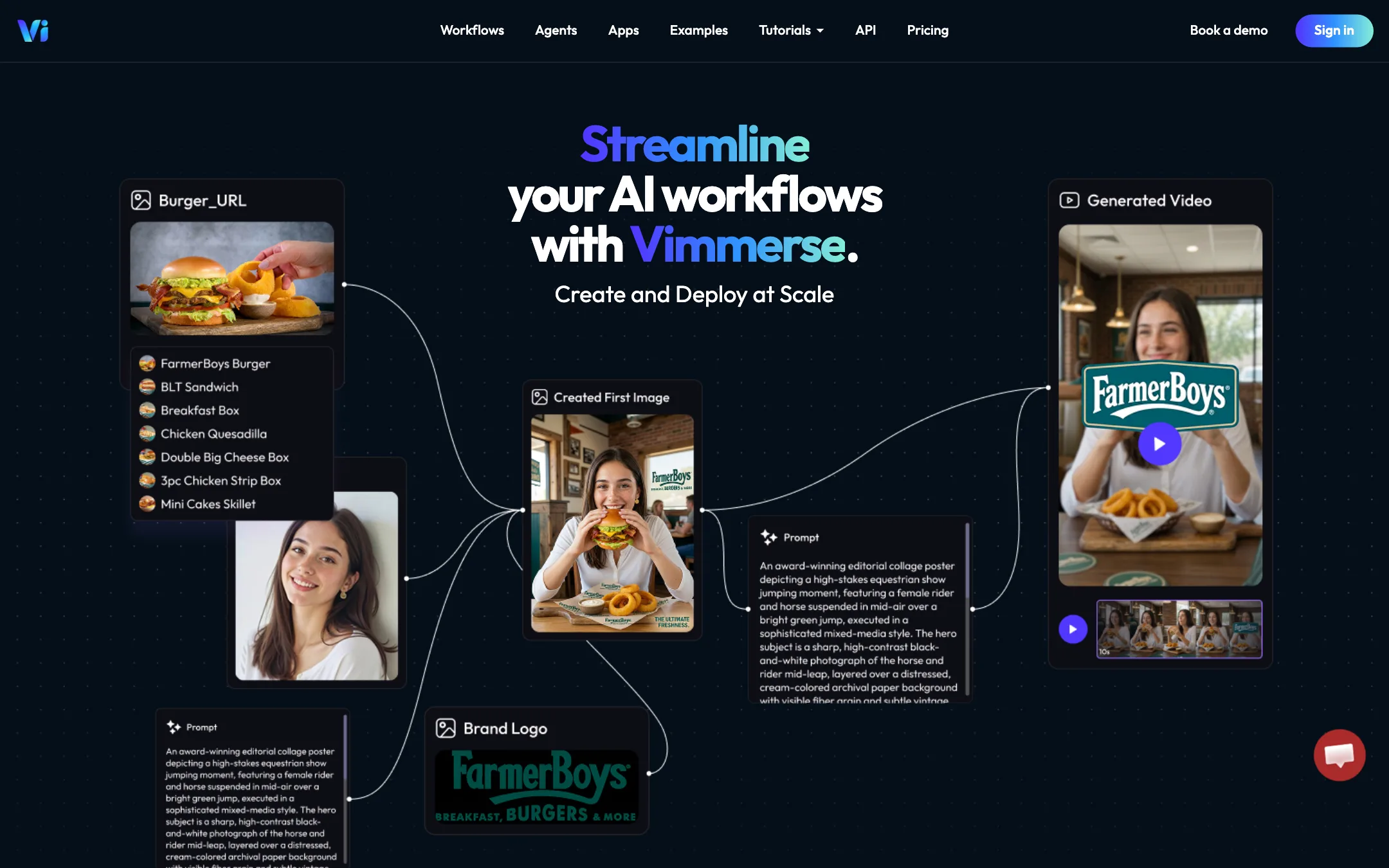
A node-based AI video workflow platform that runs Veo, Kling, Seedance, PixVerse and 200+ other tools on pay-as-you-go credits, built for agencies, events and photobooth activations
Best for: Agencies, event companies and developers who want one credit balance and one API for many video models, and who will build repeatable workflows rather than make one-off clips.
The short answer
More creators choose Videomagic than Vimmerse, and it ranks higher in our text to video list. Pick Videomagic if you want marketers, educators and teams who want to turn written material such as product pages, reports and slide decks into short narrated explainers. Pick Vimmerse if you want agencies, event companies and developers who want one credit balance and one api for many video models, and who will build repeatable workflows rather than make one-off clips.
Videomagic: Videomagic is not a cinematic text-to-video generator. It is a document-to-explainer tool with a clever "ask why" chat on top. Useful if you have content to explain, expensive next to clip generators, and there is no free plan.
Vimmerse: A real workflow platform with a huge model menu and fair pay-as-you-go pricing, but its heart is B2B. Event teams, agencies and developers get the most from it. Solo creators who want a simple prompt box will find friendlier tools elsewhere.
Specs side by side
| Videomagic | Vimmerse | |
|---|---|---|
| Starting price | From $39/mo | Pricing not published |
| Free tier | ||
| Pricing | No free plan. 15-day free trial (card required). Paid plans from $39/mo billed yearly ($49 monthly). | No free plan or subscription. One-time credit packs from a $2 trial (60 credits) to $1,000 (50,000 credits). Video costs 20 to 320 credits per 5 seconds depending on the model. |
| Platforms | Web, Chrome extension, API | Web, API, Canva, Adobe Express |
| Best for | Marketers, educators and teams who want to turn written material such as product pages, reports and slide decks into short narrated explainers. | Agencies, event companies and developers who want one credit balance and one API for many video models, and who will build repeatable workflows rather than make one-off clips. |
| Last checked | 2026-10-19 | 2026-10-20 |
Pricing
Videomagic
No free plan. 15-day free trial (card required). Paid plans from $39/mo billed yearly ($49 monthly).
- Ignite$39/mo yearly · $49 monthly
- Blaze$79/mo yearly · $99 monthly
- Inferno$500/mo, monthly only
Vimmerse
No free plan or subscription. One-time credit packs from a $2 trial (60 credits) to $1,000 (50,000 credits). Video costs 20 to 320 credits per 5 seconds depending on the model.
- Trial$2 one-time
- Standard$14 one-time
- Pro$120 one-time
- Business$1,000 one-time
- Photobooth packs$50 to $3,200 one-time
- EnterpriseCustom
Key features
Videomagic
- Create a video from a URL, an uploaded document, slides or pasted text
- Modes for LLM to Video, Doc to Video, Slides to Video, Web to Video and Video Ads
- Narrated output split into chapters such as intro, key points, deep dive and summary
- Ask Why chat that answers questions grounded in the source document
- Chrome extension that turns answers from ChatGPT, Claude, Gemini and other AI tools into video
- Embeddable videos and a chat assistant for websites, with viewer analytics
- Vision, a separate scene search engine for media libraries
- Enterprise API that can run inside your own AWS or GCP account
- Minute-based billing with rollover on self-serve plans
Vimmerse
- Workflow Studio, a node canvas where every model, parameter and step is visible and adjustable
- 200+ AI tools from one account, including Veo 3.1, Kling, Seedance, PixVerse V6, Runway, Hailuo, Wan, Vidu and Grok
- AI Motion app for image-to-video with keyframes or reference images and native audio
- AI Story app that goes from an idea to storyboard, narration, music, scene images and animated scenes
- Photobooth activations that run a workflow from a simple event app or a white-labeled microsite
- Lip sync, avatar, try-on, background replacement, reframe, enhance and sound effect tools
- Text to speech, voice cloning and music through ElevenLabs, MiniMax, Chirp and Lyria
- REST API with idea-to-video, URL-to-video and images-to-video endpoints plus a credit estimator
- Plugins for Canva and Adobe Express that use the same credits
Strengths and weaknesses
Videomagic
- Starts from content you already have, not from a prompt
- Chat over the source makes explainers easier to trust and check
- Minutes roll over for up to a year on Ignite and Blaze
- Clear per-minute overage prices
- Done-for-you custom video option with 48-hour delivery
- Not a generator for cinematic or creative clips
- No free plan, and the trial needs a card
- Expensive per minute compared with credit-based generators
- App plugin pricing is "coming soon" and website embedding is quote-only
- Free downgrades are no longer offered, you can only deactivate
- Few public examples or output samples to judge quality before paying
Vimmerse
- No subscription, so you pay only for what you generate
- $2 trial pack lets you test for the price of a coffee
- One balance covers dozens of top video, image and audio models
- Model names map to tiers, so pricing per 5 seconds is published and predictable
- Workflows can be reused, shared as event apps or called through the API
- Bigger packs lower the price per credit
- No free credits at all, per its own FAQ
- Pitch, templates and pricing lean hard toward events and businesses, not solo creators
- Model menu is long and named by version codes, which is a lot to take in
- Credits expire one year after purchase and are non-refundable
- Top models get expensive fast, up to 320 credits per 5 seconds
- Terms grant Vimmerse a broad licence over content you post through the service
Try Videomagic
No free plan. 15-day free trial (card required). Paid plans from $39/mo billed yearly ($49 monthly).
Try Vimmerse
No free plan or subscription. One-time credit packs from a $2 trial (60 credits) to $1,000 (50,000 credits). Video costs 20 to 320 credits per 5 seconds depending on the model.