What ToMoviee is
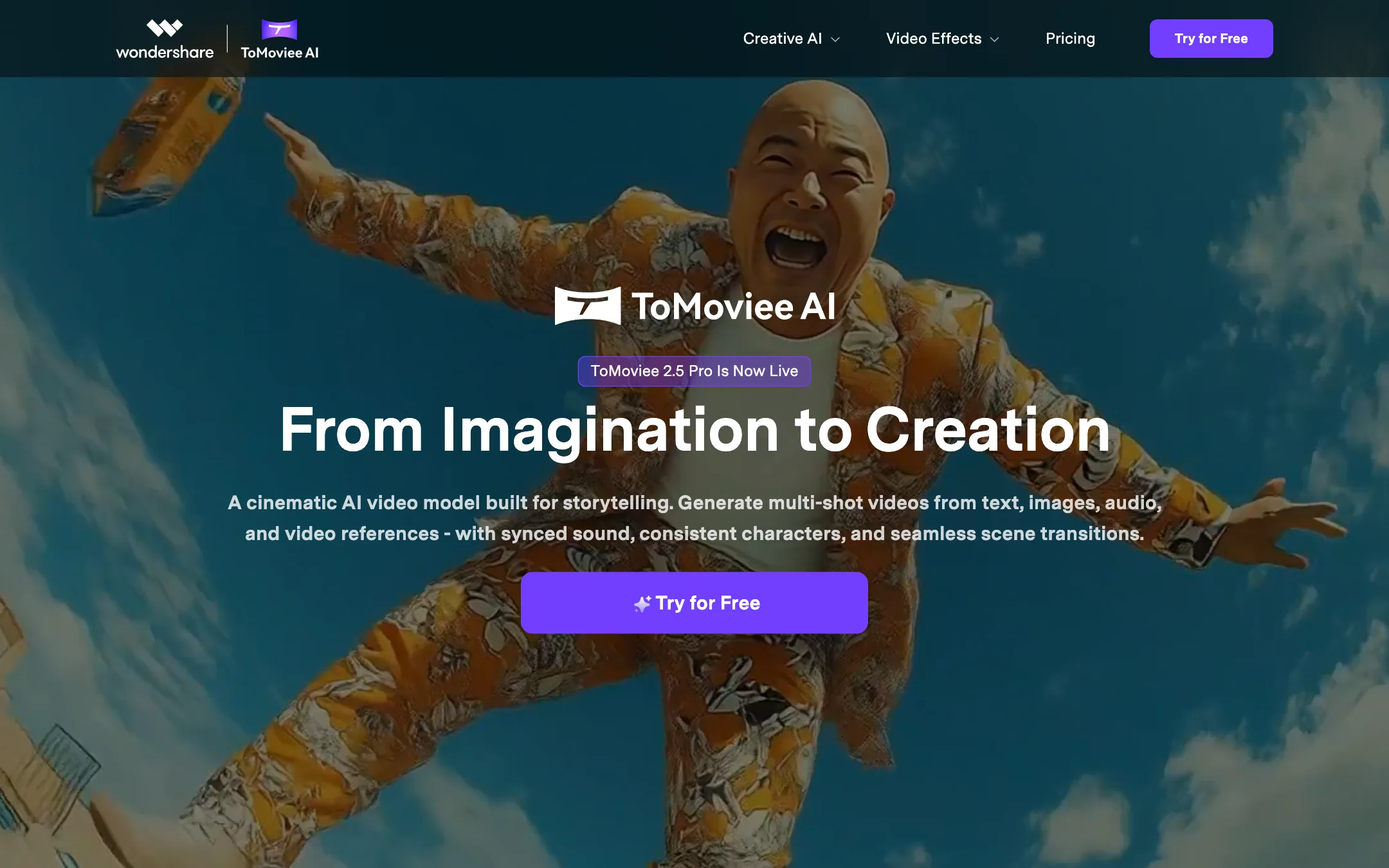
ToMoviee is an AI creative studio from Wondershare, the company behind Filmora. It generates video, images, music, sound effects and voice in one web app, with a mobile app and an API alongside.
The headline is the video model. ToMoviee promotes ToMoviee 2.5 Pro, which it describes as a cinematic model built for storytelling. Wondershare says it generates multi-shot videos from text, images, audio and video references, with synced sound, consistent characters and smooth scene transitions.
Unlike many tools in this category, ToMoviee does not present itself as a front end for Veo, Kling or Sora. Its public pages name only its own model. There is also a China-market sibling, Wondershare Tianmu at tomoviee.cn. This review covers the international site.
Who it is for
ToMoviee fits you if:
- You want video, images, music and voiceover from one subscription instead of four.
- You post a lot of short social content and care more about volume than perfect control.
- You like the idea of unlimited generations and can queue work at off-peak hours.
- You already trust Wondershare from Filmora and want an AI generator from the same company.
Skip it if:
- You want to try before you pay and know exactly how much you get free. ToMoviee does not publish its free credit amount.
- You need the most realistic footage available. Test the big-lab models side by side first.
- You are put off by face-swap style effects. The effects gallery leans on them.
How it works
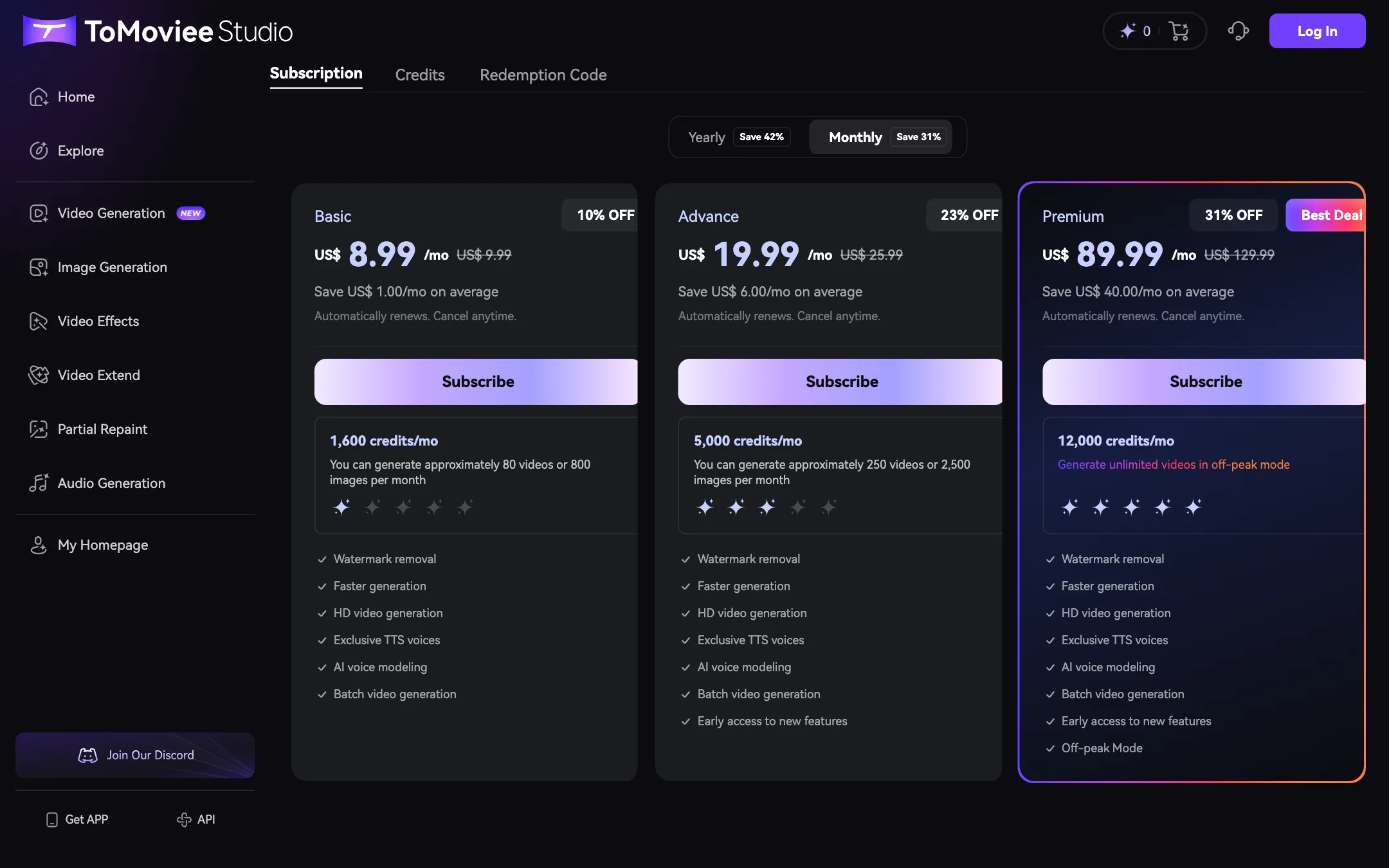
The web app has a left sidebar with every tool: Video Generation, Image Generation, Video Effects, Video Extend, Partial Repaint and Audio Generation. Credits sit in the top-right corner. You need to sign in to generate.
Video generation
There are two main modes:
- Text to Video. Describe the scene and ToMoviee generates it. Wondershare says you can steer camera moves such as dolly, pan and tilt in the prompt.
- Image to Video. Upload a still and animate it.
Video Extend continues a clip past its original end, which is how you get longer sequences out of short generations. Paid plans add batch video generation so you can queue several versions at once.
ToMoviee’s homepage claims “8x faster” rendering and “physics-accurate lighting”. It also claims 4K rendering on its filmmaker pitch, while the plan cards only promise “HD video generation”. We did not generate test videos, so treat speed and resolution claims as Wondershare’s own.
Images
Image tools cover text-to-image, reference-to-image and Partial Repaint, which regenerates only the area you brush over. These are handy for making a start frame for image-to-video.
Audio
This is where ToMoviee goes further than most video generators:
- Text to Music for royalty-free tracks in a style you describe.
- Text to Sound Effects for single effects from a prompt.
- Auto BGM, which Wondershare says generates a score that syncs with your footage.
- Text to Voice, with exclusive voices and “AI voice modeling” on paid plans.
If you edit in Filmora or CapCut, you can generate the clip, the music and the voiceover here and assemble them there.
Video effects
The effects gallery holds one-click templates. The menu lists AI Surfing, AI Mermaid Filter, AI Hairstyle Changer, AI Glass Try-on, AI Timelapse, AI Bullet Time and AI Cat Story Maker. It also lists AI Kiss, AI Hug, AI Arrest Filter and AI Replacer.
Some of these are fun. Others put a real person’s face into a staged scene they never took part in. Only use them with your own photos, or with clear consent from everyone shown. ToMoviee’s own FAQ tells you to make sure your inputs do not infringe anyone’s rights.
Output quality
ToMoviee’s marketing promises a lot: “physics-based realism”, lifelike motion and lighting, and content “indistinguishable from reality”. None of that is independently verified on its pages, and we have not run our own generations.
Where Wondershare aims the model:
- Storytelling. Multi-shot generation, consistent characters and scene transitions are the 2.5 Pro pitch.
- Sound with picture. Synced audio in the model plus Auto BGM afterwards.
- Social volume. “10x content output” and “daily posting” are the creator pitch.
Where every model in this class still struggles:
- Hands, text and fine detail in busy scenes.
- Consistency across separate generations, even with reference images.
- Long continuous action. Video Extend helps, but seams can show.
If realism is your main goal, run the same prompt through ToMoviee and a couple of other generators before you pay for a year.
Pricing
ToMoviee sells monthly subscriptions with credits, plus credit packs. The pricing page has a Yearly and a Monthly toggle. Yearly is cheaper per month.
| Plan | Monthly | Yearly | Credits a month |
|---|---|---|---|
| Basic | $8.99 (list $9.99) | $89 (about $7.42/mo) | 1,600, about 80 videos |
| Advance | $19.99 (list $25.99) | $189 (about $15.75/mo) | 5,000, about 250 videos |
| Premium | $89.99 (list $129.99) | $899 (about $74.92/mo) | 12,000 plus unlimited off-peak video |
Credit packs cost $1 per 100 credits, from 100 to 12,000 credits, and stay valid for two years.
A few things the pricing page does not make obvious:
- Wondershare’s pages disagree. The pricing page lists 1,600, 5,000 and 12,000 monthly credits on Basic, Advance and Premium. The credit rules page lists 1,100, 4,000 and 15,000 credits for plans called Basic, Standard and Pro, and puts top-ups at $1.50 per 100 credits instead of $1. Trust what the checkout shows you.
- “About 80 videos” is an estimate. The credit rules say cost varies by model, feature and settings. Longer, higher-quality clips cost more.
- Subscription credits expire monthly. Each month’s credits vanish at the end of that month. Pack credits last two years and gifted sign-up credits last one month.
- Monthly prices are shown as discounts. The “10% off” and “31% off” labels compare against list prices you may never be charged.
- Off-peak unlimited is the real Premium feature. If you can queue video overnight, Premium works out cheap per clip. If not, Advance plus packs may cost less.
- No refunds on credits. Purchased credits cannot be refunded, transferred or turned back into cash.
How to make your credits go further
- Spend expiring credits first. ToMoviee already spends the soonest-to-expire credits first, so use your monthly allowance before it resets.
- Collect event credits. The credit rules list daily login and posting creations to social media as ways to earn credits.
- Draft with images. Get the look right with text-to-image, then animate the best frame with image-to-video.
- Use Video Extend instead of long first runs. Generate short, keep what works and extend it.
ToMoviee and Filmora
Wondershare already sells Filmora, a desktop video editor with its own AI features. ToMoviee is a separate product with a separate subscription. The two fit together naturally: generate clips, music and voiceover in ToMoviee, then cut them together in Filmora or any other editor.
If you already pay for Filmora, check which AI features its plan includes before you add ToMoviee. Filmora’s AI tools focus on editing your own footage, while ToMoviee generates new footage and audio from prompts. They overlap less than the shared branding suggests.
ToMoviee’s credit rules also say credits are shared between “Wondershare ToMoviee Studio” and “Wondershare ToMoviee AI”, the web studio and the mobile app. They are not shared with Filmora’s own AI credits.
Rights and safe use
ToMoviee’s FAQ is careful about ownership. It says Wondershare transfers any rights that come from the service to you, but that copyright in AI output depends on your country, your prompts and what you upload. It tells you to get legal advice before commercial use and to make sure your inputs do not infringe anyone else’s rights.
In practice, that means:
- Use your own photos and footage as references, or material you have a license for.
- Do not use effects on other people’s faces without their permission, especially the AI Kiss, AI Hug, AI Arrest and AI Replacer templates.
- Keep paid-plan exports for client work. Watermark removal is a paid feature, and a watermark on a client deliverable is a bad look.
- Read the Terms of Use before you run ads with generated footage. The FAQ is a summary, not the contract.
On privacy, ToMoviee says it does not sell or rent your data for marketing and that AI features only run when you choose to use them.
Verdict
ToMoviee is one of the cheapest ways to get video, images, music and voice from one subscription, and it runs Wondershare’s own model rather than reselling someone else’s. Basic at about $7.42 a month on yearly billing is a low-risk start, and Premium’s unlimited off-peak video is good value for heavy users.
The rough edges are real, though. You cannot see your free allowance before signing up, Wondershare’s own pages disagree on credits and prices, and the effects gallery leans on face-in-a-scene gimmicks. Try it on the free credits, check the numbers at checkout, and compare the output with PixVerse or Vidu before you commit to a year.