
What Tella is
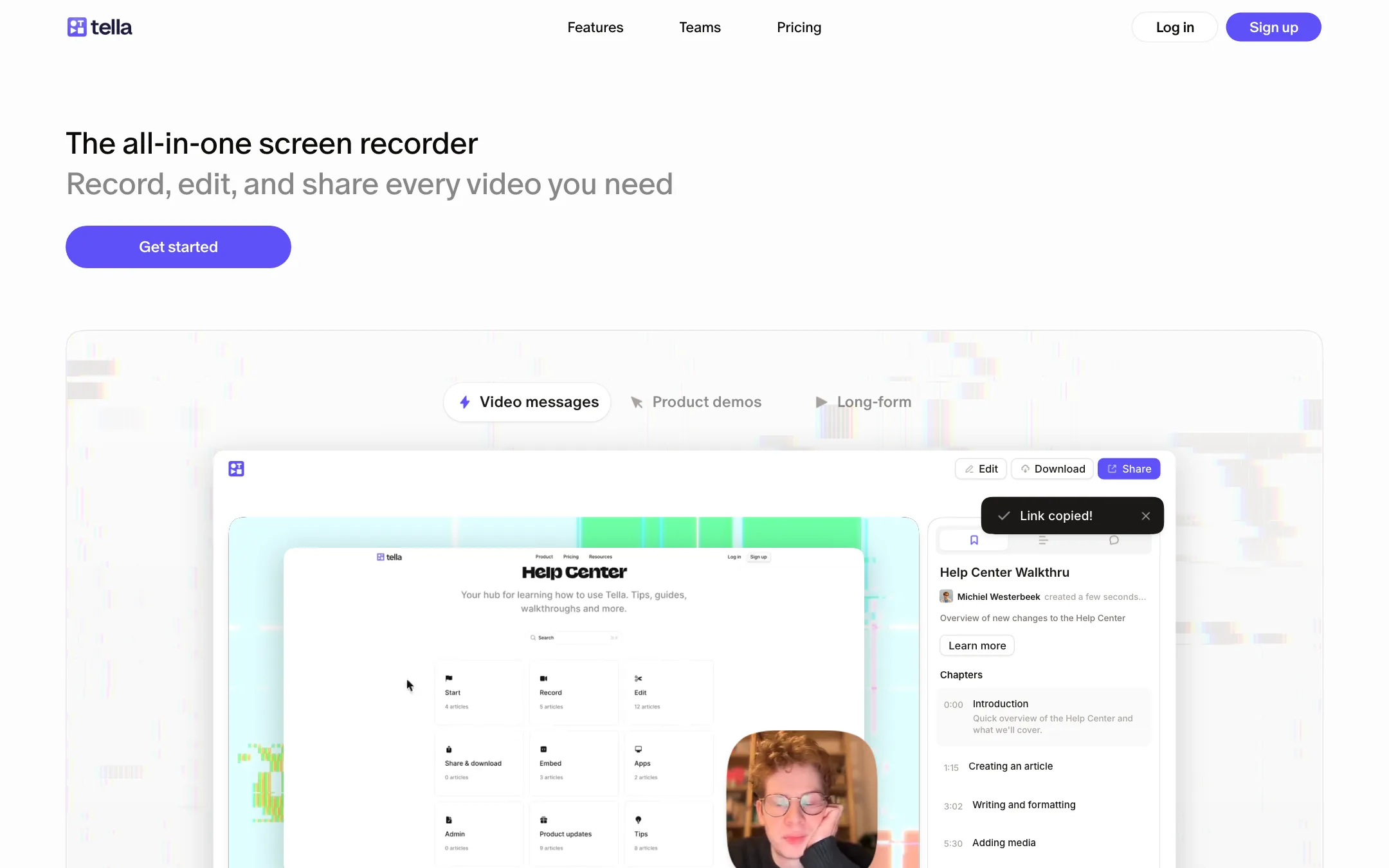
Tella is a screen recorder with a full video editor attached. You record your screen, your camera or both, and the result opens straight in a browser editor. From there you cut mistakes, change the layout, add zooms and captions, clean up the audio and share a link. You can also export a file in up to 4K.
The pitch is simple. Recording a tutorial is easy. Making it look good is where most people give up. Tella tries to close that gap by making the default recording look edited before you touch anything. Tella says every recording gets layouts, backgrounds, zoom effects and subtitles automatically.
It sits in a busy space. Loom owns quick video messages. Descript owns transcript-based editing. Screen Studio and FocuSee own the polished product demo look. Tella pulls pieces of all three into one tool that runs in the browser.
Who it is for
Tella fits you if:
- You make YouTube tutorials, course lessons or walkthroughs where your screen is the main subject.
- You record product demos for a SaaS and want auto zooms that follow your clicks.
- You make mistakes on camera and would rather delete words from a transcript than scrub a timeline.
- You want a hosted share link with analytics as well as a downloadable file.
- Your team records on a mix of Mac, Windows and Chromebooks.
Skip it if:
- You edit footage from a camera shoot, vlogs or B-roll-heavy videos. Tella is built around screen recordings, not multi-camera editing.
- You want a free tool for the occasional recording. There is no free plan.
- You only send short async messages to colleagues. Loom or a built-in OS recorder will do that for less.
- You need AI-generated footage. Tella does not generate video. It records and edits what you capture.
How it works
The workflow has three stages: record, edit, share. Each one is more capable than it first looks.
Recording
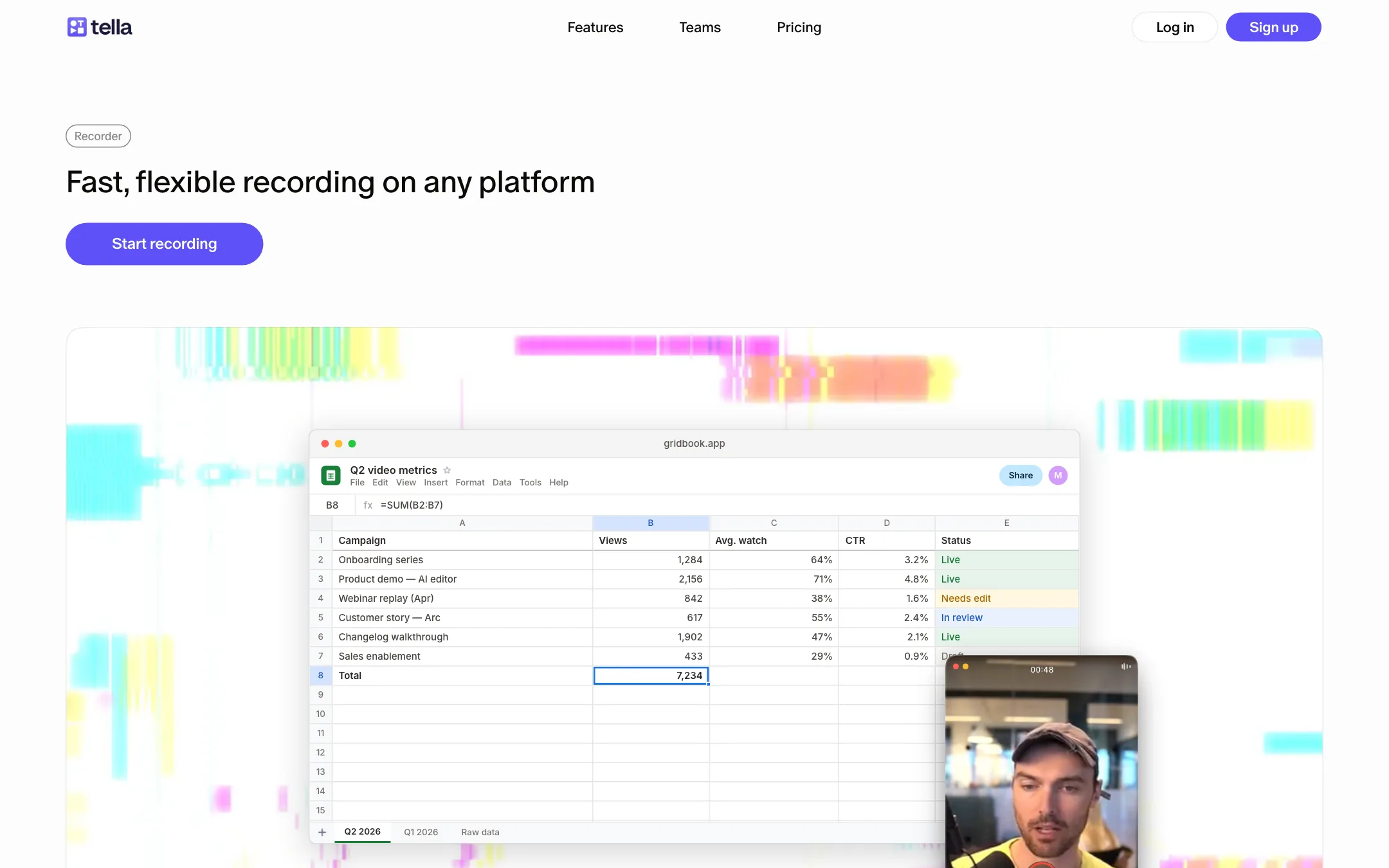
You can record in four places: the web app, the Chrome extension, the Mac app or the Windows app. Tella’s help center says the browser recorder needs no install. The native apps are there for higher quality and more control. Tella says the Mac app records in 4K.
A few recording details stand out on Tella’s pages:
- Separate tracks. Screen and camera are recorded as separate sources. That means you can change the layout, resize your camera or hide either one after you finish.
- Clips. You record in takes instead of one long session. Clips combine automatically, and you can redo, rearrange or delete any of them. Each clip can run up to 6 hours.
- Teleprompter. Tella offers an on-screen teleprompter and speaker notes so you can stay on script.
- System audio. You can capture computer audio alongside your mic, which helps for demos with sound.
- Instant upload. Tella says the video uploads while you record, so it is ready to edit when you stop.
Editing
The editor has tabs along the top: Cut, Layout, Zoom, Effects, Style, Subs and Audio. You can edit on a timeline or by editing the transcript, whichever you prefer.
Cut is where the AI cleanup lives. Tella finds mistakes, silences and filler words and offers to remove them in one click. You can also select words in the transcript and delete them, and the video follows. If you have used Descript, this will feel familiar.
Layout switches between side-by-side, picture-in-picture, full screen and other arrangements. Tella offers auto layouts too, and you can change the layout part way through a video with a transition.
Zoom handles the product-demo look. Tella says it generates zooms from your clicks so small UI details stay readable, and you can edit every zoom by hand. Blur and highlight tools let you hide private data or point at a button.
Style covers backgrounds, borders, canvas size, logo overlays, colour filters and LUTs. Tella says you can grade your camera and screen separately and load your own .cube files.
Subs turns the transcript into styled captions. You can edit them, translate them, burn them in or download an SRT file. Transcription covers 106 languages on every plan.
Audio has an AI enhancement that Tella says removes background noise and echo and normalises voices. You can add background music and adjust levels.
Tella Agent
The newest piece is the Tella Agent, still marked beta on the pricing page. It is a chat sidebar inside the editor. You describe an edit and it makes it. Each message costs credits based on how much work the agent does and which model it uses.
Tella also ships an MCP server, an API and “Claude Code skills”. That lets AI agents outside Tella edit, export and organise your videos. It is a niche feature for most creators but a real one for teams that automate.
Sharing
When you finish, the video is already hosted. You get a share page with an AI-generated title, description and chapters, all editable. Viewers can comment and react, and you can add a call-to-action button. You can embed the player on your site, put videos into public playlists or have them indexed by Google.
Analytics show views, unique viewers, watch time, engagement and a funnel from page open to CTA click. Pro shows the last 30 days and the last 5 individual viewers. Premium keeps all-time history.
Output quality
We have not recorded with Tella ourselves, so treat the following as what Tella and its users say, not our test.
- Resolution. Tella records and exports up to 4K. Final quality depends on your screen and your export settings, which Tella says itself.
- Frame rate. Exports run at 30 FPS on Pro. 60 FPS needs Premium. If you record fast-moving software or gameplay, that matters.
- Polish. The demos on Tella’s site show clean layouts, soft backgrounds and readable zooms. This is the look Screen Studio made popular, available in the browser and on Windows.
- Audio. The one-click enhancement targets the common problems: room echo, background hum and uneven levels. It will not fix a bad microphone.
The testimonials on Tella’s homepage come from YouTubers, founders and course creators. One YouTuber credits Tella for part of his channel’s growth. That is marketing, but it does show who Tella is built for.
Pricing
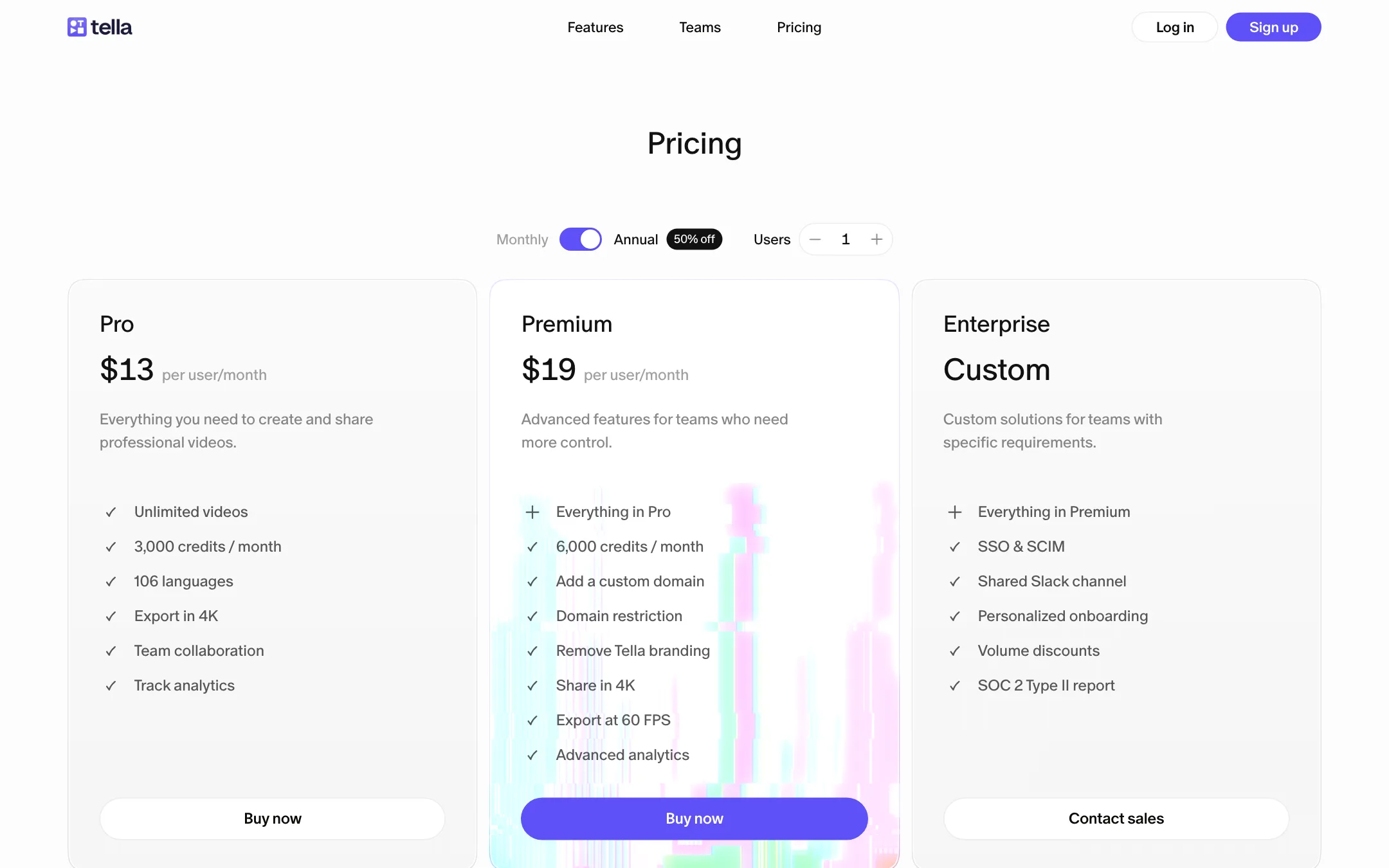
Tella prices per user. The pricing page opens on yearly billing and says yearly is 50% off. In our check the monthly price did not render when we switched the toggle, so the only confirmed prices are yearly.
| Plan | Price | What you get |
|---|---|---|
| Free trial | 7 days | Full Pro plan, no card, no Agent credits |
| Pro | $13/user/mo yearly | Unlimited videos, 3,000 credits, 4K export, analytics |
| Premium | $19/user/mo yearly | 6,000 credits, custom domain, no Tella branding, 60 FPS |
| Enterprise | Custom | SSO, SCIM, Slack channel, SOC 2 report |
Some things worth knowing:
- There is no free plan. The 7-day trial is the only free option. Use it to record and edit a real video before you pay.
- Credits only pay for the Agent. Recording, editing, AI cuts, captions and exports do not use credits. Only the chat-based Tella Agent does.
- Included credits do not roll over. They are pooled across the workspace and reset each month. Top-ups cost $10 for 10,000, $45 for 50,000 or $80 for 100,000 and never expire.
- Branding removal is a Premium feature. On Pro your share pages carry Tella branding.
- Discounts exist. Tella runs education and nonprofit programs. Signing up through an affiliate link gets you 20% off the first three months.
- Cancel any time. Your plan stops at the end of the current billing period.
Tella vs the alternatives
Loom is quicker for a one-off message and has a free tier, but its editor is basic. Tella says it adds a full editor, flexible layouts and 4K export, and it has a Loom migration tool.
Descript has deeper editing, multitrack audio and AI voice tools. It is better if you also make podcasts or edit camera footage. Tella is simpler and more focused on screen recordings.
FocuSee and Screen Studio are strong for polished product demos with auto zooms. Tella matches that look and adds hosting, analytics and team playlists.
Verdict
Tella is a strong pick if your videos are mostly your screen and your face. It records anywhere, cleans up mistakes from the transcript, adds zooms and captions without a timeline, and hosts the result with analytics. The base plan exports in 4K, which many rivals keep for higher tiers.
The weak spots are pricing clarity and the lack of a free plan. You get seven days to decide, and the page pushes yearly billing hard. If you record tutorials or demos every week, $13 a month billed yearly is fair for what you get. If you record once a month, a free recorder and a separate editor will cost you less.

