
What Vmaker AI is
Vmaker AI is a browser-based video editor from Animaker Inc., the company behind the Animaker animation tool. It began in 2020 as a screen recorder for training videos. In 2023 it added an AI editor, and it now describes itself mainly as a long-to-short tool: upload a podcast, webinar or interview, and get back short clips with captions, ready for Shorts, Reels and TikTok.
The old screen recorder is still there, and so is a long list of other tools: subtitles, translation, dubbing, AI avatars, background removal and “anything to video” converters for scripts, documents, slides and audio. Vmaker says it has more than 2 million users.
Who it is for
Vmaker fits you if:
- You host a podcast, webinar or livestream and want a steady stream of shorts from each episode.
- You also record screen tutorials or demos and want the recorder and editor in one account.
- You want a free plan that does real work, not just a watermarked trial.
- You work in a small team and need shared workspaces and a brand kit at a low price.
Skip it if:
- You export a lot. Ten downloads a month on Starter goes fast, and each extra costs $3.
- You want strong generative AI footage. Generative minutes are small on every plan.
- You only need one of these tools. A dedicated clipper or a dedicated recorder may do that one job better.
How it works
Long to short
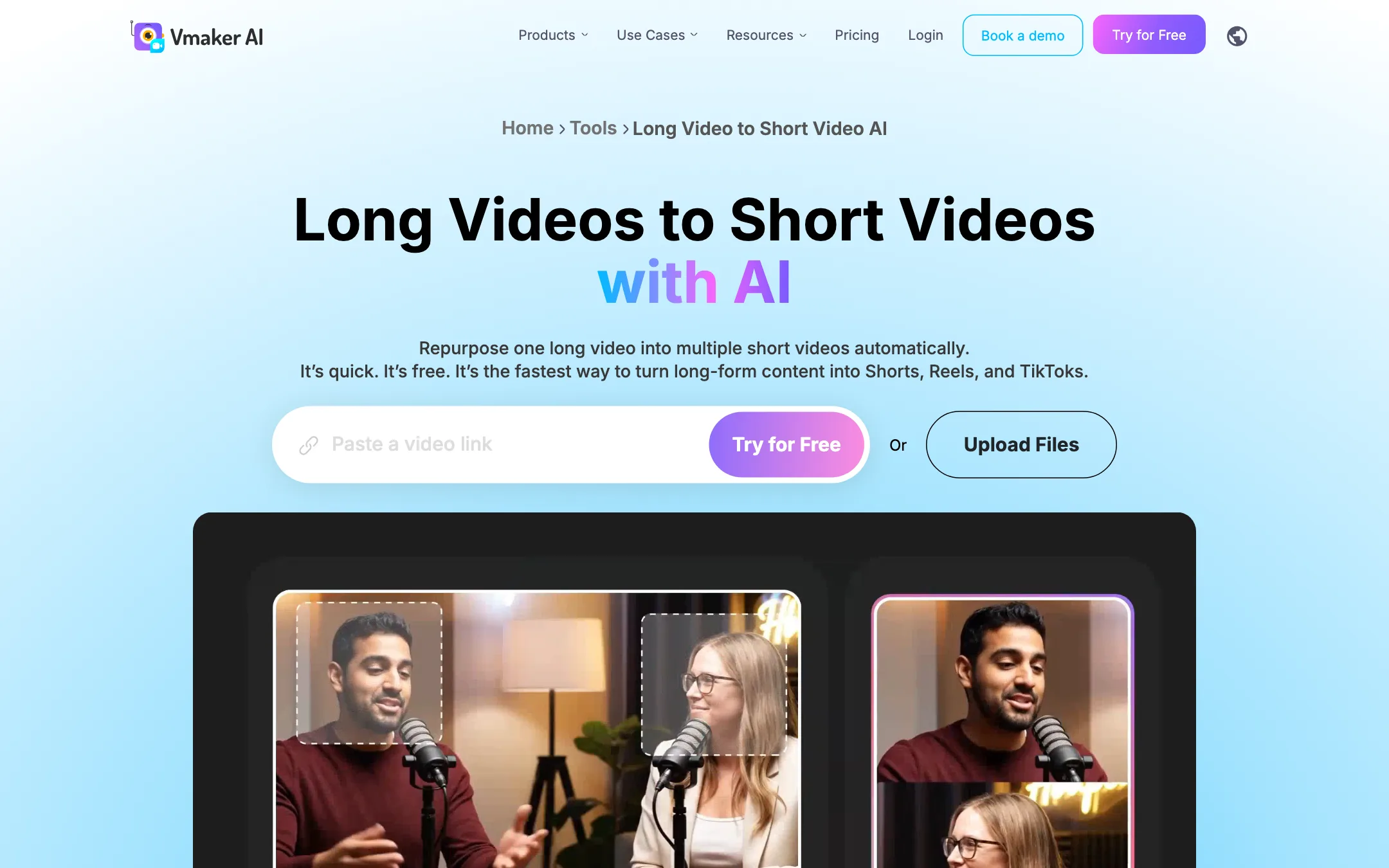
This is Vmaker’s main pitch. The workflow, per its tool page:
- Upload a video or paste a link. Vmaker accepts long inputs; the page says up to 3 hours, though the pricing table caps uploads at 120 minutes on every plan except Enterprise.
- Pick an aspect ratio (9:16, 1:1 or 16:9) and a clip length. Presets include 20 to 40 seconds, 40 to 60 and 60 to 120, or you can set your own.
- Add a prompt or keywords to steer which moments it picks.
- Vmaker finds highlights, reframes the speakers, adds animated subtitles and returns the clips. Each clip gets a virality score based on hook strength, pacing and platform fit, according to Vmaker.
- Edit any clip further, then export or publish to social.
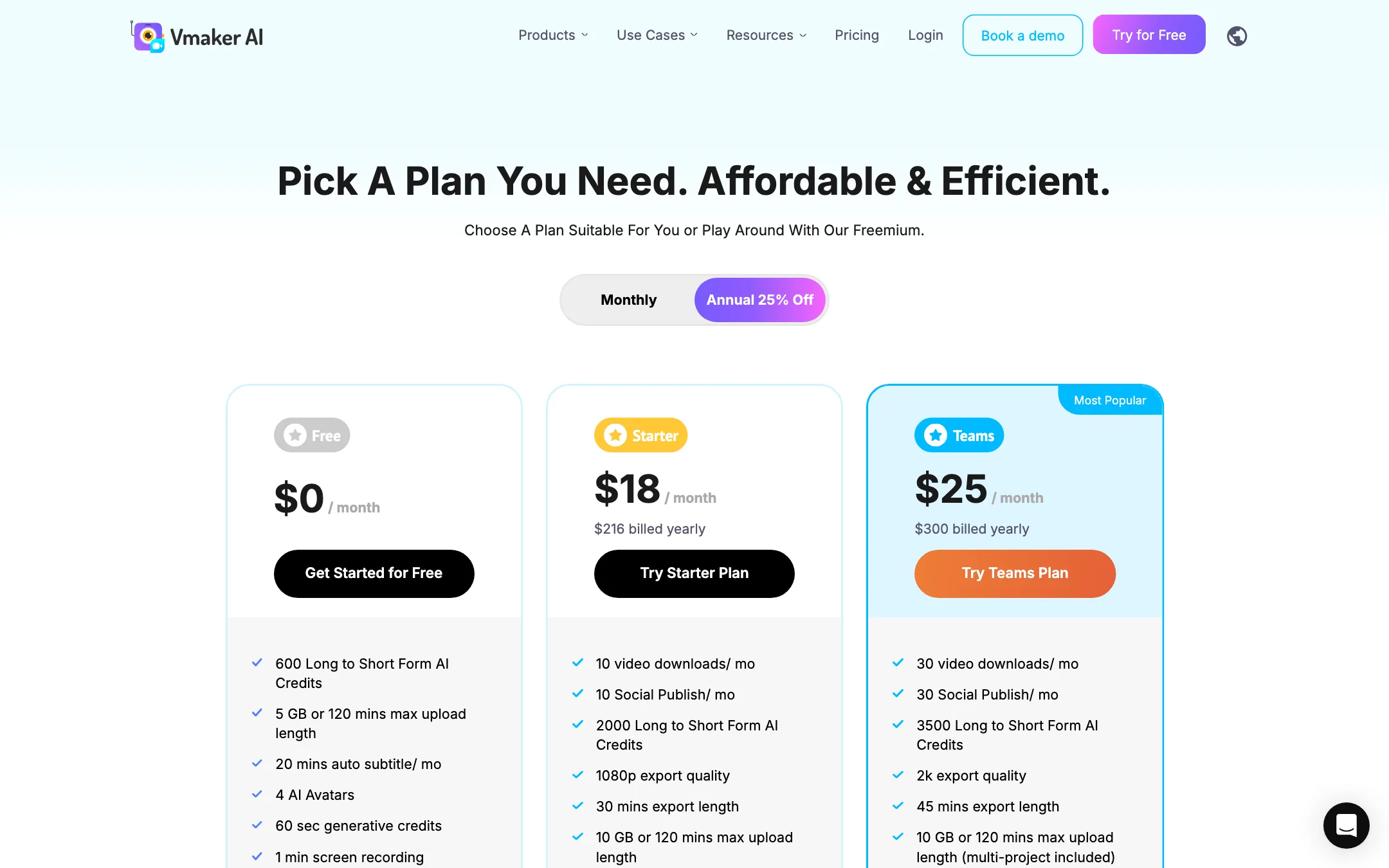
The cost is in “Long to Short Form AI Credits”: 600 on Free, 2,000 on Starter and 3,500 on Teams. Vmaker does not say on the pricing page how many credits one clip or one input minute uses.
There are also separate pages for a podcast clip generator, a Twitch clip maker and a YouTube clip maker. They appear to be the same engine aimed at different searches.
Subtitles and translation
Vmaker auto-generates subtitles with animated styles, then lets you translate them. Free includes 20 minutes of subtitles a month, Starter 60 and Teams 120. Translation is 40 minutes a month on Starter and 60 on Teams. You can download subtitles as SRT.
The language counts are messy. The homepage says subtitles in 35+ languages with 10+ animation styles and translation into 100+ languages. The long-to-short page says animated subtitles in 75+ languages. Check your language before you rely on it.
Editor
The editor covers the basics: trim, crop, merge, resize, speed, text, music, transitions and animations. On top of that sit the AI tools:
- Edit with AI, which Vmaker lists as 5 credits a month on Free and “unlimited*” on paid plans. The asterisk is not explained on the pricing page.
- Viral styles library, preset looks for social video.
- Highlights generator for pulling key moments.
- Background removal (15 minutes on Teams) and green screen removal.
- Noise removal, “try once” on Free and Starter, unlimited on Teams.
- Video enhancer and a B-roll generator.
Avatars and anything-to-video
Vmaker turns text into avatar videos. Free gets 4 avatars, Starter 80 and Teams 99. It also converts documents, PDFs, slides, URLs and audio into videos, with a page limit per document of 10 on Free up to 50 on Enterprise. Prompt-to-video, voice-to-video and video-to-avatar features draw on generative credits, measured in minutes: 36 a year on Starter and 144 a year on Teams. The Free card says 60 seconds; the plan table says 0.
Dubbing
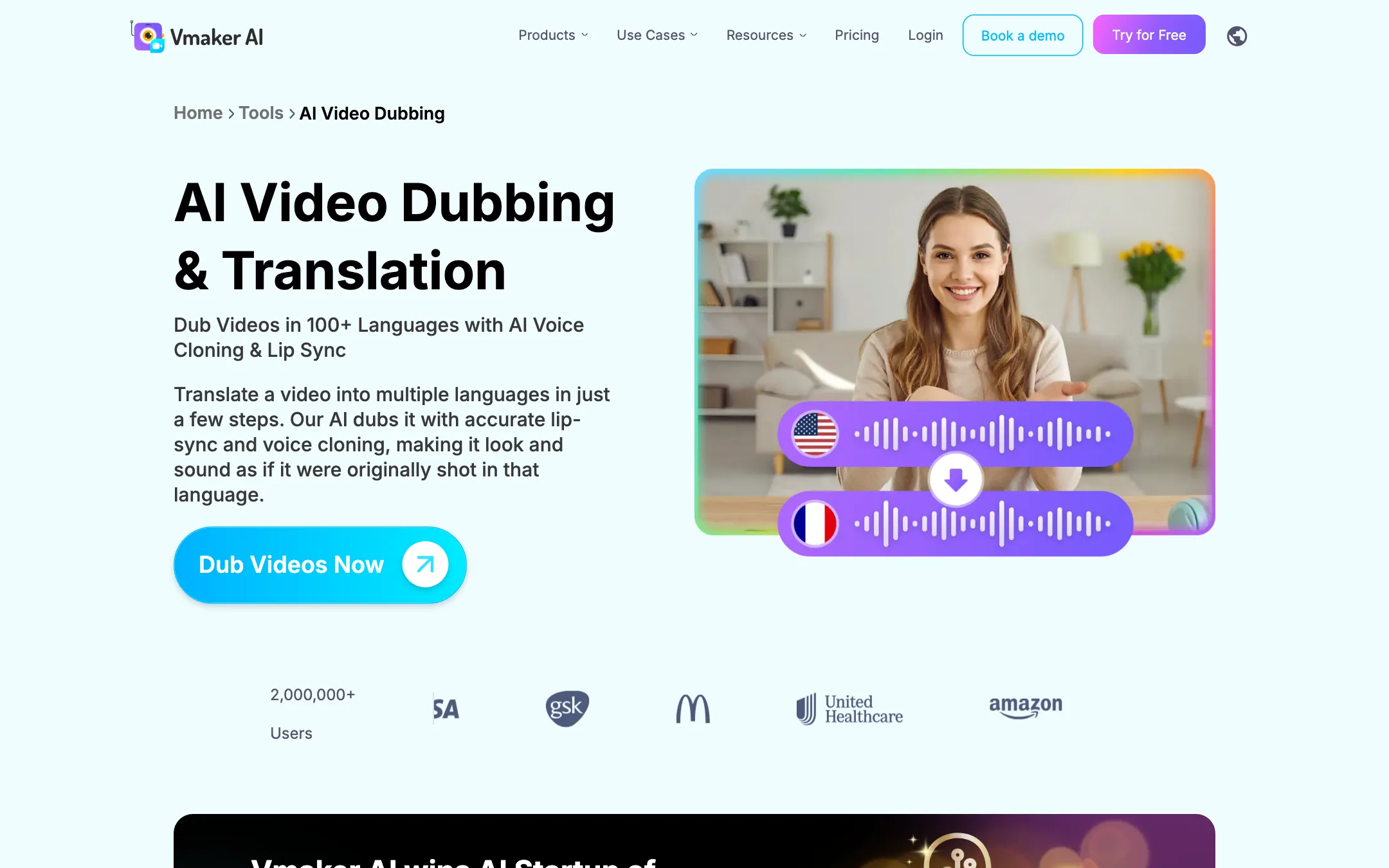
The dubbing tool translates a video and re-voices it with lip-sync. Vmaker says it clones the original speaker’s voice and uses ElevenLabs and Amazon Polly for its voices. The page claims 100+ languages in its headline and 120+ further down. The pricing table marks dubbing as available but does not give a minute allowance.
Screen recorder
The recorder is the oldest and most complete part of Vmaker. Vmaker offers it as a Chrome extension and a Windows app. Features it lists:
- Screen, webcam or both, up to 4K.
- System and microphone audio, with noise cancellation.
- Blur for sensitive information, drawing and annotation, mouse click emphasis.
- Virtual webcam backgrounds and frames.
- Scheduled recordings and self-destructing videos.
- Cloud storage, share links, viewer analytics and a branded video page.
The Chrome extension page says recording is unlimited and watermark-free for life. The pricing page caps Free at a 1-minute recording limit. These may describe different products or limits, so check before relying on either.
Output quality
We have not run footage through Vmaker, so this section relies on Vmaker’s pages and how tools in this class tend to behave.
- Clip selection. Keyword prompts are useful. Generic “find the best moments” runs in any clipper tend to favor loud or emotional lines over the most useful ones. Steer it.
- Reframing. Vmaker says it reframes speakers automatically. Two-person podcasts with cross-talk are the hard case for every tool; check a few clips before batch exporting.
- Testimonials. The reviews on Vmaker’s site are short lines repeated across pages, mostly about recording and basic editing. They say little about the AI clipping that the product now leads with.
- Voices. Dubbing uses ElevenLabs and Amazon Polly, so voice quality should match those engines.
Pricing
| Plan | Yearly | Monthly | Key limits |
|---|---|---|---|
| Free | $0 | $0 | 600 clip credits, 20 subtitle min/mo, 1 min recording |
| Starter | $18/mo ($216/yr) | $24/mo | 10 downloads/mo, 1080p, 30 min exports, 30 min recording |
| Teams | $25/mo ($300/yr) | $39/mo | 30 downloads/mo, 2K, 45 min exports, 4 hours recording |
| Enterprise | Custom | Custom | 4K, 3-hour exports, SSO, account manager |
What to watch:
- Downloads are the real limit. Starter gives you 10 exports a month. If you cut five shorts from each of four podcast episodes, you need 20, and the extra 10 cost $30. Teams gives you 30 and charges $2 for each extra.
- The yearly discount varies. The toggle says “Annual 25% off.” That is right for Starter ($24 to $18). For Teams it is closer to 36% ($39 to $25).
- The free plan and the table disagree. The Free card lists 60 seconds of generative credits; the table lists none. The Starter card lists 29 premium assets a month; the table lists 400. Treat the table as a guide, not a contract.
- "Unlimited" AI editing* has an asterisk with no footnote we could find on the page.
Enterprise adds SSO, a 3-hour export length, 50 GB uploads and 2,000 subtitle minutes a year.
A typical podcast workflow
Here is how Vmaker expects you to use it for a weekly show, based on its own tool pages:
- Record the episode, or record a screen demo with the Chrome extension.
- Upload the full episode to long to short. Add keywords for the topics you want clipped.
- Set 9:16 and a 40 to 60 second preset for Shorts and Reels.
- Review the clips by virality score. Delete the weak ones before editing, since exports are what count against your limit.
- Apply a style from the viral styles library and check the animated subtitles for names and jargon.
- Translate subtitles if you post in more than one language.
- Publish straight to social, or download.
On Starter, plan around ten finished clips a month. If you need more, Teams triples the limit for $7 more a month on yearly billing.
Things to watch
- Many landing pages, one product. Vmaker has separate pages for dozens of “makers” and “generators.” Most route into the same editor. Do not expect a different tool behind each one.
- Upload cap vs marketing. The clipper page says 3-hour inputs; the pricing table says 120 minutes unless you are on Enterprise.
Verdict
Vmaker AI is good value if you want one account for clipping long videos, subtitling them and recording your screen. The free plan does real work, Starter is cheap on yearly billing, and the recorder is mature and full of practical touches.
The download caps are the catch. At 10 exports a month on Starter, a regular clipping habit pushes you into per-download fees or onto Teams. Its pages also disagree on languages, credits and limits, so use the free plan to check the numbers that matter to you before you buy a year up front.