What Syllaby is
Syllaby is a faceless video tool for people who want to post short videos without being on camera. It started as a way to find the questions your audience is asking and turn them into scripts. It has since grown into a full pipeline: trending ideas, AI scripts, voiceover and voice clones, AI avatars, scene generation, an editor, and a content calendar that posts for you.
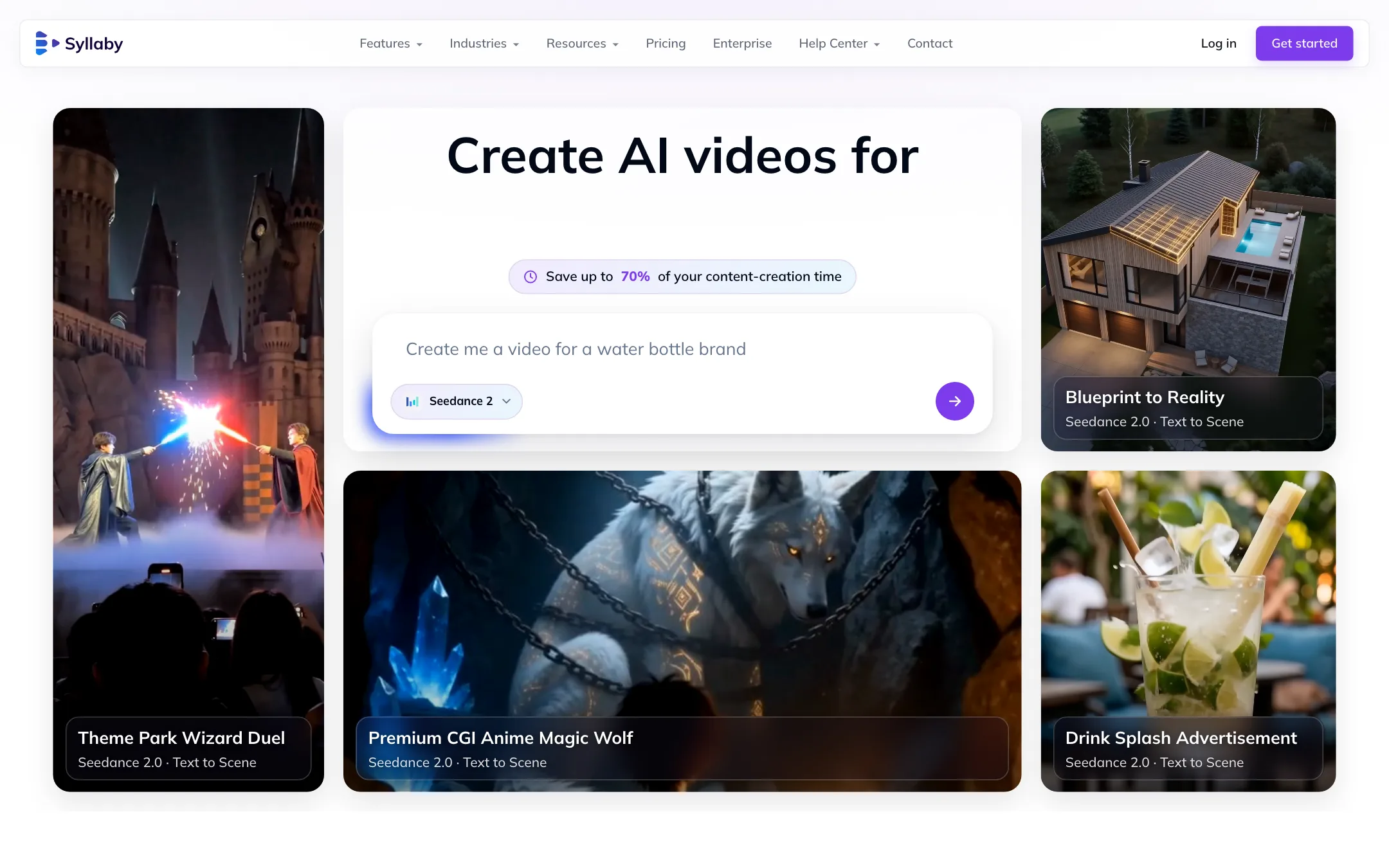
Syllaby does not make its own video model. Its Text to Scene feature runs third-party models. The homepage lists Veo 3 and 3.1, several Seedance versions, Kling, Grok Imagine, MiniMax Hailuo and Happy Horse. Syllaby markets itself as “model-agnostic,” so new models get added as they launch.
The product is aimed squarely at small businesses and solo creators. Its industry pages cover real estate agents, lawyers, dentists, gyms, restaurants and coaches, and there is a $699 a month Done For You plan where Syllaby’s team runs your account.
This review is based on Syllaby’s public pages, pricing FAQ and app listing. We did not make videos with it, so quality claims are Syllaby’s.
Who it is for
Syllaby fits you if:
- You run a small business or personal brand and know you should post video, but never get round to it.
- You run a faceless channel on TikTok, YouTube Shorts or Reels and want ideas, scripts and videos in one place.
- You want to schedule a month of posts in one sitting.
- You want to use your own voice without recording every video. Voice cloning from a 30-second sample starts on Basic.
Skip it if:
- You want to try before you pay. There is no free plan.
- You want to clip existing long videos. Syllaby creates new videos; for clipping, look at a dedicated clipper.
- You want cinematic AI footage and nothing else. You can get Veo and Kling cheaper directly or through a model aggregator if you do not need the scripting and scheduling.
How it works
Syllaby describes the workflow in four steps.
- Generate an idea. Drop in a topic. Syllaby suggests angles, hooks and structure. Its Idea Discovery tool looks for trending questions in your niche, at 15 credits per search.
- Write the script. The AI drafts a script. You edit it, swap lines and pick a voice. Scripts cost 1 credit per minute.
- Generate the video. Choose a format and models. Scenes, voiceover and visuals render together.
- Schedule and publish. Export, or drop the video into the content calendar and let Syllaby post it.
Faceless videos
This is the core product and the cheapest to run. You pick an image style, write or generate a script, and click Generate. Syllaby builds visuals, transitions, captions and background music around the narration. At about 13 credits a minute, Starter’s 100 credits make roughly seven one-minute faceless videos a month.
Two billing details matter. Faceless videos are charged in whole minutes, so a 5-minute 13-second video costs 6 minutes. The first three image regenerations are free, then each costs 1 credit. Exporting a faceless video after editing costs nothing.
Text to Scene
Text to Scene is where the third-party models live. You describe a scene and pick the model. Each model is priced per second. The FAQ gives Veo 3 Fast at 4 credits a second and Veo 3 Quality at 11 credits a second. At 11 credits a second, an 8-second Veo 3 Quality clip uses 88 of Starter’s 100 credits. Treat Text to Scene as a premium extra, not the everyday engine.
The model lists do not quite line up. The homepage picker shows Veo, Seedance, Kling, Grok Imagine, MiniMax and Happy Horse. The Text to Scene page also lists Sora 2. The homepage FAQ says the main video model is “VEO3.” Check the picker inside the app for what is actually available.
Avatars and voice
Syllaby offers stock AI avatars that read your script, plus Real Clone avatars made to look like you. Voice cloning takes a 30-second sample, and there is a stock library of over 100 voices. Basic includes one voice clone, Standard three and Premium five. Starter has none and no characters.
The FAQ claims “near-perfect” lip sync and dubbing in 29 or more languages. Those are vendor claims. Test your own clone before you build a channel on it.
Calendar, scheduling and automation
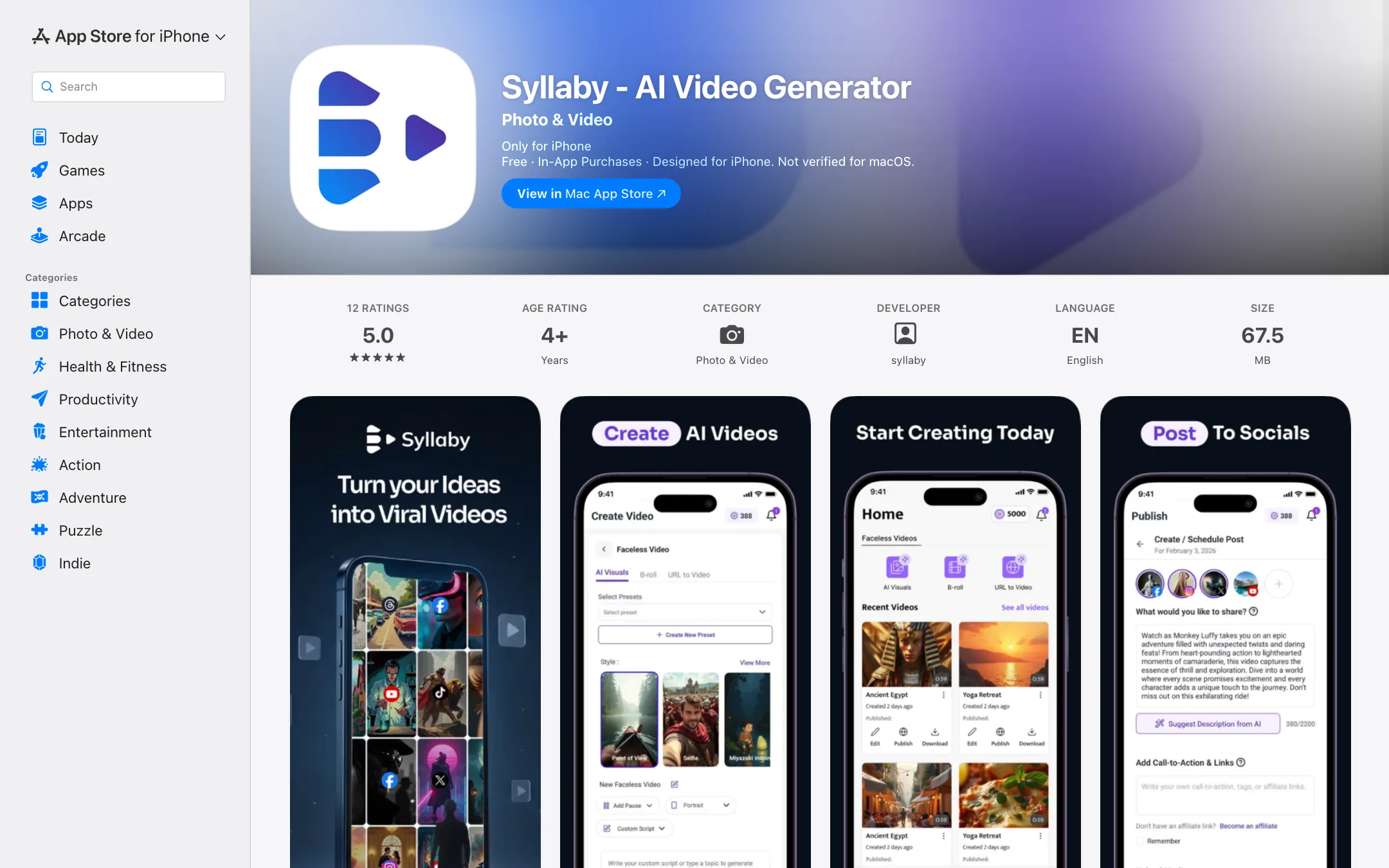
Every plan includes the content calendar and bulk, unlimited scheduling. You connect your social accounts and queue videos. The mobile apps on iOS and Android let you write scripts, review videos and schedule posts from your phone.
For automation, Syllaby has a public API (it creates a faceless video from a topic) and an MCP server that lets Claude, Cursor or other MCP clients drive Syllaby directly.
Output quality
Syllaby’s quality depends on which part of it you use.
- Faceless videos are built from generated images, stock footage, captions and voiceover. Expect the familiar faceless channel look: narrated slideshows with motion and captions. Syllaby’s own community examples lean toward religious history, explainers and comic-book topics.
- Text to Scene clips are only as good as the model you pick. Veo 3.1 and Kling clips from Syllaby should look like Veo and Kling clips anywhere else, since Syllaby is passing your prompt to them.
- Avatar videos depend on the avatar and the voice. Syllaby says exports go up to 4K, in MP4, MOV or WebM, with 16:9, 9:16, 1:1 and 4:5 aspect ratios.
Syllaby claims users save up to 70% of their content creation time. That is a marketing figure, not a measured result.
Pricing
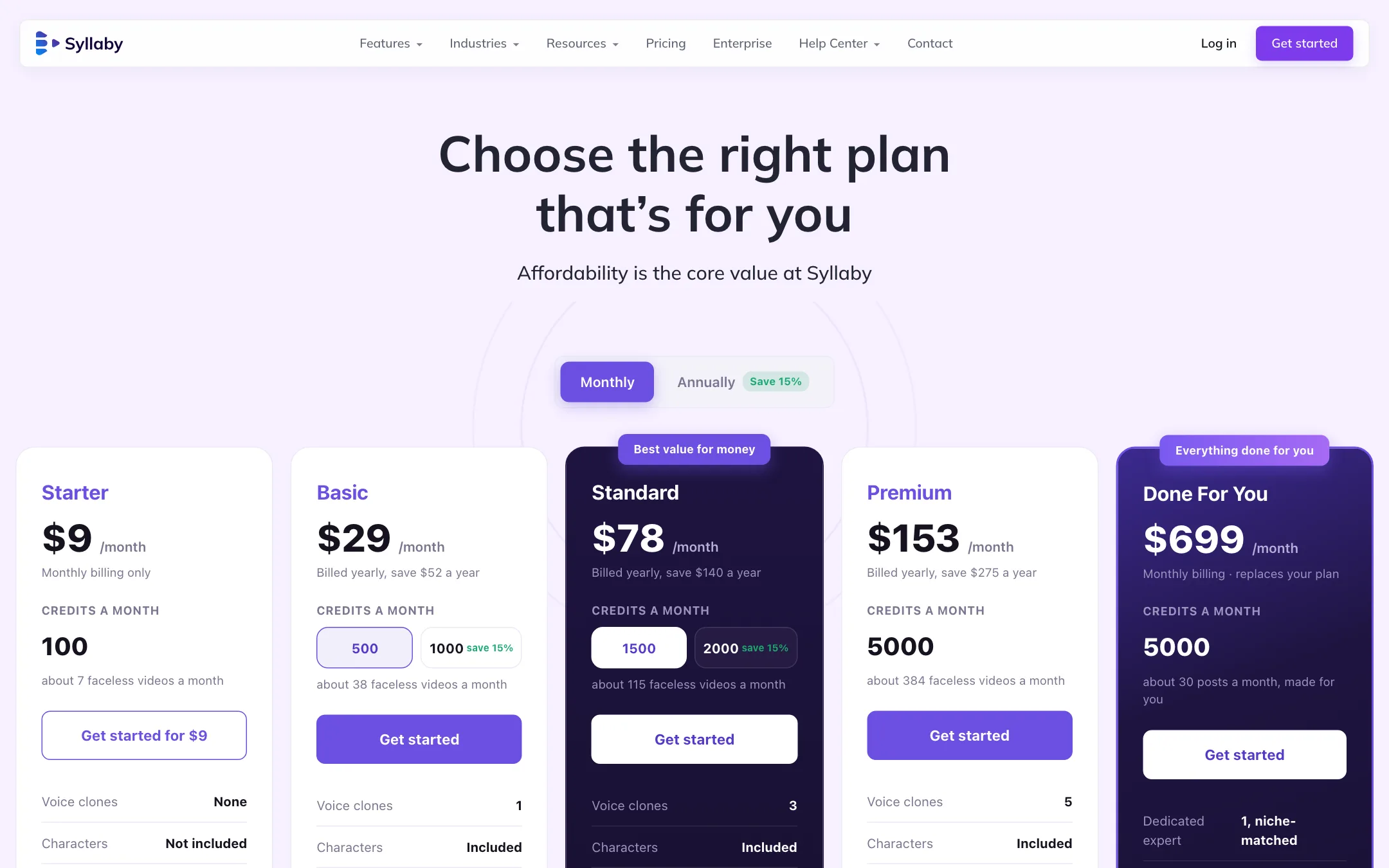
Syllaby uses credits. Every plan includes all AI models, faceless and avatar video, the editor, thumbnails, trending ideas, stock media, the content calendar, full-resolution export and unlimited video length. Plans differ in credits, voice clones, characters and storage.
| Plan | Monthly | Yearly | Credits a month | Voice clones |
|---|---|---|---|---|
| Starter | $9 | Not offered | 100 | None |
| Basic | $29 | $24.67/mo | 500 | 1 |
| Standard | $78 | $66.33/mo | 1,500 | 3 |
| Premium | $153 | $130.08/mo | 5,000 | 5 |
| Done For You | $699 | Not offered | 5,000 | Expert-run |
Where the pricing page contradicts itself
Syllaby’s pricing page is messy, and you should know where before you buy:
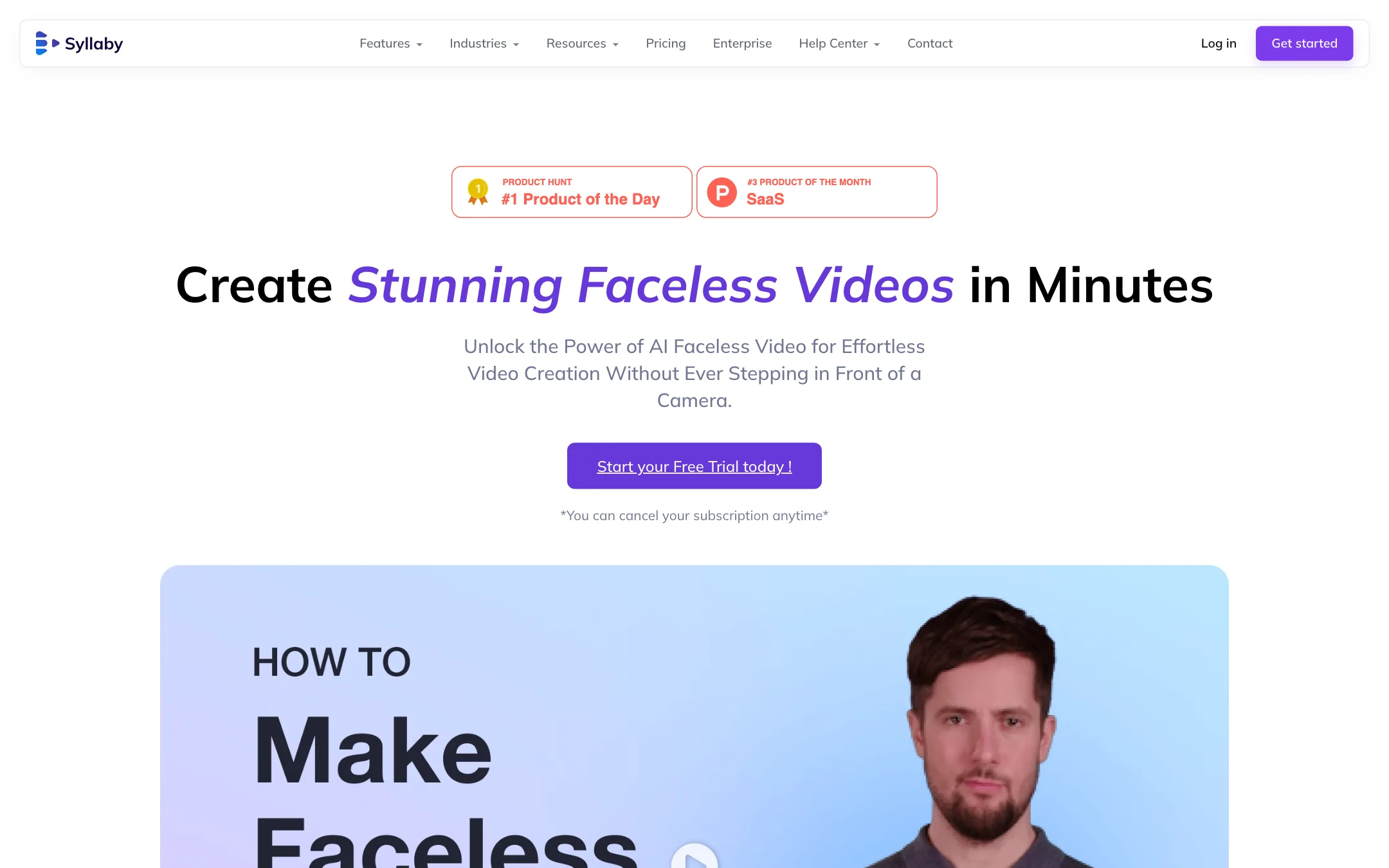
- Free trial or not. The page title says “Free Trial Included” and feature pages say “Start your Free Trial today.” The pricing FAQ says “There is no free trial.”
- Starting price. The title says plans start at $29. Starter is $9.
- Yearly billing labels. The default cards show Basic at $29 “billed yearly.” The yearly toggle shows $24.67 billed $296 a year, which suggests $29 is the monthly price. Starter is marked “monthly billing only,” yet the yearly view lists it at $7.65.
- Credit amounts. Basic and Standard cards show two credit numbers side by side (500 and 1,000; 1,500 and 2,000) with “save 15%.” The yearly view lists much larger yearly totals. It is unclear which you get.
- Avatar cost. The “What your credits buy” box lists avatar video at 30 credits. The FAQ says 50 credits per minute, plus 6 credits a minute to export.
- Done For You billing. That page says the plan is $699 a month but also that “$499 is charged today.”
None of this is unusual for a fast-moving startup, but it makes budgeting hard. Check the amount at checkout and the credit balance in your account after you pay.
Refunds
The pricing FAQ says you can ask for a refund within 30 days of payment if you are not satisfied. That is more generous than most AI video tools, and it makes Starter a low-risk test.
Affiliate program
Syllaby runs its affiliate program on FirstPromoter. The signup page states 30% recurring commission for life. The site footer shows a live counter of affiliate payouts, but it showed different numbers on different pages during our check, from $0 to over $291,000.
The Done For You plan
Syllaby also sells a managed service. For $699 a month, a Syllaby expert matched to your niche plans a monthly content strategy, makes the videos and images, captions them, and schedules and posts them to your channels. You approve. Syllaby says that works out to about 30 posts a month, with one strategy call and a month-end report. The plan includes 5,000 credits and 20 GB of storage, and it replaces your current plan rather than adding to it.
Read the switch terms first. The page says your billing cycle restarts on the day you upgrade and there is no credit for unused time on your old plan. Its own FAQ answers are also copy-pasted, with every question showing the same answer, so ask support to confirm the details in writing.
Verdict
Syllaby is one of the most complete faceless video workflows we list. Ideas, scripts, voice clones, avatars, Veo and Kling scenes, an editor and a scheduler all sit under one login, and the cheapest plan is $9 a month with a 30-day refund window.
The weak spot is trust in the details. The site contradicts itself on free trials, starting prices, credit amounts and which models are available. Start on Starter, make a handful of faceless videos, check what each one actually cost in credits, and only then move up a plan.