
What QuickReel is
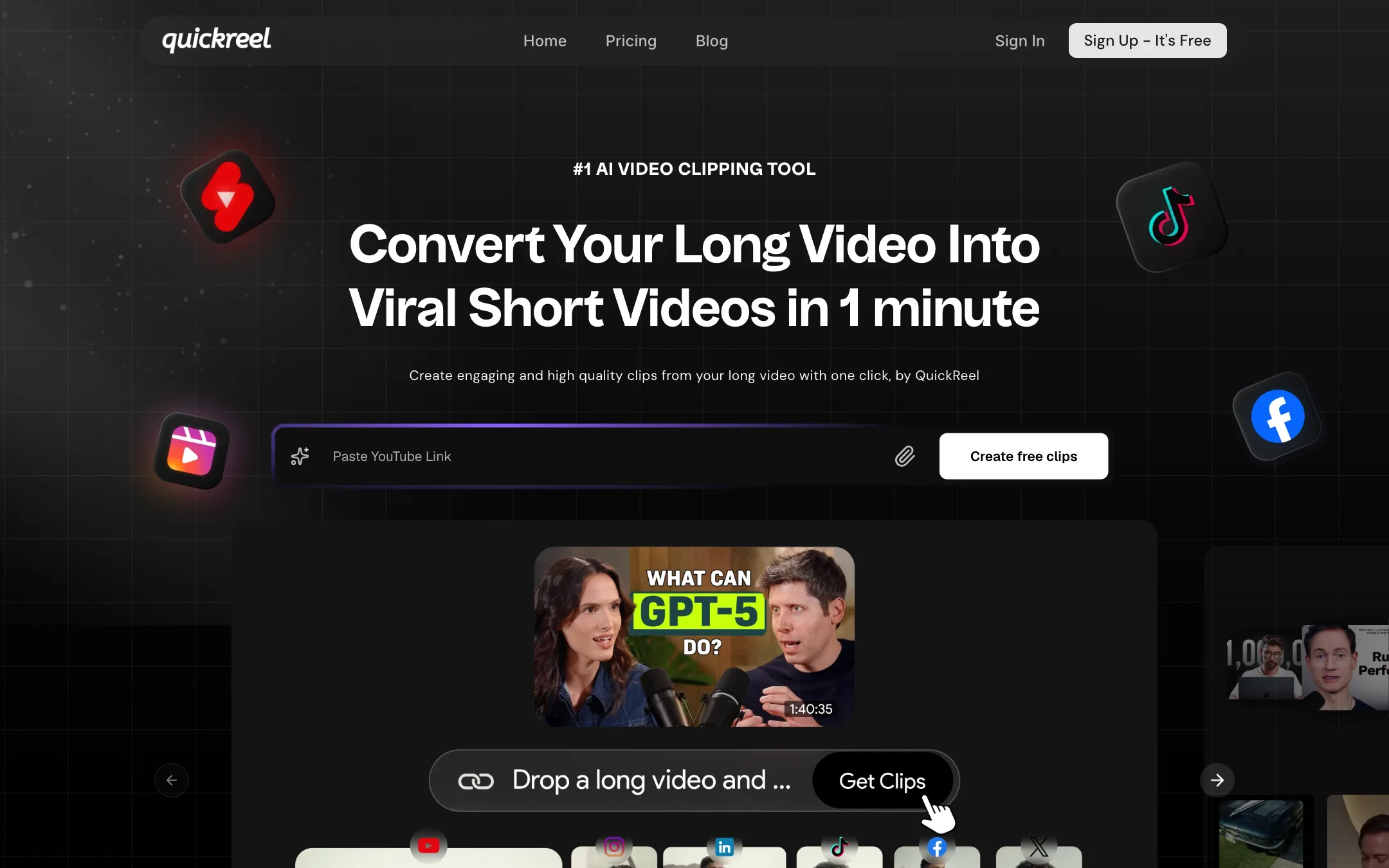
QuickReel is an AI tool that turns long videos into short ones. You paste a YouTube link or upload a podcast, webinar or vlog, and it cuts clips sized for YouTube Shorts, TikTok and Instagram Reels. It adds captions, B-roll, background music and sound effects, and removes silences and filler words.
That puts it a step beyond a basic clipper. Many clip makers stop at “find the moment, crop to vertical, add captions.” QuickReel tries to deliver a finished edit, then lets you change any part of it in a timeline editor. Selected templates even export as a Premiere Pro project.
Around the clipper it has grown a wider toolkit: faceless video generation from a prompt, image generation, AI voiceovers, a social media scheduler, brand templates, team workspaces and an API. QuickReel is made by Quickreel Technologies Pvt. Ltd., and its homepage says it is used by 300K+ creators and businesses.
Who it is for
QuickReel fits you if:
- You have long-form content, such as podcasts, coaching calls or webinars, and want more than bare captioned crops.
- You want B-roll, music and sound effects added for you, then a chance to adjust them.
- You run an agency or in-house team and need brand templates, seats and a shared workspace.
- You have an editor who prefers to finish in Premiere Pro and wants a head start.
- You want clips, faceless videos and voiceovers from one subscription, on Pro+ or above.
Skip it if:
- You only need captions and vertical crops. Cheaper, simpler clippers do that.
- You process many hours of footage a month on a small budget. Per-minute credits add up fast.
- You want to try paid features risk-free. Subscriptions are not refunded.
- You need clean rights for every visual. Web-sourced B-roll needs checking before you publish.
How it works
QuickReel describes the core flow in its FAQ: paste a long-form link or upload a file, the AI analyzes it “for emotion and engagement,” then suggests and creates short clips. You edit and publish from the same place. It accepts YouTube links and direct uploads in MP4, MOV and WebM, and higher plans add Google Drive and Facebook as sources.
A typical clipping run
- Paste a YouTube link or upload a video. Check your credit balance first: one minute of input costs one credit.
- Let QuickReel pick the moments. It suggests several clips from the source.
- Choose an AI edit template. Templates such as Julian and Split 2 decide the layout, caption look, B-roll and music.
- Review each clip. Speaker tracking keeps the person talking in frame, which matters for podcasts with two or more people.
- Open the editor to fix captions, swap B-roll, change music or switch aspect ratio.
- Export, schedule to your connected accounts, or export Premiere Pro XML for a final pass.
The Director and B-roll
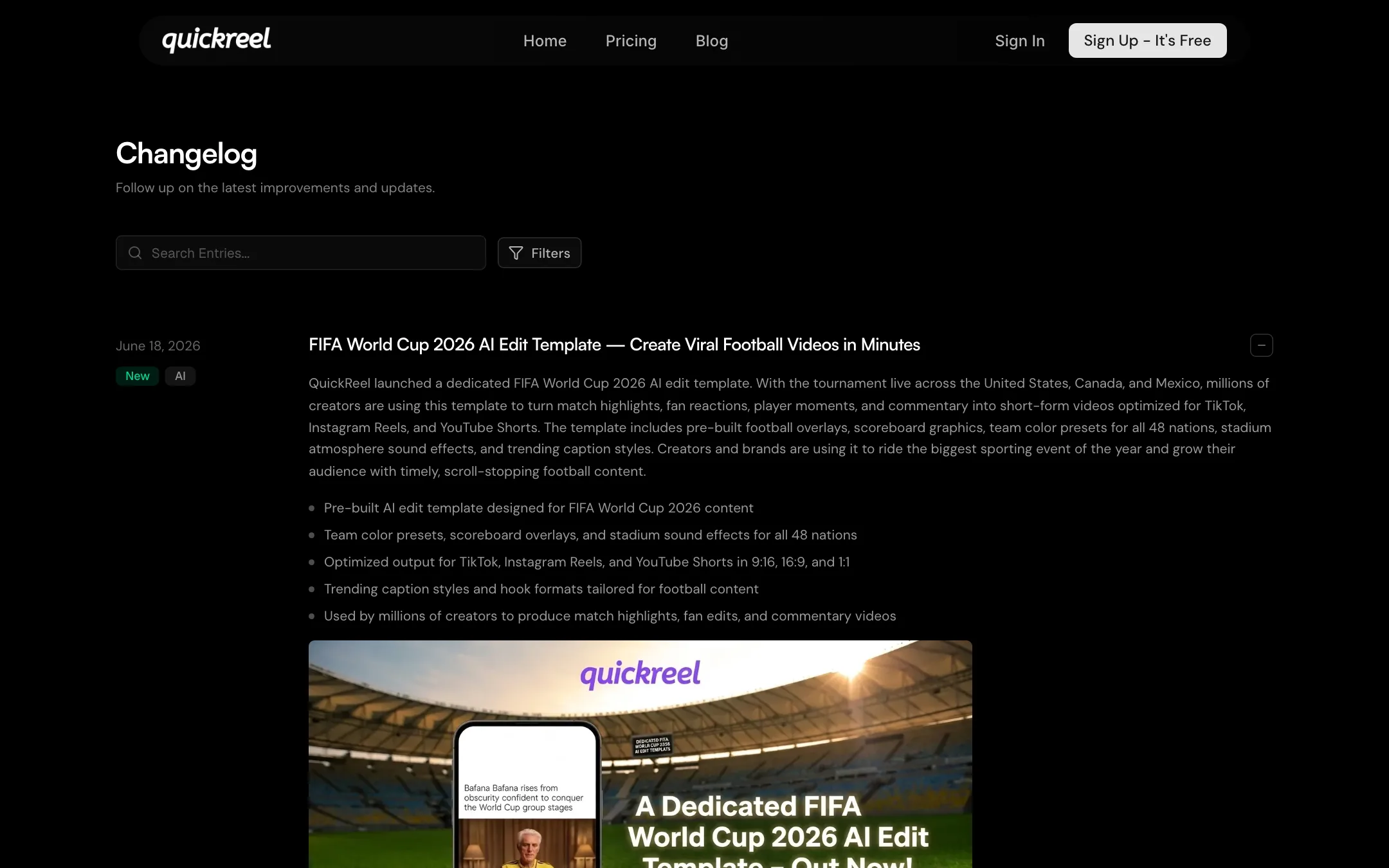
QuickReel calls its decision engine the Director. Per its changelog, it decides where B-roll, images, subtitles, sound effects and music go, and where visuals should come from: internal assets, Pexels stock, web sources or AI-generated images. It also corrects subtitles for names, places and brands.
The B-roll sourcing is where QuickReel is most ambitious and where you need to be most careful:
- Agentic B-roll search looks for matching clips across “open web sources like Instagram, Pinterest, YouTube, TikTok,” according to its April 2026 changelog.
- Web images pull pictures from Google Images, articles and media sites when a video mentions a person, place, product or event.
- News B-rolls add current headlines and news visuals for commentary and explainer videos.
This saves real time on explainers and commentary. But a clip lifted from someone’s TikTok or a photo from a news site is not automatically yours to republish. QuickReel’s pages do not say how these visuals are licensed. Treat web-sourced B-roll as a draft placeholder and swap in stock or your own footage for anything commercial.
Captions and reframing
Captions are generated from your audio and can be restyled and repositioned. The pricing page lists 12+ caption styles on every plan, and a March 2026 update added 20 new subtitle templates covering podcast, social, minimal and bold looks.
QuickReel says its upgraded active speaker detection improved tracking stability by 56% over the previous version, with less jitter and smoother handoffs between speakers. That is its own benchmark, not an independent test, but it shows where the team is putting effort: multi-speaker podcasts and interviews.
The editor and Premiere Pro export
Since February 2026, every AI edit template opens in a manual editor. You can change B-roll, subtitles, styles, text, images, clips, animations, transcription and aspect ratio. In April 2026 QuickReel added XML export for selected templates. You download a Premiere Pro-compatible timeline plus a zip of the source assets, with clips, subtitles, animations, images, audio and B-roll where supported.
For teams with a human editor, this is the standout feature. The AI does the rough cut and the editor finishes it in tools they already know.
Beyond clipping
QuickReel also bundles:
- Faceless video generation: a prompt becomes a script, visuals, scenes, captions and an edit. You can upload an image reference to keep a character, product or mascot consistent.
- Image generation: thumbnails, covers and frames. The pricing page lists Google’s Nano Banana Pro on every plan, while the changelog credits Nano Banana 2 for new faceless styles.
- Voice generation: narration using Google voices, with prompt-based control over tone and delivery.
- Social scheduler: publish to connected platforms. The pricing page marks the scheduler as included only from Pro+ upward, even though Starter and Pro list connected social platforms.
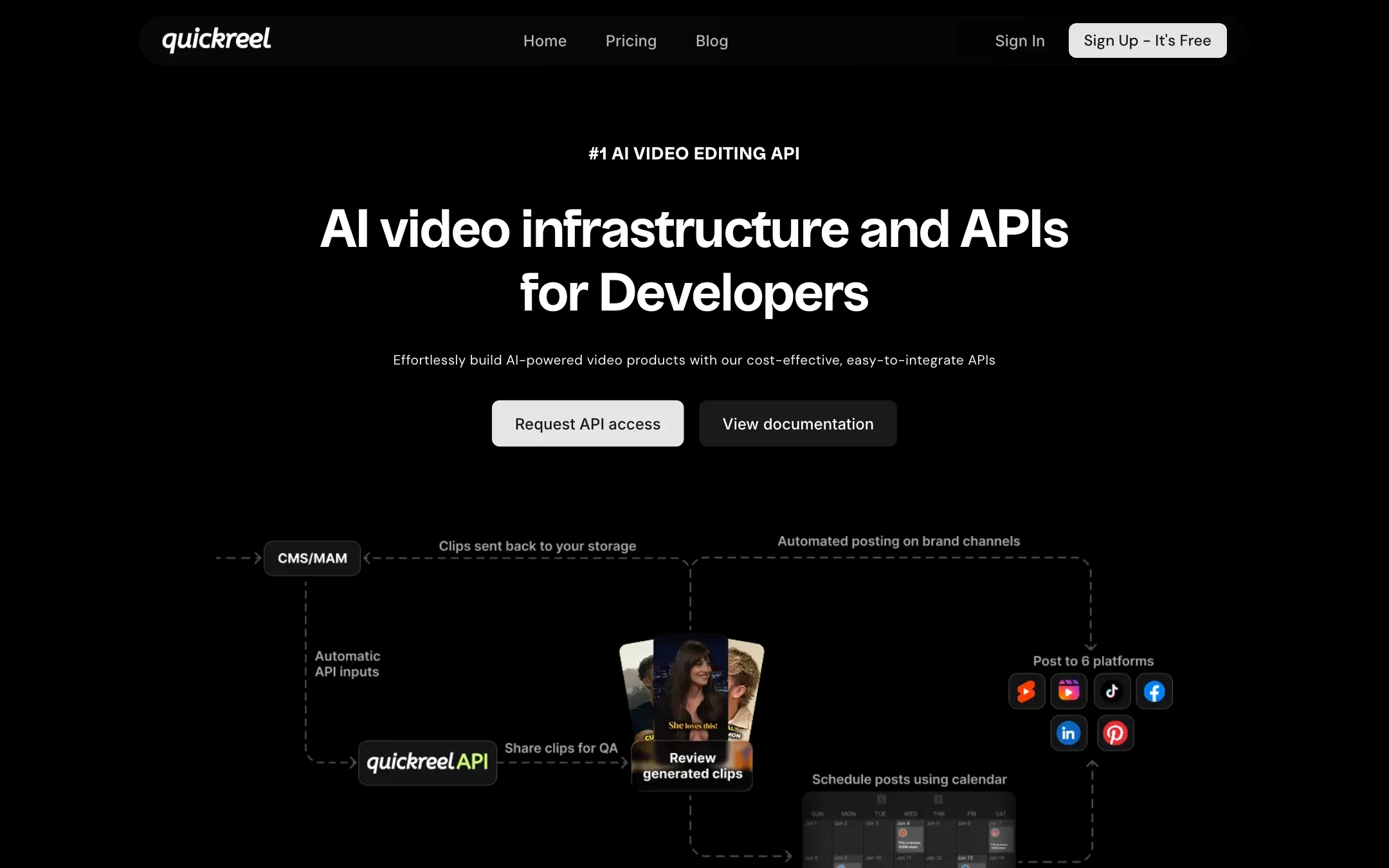
- API: QuickReel’s API page pitches clipping and branded edits at scale for agencies, media houses and developers. Access is by request, and the pricing page includes it only on Ultimate.
Note that image generation and voice generation are also marked as Pro+ and above on the pricing page. On Starter and Pro you get clipping, captions and editing, but not the extras.
Output quality
We have not run QuickReel ourselves, so quality claims here come from QuickReel.
QuickReel’s homepage shows channel logos and follower counts for creators including Andrew Huberman, Leila Hormozi and Call Her Daddy under “Used by 300K+ creators and businesses.” It does not say how those channels use it. The testimonials on the site are short quotes without links to the people quoted.
What you can reasonably expect from a tool like this:
- Clip selection that finds clear, self-contained moments in talky content, with some picks you will discard.
- Framing that works best on podcasts and interviews, which is where QuickReel focuses its speaker tracking.
- First drafts that feel more finished than plain captioned crops, thanks to B-roll and music, but that still need a human eye on captions, B-roll relevance and rights.
- Language support that varies. The pricing page says 20+ languages, the API page 40+, and the FAQ says English is fully supported while other languages depend on your plan.
Pricing
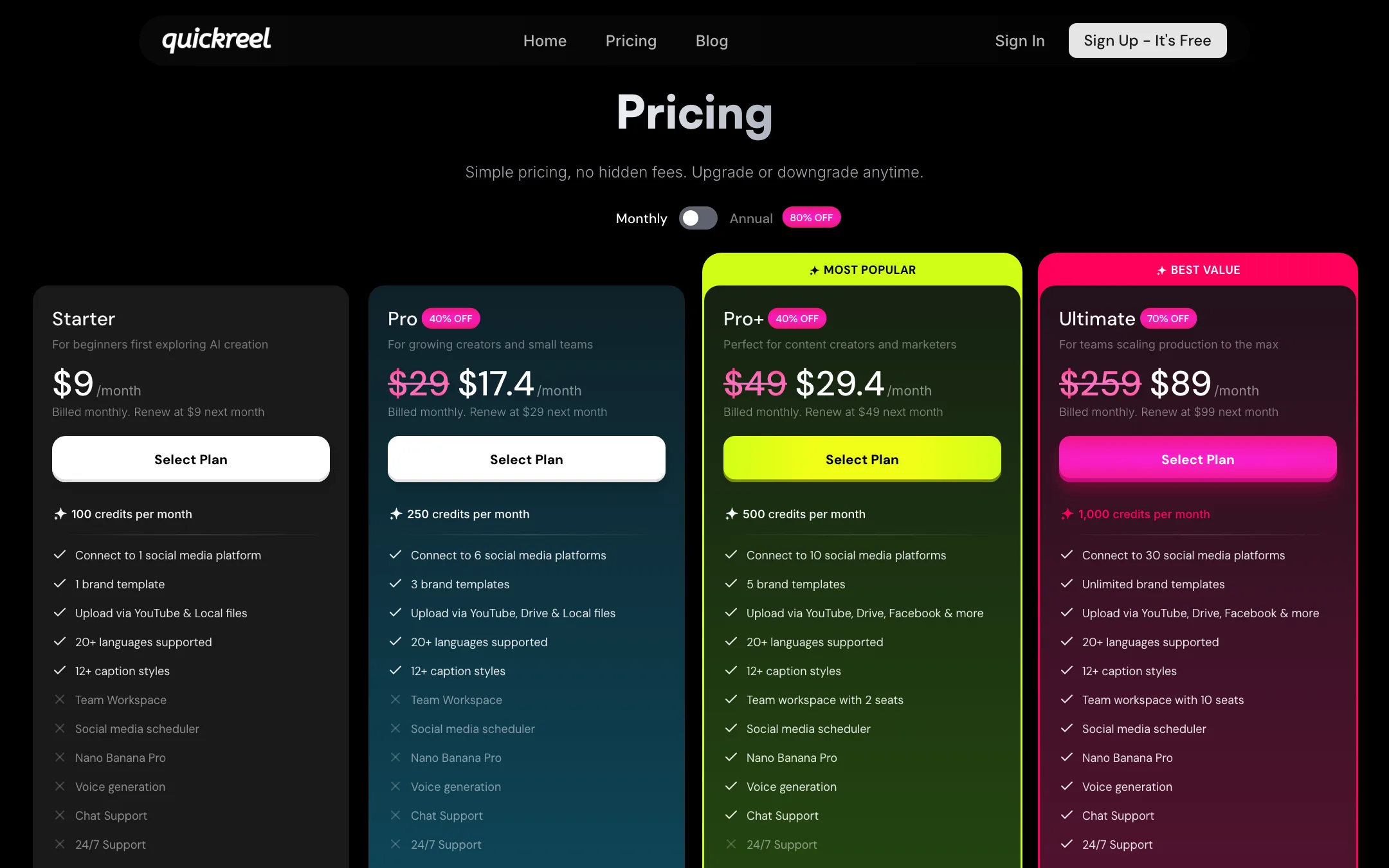
QuickReel charges by credits, and one credit equals one minute of input video. That is the number to watch, not the clip count.
| Plan | Monthly | Annual (per month) | Credits per month | Extras |
|---|---|---|---|---|
| Starter | $9 | $9 | 100 | 1 social platform, 1 brand template |
| Pro | $29 list, $17.40 first month | $17.40 | 250 | 6 platforms, 3 brand templates, Drive uploads |
| Pro+ | $49 list, $29.40 first month | $29.40 | 500 | 10 platforms, 5 brand templates, 2 seats, scheduler, voice and image generation, chat support |
| Ultimate | $259 list, $89 first month then $99 | $77 | 1,000 | 30 platforms, unlimited templates, 10 seats, 24/7 support, API |
Prices were checked on 2026-10-21 and the discounts look promotional, so expect them to move.
What the pricing page does not make obvious:
- The discounts are first-month only on monthly billing. Pro shows $17.40 but says it renews at $29. Ultimate shows $89 crossed from $259, then says it renews at $99.
- “80% off” annual is not what it looks like. Starter costs $9 either way, and the page says “No difference compared to monthly.” The “save” figures on the annual cards do not add up consistently across plans.
- Credits burn per minute of source. A one-hour podcast eats 60 credits on upload, so Starter covers less than two episodes a month. Trim your source before uploading.
- Credits do not roll over. Unused minutes vanish at the end of the cycle.
- No refunds. QuickReel’s refund policy says subscription money is not refunded. It also says cancellation takes effect the day you cancel and you are downgraded to a free account, so cancel near the end of your billing period rather than right after paying.
- Pro+ is the real full plan. Starter and Pro lack the scheduler, voice generation, image generation and chat support. If you want QuickReel to publish for you, budget for Pro+.
- The free tier is vague. The site says “Sign Up - It’s Free” and the FAQ confirms a free tier, but the pricing page does not list it or its limits.
There is no working affiliate program. The footer’s “Become an affiliate” link points nowhere.
Verdict
QuickReel is one of the more complete clippers around. B-roll, music and sound effects in the first draft, a real editor afterwards, and Premiere Pro XML export make it a good fit for podcasters and teams who care how clips look, not only how many they get.
The catches are mostly about money and rights. Per-minute credits get expensive on long footage, the pricing page takes effort to decode, and there are no refunds. The web-sourced B-roll is clever, but you are responsible for what ends up in your published video. Start on Starter with a short episode, check how far your credits go, and only then move up a plan.