
What OneTake AI is
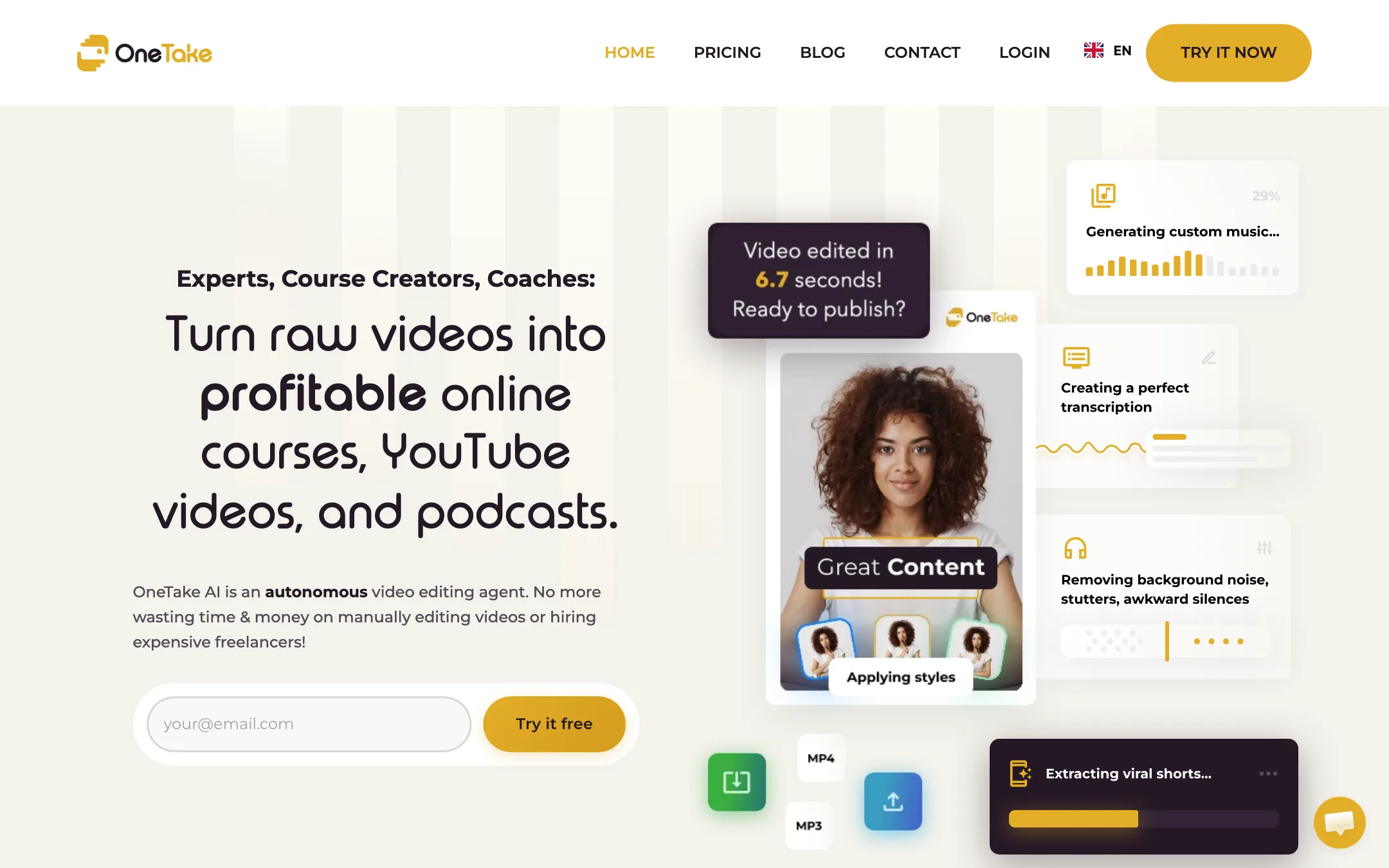
OneTake AI is an autonomous video editor for people who talk to camera. You record or upload a raw video. OneTake cuts the silences and stumbles, cleans the audio, adds captions, titles, B-roll, transitions and music, and hands you a finished video. Then it can translate it, dub it in your cloned voice, lip-sync it, cut Shorts from it and host it on its own player.
It was founded by Sébastien Night, who also runs a French-speaking entrepreneur network. That shows in the audience. OneTake is built for experts, course creators, coaches and consultants, not for vloggers or short-form trend creators. Its site is available in English, French, Spanish, Portuguese and Italian.
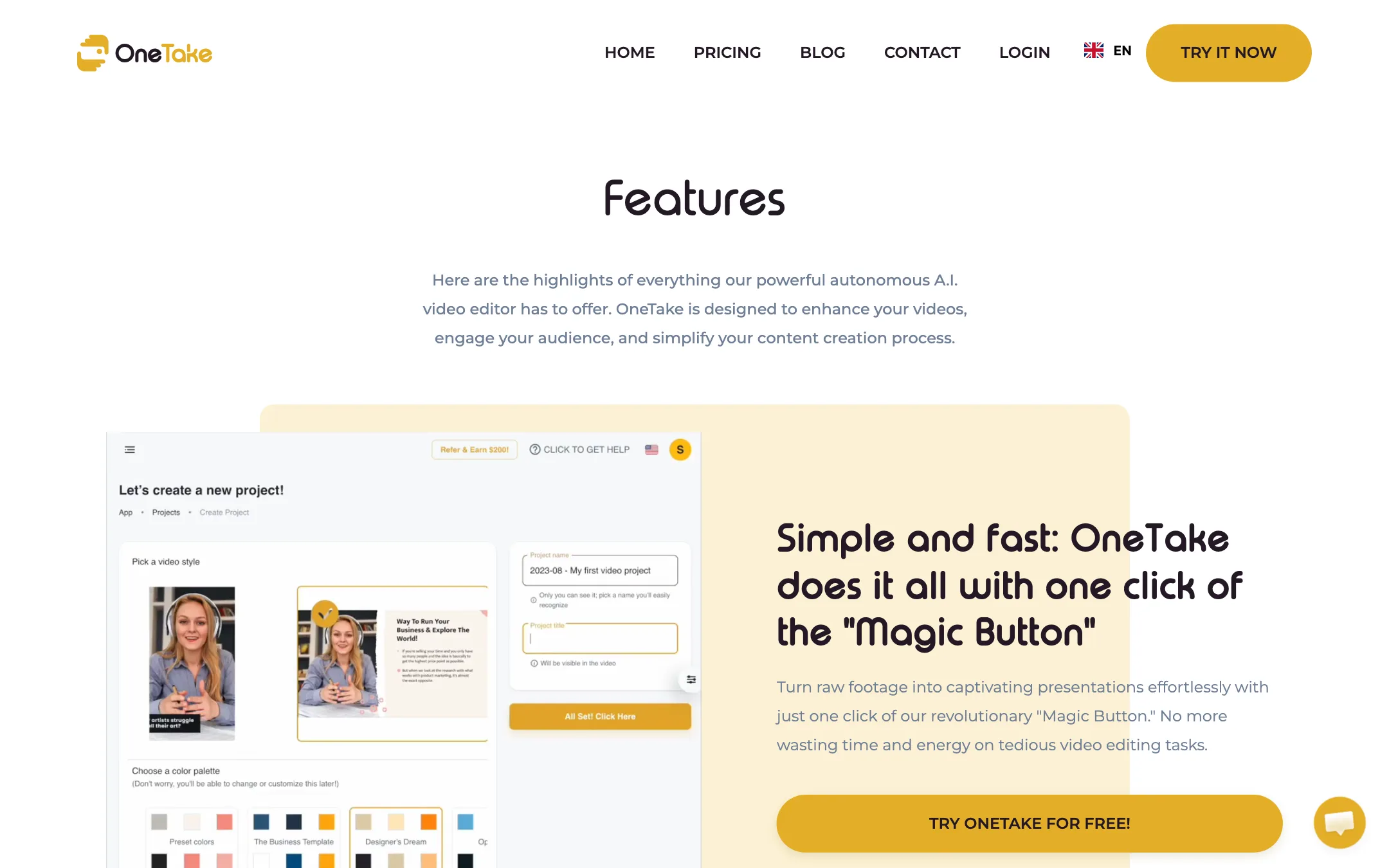
The pitch is “replace your video guy.” You do not edit on a timeline or even in a transcript. You press one button, review what the AI did, and ask for changes in a chat.
Who it is for
OneTake fits you if:
- You sell courses, coaching or consulting and record lessons, webinars or explainers.
- You hate editing and would rather pay to never open a timeline.
- You want to reach Spanish, Portuguese, French, Italian or German-speaking audiences in your own voice.
- You need somewhere to host course videos with a branded player.
- You run a small agency producing talking-head videos for clients.
Skip it if:
- You are on a creator budget. $66 a month is the floor.
- You want fine control over every cut. OneTake is built around letting the AI decide.
- You make entertainment, gaming or highly visual content. It is tuned for speech.
- You need Asian or other non-European languages. The features page lists six languages.
How it works
OneTake describes four steps: upload, edit, customise and share.
1. Upload or record
You can record video or audio directly in OneTake, or import from your computer, YouTube, Zoom recordings or Dropbox. If you write a script first, the built-in teleprompter scrolls it on screen while you record. You control speed and can pause on tricky lines.
On Grow and Scale you can connect your YouTube channel. OneTake watches for new uploads, pulls them in and delivers a first cut automatically.
2. Let the AI edit
Press what OneTake calls the Magic Button. According to OneTake, the AI then:
- Removes background noise and enhances your voice.
- Cuts awkward silences, filler words like “um” and “ah,” coughs and repeated takes.
- Transcribes the speech, including industry jargon from a custom glossary you can train.
- Adds titles, callouts and captions in what it calls a “neurovideo” layout, where key points appear on screen as structured text.
- Drops in B-roll and transitions.
- Composes a music track matched to the tone of your video.
- Keeps you centred with a “virtual cameraman.”
You can set how much the AI adds. OneTake says you can go from raw footage with no text at all, to titles only, to a full slide-like presentation.
3. Refine in chat
If something is off, you tell OneTake in plain language, as you would brief an editor. It calls this conversational editing. You can also edit the script inside the conversation and ask for a shorter section, a punchier hook or a new call to action. OneTake says it tracks versions so changes do not break the cut.
Style changes cover video styles, colours, fonts and your logo. OneTake says style changes apply instantly, even to videos already published through its player. Advanced users can apply CSS customisation.
4. Share, translate and publish
When the cut is done you have several routes:
- Download a 1080p MP4, watermark-free on every plan, or a podcast MP3 normalised to the -16 dB podcast standard.
- Host it on a OneTake share page with a searchable transcript, or embed the OneTake Player on your site or course platform. On Grow and Scale, whitelabel hosting puts it on your own domain.
- Publish to YouTube with the title, description and chapters filled in. Grow and Scale add Instagram, TikTok, Facebook and LinkedIn, plus scheduling.
- Cut Shorts. OneTake picks highlights and converts to vertical. Launch gets one Short per video; Grow and Scale get unlimited.
- Translate. Choose subtitle-only translation, voice-cloned dubbing or full lip sync. The player detects a viewer’s language and plays the matching version.
Content generation
OneTake also writes. It drafts scripts in your style based on your past videos, suggests new content ideas, and generates summaries, quizzes, lesson outlines, YouTube descriptions, Facebook ad copy and emails from each recording. For course creators, quizzes and outlines from a lesson recording are a genuine time saver.
Output quality
We did not use OneTake hands-on. These are the vendor’s claims and the trade-offs to expect.
OneTake’s claims:
- Its speech refinement makes you sound like a “confident, articulate expert.”
- Its translations preserve your face, voice and expressions so you appear to speak the viewer’s language.
- Its neurovideo format “outperforms subtitles” in understanding and retention. OneTake does not cite a study on the page.
What to expect from automated talking-head editors:
- Over-cutting. Aggressive silence removal can make a speaker sound rushed. Check whether you can dial it back.
- Generic B-roll. Auto-selected stock footage often matches keywords, not meaning. Expect to swap some out.
- Lip sync limits. Lip sync on a static talking head usually holds up better than on fast movement or side angles. OneTake gates it behind a trial on short videos for a reason: test it on your own face.
- Branded but templated. The neurovideo style looks polished and also recognisable. If your audience watches a lot of OneTake-edited courses, they may notice the template.
Pricing
OneTake bills by editing minutes, meaning minutes of source video processed each month.
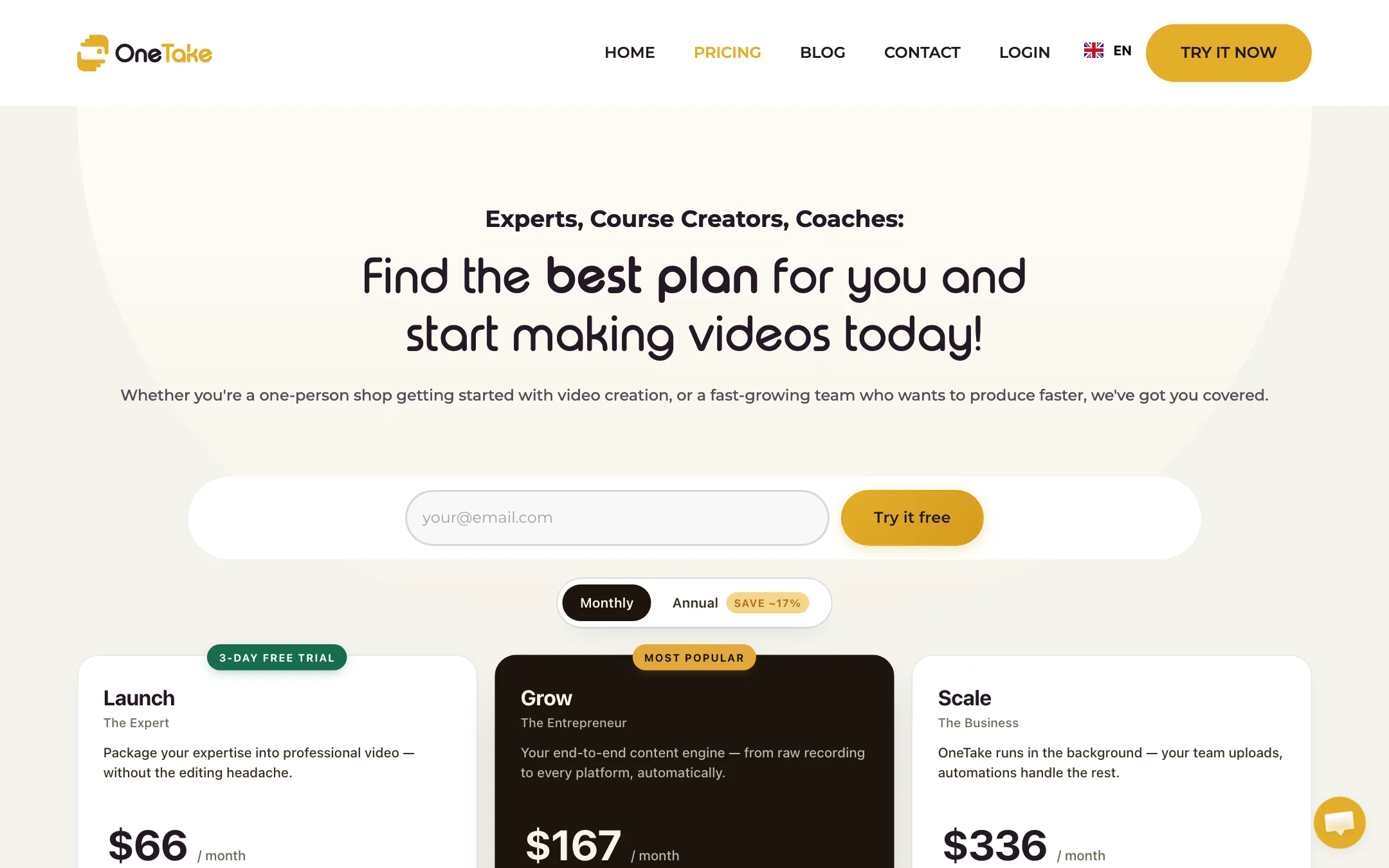
| Plan | Monthly | Minutes | Highlights |
|---|---|---|---|
| Launch | $66 | 120 | Videos up to 1 hour, 1 Short per video, YouTube publishing |
| Grow | $167 | 240 | Videos up to 2 hours, unlimited Shorts, 5 networks, whitelabel hosting |
| Scale | $336 | 600 | Unlimited length, 3 seats, sub-accounts, API |
Annual billing saves about 17%, according to the toggle on the pricing page.
Translation is where the bill can grow:
- Subtitle translation: each plan includes a one-off try on one video (1, 3 or 5 target languages by plan), then €0.50 per minute.
- Audio dubbing: a one-off try on a video of up to 30, 45 or 60 minutes depending on plan.
- Lip sync with dubbing: a one-off try on a 10 or 15 minute video on Grow and Scale, then €3.50 per minute.
Other add-ons include custom-prompt thumbnail packs at €25 for 50.
A few things to know:
- The FAQ is out of date. The pricing page FAQ still says “OneTake Occasional plans start at $10 per month” and talks about Pro and Premium Studio plans. None of those appear in the current plan table. Go by the table.
- Euros and dollars mix. Plans are in dollars and add-ons are in euros. Expect currency conversion on your card.
- Some features are not live yet. The Grow plan marks AI thumbnails “SOON!” Its features page also flags player analytics, SEO share pages and AI style suggestions as coming soon.
Which plan to pick
Count the minutes of raw footage you record each month, not the length of the finished videos.
- One or two lessons a week of 20 to 30 minutes fits Launch’s 120 minutes. Note the 1-hour cap per upload and the single Short per video.
- A weekly webinar or podcast plus social clips needs Grow. You get 240 minutes, 2-hour uploads, unlimited Shorts and posting to five networks.
- A team or agency needs Scale for seats, sub-accounts and the API.
If dubbing is the main reason you are here, price the per-minute add-ons first. They can cost more than the plan itself.
Commercial use and cancellation
OneTake’s FAQ says you can resell videos and video services made with it, within its content guidelines. Paid plans carry no watermark. When you cancel, you keep access and hosted videos stay live until the end of the billing cycle. Billing runs through Paddle.
Affiliate program
OneTake pays affiliates 20% lifetime commission on every subscription referred. You request the affiliate guide by email on its partner page.
Things to watch
- Price versus alternatives. Descript, Gling and similar tools cover silence cutting and captions for a fraction of $66. You pay OneTake for the hands-off workflow, hosting and dubbing. If you do not need those, it is poor value.
- Language range. Six listed languages suit Europe and the Americas. Check before you plan an Asian or Middle Eastern launch.
- Trial length. Three days is short. Have a real recording ready before you start it.
Verdict
OneTake AI is a strong choice if you are an expert who records talking-head lessons and never wants to edit. Press one button, give notes in chat, publish, host and dub in the same tool. For a course business, the hosting and translation alone can replace two other subscriptions.
For everyone else it is expensive, and the stale FAQ and “SOON!” labels show a product still catching up with its own pricing page. Use the 3-day trial on your messiest real recording. If the first cut needs little fixing, the price can make sense.

