What BIGVU is
BIGVU is a video app for people who talk to camera for a living. It started as a teleprompter and grew into a full pipeline: write a script with AI, read it on a teleprompter, clean up the take, add captions and branding, then post it to every social channel from the same app.
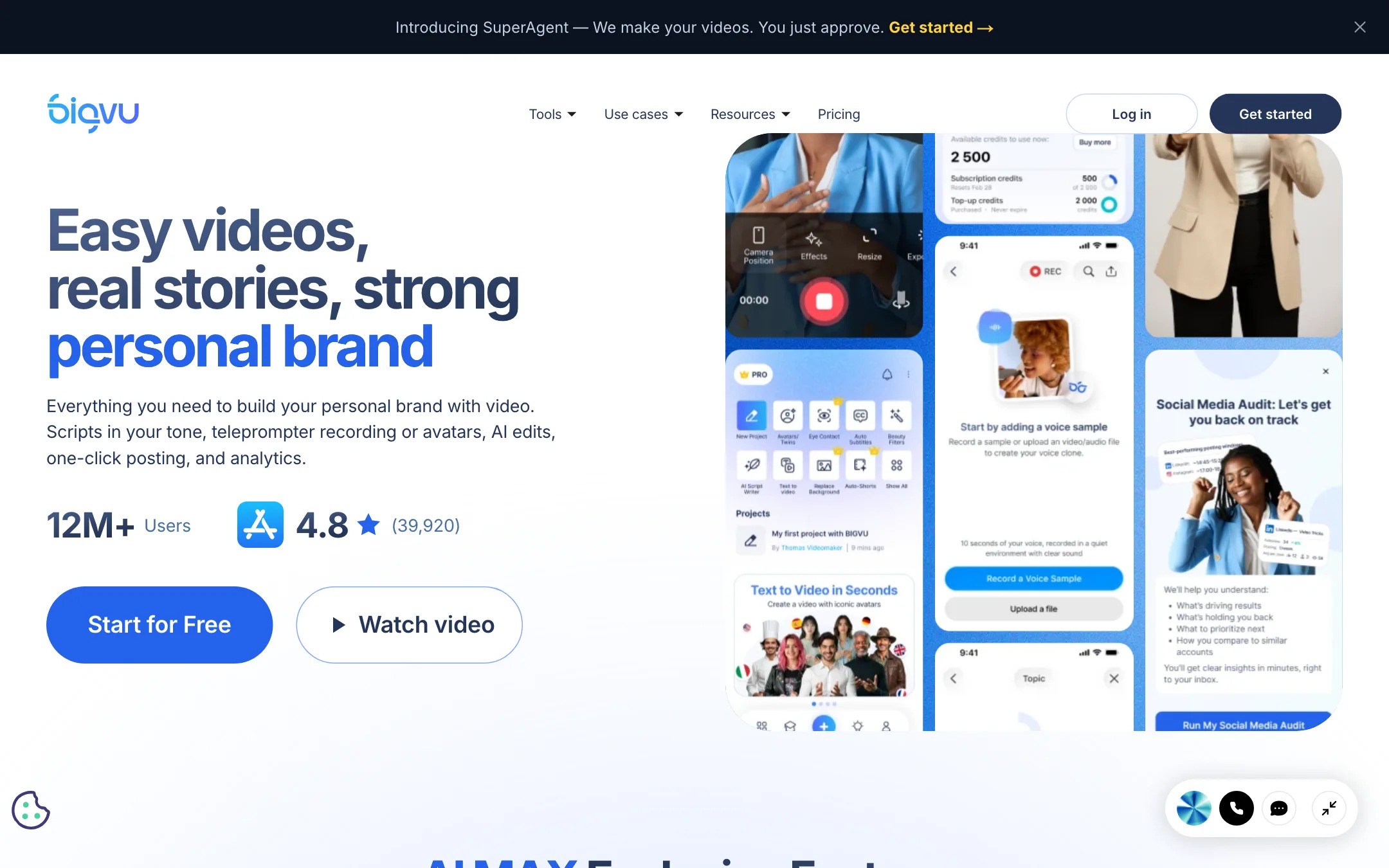
Its pitch is aimed squarely at realtors, coaches, consultants, sales teams and small marketing teams. The homepage tagline is “Easy videos, real stories, strong personal brand,” and the company, BIGVU Inc. of New York, claims more than 12 million users.
Over the last couple of years BIGVU has added a lot of generative AI on top: talking photos, an AI Twin avatar of you, voice cloning, AI dubbing, a voice agent called VoiceMate, and a done-for-you service called Super Agent. The core is still the record-and-polish workflow, and that is where it stands out.
This review is based on BIGVU’s public tool pages, pricing page, pricing FAQ and help center as of October 2026. We did not record or generate anything in the app, so feature and quality claims below are BIGVU’s own.
Who it is for
BIGVU fits you if:
- You record yourself talking to camera every week: listings, tips, coaching, sales follow-ups.
- You read from notes and it shows. A teleprompter plus eye-contact correction fixes the two most common problems.
- You want scripting, editing and posting in one place instead of three subscriptions.
- You are in real estate. BIGVU has listing-specific tools and brand kit templates for major franchises.
Skip it if:
- You edit multi-camera footage, music videos or anything cinematic. BIGVU is not a timeline editor in the CapCut or Filmora sense.
- You mainly want text-to-video or AI-generated footage. Its AI features revolve around you or your photo, not generated scenes.
- You need a lot of avatar minutes. The credit pools are small.
How it works
BIGVU organizes its tools into five steps: plan, record, edit, create and share. You can use one step or all five.
Plan and script
The AI Script Generator writes a script in your brand’s tone, and the Content Planner suggests topics over time. Both read from your Brand Kit, which stores your business details, audience, messaging pillars, tone, logo, colors, fonts, caption style, outros, avatar and voice clone. BIGVU says new projects auto-fill from the kit, and you can keep several kits for clients or franchises.
Record
The teleprompter runs on the web and in the iOS and Android apps. Your script scrolls while you read, at a speed and text size you set. BIGVU adds beauty filters for skin and lighting, a webcam recorder, a “words to minutes” calculator, and support for the PIVO 360° auto-tracking mount if you film while moving.
Recording length is capped by plan: 9 minutes per video on Free (and on Starter, where that plan appears), 59 minutes on AI Pro and up.
Edit
This is where BIGVU earns its place for talking-head video:
- Auto-captions with brand styling.
- Filler-word removal that cuts “um,” “uh” and pauses in one tap.
- WordTrim, which lets you edit by deleting words in the transcript.
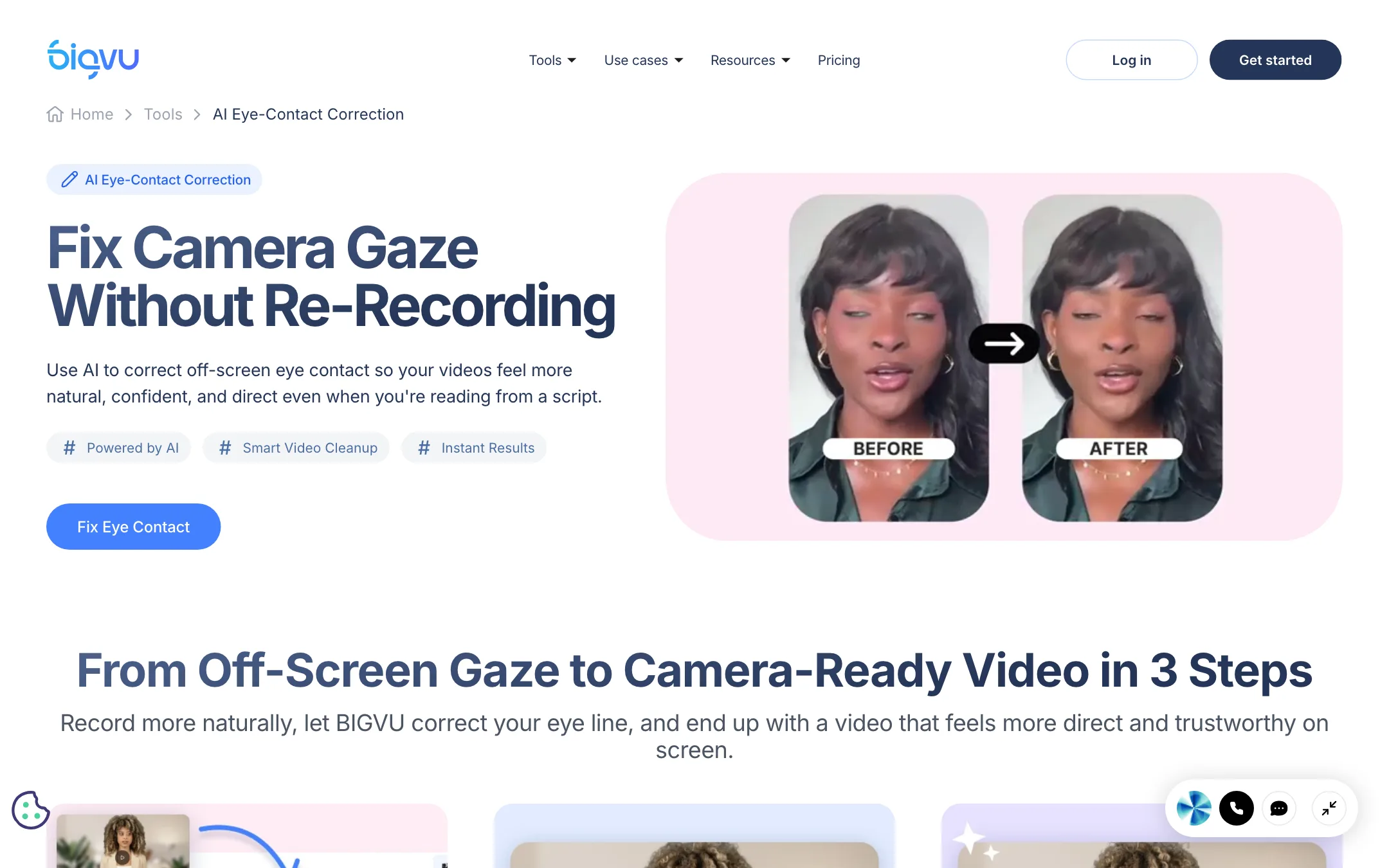
- AI eye-contact correction that adjusts your gaze toward the lens after the fact.
- Background remove and replace, a green-screen effect without a green screen.
- B-roll cutaways, split screens and animated titles.
- Auto-Shorts that cut a longer video into short clips.
Create
The generative side covers:
- Talking photo: upload a portrait, add or generate a script, and get a video in your cloned voice.
- AI Twin: an avatar trained on your face and voice. BIGVU’s avatar page also offers 100+ stock “digital influencers” that speak 30+ languages.
- Fototale: turns phone photos into narrated, cinematic reels. A listings version turns property photos into walkthrough videos.
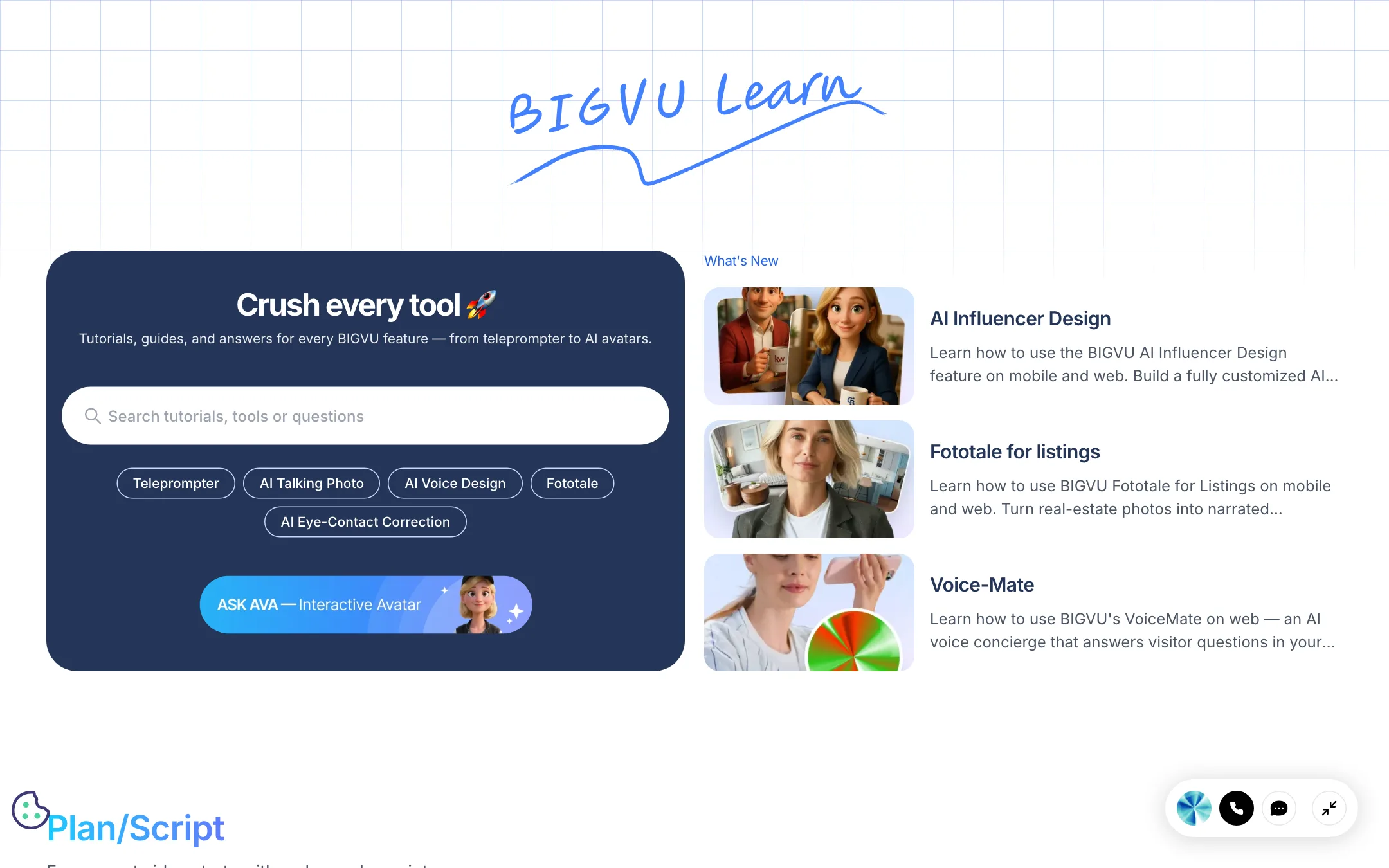
- AI dubbing: translate a recorded take into other languages. The help center walks through picking the source language, number of speakers and target languages.
Share
You can connect your social accounts, publish or schedule to all of them at once, and let BIGVU write post text and hashtags per platform. There is a social media dashboard, a social media audit, video emails with CTA buttons, and video landing pages. For larger setups, Max adds VoiceMate (a voice agent that answers leads in your cloned voice), a video API, webhooks and an MCP integration so Claude or ChatGPT can drive BIGVU.
Output quality
We have not tested BIGVU’s output, so this section reports what the vendor claims and where those claims are limited.
- Recording quality depends on your camera, not BIGVU. The app helps your delivery; it does not upgrade your lens.
- Export resolution. Free exports are 720p with a watermark. AI Pro and up list HD and 4K export. The Starter plan, where it appears, lists 1080p.
- Eye-contact correction. BIGVU describes it as a subtle gaze adjustment so you appear to look into the lens. Gaze correction of this kind is generally most convincing on front-on takes, so keep your head still and the camera close to the prompter.
- Avatars and talking photos. BIGVU promises natural speech, lip sync and gestures. Its own numbers say 3,000 credits produce about one minute of portrait video, so you will not be making long avatar videos on AI Pro.
- Security. BIGVU says it is SOC 2 compliant and GDPR ready. Max adds SSO and two-factor authentication.
Social proof on BIGVU’s own pages is inconsistent. The homepage shows a 4.8 rating from 39,920 reviews. The pricing page shows 4.8 from 105K ratings and says “500,000+ creators across 180+ countries use BIGVU every day,” next to the 12 million user figure. None of these are wrong on their own, but they are not the same claim.
Pricing
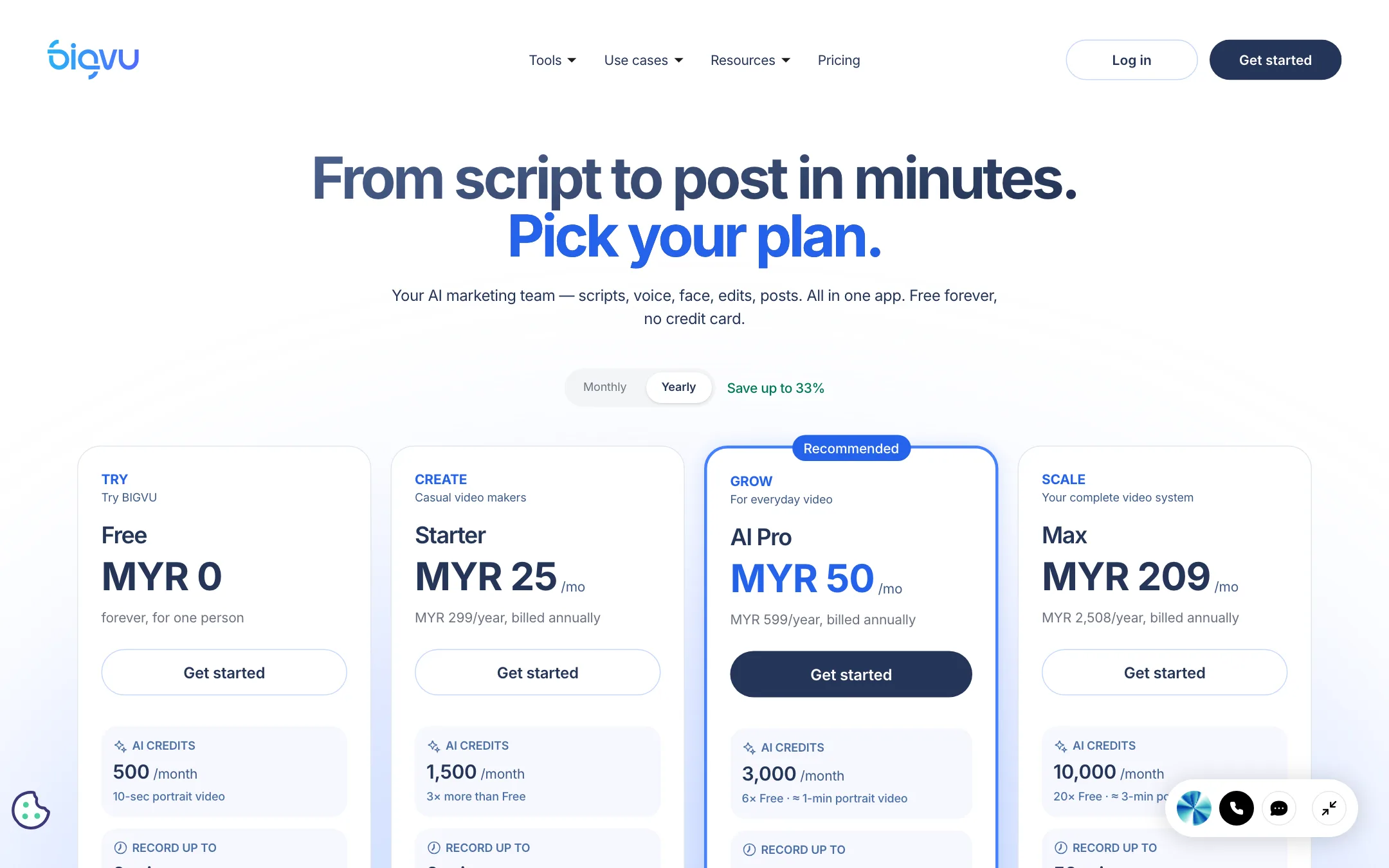
BIGVU bills in your local currency through Stripe, across 28 currencies. Our first crawl was served Malaysian ringgit; from a US connection the page shows US dollars.
| Plan | Yearly | Monthly | What you get |
|---|---|---|---|
| Free | $0 | $0 | 500 credits, 9-minute recordings, 720p with watermark |
| AI Pro | $19/mo ($229/yr) | $39 | 3,000 credits, 59-minute recordings, 4K, full AI edit suite, dubbing |
| Max | $49/mo ($589/yr) | $90 | 10,000 credits, AI Twin, VoiceMate, API, SSO |
| Super Agent | $239/mo ($2,868/yr) | $299 | Max plus a coach who plans and publishes for you |
Two versions of the pricing page
The live page carries two plan line-ups. The one shown to a US visitor runs Free, AI Pro, Max and Super Agent. A second line-up, which our first crawl saw (in ringgit), runs Free, Starter, AI Pro and Max. In US dollars that Starter plan is $12 a month yearly ($149) or $25 monthly, with 1,500 credits, 1080p without a watermark, one brand kit and unlimited captions.
The two versions also split features differently. In the Starter version, AI Pro “unlocks” eye-contact fix and 4K while the editor and captions sit lower down. In the US version, AI Pro is the first plan with the editor at all. The pricing FAQ mentions only Free, AI Pro and Max credits. You may see either version, so check which plan includes the tool you need before you pay.
What the pricing page does not make obvious
- The yearly discount is bigger than labelled. The toggle says “Save up to 33%,” but AI Pro drops from $39 to $19 and Max from $90 to $49 on yearly billing. That is roughly half off.
- Credits are the real limit. 500 credits is about a 10-second portrait video, 3,000 about a minute, 10,000 about three minutes, by BIGVU’s own estimates. Credits do not roll over. BIGVU quotes every credit estimate in seconds of portrait video, which points to talking photos and avatars as the main cost.
- Language counts disagree. The pricing page lists AI dubbing in 30+ languages. The learning and development page promises training videos “in 170+ languages.” Ask support which applies to dubbing with lip sync.
- Teams cost more than one seat. BIGVU says paid plans include unlimited workspaces and that “the price adjusts” with the number of seats. Per-seat prices are not listed.
Refunds
BIGVU offers a 30-day money-back guarantee on plans bought on its website. Purchases through the App Store or Google Play follow those stores’ rules instead. If you want the guarantee, subscribe on the web, not in the app.
Getting better results from BIGVU
- Write short scripts. Ask the script generator for 45 to 60 seconds. Short videos perform better on social and keep you inside the free recording cap.
- Slow the teleprompter down. Set the scroll speed below your natural pace. Rushed reading is easier to spot than a pause.
- Put the phone at eye level. Eye-contact correction works best when it only has to fix small drifts.
- Run filler-word removal before captions. Clean the take first so captions line up with the final cut.
- Save credits for the shots that need them. Teleprompter recording and editing are the core of the app. Use talking photos, avatars and Fototale only where they replace a shoot, and check the cost estimate the app shows before you generate.
Verdict
BIGVU is one of the best tools for people who film themselves talking to camera. The teleprompter, eye-contact fix, filler-word removal and one-click posting cover the whole job, and the real-estate features are a genuine niche strength.
It is not cheap if you pay monthly, the AI credit pools are small, and the pricing page shows different plans to different visitors. Take the free plan for a week of real recordings, then go yearly on AI Pro if the workflow sticks. If you need a full editor or generated footage instead, look at CapCut or InVideo.