What Neural Frames is
Neural Frames is an AI music video platform. You upload a song, and it builds visuals that move with the music. It analyzes the track, splits it into stems, pulls out lyrics, key and tempo, and uses all of that to drive the video.
It is not a general text-to-video tool that happens to accept audio. It is built around the song from the start. The headline feature, Autopilot, turns a whole track into a full-length music video in what Neural Frames calls “two clicks.” Its site advertises Autopilot music videos up to 10 minutes long.
Neural Frames is a small Berlin team that says it took no VC money. It claims 40,742+ artists and more than 2 million videos made on the platform.
Who it is for
Neural Frames fits you if:
- You are an independent artist who needs a video for every release and cannot pay for a shoot each time.
- You make electronic, hip-hop or experimental music and want visuals that react to the kick, bass and vocals.
- You run a small label and need visualizers and lyric videos at volume.
- You make AI music with tools like Suno and want a matching video.
Skip it if:
- You want a free AI video tool to experiment with. There is no free plan for the video editor.
- You need marketing videos, talking heads or product ads. Neural Frames is built for music.
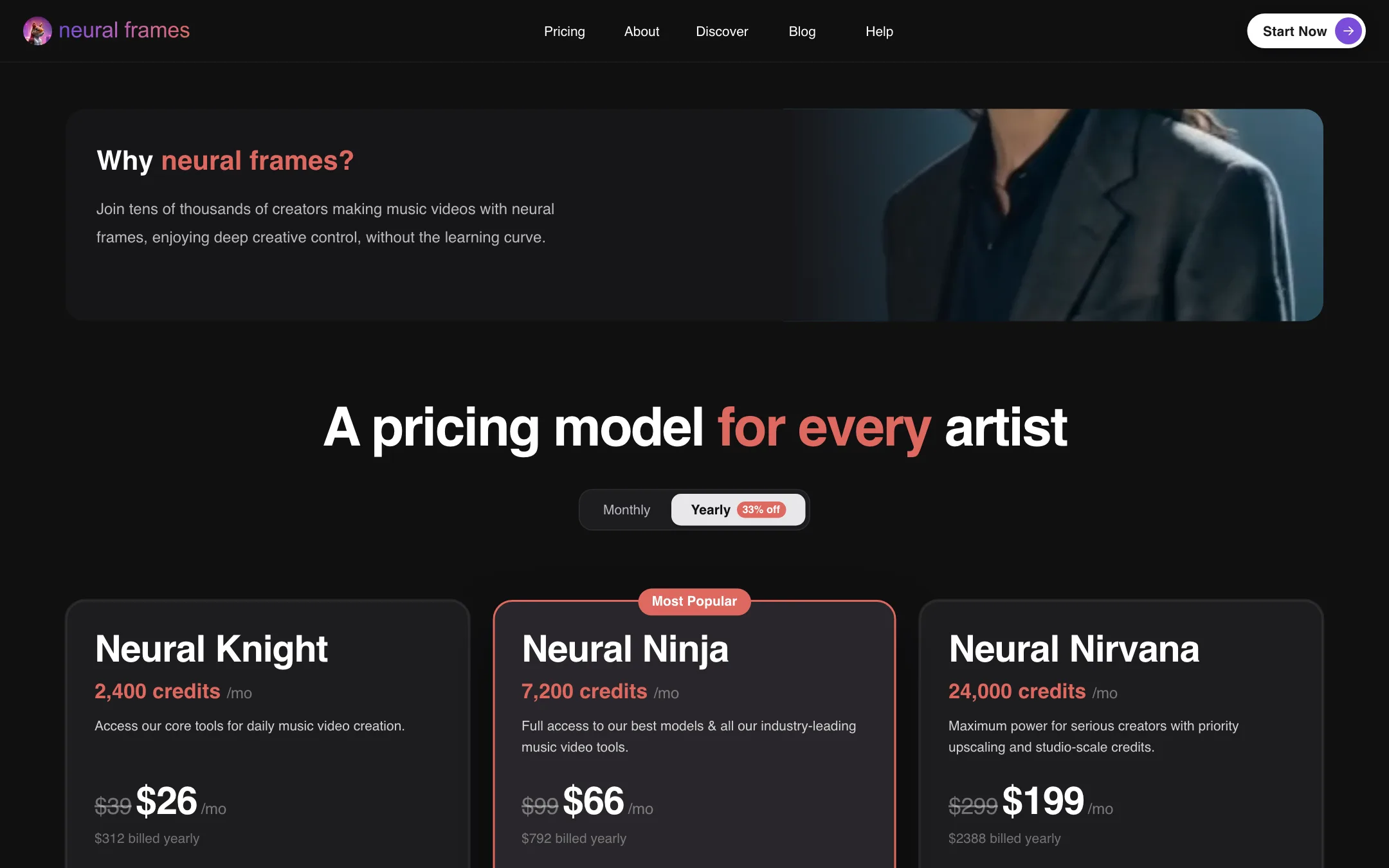
- You need one short clip a month. The cheapest plan is $26 a month on yearly billing.
How it works
Neural Frames gives you several ways to make a video, from fully automatic to frame by frame.
Autopilot
Upload a song and Autopilot builds a complete music video or lyric video. Neural Frames says it extracts lyrics, key and tempo automatically and uses them to keep the video in sync with the music. You can add captions to turn it into a lyric video. Characters stay consistent across the video, according to the company.
Autopilot is the feature most people come for. It is also where the credit cost adds up, since a full song means a lot of generated footage.
Audio reactivity
This is what sets Neural Frames apart. The homepage FAQ says it automatically extracts 8 stems from your track, such as drums, bass, vocals and melody. You then map each stem to visual effects using 10+ modulation parameters. The example it gives: colours pulse with the kick drum, transitions follow the melody, effects intensify with the vocals.
A basic visualizer reacts to overall loudness. Stem-level control means the drums and the vocals can move different parts of the picture.
Short-Form Studio
Short-Form Studio is aimed at TikTok, Reels and Shorts. It makes social clips from your music, and every plan includes horizontal to vertical conversion so a widescreen video can become a vertical teaser.
The editors
For more control, Neural Frames has two editors:
- Text-to-video editor. A timeline where you build scenes with third-party video models. Neural Frames names Kling, Seedance and Runway here, and the homepage highlights Kling 3.
- Frame-by-frame editor. Built on Stable Diffusion, it produces the morphing, trippy animation style that early AI music videos were known for. You control prompts and timing at a very fine level.
The pricing FAQ notes that these editors “usually take longer.” They are for people who want to direct every scene.
Custom models and environments
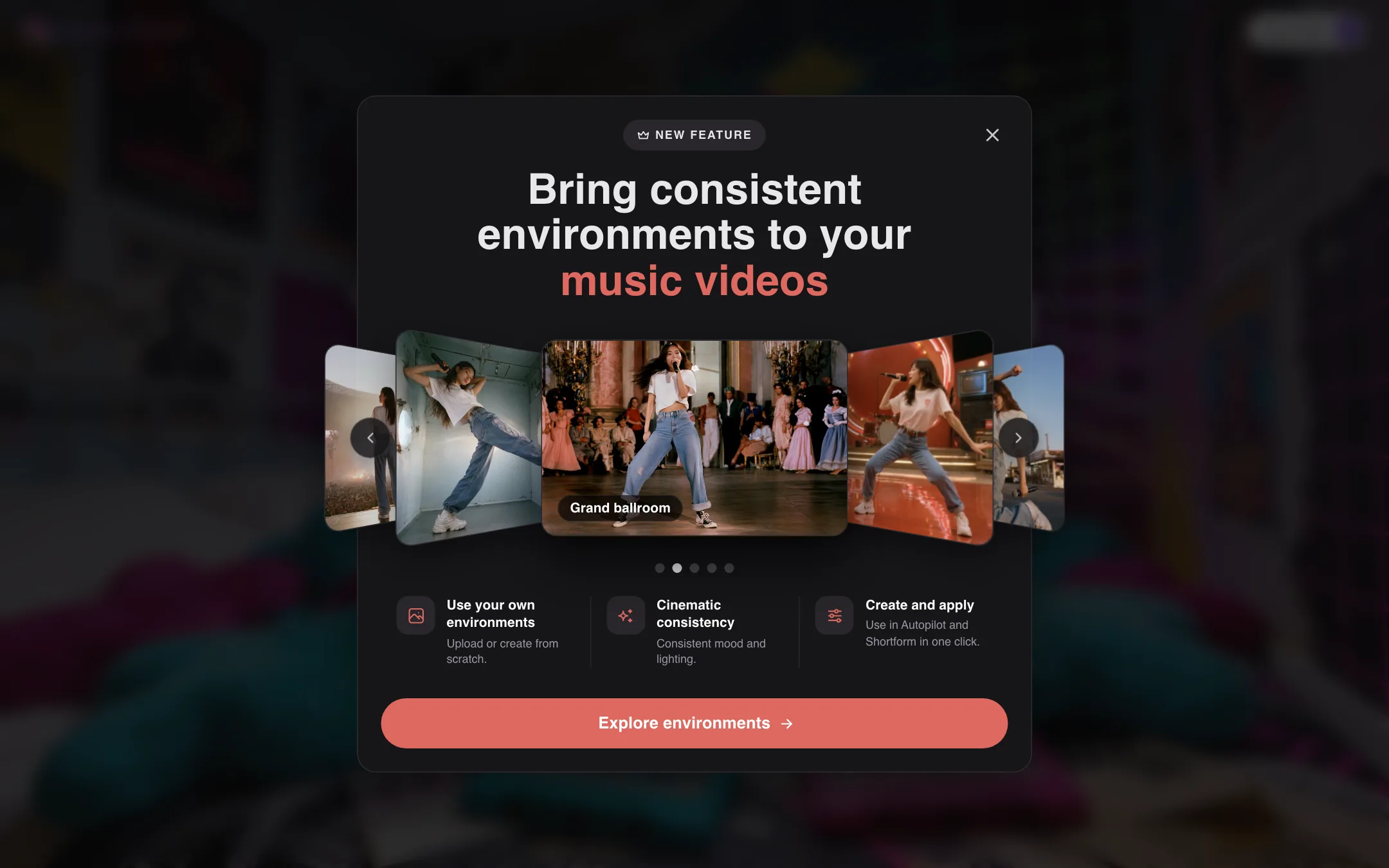
You can train custom models. Neural Frames says 10 to 20 images are enough for a consistent character, such as you or a band member, and 50 to 100 images for a custom visual style. A newer feature adds consistent environments: you upload or create a setting, like a grand ballroom, and reuse it across Autopilot and Short-Form videos.
Free tools
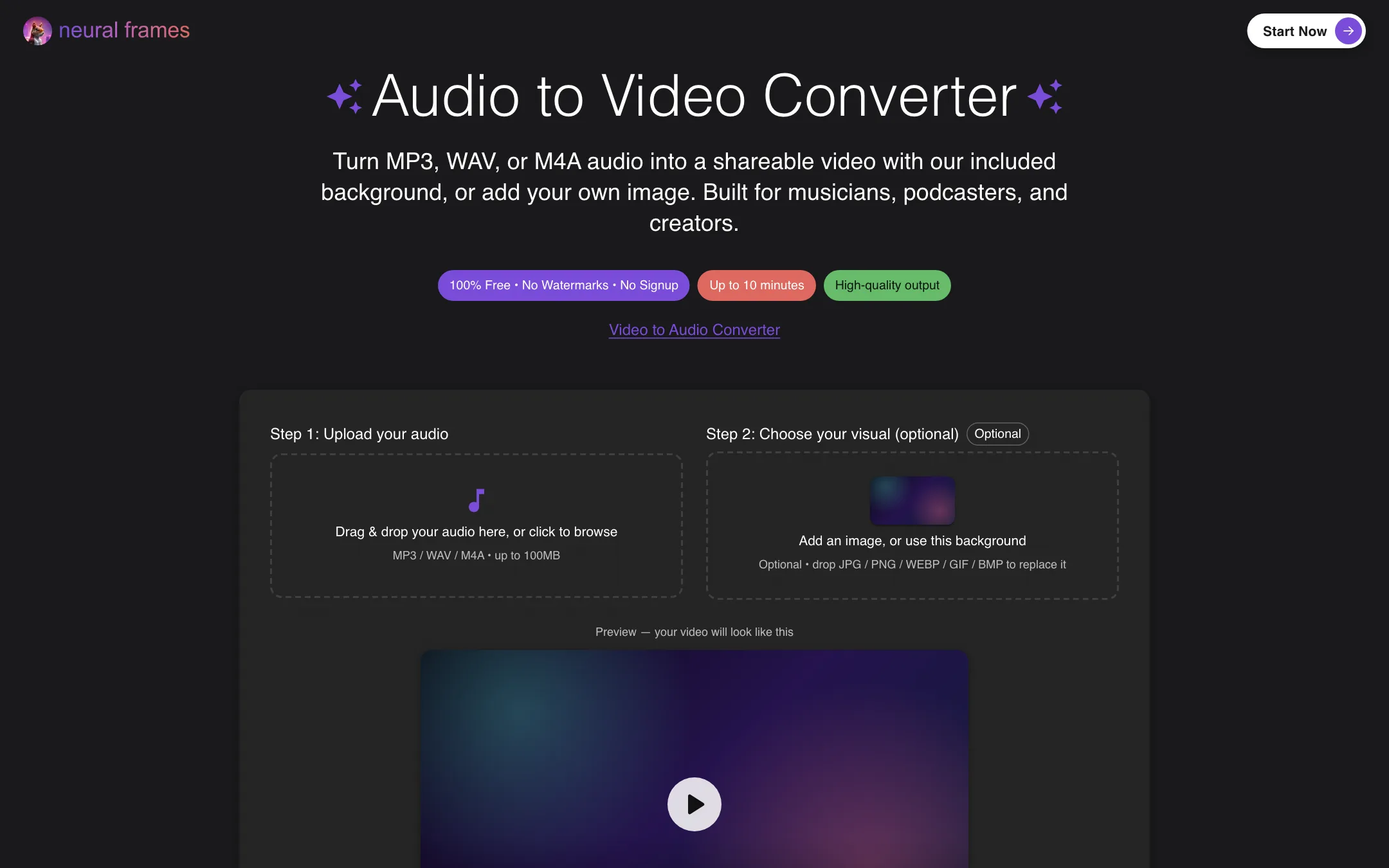
Neural Frames runs a set of free tools that need no signup. The audio to video converter turns an MP3, WAV or M4A file up to 10 minutes long into a video with a still image, with no watermark. There is also an album cover generator, band and album name generators, a cartoon generator and an image to prompt tool. These are useful, but they are not the AI music video product.
Output quality
These notes come from Neural Frames’ own pages, not from a hands-on test.
Neural Frames is a layer on top of other companies’ models. Plans include 7 or 10 models depending on tier. The company names Kling, Seedance, Runway and Stable Diffusion, and describes each one’s strengths: Kling for realistic motion, Seedance for dreamlike sequences, Runway for consistency and Stable Diffusion for abstract animation. Your results depend heavily on which you pick.
What Neural Frames adds is the music layer:
- Sync. Cuts and effects follow the song’s structure and beat.
- Length. Full songs, not a few seconds you stitch together.
- Consistency. Character models and environments carry across a whole video.
Testimonials on the pricing page come from musicians and AI artists and praise the sync and the customer service. They are chosen by the company.
Limits to expect:
- Cheaper models on cheaper plans. Neural Knight gets 7 models, not 10, and Neural Frames recommends the higher plans for Autopilot.
- Resolution. Exports are at 25 fps. Neural Knight upscales to 1080p only. 4K needs Neural Ninja or higher.
- The usual AI video problems. Hands, faces in motion and long continuous action are weak points for every model Neural Frames routes to.
Pricing
Neural Frames runs on monthly credits. You get a fresh allocation every month, even on yearly billing.
| Plan | Price | What you get |
|---|---|---|
| Neural Knight | $26/mo yearly, $39 monthly | 2,400 credits, 7 models, 1080p upscaling |
| Neural Ninja | $66/mo yearly, $99 monthly | 7,200 credits, 10 models, 4K upscaling |
| Neural Nirvana | $199/mo yearly, $299 monthly | 24,000 credits, 10 models, priority 4K upscaling |
What the pricing page makes clear, and what it does not:
- Neural Knight is not really for Autopilot. The plan card says “Not recommended for Autopilot.” The FAQ calls Neural Ninja the recommended plan for full-length videos. If Autopilot is why you are here, budget $66 a month on yearly billing.
- Song cost is hidden at first. The pricing page has a calculator that compares Autopilot cost by song length (30 seconds to 10 minutes), plan and model. It loads after the page does, and it showed only “Loading pricing information…” to our crawler. A hyphen in the calculator means the plan does not have enough credits for that combination.
- Credits roll over. Unused plan credits carry forward up to 300% of your monthly allowance while you stay subscribed. When the subscription ends, they expire.
- Failed jobs are free. The FAQ says failed generations never cost credits.
- No real free tier. The homepage says “Start creating for free,” but every plan is paid. The free part is the side tools.
- 4K wording conflicts. The homepage FAQ says every export gets upscaling up to 4K at no extra cost. The pricing page says Neural Knight has no 4K.
- Refunds are case by case. There is no money-back guarantee. Support will look at requests from people who made only one project.
How it compares
Most AI video tools treat music as an afterthought. You generate a clip, then cut it to the beat yourself in an editor. Neural Frames starts from the song and builds the video around it.
- General generators such as PixVerse, Runway and Kling make better single shots on their own models and cost less to try. You still have to stitch dozens of clips together and sync them by hand for a full song.
- Visualizer tools react to audio but use fixed templates rather than generated footage.
- Neural Frames combines both: generated scenes, stem-driven effects and full-length assembly in one place.
If you only need a short teaser for one release, a general generator plus a free editor may be cheaper. If you release music often and want a video for every track, the music-first workflow is what you are paying for.
Tips before you subscribe
- Use the free audio to video converter first if all you need is a static video for YouTube.
- Run the pricing calculator with your real song length before picking a plan.
- Start on monthly billing for one release, then switch to yearly once you know your credit use.
- Train a custom character model early if you want the same face across an album.
Verdict
If you make music and want videos that actually follow your song, Neural Frames is one of the most focused tools available. Stem-based audio reactivity, full-length Autopilot videos, lyric and lipsync modes and custom character models all point at one audience: musicians.
The catch is cost and clarity. There is no free plan to test the real product, the entry plan is flagged as weak for the main feature, and you will not know what your song costs until you use the calculator. If you release music regularly, start with Neural Ninja on monthly billing for one release, check the cost per song, then switch to yearly if it fits.