
What Morph Studio is
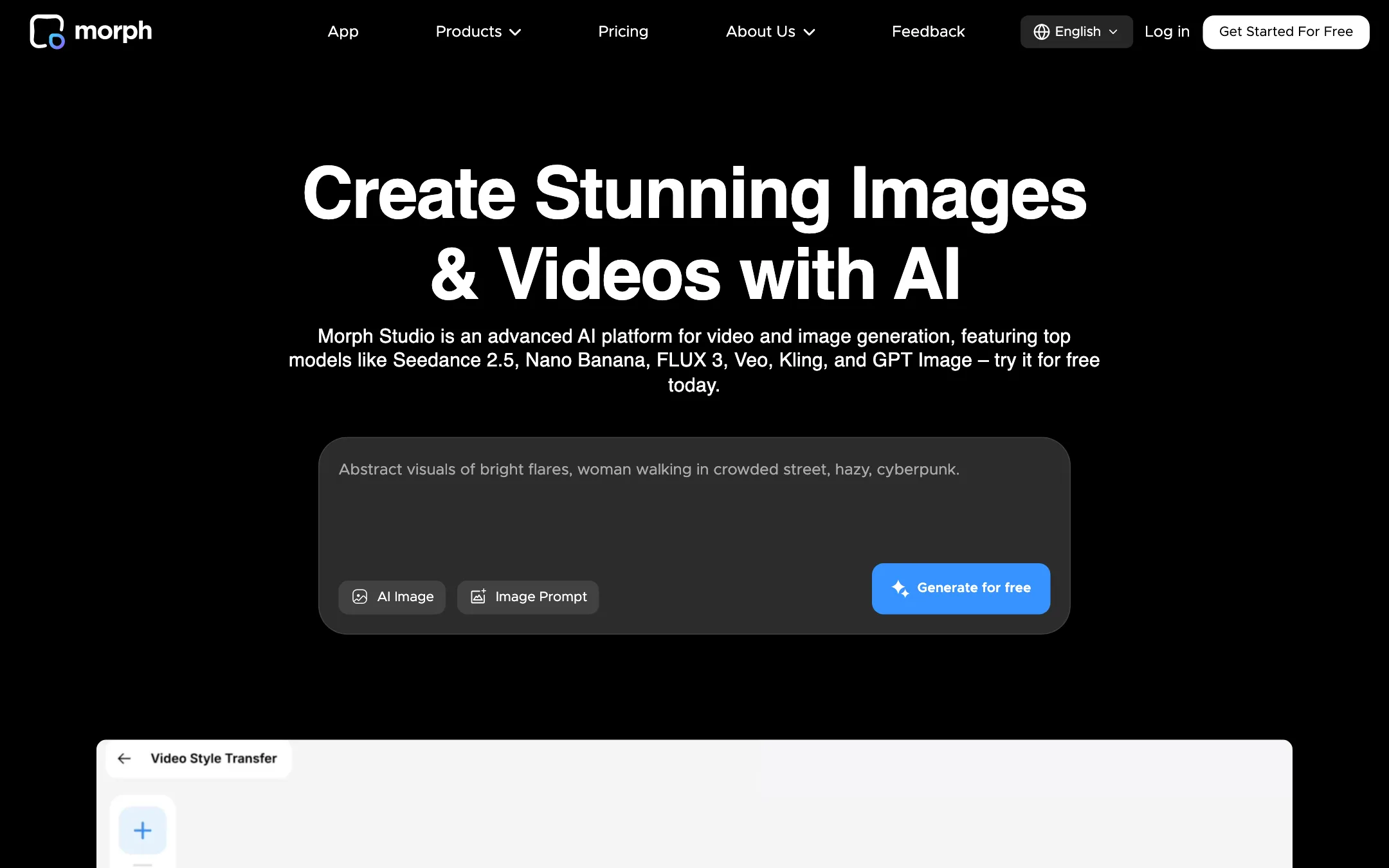
Morph Studio is a web app for AI image and video generation. It puts a long list of third-party models under one credit balance, next to its own Morph model. You can pick Seedance 2.5, Kling 3.0, Wan 3.0, Veo 3.1, Hailuo, MiniMax H3 or Hunyuan Video for a clip, then move on to image tools, lip sync, voiceover or music without leaving the app.
Plenty of sites resell video models. Morph Studio stands out for two things. The first is a canvas where you lay out shots as a storyboard. The second is video style transfer, a feature built on Morph’s own model that restyles existing footage into anime, claymation and other looks. Morph Studio was early to AI video. Its newsroom points to a TechCrunch story on a partnership with Stability AI.
We have not tested Morph Studio hands-on. This review is based on its public pages, pricing table and FAQs. Claims about output quality are Morph Studio’s own unless we say otherwise.
Who it is for
Morph Studio fits you if:
- You make short films, music videos or concept pieces and think in shots, not single clips.
- You want to compare several big models on the same idea without juggling subscriptions.
- You want to restyle footage you already have, for example turning a phone clip into anime.
- You show clients proof-of-concept visuals. One testimonial on the homepage says exactly that.
Skip it if:
- You want to try it seriously for free. Seventy-five credits a month does not go far.
- You need Veo 3.1 on a small budget. It is not on Basic.
- You want a phone app. Morph Studio is web only.
- You want templates and trends. Morph Studio is a blank-page tool, not a template gallery.
How it works
Morph Studio splits its app into two modes.
- Immersive Space is the quick mode. You type a prompt, pick a model, set aspect ratio and resolution, and generate.
- Open Canvas is the planning mode. You arrange images and clips on a borderless board, connect them and build them into a sequence.
The canvas is what users in Morph’s own testimonials talk about most. One describes laying out scenes and changing the camera direction per scene, with each shot running up to 10 seconds. Another likes “the storyboard style of generating individual shots for a full video.” These are the vendor’s chosen quotes, so treat them as a pitch, but they show what the product is built for.
A typical text-to-video run
Morph Studio’s own steps are short:
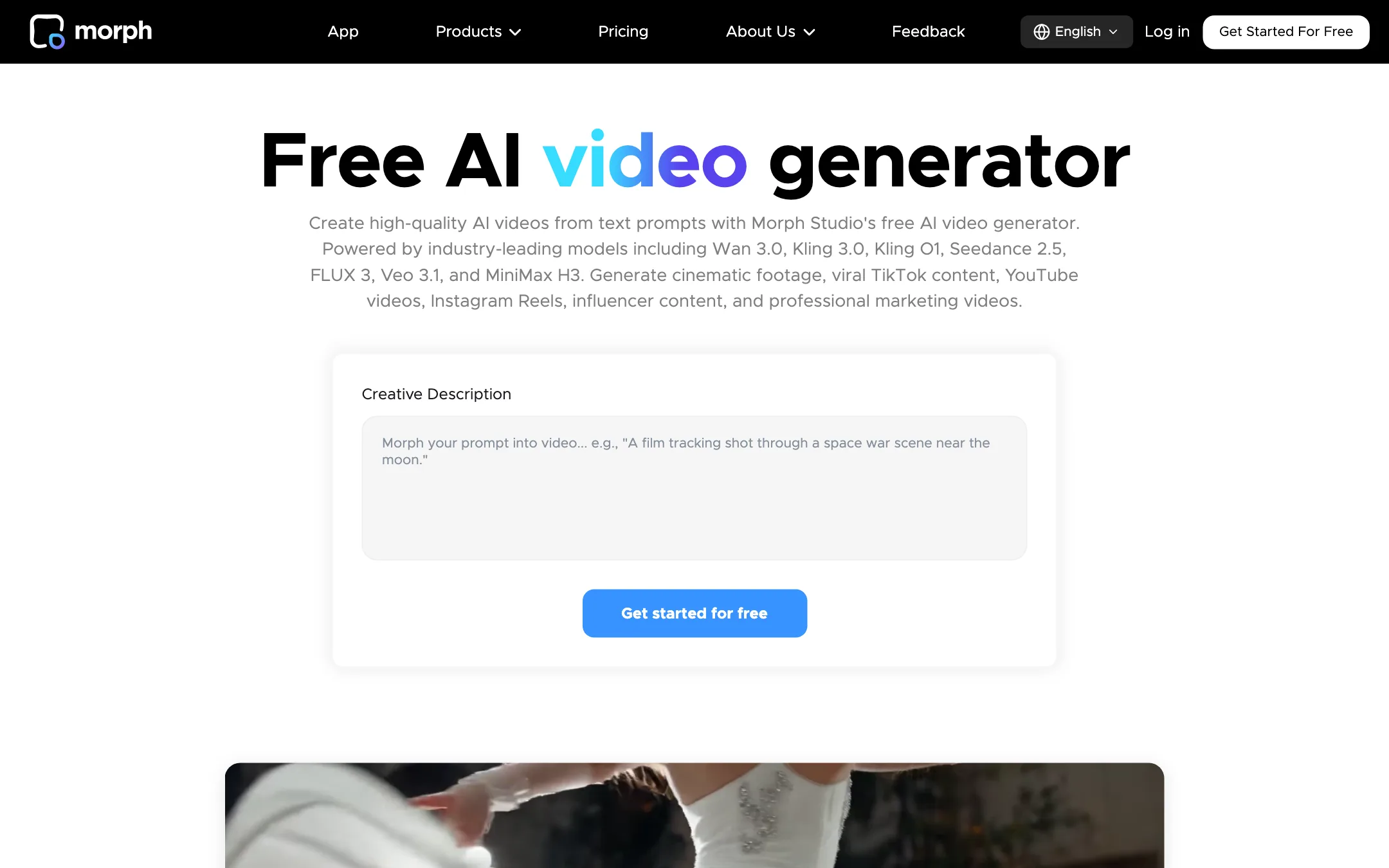
- Describe the scene: subject, action, camera move and mood.
- Pick a model. Morph’s FAQ gives its view of each one. Veo 3.1 for photoreal, cinematic footage. Kling for motion consistency. FLUX 3 for creative content. Seedance 2.5 for reference-guided work. Wan 3.0 for clips up to 30 seconds. MiniMax H3 for start- and end-frame guidance.
- Set aspect ratio and resolution for where the clip will run.
- Generate and download.
On the canvas, you repeat that per shot and keep the shots in order. That is the main difference from a plain prompt box. You see the whole sequence while you work on one shot.
Video style transfer
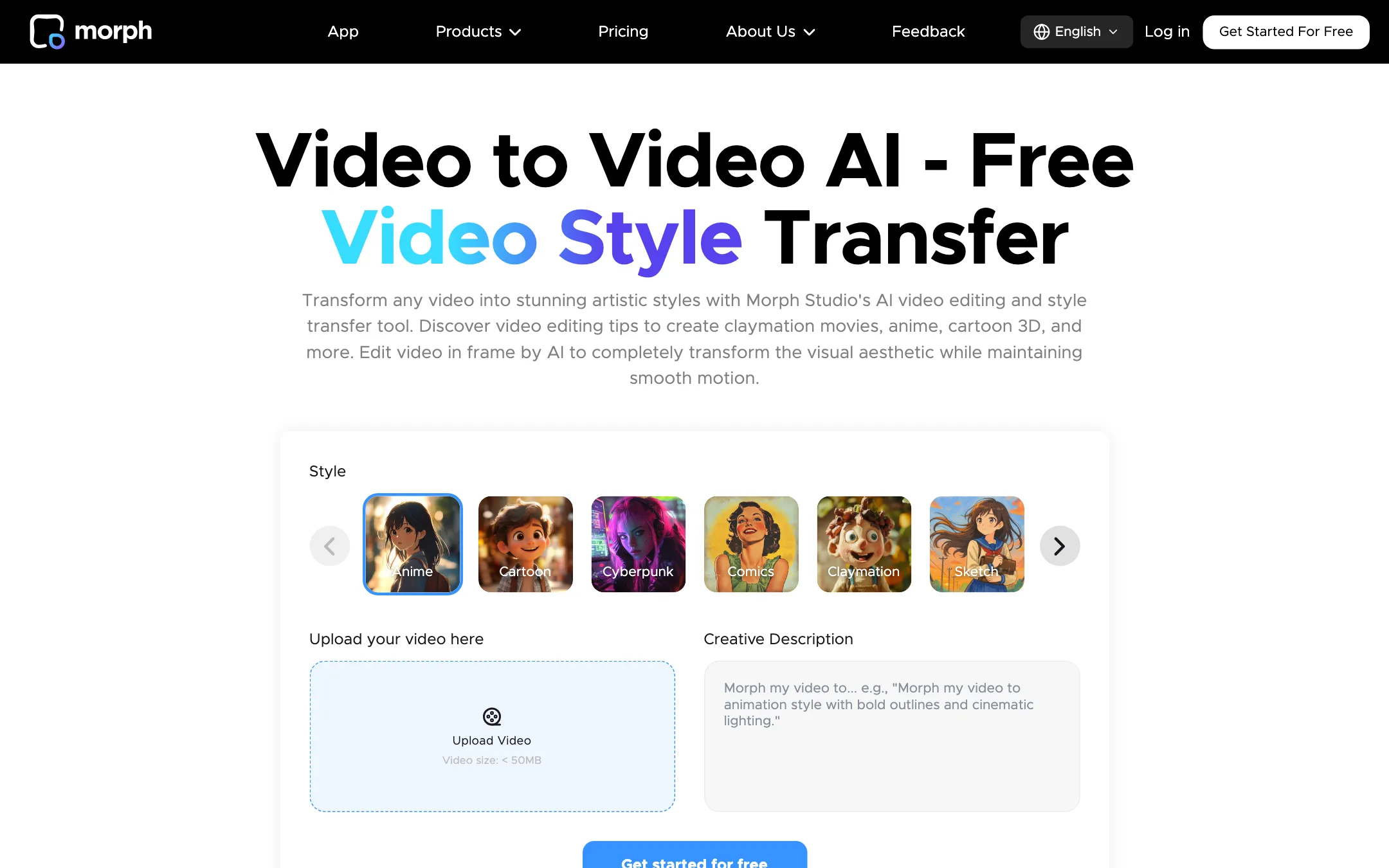
This is Morph Studio’s signature feature. You upload a clip, pick a style, set the strength and generate. Morph lists anime, cartoon 3D, comic book, claymation, oil painting, watercolor, pixel art, sketch, cyberpunk, vintage film, felt cartoon, yarn crochet and more.
A few details from its pages are worth knowing:
- The homepage says “up to 8 distinct artistic styles.” The style transfer FAQ describes a much longer list. Expect the count in the app to differ from the marketing.
- Morph recommends clips of 3 to 30 seconds for the best results and faster processing.
- Style transfer is included on the Free plan, so you can try it before you pay.
- Morph says its model keeps motion, faces and character identity consistent across frames. Check that on your own footage, because fast motion and busy scenes are where every style transfer tool struggles.
The style page also names “Studio Ghibli style” and “Disney animation.” Those are brand names, not licences. If you work for clients, keep the output away from anything that looks like a copy of a studio’s characters.
Editing tools
Morph Studio has added a toolbox around generation:
- AI Video Editor changes part of an existing clip from a text prompt, such as a new background or a swapped object, while keeping the original motion.
- AI Motion Control guides a generated character with reference images and motion.
- Lip Sync matches a speaker’s mouth to an audio file you upload. Its FAQ is clear about the limits. You cannot type a script, it does not clone voices, and it does not translate. Billing follows audio length, with a 5-second minimum.
- AI Voiceover and AI Music cover sound.
- AI Video Upscaler sharpens a finished clip.
The image side is just as broad, with text-to-image, background removal, hairstyle changes, logo and poster generators, and an upscaler. The footer also lists face swap, video face swap, a clothes changer and watermark removers. Morph does not push these on its homepage or pricing page. If you plan to use any face tool, use it only on people who have agreed to it.
Output quality
Morph Studio’s output depends almost entirely on the model you pick. It resells the same Seedance, Kling, Wan, Hailuo and Veo models you can get elsewhere, so their strengths and weak spots come with them. The Morph model is the exception. Morph’s testimonials focus on it for stylization, with one TV producer calling it “the best model for video stylization.” That is a vendor-picked quote, not a test.
What Morph’s own pages suggest:
- Style transfer is the reason to choose Morph over a generic reseller. No other tool in our text-to-video list leads with it.
- Model choice is wide. You can run the same prompt through several models and keep the best result.
- Clip length varies by model. Morph says Wan 3.0 goes up to 30 seconds. Most others are shorter.
Where you should be careful:
- The homepage and the pricing table disagree. The homepage logo strip shows Runway and Luma. Neither appears in the pricing table’s video model list.
- The banner says “Seedance 2.5 is now available on all plans.” The pricing table marks Seedance 2.5 as not available on Free.
- The Free plan card says “2 powerful models.” The text-to-video table shows only Seedance 1.0 Pro Fast on Free.
None of these are deal-breakers. They mean you should check the model picker in the app before you buy, not the marketing pages.
Pricing
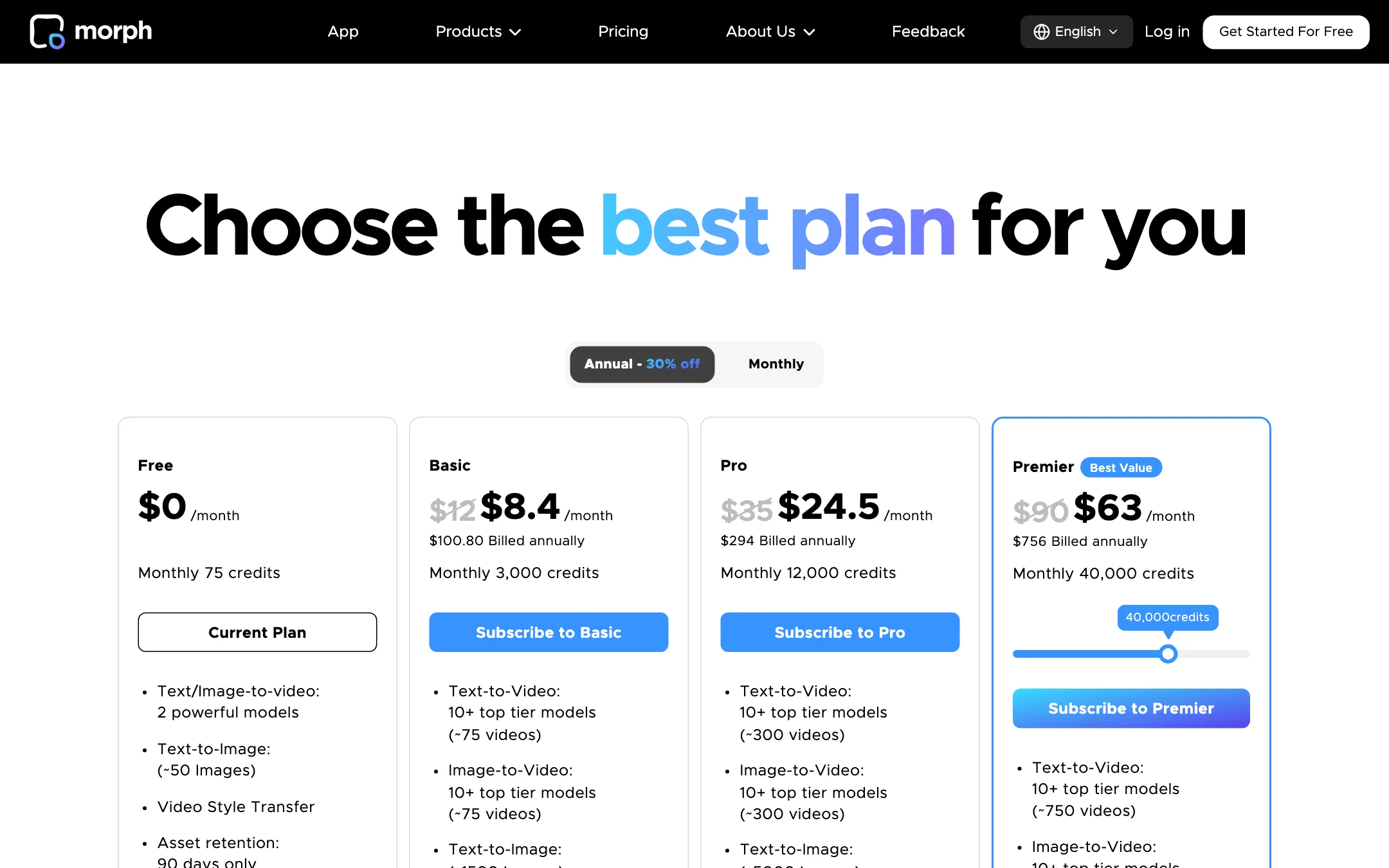
Morph Studio uses monthly credits. Annual billing takes 30% off.
| Plan | Price | What you get |
|---|---|---|
| Free | $0 | 75 credits a month, 2 video models, 90-day asset retention |
| Basic | $8.40/mo yearly, $12 monthly | 3,000 credits, about 75 videos, commercial use |
| Pro | $24.50/mo yearly, $35 monthly | 12,000 credits, about 300 videos |
| Premier | $63/mo yearly, $90 monthly | 40,000 credits, about 750 videos |
The “about 75 videos” figures are Morph’s averages. The real number depends heavily on the model.
What the pricing page does not make obvious
- New models cost far more. In the per-model table, Seedance 1.0 Pro Fast gets dozens of times more videos per plan than Wan 3.0 or Seedance 2.5. If you only want the newest models, the “75 videos” on Basic is far too optimistic.
- Veo 3.1 starts above Basic. It shows as not available on Free and Basic.
- The table is hard to read. It has more number columns than the four plans shown, without clear labels. Use the cost shown in the app when you generate, not the table.
- Free assets expire. The Free plan keeps your work for 90 days. Paid plans keep it with no limit.
- Failed generations are free. Morph says a failed video does not consume credits.
- Credit roll-over rules are not shown publicly. The pricing FAQ has questions on roll-over and cancellation, but the answers did not load for us. Ask support before you buy a yearly plan.
How to make your credits go further
- Draft on cheaper, older models like Seedance 1.0 Pro Fast or Wan 2.2, then rerun the keeper on a newer model.
- Use the canvas to plan every shot before you generate. Fewer throwaway clips means fewer wasted credits.
- Keep style transfer clips between 3 and 30 seconds, as Morph recommends.
- Pick yearly billing only once you know you will use the credits each month.
Verdict
Morph Studio is a solid choice if you think in scenes. The canvas and the style transfer model give it a real reason to exist next to the many sites that only resell Kling and Seedance. Basic at $8.40 a month billed yearly is a cheap way into a wide model list.
It is weaker as a free tool, and the newest models drain credits quickly. The pricing page also contradicts itself on which models each plan includes. Start on Free to try style transfer, check the model picker inside the app, and only then pick a plan.