
What Minvo is
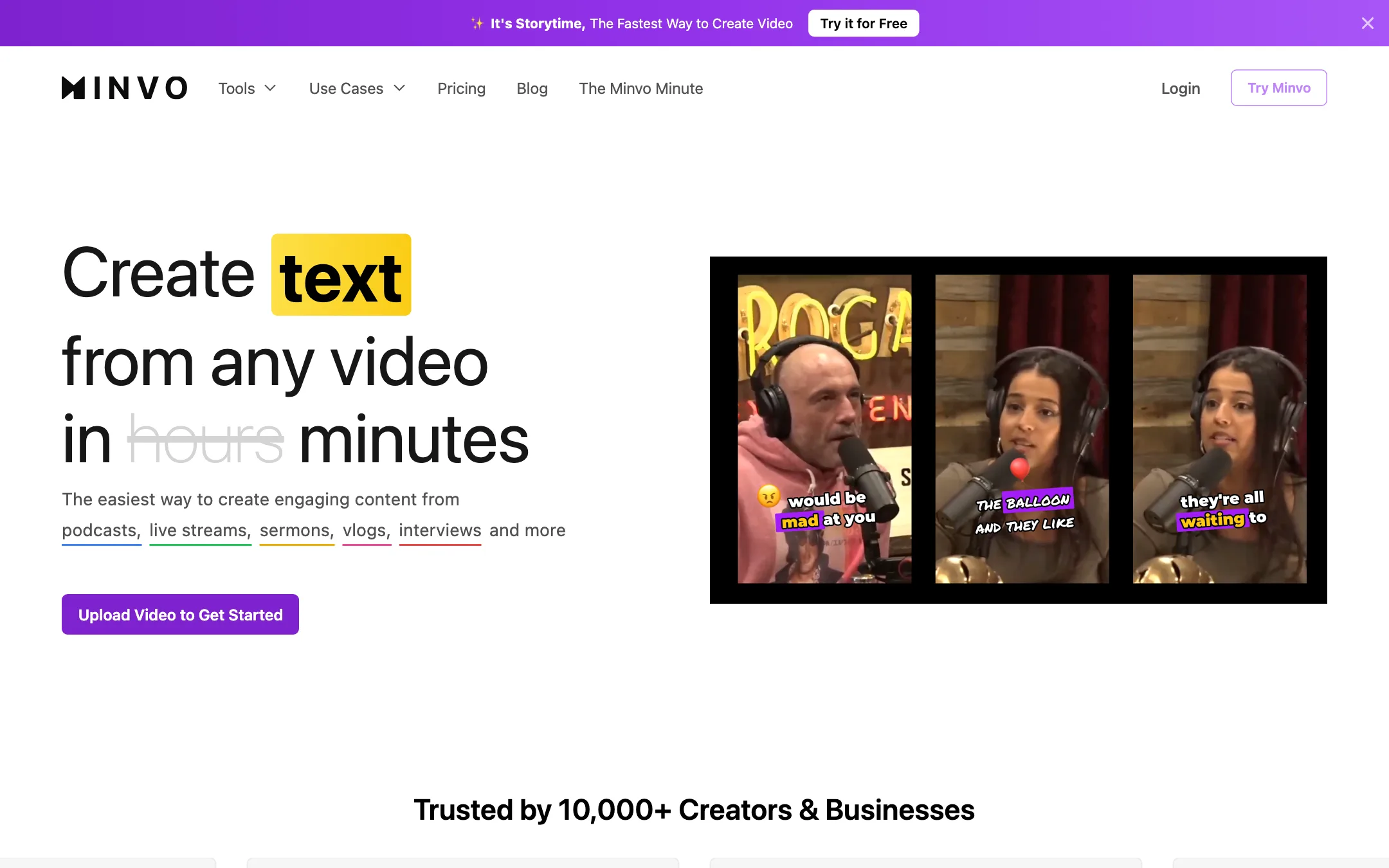
Minvo is an AI clipping tool. You upload a long video, or pull one in from YouTube, and it finds the moments worth posting. It cuts them into vertical clips, frames the speaker, adds animated captions and strips out the “ums” and pauses. Then it writes a post for each clip and schedules it to your social accounts.
That puts it in the same lane as OpusClip, Klap and Vizard. Minvo names them on its own comparison pages. Where it tries to stand apart is price and breadth. Every plan lists the same feature set, including scheduling, analytics, translation and AI dubbing, and the cheapest paid plan is $7.49 a month on yearly billing.
The company behind it is Momento Podcasting Inc., which trades as Minvo according to its terms. The podcast roots show. Its use-case pages target podcasts, live streams, sermons, vlogs and interviews, and the sermon page is unusually detailed. If you record a long talk every week and want it on Shorts, Reels and TikTok by Monday, that is the job Minvo is built for.
Who it is for
Minvo fits you if:
- You run a weekly podcast, church service, webinar or live stream and want a steady flow of short clips from it.
- You want clipping, captions and scheduling in one tool instead of three subscriptions.
- You manage several brands or clients. Minvo says every plan includes unlimited brands and social accounts.
- You publish in more than one language and want translated subtitles or dubbing without a separate tool.
- You are price-sensitive. Pro at $14.99 a month yearly is cheaper than most clippers’ entry plans.
Skip it if:
- Your source videos are long and you only want to pay for the cheapest plan. Free and Creator stop at 5 minutes per upload.
- You want an archive. Minvo deletes uploads after 14 to 180 days depending on your plan.
- You need a full editor with multitrack audio, motion graphics or colour work. Minvo is a repurposing tool, not a replacement for Premiere or DaVinci Resolve.
- You make faceless videos from scratch. Minvo works on footage you already have. It does not generate scenes from a prompt.
How it works
Minvo splits its product into a handful of named tools, all inside one web app.
MagicMoment: long video in, clips out
MagicMoment is the clipper. Minvo’s pitch is “1 long video, 10 viral clips.” You upload a file or bring in a video, and the AI picks the segments it thinks will hold attention. Each clip gets a score, so you can sort the strongest ones to the top instead of watching every result.
Two automatic passes run on each clip, per Minvo’s pricing page:
- Filler words and silences are cut. One reviewer on Minvo’s homepage singles this out, saying it removed the gaps between sentences.
- Auto framing keeps the speaker in the vertical frame. On a two-person podcast, this is what stops your clip from showing an empty chair.
MagicEdit: AI editing passes
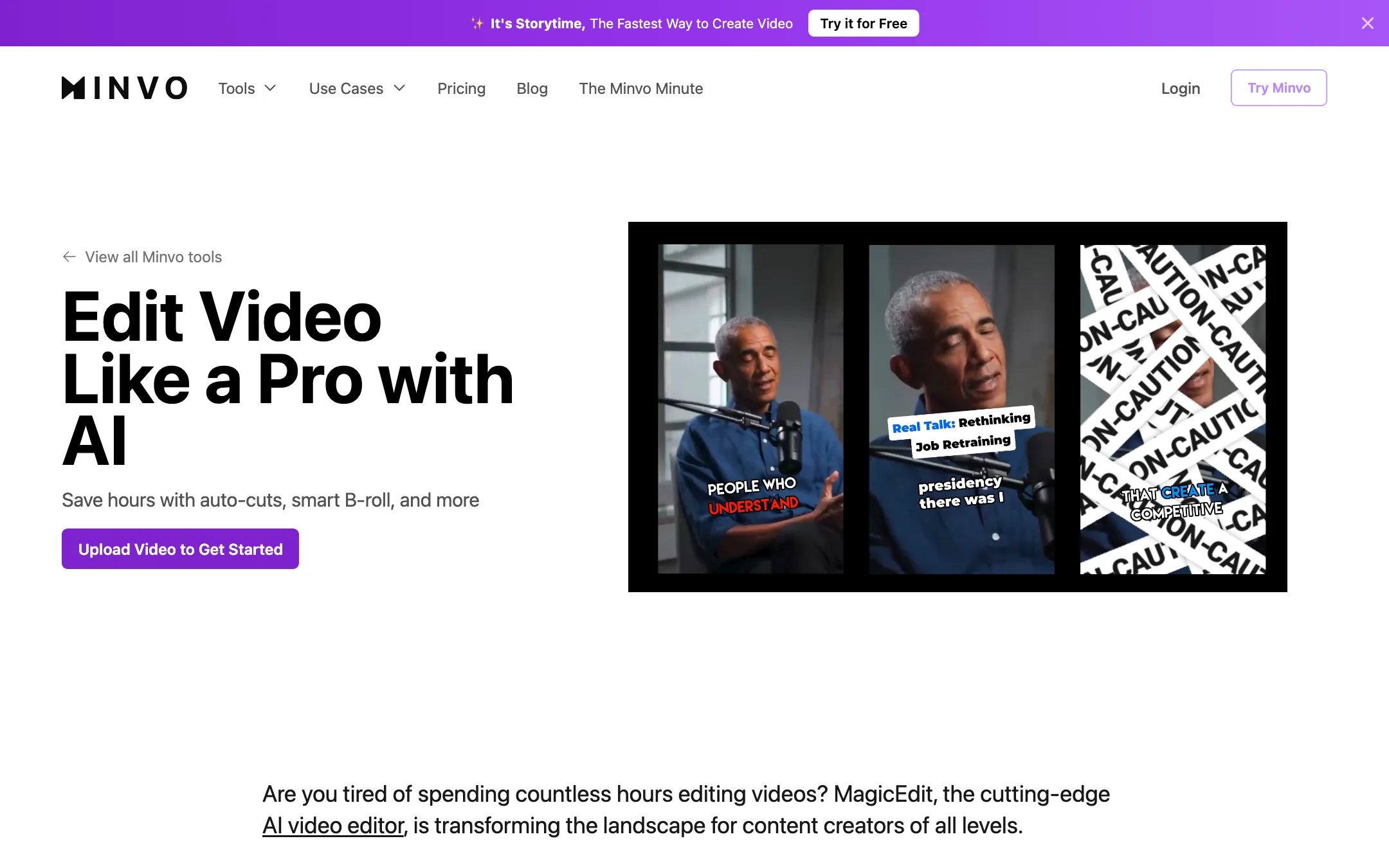
MagicEdit is the editing layer. Minvo says it can cut “um’s and ah’s,” insert emojis that match what is being said and suggest B-roll. The headline on the page says MagicEdit is “powered by GPT-4o.” The body text on the same page says GPT-4. Either way, it is OpenAI’s language model reading your transcript, not a Minvo-trained video model. Treat the “AI B-roll” as AI-chosen stock, not generated footage, unless you see otherwise inside the app.
Transcript and timeline editing
You can edit two ways:
- Like a document. Highlight words in the transcript and delete them, and the video cuts to match. This is the fastest way to trim a rambling answer.
- On a timeline. For finer control over where a clip starts and ends. One homepage testimonial mentions a timeline that was added later, so this has improved over time.
Transcript editing is the feature that matters most if you are not an editor. It turns trimming into proofreading.
Captions, branding and translation
Captions come in “100s” of animated styles, according to Minvo, with your own colours, fonts and animations. Branding templates save those settings so every clip from a show looks the same.
The Translate Video tool transcribes and translates subtitles into 50+ languages. The pricing page also lists AI voice dubbing in 50+ languages and “AI Studio Audio,” which cleans up background noise. All three are listed on every plan, including Free. That is generous on paper. Dubbing quality varies a lot between tools, so test it on a real clip before you plan a multilingual channel around it.
Scheduling and analytics
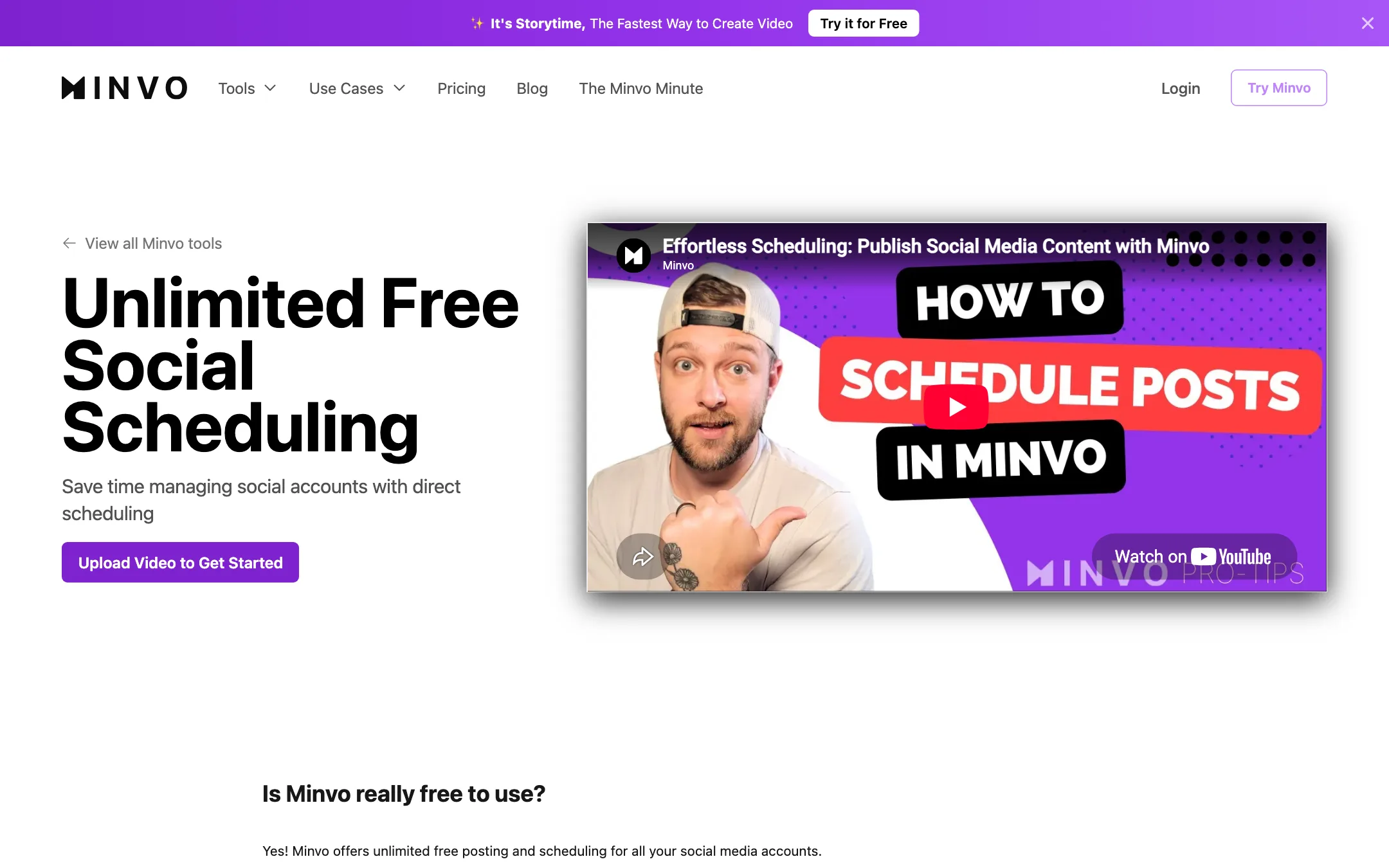
Once a clip is ready, Minvo can post it or schedule it to YouTube, TikTok, Instagram, Facebook and LinkedIn. It writes the post text and hashtags for each clip. Minvo’s social page calls the scheduler “unlimited” and free, with unlimited accounts, brands and posts, and adds analytics so you can see how each clip performs.
For agencies, this is the most useful part. You can keep several clients’ channels in one place without paying per seat or per brand, as Minvo describes it.
A typical weekly workflow
- Upload last week’s episode or sermon, or pull it in from YouTube.
- Let MagicMoment generate clips, then sort by score.
- Open the top few in the editor. Trim with the transcript and check the auto framing.
- Apply your saved brand template for captions and logo.
- Let Minvo write the post text, edit it, and schedule the clips across the week.
- Check the analytics a week later and note which topics worked.
Output quality
We have not tested Minvo hands-on, so the claims in this section are Minvo’s own or come from the testimonials on its site.
What the site says it does well:
- Picking moments. One testimonial says Minvo found “the interesting parts of a video, not just random nonsense.” That is the core skill of any clipper, and it is the one to test first.
- Silence and filler removal. Mentioned in several testimonials and listed as a headline feature.
- 4K export. Listed on every plan, including Free.
What to watch for:
- Download speed. A testimonial on Minvo’s own homepage says download speed is “a big area they still need to work on.” It suggests processing videos first and downloading later as a workaround.
- Clip scoring is a guess. Every clipper scores clips, and none of them know your audience. Use the score to sort, not to decide.
- Testimonials repeat. The same six reviews loop on the homepage and pricing page. They are useful for spotting problems, like the download speed one, but they are not evidence of quality.
The real test is simple. Run one of your real episodes through the Free plan. If your source is longer than 5 minutes, cut a 5-minute section first. Then compare Minvo’s picks with what you would have chosen yourself.
Pricing
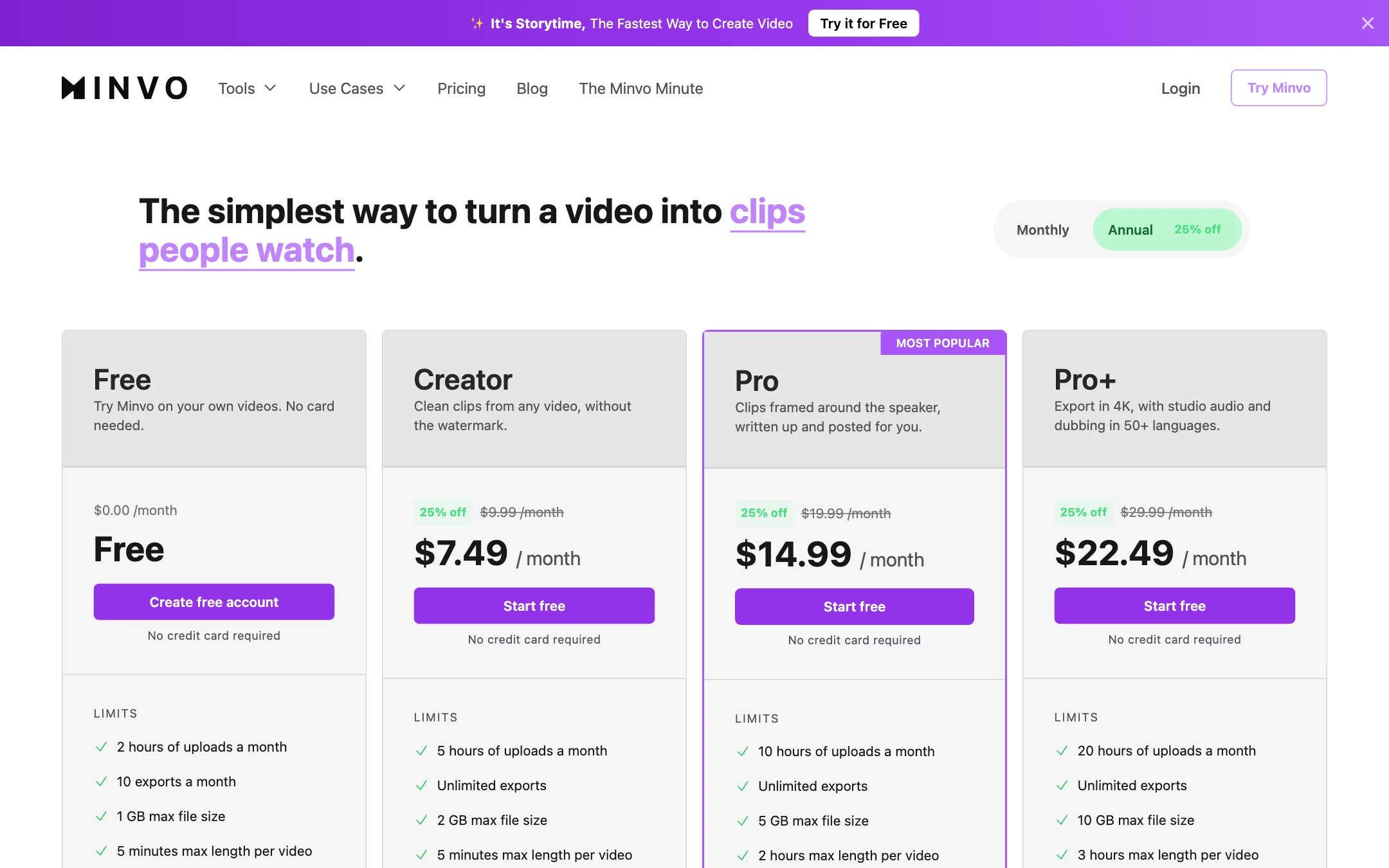
Minvo has four plans. Every one lists the same features: clipping with scores, animated captions, filler-word removal, auto framing, 4K export, scheduling to five networks, AI post writing, analytics, Studio Audio, dubbing and unlimited AI image generation. What changes is how much video you can push through.
| Plan | Price | Uploads | Max video length | Storage |
|---|---|---|---|---|
| Free | Free | 2 hours a month, 10 exports | 5 minutes | 14 days |
| Creator | $7.49/mo yearly, $9.99 monthly | 5 hours, unlimited exports | 5 minutes | 30 days |
| Pro | $14.99/mo yearly, $19.99 monthly | 10 hours, unlimited exports | 2 hours | 60 days |
| Pro+ | $22.49/mo yearly, $29.99 monthly | 20 hours, unlimited exports | 3 hours | 180 days |
File size limits climb from 1 GB on Free to 2 GB, 5 GB and 10 GB. Yearly billing takes 25% off every plan. Minvo’s FAQ says upload hours are shared by everyone on your team.
Things the pricing page does not make obvious:
- Pro is the real starting plan for podcasts. Creator looks like the cheap entry point, but its 5-minute cap rules out full episodes, streams and sermons. Unless you pre-cut your footage, budget for Pro.
- The watermark story is contradictory. The Free plan card lists “Clips without a watermark.” The FAQ on the same page says Free clips carry a Minvo watermark. Assume the FAQ is right until you see a clean export.
- Storage is temporary. After a video expires you cannot edit or export it, and you have to upload it again. Keep your source files.
- The storage comparison is out of date. The comparison table under the plans says storage is “up to 60 days (Pro+).” The Pro+ card says 180 days.
- Hours are the real limit. Paid plans have unlimited exports, so the number that runs out is upload hours. Ten hours a month on Pro covers roughly two hour-long episodes a week.
Refunds
Minvo’s terms say cancelling before the end of a billing term does not entitle you to a refund for the rest of that term. Paid plans renew automatically. Since the Free plan needs no card, use it to judge the clip picks and captions before you pay, and pick monthly billing for your first paid month.
Things to watch
- No affiliate program. We found no public affiliate or partner page for Minvo.
- The API is a waitlist. Minvo advertises clip extraction, subtitling, reframing and a white-label editor SDK by API, but the page only offers early-access sign-up.
- A sister product sits in the banner. The top banner on Minvo’s site promotes Storytime, a separate record-and-edit product with its own pricing. Make sure you are signing up for the tool you meant to.
- The meta description is broken. The homepage description starts with the word “undefined.” It is a small thing, but it hints at a site that is not updated often.
Verdict
Minvo is a capable, low-cost clipping suite for anyone who records long talks every week. Clipping, captions, translation, dubbing, scheduling and analytics all sit on every plan, and unlimited brands make it attractive for small agencies and churches.
The limits are in the fine print. The 5-minute cap on Free and Creator means most podcasters will need Pro at $14.99 a month yearly. Videos expire, and the pricing page contradicts itself on watermarks and storage. Run one real episode through the Free plan, check the clip picks and the export, and upgrade straight to Pro if they hold up.
