What LyricEdits is
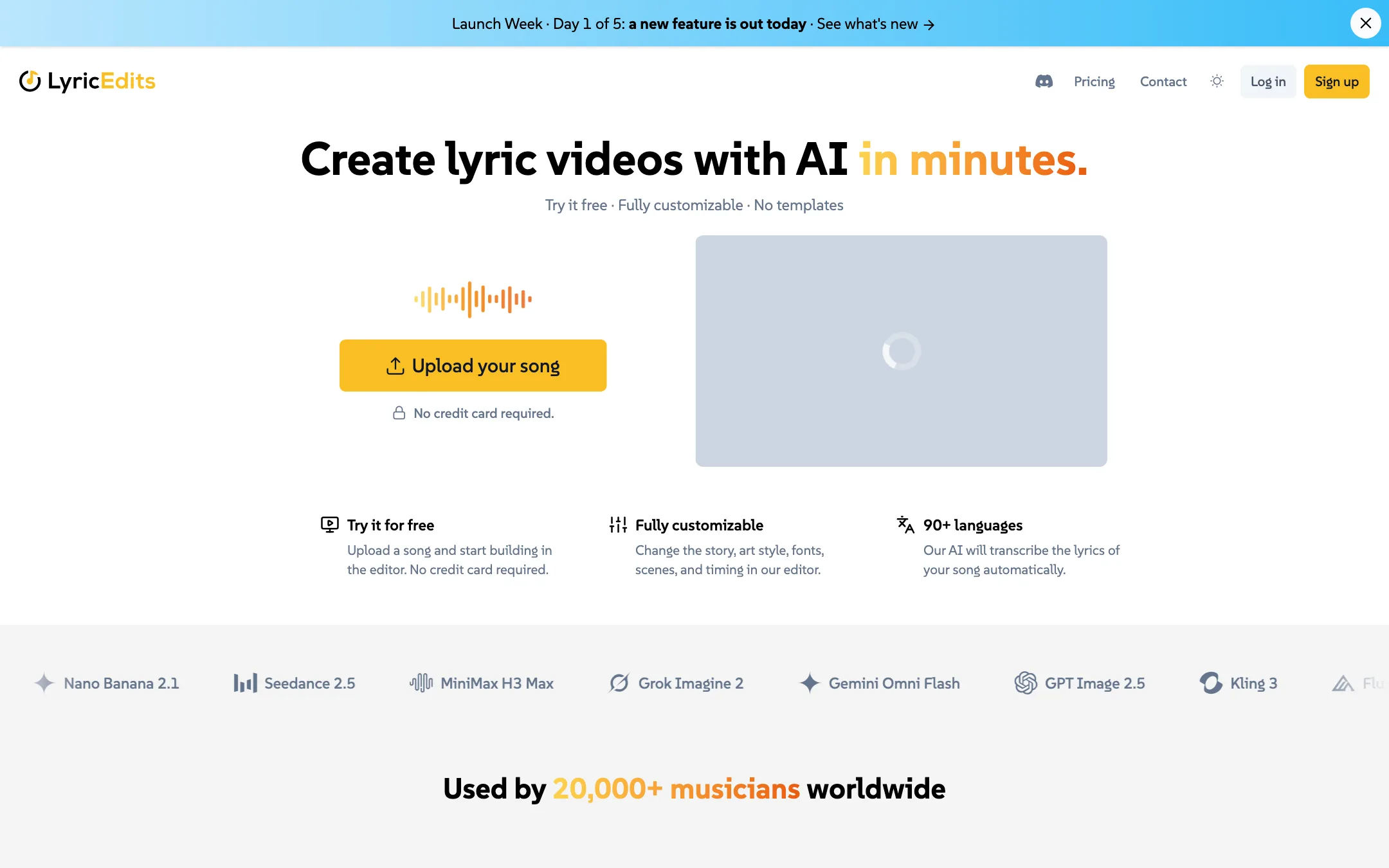
LyricEdits is an AI lyric video and music video maker built for musicians. You upload a song. The AI transcribes the lyrics, generates images that match what the words mean, animates them in time with the music and lays the lyrics on top. Then you edit the result in a browser editor.
It was founded by Marc G. Martínez, who says he spent two decades building software, playing in bands and making music videos. The pitch is simple: a proper music video costs hundreds or thousands, and many songs never get one.
LyricEdits says more than 90,000 lyric videos have been made with it, by more than 20,000 musicians and labels.
It does not train its own video model. The homepage shows a rolling list of third-party models, including Flux, Nano Banana, Seedance, MiniMax, Grok Imagine, Gemini, GPT Image and Kling. The FAQ says it uses both private and open-source models and keeps adding new ones.
Who it is for
LyricEdits fits you if:
- You are an independent artist and need a lyric video for a single or album track.
- You run a small label and need videos for several artists without booking editors each time.
- You make AI music, for example on Suno, and want visuals that follow the song.
- You want a starting point you can finish in Premiere, Resolve or Final Cut.
Skip it if:
- You only want a simple scrolling-text lyric video. A basic editor can do that for less.
- You need a performance video with you in it. LyricEdits generates scenes, it does not film or replace you.
- You are on a tight budget and make many videos a month with animation. The credits add up.
- You do not own the song or have the artist’s permission. Every commercial use depends on that.
How it works
The flow, as LyricEdits describes it, has four parts.
1. Upload your song
Upload your track and trim it if you want a shorter cut. LyricEdits supports songs up to 20 minutes. No card is needed to start.
2. Lyrics are transcribed
The AI transcribes the lyrics automatically. The homepage says 90+ languages in one place and 85+ in another. Either way, check the transcription line by line. Lyric videos with a wrong word are worse than no lyric video.
3. Pick a type and a look
The plan calculator shows three video types:
- Story: a generated visual story with a new shot every few seconds.
- Lyric Video: lyrics as the main event, with visuals behind.
- Karaoke: sing-along style.
You also choose whether to animate backgrounds and which model tier to use. Standard models are the everyday option and by far the cheapest. Studio models are the premium tier. Resolution runs from 720p to 4K. LyricEdits notes that 4K is generated at 1080p and then upscaled.
4. Edit everything
This is the part LyricEdits leans on. It says it is “not a magic button” and “not a template.” In the real-time editor you can change the story, characters, art style, fonts, images, videos, colours, lyrics and pace. You can upload your own images and videos, edit images with AI and generate variations of a shot.
On Pro and Ultra you can export the project to Adobe Premiere Pro, DaVinci Resolve or Final Cut Pro and finish it there. That is a real plus if you or your editor want to add performance footage or polish the cut.
Output quality
We did not make videos with LyricEdits for this review. What follows is drawn from its pages.
Because LyricEdits uses third-party image and video models, the look of each shot depends on the model tier you pick. Studio models should look better than Standard ones. What LyricEdits adds is the music-specific layer: transcription, timing to the beat and mood, lyric typography and an editor built around songs.
Some things to keep in mind:
- Still versus moving. Without animated backgrounds you get a sequence of images. With animation each image becomes a moving clip. LyricEdits itself warns that some platforms require a share of moving images in a video, so check before you upload.
- Consistency across a whole song. A three-minute story video means dozens of shots. Expect some to drift in style or character. The editor lets you regenerate or replace them.
- Lyrics timing. Auto-sync saves hours, but a fast verse or a held note can trip any transcription. Review the timing before you export.
- 4K is upscaled. It is generated at 1080p and upscaled, so do not expect native 4K detail.
Tips for a better lyric video
These habits help with any AI lyric video, and they map onto the controls LyricEdits describes:
- Start from a clean mix. Transcription works best when the vocal sits clearly above the instruments. If you have a vocal stem or a radio edit, use it for the transcription step.
- Fix the lyrics before anything else. Every scene is generated from what the words mean. A misheard line can produce a scene that has nothing to do with your song.
- Decide on one look. Pick an art style and stick to it for the whole video. Mixing styles makes a short video feel like a slideshow of unrelated images.
- Trim before you generate. Use the audio trimmer to make a 30 to 60 second cut for TikTok, Reels and Shorts first. It costs far fewer credits and tells you whether the look works.
- Animate where it counts. Animation is the biggest cost. Animate the hook and the chorus, and leave quieter verses as stills if your budget is tight.
- Use Standard models to draft. Switch to Studio models only for the final render of the shots you keep.
- Mind the platform rules. LyricEdits notes that some platforms require a share of moving images. A video of mostly stills may be flagged or limited.
- Keep your rights in order. Every commercial use LyricEdits allows depends on you owning the song or having the artist’s permission.
If you plan to finish in Premiere, Resolve or Final Cut, keep LyricEdits for the generated scenes and lyric timing, and do colour, transitions and performance footage in your editor. That split needs the Pro plan.
Pricing
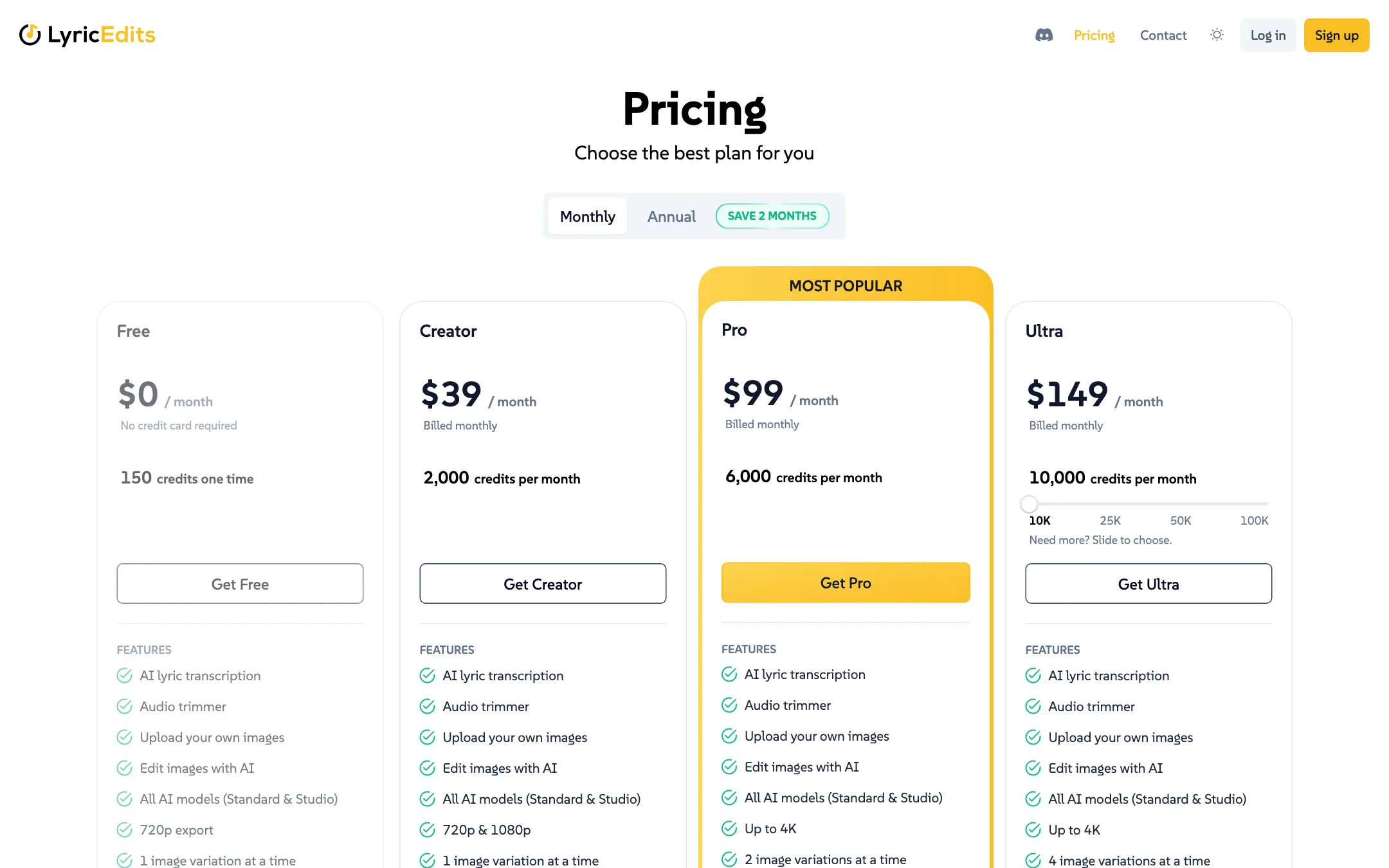
LyricEdits uses monthly credits on subscriptions, plus one-time packs. Annual plans give you two months free.
| Plan | Yearly | Monthly | Credits a month | Key limits |
|---|---|---|---|---|
| Free | $0 | $0 | 150 once | 720p, one watermarked export in total |
| Creator | $32.50/mo ($390/yr) | $39 | 2,000 | 1080p, unlimited exports |
| Pro | $82.50/mo ($990/yr) | $99 | 6,000 | 4K, NLE export, 2 variations |
| Ultra | $124/mo ($1,488/yr) | $149 | 10,000+ | 4K, NLE export, 4 variations |
Ultra has a slider for 10K, 25K, 50K or 100K credits. Enterprise adds API access, custom credit amounts and help from an in-house team of video editors.
One-time credit packs start at $15 for 500 credits and go up to $800 for 50,000. Larger packs save up to 47% per credit. Pack credits expire one year after purchase and unlock Creator features, including watermark-free exports and commercial use.
How much does one video cost? The calculator on the pricing page helps. With its defaults, a 3-minute story video with animation, Standard models and 1080p, it estimated about 540 credits per video. It also adds 20% headroom for regenerating shots. That fits about three such videos a month on Creator. Turning off animation is the biggest saving. Studio models and 4K cost more.
Credits and refunds
- Credits roll over for 3 months on monthly and annual plans, as long as you stay subscribed. If you cancel or downgrade, unused subscription credits are lost.
- Annual plans issue credits monthly, not all at once.
- Refunds are available within 14 days of your first purchase if you have not exported anything, have not downloaded any image or clip and have used fewer than 500 paid credits. Otherwise all purchases are final.
Watermarks and contradictions
The homepage lists “No watermarks” under its free-to-start promises. The pricing page says the Free plan includes one watermarked export in total. Watermark-free exports start with a paid plan or a credit pack.
The pricing page also lists Premiere, Resolve and Final Cut export on every plan card, but the FAQ says one-time credits do not include those exports, which belong to Pro and Ultra. Treat NLE export as a Pro feature.
Affiliate program
LyricEdits pays 20% of every payment from customers you refer, for as long as they keep paying. Tracking runs through Tolt with a 30-day cookie, and payouts go out via PayPal 15 days after each month ends with no minimum. Commissions apply to subscriptions, renewals and one-time credits, not free signups.
Verdict
LyricEdits is a well-scoped tool for musicians. It understands that a lyric video needs accurate lyrics, timing that follows the song, and room to make creative changes. The editor, the cost calculator, rolling credits and pro editor export show it was built by someone who has made music videos.
The trade-off is cost. Creator at $39 a month covers only a few animated videos, and 4K and NLE export sit on the $99 plan. The free plan is just one watermarked 720p export. If you release a song every few months, a one-time credit pack is likely the better buy. If you release often or run a small label, a subscription with rolling credits makes more sense.