What Katalist is
Katalist is a web studio that turns a script into a storyboard and then into video. You write or import a script. Katalist splits it into shots, draws each shot with consistent characters and locations, and lets you refine framing and shot types. Then you turn each frame into a video clip with one of several big-name AI video models.
Our readers know it as “Storyboard AI,” which is how it is listed in the directory we draw from. That name fits its original pitch. Katalist built its audience among filmmakers, producers and storytellers who needed to visualize scenes fast.
The company is KatalistAI, Inc., based in San Francisco. Its homepage now tells a different story from its pricing page, which we cover below.
Who it is for
Katalist fits you if:
- You work from scripts: short films, explainer videos, ads, pitches or animated stories.
- You need the same character to look the same across a whole sequence.
- You want to storyboard first and only spend video credits on approved shots.
- You use Final Draft or Premiere Pro and want the AI step to slot into that workflow.
- You run ads and want to rerun a winning creative with a different product.
Skip it if:
- You want one quick clip from a prompt. A plain text-to-video app is faster and cheaper for that.
- You want to know exactly what each video costs before you sign up. Credit costs per model are not published.
- You need several collaborators on a small budget. Collaboration starts at $99 a month.
How it works
Katalist’s homepage FAQ lays out the core workflow:
- Start with a script. Write it in Katalist, paste it in, or import a Final Draft .fdx file. If you only have an idea, the AI Script Assistant expands it into a script, according to Katalist.
- Generate a first draft. Katalist breaks the script into shots and generates a full storyboard automatically. Katalist pitches this as the end of the blank canvas.
- Cast your characters. Create a character from a reference image or generate one. Katalist says the same face and look carries through every shot. You can cast several characters into a scene and pose them.
- Refine each shot. Adjust framing and shot type, edit the script, characters or locations, and regenerate anything you do not like.
- Turn shots into video. Pick a video model and animate each frame. Add lip-sync and AI voiceover.
- Export. Send the video or storyboard where it needs to go. Pro adds Premiere Pro integration, Unlimited adds PPT and ZIP export, and Enterprise adds Final Cut export.
Why storyboard first
The storyboard step is what sets Katalist apart from most AI video apps. Images are cheaper and faster than video. By getting every shot right as a still frame first, you only spend video credits on shots you have already approved. Katalist’s plans reflect this: image credits and video credits are separate pools, and the image pool is unlimited on the $99 plan.
It also makes the output easier to share before it is finished. A producer can review a storyboard deck, sign off, and only then go to video.
Character consistency
This is Katalist’s core promise. Most AI video tools struggle to keep a character’s face, hair and clothes the same from shot to shot. Katalist says you cast a character once from a reference and it stays the same through the storyboard and the video. To change actors, you swap the reference and regenerate.
How well that holds up depends partly on the video model you pick for each shot, since each model interprets the frame in its own way. Test a short sequence in the trial.
The video models
Katalist does not lead with its own video model. Its pricing page lists these on every plan:
- Runway Gen-4
- Google Veo 3.2
- Kling Pro and Standard
- PixVerse v4
- WAN image-to-video
- Sora 2
- LTX-2
That is a strong lineup, and having it on the $19 plan is unusual. Two caveats. First, the public pages do not say how many video credits each model uses, so 700 video credits could mean many cheap clips or a handful of premium ones. Second, Katalist’s own pages are not in sync: the affiliate kit still talks about “Runway and Google VEO 2,” while the pricing page lists Veo 3.2. Check the model picker inside the app for the current list and costs.
Product swap and the agency pivot
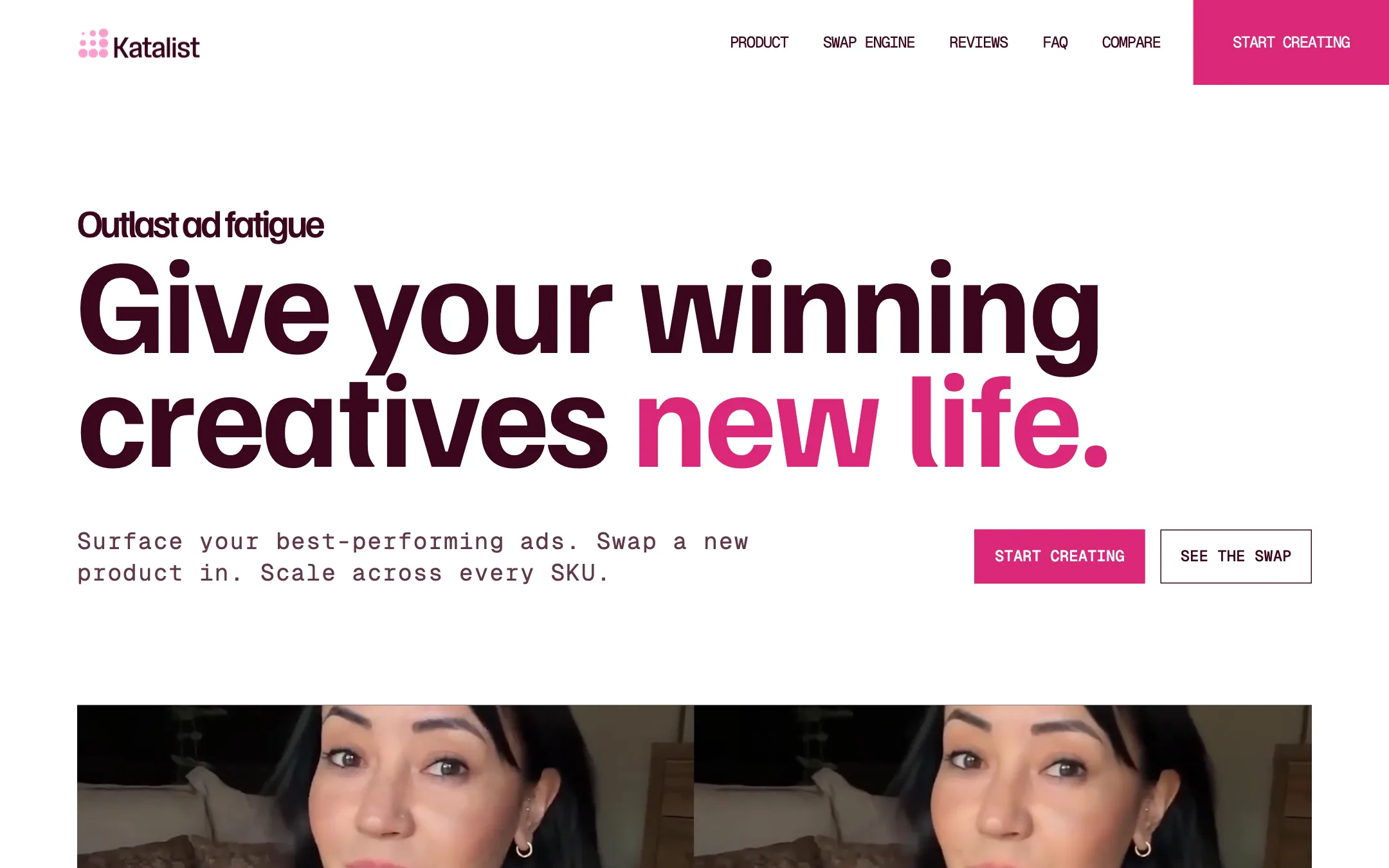
Katalist’s homepage now reads like a different product. The headline is “Outlast ad fatigue,” and the pitch is to performance agencies. The idea:
- Surface a past ad that performed well.
- Recast it by swapping in a new product, character or voice, or relocalizing it with new lip-sync for another market.
- Scale it across every SKU and every client from one canvas.
Katalist says product swap works from your real product photos and keeps the shape, label and colors while matching the scene’s lighting. It also claims “5 min from a brief to a full UGC video” and “70+ ad variants launched in a week.” These are Katalist’s figures, not tested ones.
The pricing page, the testimonials and the affiliate kit still describe the storyboard and script-to-video studio for filmmakers and creators. The likely reading is that both audiences use the same engine. If you are a storyteller, just know the marketing is moving toward agencies.
Pricing
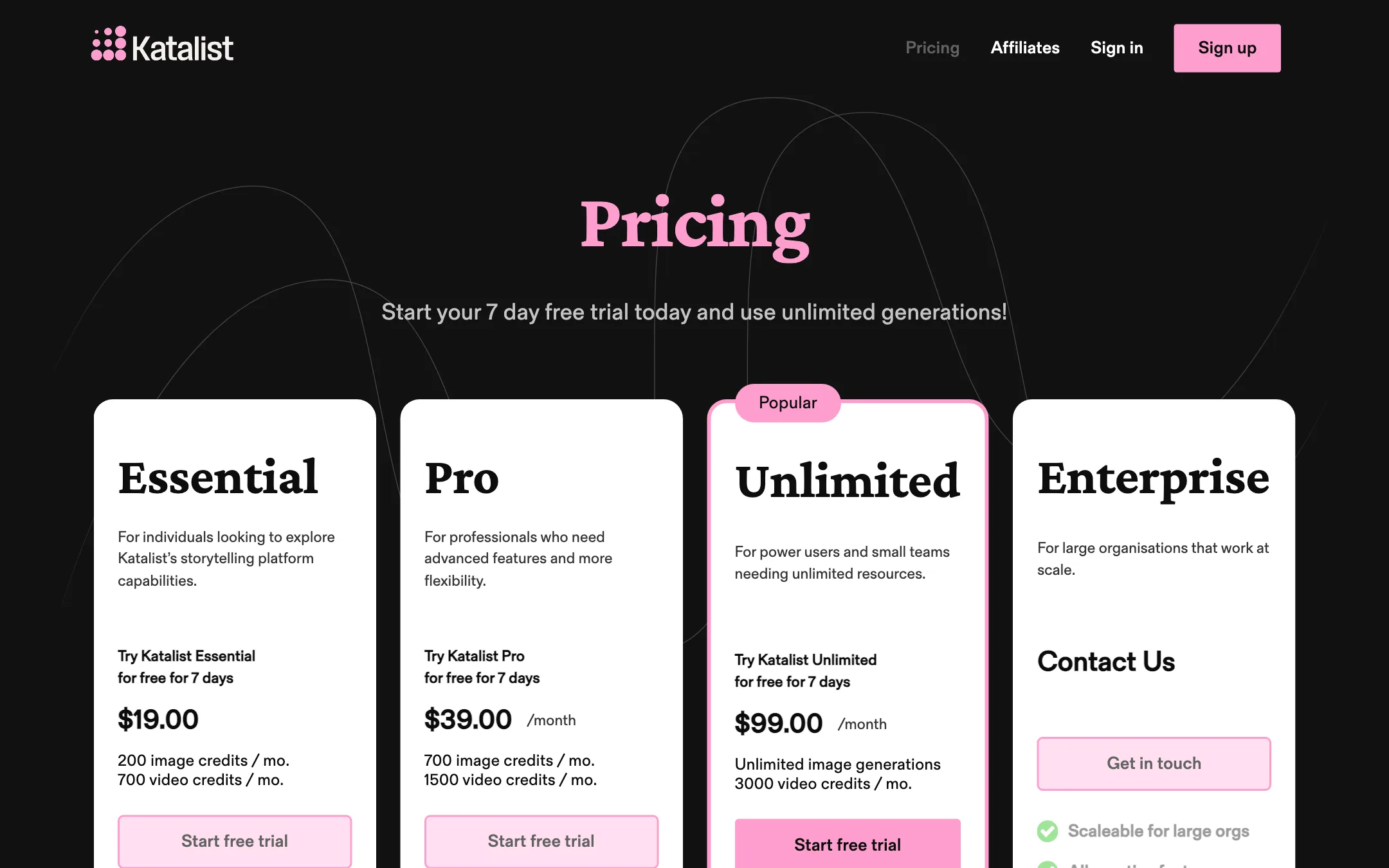
| Plan | Price | What you get |
|---|---|---|
| Essential | $19/mo | 200 image and 700 video credits, 5 projects, 1 custom character |
| Pro | $39/mo | 700 image and 1,500 video credits, 20 projects, 10 characters, Premiere Pro |
| Unlimited | $99/mo | Unlimited images, 3,000 video credits, unlimited projects, 2 seats, collaboration |
| Enterprise | Custom | Unlimited users and video credits, API, Final Cut export, 24/7 support |
A few things the pricing page does not make obvious:
- Two ways in, and they conflict. The pricing page offers a 7-day free trial on each self-serve plan. The homepage FAQ says to sign up free for credits and then “book a call with us and we’ll get you on the right plan.” You may be steered toward sales depending on which page you land on.
- Character limits bite on Essential. One custom character and five projects is tight if you work on more than one story at a time.
- Video credit costs are hidden. With seven models at very different price points, the real number of clips per month is unknown until you are inside.
- No yearly prices are shown. The pricing page lists monthly prices only.
- Collaboration is a $99 feature. Real-time collaboration and extra seats start on Unlimited.
Which plan to pick
- Essential is enough to learn the workflow on one short project. One custom character is the limit you will hit first.
- Pro suits a solo filmmaker or creative with a few projects at once and a recurring cast. The Premiere Pro integration is the other reason to step up.
- Unlimited is the plan for small studios: unlimited storyboard images, two seats and real-time collaboration.
- Enterprise is for agencies running product swaps across many clients, or anyone who needs the API.
How to use the trial well
Seven days is short, so plan the test before you start it:
- Bring a real script. A one-page scene with two characters tests the script breakdown and character consistency at once.
- Storyboard everything before rendering. Image credits are the cheap ones. Get every frame right first.
- Try two or three models on the same shot. That shows you how each one treats your characters, and roughly what each costs in video credits.
- Check the export. If you cut in Premiere Pro, test the integration on Pro before the trial ends.
Alternatives
- CrePal is a chat-driven agent that plans and generates multi-scene videos from one brief, routing scenes to different models.
- MagicLight focuses on long-form animated stories with consistent characters.
- Mootion turns prompts and scripts into animated story videos with less hands-on shot control.
If you only need storyboards, not finished video, Katalist’s storyboard tools are still its strongest part, and the image credits go a long way.
Verdict
Katalist is one of the few AI video tools built around how productions actually work: script first, storyboard second, video last. Character consistency and Final Draft import make it a real option for short films, ads and pitches, and the model lineup on even the $19 plan is broad.
The catch is uncertainty. Credit costs per model are hidden, the cheapest plan is tight on characters and projects, and the site is halfway through a pivot to ad agencies. Use the 7-day trial on a short scene from your own script before you commit.