
What Krea is
Krea is a creative AI suite. It started as an image tool and grew into a single app for images, video, upscaling, 3D, lip sync and model training. It calls itself “the world’s most powerful creative AI suite.” That is marketing, but the breadth is real.
For video, Krea is mostly a front end. It does not train a big cinematic video model of its own. Instead, it gives you Seedance, Kling, Veo, Wan, Hailuo, MiniMax and others behind one compute-unit balance. Its own video model, Krea Realtime, is built for speed and live drawing rather than polished footage.
The image side is where Krea’s own research shows. It trains Krea 1, Krea 2 (released as open source in May 2026) and Krea 3, an editing model. If you make stills and motion for the same project, that combination is the pitch.
Who it is for
Krea fits you if:
- You are a designer, art director or small studio that needs images and video for the same campaign.
- You want to test several video models on the same idea without paying for each one.
- You want to train a LoRA on your own product or style and reuse it across generations.
- You work in After Effects or want generation inside ChatGPT or Claude through Krea’s connectors.
Skip it if:
- You only want video and nothing else. A video-first tool gives you more video per dollar and fewer menus.
- You are on a tight budget and want to try Seedance. The Free plan cannot run Seedance models at all.
- You want a finished, edited video from one brief. Krea makes clips and images. Editing them into a story is up to you.
How it works
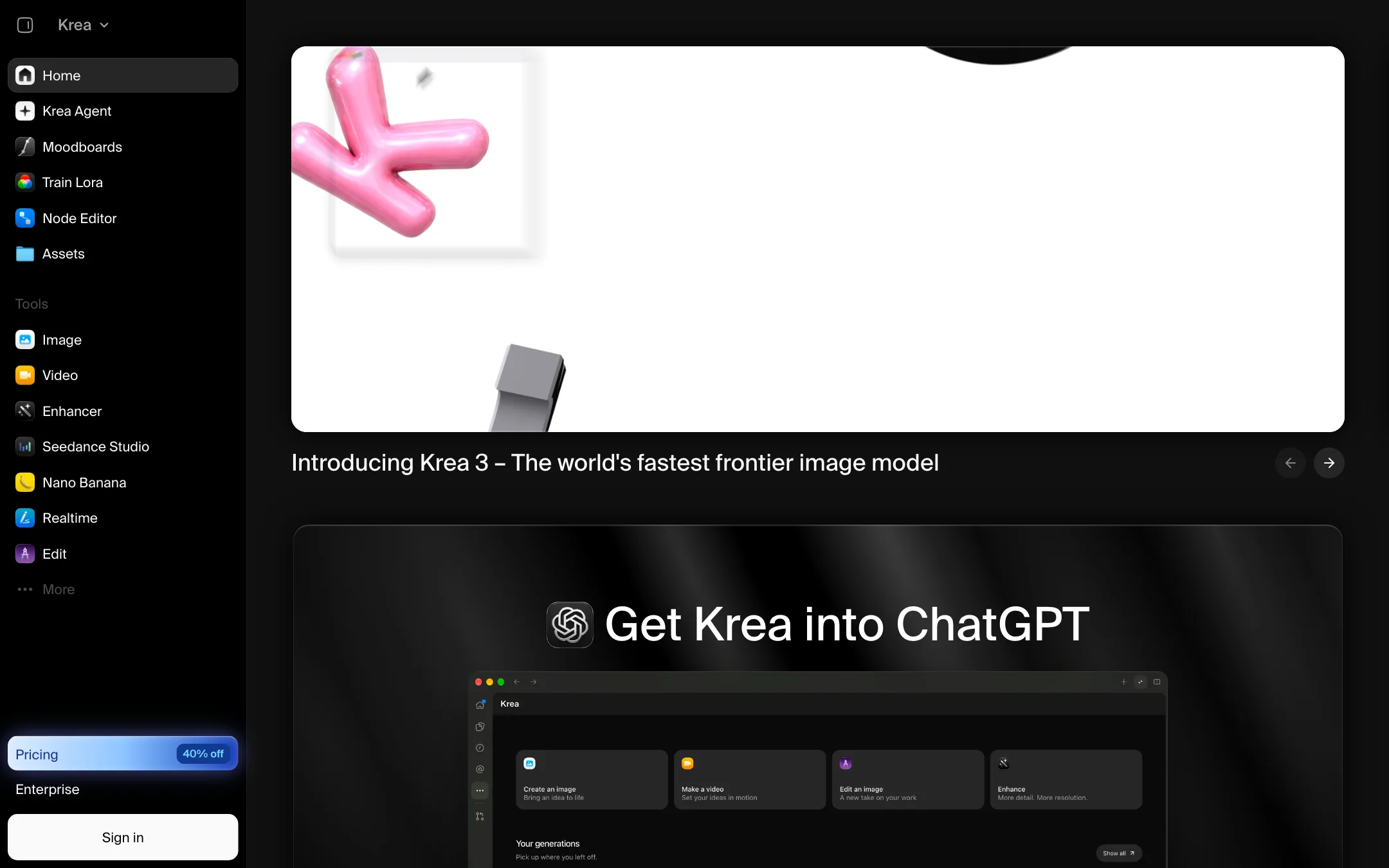
Krea’s home page is also the app. A sidebar lists every tool: Krea Agent, Moodboards, Train LoRA, Node Editor, Assets, and then the generators for Image, Video, Enhancer, Seedance Studio, Nano Banana, Realtime and Edit.
The video composer
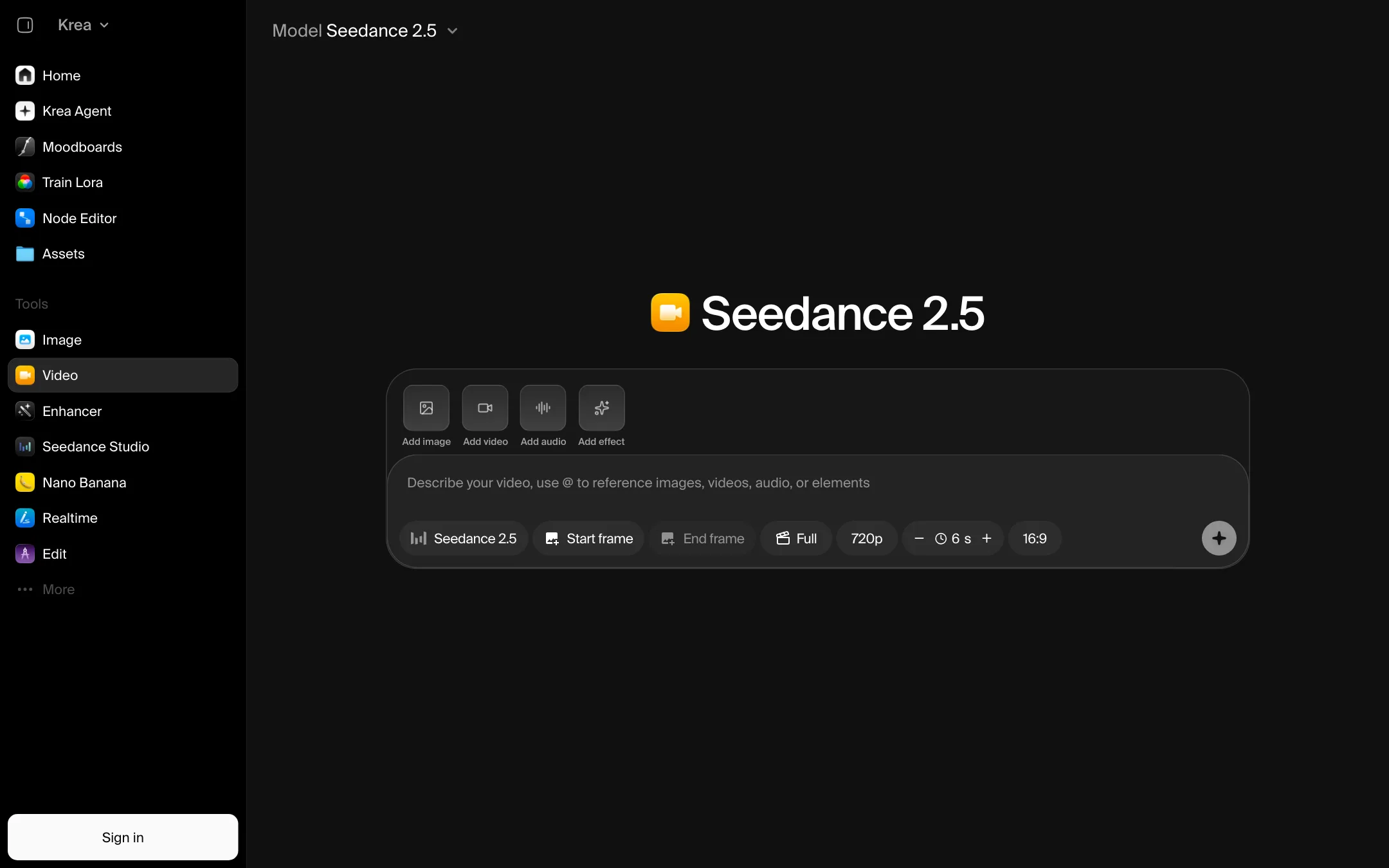
The Video tool is a single composer. On the public page it defaulted to Seedance 2.5 at 720p, 6 seconds and 16:9. Around the prompt box you can:
- Add an image, a video or an audio clip as a reference.
- Set a start frame and an end frame.
- Add an effect.
- Switch model, resolution, duration and aspect ratio.
Each model has its own unit price, and the cost moves with every setting. Krea’s comparison table shows the settings it priced each model at, such as “5s, 720p” or “3s, audio off,” so you can see the baseline.
A typical text-to-video run
- Open Video and pick a model. Seedance 2.5 is the default; Kling, Veo and Wan are a click away.
- Write the shot. Name the subject, setting, action, camera move and light.
- Add a start frame if you already have a still you like. You can make that still in Krea’s image tools first.
- Set duration and aspect ratio for where the clip will live.
- Generate, then send the result to Enhancer to upscale it if you need more resolution.
Krea Agent
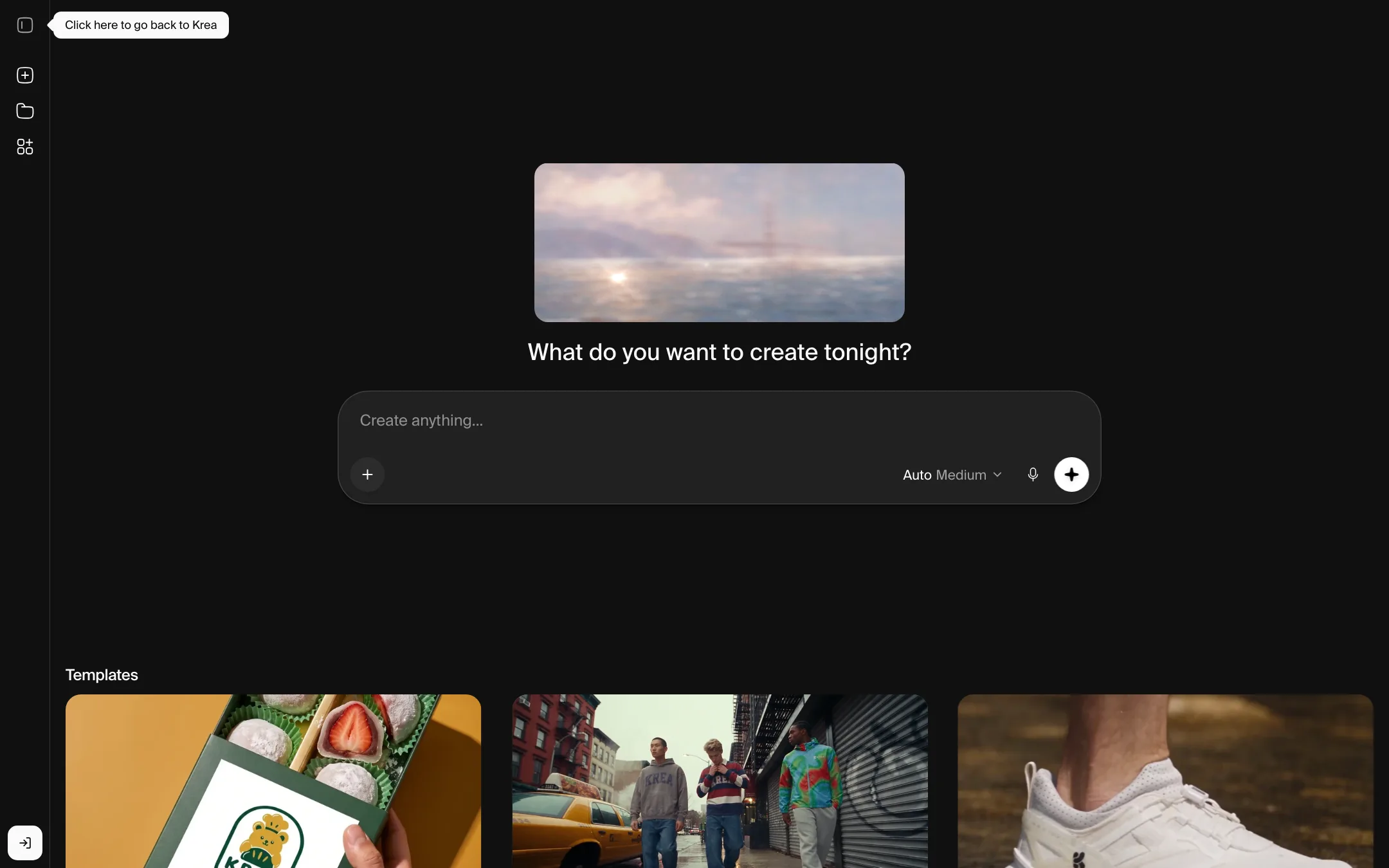
Krea Agent takes a brief and plans the work for you. Krea says it “plans, creates, and refines” images and videos with you. The public templates show the range: a sizzle reel from a single product shot, an explainer video from a prompt, a guided home walkthrough from one photo, a drone flyover from an architectural sketch and an action chase scene for your character.
It is a planning layer over the same models. It saves you from writing a dozen prompts by hand. It does not make the underlying models better.
Realtime, LoRA and nodes
A few tools set Krea apart from plain model resellers:
- Realtime renders as you draw on a live canvas. Krea’s table lists Krea Realtime video at very low cost per clip, about 949 five-second clips on Basic, which makes it useful for fast sketching.
- Train LoRA lets you train a custom model on your own images. Krea lists both image and video LoRA finetuning. Basic and Pro allow up to 50 images per LoRA. Max and above allow 2,000.
- Node Editor and App Builder let you wire prompts, references and models into a graph you can rerun. Teams that make the same kind of asset every week get the most from this.
- Moodboards let you steer Krea 2 with a curated set of images instead of one reference.
Plugins and connectors
Krea has an After Effects plugin, an iOS app, an API and MCP connectors for ChatGPT and Claude. If your work already lives in Adobe tools, the plugin is a real time saver. If you build your own tools, the API covers the same models.
Output quality
We have not tested Krea hands-on, so quality claims here come from Krea and the model makers.
The key point: for video, Krea’s output is the output of the model you pick. A Seedance 2.5 clip in Krea should look like a Seedance 2.5 clip anywhere else. Krea’s value is choice, references, upscaling and workflow, not a better video model.
What that means in practice:
- Pick the model for the job. Seedance and Kling are strong on motion and multi-shot. Veo is known for realism and audio. Krea Realtime is for speed, not finish.
- Use start frames. Krea’s image models are its strength. Making a strong still first and animating it is usually more reliable than pure text-to-video.
- Expect the usual limits. Hands, fine text and long continuous action are hard for every current model. Clips are short, mostly 3 to 10 seconds per generation.
Krea also says its pricing page is “trusted by 40M subscribers.” Treat that as a marketing figure.
Pricing
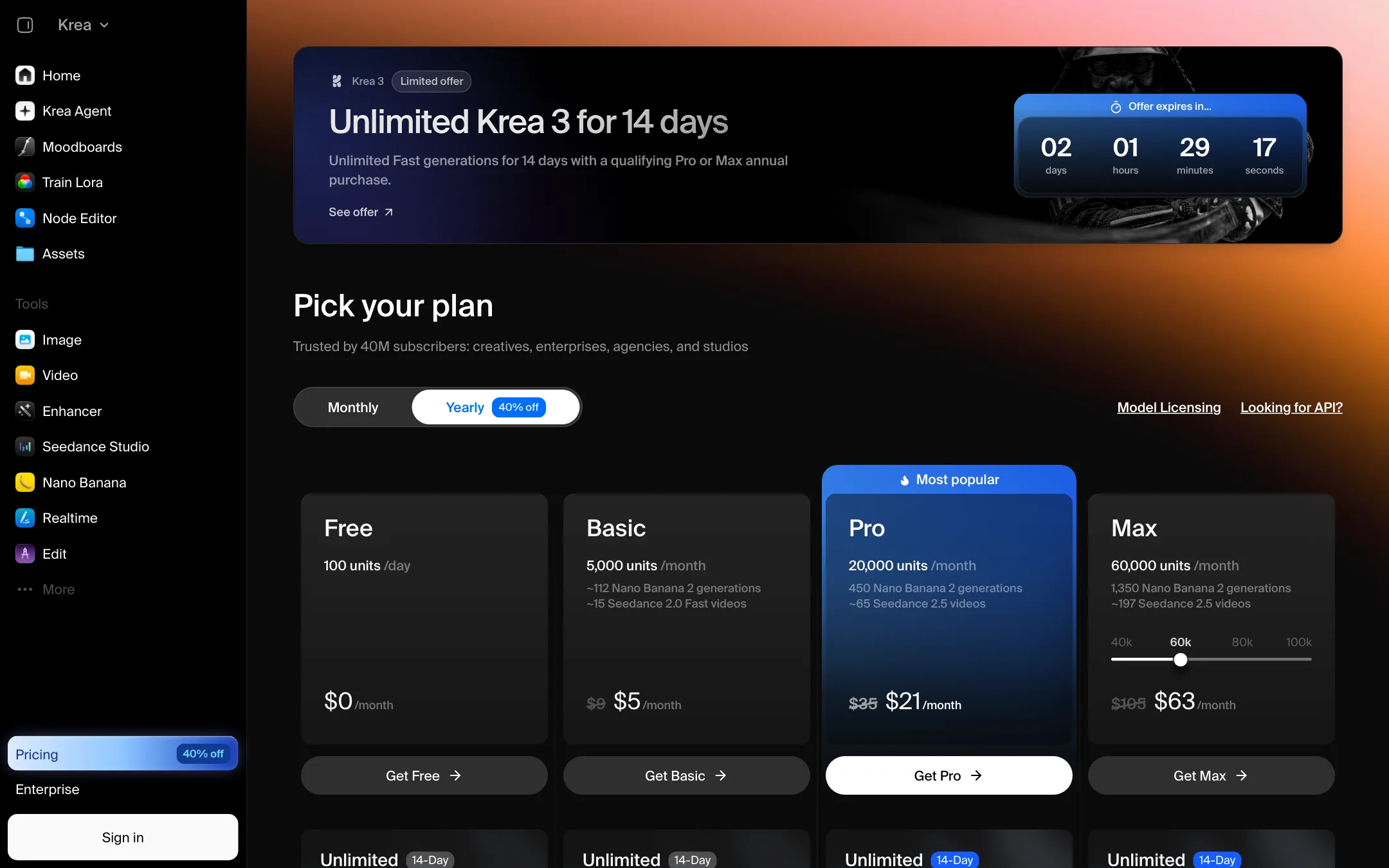
Krea runs on compute units. Every generation costs units, and the cost depends on the model, length, resolution and options such as audio or references.
| Plan | Price | What you get |
|---|---|---|
| Free | Free | 100 units a day, no Seedance |
| Basic | $5.25/mo yearly, $9 monthly | 5,000 units a month, Seedance 2, Fast and Mini |
| Pro | $21/mo yearly, $35 monthly | 20,000 units, all models including Seedance 2.5 |
| Max | $63/mo yearly, $105 monthly | 60,000 units, Krea 3 Ultra, bigger LoRAs |
| Business | $160/mo yearly, $200 monthly | 80,000 shared units, up to 50 members |
| Enterprise | Custom | SSO, audit logs, custom compute |
Krea deserves credit for publishing rough counts. Basic lists about 112 Nano Banana 2 images or about 15 Seedance 2.0 Fast videos. Pro lists about 65 Seedance 2.5 videos and Max about 197.
Things the pricing page does not make obvious:
- Video eats units fast. Fifteen Fast videos a month on Basic is a taste, not a workflow. If video is the main job, Pro is the realistic starting plan.
- The yearly discount is uneven. The toggle says “40% off.” That matches Basic, Pro and Max closely. Business is $200 monthly and $160 yearly, which is 20% off.
- Units do not roll over on Basic, Pro or Max. Business and Enterprise can roll them over.
- Compute packs expire. Extra packs from 2,000 to 50,000 units last 90 days. Prices appear only after you sign in.
- Countdown offers. The pricing page ran a timed offer of unlimited Krea 3 for 14 days with a Pro or Max annual purchase. Krea 3 is an image model, so it does nothing for your video budget. Do not let the timer rush you.
- Free has no commercial license listed. Krea’s FAQ names only paid plans.
How to make your units go further
- Draft cheap, finish expensive. Try the idea with Krea Realtime or a fast model, then render the keeper on Seedance 2.5 or Veo.
- Start short. Krea prices many video models per 3 or 5 seconds. Test at the shortest length first.
- Turn off audio when the clip will sit under music in an editor. Several models are priced with audio off as the baseline.
- Spend monthly units before packs. Plan units reset each month. Packs last 90 days.
Refunds and billing
Krea’s FAQ says you can upgrade or downgrade at any time, with prorated billing. We did not find a refund promise on the pricing page, so test on the Free plan before you pay for a year.
Verdict
Krea is one of the best places to get many models under one roof, especially if you make images as well as video. The image tools, LoRA training, Realtime canvas and node editor give it real depth beyond a reseller.
As a pure video tool, it is a front end over Seedance, Kling, Veo and friends. The cheapest plans buy only a few clips, and the Free plan locks out Seedance entirely. If video is most of your work, budget for Pro at $21 a month billed yearly, or compare a video-first tool before you commit.