What Jupitrr AI is
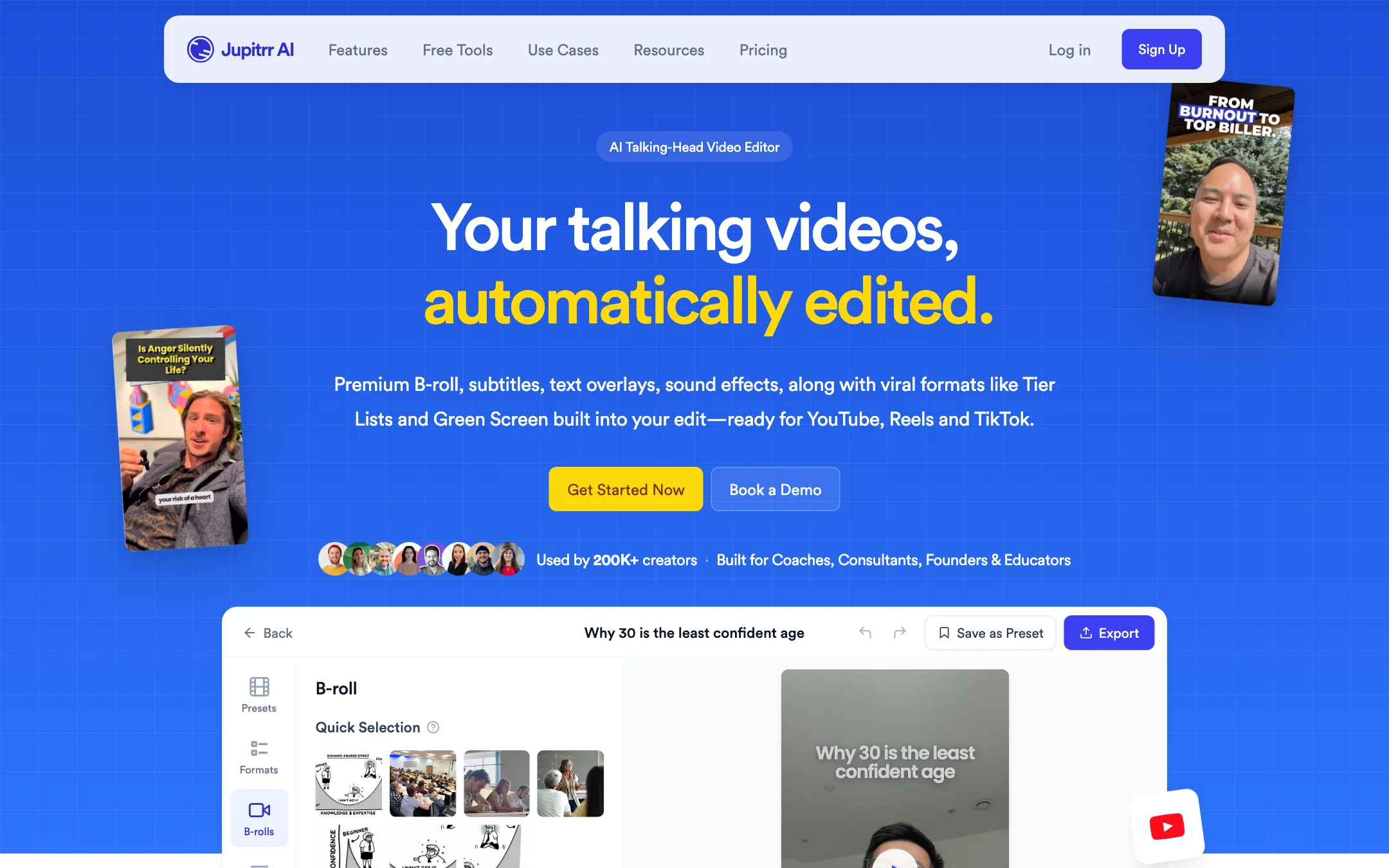
Jupitrr AI is a video editor for one kind of video: a person talking to camera. You upload the footage and it comes back already edited. Jupitrr adds B-roll matched to what you are saying, an AI-written hook for the first three seconds, animated subtitles, emojis, background music, sound effects, transitions and your logo. Then you fix whatever you do not like.
Around that editor, Jupitrr has built a full content workflow. There is an agent that researches topics and writes scripts, a teleprompter app that records you scene by scene, a content calendar, social publishing and analytics. The pitch is that you stop switching between five apps to post one video.
It is aimed squarely at business creators. The FAQ names coaches and consultants first, including fitness, wellness and executive coaches, then founders and educators. Jupitrr says it is used by 200K+ creators. Its CEO, Harris Cheng, posts tips on Instagram, and the “Learn” hub links to him directly.
Who it is for
Jupitrr fits you if:
- You are the face of your business and post short talking-head videos on LinkedIn, Instagram, TikTok or YouTube.
- You hate editing and would rather review a finished cut than start from a blank timeline.
- Your videos need visual variety. Line-by-line B-roll is the core feature.
- You struggle on camera. The Jupitrr Cut teleprompter lets you retake a single line instead of the whole video.
- You want planning, scripting and posting in the same place as editing.
Skip it if:
- You want to try it free on your own footage. There is no free plan, only a sample video.
- Your videos are long. Starter stops at 5-minute uploads, and even Team stops at 30 minutes.
- You need multicam, motion graphics or a full editor. Jupitrr’s own FAQ says it is not built for those.
- You make faceless or AI-generated videos. Jupitrr starts from footage of you.
How it works
Jupitrr describes six steps, and the app is organised around them.
1. Research and script
On Pro and Team, viral video search shows what is working on YouTube, TikTok and Instagram in your niche. Jupitrr Agent, which Jupitrr says is powered by its Levio engine, then writes a full script with a hook, talking points and a caption, in your tone.
Each planned video lives in a video brief: the topic, the research, the script and production notes. Plan limits are counted in briefs, uploads and exports. A video you script, edit and publish uses one of each.
2. Record
Jupitrr Cut is a teleprompter app for iOS and Android. It shows your script on screen and records scene by scene. If you fluff a line, you retake that scene only. The app trims each take, stitches them into a jump-cut video and uploads it to the editor with one tap.
You do not have to use it. You can upload any MP4 or MOV file, or an MP3. Audio uploads come back as a video with B-roll and subtitles.
3. The automatic edit
This is the heart of the product. On upload, Jupitrr applies:
- B-roll matched line by line to your words.
- An AI hook in the first three seconds.
- Stylized subtitles in your detected language, from 54+ supported.
- Emojis, background music and sound effects on transitions and reactions.
- Scene transitions and your logo as a watermark.
Jupitrr also builds in viral formats. Tier List and Green Screen are the two it pushes hardest, and the “Formats” tab holds more.
4. Fix what you do not like
Everything the AI placed stays editable. You can:
- Swap any B-roll clip for another stock clip, a web image, a GIF or your own footage, and change how it appears: full screen, split screen, card, contained or blended.
- Edit subtitles line by line in the transcript, including wording, style and language.
- Change or remove music, sound effects, the hook and the watermark.
- Ask Jupitrr Agent in plain language: “Change the B-roll at 1:02,” “Make the subtitles bigger.”
Jupitrr says changing one clip leaves the rest of the video exactly as it was. That matters. In many AI editors, regenerating one part reshuffles everything else.
5. Publish and measure
On Pro and Team, the content calendar holds your briefs with dates, owners and statuses. You can publish to YouTube, LinkedIn, Instagram and TikTok at a set time or immediately, then track views and engagement in one place. Team adds multi-account publishing for agencies.
There is also a Jupitrr MCP, which Jupitrr says lets you run it from Claude, ChatGPT, Claude Code, Codex and Cursor.
Output quality
We have not tested Jupitrr hands-on, so the quality claims here are Jupitrr’s or its customers’.
The main quality question for any auto-B-roll tool is relevance. Does the stock clip actually match the sentence, or is it a generic office shot every time? Jupitrr’s answer is licensed stock from Getty Images and iStock on paid plans, plus Google Images for real product shots and charts. Licensed premium stock should look better than free libraries. Matching quality is something to judge on your own footage.
Things worth knowing:
- Getty clips are watermarked in preview. The FAQ says the Getty watermark is removed on export. Do not panic when you see it in the editor.
- Licences vary by source. Getty and iStock are licensed stock. Pexels is under the Pexels License. Web images from Google have whatever rights their owners set. Jupitrr’s own FAQ tells you to check before using an export in paid ads.
- Exports are MP4 at “studio” compression in 9:16 or 16:9, with no Jupitrr watermark on any paid plan.
- Customer quotes are business owners. The homepage quotes founders of small consultancies. One says a CEO thought he had “hired a marketing agency.” Treat that as a testimonial, not a test.
Jupitrr says uploads are stored encrypted on AWS S3, are never shared with third parties and are never used to train AI models.
Pricing
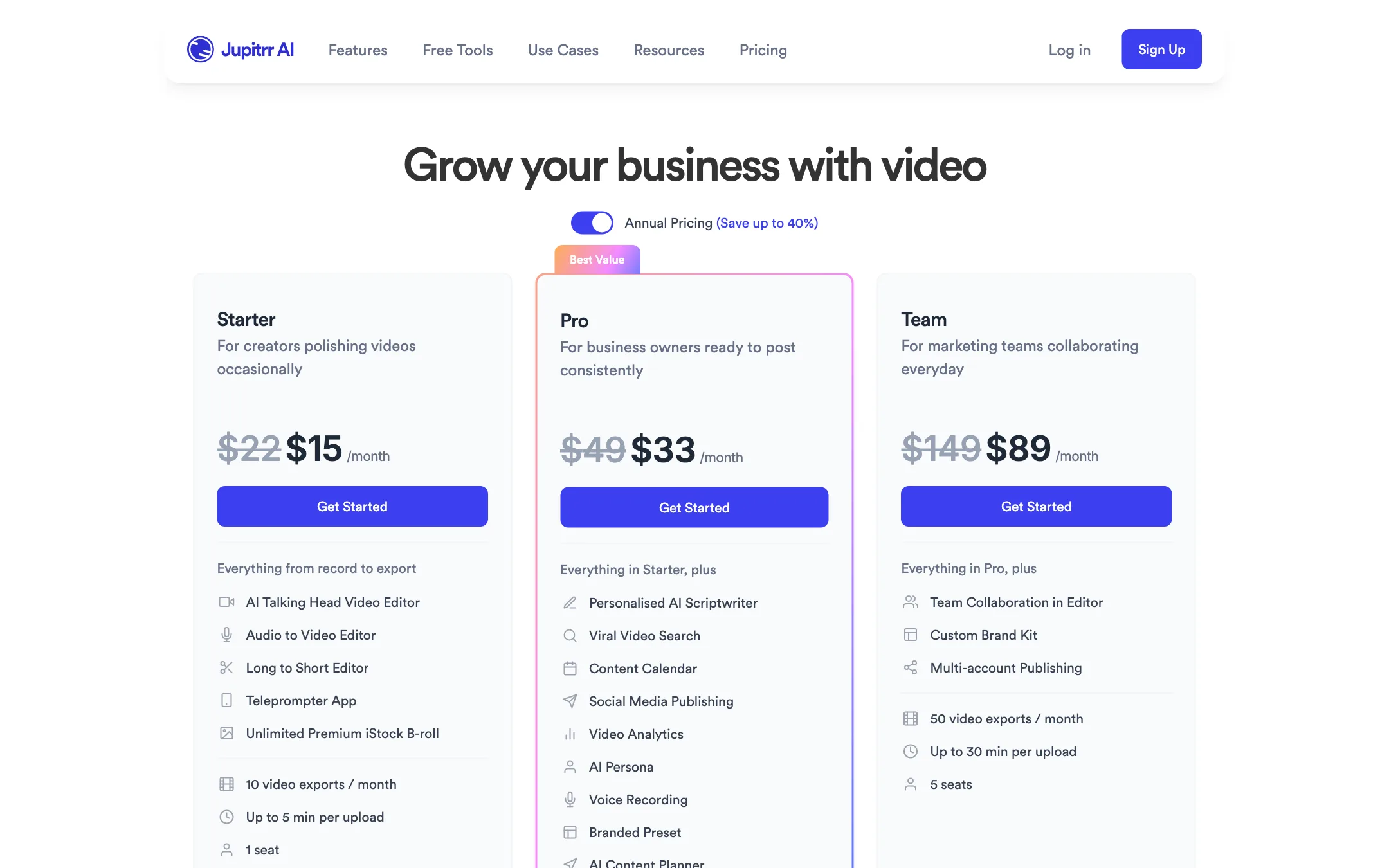
Jupitrr has three paid plans and no free plan. Yearly billing saves 32% on Starter, 33% on Pro and 40% on Team.
| Plan | Price | Uploads and exports | Max upload | Seats |
|---|---|---|---|---|
| Starter | $15/mo yearly, $22 monthly | 10 a month, 3 briefs | 5 min, 3 GB | 1 |
| Pro | $33/mo yearly, $49 monthly | 30 a month, 30 briefs | 20 min, 5 GB | 2 |
| Team | $89/mo yearly, $149 monthly | 50 a month, 50 briefs | 30 min, 5 GB | 5 |
Pro adds the AI scriptwriter, viral video search, content calendar, social publishing, analytics, AI persona, voice recording and branded presets. Team adds collaboration in the editor, a custom brand kit and multi-account publishing.
Things the pricing page does not make obvious:
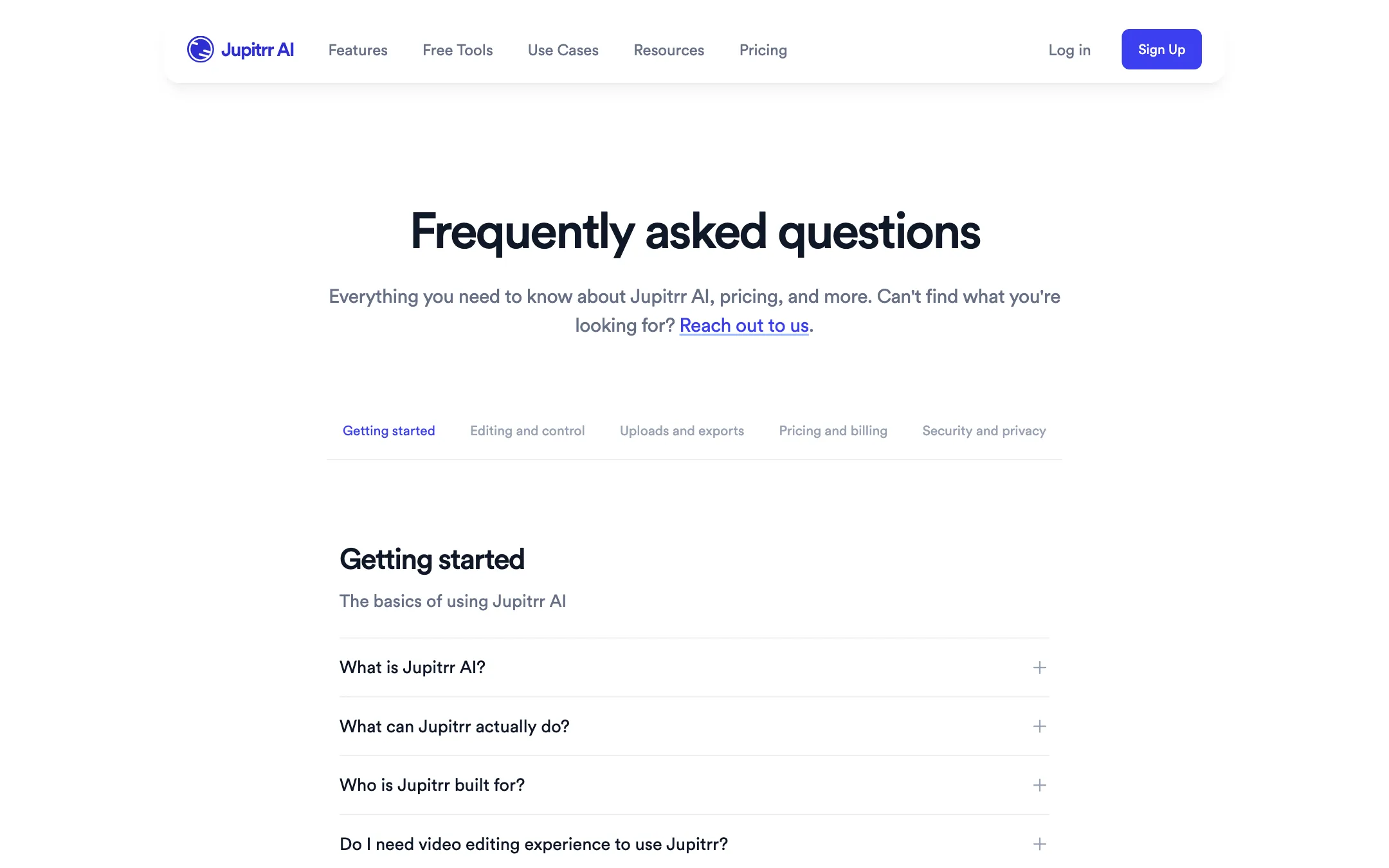
- “Try it for free” means a sample video. Buttons across the site say “Try it for free” and “Get started for free.” The FAQ says there is no free plan for your own uploads. You get a sample video to explore, and a 7-day money-back guarantee.
- Starter is an editor only. At $15 a month you get the automatic edit and B-roll. Scripting, the calendar and publishing start at Pro.
- Three briefs on Starter. Starter has 10 uploads but only 3 briefs. If you want Jupitrr to plan and script each video, you will hit the brief limit first.
- The B-roll sources disagree. The pricing cards say “Unlimited Premium iStock B-roll.” The homepage says “Unlimited Getty Images Stock Assets,” and the FAQ says both. Expect both, but check inside the app.
- Nothing rolls over. Unused uploads, exports and briefs reset each billing cycle.
- Plans are per workspace. Seats share one plan and one allowance. Agencies running separate client workspaces need to email for a custom plan.
Refunds
You get a full refund if you cancel within 7 days of your first payment. After that, subscriptions are non-refundable. You can cancel from Manage Plan without contacting support, and your videos and briefs stay saved if you resubscribe later.
Creator program
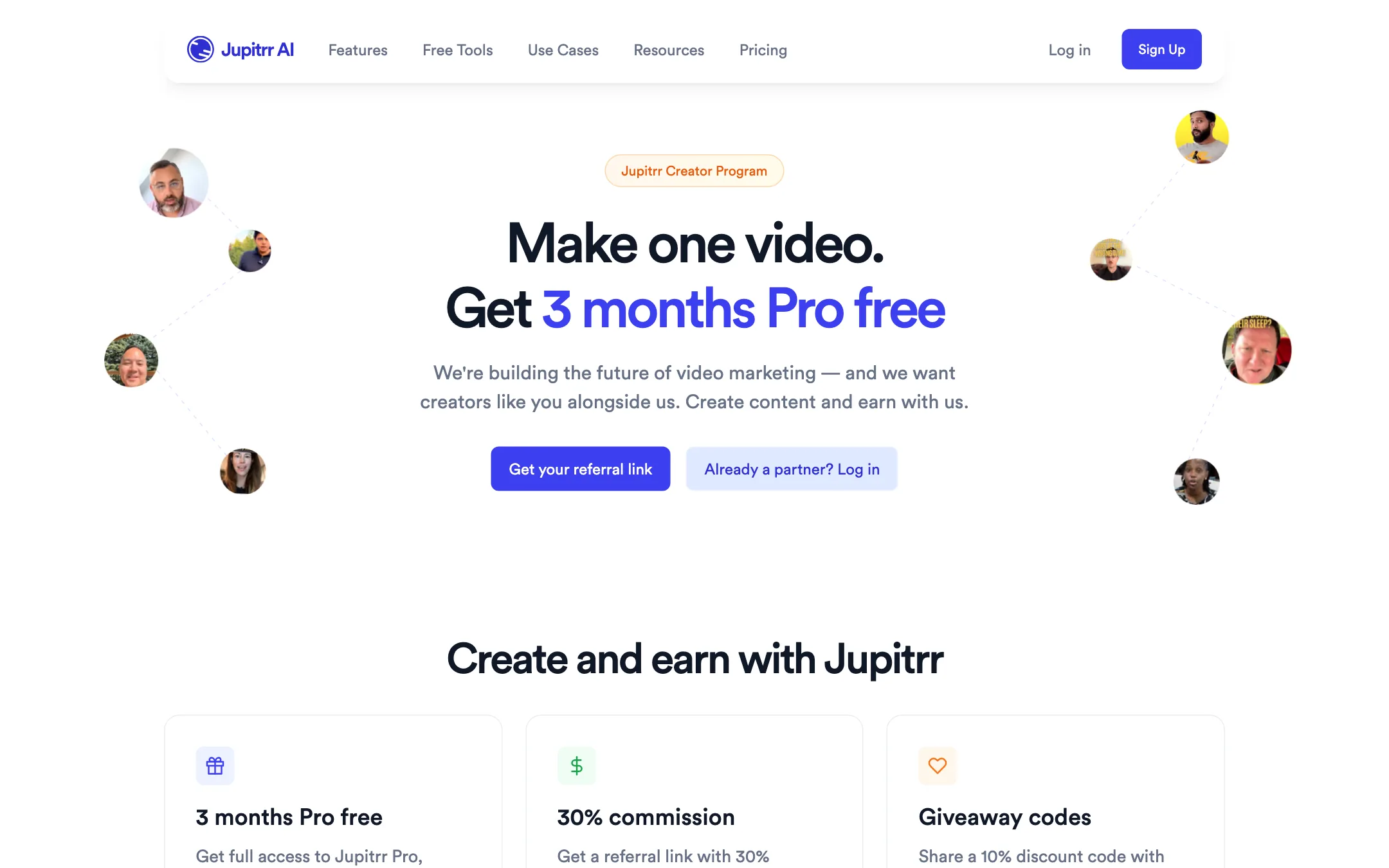
Jupitrr runs a creator program. You make one UGC-style video about Jupitrr on TikTok, Reels, Shorts or YouTube, and Jupitrr activates 3 months of Pro. You also get a referral link paying 30% recurring commission on every paying customer and 10% discount codes for your audience. Jupitrr asks for real talking-head content, “no AI-generated videos,” and ideally 1K+ followers.
Verdict
Jupitrr is one of the most focused editors in this space. If your content is you talking to a camera, it does most of the edit on upload, keeps every AI choice swappable, and wraps scripting, recording and publishing around it. The teleprompter app that retakes single lines is a genuinely useful touch for people who freeze on camera.
The catch is cost of entry. There is no free plan, Starter is limited to 10 short videos and 3 briefs, and the parts that make it a full workflow need Pro at $33 a month yearly. Open the sample video, then take Starter on monthly billing and use the 7-day guarantee as your trial. Move to Pro only if you want Jupitrr to plan and post for you.