
What Eddie AI is
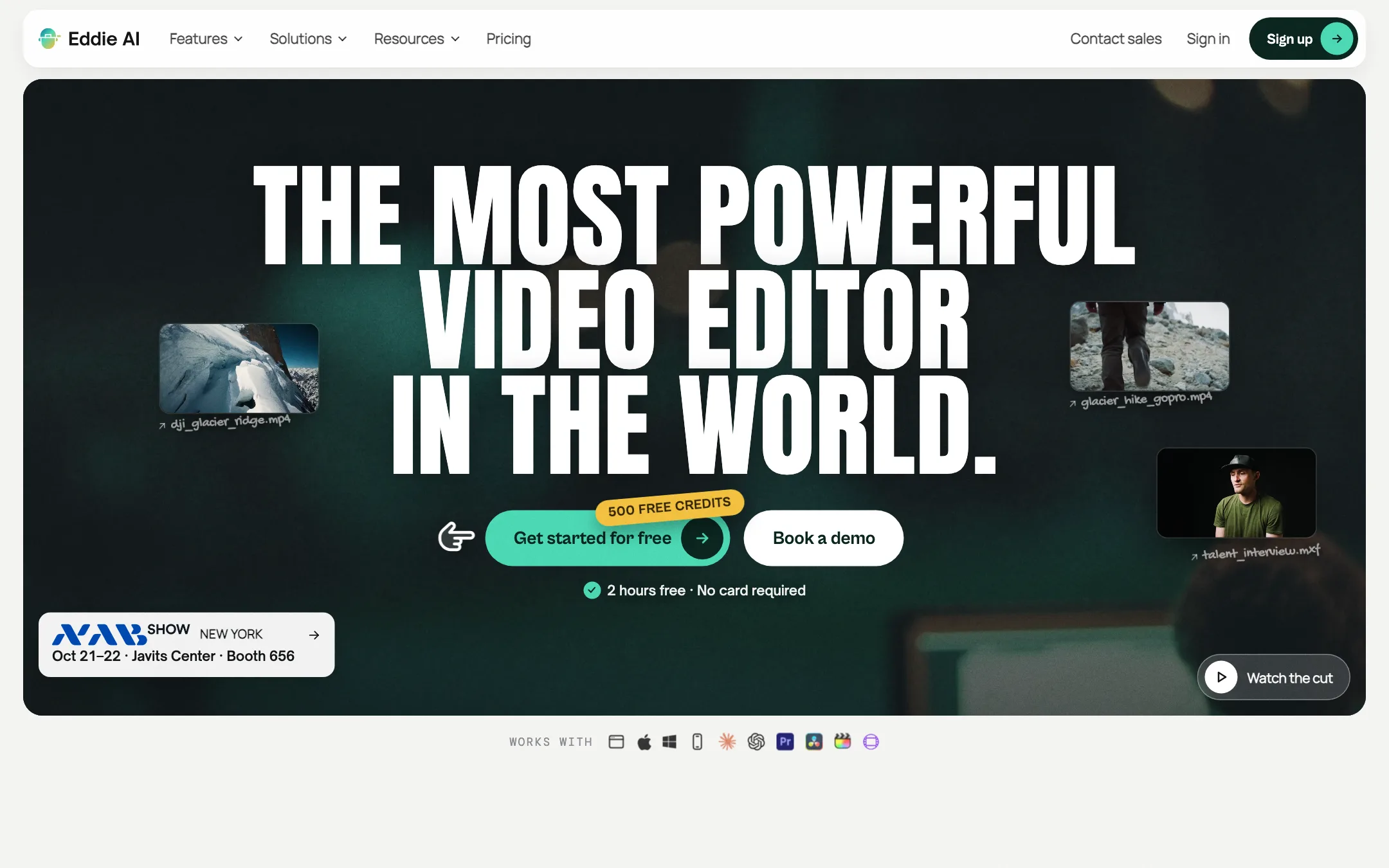
Eddie AI is an AI assistant editor. It is made by Press Play Labs. You import raw footage, and Eddie transcribes it, logs it, finds the strong moments and builds an edit when you ask for one in chat.
The pitch is aimed at working editors, not at people who want one-click viral clips. Eddie’s own pages talk about documentaries, interviews, podcasts, corporate videos, weddings and events. The headline promise is simple. Drop in hours of footage, ask for a rough cut and get a first assembly in minutes.
The part that sets it apart is the hand-off. Eddie does not try to replace Premiere, Resolve or Final Cut. It builds the timeline, then exports it as a project file your editor opens, with the original clips relinked. You keep doing color, sound and the fine trims where you always have.
Eddie says it is used by more than 60,000 video professionals, and names teams at Amazon, NVIDIA, OpenAI and the BBC. It also cites a 4.8 rating on G2. Those are vendor figures. We have not tested Eddie hands-on, so everything below about how it works comes from Eddie’s own site and help center.
Who it is for
Eddie fits you if:
- You cut interview-led work: documentaries, brand stories, testimonials, YouTube essays.
- You shoot multicam podcasts or panels and spend hours syncing and switching angles.
- You dread logging. Transcribing, tagging and pulling selects is the job Eddie is built to take off your plate.
- You finish in Premiere, Resolve, Final Cut or Avid and want an AI that feeds that timeline, not a separate app you have to stay in.
- You freelance and your workload goes up and down. Pay-as-you-go credits suit uneven months better than a subscription.
Skip it if:
- You just want 10 captioned clips from a podcast episode. A pure clipper is simpler, faster to learn and cheaper per clip.
- You want AI to generate a video from a prompt. Eddie edits footage you already have. Its generate-video feature is there to fill B-roll gaps.
- You need to know the exact cost of every job up front. Edits are “priced by the work”, and you only see the number when Eddie estimates it.
How it works
Eddie describes its workflow in five steps: bring it in, find the moments, cut, polish and deliver.
1. Bring it in
You upload footage in the web app, the Mac or Windows desktop app, or the iPhone app. Eddie also lists imports from Frame.io, iconik, LucidLink, Shade, Google Drive and Dropbox. On import Eddie transcribes every word, in more than 100 languages according to its logging page, and tells speakers apart.
If you shot multicam, you can build the multicam clips in your NLE first and import them, or let Eddie sync the angles itself. Eddie says it uses both voice and face detection to know who is speaking.
The desktop apps are GPU-accelerated. Eddie says they import faster, play your edit natively and render on your own machine instead of waiting in its cloud queue.
2. Find the moments
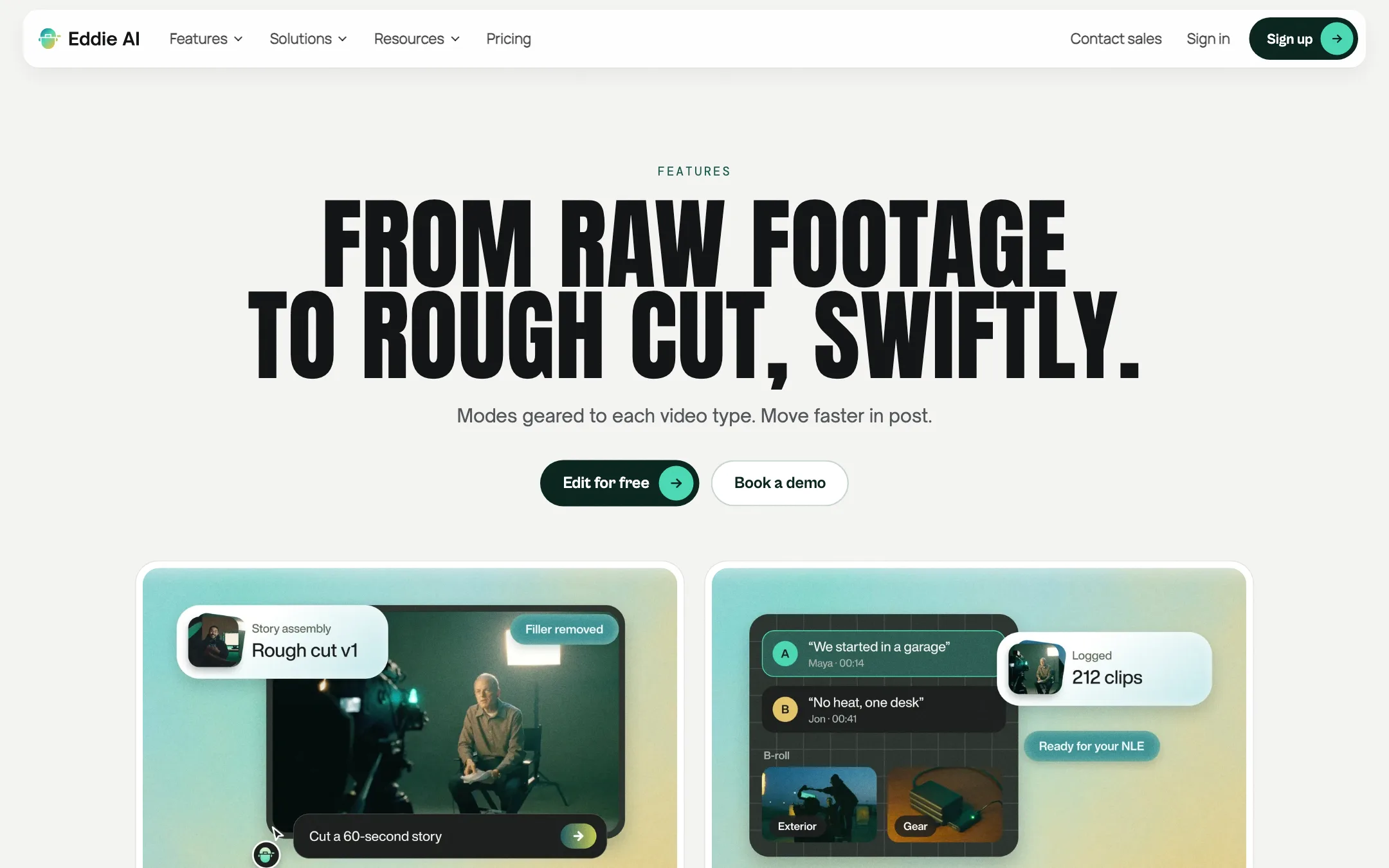
This is the logging step. For A-roll, Eddie builds searchable transcripts, identifies speakers and surfaces the strongest soundbites. For B-roll, it describes each clip, makes subclips and sorts them into bins. Those bins and markers come with you when you export to your NLE.
3. Cut
Now you talk to Eddie. The homepage demo shows the kind of requests you can make:
- “Cut a 30-second teaser from the trip footage”
- “Tighten the intro”
- “Add captions”
- “Make it vertical”
For interview work, rough cut mode is the core feature. Eddie says it uses large language models to find a story framework, weaves soundbites into it and then places your B-roll on top. You can steer it, asking for more of one interviewee, more on one topic or faster pacing. Scripted edits work the other way round: you supply the script and Eddie picks the best take for each line.
You can also call named “agents” with an @ in the prompt box. Eddie lists personas like a documentary storytelling coach, a YouTube retention critic, a Shorts strategist and a wedding editor. Some review your cut. Others build a new one in their style.
4. Polish
Eddie’s pricing page lists 13 polish features: color grading, keyframing, titles and motion graphics, word-level captions, music with ducking, voiceover, clean speech, speed ramps, stabilization, crops and reframing, stock B-roll, transitions and watermarks. Newer additions include generated music, generated voiceover, dubbing into other languages and generated video shots that land as B-roll.
Eddie does not say which AI models power its generated video, music or voice. If the source of generated footage matters for a client contract, ask Eddie before you rely on it.
5. Deliver
You export a project file or a rendered MP4. Eddie lists:
- Premiere Pro as a .prproj, with original clips relinked.
- DaVinci Resolve as a .drp, including the free version of Resolve.
- Final Cut Pro as .fcpxml, with round-trips.
- Avid Media Composer as a sequence, still marked beta.
- OTIO for other tools, and MP4 if you are done.
The help center’s popular articles include “Premiere won’t import the XML”, so expect some troubleshooting on hand-offs, as with any interchange format.
Using Eddie from Claude or ChatGPT
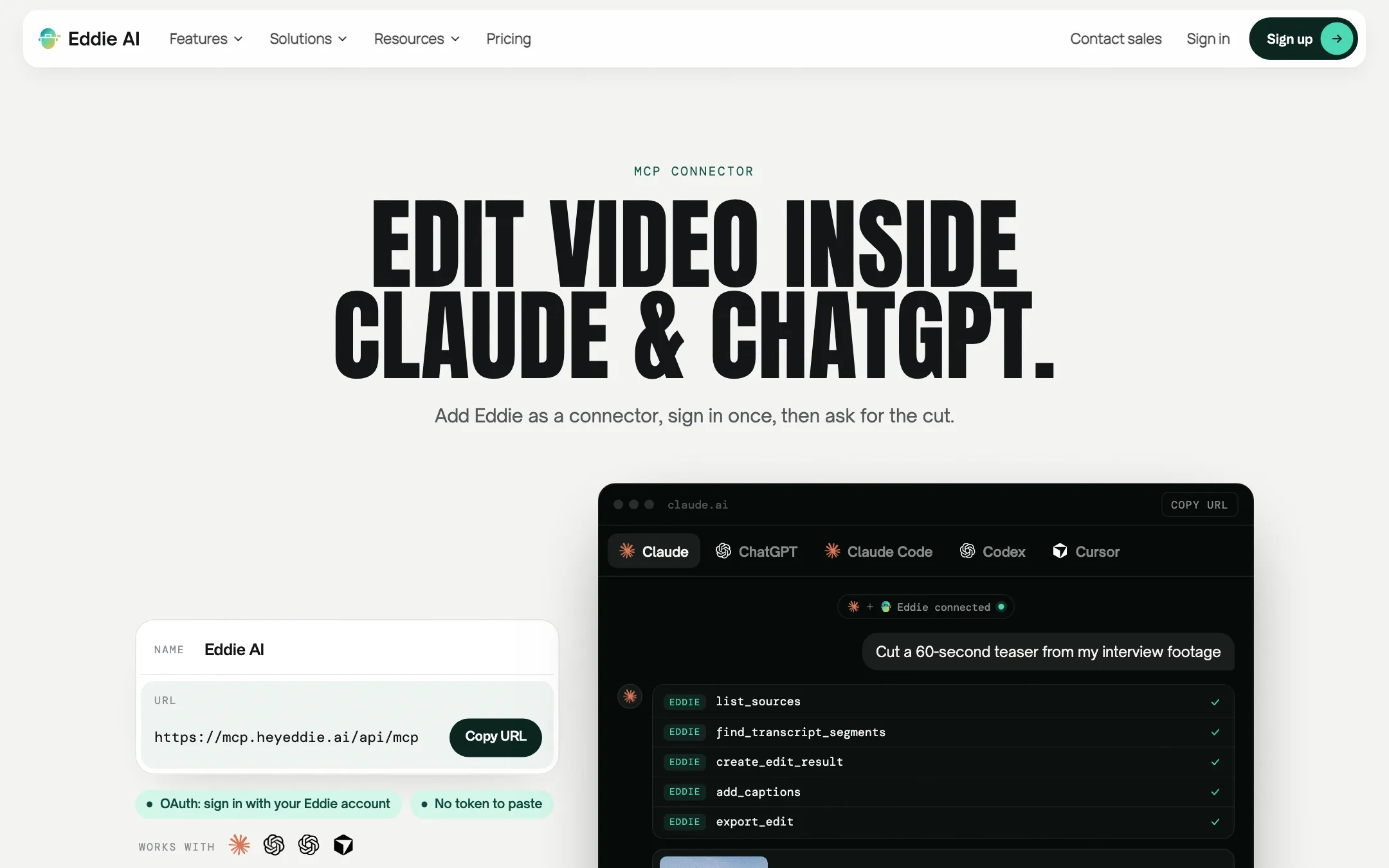
Eddie also runs as an MCP connector. You add one URL to Claude, ChatGPT, Claude Code, Codex or Cursor, sign in with your Eddie account and then ask for edits in that chat. Eddie lists 113 tools, such as searching transcripts, creating an edit from soundbites, adding captions and exporting. There is also an API and an iMessage beta where you text Eddie a clip and the cut comes back in the thread.
This matters if you already run your day from an AI assistant. It matters less if you prefer a visual timeline, which the Eddie app still gives you.
Output quality
We have not run footage through Eddie, so we cannot judge its cuts ourselves. What we can tell you is where Eddie aims and what others say.
Eddie quotes several YouTube editors and G2 reviewers. One says Eddie “crafted a story draft from the material”. Another says they drop in a raw documentary shoot and come back to a rough cut with the structure already in place. Those are selected testimonials on Eddie’s own site, so read them as the best case.
Some things are worth expecting from any tool like this:
- A rough cut is a starting point. AI picks soundbites from transcripts. It does not know your client’s politics, what the brand legal team will reject or which pause carries emotion. Plan to rework the story.
- Transcripts drive everything. Names, jargon and heavy accents can be misheard. The MCP tool list even includes a “fix a misheard name” request. Check the transcript before you trust the selects.
- Multicam depends on clean sources. Eddie syncs angles itself, but mismatched audio or long gaps can still need manual help.
The strength of Eddie’s design is that mistakes are cheap to fix. You get a real timeline in your NLE, not a locked render, so you can correct anything by hand.
Pricing
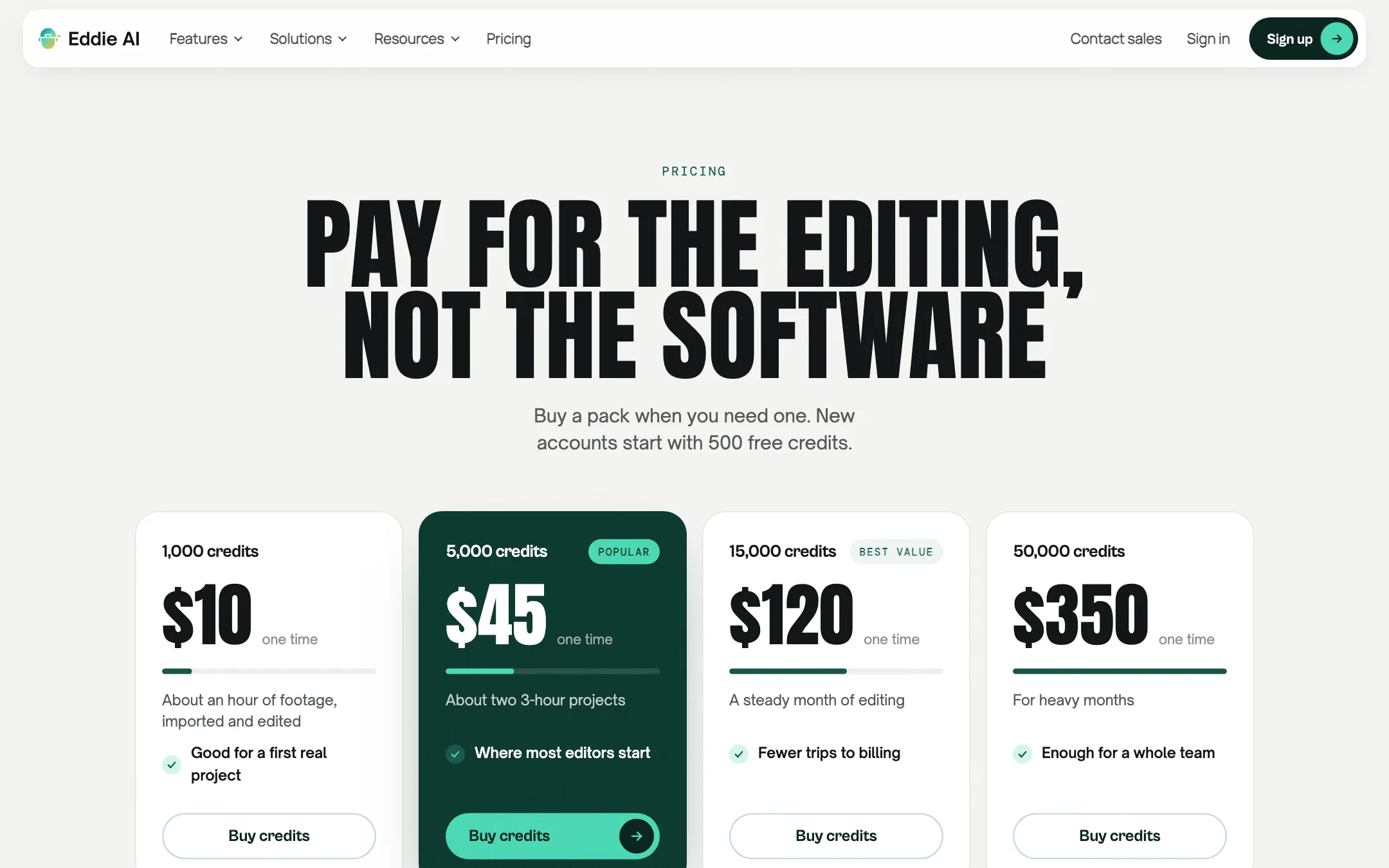
Eddie has no subscription. You buy credit packs once, and they never expire.
| Pack | Price | What Eddie says it covers |
|---|---|---|
| Free | 500 credits at sign-up | About 2 hours of footage |
| 1,000 credits | $10 | About an hour of footage, imported and edited |
| 5,000 credits | $45 | About two 3-hour projects |
| 15,000 credits | $120 | A steady month of editing |
| 50,000 credits | $350 | Heavy months, or a whole team |
Every pack includes every feature. There are no tiers.
What credits pay for
Credits are one meter for everything:
- Importing footage costs about 250 credits an hour.
- Each edit is “priced by the work”, so a big multicam assembly costs more than a caption pass.
- Music and voiceover are generated extras that also use credits.
- Larger jobs show an estimate before they run.
The pricing page has a calculator. For 3 hours of footage, it estimates 750 credits to import, 300 to 752 to edit and 100 to export, about 1,100 to 1,700 credits in total. That fits inside the $45 pack.
What the pricing page does not make obvious
- The free credits are mostly import. The homepage says 500 free credits equal 2 hours of footage. At about 250 credits an hour, that is the import cost alone, with nothing left to edit. Realistically the free credits let you import around an hour and try a few edits.
- The $10 pack is not a monthly price. We list it as the “from” price because it is the smallest purchase. A busy editor could spend far more in a month.
- Per-edit costs are not published. You see an estimate before large jobs. You do not see a price list.
- Enterprise is separate. SAML SSO, SCIM, on-prem deployment in your own cloud, bring-your-own LLM and a HIPAA BAA are by demo only.
Privacy and rights
Eddie’s pricing page says it does not train on your footage and states that it is SOC 2 Type I and Type II audited, GDPR compliant and C2PA conformant. The homepage mentions only SOC 2 Type II. The full report is available under NDA from Eddie’s Trust Center. If you edit for clients with strict data rules, start there.
Verdict
Eddie AI is a serious tool for editors who work with real footage. It does the slow, unloved parts of post: transcribing, logging, syncing angles and building a first assembly. Then it hands the timeline back to the editor you already use. That design respects how pros work, and it is rarer than it should be.
The credit model is fair for freelancers with uneven workloads, and the free credits let you try an import without a card. The weak spots are cost visibility, since edits are priced per job rather than listed, and silence on which AI models power the cutting and the generated media.
If you mostly need quick social clips, choose a dedicated clipper instead. If you cut interviews, docs or multicam podcasts in Premiere, Resolve or Final Cut, Eddie is worth a test on your next project.