
What FireCut is
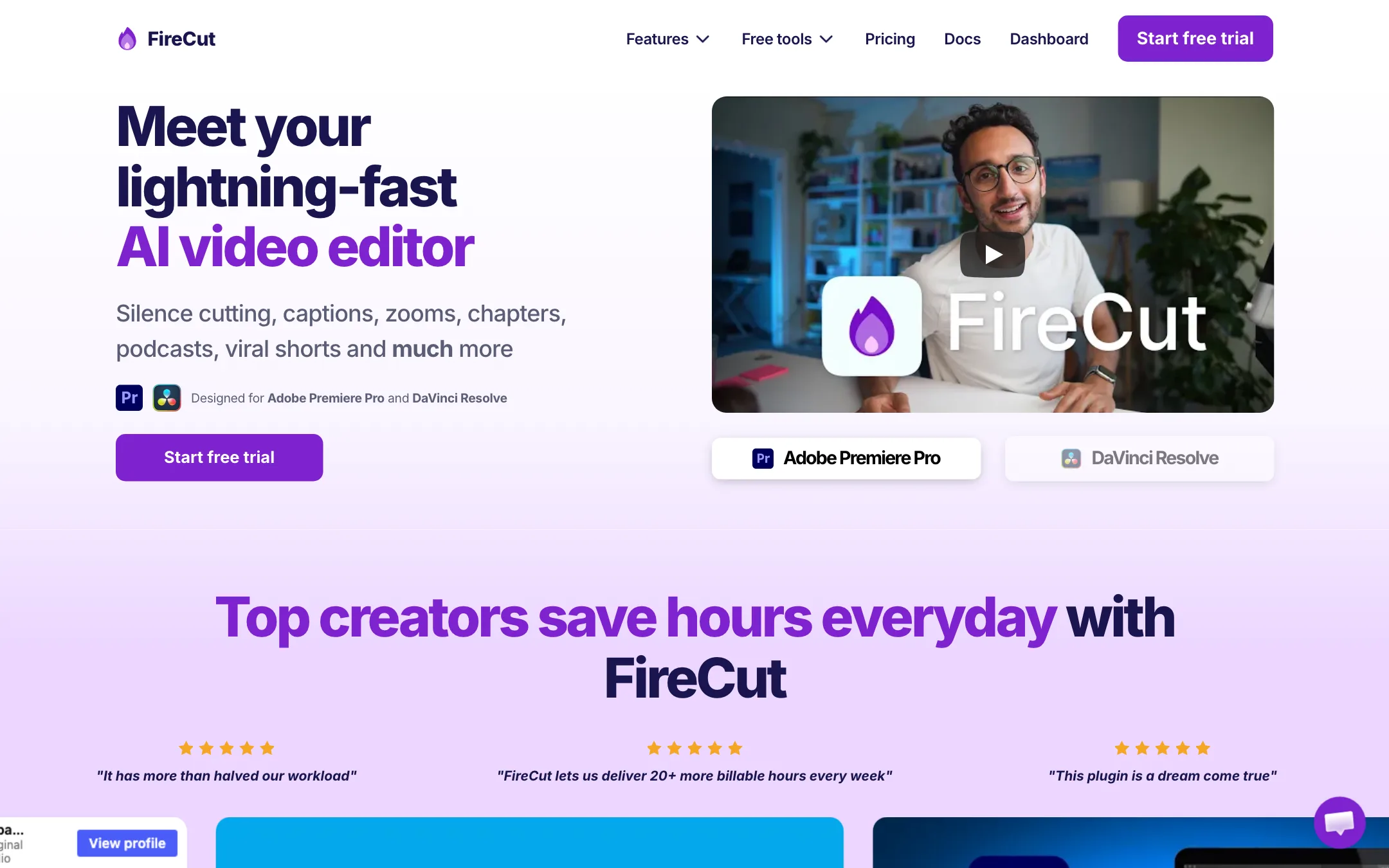
FireCut is an AI editing plugin. It does not replace your editor. It runs inside Adobe Premiere Pro or DaVinci Resolve as a panel, and it automates the dull first pass of an edit.
That first pass is the part every YouTuber and podcast editor knows. You cut the silences, remove the “ums” and the botched takes, add captions, punch in with a few zooms and mark chapters. FireCut’s pitch is that all of this should take minutes, not hours, and that it should happen in your own timeline where you can still fix anything by hand.
The company behind it is FireCrafts Ltd. Its founder, Suhail Idrees, writes in the docs that FireCut was built with editors from the first week of development. The docs are unusually detailed, with settings and caveats for every feature.
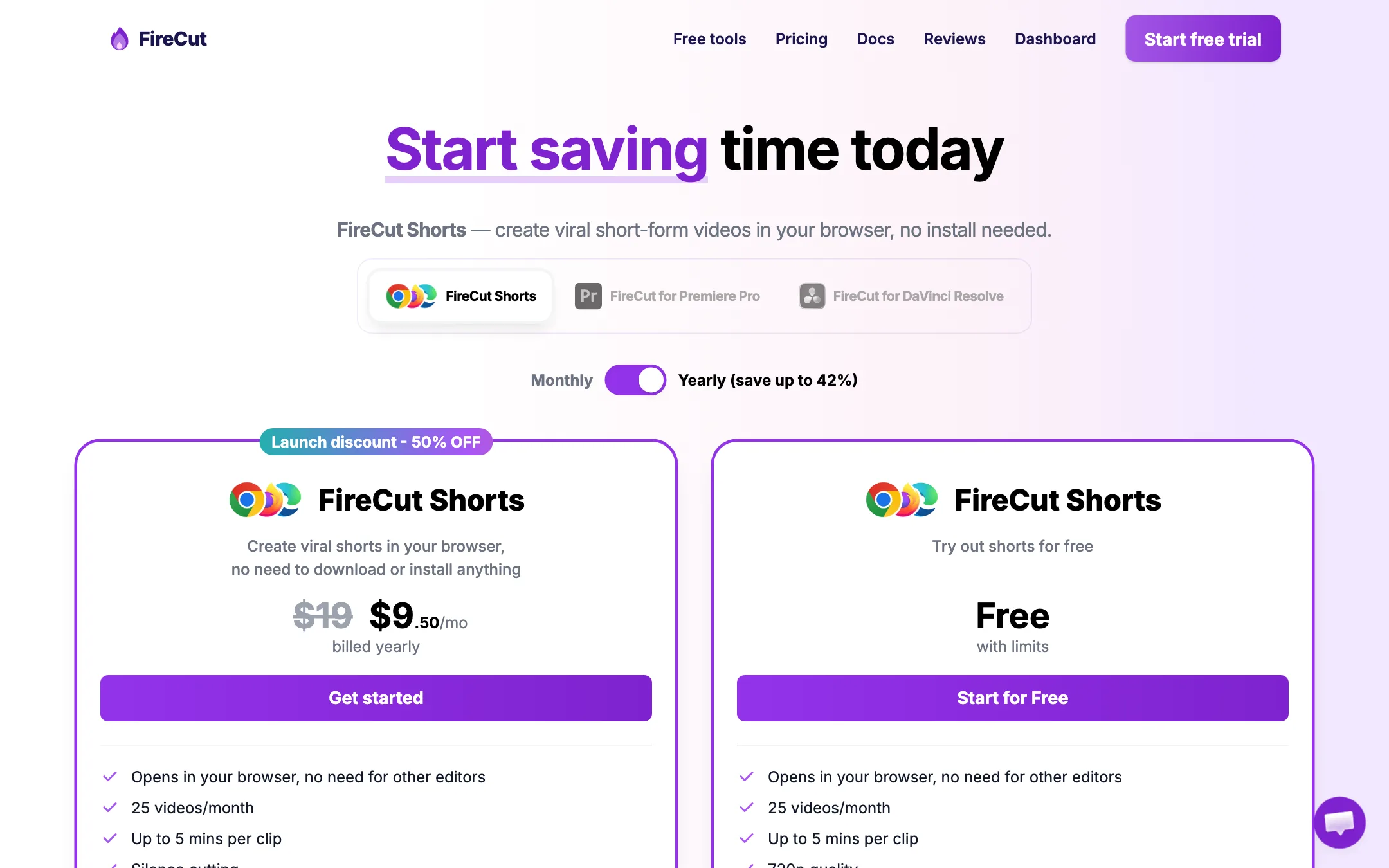
There is also a second product, FireCut Shorts. It is a browser app for turning long videos into short clips without installing anything. It has its own pricing and its own free plan.
Who it is for
FireCut fits you if:
- You already edit in Premiere Pro or DaVinci Resolve and want to keep doing so.
- You make talking-head videos, tutorials or podcasts with lots of dead air and retakes.
- You edit for clients and want to deliver more videos per week.
- You want captions in your timeline that you can still restyle and fix.
Skip it if:
- You do not use Premiere Pro or Resolve. FireCut is useless on its own, apart from the Shorts browser app.
- You want a one-click editor that does everything in the cloud. Browser tools like CapCut or a clip maker will feel simpler.
- You only need captions now and then. Captions start at the Pro plan.
How it works
You install FireCut from your dashboard, restart your editor and open it from Window > Extensions > FireCut in Premiere Pro. You enter your license key and the panel loads. Each feature is a separate screen in that panel.
Silence cutting
This is the feature every plan includes, and it is unlimited. FireCut’s docs describe two modes:
- Basic: one setting, cutting tightness. Loose leaves a little air around cuts. Tight gives fast, punchy pacing.
- Advanced: FireCut detects silences, shows them in a list, lets you choose which to keep and how much padding to add, then cuts.
You pick which audio tracks to “listen” to. FireCut only cuts when all of them are silent, so a two-mic podcast is handled correctly. It can also suggest a silence threshold by charting the loudness of your audio. FireCut recommends testing on a five-minute section first and using Advanced mode for anything long. That is good advice. Silence cutting that is too tight makes speech sound rushed.
Captions
FireCut transcribes your audio in two automatic passes, then gives you two output types:
- Styled captions: animated caption images placed on their own video track, in the trendy creator styles. You can still edit them later through the FireCut panel.
- Text-only captions: a regular Premiere captions track you style yourself.
You can save your style as a preset, share it, and export SRT or VTT files. FireCut says English is fully supported and that the other 50+ languages are experimental, so check foreign-language captions carefully.
Cleanup, zooms and chapters
On Pro and above, FireCut can remove filler words, repeated takes and profanity, add automatic zoom cuts at moments it picks, add titles and detect chapters for YouTube descriptions. Each of these uses your monthly processing hours.
Highlights for shorts
Create highlights looks through your transcript for self-contained moments. It drops red “FC Highlight” markers on the timeline. You can move, add or delete them, then generate new sequences. Options include reframing to 9:16 with Premiere’s Auto Reframe or FireCut’s own face-detection framing, adding captions, suggesting B-roll and writing a social post description.
This is not as automatic as a dedicated clip maker. You review the picks yourself. For editors, that is the point.
Podcast multi-track
The multi-track feature switches between camera angles based on who is speaking, like a video call does, and adds some variation to avoid a robotic feel. A second mode mutes quiet audio on each track to cut mic bleed.
Magic cut, script guidance and workflows
These three sit on the Max plan.
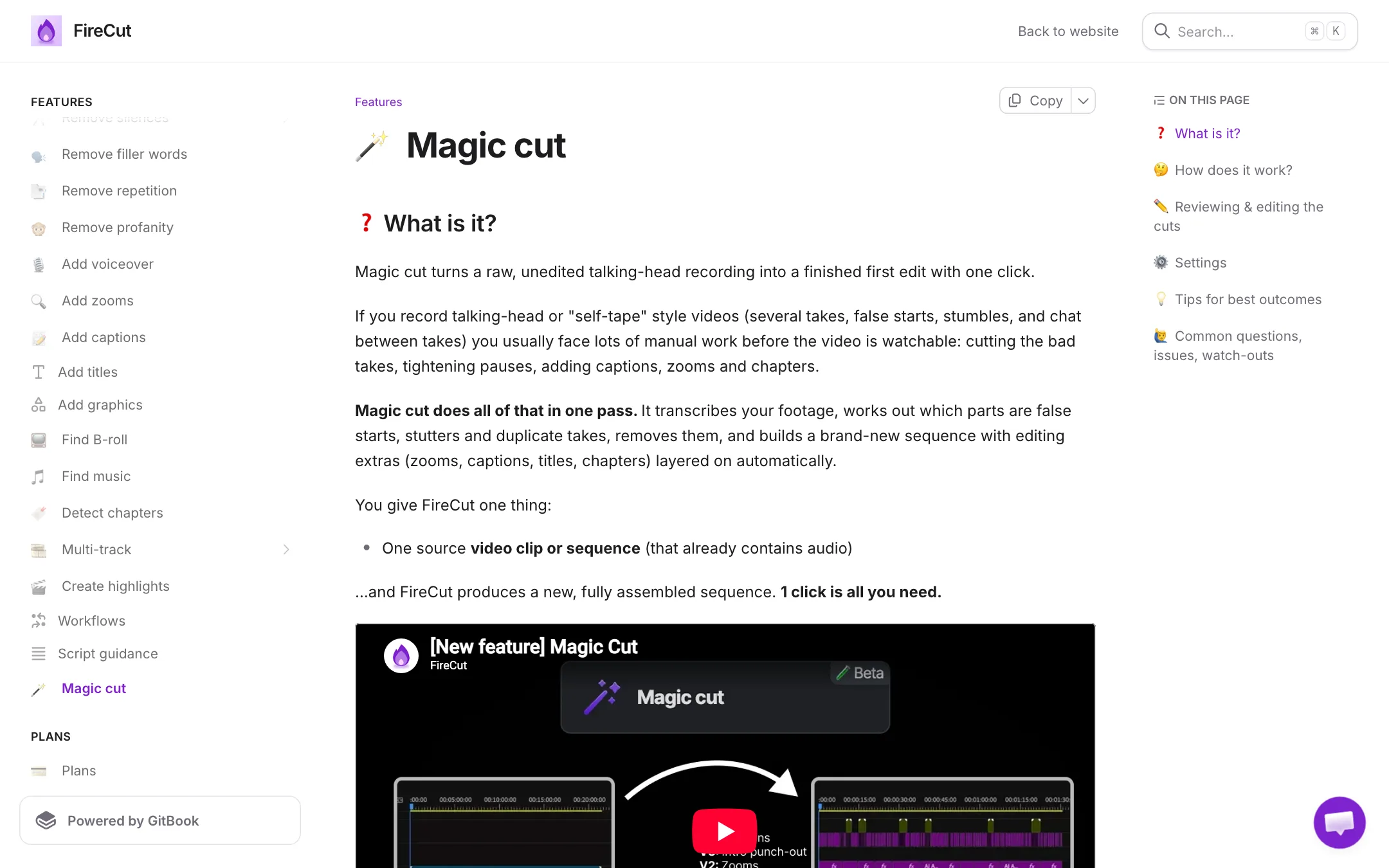
- Magic cut takes one raw talking-head clip, transcribes it, removes false starts and duplicate takes, and builds a new sequence with zooms, captions, titles and chapters layered on separate tracks. You can turn on a review step to approve the cuts first.
- Script guidance matches your recording against a plain-text script and keeps only the lines you meant to say, in order. FireCut labels it beta and caps clips at 30 minutes.
- Workflows chain features, for example silences, then repetition, then B-roll, then captions, into one click. FireCut saves a checkpoint copy of your sequence after each step.
B-roll, music and voiceover
Pro and Max include stock B-roll from Storyblocks and background music. Max adds 4K B-roll and AI voiceover with 25,000 characters a month. FireCut’s FAQ confirms Storyblocks is included in the subscription and points to its EULA for usage rules.
Output quality
We have not tested FireCut hands-on, so treat quality claims as FireCut’s or its users’.
What works in its favour is the design. Every edit lands in your own Premiere or Resolve timeline. If a zoom is badly timed or a caption is wrong, you fix that clip like any other. You are never stuck with a rendered file from a cloud service.
FireCut’s homepage quotes users who say it halved their workload and saved hours per podcast episode. Those are testimonials, not tests. The more useful signals are in the docs:
- Silence cutting has three cutting algorithms. The fastest, Turbo, is described as “quite experimental” for very long sequences.
- Non-English transcription is experimental.
- Script guidance is beta.
Expect to review the output. That is true of every tool in this category, and FireCut is honest about it.
Pricing
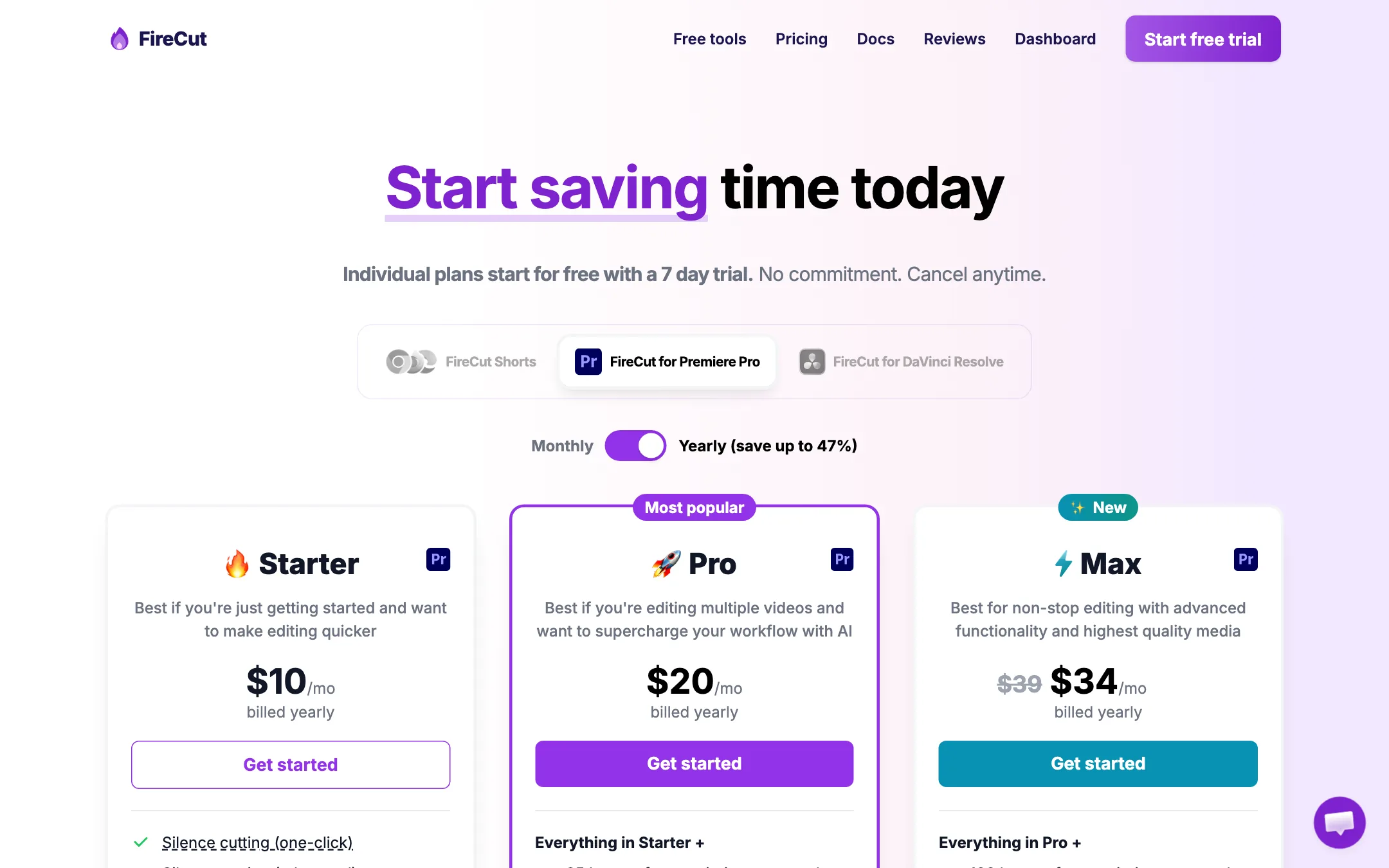
FireCut sells the plugin per editor (Premiere Pro or DaVinci Resolve), with a 7-day free trial. Yearly billing saves up to 47%.
| Plan | Yearly | Monthly | What you get |
|---|---|---|---|
| Starter | $10/mo | $19/mo | Unlimited silence cutting, J-cuts |
| Pro | $20/mo | $34/mo | 25 hours a month of captions, cleanup, zooms, chapters, highlights, B-roll, music |
| Max | $34/mo | $44/mo | 100 hours, Magic cut, script guidance, voiceover, 4K B-roll, workflows |
| Team | n/a | From $34/user | Both plugins, admin controls, priority support |
A lifetime license is available, but you have to request the price by email. FireCut Shorts, the browser app, is priced separately: free with a watermark at 720p, or $9.50 a month billed yearly during a launch discount (listed at $19).
Things to know before you buy:
- Starter is narrow. It only cuts silences. If you want captions, you need Pro.
- Hours are shared. The 25 or 100 hours cover every limited feature together. Captioning, then removing fillers, then adding B-roll to the same one-hour video can use three hours.
- One editor per individual plan. Team plans include both Premiere Pro and Resolve plugins.
- One device at a time. You can move a license between your own machines, but not share it.
- Max has a struck-through price. The page shows $39 crossed out for $34 yearly and $59 for $44 monthly. Check whether that discount still applies when you buy.
Students can apply for a discount through FireCut’s student page.
How to get the most from the trial
Seven days is not long. Plan the week so you test what you would actually pay for:
- Use a real project. Pick a recent video with the usual mess of pauses and retakes, not a clean demo clip.
- Start with silences on five minutes. Try Basic mode first, then Advanced, and compare the pacing.
- Run captions once and save a preset. If the styled captions match your brand after one session, Pro is worth it.
- Try Create highlights on a long episode. See how many of its picks you would actually post.
- Check processing time. FireCut says each transcription pass takes about five seconds per minute of audio. Note how long your own projects take.
- Decide on the plan before day seven. If you only used silence cutting, Starter is enough. If you used captions, zooms and B-roll, Pro is the floor.
Verdict
FireCut does one thing well: it removes the grind from the first cut while keeping you inside the editor you already know. Unlimited silence cutting on every plan, captions you can restyle and a review step on most features make it a practical tool for working editors.
The limits are real. You need Premiere Pro or Resolve. Starter is only silence cutting. Processing hours are shared, so heavy users should look at Max. If you edit talking-head or podcast content every week, the yearly Pro plan at $20 a month is the sensible starting point. Use the 7-day trial on a real project before you commit.