What Focal is
Focal is a browser-based AI video studio for telling stories. Its homepage pitch is “make your own TV shows and movies.” It is built by Fluorescent Labs, Inc.
Most AI video tools give you one prompt box and one short clip. Focal starts from a script. You bring a script, or an idea that Focal turns into a script. It breaks the script into scenes and shots, generates them with outside video, image and voice models, and puts them on a timeline you can edit.
Focal does not train its own video model. It runs other companies’ models under one credit balance. Its FAQ names Veo, Seedance, Kling and Hailuo for video. The homepage currently headlines Seedance 2.0.
Who it is for
Focal fits you if:
- You write scripts and want to see them as an animated short, a web series or a pilot.
- You need the same characters and locations to show up across many shots.
- You want to try Veo and Seedance without paying for each model separately.
- You make narrative content for YouTube or TikTok, such as story channels or animated skits.
- You like giving notes in plain language rather than cutting every frame yourself.
Skip it if:
- You want a quick viral clip from a template. Simpler generators are faster for that.
- You need commercial rights without paying. The free plan is personal use only.
- You need an API. Focal says one is in the works, but it is not available yet.
- You want to edit real camera footage. Focal is for generated video.
How it works
Focal’s homepage describes four building blocks. Here is how they fit together, based on Focal’s pages.
Start from a script or an idea
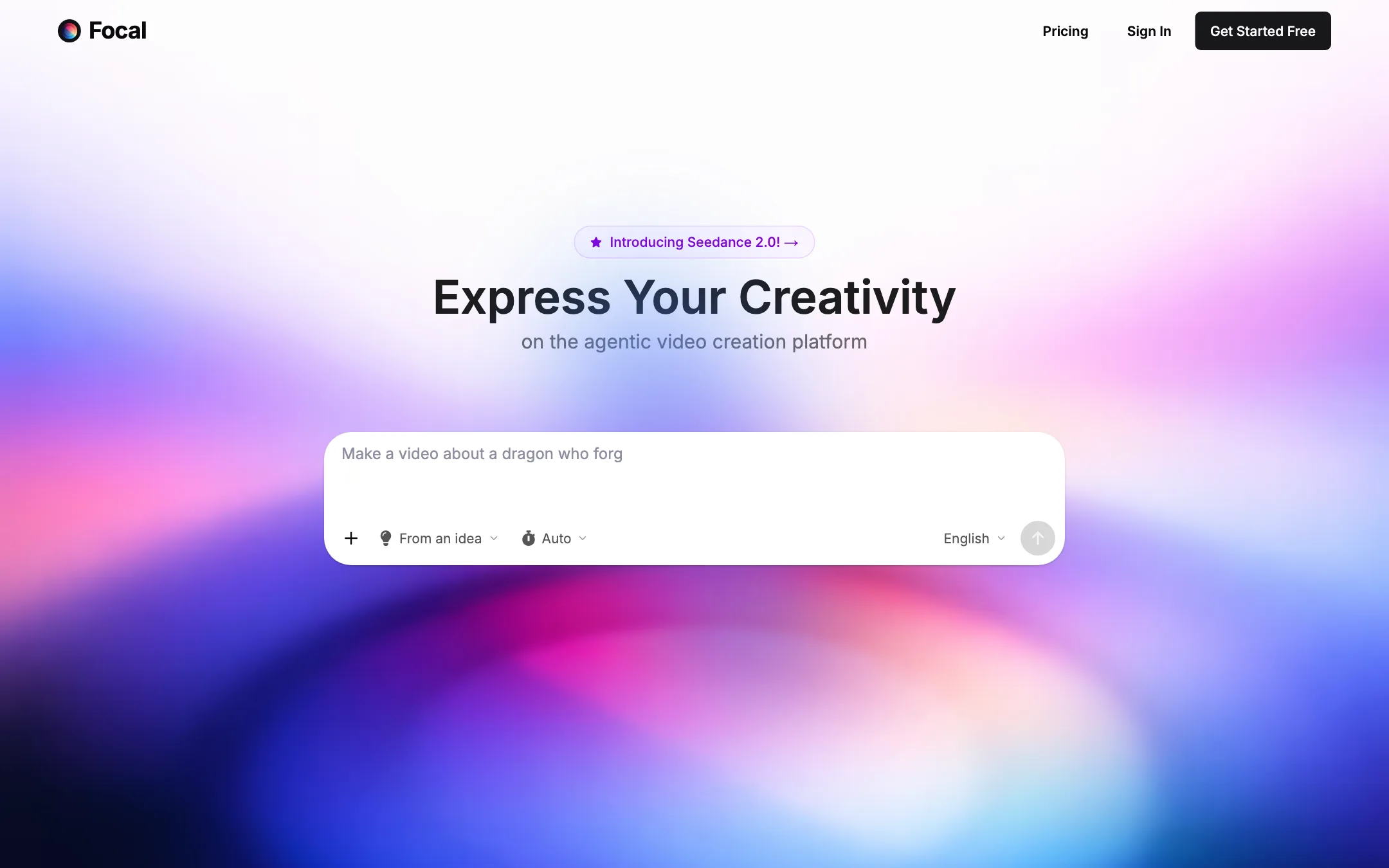
You can paste your own script, and Focal says it will adapt it faithfully. If you only have an idea, Focal helps you turn it into a script first. The homepage shows modes such as “From an idea” and “Auto.”
Our advice: write the script yourself, or at least edit the generated one hard. A clear script with named characters, settings and actions gives the models far more to work with than a one-line idea.
Edit with chat
You can change the script by talking to it. Focal’s examples are telling:
- “Make this conversation shorter.”
- “Replace this with a series of over-the-shoulder shots aimed at the person who is speaking.”
That second example shows the real point. You can direct coverage and shot choices in words, the way you might brief an editor or a director of photography.
Consistent characters and locations
Focal lets you generate characters and locations once and reuse them across a project. This is the hardest problem in AI storytelling. A character who changes face, outfit or age between shots breaks the story. Focal’s approach is to keep reference assets you reuse in every shot.
No tool solves this perfectly yet. Expect to regenerate shots where a face or costume drifts.
Timeline and model features
Once shots exist, Focal gives you timeline editing tools to trim, reorder and polish. It also exposes model features such as video extension and frame interpolation, so you can lengthen a shot or smooth motion without leaving the app.
Voices come from ElevenLabs, InWorld and OpenAI. Sound effects come from ElevenLabs. So a scene can carry dialogue and ambience, not just pictures.
Models and a contradiction
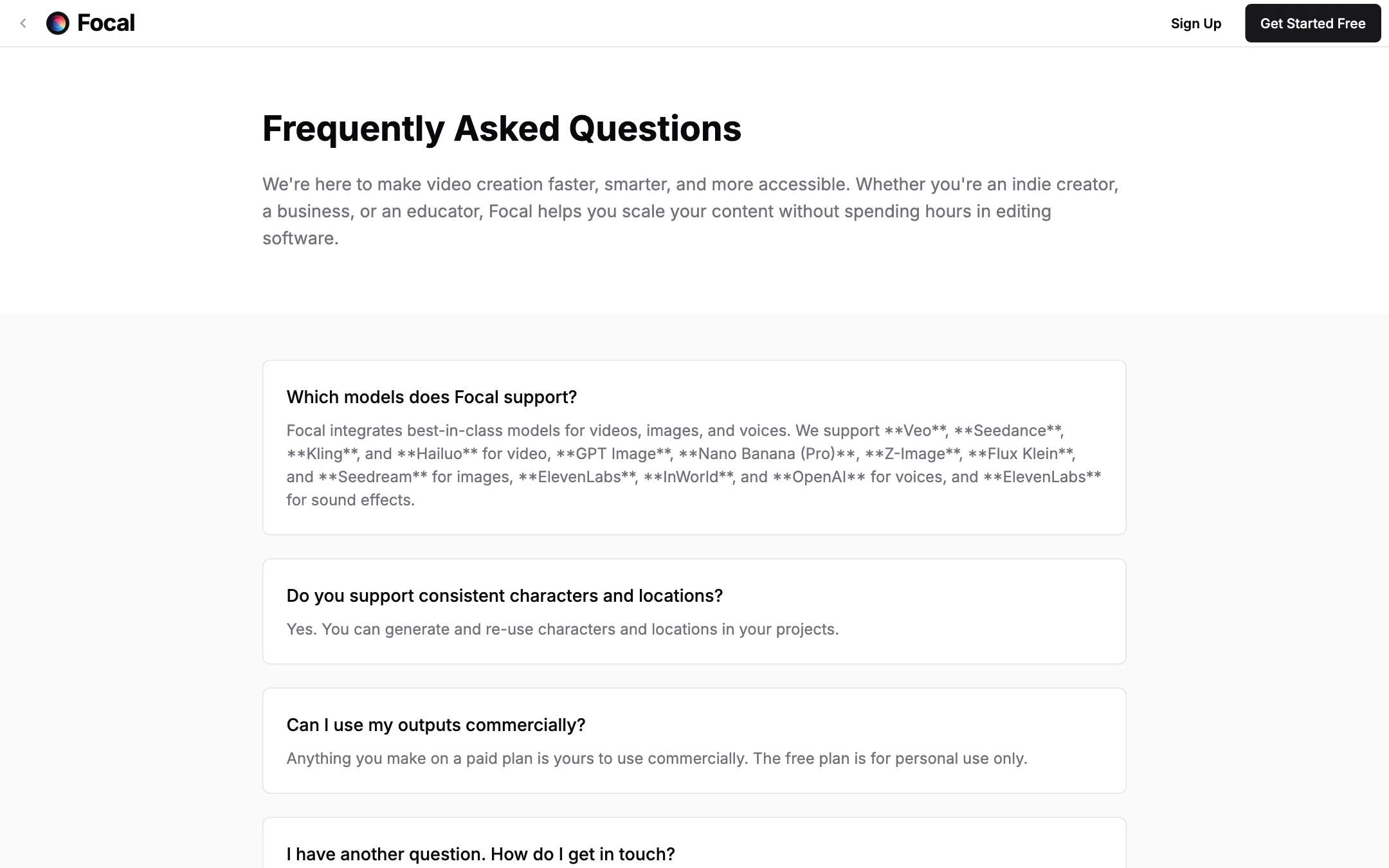
Focal’s FAQ and pricing page list these models:
- Video: Veo, Seedance, Kling and Hailuo.
- Images: GPT Image, Nano Banana (Pro), Z-Image, Flux Klein and Seedream.
- Voices: ElevenLabs, InWorld and OpenAI.
- Sound effects: ElevenLabs.
Focal’s About page lists a different, older set: MiniMax, Kling, Luma and Runway for video, Flux 1.1 Pro, Flux Dev and Flux Schnell for images, and ElevenLabs and InWorld for voices. It also says no stock footage is used.
The FAQ list matches the current homepage, which promotes Seedance 2.0. The About page looks out of date. Treat the model picker inside the app as the real list, and do not count on Luma or Runway being there.
The free plan only gets basic models. Veo and Seedance start on Starter.
Output quality
We did not generate videos with Focal for this review. Because Focal runs third-party models, the look of each shot depends mostly on the model you pick. A Veo shot in Focal should look like a Veo shot anywhere else. What Focal adds is the structure around those shots: script, characters, coverage and editing.
What to expect from this kind of workflow:
- Stories hold together better than with single prompts, because characters and locations are reused on purpose.
- Drift still happens. Faces, costumes and props can change between shots, especially across different models.
- Dialogue scenes are hard. Lip sync and eye lines are where AI films most often look off. Focal’s over-the-shoulder example is a smart way around close-up lip sync.
- Longer projects cost more retries. Budget credits for regenerating weak shots, not just for the first pass.
Focal’s FAQ also says it supports music videos, audio-driven visuals and vertical formats for TikTok. Those are secondary uses. The tool is designed around scripts.
Getting more out of Focal
A script-first tool rewards preparation. These habits apply to any AI story workflow, and they fit how Focal is built:
- Lock your characters before you generate shots. Create each main character and location first, check that they look right, and only then start generating scenes. Fixing a character after twenty shots means regenerating twenty shots.
- Write for the camera. Name the shot type in the script: wide, close-up, over the shoulder. Focal’s chat edits accept this language, so use it from the start.
- Keep dialogue scenes simple. Long close-ups of people talking are where AI video looks weakest. Cut away to reactions, hands, props or the setting while the voice carries the line.
- Draft on cheaper models. The free plan’s basic models are fine for testing the story and pacing. Save Veo and Seedance for the shots you plan to keep.
- Use daily credits first. They expire at the end of each day. Monthly credits go first by default, so a short daily session on small fixes keeps daily credits from going to waste.
- Finish on the timeline. Trim the start and end of every generated shot. AI clips often have a slow first second and a drifting last one.
- Export often. Projects stay available after you cancel, per Focal, but a local copy of every finished cut is still the safest backup.
None of this is unique to Focal. But Focal is one of the few tools at this price that gives you a script, a character library and a timeline in one place, so the habits are easy to keep.
Pricing
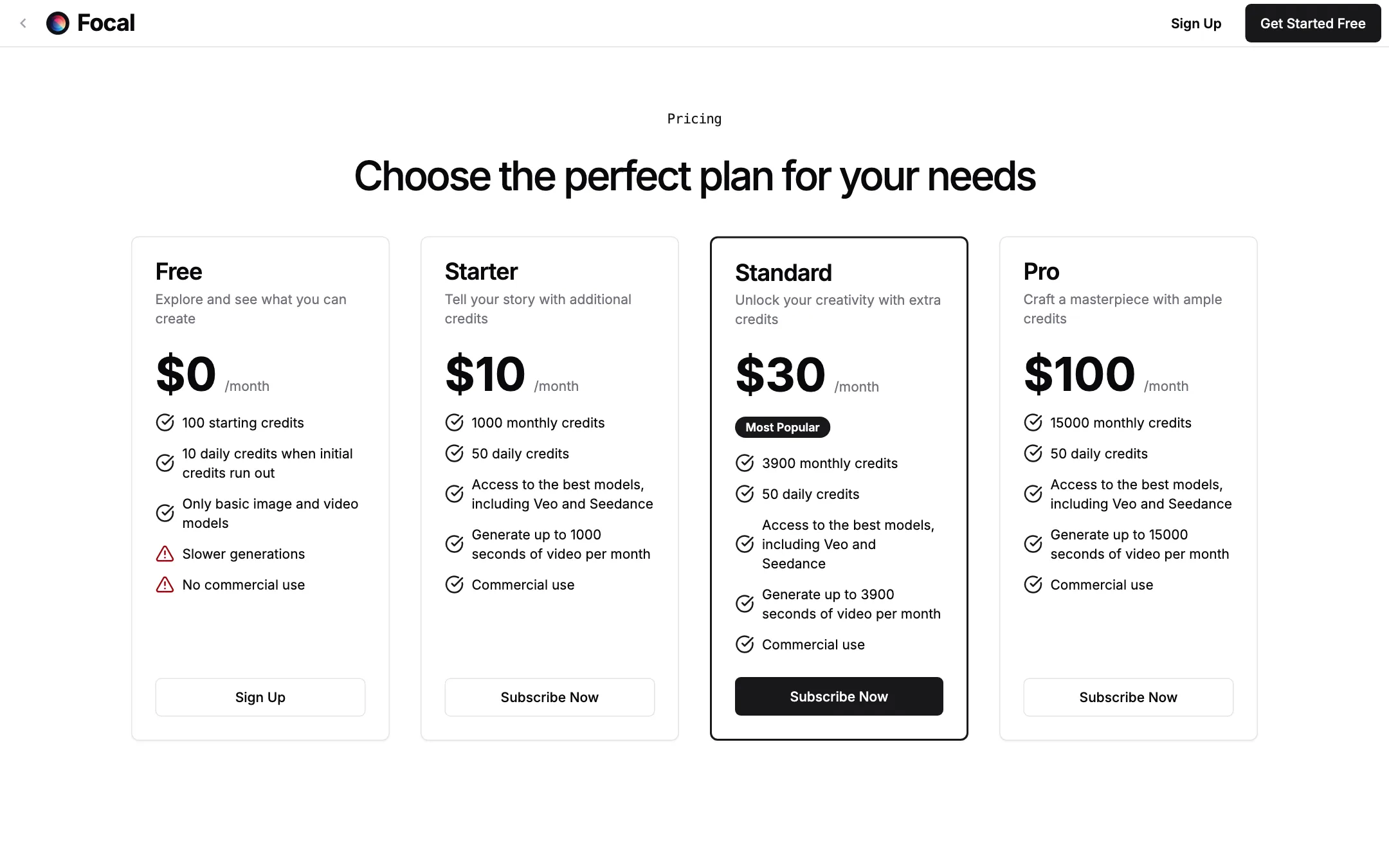
Focal’s pricing is simple. One credit generates about one second of video, according to Focal.
| Plan | Price | Credits | Models | Commercial use |
|---|---|---|---|---|
| Free | $0 | 100 to start, then 10 a day | Basic only | No |
| Starter | $10/mo | 1,000 a month + 50 a day | Veo, Seedance and more | Yes |
| Standard | $30/mo | 3,900 a month + 50 a day | All | Yes |
| Pro | $100/mo | 15,000 a month + 50 a day | All | Yes |
How credits work, per the pricing FAQ:
- Three kinds of credit. Monthly credits expire at the end of the month. Daily credits expire at the end of the day. Permanent credits never expire.
- Order of use. Monthly credits go first, then permanent, then daily.
- Top-ups. Paid plans can buy more at 100 credits per dollar in $10, $30 or $100 packs. These are permanent.
- Plan changes. Upgrades bill a prorated amount and adjust credits straight away. Downgrades and cancellations take effect at the end of the cycle.
- After cancelling. Focal says your projects and assets stay available forever and you can still export them.
A few notes on value:
- Starter is cheap for what it unlocks. $10 for access to Veo and Seedance is low. The catch is that 1,000 seconds is only about 16 minutes of footage, and you will throw away a lot of takes.
- “About one second per credit” is an average. Premium models likely cost more per second and basic ones less. Check the cost in the app before a long render.
- Daily credits add up. Fifty a day on paid plans is roughly 1,500 extra credits over a month if you log in daily. They expire each day, so they reward steady use.
- No yearly discount is shown. The pricing page lists monthly prices only.
Affiliate program
Focal has an affiliates page, but it only says to email [email protected] if you are interested. No commission rate or cookie length is published.
Verdict
Focal is a good fit for people who think in scripts. Pasting a script, keeping characters consistent, directing shots in chat and finishing on a timeline is a sensible way to make AI stories longer than a few seconds. Starter at $10 a month with Veo and Seedance is one of the lower entry points for those models.
The weak spots are mostly around the edges. The free plan is personal use only and limited to basic models. The About page and the FAQ disagree on which models Focal runs. There is no API yet. And as with every multi-model tool, the final look depends on which model you pick and how many retries you budget for. Start on the free plan to learn the workflow, then move to Starter when you want the better models and commercial rights.