What Flowtapes is
Flowtapes is an automatic video editor for people who talk to a camera. You upload a raw recording. Flowtapes cuts out the silences, the repeated sentences and the fluffed takes, then adds zooms, captions, music, a color grade and cleaner audio. You get back a finished edit.
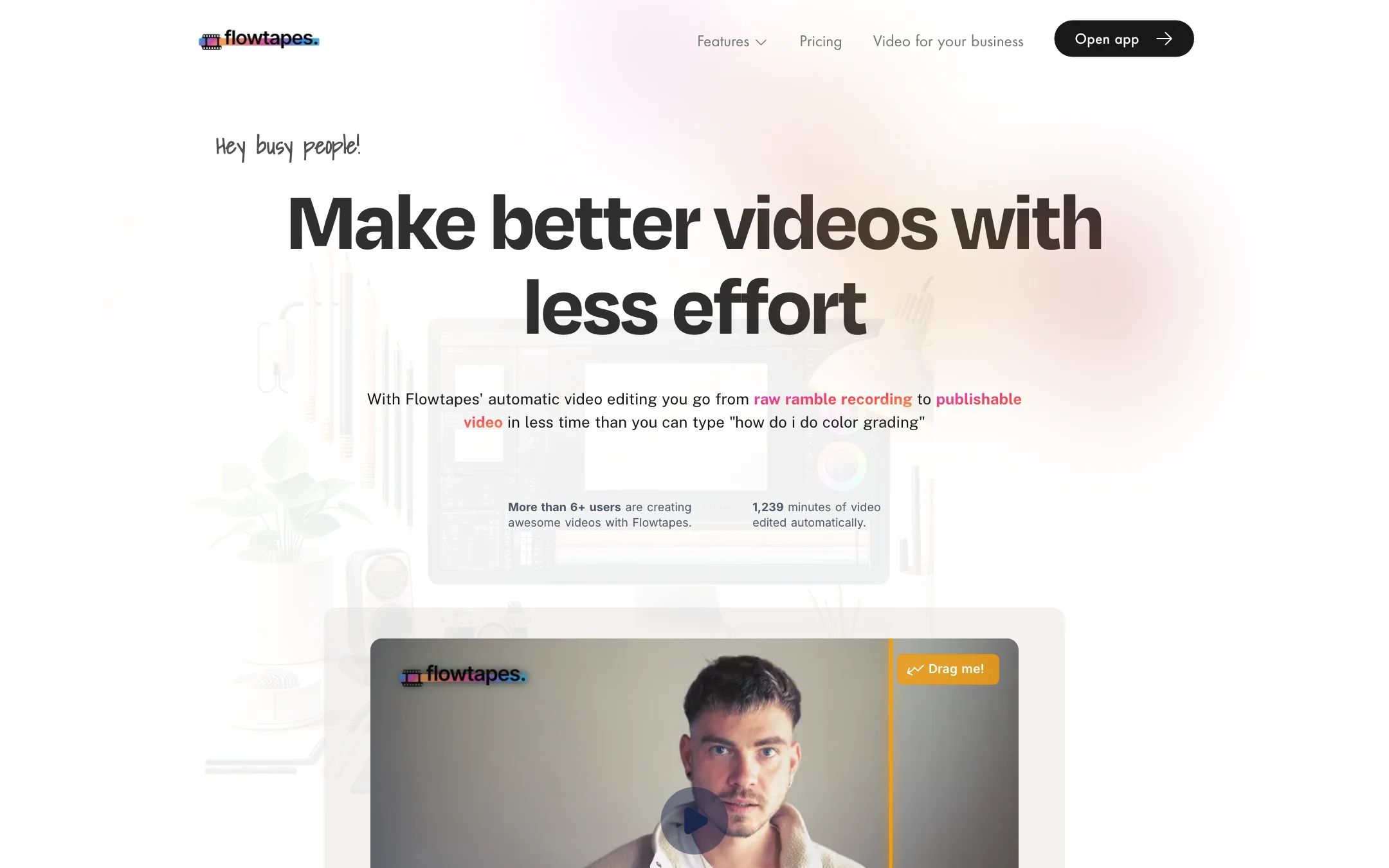
It is built by one indie maker, Ludwig, who is based in Germany. The site is playful and small. The homepage counter claimed “More than 6+ users” and 1,239 minutes of video edited when we checked. The testimonials are clearly jokes, from “Herbert, 51, German” to a MySpace creator. Read the site as a solo maker’s product page, not a big company’s.
What sets Flowtapes apart is the pricing. There is no subscription. You pay per video in credits, a bit like hiring a freelancer for one job.
Who it is for
Flowtapes fits you if:
- You record explainers, tutorials, course lessons or product walkthroughs to camera.
- You do not know, or do not want to know, what good color grading and audio EQ look like.
- You make videos now and then, so a monthly editing subscription would sit unused.
- You want a short-form version of each video without a separate tool.
Skip it if:
- You like to tweak every filter and effect. Flowtapes says outright it is not for “video editing nerds”.
- You make music videos, action footage or anything without much talking.
- You need retention-style editing with custom motion graphics.
- Your projects combine several camera files or a separate audio recording. Flowtapes edits one file at a time.
How it works
Flowtapes lays out the workflow as a numbered list on its homepage.
- Upload a talk-driven recording.
- Flowtapes edits it automatically, which it says takes between 3 and 35 minutes.
- Preview the edited video.
- Adjust effects or fix the cut in the text-based editor.
- Render and export in high resolution.
- Post it on your site or on YouTube, X or Facebook.
- Optionally, press one button to create an auto short.
- Post the short to YouTube Shorts, TikTok or Instagram.
The automatic edit
Flowtapes lists seven things it does without being asked:
- Silence removal. Pauses get cut. You can adjust this by hand later.
- Repetition and blooper removal. If you say a sentence twice or stumble, Flowtapes tries to keep the good take and drop the rest.
- Zoom jump cuts. It adds a zoom on cuts so the jump feels deliberate.
- Audio enhancement. It removes echo and background noise. Flowtapes pitches this as the alternative to a $500 microphone.
- Background music. You pick from a curated set of royalty-free tracks.
- Animated captions. Text appears over the footage in a style you choose.
- Auto shorts. Short-form cuts come from the main video.
Its demo also shows a color grade preset called “Blue Shift”, along with the language and word count of the recording.
The text-based editor
After the auto edit you get a text-based editor. The transcript doubles as the timeline. Removed passages can be restored and kept passages can be cut by editing the text. Flowtapes is upfront that its algorithm is “doing its AI internship” and may need fixes, such as word timing, spelling or a passage it removed that you wanted.
This is the same model Descript made popular, in a much simpler package. It works well for talking-head video because the words are the edit.
What it will not do
Flowtapes has a section titled “What Flowtapes can’t do for you”, which is rare. It lists four limits:
- Limited style control. You get the Flowtapes look. You cannot set exact filter parameters.
- Talk-driven video only. No speech, no good cut.
- No Hollywood finish. No custom motion graphics, flashy animation or retention-style editing.
- Single file only. Multi-file projects are planned but not available.
Take these at face value. A tool that tells you its limits before you pay saves you a wasted afternoon.
Output quality
We did not upload our own footage, so the claims below are Flowtapes’ own.
Flowtapes says it aims for the level of edit a mid-level freelance editor would deliver for about $80 on a 15-minute video, minus custom animation and motion graphics. Its homepage has a drag slider comparing an original clip with the edited version. Its founder quote says one video took 30 minutes to script, 10 to shoot and 15 to edit.
What to expect from any auto editor of this kind:
- Blooper detection depends on your delivery. If you restart a sentence cleanly, it is easy to catch. If you trail off mid-word and carry on, expect to fix a few cuts.
- Audio cleanup has a ceiling. It can reduce room echo and hum. It cannot rescue a recording made across the room on a laptop mic.
- One look for every video. The opinionated style is the point. If it does not suit your brand, there is little you can change.
Flowtapes is a very young product with almost no public track record. Run a typical recording through the free credits before you buy a pack.
Pricing
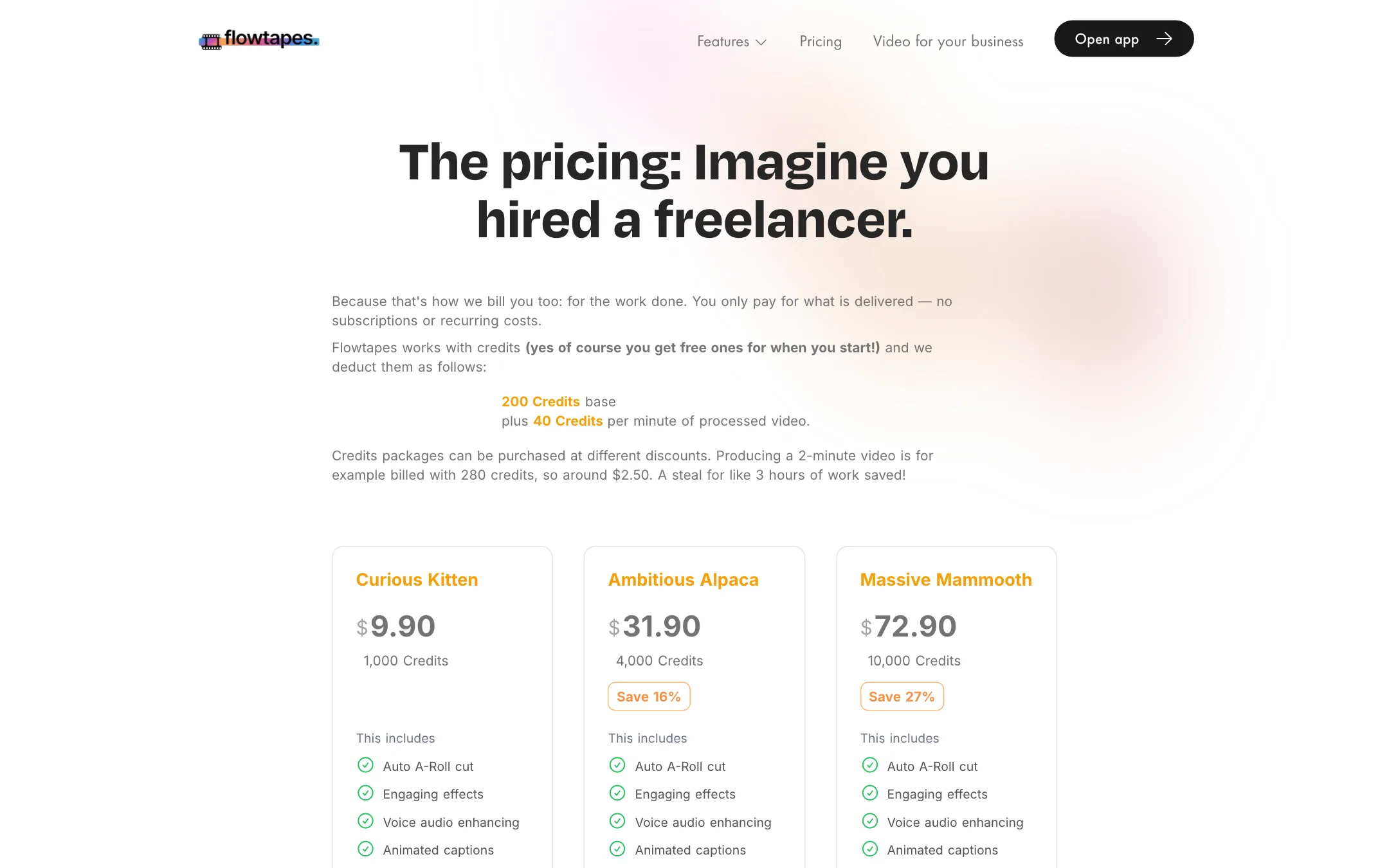
Flowtapes charges per video. Every video costs a base of 200 credits plus 40 credits per minute of processed video.
| Pack | Price | Credits |
|---|---|---|
| Free start | Free | Starting credits on sign-up |
| Curious Kitten | $9.90 | 1,000 |
| Ambitious Alpaca | $31.90 | 4,000 (16% off per credit) |
| Massive Mammooth | $72.90 | 10,000 (27% off per credit) |
Some worked examples using the published formula:
- A 2-minute video costs 280 credits. Flowtapes rounds this to around $2.50.
- A 10-minute video costs 600 credits, about $6 on the smallest pack or $4.40 on the largest.
- A 30-minute course lesson costs 1,400 credits, more than the smallest pack holds.
Things to know before you buy:
- The pack labels do not match the formula. The 1,000-credit pack says it covers 40 minutes of video. Under the published formula, 1,000 credits covers a single 20-minute video, or less once you split it into several videos, because each one pays the 200-credit base. The larger packs overstate minutes in the same way. Budget with the formula, not the label.
- Short videos pay a premium. The 200-credit base means a 1-minute video costs 240 credits. Batching short pieces into one longer recording is cheaper, if your workflow allows it.
- There is a first-pack discount. Give Flowtapes your email and it sends a 50% off code for your first credit pack, on top of the free starting credits.
- No monthly fee. Credits are bought once. The pages do not say whether they expire.
Against a subscription editor, Flowtapes is cheap if you publish a few videos a month and expensive if you publish every day. The break-even point depends on your length and volume.
How to get a better first edit
Auto editors reward a clean input. A few habits help any tool of this kind, Flowtapes included:
- Record in one take per file. Flowtapes edits a single file, so record the whole video in one go and let it cut the restarts.
- Pause before a retake. A clear gap before you repeat a sentence makes it easier for the software to spot the bad take.
- Get the mic close. Audio cleanup removes echo and noise, but a lapel or desk mic near your mouth gives it far less to fix.
- Keep the frame steady. Zoom jump cuts look deliberate on a locked-off shot and messy on handheld footage.
- Check names and jargon. Captions come from the transcript. Fix spelling in the text-based editor before you render.
Flowtapes vs the alternatives
Flowtapes sits in a crowded corner. Gling, AutoCut and FireCut also remove silences and bad takes from talking-head footage. The differences come down to how you pay and how much control you get.
- Gling focuses on YouTubers and exports to editors like Premiere Pro, Final Cut and DaVinci Resolve, so you can keep finishing in your own timeline. It is sold as a subscription.
- AutoCut and FireCut work as plugins inside Premiere Pro and DaVinci Resolve, so they suit people who already edit and want the boring parts automated.
- Flowtapes is for people who do not want an editor at all. It hands back a finished video with music, captions and a grade, and charges per video.
If you already own an editor, a plugin will give you more control. If you never want to open one, Flowtapes is the more direct route.
Verdict
Flowtapes does one job: it turns a rambling to-camera recording into a clean, captioned edit with music and better audio, and it charges you per video instead of per month. For course creators and solo founders who record a few explainers a month, that model makes sense.
Go in with the right expectations. It is a one-person product with a tiny user base, it takes a fixed visual style, it edits one file at a time and its pack labels overstate how many minutes you get. Use the free starting credits on a real recording. If you like the look, it is a low-commitment way to stop editing. If you want control, look at Gling or AutoCut instead.

