What Flowjin is
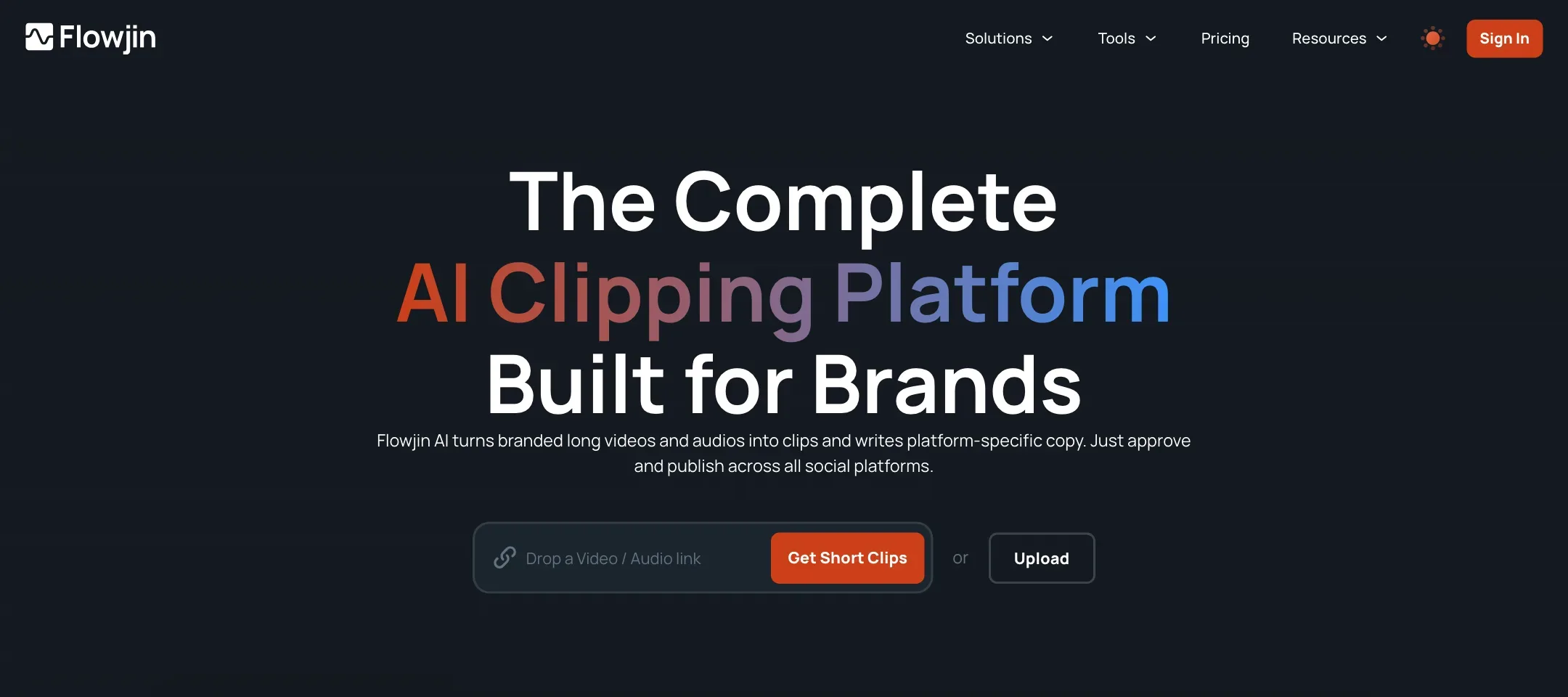
Flowjin is an AI clipping platform. You give it a long video or audio file, and it finds the moments worth sharing, cuts 6 to 12 captioned clips, writes the social post for each one and lets you schedule them from a calendar.
Many clippers stop at the clip. Flowjin’s pitch is that it also replaces your copywriter and your scheduling tool. The homepage even lists the tools it claims to stand in for: Opus Clip and Vizard for clipping, Buffer and Typefully for scheduling, Jasper for copy, Canva for quote graphics and Otter for transcripts.
It is pitched at brands, not solo TikTokers. The homepage names founders and CEOs, marketing leads, social media managers and agencies. Its testimonials lean heavily on crypto and Web3 teams turning X Spaces into clips. That tells you where Flowjin found its first users: long, talky audio sessions that need to become posts.
We have not tested Flowjin hands-on. Everything below comes from Flowjin’s own homepage, pricing page and FAQs.
Who it is for
Flowjin fits you if:
- You run a podcast, webinar series or X Spaces and want a week of posts from each episode.
- LinkedIn is a main channel for you. Flowjin writes LinkedIn copy and posts there directly.
- You want clips, captions, copy and a calendar in one tool instead of three.
- You record audio-only content and still want something visual to post.
Skip it if:
- You live on TikTok and Instagram. Flowjin’s direct publishing covers LinkedIn, YouTube and X. You would download and post to the others yourself.
- You need 1080p on a small budget. Starter stops at 720p.
- You process many hours a month. 150 or 300 minutes go quickly with a weekly hour-long show.
- You want to try before you commit and might change your mind later. There are no refunds.
How it works
Flowjin describes four steps.
1. Upload or import
You upload a file or import by link. Flowjin lists YouTube, Apple Podcasts and X Spaces as sources. It also runs free tools, like a Twitter Space archiver, that funnel into the main app.
Flowjin says it works best with content longer than 10 minutes, though it will try to find clips in shorter files too.
2. Let the AI pick moments
Flowjin scans the file and drafts clips. The homepage says 6 to 12 clips. The homepage FAQ says 10 or more. Either way, you get a batch to review rather than one result.
For video, Flowjin applies smart crop and speaker tracking so the person talking stays in frame when you switch to vertical. It adds captions and titles automatically, and on Creator it suggests AI B-roll.
For audio, it builds audiograms (a waveform with captions) and quote clips.
Flowjin also pulls quote graphics from your transcript, which are still images for LinkedIn or X.
3. Make it yours
The editor lets you trim or extend each clip, restyle captions, change the layout and add overlays. You can save a branded template and apply it to every future clip. That is where most of the setup time goes, and it pays off if you post often.
Aspect ratios are 9:16, 1:1 and 16:9. Every clip also comes with downloadable subtitles and a transcript.
4. Write the copy and schedule
This is the part that makes Flowjin different. For each clip, Flowjin writes a post for each platform: titles, descriptions, hashtags and calls to action for LinkedIn, YouTube and X. You edit and approve.
Then you drop the clips into a calendar. Flowjin publishes directly or on a schedule to LinkedIn and YouTube, and to X with a cap of 30 posts a month on Creator. The homepage says it supports Instagram Reels, TikTok and Facebook as destinations, but the pricing table only lists direct publishing for YouTube, LinkedIn and X. Expect to download clips for the other networks.
Output quality
We cannot judge clip quality without testing, so here is what Flowjin claims and what to watch for.
Flowjin’s testimonials praise it for finding share-worthy moments in long conversations. One podcast host says it is “pretty good at finding share-worthy moments”. Flowjin also publishes usage numbers: more than 82,000 uploads and 36,000 videos generated. Those are vendor figures and they are modest next to the biggest clippers.
Things to keep in mind with any AI clipper:
- Moment picking is the hard part. AI finds quotable lines well and narrative arcs poorly. Expect to discard a few of the drafted clips and adjust start and end points on the rest.
- Captions need a proofread. Names, product terms and crypto jargon are easy to mishear.
- AI-written posts sound generic until you edit them. Treat the copy as a draft, especially on LinkedIn where voice matters.
- 720p is soft on modern phones. If clip sharpness matters, budget for Creator.
Language support is unclear. The pricing FAQ lists seven: English, Spanish, Portuguese, French, Dutch, German and Italian. The homepage says “many more”. Test your language with the free minutes first.
Flowjin does not say which AI models it uses for transcription, clip selection or copywriting.
Pricing
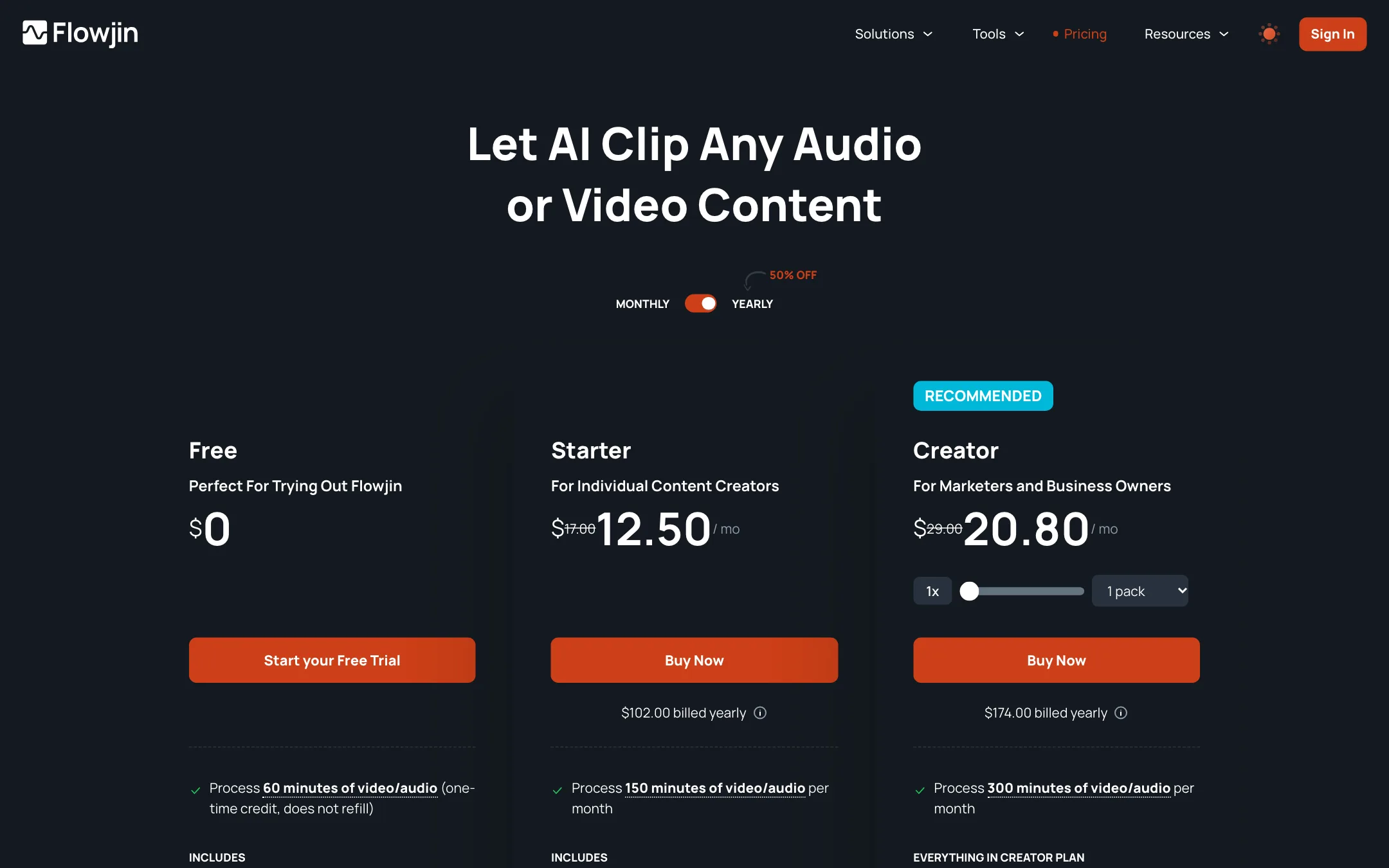
Flowjin charges by processing minutes, which it calls AI processing hours. Every minute of media you upload uses a minute, and that one pass gives you clips, quote images and copy.
| Plan | Price | Processing | Export |
|---|---|---|---|
| Free | $0 | 60 minutes, one time | Up to 5 clips, 720p |
| Starter | $17 monthly, shown as $12.50/mo yearly | 150 minutes a month | Unlimited, 720p |
| Creator | $29 monthly, shown as $20.80/mo yearly | 300 minutes a month | Unlimited, 1080p, AI B-roll |
On Creator you can stack extra packs, from one to fifteen, to raise your monthly minutes. Unused minutes on paid plans roll over for one more month, then expire.
What the pricing page does not make obvious
- The prices do not agree. The homepage says Flowjin starts at $19 a month. The pricing page says $17. The yearly toggle says “50% off” and lists $102 a year for Starter, which is $8.50 a month, yet the same card shows $12.50 a month. Creator shows $20.80 a month and $174 a year, which is $14.50 a month. We list the per-month figures shown on the card. Check the total at checkout.
- The free plan does not refill. Sixty minutes is a single trial. After that you pay or stop.
- Re-editing costs minutes. If a project expires, you have to re-upload and reprocess the file to edit its drafts again, and that uses minutes.
- Storage rules conflict. The pricing FAQ says Free projects expire after 5 days, Starter after 60 and Creator never. The homepage FAQ says 30 days. The pricing table says archiving is unlimited on all plans. Export every clip you want to keep.
- No refunds. Flowjin says all sales are final.
Is it good value?
It depends on how many tools Flowjin replaces for you. If you already pay for a clipper and a scheduler, Creator at $29 a month can cost less than both. If you only need clips, a dedicated clipper usually gives you more minutes, higher resolution and more publishing targets for similar money.
How to make your minutes go further
Minutes are the only meter, so a few habits stretch them:
- Trim before you upload. Cut the pre-show chatter, the sponsor read and the Q&A tail if you never clip from them. Every minute you upload is a minute spent.
- Test on the free plan with your hardest file. Pick the episode with the most crosstalk, accents or jargon. If Flowjin handles that, it will handle the rest.
- Build your branded template first. Set caption style, colors and layout once on day one. Then every clip from every later upload comes out on brand without manual fixes.
- Export before projects expire. On Free and Starter, drafts disappear after a set time. Re-editing an expired project means reprocessing the whole file and paying for those minutes again.
- Use the rollover. Unused minutes carry over for one month. If you record every other week, a smaller plan may be enough.
How it compares
Flowjin’s own compare pages set it against Opus Clip, Vizard, Klap, Descript, Veed and Munch. The real difference is scope. Most of those tools cut better clips for more platforms, at higher resolution, for similar money. Flowjin’s edge is the copywriting and the LinkedIn and X scheduling in the same place. If those two jobs eat your week, that edge is worth paying for. If not, a plain clipper wins.
Verdict
Flowjin is a sensible pick for one specific job: turning talk-heavy audio and video into a steady flow of LinkedIn, YouTube and X posts, with the copy written and the calendar filled. Audio support and the built-in scheduler set it apart from plain clippers.
The plans are small, the cheap tier stops at 720p, and TikTok and Instagram are left to you. The pricing and storage pages also disagree in several places, which does not inspire confidence. Use the free 60 minutes on a real episode, read what it writes for LinkedIn, and only pay if that saves you more time than it costs.