
What Wisecut is
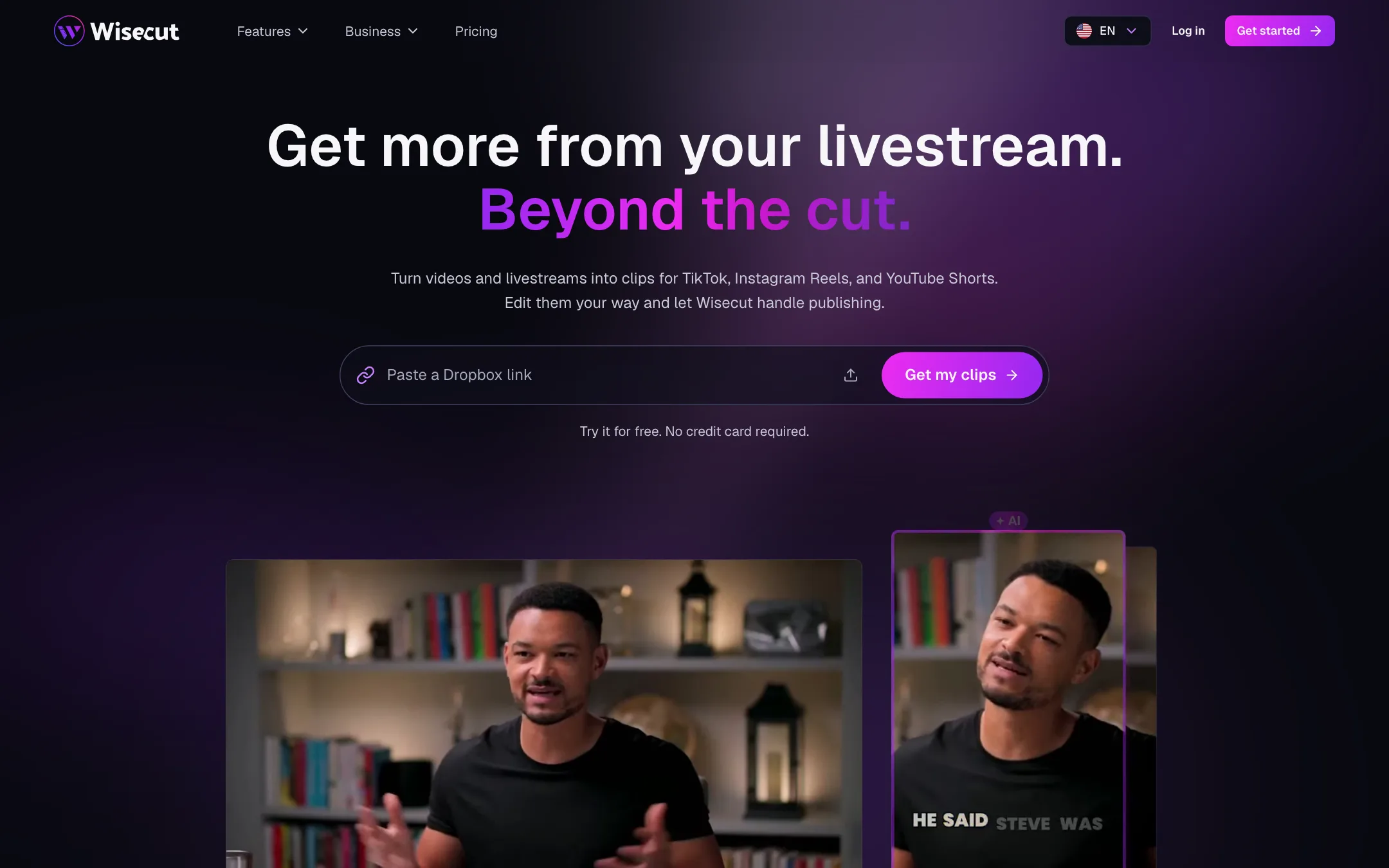
Wisecut is a web-based AI video editor that turns long videos into short, captioned clips. It has been around for several years, with help center articles going back to the early 2020s, and it claims more than 1.5 million creators.
You upload a video or paste a link. Wisecut cuts the silences, adds captions, reframes to vertical, picks the strongest moments and hands you clips ready for TikTok, Reels and Shorts. In the last year it has added three layers on top of that core: WISH, a plain-language edit request box; Autopilot, which watches your YouTube channel and clips every new upload; and Social Hub, which schedules and posts the clips.
Wisecut is an editor, not a generator. It works on footage you already have. That makes it a better fit for people with a backlog of podcasts, lessons, sermons or interviews than for people starting from a blank page.
This review is based on Wisecut’s website, pricing page and help center. We did not create an account or process a video. Feature and quality claims are Wisecut’s own.
Who it is for
Wisecut fits you if:
- You record long talking videos: podcasts, interviews, webinars, lessons, sermons or livestreams.
- You want vertical clips from each one without opening a timeline.
- You post on a schedule and would like the clipping and posting to run on its own.
- You want to describe edits in words rather than learn an editor.
Wisecut’s own audience pages name agencies, churches, creators, educators, marketing teams, media companies, podcasters, social media managers and YouTubers.
Skip it if:
- You need to make video from scratch. Wisecut needs footage.
- You only clip a video or two a month. The paid plans start at $33.
- You work in a language outside its list of 11.
- You want frame-precise creative editing. A full editor like CapCut gives you more control.
How it works
The core editor
Upload a file or paste a link, then choose what Wisecut should do. The main edit options are:
- Autocut silence: removes silent parts so the video keeps moving.
- Clean Edit: removes false starts, repeated takes and long pauses.
- Captions: automatic captions for people watching on mute, with translation.
- Auto reframe: fits the video to vertical, square or horizontal.
- Auto punch-in/out: zooms in and out on key moments.
- Hook title: a bold title in the first seconds to stop the scroll.
- Studio Voice: cleans up the audio.
- Background music with auto duck: lowers the music whenever someone speaks.
- Thumbnail creation: picks a frame and builds a thumbnail.
You can also edit from the transcript and download subtitles from the My Videos tab after export.
Highlights
Highlights is the clipping engine. Wisecut says it reads the whole video, finds the moments that stand on their own and turns each into a short clip with captions and reframing. Its example shows a 42-minute recording producing three clips: a laugh, an insight and a punchline.
WISH
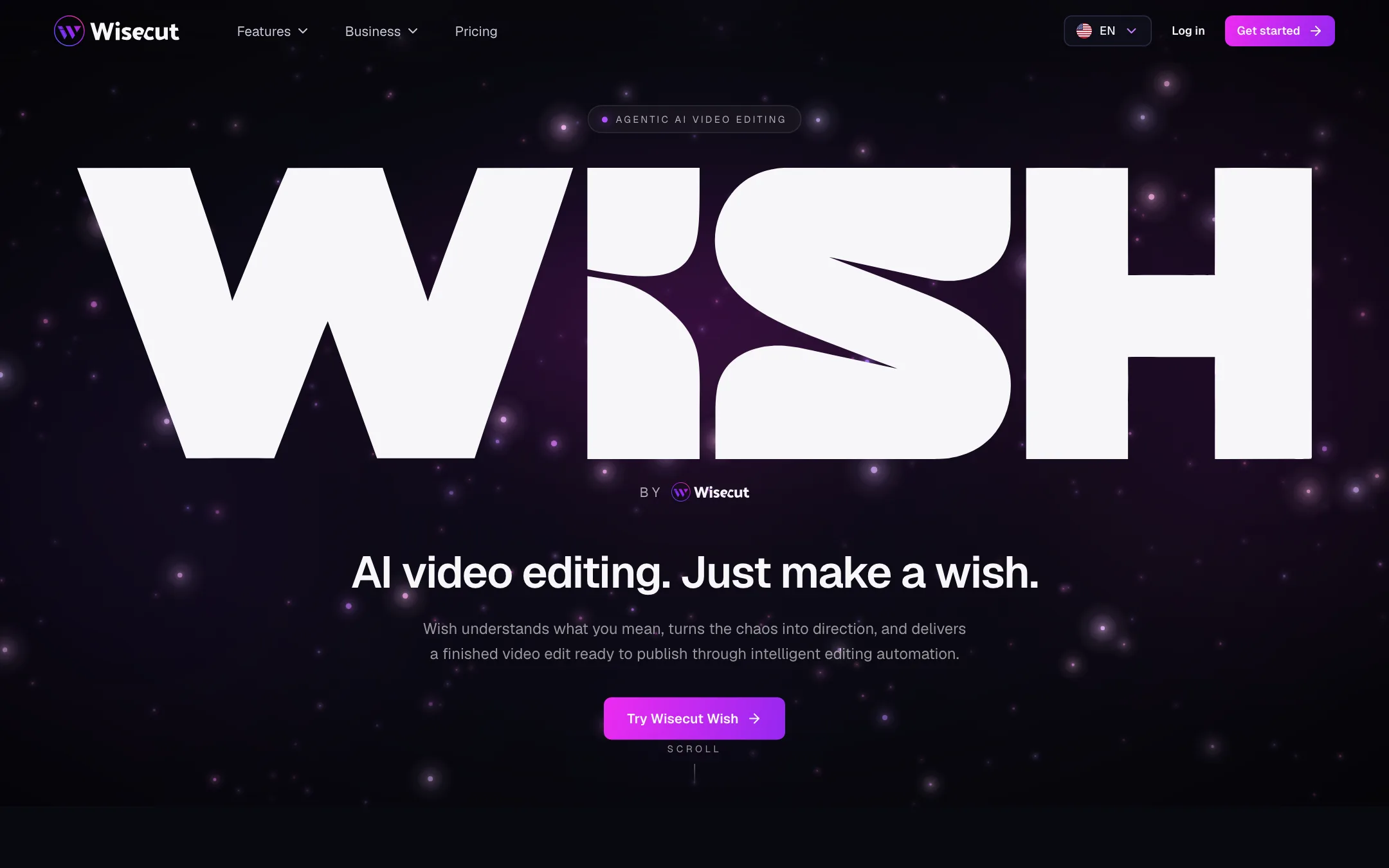
WISH is Wisecut’s take on agent-style editing. You type what you want, such as “Make 3 Shorts from this”, “Pull the best 60 seconds” or “Tighten pacing, remove ums”. WISH plans the cuts, reframes, captions and music, and you review the result. Before it runs, Wisecut shows an estimated credit cost, which is a sensible safeguard.
WISH is included on every plan, including Free, though Free usage is limited.
Autopilot
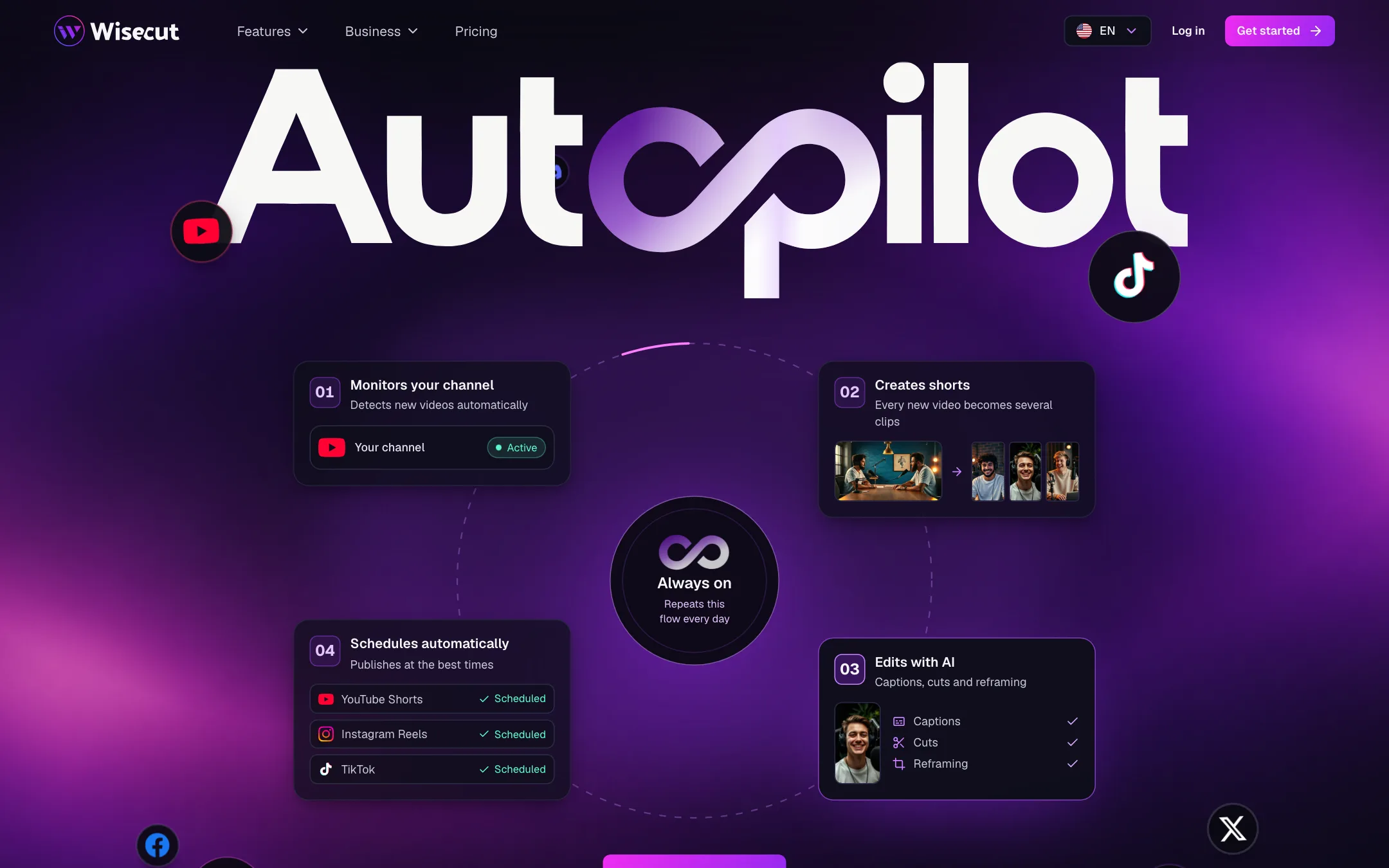
Autopilot is the feature that sets Wisecut apart from a basic clipper. You connect your YouTube channel once and choose whether Autopilot should watch new uploads, livestreams or both. Every new video is then clipped, captioned, reframed and handed to Social Hub to schedule. Wisecut says pacing, length and caption style adapt to the type of content, from podcasts and sermons to gameplay and product demos.
Autopilot costs twice as many credits per minute as the Editor, and it is only on the Plus plans.
Social Hub and Live Clipping
Social Hub is a calendar. You schedule clips and Wisecut posts them to YouTube Shorts, Instagram Reels, TikTok, Facebook Reels and more. Starter+ allows one account per network; Professional+ allows three.
Live Clipping, sold through Wisecut’s Business page for media companies, makes clips during a livestream so you can publish before the event ends.
MCP
Wisecut also runs an MCP server, so you can ask ChatGPT, Claude, Claude Code, Codex or Antigravity to edit videos through Wisecut without opening the app. API access is part of the enterprise plan.
Output quality
We have not processed a video with Wisecut, so we cannot rate its cuts. Its testimonials praise smoother cuts than competing tools and the auto-duck music, and DraperTV is quoted as a customer. Treat those as marketing.
What we can say from the specs:
- Resolution depends on plan. Free exports at 480p, Starter+ at 1080p and Professional+ at 4K. 480p is fine for judging the edit, not for posting.
- Language support is narrower than most rivals. The help center lists 11 languages and warns that accuracy varies by language, accent and audio quality.
- Clip picking is AI judgment. Any highlights tool will sometimes cut a moment that only makes sense in context. Review clips before Autopilot posts them, at least until you trust it.
Pricing
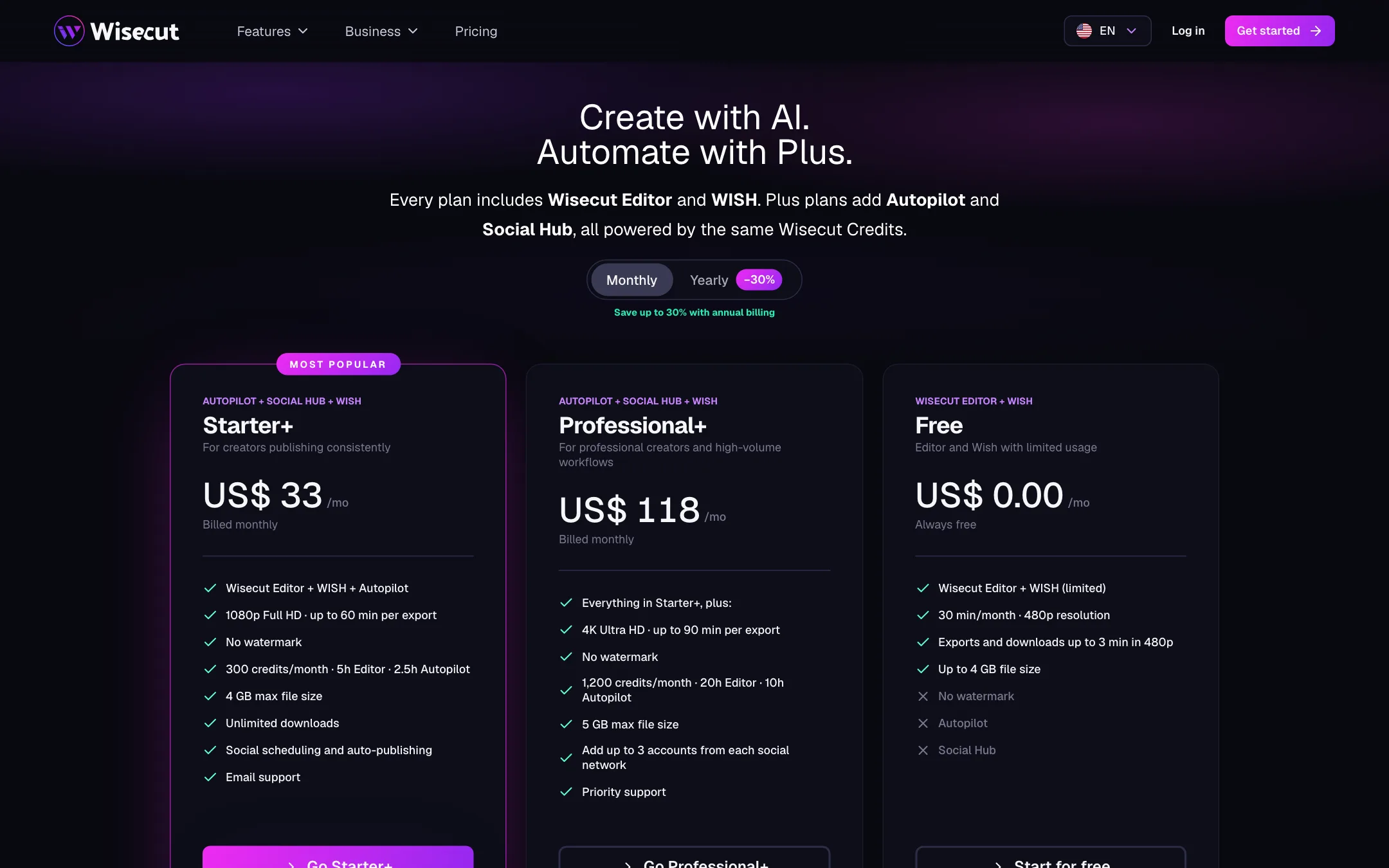
Wisecut runs on credits shared across the Editor, Autopilot and WISH.
| Plan | Price | Credits a month | What else |
|---|---|---|---|
| Free | $0 | 30 (30 min Editor) | Editor and limited WISH, 480p, exports up to 3 min, watermark |
| Starter+ | $33/mo billed monthly | 300 (5h Editor or 2.5h Autopilot) | Autopilot, Social Hub, 1080p, exports up to 60 min |
| Professional+ | $118/mo billed monthly | 1,200 (20h Editor or 10h Autopilot) | 4K, exports up to 90 min, 3 accounts per network, priority support |
Credits work like this: one credit per processed minute in the Editor, two per minute in Autopilot, and a variable amount for WISH that is shown before it runs. You can mix them. Wisecut’s example: a Professional+ balance covers 8 hours of Editor plus 6 hours of Autopilot.
Extra credit packs cost $25 for 150, $69 for 480, $189 for 1,440 and $429 for 3,600. They are valid for 12 months.
What the pricing page does not make obvious
- There are cheaper plans you cannot see. The page says editing-only plans without Autopilot and Social Hub exist, but it does not list their prices. If you do not need posting, ask Wisecut or check inside your account before paying for a Plus plan.
- Yearly prices are hidden behind a toggle. Wisecut says yearly billing saves up to 30%. We could not see the yearly figures in our check.
- The free plan is described two ways. The pricing page offers 30 minutes a month and downloads up to 3 minutes at 480p. Help center articles, some last updated a year ago, describe 60 minutes and no downloads at all. The pricing page is newer, but confirm in your account.
- Plan credits do not roll over. Purchased packs last 12 months.
- Projects expire after 30 days. The help center says projects expire 30 days after creation. Download what you want to keep.
- No surprise charges. Wisecut says it does not auto-charge if you hit a limit. You wait for the next cycle or buy a pack.
How to make your credits go further
- Use the Editor for one-off videos. It costs one credit per minute. Autopilot costs two, so save it for channels where you really want hands-off clipping.
- Trim before you upload. Credits are charged per processed minute. Cutting a long intro or a dead pre-show before upload saves credits on every run.
- Read the WISH estimate. WISH shows a credit estimate before it runs. If a request looks expensive, split it into smaller asks.
- Buy packs only when you need them. Packs last 12 months, so a single pack can cover a busy month without moving you up a plan.
- Download what you keep. Projects expire after 30 days, so export finished clips and store them yourself.
You can cancel any time from Account Settings and keep paid features until the end of the cycle. If you cancel, your account drops to Free and you can no longer export new clips.
Verdict
Wisecut is a solid choice if you sit on hours of long talking video and want it turned into clips without opening an editor. The free plan needs no card, the credit system is clear, and Autopilot plus Social Hub can run a clips channel nearly on its own.
The pricing is the weak spot. The cheapest visible paid plan is $33 a month, the editing-only plans are hidden, and the help center and pricing page disagree on what Free includes. Start on the free plan, clip one real episode, and only pay for Starter+ if you will use Autopilot and posting. If you only need the editor, ask about the editing-only plans first.