What Flickify is
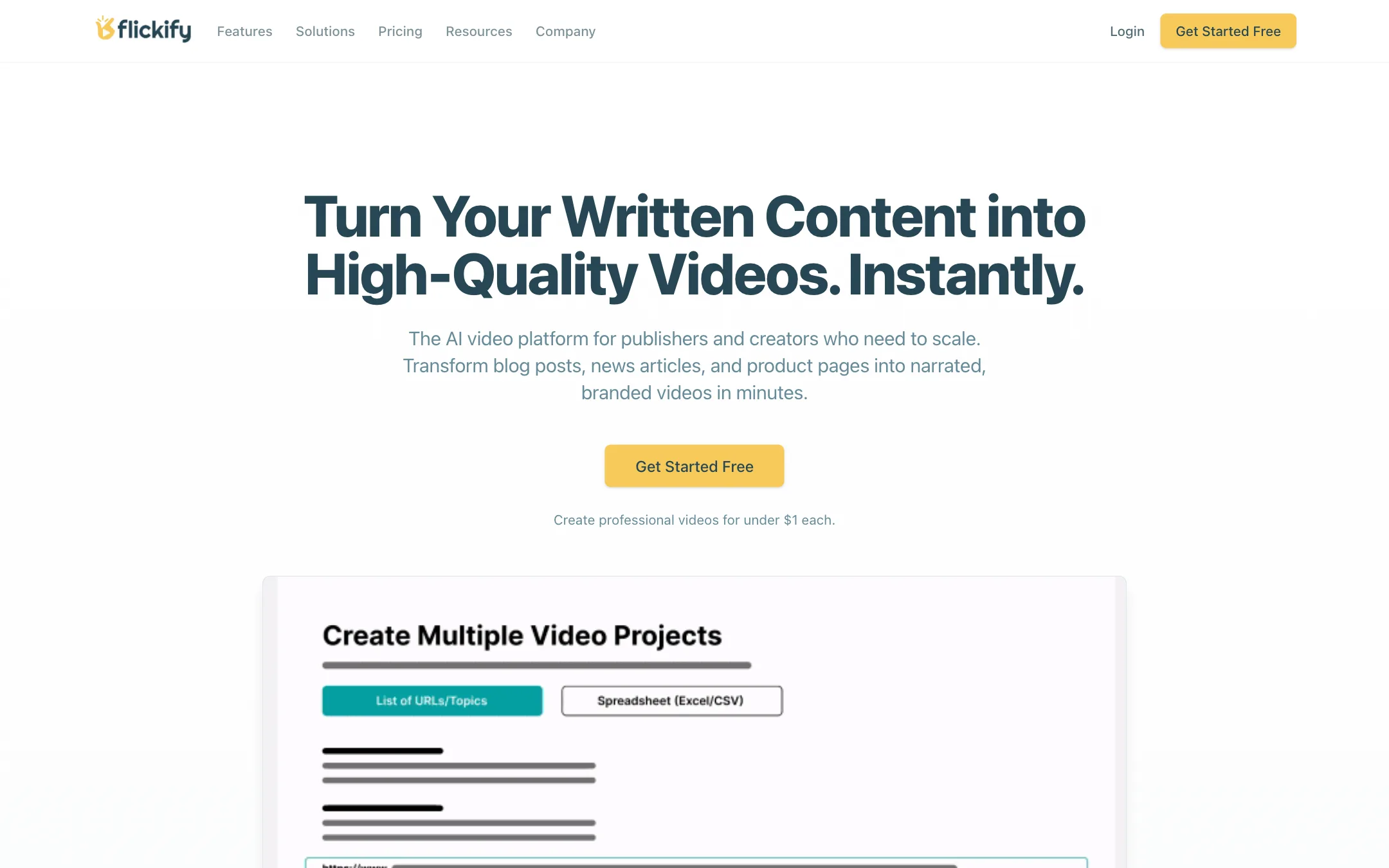
Flickify turns written content into narrated videos. You paste an article URL, a script or a short prompt. Flickify writes or extracts the script, splits it into slides, adds an AI voiceover and picks stock footage to match each line. You tweak it in a slide editor and render.
That puts it in the same family as Pictory, Lumen5 and Fliki. What sets Flickify apart is how hard it leans into publishers. The homepage talks about “thousands of articles but only a handful of videos.” The headline features are Bulk Creation and Autopilot, which connects to Google Analytics and turns your best-performing posts into videos while you sleep.
Flickify has also added a gallery of generative AI models for B-roll, naming Veo by Google, Sora by OpenAI, Kling and LTX. That is an add-on to the stock-footage core, not a replacement for it.
Who it is for
Flickify fits you if:
- You run a blog, news site or content site and want video versions of your articles.
- You publish to YouTube or Humix and want videos made and posted with little manual work.
- You have a large archive and want to convert it in batches, not one article at a time.
- You prefer a predictable per-minute price to a credit system.
Skip it if:
- You want cinematic AI-generated scenes as the main output. Flickify’s core is stock footage plus narration. A dedicated generator like Runway or PixVerse suits that better.
- You mainly post to TikTok or Reels. Flickify exports 9:16, but direct publishing covers only YouTube and Humix.
- You make one or two videos a month. At $18 for 15 minutes, a free tier elsewhere may serve you just as well.
How it works
Flickify describes a five-step flow on its homepage:
- Choose a mode. Create One gives you detailed control over a single video. Generate Many handles lists at scale.
- Input content. Paste a URL and Flickify extracts the article text, paste your own text, or write a short prompt and let the AI script builder draft it. You can also upload your own voiceover audio.
- Customise. Pick a voice, language and brand style. Flickify lists 50+ narrator voices across 29+ languages, plus voice cloning from a sample recording.
- Automatch. Flickify analyses each line’s keywords and sentiment and picks stock video or images to match.
- Publish. Render and send it to YouTube or Humix, or download the file.
The slide-based editor
Flickify’s editor works like a presentation deck. Each slide holds a block of narration text and a visual. Intro and outro slides carry your logo and tagline. You swap footage, edit the text, change the voice or add music slide by slide.
This is the right model for article-to-video. It is quick to learn and hard to break. It also means you get the look of a narrated slideshow: stock clips, captions and a voiceover. That works well for news explainers, listicles and how-tos. It will not look like a hand-cut YouTube edit.
Flickify says rendering takes 5 to 10 minutes depending on length, while previews are instant. Exports are 1080p in 16:9, 9:16 or 1:1, with captions generated and synced to the narration.
Bulk Creation and Autopilot
These two features are why a publisher would pick Flickify over a general tool.
Bulk Creation takes a list of URLs or scripts and makes a video for each one. If you want to turn your top 100 posts into videos, this is the feature you use.
Autopilot goes one step further. You connect Google Analytics through OAuth and set a rule, such as converting articles with 500+ pageviews. Flickify then creates the videos on a schedule and can publish them for you. Its help center even has an “Archive Activation Playbook” for working through old content.
Both are included on every paid plan, even the $18 Starter. Many rivals lock automation behind their top tier.
AI Video Clips and UGC Studio
The AI Video Clips gallery lets you generate B-roll from a text prompt using models Flickify names as Veo, Sora, Kling and LTX. These are third-party models offered through Flickify, not its own. Use them for scenes stock libraries do not have, such as a specific product shot or an abstract intro.
The pricing page does not say how these clips are charged. Plans are priced in rendered minutes, but the help center has a separate “Understanding Credits” article, and the pricing FAQ says a 2-minute video uses “2 credits.” Check the cost of a generated clip inside the app before you lean on it.
UGC Studio adds AI avatars for product demos, testimonials and social ads. It is a newer, smaller part of the product. If avatar ads are your main need, look at our avatar category instead.
Output quality
We have not rendered our own videos with Flickify, so we cannot judge voice quality or how well Automatch picks footage. Based on what Flickify shows and how this class of tool works:
- Narration comes from text-to-speech voices that Flickify describes as sounding like professional voice actors. Voice cloning lets you use your own voice instead.
- Visuals are only as good as the stock match. Automatch works from keywords and sentiment. For concrete topics like cooking or travel, stock matches tend to be easy. For abstract topics like finance or policy, expect generic office and city footage and plan to swap slides by hand.
- Generated clips from Veo, Sora and Kling can fill the gaps, at a cost the public pages do not disclose.
Flickify says publishers see more time-on-page, higher ad revenue and better SEO after adding video. It does not publish the data behind that claim.
Pricing
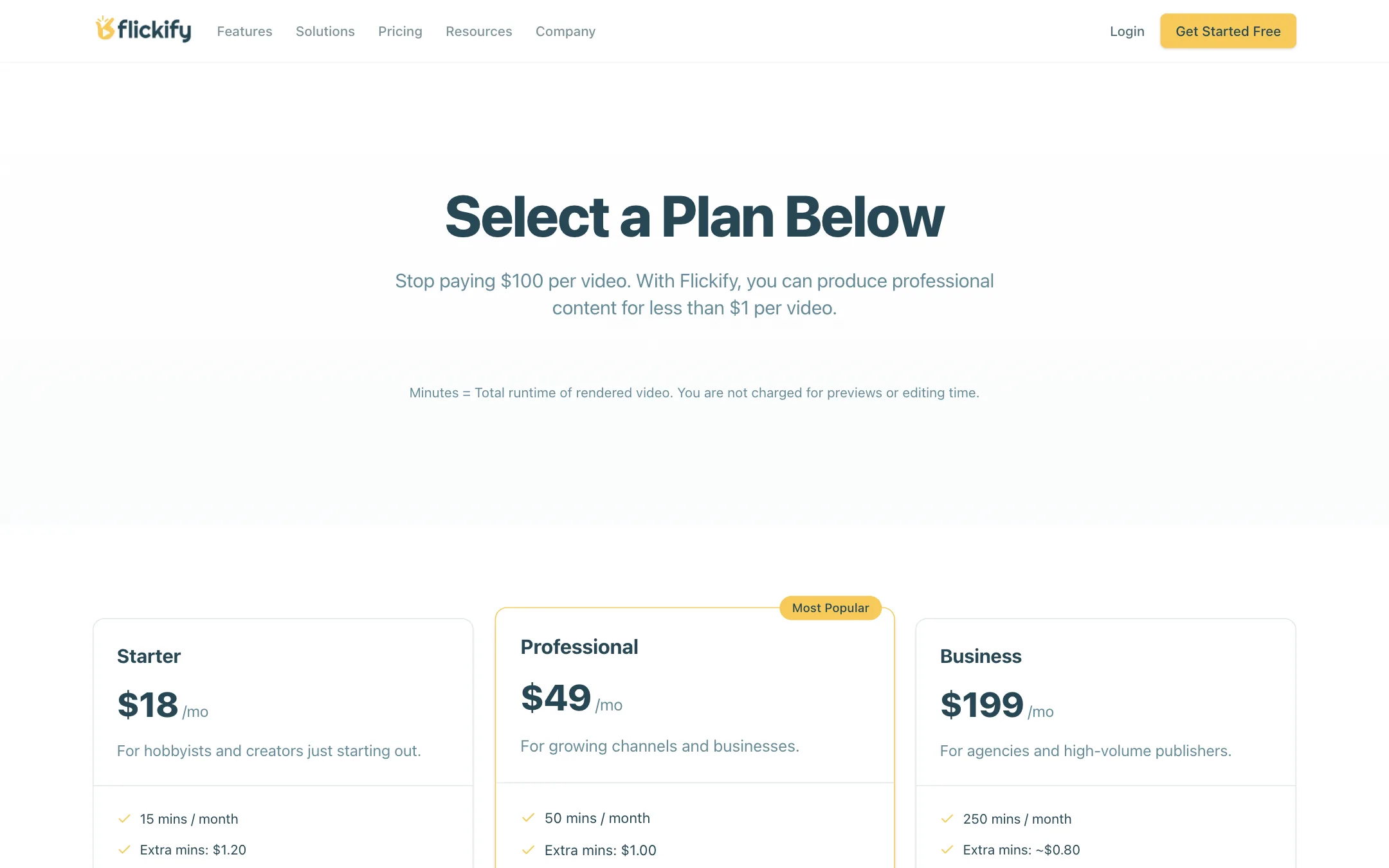
Flickify charges by rendered minutes. The final length of each video comes out of your monthly allowance. Previews and edits are free.
| Plan | Price | What you get |
|---|---|---|
| Free | Free | Test the workflow; watermarks or export limits may apply |
| Starter | $18/mo | 15 minutes, $1.20 per extra minute, Autopilot, Bulk, YouTube |
| Professional | $49/mo | 50 minutes, $1.00 per extra minute |
| Business | $199/mo | 250 minutes, about $0.80 per extra minute, setup consultation |
| Enterprise | Custom | Custom volume and API |
What to know before you pay:
- The free tier is loosely defined. Flickify’s own pages disagree. The help center says you can “start creating videos for free.” The FAQ and pricing page say free accounts “may have watermarks or limited export options.” Assume you can test, not publish.
- “Under $1 per video” depends on length. The homepage promises professional videos for under $1 each. On Starter, $18 for 15 minutes is $1.20 a minute, so that holds only for short videos or on the bigger plans.
- Overages keep you running. If you run out, you keep creating and pay the overage rate at the end of the cycle. That is good for deadlines and bad for surprise bills, especially with Autopilot running.
- No yearly discount is listed. The pricing page shows monthly prices only.
- Refunds are case by case. Flickify’s FAQ says it handles refund requests individually.
Keeping costs down
Because you pay only for the final render, do your revising in preview. Keep videos short: a 90-second summary of an article often works better on social than a five-minute read-through, and it costs a third as much. If you turn on Autopilot, set a tight rule so it only converts your most popular posts, and watch the first month’s overage.
Alternatives to consider
Flickify competes with a handful of established article-to-video tools. The choice comes down to how much automation you need and what the videos should look like.
- Pictory is the closest match. It also turns blog posts and scripts into narrated stock-footage videos, and it adds tools for cutting long recordings into highlights. It is a better fit if you also repurpose webinars or podcasts.
- Lumen5 grew up serving marketing teams. Its templates and brand controls lean toward polished social posts rather than YouTube uploads.
- Fliki puts voices first. It offers a very large voice library and suits you if narration quality matters more than footage.
What Flickify has that most of these do not is the Google Analytics Autopilot on its cheapest plan. If you run a content site and want videos made from your best posts without picking them by hand, that is the reason to test it first. If you make videos one at a time, the others give you more editing control for similar money.
Verdict
Flickify is a sensible pick for one job: turning a publisher’s written archive into narrated videos at volume. Autopilot and Bulk Creation on every plan, plus a plain per-minute price, make it easy to run as a background process for a content site.
It is less convincing as a general creator tool. The output is stock-footage narration rather than standout visuals. The free tier is vague. The cost of the headline AI models is hidden until you sign in. If you are a publisher, test it on three of your own articles. If you are a creator chasing a distinctive look, start elsewhere.