
What Fliki is
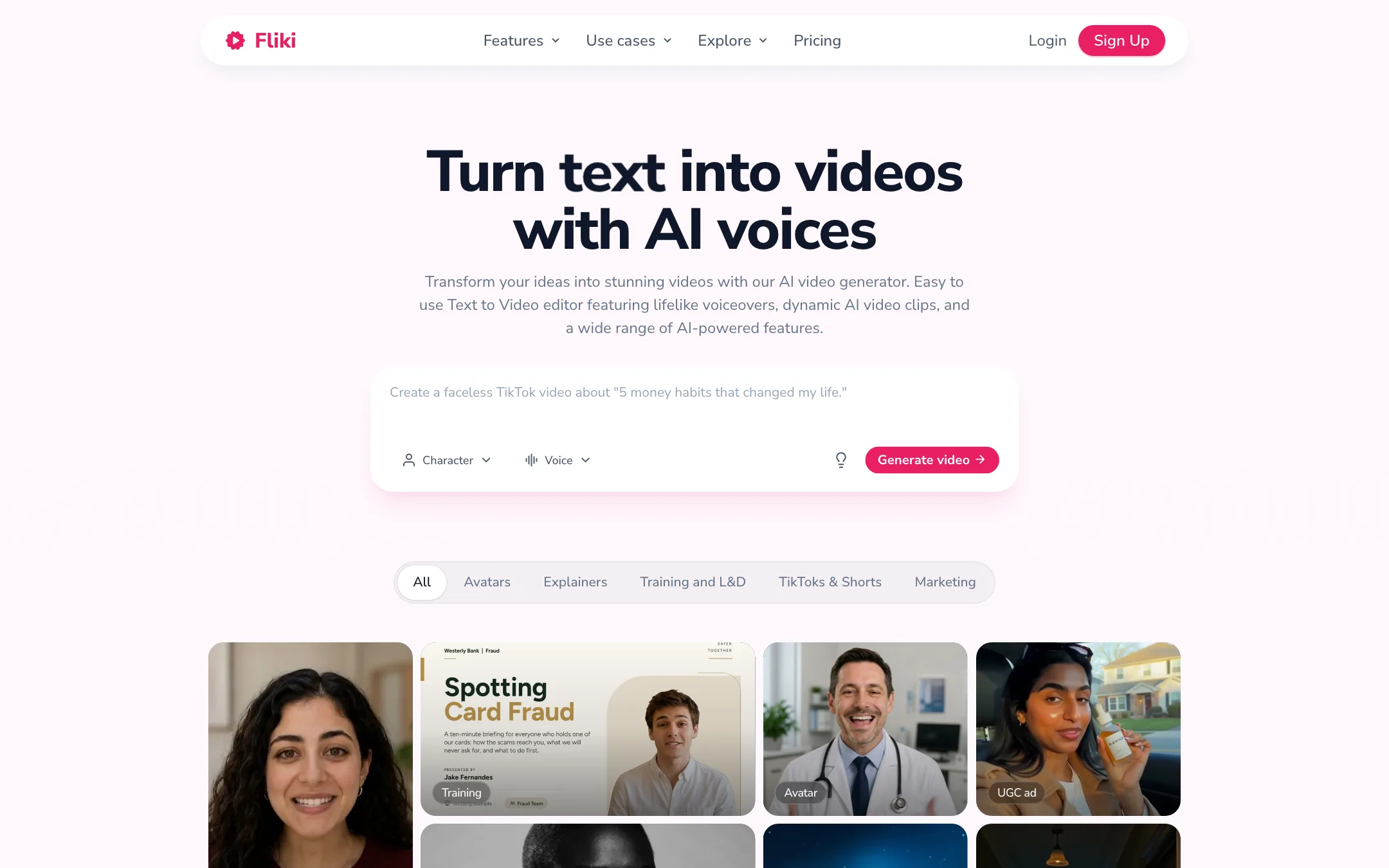
Fliki turns text into narrated video. You give it an idea, a script, a blog post or a PowerPoint deck. It writes or splits the script into scenes, picks visuals, adds an AI voiceover, music and subtitles, and hands you a video you can edit.
The voice is the heart of it. Fliki started as a text-to-speech tool, and it still leads with voices: more than 2,000 of them in 80+ languages, plus voice cloning. The visuals come from a stock library, AI image models, or, on the top plan, AI video models such as Veo and Kling.
Fliki is made by a company called Nine Thirty Five. It claims 14M+ users and 100M+ videos created. It is a mature product, with a long FAQ, tutorials and a public changelog.
Who it is for
Fliki fits you if:
- You run a faceless YouTube, TikTok or Shorts channel and need steady narrated videos.
- You write blogs or newsletters and want video versions without filming.
- You teach or train and want slide decks turned into narrated lessons.
- You need the same video in several languages with a consistent voice.
- You want a low-cost paid plan with commercial rights.
Skip it if:
- You want cinematic AI footage from a prompt. That is a Premium extra here, and dedicated generators do it better.
- You want to edit your own camera footage. Fliki is built around scenes and voiceover, not a traditional timeline.
- You revise scripts a lot. Every regenerated line costs credits.
- You want to work from your phone in an app. There is none.
How it works
You start a new file and choose a workflow. The main ones are:
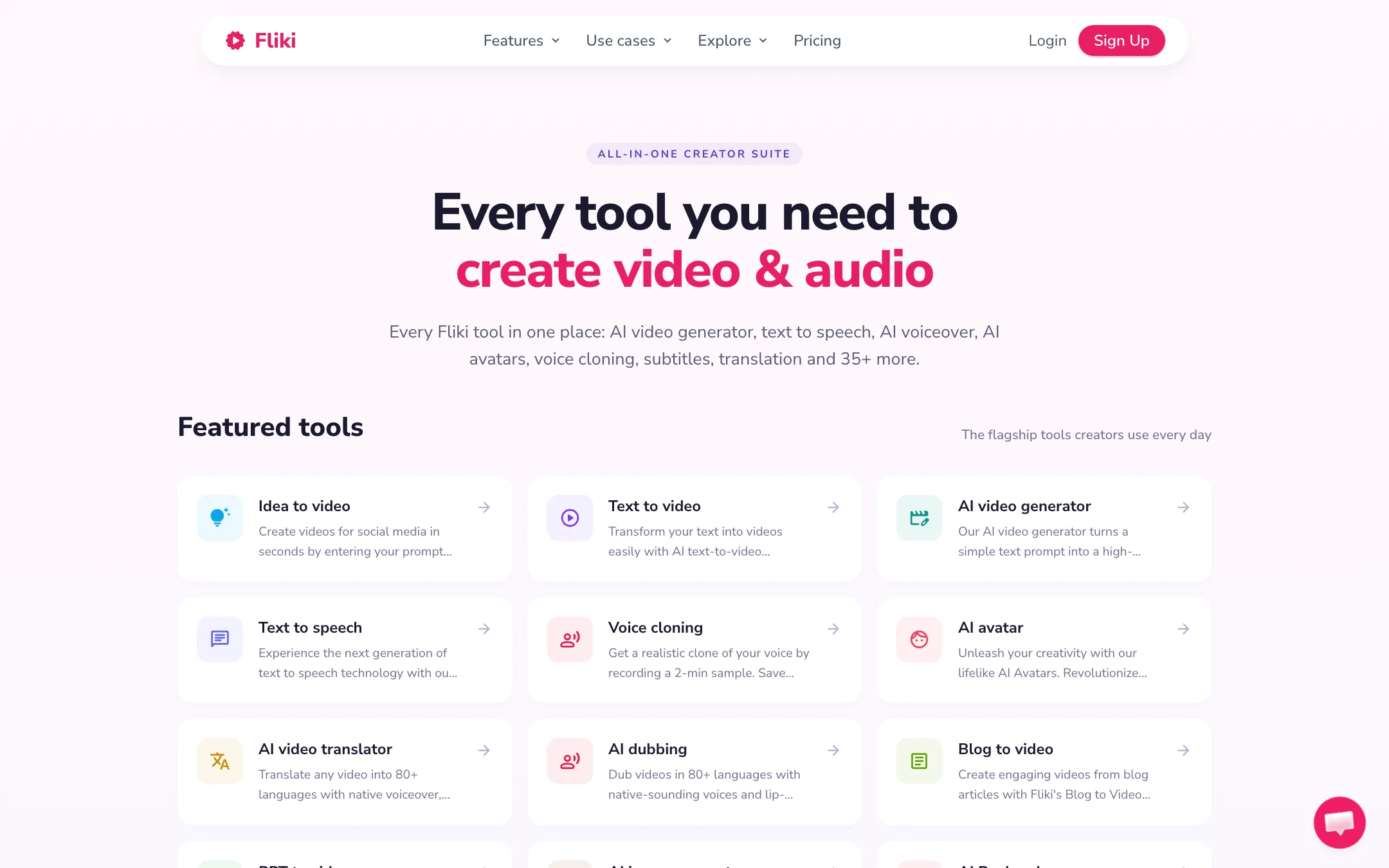
- Idea to video. Type a one-line prompt. Fliki writes the script and builds the video.
- Script to video. Paste your own script. Fliki splits it into scenes and matches visuals.
- Blog to video. Paste a URL or article text. Fliki summarizes it into a script.
- PPT to video. Upload a deck. Each slide becomes a scene with narration.
On the free plan, all of these are marked “limited” on the pricing table.
A typical script-to-video run
- Paste your script and pick the aspect ratio for where the video will live.
- Choose a voice. Filter by language, accent and style, or use your cloned voice.
- Let Fliki pick visuals for each scene, then swap any you dislike from the stock library or generate an AI image.
- Adjust pauses, pronunciation and emphasis. The pronunciation map fixes names and brand terms.
- Add music, subtitles and your brand kit.
- Preview and export, or publish straight to YouTube, TikTok or Instagram on paid plans.
Fliki’s homepage says a short video takes about two minutes to generate. Longer multi-scene videos take five to ten.
Voices and cloning
This is where Fliki is strongest on paper. Fliki says it has 2,000+ voices in 80+ languages and 100+ accents, with “ultra-realistic” voices on paid plans. Free users get 300 voices. Standard gets 1,000, with 500 ultra-realistic. Premium gets the full set.
Voice cloning starts on Standard with one clone, and Premium gives you three. Fliki says it can work from a 2-minute sample and that clones work across 70+ languages.
The numbers drift across Fliki’s own pages. The homepage says 2,000+ voices. The pricing FAQ says 1,300+ ultra-realistic voices. One page says cloning works in 70+ languages, another says 30+. Treat the exact counts as approximate and test the voices in your target language.
Translation and dubbing
Fliki can translate a finished video into another language. Its features page says the AI video translator adds native voiceover, lip-synced mouth movement and translated captions. Translation is not available on the free plan.
If you need high-end lip sync on real footage, a dedicated dubbing tool is a better bet. Fliki’s strength is translating videos you built in Fliki, where the narrator is an AI voice anyway.
Avatars and Digital Twin
Fliki also does AI avatars. Standard includes a limited set of stock avatars. Premium adds all avatars and photo avatars. The homepage promotes a Digital Twin: record yourself once and Fliki creates an AI version of you that presents in 80+ languages. Personalized avatars are listed under Enterprise on the pricing page, so check which plan the Digital Twin needs before you pay.
Series
Series is Fliki’s answer to content calendars. You give it a topic, style and posting schedule, and it plans and writes the next episodes. Standard allows one series and Premium three. Fliki’s FAQ mentions a “Basic” plan that does not include Series. Basic does not appear on the current pricing page.
AI video models
Fliki has a model gallery with third-party models. It names Seedance, Veo 3.1, Kling 3 Pro, MiniMax, FLUX Video, Gemini Omni Flash and others for video, and GPT Image, Nano Banana and Qwen for images. These are resold models, not Fliki’s own. AI video clips are a Premium feature. On Standard you work with stock footage and AI images.
Brand kits, publishing and automation
Paid plans add the pieces that matter once you post every week. Brand kits store your logo, colors and fonts, with one kit on Standard and three on Premium. Custom fonts are Premium only. Standard allows 50 publications a month straight to YouTube, TikTok or Instagram, and Premium 120. Both paid plans include bulk create plus Make and Zapier integrations, so you can feed in scripts from a spreadsheet or another tool. The API is a Premium feature.
Output quality
We have not made videos with Fliki for this review. Here is what Fliki says and what its structure implies.
What Fliki promises:
- Lifelike voices with emotion, pacing and emphasis control.
- Consistent characters across scenes in text-to-video.
- Commercially safe music, generated with ElevenLabs Music and ACE Step, which Fliki says are licensed for commercial use.
- 10 million+ stock assets with commercial rights on paid plans.
What to expect from any tool built this way:
- Stock-footage look. Most scenes use library clips matched by keywords. That works for explainers and listicles. It can look generic next to custom footage or AI-generated scenes.
- Voice is the quality bar. Since the voice carries the video, test a few voices in your language before committing.
- AI clips cost more. Fliki’s credit estimator assumes AI video and avatars appear in about 25% of a video. More than that burns credits faster.
Pricing
Fliki runs on monthly credits. Credits are charged for audio generated and video exported.
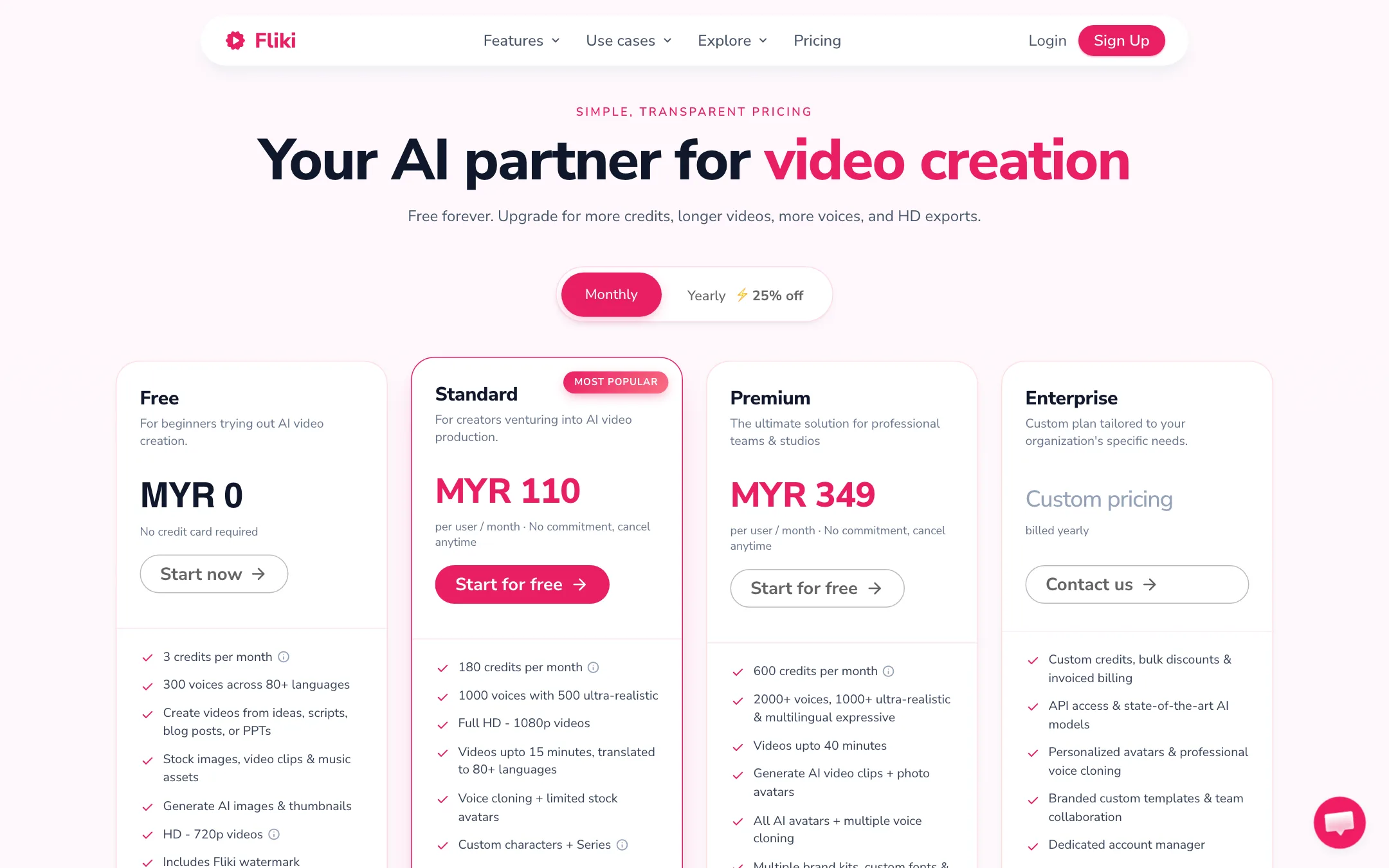
| Plan | Price | What you get |
|---|---|---|
| Free | Free | 3 credits a month, 720p, watermark, 5-min exports |
| Standard | $21/mo yearly, $28 monthly | 180 credits, 1080p, 15-min videos, 1 voice clone, commercial rights |
| Premium | $88 monthly, 25% off yearly | 600 credits, 40-min videos, AI video clips, all avatars, API |
| Enterprise | Custom | Custom credits, personalized avatars, team features |
The plan cards on Fliki’s pricing page can show your local currency. When we checked from outside the US, Standard showed in Malaysian ringgit. Fliki’s FAQ says prices are listed in USD, and its affiliate page gives Standard as $252 a year.
A few things worth knowing:
- Credit math is confusing. The pricing FAQ says Standard’s 180 credits are “180 minutes,” good for 60 to 90 minutes of finished video once edits are counted. The credit estimator on the same page shows 0.5 credits per minute for stock-footage video. Check your balance in the app after a test video.
- Edits cost credits. Changing text, voice or pauses regenerates the audio and charges again. Lock your script before you generate.
- Limits disagree. The pricing table says Premium allows 40-minute videos and 300 scenes. The FAQ says 30 minutes, and 150 scenes. Assume the lower figure until you see otherwise in the app.
- No rollover. Monthly credits reset and do not carry over.
- Top-ups have rules. You need an active subscription to buy them. They last 180 days, and they do not unlock plan features if your plan lapses.
Getting the most out of your credits
- Write and edit your script outside Fliki first. Paste the final version.
- Preview one scene before the whole video. Catch a bad voice or pronunciation early.
- Use stock footage where it works. Save AI clips and avatars for the hook and key moments.
- Use the pronunciation map so you are not regenerating lines to fix names.
Verdict
Fliki is a dependable choice if your videos start as words. The voice library is huge, cloning is on the cheapest paid plan, and Fliki says turning a blog post or slide deck into a narrated video takes minutes. At $21 a month billed yearly, Standard is good value for faceless creators and educators.
It is less of a fit if you want AI-generated footage. That needs Premium at $88 a month, and the third-party models are available in other tools too. Fliki’s pages also disagree on several limits, so treat the numbers on this page as a guide and confirm them in your account. Start on the free plan, make one short video, and see whether the voices work in your language.