What Faceless.video is
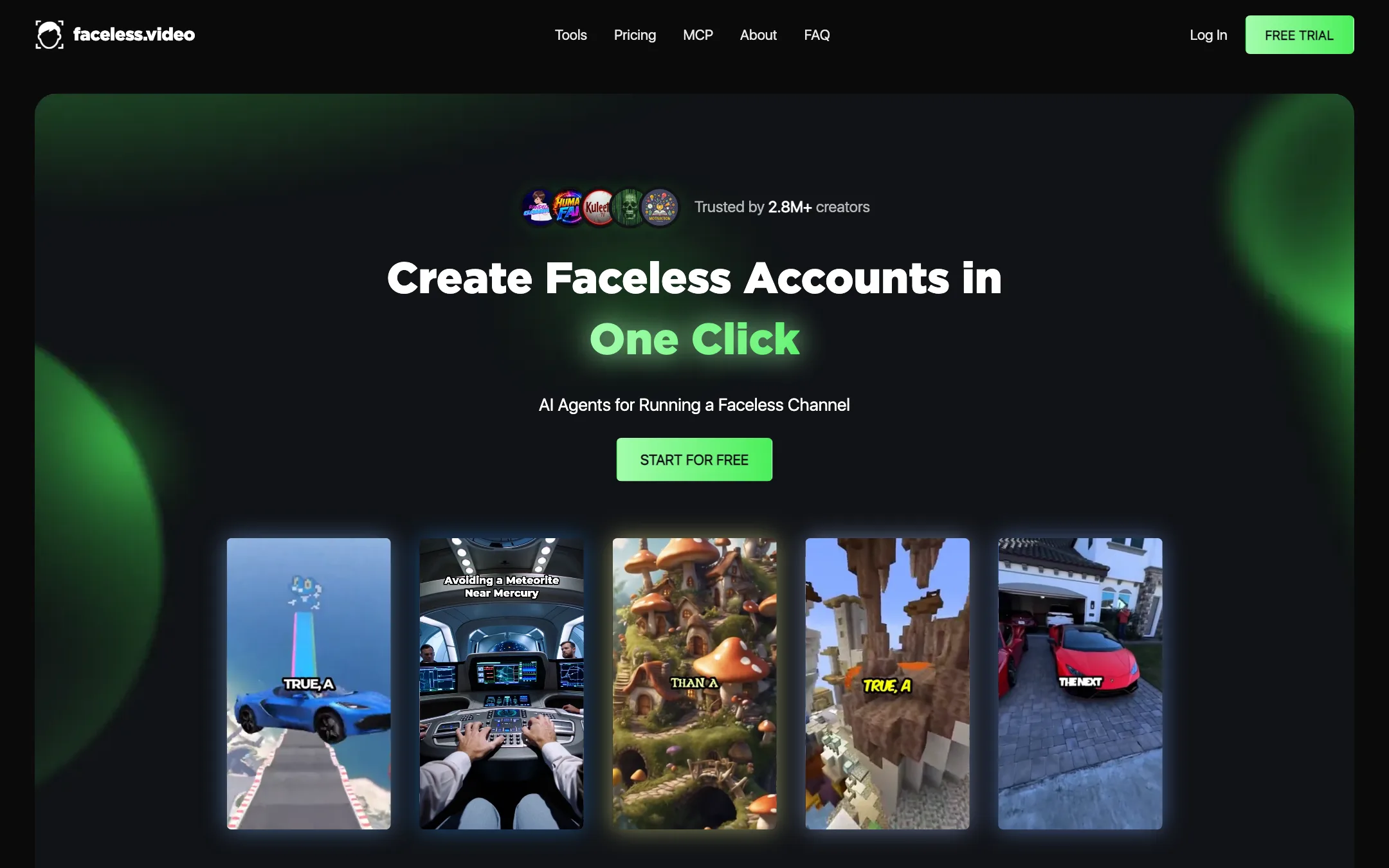
Faceless.video is a web service that runs faceless social accounts for you. You pick a niche and a video format. Its AI agents write the script, generate visuals, add an AI voiceover and captions, and post the result to your TikTok, Instagram Reels or YouTube Shorts account on a schedule.
The homepage calls it “AI Agents for Running a Faceless Channel.” Its About page tells the origin story: the team wanted to run their own faceless channels, found each video took around three hours, and built a tool to find stories, make the videos and post them every day.
It says it is “Trusted by 2.8M+ creators” and shows view counts from users, such as 500,000 views in 25 days. The page adds “Results vary across all users,” which is the honest part. Read those numbers as best cases.
Faceless.video does not say which AI models make its visuals or voices. The pricing FAQ mentions “VEO/Clone premium types,” which suggests Google Veo powers some premium video formats, but there is no model list.
Who it is for
Faceless.video fits you if:
- You want a faceless account that posts every day without you making each video.
- You post on more than one platform, especially TikTok and Instagram as well as YouTube.
- You want to test several niches quickly, like scary stories, POV clips or memes.
- You like managing things from a chat assistant. The MCP server works with Claude and ChatGPT.
Skip it if:
- You want to try before paying. There is no free plan.
- You want detailed creative control. Faceless.video is built around formats and automation, not editing.
- You need precise posting times. You set frequency, not the clock time.
- You run a brand account where every post needs sign-off. Auto-posting suits creator accounts better.
How it works
Faceless.video describes three steps.
- Choose your niche. Start from a proven format so you are not starting from scratch.
- Create and refine your video. The AI agents make a draft. You can edit it to match your voice and style before it posts.
- Stay consistent. Set a schedule for automatic drafts. Edit them before they post, or let them go live as they are.
The unit of automation is a Series. Each active Series posts to one account on a frequency you set. You can review future videos before they go out, re-render them, or change privacy settings. If you do not want auto-posting, you can choose email-only delivery and download the videos.
Video formats
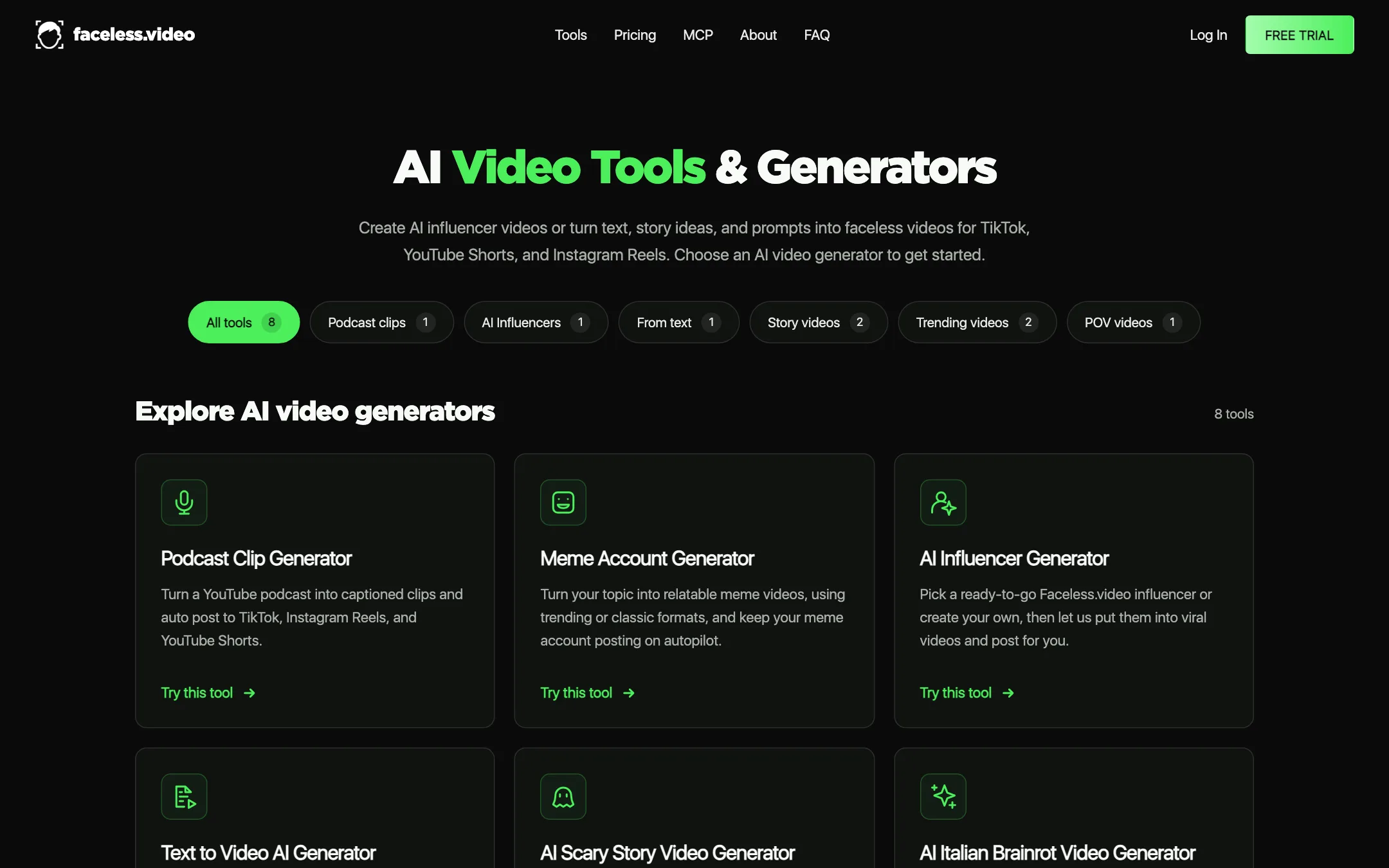
The tools page lists eight generators:
- Text to Video: paste a finished script and get voiceover, matching visuals and timed captions.
- AI Story Video: turn a story idea into a narrated short with AI images. Fantasy, mystery or uplifting.
- AI Scary Story: narrated horror stories with eerie visuals.
- AI POV Video: first-person scenarios in 30- or 65-second versions.
- Meme Account Generator: relatable meme videos in trending or classic formats.
- AI Italian Brainrot: combine an animal and an object into a character and a vertical meme video.
- AI Influencer Generator: pick a ready-made Faceless.video influencer or make your own and put them in videos.
- Podcast Clip Generator: turn a YouTube podcast into captioned clips and auto-post them.
Your credits work across every type, so you can run a scary story Series and a meme account from the same plan.
MCP and API
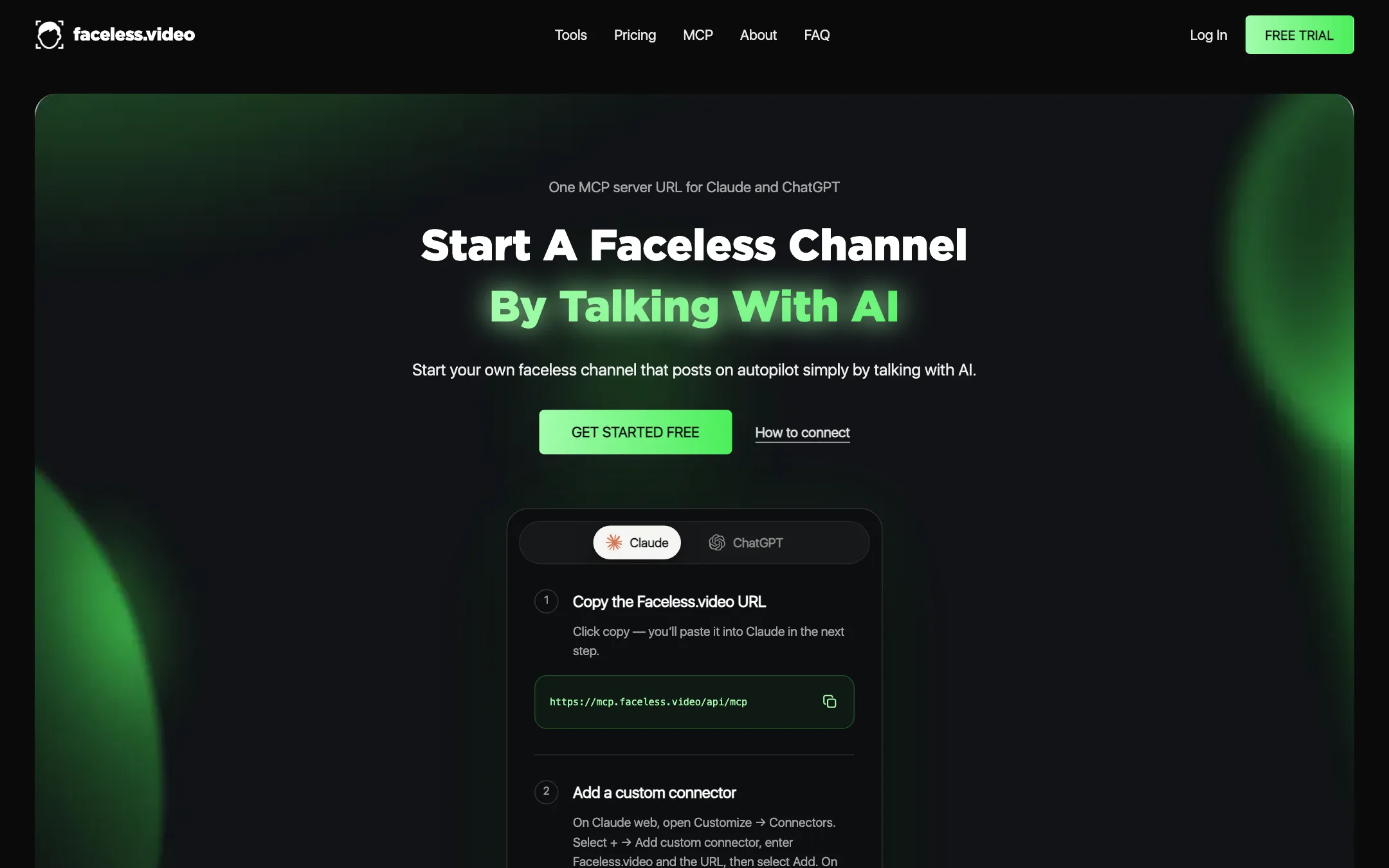
Faceless.video runs an MCP server, a way to connect it to AI assistants. You add one URL to Claude or ChatGPT as a custom connector and sign in. From the chat, you can browse trending niches and their credit costs, check your balance, create a one-off video, revise a draft script and run or pause a Series. Faceless.video says social logins never pass through the chat and every video is priced and confirmed before it runs. There is also an API, linked from the footer.
Output quality
We have not created videos with Faceless.video, so quality claims here are the company’s. Its Trustpilot quotes on the homepage praise ease of use and video polish. Those are selected reviews.
What to keep in mind:
- Formats decide quality. Story and text-to-video types are AI images with voiceover and captions. Premium types, which the FAQ links to Veo, should look more like real video but cost more per scene.
- Auto-posting cuts both ways. It keeps you consistent, but it also posts mistakes. Faceless.video itself recommends reviewing and editing each draft.
- Platform rules still apply. TikTok, Instagram and YouTube all police repetitive or mass-produced content. The terms say Faceless.video is not responsible for how your videos perform or how platforms treat them.
- Trend formats age. Italian Brainrot and meme accounts ride current trends. Expect to rotate niches.
The terms also put rights on you. You must own or have permission for anything you submit, and music should come from TikTok’s commercial library where relevant.
Pricing
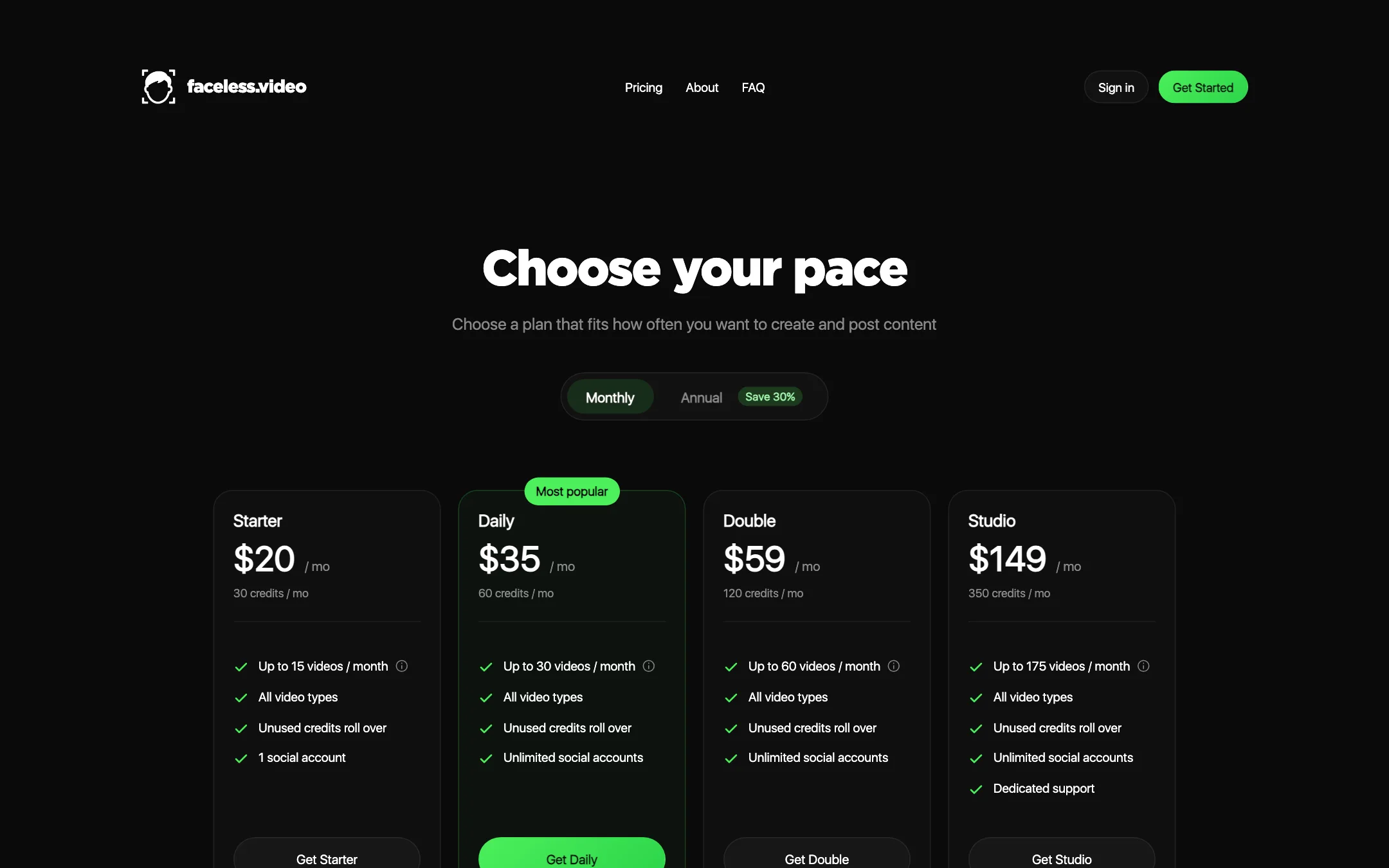
Faceless.video runs on monthly credits. All plans include every video type and rolling credits.
| Plan | Price | Credits | Videos | Accounts |
|---|---|---|---|---|
| Starter | $20/mo | 30 | Up to 15 | 1 |
| Daily | $35/mo | 60 | Up to 30 | Unlimited |
| Double | $59/mo | 120 | Up to 60 | Unlimited |
| Studio | $149/mo | 350 | Up to 175 | Unlimited, dedicated support |
Annual billing saves 30%, per the pricing toggle. Top-ups are $8 for 10 credits, $35 for 50 and $120 for 200, and need an active subscription.
Things to watch:
- “Up to” means the cheapest format. The video counts assume about 2 credits per video. Premium types cost more, and multi-scene premium videos cost the same for every scene.
- Starter is one account only. If you want two niches on two accounts, Daily at $35 is the real starting plan.
- Credits roll over, but need a plan. Saved paid credits only work while your subscription is active.
- Running out pauses everything. Active automations stop until you top up or your next refill arrives.
- Top-ups are pricey. At 60 to 80 cents a credit, they cost more per credit than most plans. Upgrading may be cheaper.
Refunds and cancelling
You can cancel any time and keep access until the end of the billing period. Cancel from Manage Billing in the dashboard or the Contact page. Faceless.video says emails to support do not count as cancellation.
Monthly plans are not refunded for partial months. Annual plans are fully refundable within 7 days of purchase or renewal. Free trials convert to paid plans if you do not cancel, with no refund. Discretionary refunds for documented technical failures are possible within 30 days.
One more term to know: Faceless.video can delete inactive series, videos and accounts after three months of inactivity. Download anything you want to keep.
Getting started without wasting credits
Since there is no free plan, your first month is the test. A few habits make it count.
- Start on Starter with one niche. Starter’s single account is enough to learn whether a format works. Pick a niche from the tools page that suits a platform you already use.
- Ask the price before you generate. The creator shows the credit cost before you confirm. On the MCP server you can also ask which video types cost what, without spending anything.
- Make one-off videos before a Series. Generate three or four single videos and read the scripts closely. Edit or re-render the weak ones. Only then turn them into a scheduled Series.
- Review drafts for the first week. Faceless.video lets you generate videos ahead of their posting time. Use that to check facts, captions and tone before anything goes public.
- Set a modest posting frequency. You can change it later in the Series Posting Schedule tab. Starting slower stretches your credits and gives you time to read the analytics on each platform.
- Watch your balance. When credits run out, every active automation pauses. Top up or wait for the refill, but plan for it so your account does not go quiet mid-month.
If after a month the views are not moving, change format before you change plan. A different niche on the same Starter plan is a cheaper experiment than a bigger plan on the same niche.
Verdict
Faceless.video is the most hands-off tool in this category. Pick a format, set a schedule and it keeps your TikTok, Reels and Shorts accounts posting. Multi-platform posting, rolling credits and the MCP server set it apart from YouTube-only rivals.
The trade-offs are cost and control. There is no free plan despite the “free trial” wording, Starter limits you to one account, and you only see per-video costs after you sign up. If you want an account that runs itself, start on Starter for a month in one niche, review every draft for the first week, and upgrade only if the views come. If you want to shape every video, a tool with an editor will suit you better.