
What Eklipse is
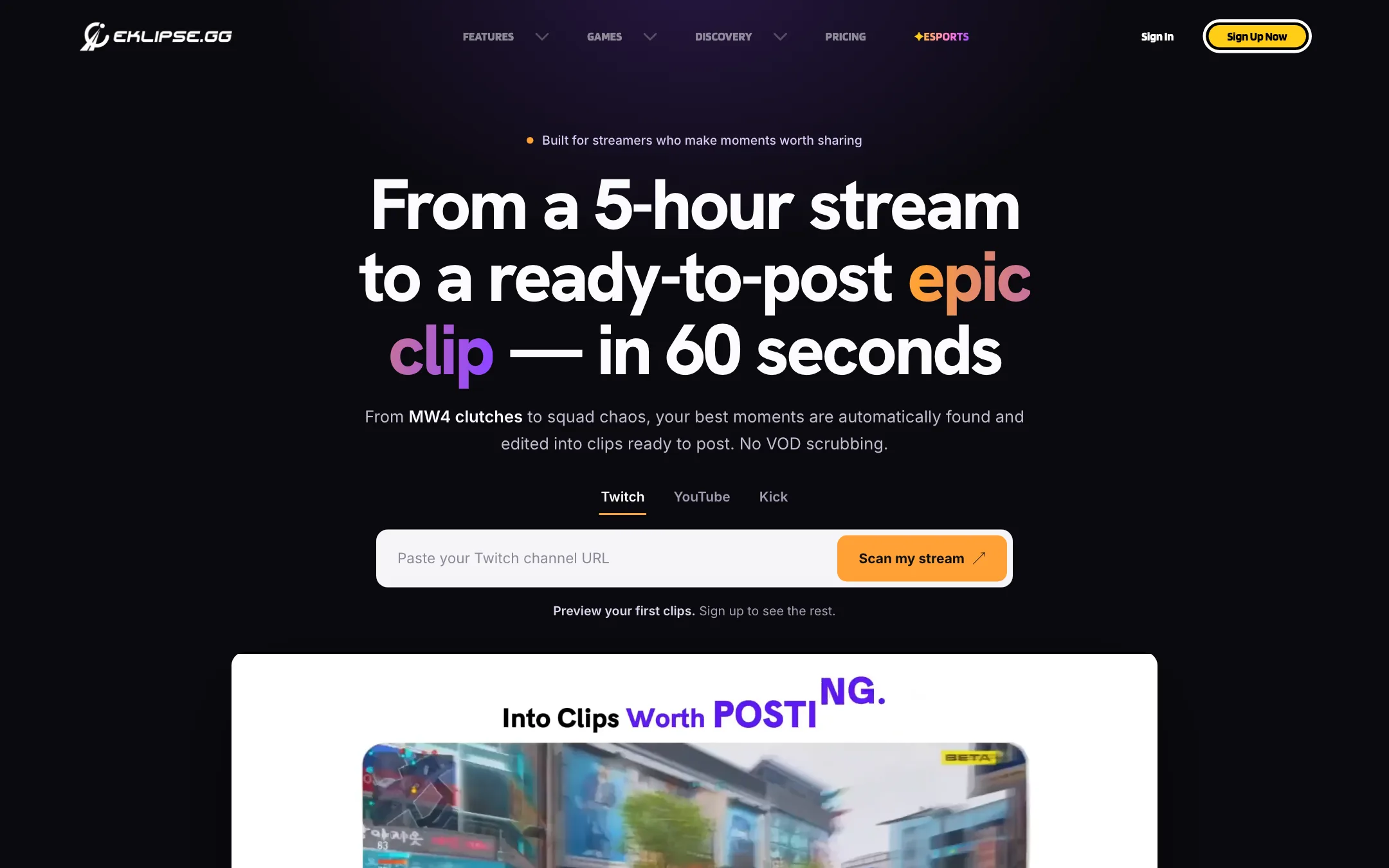
Eklipse is an AI clip maker for gaming streamers. You connect your Twitch, Kick or YouTube channel. After each stream, Eklipse scans the VOD, finds the moments worth posting, cuts them into vertical clips with captions and templates, and can schedule them to TikTok, YouTube Shorts, Instagram Reels and Facebook.
Most clipping tools are built for podcasts and talking heads. Eklipse is built for games. It says its detection is tuned for more than 1,000 titles, from Call of Duty and Fortnite to Valorant and League of Legends, and that it combines gameplay events, audio spikes and chat activity to score each moment.
The iOS app lists Mainspring Technology Pte. Ltd. as the seller. Eklipse claims 900,000 active streamers on one page and 1.5 million creators on another.
Who it is for
Eklipse fits you if:
- You stream games on Twitch, Kick or YouTube and want clips without scrubbing a five-hour VOD.
- You want a steady TikTok, Shorts or Reels feed from your streams but do not like editing.
- You stream from a PS5 or Xbox and do not have a capture setup. Eklipse says console streams work without a capture card.
- You want something cheaper than general-purpose clippers on an annual plan.
Skip it if:
- You make podcasts, interviews or talking-head videos. Opus Clip, Klap and similar tools are built around speech.
- You need to know the price before you sign up. Eklipse does not publish it.
- You play a niche game and need reliable detection. Check that your game is supported, and whether it costs extra, first.
How it works
Eklipse describes a five-step loop: stream, watch, find, prepare, post.
- Connect your channel. Link Twitch, YouTube, Kick or Facebook once. Eklipse monitors your streams in the background.
- AI scans the VOD. It looks for game events like multi-kills, clutches and wins, plus audio spikes, laughter and chat explosions. Each moment gets a score.
- Clips get pre-edited. Eklipse reframes to 9:16 with subject tracking, adds captions, meme templates and overlays, and builds several versions per highlight.
- You pick. A swipe stack shows the versions. You keep the one you like, or tweak it in Eklipse Studio.
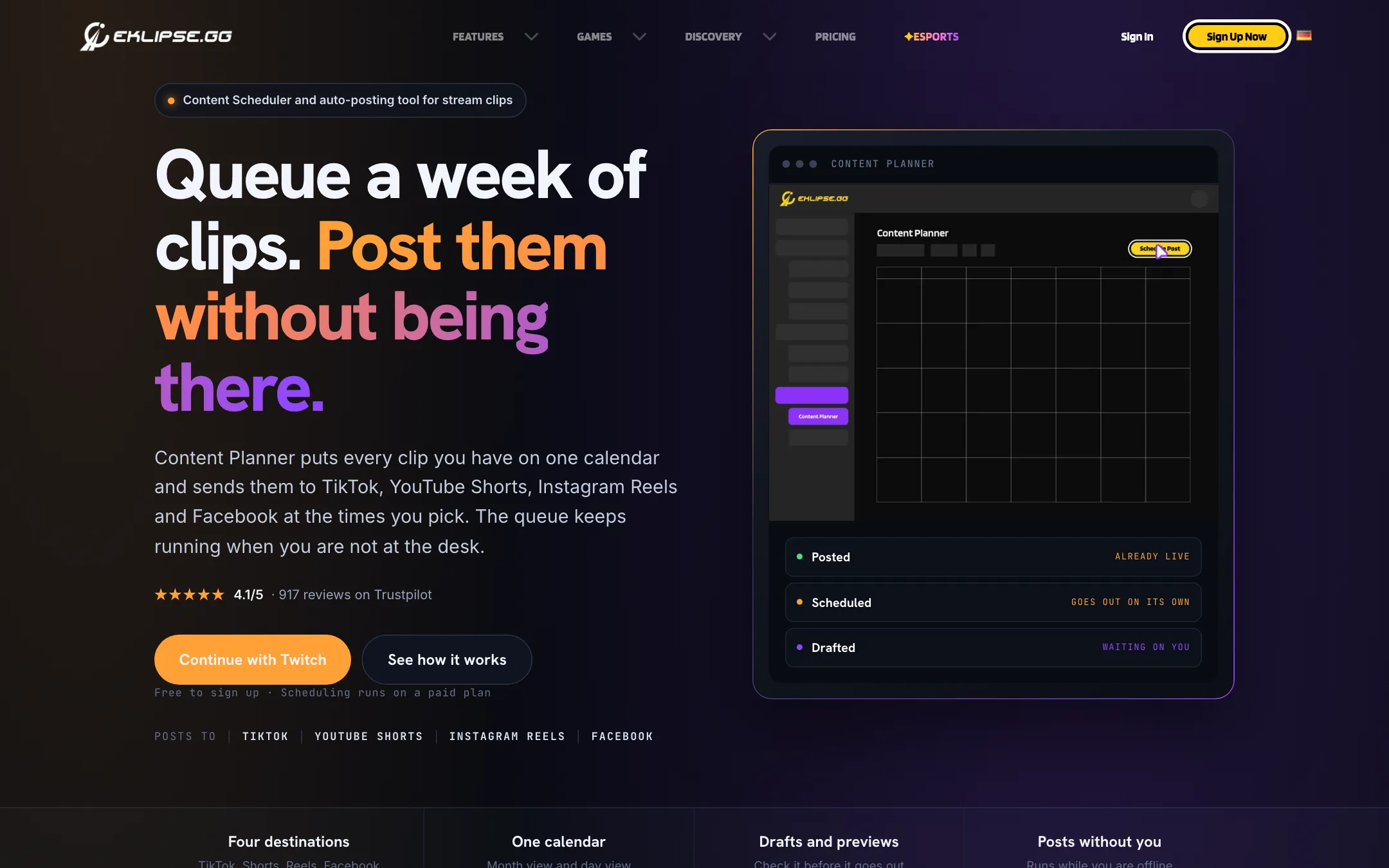
- Post or schedule. Publish straight away or put the clip on the Content Planner calendar.
Eklipse says clips land “in under 60 seconds” after the stream ends. The App Store listing and an older review mention runs that took up to an hour, so expect it to vary.
Voice command
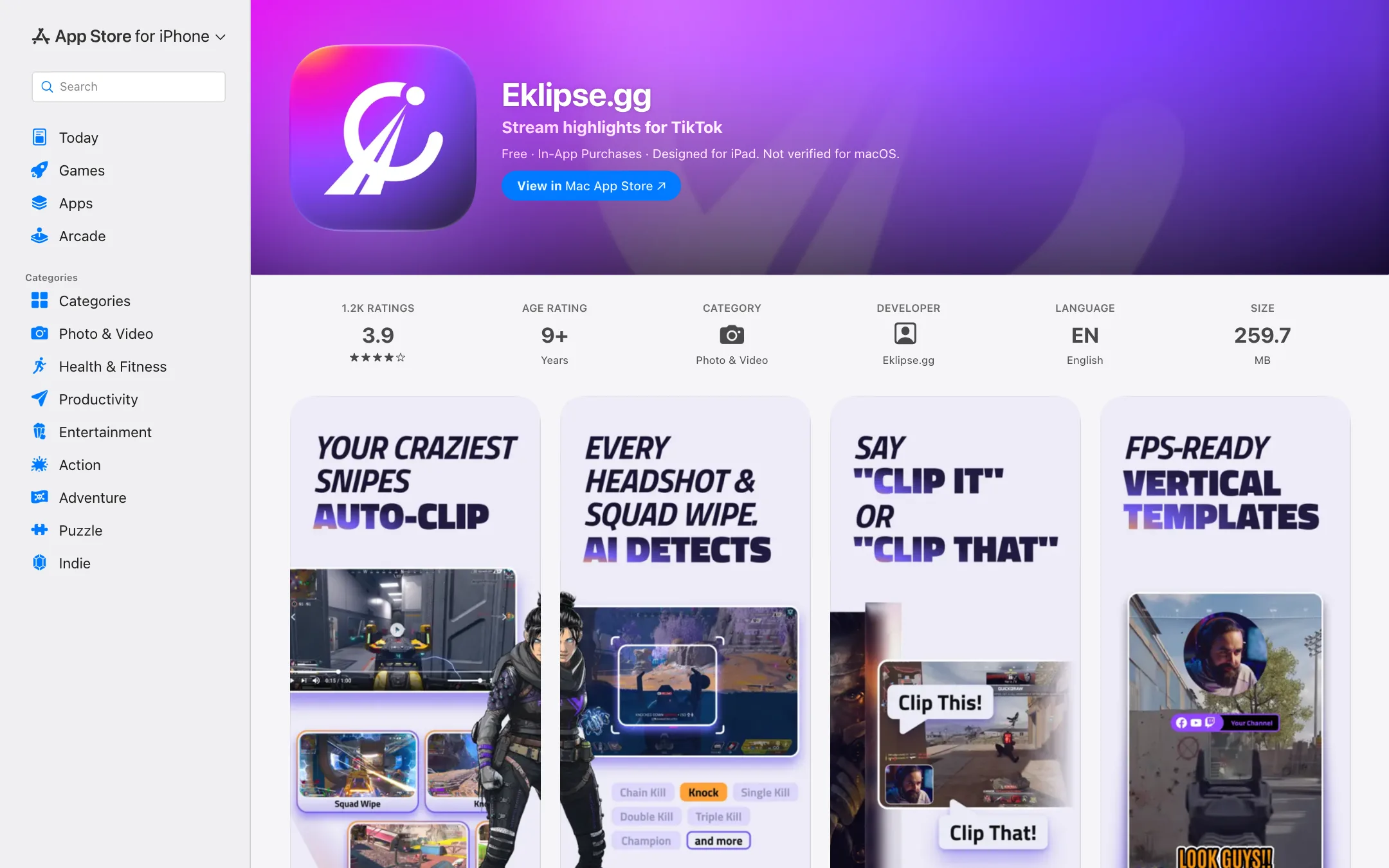
This is the feature streamers mention most. Say “clip it” mid-stream and Eklipse marks the moment, with no hotkey and no alt-tab. On Premium Pro, the App Store notes say you can set your own voice keywords and clip count.
Eklipse Studio and AI Edit
Studio is a browser editor for trimming, changing layouts and adjusting captions. AI Edit turns a detected moment into a styled, captioned vertical clip that stays editable. Ultra Highlights exports up to 1440p, and the App Store notes say Premium Pro exports reach 2K.
Content Planner
The Content Planner is a calendar with month and day views. Every post is posted, scheduled or drafted. You write the caption once, preview it per platform, and Eklipse sends it at the set time from its servers, so your PC does not need to be on. Eklipse says clearly that scheduling is part of the paid product.
Pro Edits
For clips you care about, Eklipse sells a human editing service. Its editors add memes, sound effects, zooms and captions to highlights you pick, with a standard three-day turnaround and English audio only. Eklipse does not publish the price on that page.
Output quality
We have not run Eklipse on our own streams. Here is what the vendor says and what users report.
Eklipse claims “94% accuracy” on its homepage features block and “over 95% accuracy” in the FAQ just below. Treat both as marketing. Its own review page lists ratings from 3.0 on Google Play (1,330 reviews) to 4.8 on Capterra (12 reviews), and says the lower scores are mostly about pricing and processing time.
App Store reviews point to specific weaknesses:
- Badge-triggered clips. One Call of Duty player says Eklipse clipped the moment a badge appeared rather than all the kills that earned it.
- The wrong player’s moments. A Rocket League streamer says it also clipped goals and wins by the opponent.
- Lobby and chatter. A free user says clips drifted toward pre-game lobbies and laughing with friends rather than gameplay.
- Repetitive memes. Auto-edited TikTok clips reuse the same meme templates often.
- Game surcharges. An ARC Raiders streamer says they paid about $28 for membership and then another $20 to clip that game specifically. A testimonial on Eklipse’s own site mentions auto-posting “for premium games like Call of Duty Black Ops 7.”
None of that is unusual for AI clipping. It does mean you should review the swipe stack before anything posts.
Pricing
Eklipse does not publish a pricing page. The “Pricing” link in the menu goes to sign-up. The figures below come from its promo code page and App Store listing.
| Plan | Price | What you get |
|---|---|---|
| Free | Free | Account and dashboard. Clip allowance unclear, see below |
| Premium, monthly | About $24.99/mo | Watermark-free 1080p, priority processing, more games, scheduling |
| Premium, annual | $179.99/yr (about $15/mo) | Same, billed yearly |
| Premium Pro | Not published | Live clipping, private streams, custom highlights, 2K, longer processing |
| Pro Edits | Not published | Human-edited shorts from your highlights |
Things to know:
- The free plan is described two ways. The homepage FAQ says free accounts get 3 clips per stream. The premium, features and content planner pages say “Paid to generate AI clips.” The homepage stream checker also shows a “free preview” of 2 clips. Assume free is a demo.
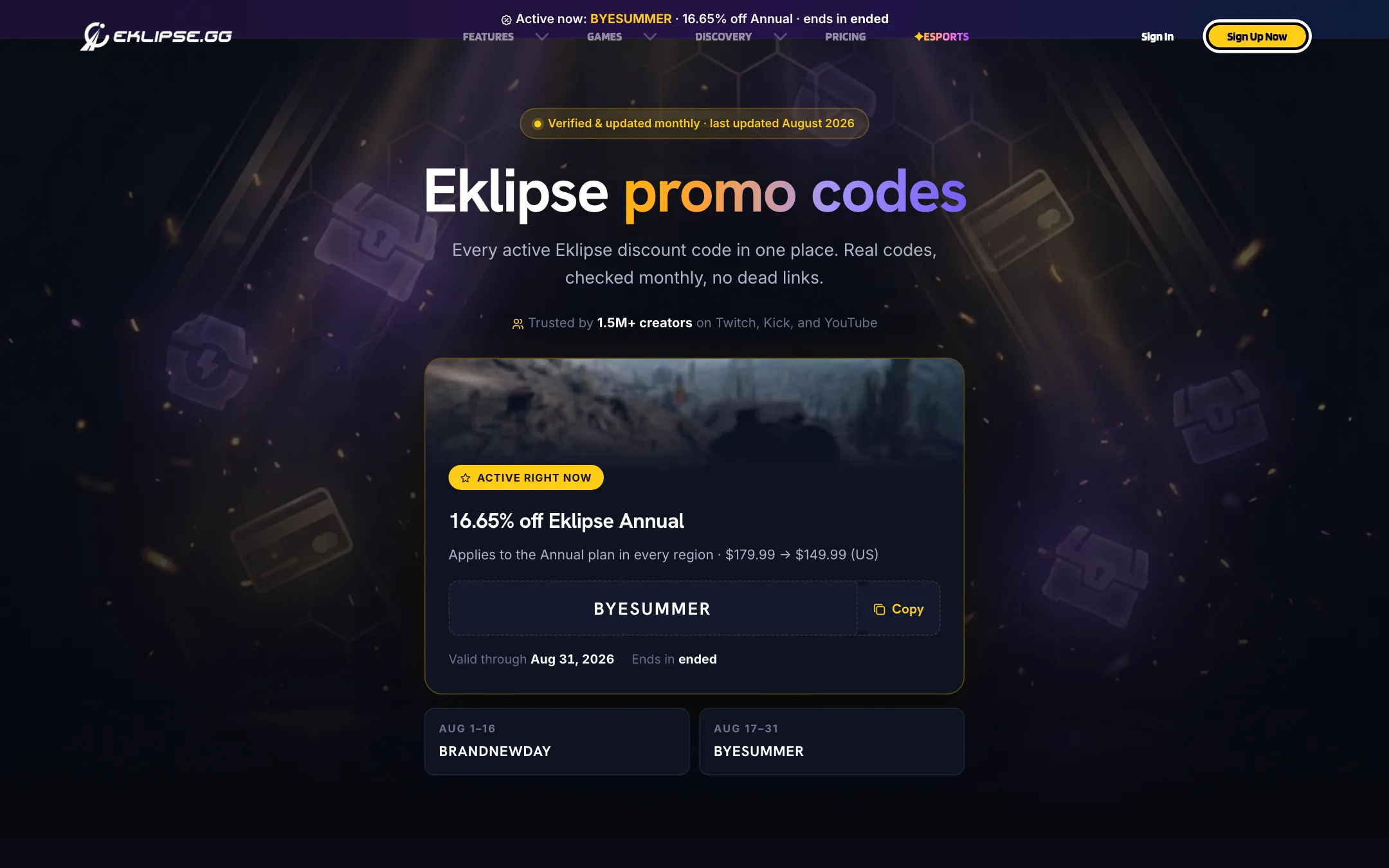
- Annual is the deal Eklipse pushes. Monthly-times-twelve is $299.88. Monthly promo codes, such as BYESUMMER in August 2026, cut the annual price to $149.99. A win-back code, HOTDEAL80, takes $80 off for returning accounts.
- Regional pricing exists. Europe is €159.99 a year and Canada $250 CAD.
- Some games may cost more. See the user report above. Confirm in the upgrade screen before you pay.
Getting more from Eklipse
A few habits make the most of an AI clipper built for streams:
- Check your game first. Eklipse lists supported games by title, and some pages refer to “premium games.” Before you pay, confirm that the game you stream most is covered at the price shown in the upgrade screen.
- Use voice command for the moments you know matter. Detection is good at kills and wins. It is weaker at context, like the build-up to a fight. Saying “clip it” marks the moment you care about, not just the badge or the kill feed.
- Review the swipe stack before scheduling. Users report clips of opponents’ plays and lobby chatter. Spend a few minutes picking from the pre-edited versions rather than auto-posting everything.
- Change the template now and then. One reviewer says auto-edited clips reuse the same memes. Switching templates and captions in Studio keeps your feed from looking repetitive.
- Batch the calendar. The Content Planner is built for queuing a week in one sitting. Post the strongest clips while the stream is fresh and spread the rest across quiet days.
How it compares
Eklipse competes with gaming-focused clippers such as StreamLadder, Medal, Powder and Spikes Studio, and with general tools like Opus Clip and Klap. Eklipse publishes comparison pages against most of them, which are worth reading with the usual vendor bias in mind.
The general tools are better at podcasts, interviews and talking heads, because they score moments by what is said. Eklipse scores moments by what happens in the game, the audio and the chat. If your content is gameplay first, that is the difference that matters. If you mostly talk, a speech-first clipper will probably serve you better.
Refunds
Eklipse’s refund policy says fees already paid are generally not refunded. That includes “dissatisfaction with the AI results if they meet the described functionalities.” Payment errors are the main exception. If you subscribe in the iOS or Android app, Apple’s or Google’s rules apply.
Verdict
Eklipse is one of the few clipping tools built around games rather than talking heads. Game-aware detection, voice-command clipping and a server-side posting calendar make it a sensible pick for Twitch, Kick and YouTube streamers who want a short-form feed without editing. The annual plan is cheap for what it covers.
The weak spots are transparency and reliability. You cannot see the price without signing up, the free plan is described two ways, and app store reviewers report missed or misattributed moments and extra charges for some games. Sign up free, connect your channel, check that your main game is supported at the price shown, and only then take the annual plan.

