What Clideo is
Clideo is a browser-based video editor run by Clideo ltd since 2019. It started as a set of single-job web tools: cut a video, compress it, merge two clips, make a GIF. It still has all of those, but now also has a full multi-track timeline editor, auto subtitles, a video translator with AI voiceover and an AI agent that edits from chat.
Clideo says it has 5 million monthly users and that 398 million videos have been made with it. We cannot check those numbers, but the product has clearly been around for years.
This review is based on Clideo’s public site, pricing page and help center, checked on 2026-10-21. We opened the public editor page but did not sign in or export a project, so feature and quality claims are Clideo’s.
Who it is for
Clideo fits you if:
- You need quick edits in a browser on a school, work or shared computer where you cannot install software.
- You make simple social posts, class videos or product clips and want subtitles on them.
- You want a cheap Pro plan with no watermark and 4K export.
- You like picking a single tool for a single job instead of opening a full editor.
Skip it if:
- You need serious AI features. The free plan gets 10 credits a month and Clideo does not publish what each AI action costs.
- You want voice-cloned dubbing or lip sync. Clideo’s translator uses AI voices, not yours.
- You need a pro-level editor with color grading, keyframes and advanced audio.
- You need a refund safety net. There are no refunds.
How it works
Clideo has two ways in.
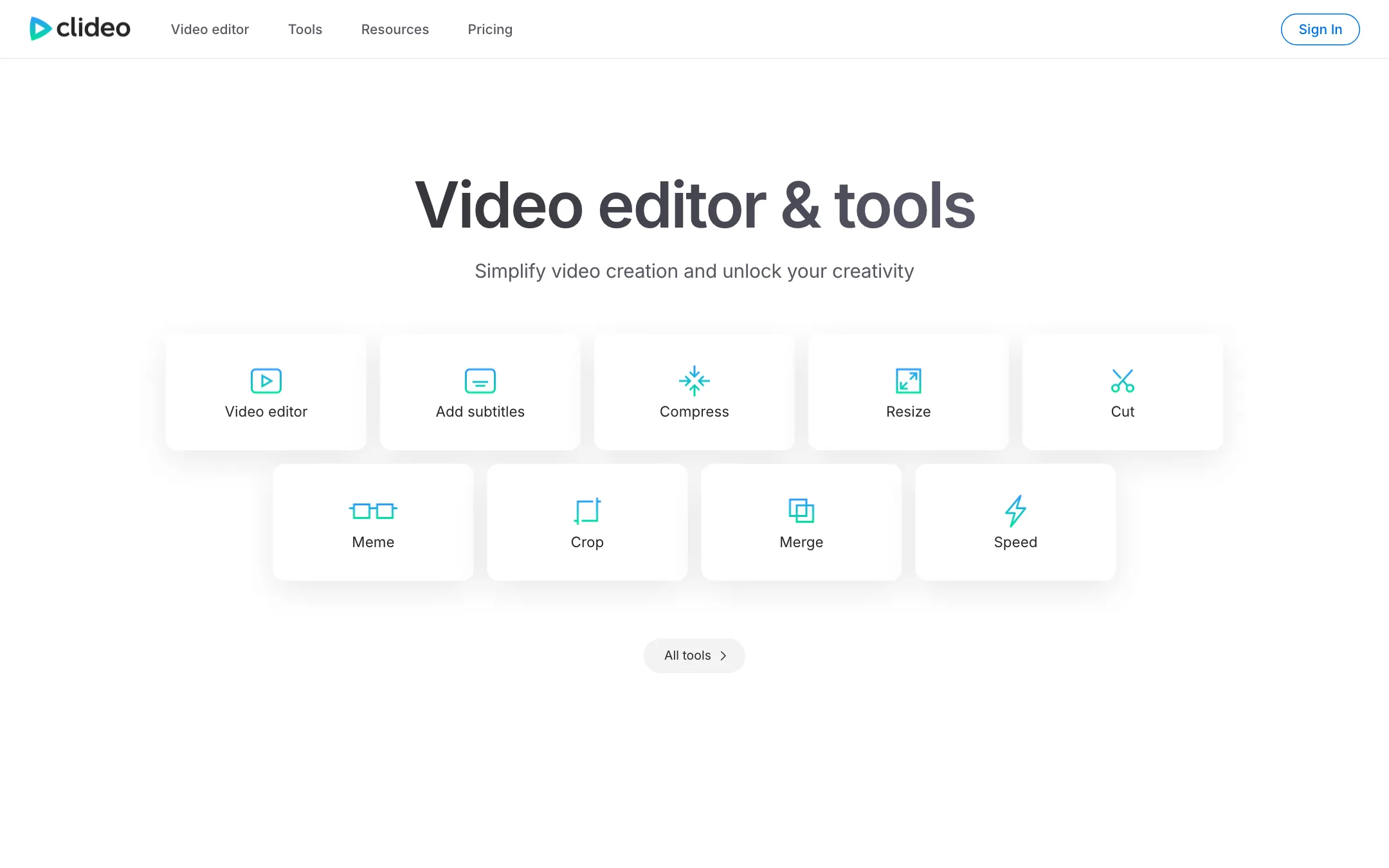
The single-job tools
Each tool is its own page. You upload a file, change one thing and export. The list is long:
- Edit: cut, split, merge, crop, resize, rotate, flip, speed, loop, reverse, mute, filter, adjust, stop motion.
- Make: video maker, slideshow maker, meme maker, GIF maker and GIF editor.
- Record: screen, webcam, audio and presentation recorders.
- Convert: video, audio and image format converters, plus a DPI converter.
- Text and voice: add subtitles, auto subtitle generator, video and audio translators, video to text, audio to text, text to speech.
There are also hundreds of SEO pages like “Compress Video for Discord” or “Crop Video for TikTok” that mostly point to the same tools with presets. Do not let the menu size fool you; the core set is around 50 tools.
Premium users get a “Continue in” button that sends an exported file into another tool. On the free plan, you have to download and re-upload between tools.
The video editor
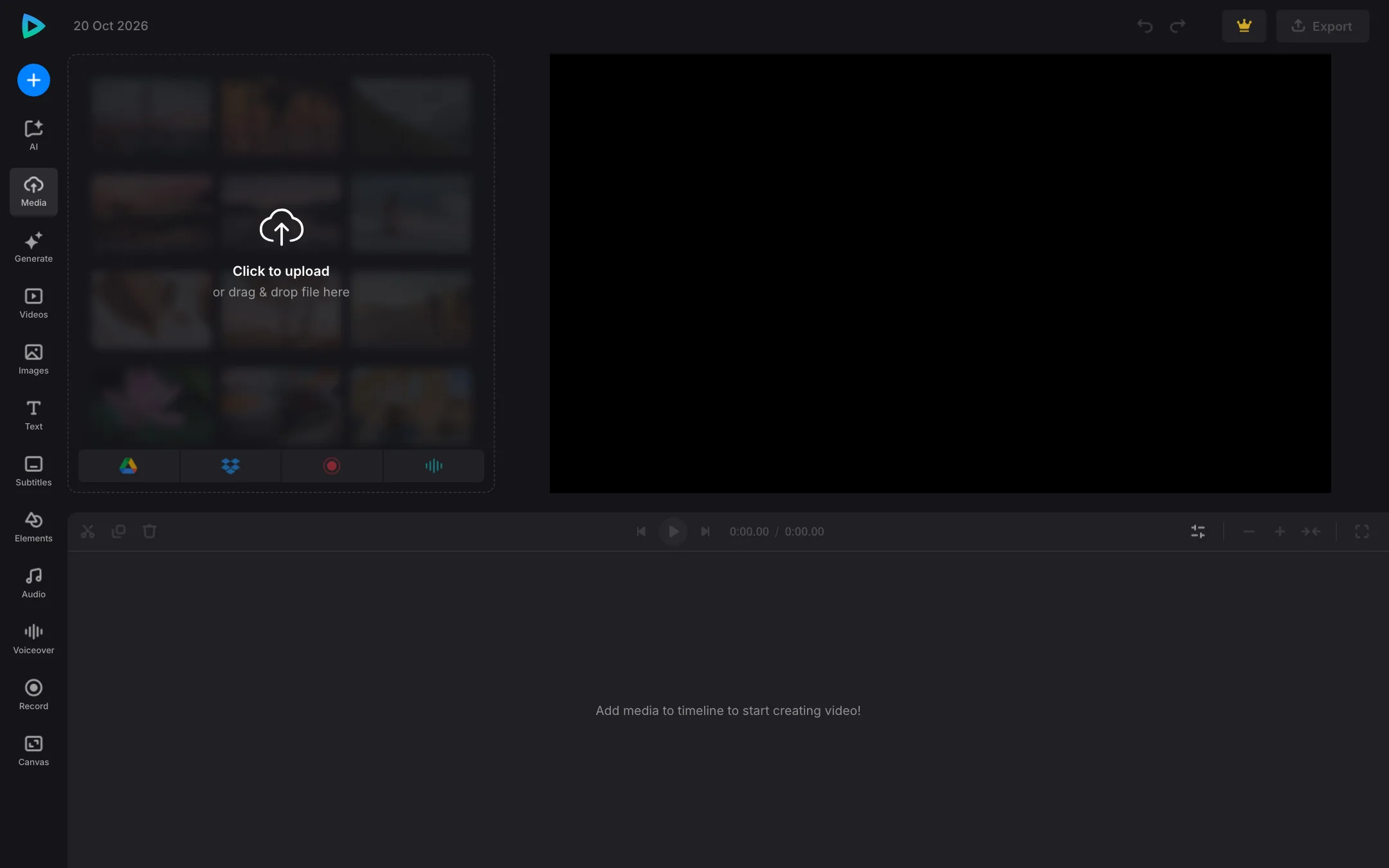
The full editor is a multi-track timeline in the browser. The sidebar has tabs for Media, Generate, Videos, Images, Text, Subtitles, Elements, Audio, Voiceover, Record and Canvas, plus an AI tab. You can open it without signing in.
A typical edit looks like this:
- Upload clips, images and music, or pull them from Google Drive, Google Photos or Dropbox.
- Arrange them on the timeline and trim.
- Add text, stickers, shapes and transitions such as fade, dissolve and wipe.
- Add auto subtitles or a text-to-speech voiceover.
- Export at 480p or 720p on the free plan, or up to 4K on Pro.
Auto subtitles
Clideo says its subtitle generator works in more than 100 languages. You can edit the text and timing in a built-in editor, shift all subtitles at once to fix an offset, pick a style template or set your own font, size, color, opacity and position. Export as SRT or TXT, or burn the captions into the video.
Subtitle generation uses credits. Free accounts get 10 credits a month, so expect to run out quickly on longer videos.
Video translation
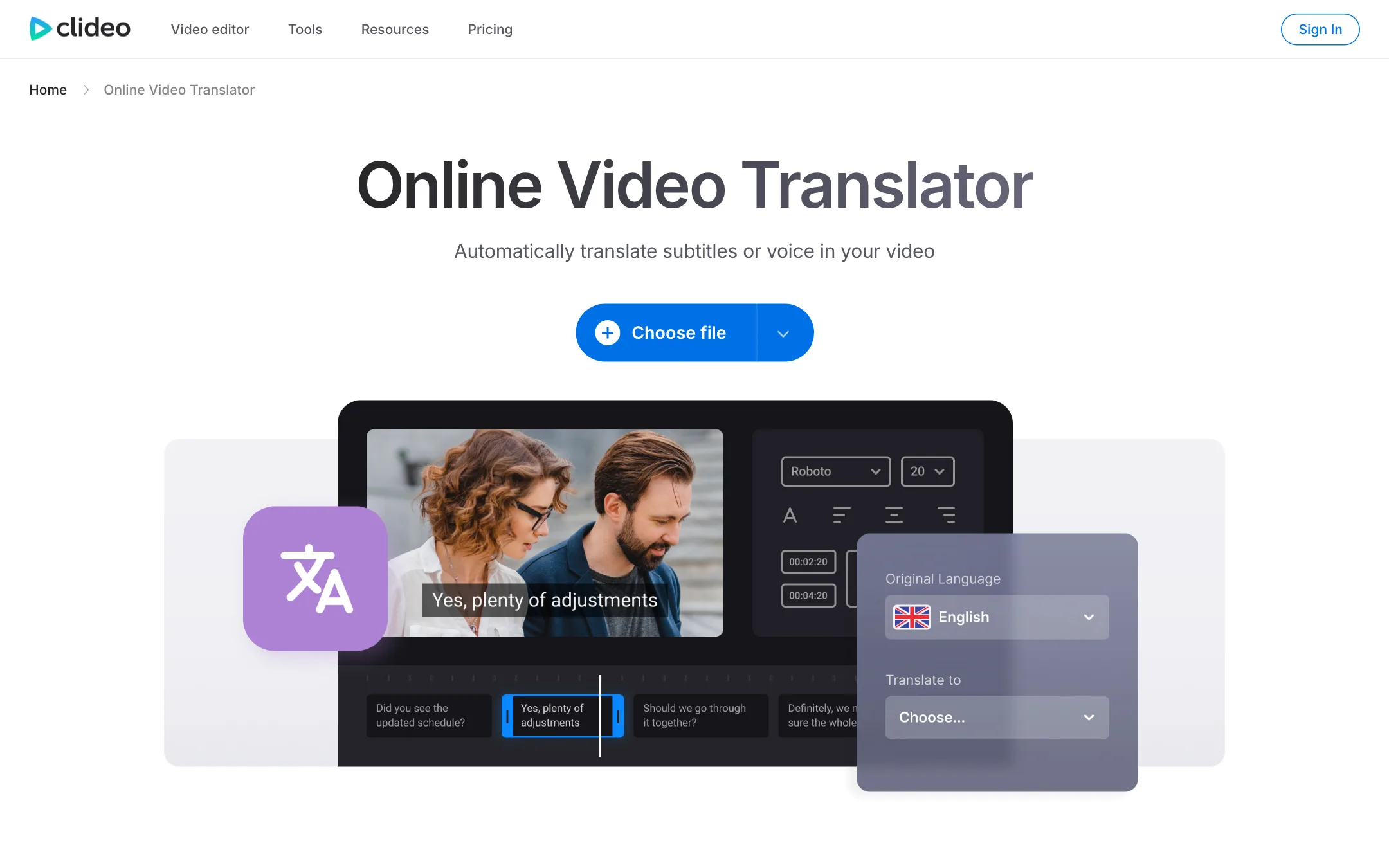
The Video Translator transcribes your video, translates the subtitles and can add a translated AI voiceover. You can review and edit the translated subtitles before export and save the translation as SRT or TXT. Clideo says it keeps the original video resolution.
Clideo does not mention voice cloning or lip sync. Your translated video will use a stock AI voice. For voice-matched dubbing, a dedicated tool in our dubbing category will do more.
Text to speech voiceovers are limited to 500 characters per track under Clideo’s fair-use rules. For longer narration, split the script across several tracks.
AI Agent and AI Media Generator
Clideo’s help center lists two newer AI features:
- AI Agent sits inside the web editor. You describe what you want and it edits the project. It works for signed-in users on desktop browsers only, not in mobile browsers or the iOS app. New users get a one-time batch of free messages; after that each message costs credits.
- AI Media Generator creates short video clips, images and music from text prompts. It is in the iOS app only, with basic generation also possible through the AI Agent.
Clideo says the generators use “different AI models” but does not name them. It also says credit costs can change when AI providers change their prices. An estimated cost is shown next to the Generate button before you spend credits.
Output quality
For basic edits, quality depends on your source and export settings. Pro exports up to 4K; free stops at 720p. Clideo says compression on Pro is “high-quality” versus “basic” on free.
One naming trap: Clideo’s “Video Enhancer” page adjusts brightness, contrast, saturation and similar settings. It is a color tool, not an AI upscaler. If you need real upscaling or restoration, look at a dedicated enhancer.
For subtitles and translation, accuracy will depend on audio quality, accents and jargon, as with any auto-captioning. Clideo’s editor lets you fix mistakes before you export, which is what matters most.
Pricing
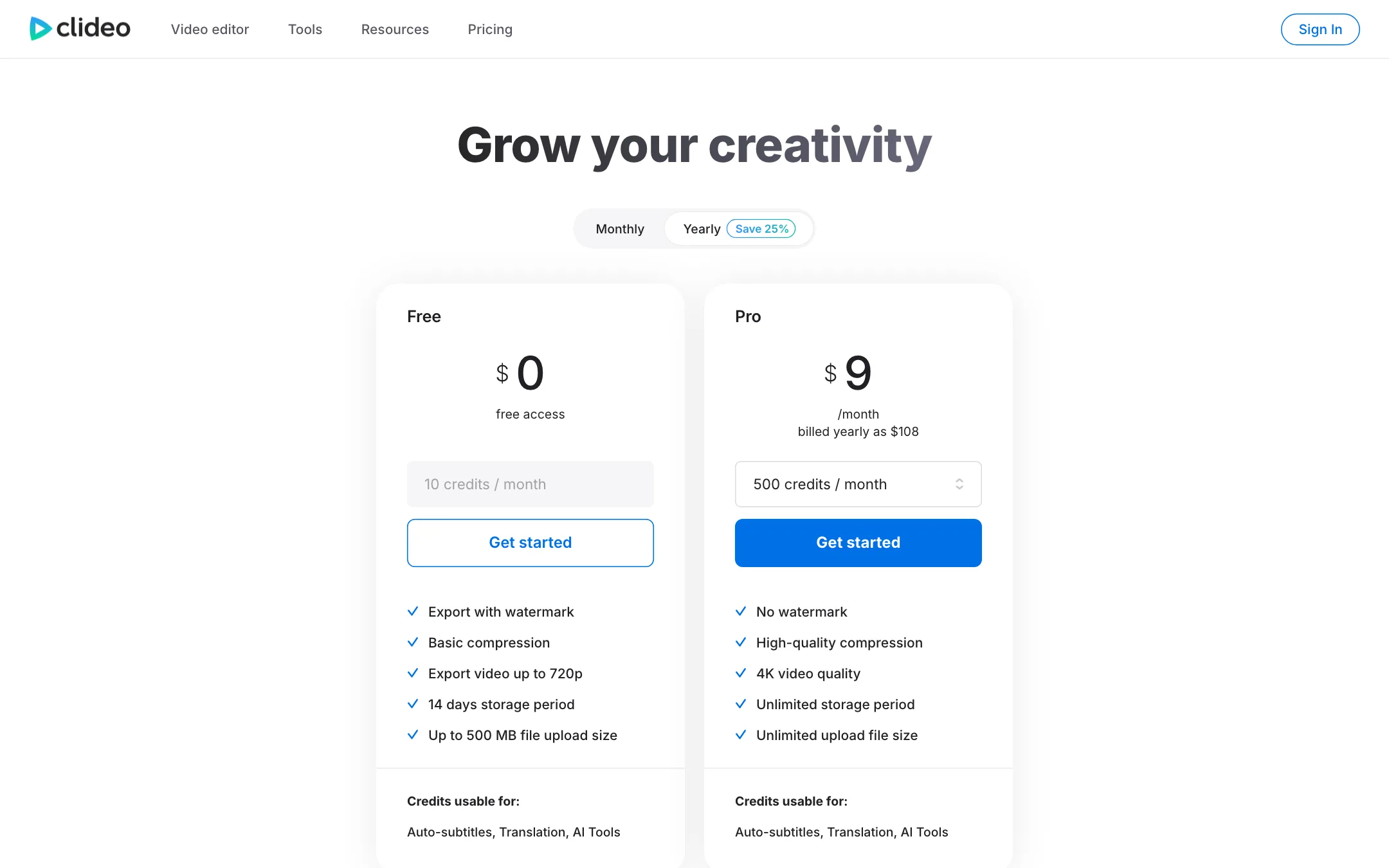
| Plan | Price | What you get |
|---|---|---|
| Visitor | Free | Basic tools, watermark, up to 720p, no AI |
| Free account | Free | 10 credits a month, watermark, 720p, 500 MB uploads, 14-day storage |
| Pro | $9/mo yearly ($108), $12 monthly | 500 credits a month, no watermark, up to 4K, large uploads |
A few things to know:
- Credits only pay for AI. Cutting, merging, compressing and other basic edits are not metered. Auto subtitles, transcription, translation, the AI Agent and generation all use credits.
- Credit costs are not published. Clideo says usage depends on the feature, file length, model and provider rates.
- Credits do not roll over. Unused credits expire at the end of each cycle.
- Higher credit tiers exist. Pro starts at 500 credits a month, with more available from your plan page.
- Upload limits disagree. The pricing page says unlimited upload size on Pro; the help center says 100 GB per file. Either way, it is plenty.
- Recording limits. Free sessions stop at 15 minutes, Pro at 60.
- Payments go through FastSpring or Stripe, so you may see “FSPRG” on your statement.
Refunds
Clideo’s pricing FAQ says it does not issue refunds after purchase, including if you forget to cancel before renewal. The reasoning is that the free plan lets you test first. Do that, and set a reminder before your renewal date.
How to make the free plan and credits go further
Clideo’s free plan is generous for basic edits and stingy for AI. A few habits help:
- Do basic edits on the free tools. Cutting, merging, compressing, resizing and converting do not use credits. Only subtitles, transcription, translation, the AI Agent and generation do.
- Trim before you transcribe. Credit use depends on file length, so cut dead air and intros before running auto subtitles or translation.
- Fix subtitles by hand instead of re-running. The subtitle editor lets you change text and timing for free. Re-generating spends credits again.
- Watch the estimate. For AI generation, Clideo shows an estimated cost next to the Generate button. Actual usage can differ.
- Use credits before the cycle ends. Unused credits expire and do not roll over.
- Do not click Continue in the AI Agent unless you mean it. After the free messages run out, clicking Continue authorizes credit use in all future Agent chats.
If you hit the 10-credit limit every month, Pro’s 500 credits at $9 a month billed yearly is a small step up. If you need more, Clideo offers higher credit tiers on the plan page.
Alternatives
- Kapwing is a collaborative browser editor with AI subtitles, clip making, dubbing and a prompt-to-video assistant.
- FlexClip is a template-led browser editor with stock media and AI script, voice and subtitle tools.
- VEED is a browser editor with auto subtitles, dubbing and AI avatars, if you want more AI in one place.
Verdict
Clideo is a solid, low-cost browser editor that does the everyday jobs well. The single-job tools are quick, the timeline editor covers basic projects, and Pro at $9 a month billed yearly is one of the cheaper ways to get watermark-free 4K exports.
The AI side is thinner than the menu suggests. Ten free credits a month will not go far, credit costs are hidden until you use them, the generator is iOS-only and the translator does not clone voices. With no refunds at all, use the free plan to test the exact job you need before you pay.