What Bytecap is
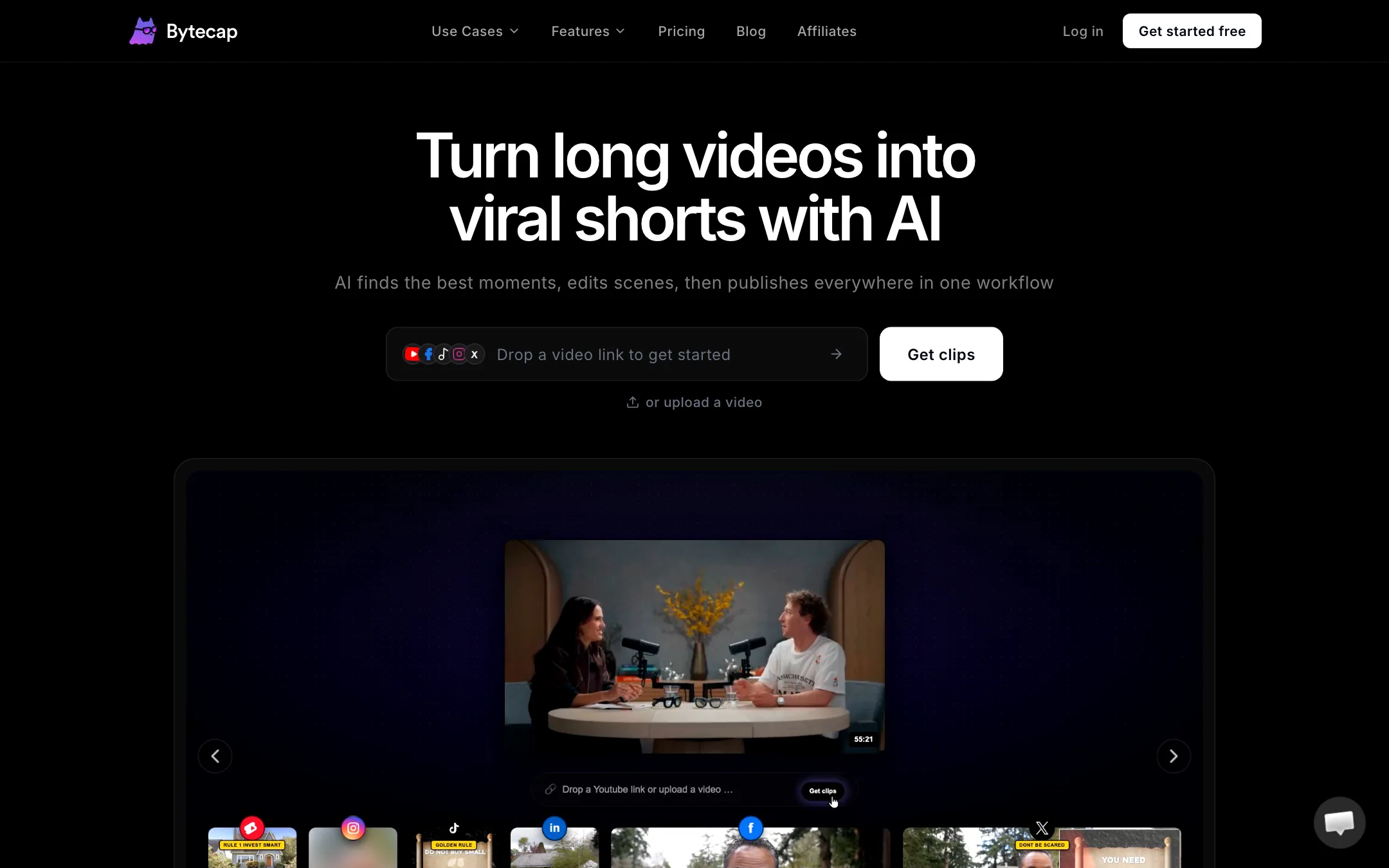
Bytecap is an AI video clipper. You give it a long video, and it gives you back short vertical clips with captions, framing and hook titles already done. Then it can post them for you.
You start by pasting a public link or uploading a file. Bytecap accepts links from YouTube, TikTok, Instagram, Facebook, X, Twitch and Rumble, plus files from your computer, Dropbox or Google Drive. It also has an Auto Import switch that pulls in every new upload from a connected YouTube channel.
From there, Bytecap says its AI watches and listens to the whole video. It scores each candidate moment on dialogue, visual action, scene dynamics, audio energy, hooks and payoff. The best ones become clips. Each clip gets captions, silence removal, a 9:16 crop that follows the speaker and a title for the first second.
It is a small company. The footer says it is made in Canada by Ali Mansour. The feature set lines up closely with OpusClip and the other big clippers, at a lower starting price.
Who it is for
Bytecap fits you if:
- You run a podcast, stream or long-form YouTube channel and want several shorts from every episode.
- You want clipping, captions and scheduling in one tool instead of three.
- You need clips of something specific, like every goal in a match, not just “the highlights”.
- You are a small agency turning client webinars and interviews into weekly batches of shorts.
Skip it if:
- You want to try AI clipping for free. The free plan does not include it.
- You mostly post to Instagram and Facebook. Bytecap’s own pages disagree on whether those are live yet.
- You need predictable costs per video before you commit. Clipping costs are not on the pricing page.
- You already edit shorts by hand in a full editor and only need captions. A dedicated caption tool may be simpler.
How it works
Bytecap splits the job into three steps on its homepage: import, auto edit, then schedule and publish.
Import
Paste a link or drop a file. Starter and Pro allow uploads of up to 4 hours or 8 GB for clipping. If you turn on Auto Import, each new YouTube upload starts the process without you touching it. Bytecap calls this its autopilot workflow.
Find the moments
By default Bytecap ranks the moments it thinks will work on their own. Its marketing shows a scorecard for each clip, with a letter grade, a viral score out of 100 and separate scores for hook, payoff, curiosity, pacing and standalone value. Bytecap calls this Moment Intelligence.
You can also tell it what to find. Type a request like “hot takes and hooks”, “key teaching moments” or “every goal in this match”, and it scans the full timeline for matches. This is the most useful idea on the page. Generic highlight detection often picks loud moments. A prompt lets you steer it toward the clips you actually want.
Bytecap says the clipping works on footage without much talking, too. It lists gaming, sports, travel and tutorials next to podcasts and interviews. We have not tested how well that holds up, so try it on your own footage first.
Auto edit
Each clip then gets a first-pass edit. Bytecap says it:
- Adds animated captions with word-level timing.
- Removes silences and filler words like “um” and “ah”.
- Reframes 16:9 footage to 9:16, tracking speakers and stacking two people top and bottom.
- Adds AI zooms at key moments.
- Layers in B-roll that matches what is being said.
- Writes a hook title for the opening second.
Refine in the editor
Every clip opens in a timeline editor. You can fix caption timing, change the style, choose a different subject for the crop, split the timeline and add audio. There is a long list of extras: AI thumbnails, caption translation, audio waveforms, overlays like confetti and light leaks, vintage effects, color filters, GIFs, stickers, a progress bar and a searchable library of motion graphics.
This matters. Some clippers hand you a finished file and little else. Bytecap keeps the creative decisions in your hands, which is what you want when the AI picks the right moment but the wrong crop.
Publish and schedule
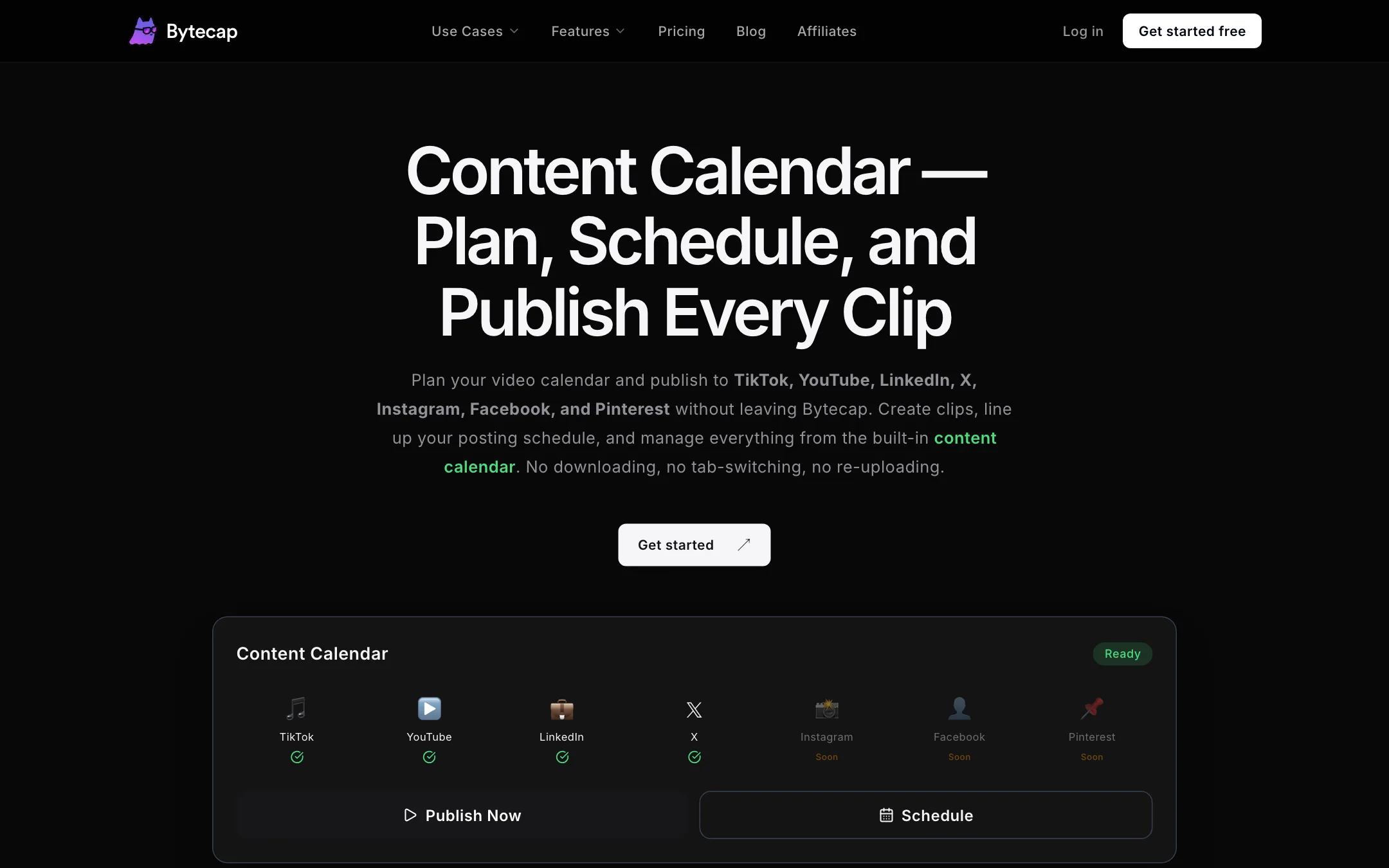
The content calendar connects to your accounts through OAuth. You pick platforms, write a caption and hashtags per network and either post now or pick a time. Bytecap says scheduled posts go out from its servers even when your computer is off.
There is a contradiction here. The pricing table lists YouTube, TikTok, Instagram, Facebook, LinkedIn and X for paid plans. The calendar page itself marks Instagram, Facebook and Pinterest as coming soon. If Reels are your main channel, check inside the app before you pay.
Captions
Captions are where Bytecap overlaps with the captions category, and it is the one feature the free plan includes.
Bytecap claims 99% transcription accuracy, multi-speaker detection that colors each speaker differently and more than 20 animated templates. You can burn captions into the video or download them as SRT, VTT or JSON. That last part is useful if you also post long-form video and want a proper subtitle file.
The language count depends on which page you read. The pricing table says AI captions in 30+ languages. The captions feature page says 50+. Treat the lower number as the safe one until you check your language in the app.
Faceless videos
Bytecap also has a faceless video maker. You start from a script or idea and it builds a short with motion images, an AI voice and captions. Paid plans list AI voices in 29 languages from ElevenLabs and OpenAI, plus AI sound effects.
This is a side feature next to clipping. If faceless channels are your main business, a dedicated faceless tool will give you more control. If you want an occasional faceless short alongside your clips, it saves a second subscription.
Output quality
We have not run our own footage through Bytecap, so everything here comes from its own pages.
What Bytecap promises:
- Clips ranked by a scored quality test, not random cuts.
- Captions with 99% accuracy and word-level timing.
- Speaker tracking that keeps faces in frame as people move.
- Exports up to 4K at 60 fps on paid plans.
What to watch for with any AI clipper:
- Context. A clip can score well on hook and still miss the setup that makes the punchline land. Watch each one before posting.
- Crops on busy shots. Tracking works best with one or two clear speakers. Group shots and screen shares need manual fixes.
- Captions on names and jargon. Bytecap offers a brand vocabulary list on paid plans. Use it for product names and guests.
Bytecap also publishes its own research pages, including an “AI Clipper Benchmark”. Benchmarks written by a vendor about its own category are marketing first. Read them as a sign of what Bytecap cares about, not as an independent test.
The homepage testimonials are another flag. They come with names and job titles but no photos, links or channels. That does not mean they are false. It means you cannot check them, so do not weight them.
Pricing
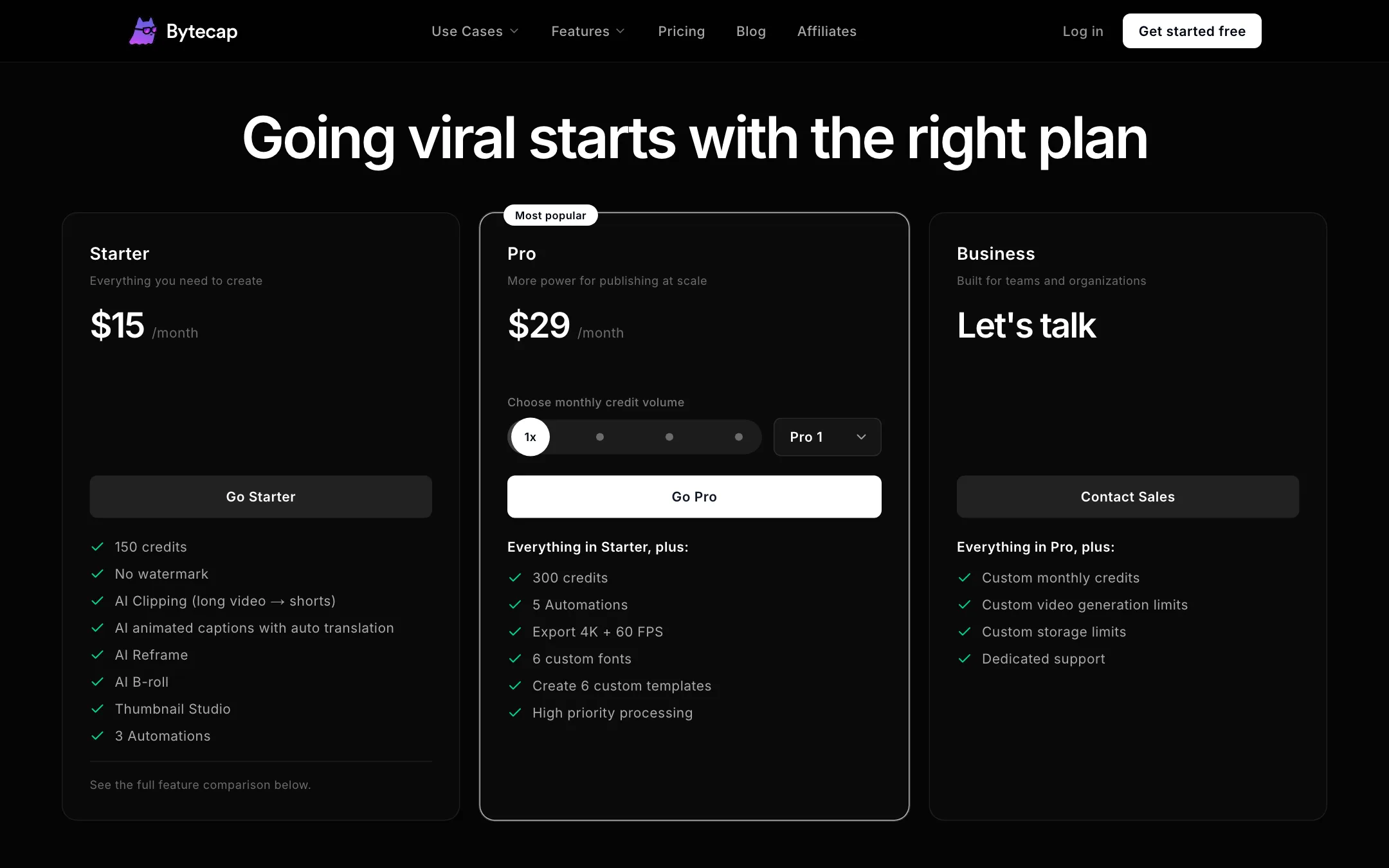
Bytecap uses monthly credits. Each feature spends credits per minute of video.
| Plan | Price | What you get |
|---|---|---|
| Free | $0 | 50 credits a month, captions, watermark, 1080p at 30 fps |
| Starter | $15/mo | 150 credits, AI clipping, no watermark, 3 automations |
| Pro | From $29/mo | 300 to 2,500 credits, 4K at 60 fps, 5 automations, priority processing |
| Business | Contact sales | Custom credits and limits, dedicated support |
What the pricing page does not make obvious:
- The free plan cannot clip. The comparison table shows AI clipping, import sources and caption translation as paid features. Free is a caption tool with a watermark.
- Clipping costs are hidden. The calculator only showed 30 minutes of captions as 30 credits, about one credit per minute. It does not state a rate for clipping. Run one short video first and check what it spends.
- Pro scales by credit pack. Pro 1 is $29 for 300 credits. Pro 2, 3 and 4 add 600, 1,200 and 2,500 credits. The page did not show the prices of the larger packs without picking one.
- 4K placement is unclear. The comparison table shows 4K and 60 fps on Starter. The Pro card lists 4K and 60 fps as something Pro adds. If 4K matters, confirm it on the plan you pick.
- No yearly discount is shown. Every price is per month.
At $15, Starter is cheaper than most clippers’ first paid tier. Whether it stays cheaper depends on how many minutes of source video you push through it each month.
Affiliate program
Bytecap runs a cash affiliate program. It pays 25% of eligible subscription payments for the first 12 months from a new customer who joins through your link. Attribution lasts 30 days from the latest click. Payouts go out monthly through PayPal once your balance passes $50. You apply through your Bytecap account and applications are reviewed by hand.
Verdict
Bytecap covers the whole short-form pipeline: import, clip, caption, edit and schedule. The prompted moment search and the full timeline editor are real advantages over clippers that only hand you a finished file. Starter at $15 a month is a low price for that much.
The gaps are in the details. The free plan does not let you try the core feature. The pages disagree on caption languages, Instagram support and where 4K starts. And you will not know what a clip costs in credits until you run one. Start on Starter for one month, push a typical episode through it and compare the clips with what OpusClip or Klap give you from the same file.
