
What AIVideo.com is
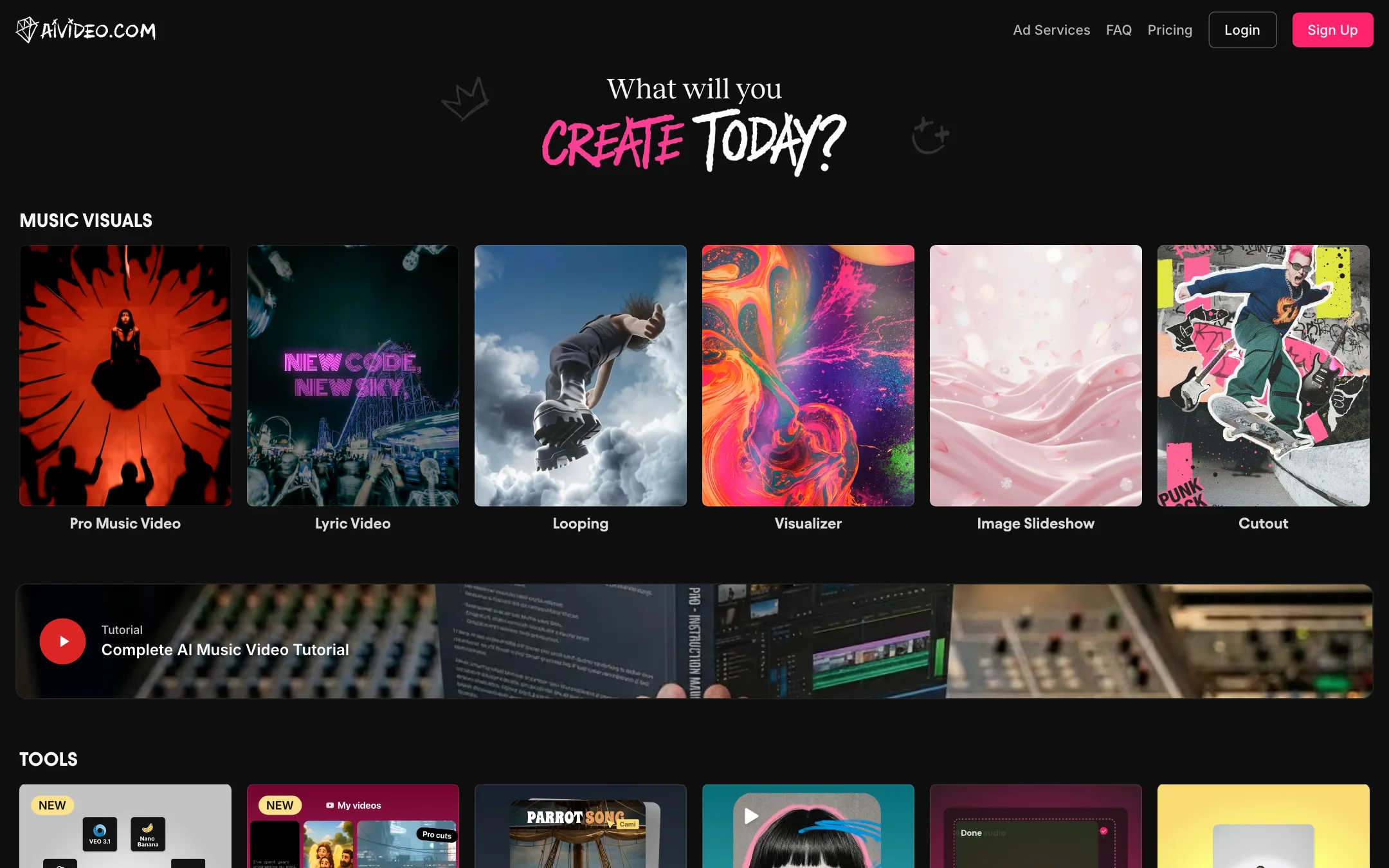
AIVideo.com is a web platform for making AI video, and its center of gravity is music. The first row on its homepage is music visuals: pro music videos, lyric videos, looping clips, visualizers, image slideshows and cutouts. There is a full tutorial for making an AI music video, and the case studies on the pricing page are all musicians.
Around that core, AIVideo.com has grown into a general AI video tool. It has a Script to Video workflow, a timeline editor with an agent named Ava, a model playground, text-to-image and image-to-video tools, and template rows for e-commerce ads and real estate listings. There is also an MCP so other AI assistants can drive it.
It does not train its own video model. The FAQ says plainly that it uses third-party models for video clips, voiceovers, music and sound effects. The pricing page lists Nano Banana Pro, Google Veo 3.1 Fast, Kling 2.5 Turbo Pro and Wan 2.6 among the most popular.
Who it is for
AIVideo.com fits you if:
- You are an independent musician who needs a music video, lyric video or Spotify Canvas loop without a film crew.
- You want to upload a track and have the tool plan visuals around it.
- You like starting from a workflow and then fixing details in an editor.
- You make product ads or property videos and want ready-made templates.
Skip it if:
- You want to try before you pay. There is no free plan.
- You want the newest frontier models the week they launch. AIVideo resells a set of models and its help text lags behind.
- You work on Safari or a tablet. The editor is desktop-only and Safari is not supported.
How it works
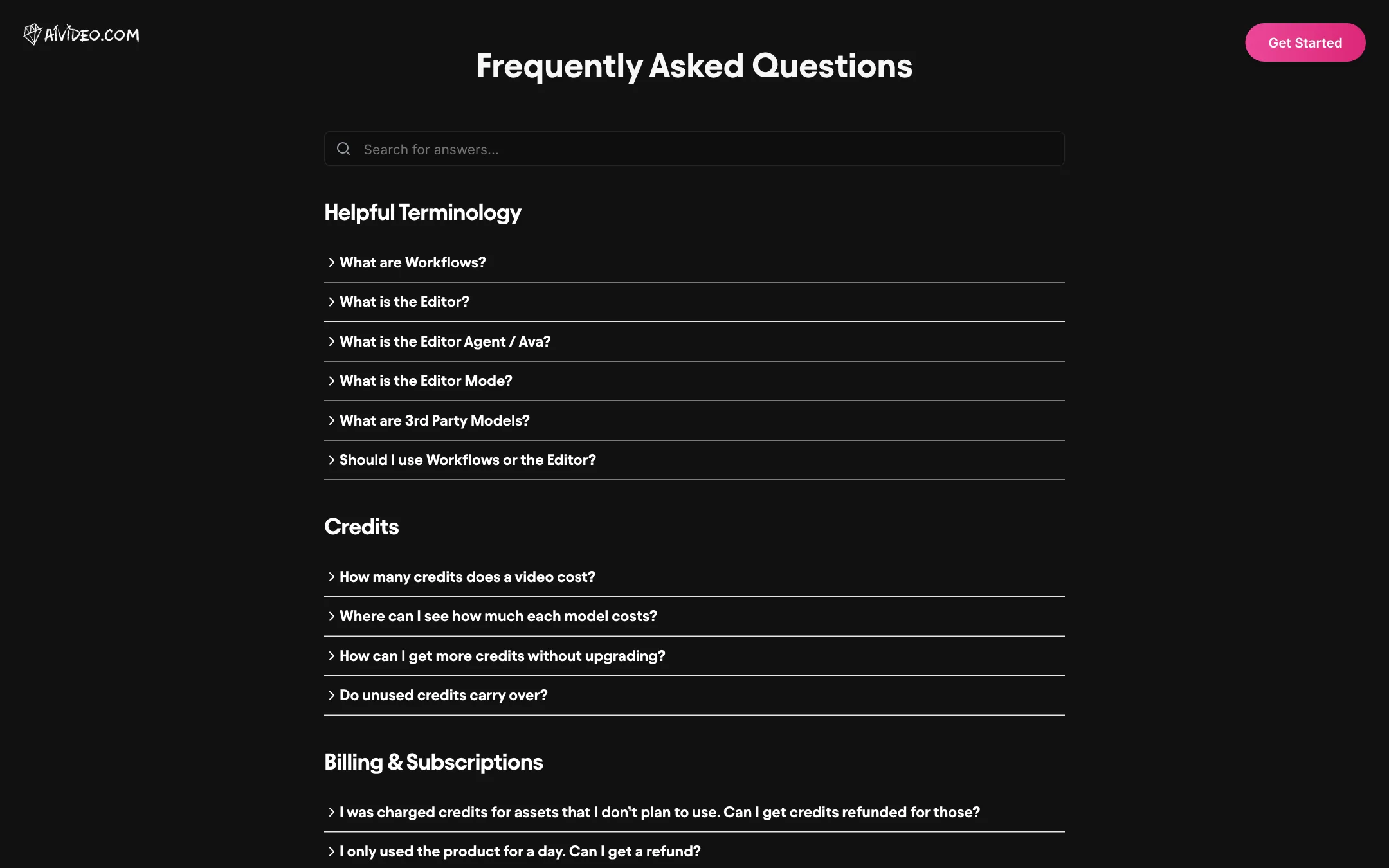
AIVideo.com splits the product into two ways of working, and its FAQ explains the difference well.
Workflows
Workflows are repeatable jobs. Some are big, like Music Video or Script to Video. Some are small, like Text to Image. AIVideo says a workflow is “an entire video production team at your fingertips,” handling visuals, voiceover, music and sound effects together.
Every workflow shows a credit estimate before you start, and you are only charged for the assets it actually creates. The estimate covers the first automatic draft. Edits after that are charged at normal rates.
The Editor and Ava
The Editor is a timeline where you generate clips, voiceovers and sound effects directly. It suits people who want to generate ten versions of one shot and pick the best. Ava is the agent inside the Editor. You ask Ava for changes in plain language, and you can set it to Fastest or Smartest mode, which the FAQ ties to different underlying language models.
AIVideo’s own advice is to start with a workflow and finish in the Editor. That is sensible. Let the workflow get you a draft, then fix the shots that miss.
A typical music video run
- Open the Music Video workflow and upload your song.
- Pick HD or SD. HD costs 10 credits a second, SD 5.
- Let the workflow analyze the track and propose visuals.
- Review the credit estimate and start the draft.
- Open the result in the Editor and regenerate any weak shots, either by hand or by asking Ava.
- Export and post, or cut a short loop for Spotify Canvas.
Script to Video
For non-music work, Script to Video takes either a short request (“a video about the history of sailboats”) or a full script. The FAQ gives a clear format: put spoken lines in quotes with the speaker named, visual directions in square brackets and sound effects in curly braces.
You also choose an agent strategy:
- Consistent Style & Characters storyboards the whole video with GPT Image, then animates the frames with Kling. AIVideo says it keeps characters consistent but can feel mechanical.
- Realistic & Dynamic generates straight from text with Kling for more realistic motion, at the cost of consistency.
Templates for ads and property
The e-commerce row includes Script to Ad, Giant Product, Exploded View, Before & After, Bullet Time, Billboard Ad, Product Review, UGC Split-Screen and Poster Ad. The real estate row has staging, day-to-night, timelapse build, sketch and drone-style landing effects. Community projects can be remixed, so you can start from someone else’s setup.
Output quality
Because AIVideo.com resells other companies’ models, output quality is mostly the quality of whichever model you pick. Veo 3.1 Fast, Kling 2.5 Turbo Pro and Wan 2.6 are all capable models. What AIVideo adds is the music analysis, the workflow logic that plans shots across a song, and the editor for fixing mistakes.
AIVideo points to artist results rather than benchmarks. Its pricing page says DJ ARMNHMR used it on a main stage seen by 75,000 people, that artist Lucca Saettone hit his most-viewed video with over a million views, and that DISHYPE gets 20 million or more views a month without a label. Those are vendor-chosen case studies, not independent tests. We have not tested the product hands-on.
Watch for one mismatch. The FAQ’s credit answer still mentions Veo 2 at around 300 credits per clip, and the Script to Video strategies mention Kling 1.6 and Kling 2.5. The pricing page lists newer models. Check the model picker inside the Editor for the current list and per-second prices before you plan a budget.
Pricing
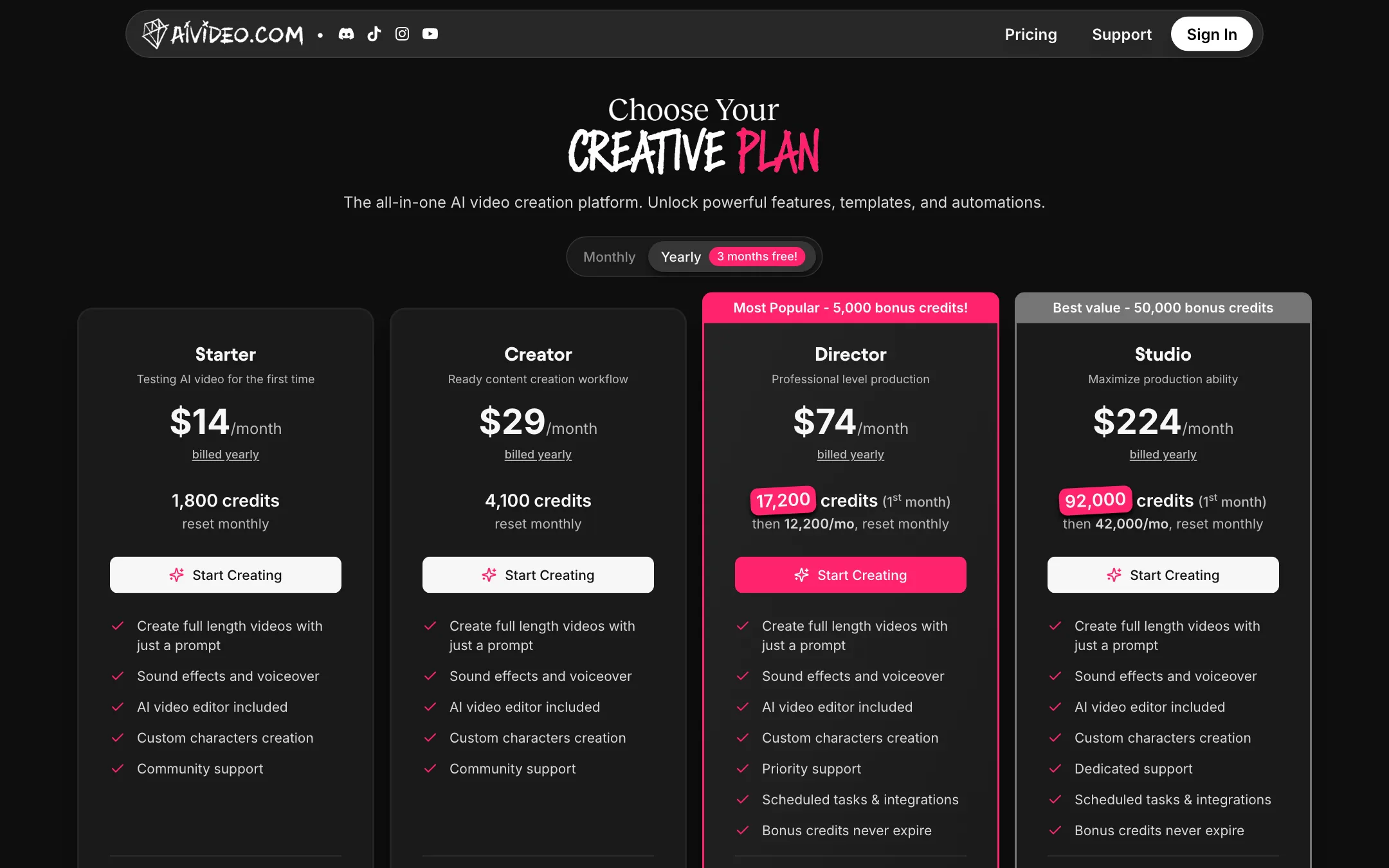
AIVideo.com sells four subscription tiers. Yearly billing is marketed as “3 months free.”
| Plan | Yearly | Monthly | Credits a month |
|---|---|---|---|
| Starter | $14/mo | $19 | 1,800 |
| Creator | $29/mo | $39 | 4,100 |
| Director | $74/mo | $99 | 12,200, plus a first-month bonus |
| Studio | $224/mo | $299 | 42,000, plus a first-month bonus |
Director and Studio add priority or dedicated support, scheduled tasks and integrations, and bonus credits that never expire.
What things cost in credits
AIVideo publishes a planning table for music visuals:
| Video type | Cost |
|---|---|
| Pro music video, HD | 10 credits/sec (900 a minute) |
| Pro music video, SD | 5 credits/sec (450 a minute) |
| Looping video | 150 credits |
| Cutout video | 150 credits |
| Lyric video | 15 credits |
| Visualizer video | Free |
| Image slideshow | 100 credits |
Model prices are per second for video and per image for stills: Veo 3.1 Fast and Wan 2.6 at 13 credits a second, Kling 2.5 Turbo Pro at 8 credits a second, and Nano Banana Pro at 16 credits an image.
Do the math on a full song. A three-minute track as an HD music video is about 2,700 credits for the first draft. That is more than Starter’s monthly allowance. If you plan full-length HD music videos every month, Creator is the realistic starting plan, and regenerating shots costs extra.
Credits, refunds and trials
- Subscription credits reset on your renewal day. One-time credit packs carry over.
- Failed generations are refunded automatically. The exception is generations blocked by a provider’s safety filter when that provider charges for blocked requests. The FAQ names Grok.
- Unused assets are not refunded. If you generate ten clips and keep one, you pay for ten.
- Refunds are only for paid plans where no credits were used.
- No trial. The FAQ says “Not right now.” Oddly, its refund answer says “That’s what the free trial credits are there for!” We could not find any free trial credits on the public pages, so assume you pay first.
AIVideo.com vs other music video tools
Most AI music video tools do one thing. Some make audio-reactive visualizers. Some animate lyrics. Some generate a stream of abstract visuals that pulse with the beat. AIVideo.com tries to cover all of those in one account and adds a full generative music video on top.
That breadth is the main reason to pick it. If you release a single, you might want a lyric video for YouTube, a looping Canvas for Spotify, a few vertical clips for Reels and a full music video for the premiere. AIVideo.com lists a workflow for each of those, all paid from one credit balance.
The trade-off is that you are paying a platform margin on top of third-party models. If you only need raw clips from Veo or Kling and plan to edit them yourself, buying those models directly may cost less. If you want the song analysis, the shot planning and an editor that ties it together, AIVideo.com saves you that assembly work.
Who should not buy it
Be honest with yourself about volume. If you make one music video a year, a monthly subscription with credits that reset every month is a poor fit. Buy one month, make the video, and cancel. AIVideo’s FAQ says you can cancel at any time, effective at the next billing cycle, and you keep access to your projects.
Verdict
AIVideo.com is the most music-focused AI video platform on our list. If you are an artist who wants a music video, a lyric video or a Canvas loop from a track, its workflows are built for exactly that, and the per-minute cost is published up front.
The trade-offs are real. There is no way to try it free, the FAQ contradicts itself about trials, and help text lags behind the model lineup. Start on Starter for lyric videos and loops, and move up to Creator if you want full HD music videos every month.